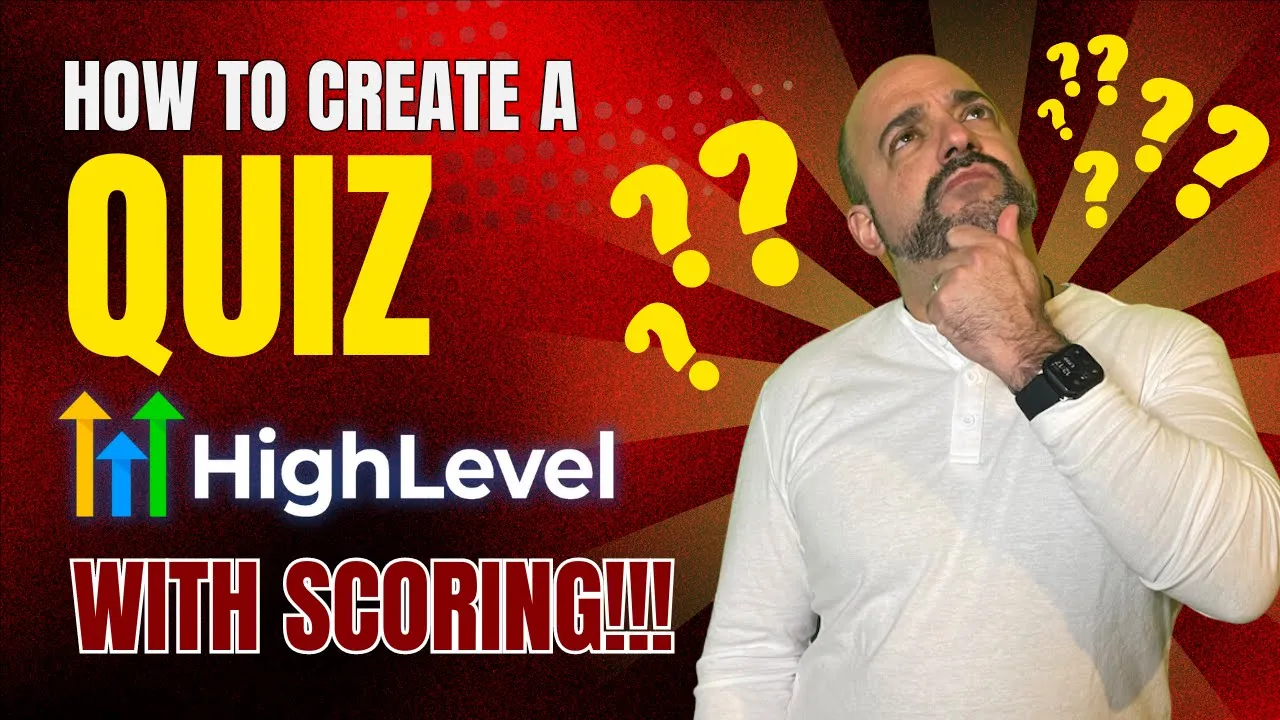
today we're going to build a quiz inside a high level and we're going to show you how you can score it and give different results to different customers so stay tuned and build along with us so I don't know if some of you know but quizzes happen to be a great lead magnet that attracts people to your brand and more importantly you can segment your audience based on the way they respond to the quizzes it's a great way to interact with the audience it goes back and forth meaning the customer puts in a question they
get a result it's just a really good way to interact now what the cool thing about the way we can do it inside a high level is you can segment it based on the way that they score so today we're going to build a very simple quiz in order to do that and we're going to make it basically whether or not you're a dog lover all right so let's just jump right in so when we first go in the first thing we're going to do is we're going to create the actual value that we're going
to store the quiz in the reason I do that is because everybody's got to understand we have something called a math function inside a high level that we're going to leverage in order to keep the score of the actual quiz so what I'm going to do is I'm going to go over to the left- hand side and I'm going to go to settings the first thing I'm going to do is I'm going to go to a custom field and the reason we're picking a custom field and not a custom value is because we want the
score being specific to contacts custom Fields it stores basically all the customer information so that's why we're going to use a custom field so we're going to come over here we're going to do the number value because it has to be a number in order for it to calculate and what we're going to do is we're going to come over here and we're going to call it dog lover Max score the reason I'm going to put Max in it is because we've already done this just to test it out to make sure now I'm going
to put it in additional info I can also create my own folder or I can call it the dog lover score to keep it simple today we're just going to put additional info and we're going to go ahead and hit save awesome now that that's done and I have my actual score value let's now create the quiz so we're going to go over to the left hand side and we are going to go over to we're actually going to go back here go over to sites and sites we are going to go to surveys and
the reason I like surveys is when you're doing quizzes it's better to do a survey because it's one page at a time versus being all at once which in my opinion just works a little bit better it looks a little good right and what I'm going to do is I'm going to go ahead and add a survey and I'm going to start from scratch now a lot of people are going to ask do you need email and phone number now the main purpose of doing a kind of quiz is to generate leads even if you're
doing for fun it still has to attach to a contact in order for the person to get their actual score because the way you want to do it is we don't have the ability yet to redirect People based on what they score inside it is coming we literally will do this video two weeks later probably have something where you can automatically score inside the quiz but we don't have that just yet we have conditional logic which means that you can go to one thing and another based on the questions that they answer but what we
are trying to do is trying to get a full quiz so we can give results back to the individual right and also segment it based on the way they score now the first thing I'm going to do is I'm going to kind of name this real quick so always name your quizzes because the thing about high level if you haven't heard us mention it before is if you're not naming things right what's going to happen is things are going to get very lost it's very hard to navigate so we put things in folders and we
put things by naming them by in and order by numbers or whatever it is so for instance if this is going to be a dog quiz we'll put DQ for dog quiz right and we'll put a 01 and we'll call it dog lover servant exactly what it's going to measure right hey we want to interrupt this video for a quick little minute to just let you know that I hope you're enjoying this video we want to thank you for being here but more importantly we're hoping that this content helps you do whatever you're trying to
do inside a high level we also want to let you know that you have options to get additional help we offer a 197 a month VIP coaching program that includes four days of office hours first come first serve with Andy or myself where we go in and we answer any of your questions that you might have live with the group setting for other people that are also working in high level we also have a VIP group where we answer questions directly one-on-one with any body posting in that group to give you the absolute best support
it also comes with a bunch of other features including our fontal brick system our little mini course and more importantly a couple guides that will help you through this and also including our sop library that we use for pretty much everything inside of our agency so thank you for this quick little minute but more importantly go back to the video get whatever you need and if you have any questions that we can answer inside the video just drop a comment on the video and we'll make sure to answer whenever we get a chance and now
back to the show now the other thing that I was mentioning about conditional logic and everything else I'll get to that but before everything that you need to understand the quiz the way it operates is left-and side adds the values right hand side customizes the things that you're adding so the first thing we're going to do is add our first question right so I like to add the question that I'm going to ask the customer because I want to make sure that they immediately start engaging in the quiz versus asking for their name or their
email because some people might be turned off by that so what I'm going to do is I'm going to come over here I'm going to hit add now the reason we're not using the quick ad is because these are pre-made fields that are system these you don't really want to mess with other than collecting the information that you want like for instance if you want an email you move that over if you want name you want to move that over so in our case cuz we don't have a question for the dogs what we're going
to do is add a custom field and we're going to go ahead and we're going to hit add now I'm going to make this incredibly simple I always like to do radio select when I'm doing a quiz because it's easier to grade if you give the person the option of selecting multiple things scoring becomes incredibly difficult and I don't recommend doing it you don't need to do it right so I'm going to hit radio select because it only allows them select one choice and I'm going to hit next I'm going to come over here I
got to give the field a name this is going to be the actual question do you like like dogs or cats be honest okay come over here additional info this means that in the section of questions that I'm collecting for the customer I want to make sure I put it in here because it just makes it easier for it to do it you can also put it in a folder to make it super easy again we can always move it later on I'll actually show you guys how to do that a little bit later but
for instance we're going to come over here we're going to put dogs and then I want to make sure we spell that right dogs and then come over here cats and we're just going to leave it as two questions right first initial question and again name is the name of the question the additional field we put in additional info you can also create your own group and we're going to come over here we're going to hit save awesome feel that is successfully now notice how this was additional info I don't know if you saw it
or not but it went from 40 to 41 so we're going to click on 41 and the only not cool part about this is if you have a lot of questions you got to click all the way down at the bottom and we come in here and do you like doger cats I'm going to move that over notice really simple question and notice that I'm doing it in a slide so first slide is here so what I'm going to do is I'm going to add a second slide where I'm going to add my second question
now I'm going to actually come over here real quick and I'm going to hit save because I'm not liking that I have to search the all those field so what I'm going to do is I'm going to create a folder in the custom field area so I saved my survey right here and what I'm going to do is I'm going to hit back when I hit back I'm going to go all the way down I'm going to go to settings again and I'm going to go to custom fields and what I'm going to do is
I'm actually going to go to folder and add a folder and we're going to put dog lover quiz all right so then we can segregate this stuff and I'm going to just hit save all right now that I created a folder what I'm going to do is find that question I as just did so do you like dogs or cats be honest this is my question and what I can do is now that I found my question I want to put it in a folder I come over here add an action and I'm going to
move it to the group group just means I'm going to select the folder and now I have dog lover quiz all right so now I have it where I have it in the dog lover quiz super easy as you can see now if I come in here I have it right in here it's a radio button it's all set so now I can start putting all the questions I create inside the survey into here so I'm going to go ahead and hit the go back button and let's go back to my sites my surveys I'm
going to go to Builder all right and in my Builder I have my dq1 dog lover survey okay now I asked my first question do you like Darko cats the second one all right we're going to come up with something um just really quickly again I'm going to hit add and again radio select if you are going to be doing these multiple kind of choices you're going to want to make sure that radio select is the option again just trust me it's just makes it so much easier when you got a grade so I'm going
to come over here and what do you feed your dog all right additional group see now I have dog lover quiz so I'm going to put it in that folder and then I'm going to put scraps whatever is on sale wait you have to feed it and only the best for my pup which is true only the best for my pup all right I my all right so we come in here and we're going to go ahead and hit save awesome now we got my second question but now cool successful feel added dog lover that
pops into two awesome I slide down to slide two boom and now I got my second question all right we're going to add one more and we're going to make it super simple again you can add as many as you want just remember the more you add the tougher it's going to be to quiz and that's why I want to make sure you fully understand keep it simple again people just want a cool interaction if you have to make it 10 questions that's fine but you're going to see when we start building this out it's
going to get a little complicated so what we're going to do next is we're going to hit add and we're going to add our last question and it's going to be radio select again this time is do you let your dog have Choice okay group then dog lover quiz this is going to be yes and then we're going to have no okay meie don't let your dogs have toys that's bad all right come over here and we're going to go ahead and hit save all right and that's going to give successful feel added quiz number
three fantastic boom do you let your dog have toys now here's the thing when you now click on this this is what I want you to notice remember you build on the left you customize on the right on the right you have it where there is the logic so for instance if you immed really wanted to disqualify a person because of the way they answer the first question or one of the questions what you could do is you could select if they selected dogs you could say awesome keep on going to the next question if
say select cats you could tell them to disqualify immediately after submit and a disqualified value would go into the quiz itself letting you know that the person didn't qualify this is great when you're doing kind of a lead magnet and somebody not a lead Magnet or you're doing a questionnaire for somebody to get on an appointment with you and all of a sudden the question you ask is do you have money to invest in yourself and it's like $5,000 $3,000 $1,000 and whatever and they say no then you can immediately disqualify them and send them
to a free resource right because they're not ready for you so that's something you can do where the conditional logic but in our case we want to score because we want to segregate dog lovers and Cat lovers you know kind of keep it super simple you can make it more advanced but you don't need to do that but I'm going to click on this again on the right hand side the disqualification and the logic would go here here's the tough part about this is you can only disqualify for one thing or two things if possible
and it's immediate right it's not a cumulative score so it's not like you people can score all the way and if they get to a certain score at the end you disqualify they're coming out with that they don't have that now so this is the workaround that we're doing for that but just wanted to let you know that it's possible to disqualify right on here now the one thing that I do want to make sure I put in here is I want to put required and the one thing I'll tell you is never ever ever
mess with the query logic and if you have to change this question just create a new one if it's not the same question you want and delete the other one because what happens is a lot of people will try to modify these questions and it's the wrong way to go about it you'll destroy whatever you've created don't do that best way to do it is just keep adding questions questions versus doing what you're not supposed to do which is you come in here and you manipulate this thing especially this thing at the bottom here now
advanced settings if you go down you can have custom fields and unique field names again this is what is the unique placeholder for the custom field don't mess with this all right options if you want to add options if you want to spread it to columns meaning it's going to be like one or two columns this is great on a big form but again you can do it if you wanted to add another option you can also do it in here to make it super simple all right so what I did do again is I
made a required because I don't want people skipping that question I'm going to come over here and make this one required and notice again here's my conditional logic I can skip to certain slides or it can disqualify but again we're scoring so it's going to be a little bit different my results are going to be sent to them in an email because that's how I can control the Automation and the scoring going to come over here going to hit required ready to rock and roll now the next thing we're going to do is remember I
have to assign an email to the customer at least in a name so I have to collect that information so I'm going to come over here I'm going to do quick ad these are the system ones these are the ones you never really want to mess with because these are the ones that carry value for the system so I just caution you remember that right hand side don't mess with the right hand side too much with these when you're building these out so what I'm going to do is I'm going to go over here to
first name because I at least know the person's first name and I'm going to make it I'm going to click on it and I'm just going to make it required notice that there's not a lot of advanced options reason being is an actual systemwide query and you don't ever want to mess with a query key or you never want to change these these are the ones that are system leave those alone if you need to create one create an additional one up here under the custom Fields just trust me lot of people make this mistake
and it causes a lot of issues and I'm going to do the email and I'm just going to make that email a second and it's already required because again I need to have that email there in order to do that you can also hit the verification of the email where if somebody puts in the email it validates it right away so you don't get people you know bouncing and whatever else so just a really cool option there you can actually turn it on here and that's pretty much it now if you want to be super
fancy super fancy stuff happens with these two little lines up here which is Styles and options if I wanted to make it a box make it a line whatever it is I could if I want to add colors and backgrounds agency branding on it whatever I want to do add an image to the background a header image I can do all of that here and if I wanted to put a footer where you know it's going down stick to card stick to page whatever it is there's a lot of really cool things you can do
here and I want to enable a progress bar again you can do that I don't know why it's not letting me today but I believe if you have to hit stick to page yeah see and it gives a little progress bar and I can do percentage instead so now I have that which is a pretty cool feature and then I want to go to options I can put a thank you message or I can have it go to another page on the funnel which is what we're going to do now and I'm going to show
you how to turn that on and then themes you have themes that you can do I believe there was a little doggy theme if I'm not mistaken yeah look at that use this theme yep proceed look how cool you can give it a little theme in the background and we're ready to rock and roll now what I'm going to do is I'm going to go ahead and hit save cool and now using the new funnel block system that they came out with which I think is really really cool we're going to make a plain Jane
funnel we're not going to put any real words on it but we are going to show you how to create a quiz funnel really quickly just to kind of get this going and make it live right so if you go over to sites let's go to a funnel and what we're going to do is again folder for everything right and what I'm going to do in here is I'm going to literally say this is going to be our dog lover quiz funnel all right if you want to put a number to it this will be
like 04 whatever it is you can do that but for instance we're just going to leave it super simple I'm going to hit confirm and using the new funnel block system this is really cool again I'm not going to design it I'm just going to put it together to show you how e this is so I'm going to go to new funnel and I'm going to do from blank this is going to be dog lover Woods okay I'm going to hit create when I hit create I'll let that create for a quick second beautiful I'm
going to add a new Step this is dog lover wiiz page all right URL big on this always put a URL here man I'm going to put dog lover quiz all right make it super simple and I'm going to create the funnel step come directly in here use existing oh it's not use existing I'm sorry create from blank and with now these pre-built sections what I'm going to do is kind of mess with this a little bit you see how these all have this cool kind of FAQ product sections all these kind of cool areas
and what I'm going to do is I'm going to find yes perfect exactly what I want it'll be something like this I'm going to get rid of this top header don't need it so there's got to be a row here somewhere boom move this all over this is going to be for my dog lover quiz this will be the whole thing this is like change the button to say again I can find a picture of a dog real quick quick let's come over here go to pixa Bay real quick dog awesome there's some pooches right
here boom are you a real dog lover all right we can go super crazy but for instance we'll just do that and then attention wnab be and pogers all right get instant access we're going to do this in a popup because we want our thing to pop up now if I'm going to do a popup I go to this little tiny bar up here and there is a pop-up settings one I don't know if you guys can see that let me move it right here and I'm going to build inside the popup so add a
row a column a little headline that says take the quiz take the quiz all right click this little plus sign look at my survey selector come on here select your survey dog lover quiz DQ again this is why naming look how it comes this beautiful thing which is amazing all right this is great and then the redirect action so again remember you build on the left this is the way this whole system is you build on the left and you customize on the right I'm in the survey area I want when fills out the survey
to go to the thank you page where I can sell an additional product book an appointment do whatever I want but for instance this is what I want to happen and then I'm going to go to the top right hand side I'm just going to go ahead and hit save awesome and I can add a little bit more right so if I come in here again hit the little top left hand side customized it go to the pre-built sections I have about so I can put my you know little picture about I'll do Crossways no
let's do it in white boom bye my name is blah blah blah whatever and then I can put a nice little footer simple footer look at these privilege sections aren't these great all right and then I can customize it later you know this is Mary she likes dog lovers and then boom I got like an instant page so now that this is done what I'm going to do is I'm going to go ahead and I'm going to go ahead and hit save and in here I'm going to now create a simple thank you page because
I want them to go to thank you page at least that's the way we like to do it because I don't like when that whole thing pop up thank you for your survey I like feeling complete by going to a different page so I'm going to hit add new step and it's going to be dog lover thank you page and then literally all I doing is working on the wording on the page and then I come in here and this is going to be DQ thank you awesome and then we're going to create from blank
because again we have these pre-built sections it makes it so humanly fast to create this so I'm going to come over here and this is just going to be you know what I'm just going to use this header and I'm GNA I'm G to move this because I like the darker background get rid of that top and I don't need that it's just going to be like a big old thank you check your email eventually when they have a quiz funnel based on your results you'll be going to a certain page until they come out
this is a great alternative literally I guarantee you it's going to come out like two days later after I make this video that's always what happens Andy and I will be creating these things and then two days later the new update comes and we're like darn it so and I got my footer that's it now I got my thank you page awesome so now comes a fun part which is creating the automations so let's go over to our automations and as always the first thing we're going to do is create a folder we create a
folder and we're going to lab with 07 because that's the order dog lover quiz always create the folders always always create the folders always name the things right so we named the survey dq1 so what we're going to do is come over here and we're going to start from scratch and again naming it's always Nam the right way guys again I can't stress this enough DQ 01 survey submitted and I'm just going to put a little calculate score there we go all right cool now first thing let's pick this big again we have our starting
action our starting action oop starting trigger let's try add new trigger right here is going to be the survey submitted survey submitt all right and we always have to filter because this is a specific survey I'm going to hit survey is dog lover DQ see this is why DQ DQ get it it makes it super easy you can also name the funnel the same thing come in here add a filter the filter is going to be not disqualified because remember if we were adding the disqualification you would want only score somebody who's gone through the
whole thing because we didn't add it we don't have to worry about it but just in case you wanted to do it you only wanted to do it with people that weren't disqualified disqualifying is false we could leave it on there too it's not going to hurt anything because we don't have a disqualification thing but you could just leave it here survey is so anybody that regardless if they qualified or did qualify you added that feature there they would still get their calculated score so I'm going to hit save trigger first thing I always do
you guys know this is tag so I want to come in anybody that tagged that filled out the dog lover survey I want to make sure I know about it so if later on I want to mark it to them I can so I'm going to do dog lover survey make it super simple add the tag awesome save action all right so now we're going to get into the question so the one thing that I like to do is and I kind of lower this a little bit for you guys is I duplicate my tab
and I like to go back to the survey that I was in so I can see what questions are coming up so if I hit back to workflows up on top and I go over to sites and I go back to surveys and I go to Builder here I have this dog survey up so now I can have the survey in here so I can measure it back and forth so what I'm going to do is I'm going to click on the first question I'm going to get my first label and I'm going to copy
it all right now that I've copied it I go to my first F Els because now what I have to do is I have to give each value a score so I'm going to come over here I'm going to do if else the condition is the question and if you need it to be shorter just shorten the question because sometimes it doesn't let you do too many characters so the action name is always going to be the question that you're scoring so I'm going to come over here this is going to be yes I'm going
to add going to come over here and then select contact details because the question is inside the contact remember that's why we did it in a custom fields and because I copied the label all I have to do is paste it under the select Watch How I did that again I'm going to delete this contr a just delete I'm going to back I click on select first I go to contact details because that's where the question lives then I click on select again I'm going to go and paste come over here do you like dogs
or cats is dogs all right now I add a branch this is going to be no and I come in here contact details again same thing click on the select paste the question is no or cats right and then the N Branch I call the error Branch because if they didn't answer that question something's wrong with the server Sur all right either I forgot to hit the required Fields or this is going to mess up my whole entire calculation so I'm not to do that right so now I hit save so here they are now
based on this right if they answered yes we're going to just make it a 30o quiz so if they answered yes right so I come over here and the next thing I'm going to do is I have to give it a score so I'm going to hit math math operation now you're like well what score remember we created a custom field called dog lover score all right dog lover Max score I'm going to add 10 points if they answer the question correctly and then I'm going to update the field again because it's the same field
and then I'm just going to put dog lover score okay and I'm going to hit save action awesome now because I created that dog lover score here I'm going to copy this copy action and I'm put it in here and I can literally add a value of zero and this is if the answered cats and if there's an error I'm going to do an internal notification to myself letting me know that hey something's wrong I'm going to do particular ular user I'm going to select a user here's Nuno all right and um there is a
problem with your dog survey all right come over here and I just send myself a quick little email because if they ended up in that column that means a score than registered or something happened while they were going through the process so I always want to make sure I have like an error column next is I got to go to my other one now it doesn't matter which one I pick because you're going to use something called the go-to so just pick one I like keeping things down in the center so I'm just going to
pick this one because now once they answer that question I have to go to the next question so this is if else right let me go to my other tab the next question is what do you feed your dog control C all right and that's the next question and then if I want to get the answers I have the different answers you can click on options on the right hand side just copy copy scraps all right so contact details remember I go back to select not scraps but what do you feed your dog what do
you feed your dog okay right here and then is scraps okay now I add another branch and we're going to do this for all of them the next one was whatever is on sale I'm going to copy that all right so come over here again whatever's on sale contact details you could start writing the question in select what do you feed your dog is whatever is on sale at another Branch come over over here go back to the question wait you have to feed it I'm going to get zero points for that right and then
same thing contact details what do you feed your dog you see how I'm always doing the question so I put the answer here in here and then I put the actual question inside the select area because I need to see it is wait you have to feed it and then add another branch which is the last answer as you can see if you had a lot of questions or a lot of things that like this can get Prett pretty hairy that's why you want to keep it super simple and honestly people will react to super
simple because they don't want to take a 47 quiz now if you want intent like this friend Perry says Perry belshire if you want intet then make a 72-page survey you know because then if they're really filling that out then they're interested but for this case of just making you fun and just knowing that this has the ability of doing that you can do it and you could do a 72 page one but just understand it's going to take you a hot minute and then here only the best for my pup and then also we're
going to make sure we add that error Bridge all right cool now wait a second what happens if they go in the error or what happens if they go well if they go in the error you want the survey to stop quiz scoring because you're going to have the wrong score but what if they filled out the dog lover but you put only this path if they filled that like you know no if they like dogs or cats well there's this cool feature called goto that goes to any action now notice Hands Up on keyboard
right see the things that are flashing on the screens this means that okay well where do you want me to go to if somebody answered yes they do like dogs well I want you to go to this question cuz I need you to end up in the next question area and that's all we're to do and we're going to do that again here so you're going to see this twice now what we're going to do is I'm going to come over here and you see this log lover score I'm going to copy it because it's
the same now we're just going to put in here right so we got to kind of think about it right so we have scraps whatever's on sale we you have to feed it only the best for my dog so we're going to give people base remember 10 points is what they can get for this particular question we're going to do like if they answered scraps we'll give them like seven if we're answer whatever's on sale again let's just copy this whatever is on sale we'll give him a five live wait you have to feed it
gets a big zero okay come in here zero copy action again only the best for my top gets a 10 awesome and then we're going to copy that same error internal message copy awesome then like I said I like to keep it in the center right so depending on what the answer I still got one more question so I'm going to create the next one if else all right the next question is do you let your dog have toys control + C let's copy that that's going to be the question here and it's going to
be the yes all right select contact details all right in the select do you let dog have toys is yes all right we're going to add a branch no contact details remember because it's always in the context the answer is always going to be in the context for this thing we're going to come over here and it's going to be nope oh not nope sorry first thing is we got to find the question do you let your dog have toys answer is no and we're going to hit error Branch again error and we're going to
hit save action awesome but remember only this one was able to get to this so we have to create these go-tos that bring these people to the center again so go to click on this hands off keyboard see that thing flashing put it back to the next question correct the next one because ultimately all you're trying to do is get people to go down the same path so then you can actually score this thing again hands off keyboard things are flat flashing same question go to all right hands off keyboard again there's things are flashing
put it all in there so no matter which path they go they always end up to the next question and then yes or no we need to score this so if yes they let them have toys we're going to give them a 10 all right and if they get no toys we get a zero so we're just going to click on there and give zero awesome now this is all great and good and again just the error all right and we have to do one more if because now we have to actually score the person
coming into the quiz so the next thing we're going to do is if else again this is going to be actually uh score all right so what we're going to do is because remember it's been calculated this whole entire time what we're going to do is if its score is 30 which is Max parentheses Max we're going to come over here and contact details this is really cool we type in dog lover Max score equals 30 then they're at the max we're going to add a branch okay dog lover all right come over here contact
details because remember the score is in the contacts I'm going to click on select dog lover score less than or equal to 29 and we're going to add a condition and greater than let's say 10 right well actually it's going to be greater than because anybody that got a zero we're going to going to put them in the not a dog lover you should like cats right so what we're going to do is and again you can figure out this math but I just want to show you how you do this you're going to do
contact details again because it's always about the same value contact details dog lover Max score is going to be greater than or equal to two you get a one or a zero they get them all right actually you know what we're gonna five all right oh let's go back sorry about that so that gives us two right we got to add one more branch is now anything less than four so come over here the branch is not a dog lover what I score for this okay dog lover not a dog lover and then contact details
again let's say select dog lover Max score dog Max score um let's see what we do this was I think five this is going to be less than or equal to four okay so and then the non Branch would always be the eror branch I always keep that at least in this situation okay so now if they get a score of 30 they get a tag you are dog lover you know dog lover yay dog lover extreme okay they get this tag this will be add a contact tag this will be dog lover okay dog
lover Okay add new tag and then this one will be you like cats all right add a contact tag cats you like cats okay boom something like that and now I can individually Market to these people based on what they want right so email send email congratulations you're a super dog lover on her score blah blah blah or you're an okay dog lover help make it up by buying your dog a treat like you know or buying her a class is for dog lovers whatever it is you literally can go bananas and you can create
whatever actions you want off of here put them into nurturing sequence do whatever you want once you get to this point but the one thing that you have to remember always like the other part is that while we're here and we have to get here we still have to make sure that all paths that are required lead to here so if you go back to this one right this question right here we need to make sure that both of these end up in the score so we're going to go with the goto again come in
here hit save action hands off keyboard boom put it in the next question and then here is where you want the separate kind of result for everything else and that's pretty much it I mean you can go in through this thing and you basically can create some pretty cool quizes have some pretty diverse results for your individuals let's say you have multiple products and you want people to kind of basically Go in different routes based on what they select in the healthcare Niche you know some people want to lose weight some people want to gain
muscle they take the quiz you can immediately identify and make sure they get the right service if you're in the marketing World maybe they're interested in Google ads maybe they're interested in Facebook ads maybe they want both you can do this where a quiz or a survey can do this so This has plenty of options to do so now like I said we're probably going to roll out with this video and high level come up with this like quiz scoring system but in the meantime this is a really good way to diversify your clients get
another lead magnet and really get it where you can customize the service you get to your clients so hope you enjoyed this one and we'll see you in the next one [Music]