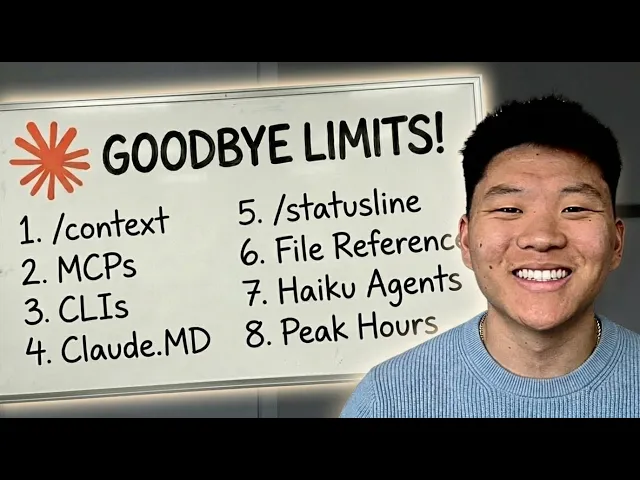
In the past week or so, so many people have been complaining about hitting their claude code limit insanely fast. Claims like one prompt that is about 1% of the limit is now around 10%. You could go through X and find tons and tons of threads about this topic.
Even on a $200 per month plan, people are reaching the session limit way too fast. And then we got this post from an anthropic employee that basically said that they are working on a little change with peak hours and off peak hours. But even after that, some people were saying they were still hitting it really quick even during off peak hours.
So anyways, I've been playing around a ton, trying different things, doing research, and I have 18 token management hacks for you guys that I've organized from tier one all the way up to tier three, so they get more advanced as we go. I'm very confident that by the end of this video, you will feel like your Claude code usage has doubled, tripled, maybe even 5xed. So, let's not waste any time and just get straight into the video.
So, as I've been optimizing my own token management, I think that what's really important to realize first is how tokens actually work. Because once you realize how Claude uses tokens, it makes it very clear how you should actually reverse engineer the way that you work in order to use less tokens. So a token is the smallest unit of text that an AI model reads and charges you for.
It's roughly one token is one word, but that's not explicitly true. Kind of just a good baseline. So every time that you send a message, Claude rereads the entire conversation from the beginning.
And all of those are tokens that it's charging you for. So message one, it will read it, then it will read its reply, and then message two, and then the reply all the way up to your latest prompt. And it does that every single time.
And I think that alone is a huge light bulb moment for a lot of people. This means as you're having a conversation with Claude, your cost is compounding, not just adding, it's exponentially growing. Meaning message one might cost 500 tokens, message 30 costs 15,000 because it's rereading everything before it.
One developer actually tracked a 100 plus message chat and found that 98. 5% of all the tokens were just spent rereading the old chat history in the session. Like that's a huge waste.
Now yes, the argument has to be made that well it needs the context and it needs to understand what we're doing. But still 98. 5% is crazy.
So take a quick look at this graphic here. Along the x-axis we have message number and as it increases you can see that we have our per message cost and our cumulative tokens increasing. But it's not linear.
It's basically each message is rereading all of the past ones and it has to count that in. So message one could be 500. Message 30 could be 15,500 which is 31 times more.
And then after 30 messages you might already be at almost a quarter million cumulative tokens. Now on top of all of your own messages, Claude will also reload your cloud. MD, your MCP servers, your system prompts, your skills, your files on every single turn.
And this is invisible overhead, but it is constantly dripping into your context and your tokens. And a really important thing to realize is that bloated context doesn't just cost you more money, but it also produces worse output. So you're paying more and you're getting less.
There's this phenomenon called loss in the middle, which basically says that models are paying the most attention in the beginning of your session and kind of at the end. So all that stuff in the middle of your session, kind of in this dip is getting ignored. All right, so now that we kind of understand a little bit more about how cloud code works and how tokens work, let's move into the hacks.
We're going to start here with tier one hacks. These are the ones that are going to be super easy to implement and everyone should be able to understand. So, we've got nine of these.
Number one is to start fresh conversations. Use slashclear between unrelated tasks. Don't carry context about topic A into a conversation about topic B.
So, every single message in a long chat is exponentially more expensive than the same message in a fresh chat. So, this one habit is the number one thing that extends your session life. And it's pretty obvious based on what we just talked about.
So, that's why this was number one. Okay, number two is to disconnect MCP servers. Every single connected MCP server loads all of its tool definitions into your context on every message.
This is another source of completely invisible tokens that might just be eating up and eating away. So, one server alone might be something like 18,000 tokens per message. So, run MCP at the start of each session and disconnect the ones that you don't need.
And better yet, if you're able to find CLIs for something, so for example, rather than having the Google Workspace or Google Calendar MCP server, which eats a lot of tokens, just use the Google Workspace CLI. It's faster, it's cheaper, and I think the future is moving towards having our agents use CLIs rather than MCPs. All right, number three, batch prompts into one message.
Three separate messages cost three times what one combined message costs because of the way the tokens work, right? Instead of summarize this as one message and then now extract the issues. Now suggest a fix, send it all in one prompt.
If CL did something slightly wrong, edit your original message and regenerate instead of sending a full follow-up correction. Follow-ups stack onto history permanently while edits replace the bad exchange entirely. Now, I will say there is an argument to be made here that potentially doing it this way where you're doing task one, task two, then task three might actually be better output quality.
I think it depends on the actual use case. Basically, the idea would be if you can give AI one specific task at a time, it's going to do better because it's more specialized and it's more focused. But this is definitely something that you should be aware of.
Okay. Number four is to use plan mode before any real task. This lets Claude map out the approach, ask you the right questions, and it prevents the single biggest source of token waste, which is just having Claude go down the wrong path, writing code, and then basically everything that it just did, you have to basically like scrap and redo.
It's just a huge waste of time and tokens. So, you can add something like this to your CloudMD. Do not make any changes until you have 95% confidence in what you need to build.
Ask me follow-up questions until you reach that confidence level. This is something that I'm putting into all of my cloudmds when I am having it help me build things. Number five, we have run/context and /cost.
SLcontext shows you exactly what's eating your tokens right now. So, your conversation history, your MCP overhead, loaded files, stuff like that. And /cost shows you your actual token usage and estimated spend for that current session.
Most people have no idea where their tokens are going. And these two commands make the invisible visible because if you don't actually know that you're bleeding because of MCPS, then how would you be able to fix that? So when you run /context, this is what it will look like.
It'll basically give you a screenshot of how many tokens you're at, what is the cap, and it will estimate based on the different categories. And what I did here is this was ran in a completely fresh session, no chats. So, what that tells me is, okay, before I even talk to Claude, I'm already down 51,000 tokens because of things like the system prompt, the system tools, my custom agents, my skills, memory files, and here I've actually cleared out all the MCPs, so there wasn't anything in there, but those can, like I said, completely blow up your tokens right from the get- go.
Okay, number six is to set up a status line. This kind of goes handinhand with having more visibility. You only actually see this in your terminal, though, so you will have to do it there.
Um, and it basically lets you see what's going on. So, right here you can see in my terminal, I've got this set up so that I can see the model I'm using. I can see a visual kind of progress bar of my usage.
And then I can see uh 5% of my whole 1 million context window. And I can see 52,000 tokens out of a,000,000, which is a million. And just to clarify, this isn't my session, like my 5 hour session.
This is basically just indicating that I'm 5% of the way or 52K out of a 1000K. So all you have to do is include code in the terminal do /st status line and explain that you want to replicate this setup. Number seven is just super simple but keep your dashboard open.
Same thing with visibility. You might run into issues with your limit and just get hit out of nowhere. But if you have it pulled up next to you or you have it ready so that you can switch into that tab and you know check every 20 40 minutes then you're going to be able to pace yourself a little bit better.
You could even set up a automation to basically check in on it every 30 minutes and send you like a text or a Slack message and say, "Hey, by the way, you're getting near your usage. " All right, so number eight, we have be smart with pasting. Before you drop a document or a file or something large, just ask yourself, does Claude need to read this whole thing?
Sometimes it does. Sometimes it needs that full context, but sometimes it just needs one section or one page. So if the bug is in one function, then paste just that function.
or if it just needs the context of one little paragraph, just paste that. Claude needs to be precise about what it reads, but you also need to be precise about what you feed it. And number nine, our last tier one hack is to actually watch Claude code work.
Don't just fire off a prompt and walk away or switch tabs. Watch what Claude is doing, especially on longer tasks. And this is because if you actually sit and watch it, sometimes you'll realize it's going down the wrong path.
Sometimes it gets stuck in its own loops, rereads the same files, things like that. So if it's doing that, you might as well just stop it right there. kind of the same idea as plan mode.
Why would you let it go down the wrong path, waste all your tokens, and then just have to scrap it all in a bad loop, 80% of the tokens are being used, producing zero value. So, if you're able to just watch your session run until you know it's going down the right path, it could save you thousands of tokens. All right, let's kick it up a little bit.
Let's move into our tier 2 hacks. And for these ones, we have five of them. So, number one is to keep your claw.
md file lean. Place it in your project route, whether that is globally or in in local project. Claude auto reads it at the start of every single chat as system context.
So keep it under 200 lines. Include things like your text stack, your coding conventions, your build commands, the 95% confidence rule, only the most important things. And you need to treat this like an index route to where more data lives.
And it's a complete mindset shift. This file basically just tells Claude Code where is everything that it needs and what to do every single time. So it can point to files that are huge, but that way it just says, "Okay, I don't need this right now, but if I do need this, I know exactly where to look.
" And because it knows exactly where to look, it's not going to waste time or tokens searching through and reading other files. It's just able to grab it right there by the file name. And the reason I say this is a mindset shift because you should be doing this with other things, not just your cloud.
MD, with your skills or with your um, you know, master reference guide sheets. I saw someone talking about how they created an index that's super super lean and it shows cloud code exactly where to go in the cloud code documentation. So if it needs help with something related to cloud code, it doesn't have to search through the whole database.
It can just say, "Okay, here's my index file. I know exactly which URL to look up at. " Super simple.
You want to keep this lean and trim it all the time. It's always a work in progress because every single chat, not just like your session, every single message, cloud. mmd gets read.
So if your cloudmd file is a,000 lines, every single time you shoot off a message, even if you just say hi, the whole thing is going to get read. Okay. Number two here is to be surgical with file references.
Don't just say something like here's my whole repo, go find the bug. Say something more like check the verify user function inside the off. js file.
Or you can also use at file name to point at specific files instead of once again letting claude explore freely. The whole idea of being specific and routing. All right.
So number three, I'm saying to compact at around 60% capacity. Autocompact triggers at like 95% by which point your context is already pretty degraded. So run slashcontext to check your capacity percentage or you should have the status line set up and at about 60% just run the slash compact with specific instructions on what it should actually be preserving.
After three to four compacts in a row the quality does start to degrade. So at that point once you've done three or four just get a session summary/clear give the session summary back and then keep going. All right so number four short breaks are actually costing you.
Cloud code uses prompt training to avoid reprocessing unchanged context, but the cache has a fiveminute timeout. So if you step away and you come back and it's been longer than 5 minutes, your next message reprocesses everything from scratch at full cost. And that is why some people feel like their usage just randomly spikes if they might have, you know, stepped away and came back.
So if you're going to do that, just consider doing a /compact or a slashclear before you step away. All right, number five, command output bloat. When Claude runs shell commands, the full output enters your context window.
So if you have a command that it comes back with 200 commits or you know just tons and tons of data, then all of that is tokens that gets sent to your model. So really the takeaway here is to be intentional about what you let Claude run. If you know in a certain project that it doesn't need to use certain commands, then you can go ahead and in that project deny those permissions.
And this is another one that seems like it's invisible because when it runs like a bash or, you know, certain commands, it basically just has like one line and you don't actually see all the tokens that it has, you know, sent there. All right, so I'm sitting here editing this video and there's just one more thing that I wanted to get off my chest and it's basically about hitting your limit. And you know, the goal of this video and your goal should be to optimize so that you don't hit your limit.
But I don't think that you should associate hitting your limit with like it shouldn't be a negative connotation because ultimately if you're doing a lot of these hacks and you are not just like being wasteful with tokens then hitting your limit is actually a good thing if you think about it because it means that you are using this tool so much and I think that's what you want to be. I think you want to be a power user of this tool to the point where it's like got to wait again. And you know, waiting sucks, but people that are using it so much are going to be so much more productive and so much farther ahead than people who are never hitting their limits.
You know, not make not getting their their money's worth and not truly getting the leverage that you are now getting. So, anyways, quick little raw rant there, but I think it's an important mindset shift to have. you know, just something to think about.
All right, so we're moving on to tier three now. I hope you guys feel like you already have a lot of things that you want to implement and these ones are getting a little crazier as well. So, we've got four of these here and I've got a few bonus ones also, but number one is to pick the right model.
So, sonnet for your default most coding work, haiku for sub agents, formatting, simple tasks, opus for deep architectural planning, and only when sonnet wasn't enough. Try to keep this under 20% of usage or unless you just really really need it for that project. Now, a little tip here is when you have a huge codebase and you want to do certain things like maybe a review, then try bringing in codecs.
There is an official plug-in now and I made a video about this. I'll tag that right up here. But you could basically have, you know, Opus and Sonnet working together to build you, you know, a project or a codebase and then you could just bring in codeex to actually review everything and that way you're saving yourself on the clawed tokens.
The next one, number two here, is the cost of sub agents. Agent workflows use roughly seven to 10 times more tokens than a standard single agent session. Now, why is that?
Because they wake up with their own full context and it's a separate instance. So, they basically have to reload everything when you start up the new session. All of those files, all of the system tools, like everything like that.
Now, what you can do though, which is helpful, is to delegate to sub agents for one-off tasks, especially if you want that one-off task to use Haiku. So, maybe you need to process a lot of information or maybe you need to do a ton of research and get just like a summary back. Now, yes, tokens are still tokens no matter what at the end of the day, but if you can make 80% of your tokens a cheaper model rather than 80% of your tokens an expensive model, then you're going to be saving money.
And then, of course, agent teams are cool. Um, sometimes I really do actually like them and it helps me get more higher quality outputs, but they're very, very expensive. So, try to use them very sparingly.
All right, so number three is to understand peak hours. So, we just talked about at the beginning how they've adjusted how fast your 5 hour session window drains based on demand during the peak hours, which are 8 am to 2 p. m.
Eastern time on weekdays. But off peak, this is when your usage is kind of either normal or it lasts a little longer. And these are afternoons, evenings, weekends.
So, if you actually think about this strategically, maybe you want to make sure that you're running big refactors or multi- aent sessions or big projects during off- peak hours only. Otherwise, you're going to, you know, drain right through that peak session. And on top of this, we'll call this a little hack 3.
5, which is the one I kind of alluded to earlier when I said, "Hey, just keep open your cloud account so you can see your usage at all times. " If you're near a reset and you have room left in your allocation, then go heavy. Try to hit that usage limit before it resets.
Get your money's worth. Let your agents go loose at that point. And on the other side, if you're getting near your limit, but you still have lots of time, then step away.
This is your time to take a break, take a walk, make some lunch, come back with a full budget instead of burning the last 5% on something small and getting stuck mid task and having to just kind of, you know, lose that flow state that you might have been in. Okay. Number four, your systems constitution, which is claw.
md. This should contain stable decisions, architecture rules, and progress summaries. Think of it like the source of truth that makes every prompt shorter and shorter.
Save decisions, not conversations. Every architectural call that you store there is a paragraph that you never have to type again. So this builds on top of the way that you were thinking about it back in tier 1.
You can add rules in there that basically tell it, hey, I want you to help me make sure I'm being smart about tokens. Use sub aents for any exploration or research. If a task needs three plus files or multi-file analysis, spawn a sub aent and only return summarized insights.
Spawn that sub aent in haiku. And here's a little prompt that I have at the bottom of mycloud. MD.
And I will say before I read this out, you have to be careful because when you make a file like this um kind of self-learning or self-evolving, you have to check on it frequently because you don't want it to accidentally get too bloated. But here I said applied learning. When something fails repeatedly, when Nate has to reexplain or when a workaround is found for a platform, tool, or limitation, add a oneline bullet here.
Keep each bullet under 15 words. No explanations. Only add things that will save time in future sessions.
And then it's got some bullets. Now, I'm not saying this is the most optimal prompt, but I think this sort of system of having your Claudet MD actually learn and continuously think about how it can save you time and tokens is a good idea to play with. All right, so I know that we just went through a ton of stuff.
This whole slide deck will be available for download for free in my free school community. The link for that will be down in the description. But right now, what you should go do are these things.
Go run/context, see what it looks like. Go to some of your active sessions. Run/cost status line.
Make sure it's showing your model, your context percentage, and your token count. Make sure you pull up your clog usage dashboard so you can see your remaining allocation and what time it resets. Disconnect unused MCP servers.
Start complex tasks in plan mode. Use/clear when you're switching to an unrelated task. Manually compact at 60% context.
Batch your multi-step instructions into single messages. And schedule heavy sessions for off- peak hours. and really just be mindful about the actual timing.
So, I wanted to kind of leave you guys with one maybe two messages. The first thing is just the idea that there is a balance between quality and cost. And so, that's kind of a game that you have to play a little bit and sometimes you do have to go for the higher quality which ultimately is going to cost you more money and that's just the way it works.
But the other thing is just to keep it simple and think about what we talked about at the beginning of this video, how tokens actually work, how claude code actually charges you. Most people don't need a bigger plan. they need to stop resending their entire conversation history 30 times when you could just send it, you know, five times.
It's not a limits problem. It's a context hygiene problem. But anyways, that is going to do it for this one.
If you guys enjoyed or you learned something new, please give it a like. It helps me out a ton. And as always, I appreciate you guys making it to the end of the video.
I'll see you on the next one. Thanks everyone.