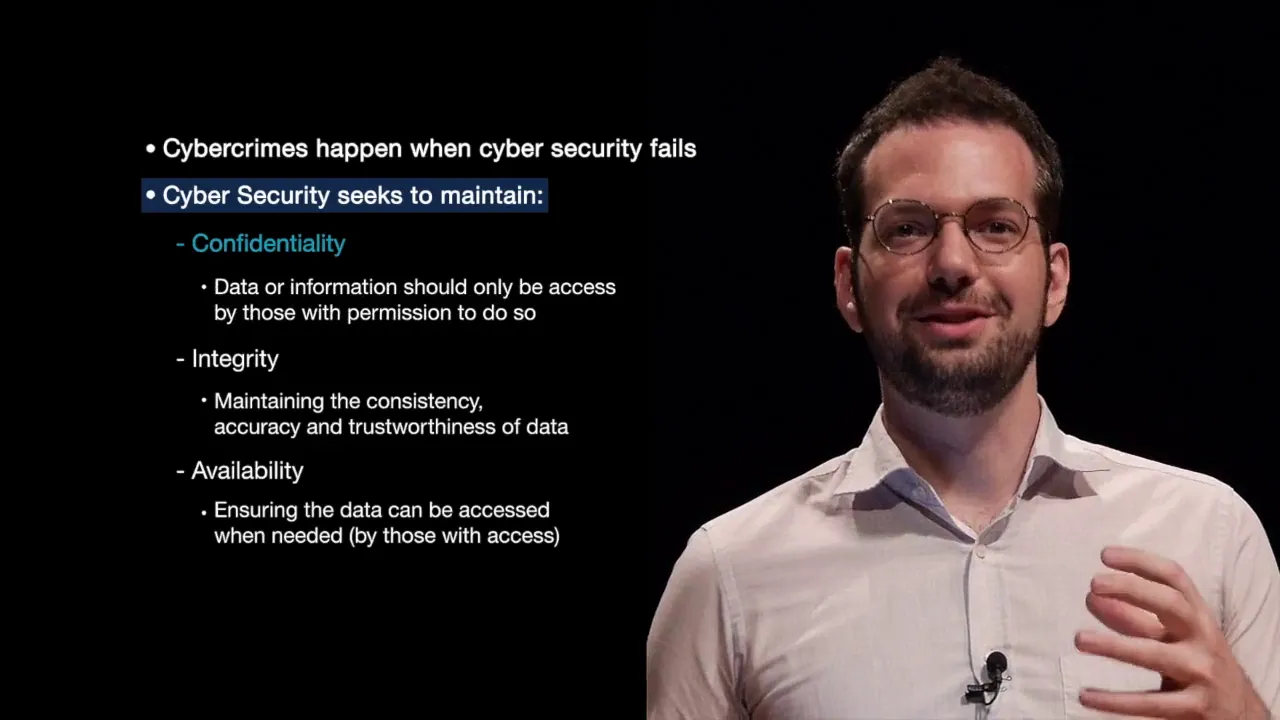
[Music] [Music] hello this week we're going to switch gears a little bit before we were talking about cybercrime what cybercrime is and some features of cybercrime now I'm going to talk a little bit about cybersecurity how we attempt to prevent cyber crimes and some things to think about so the first thing I want you to realize is that cyber crimes happen when cybersecurity fails whenever we either don't plan for a certain event to take place or we don't implement the security solution properly or we don't educate people in what they need to do what part
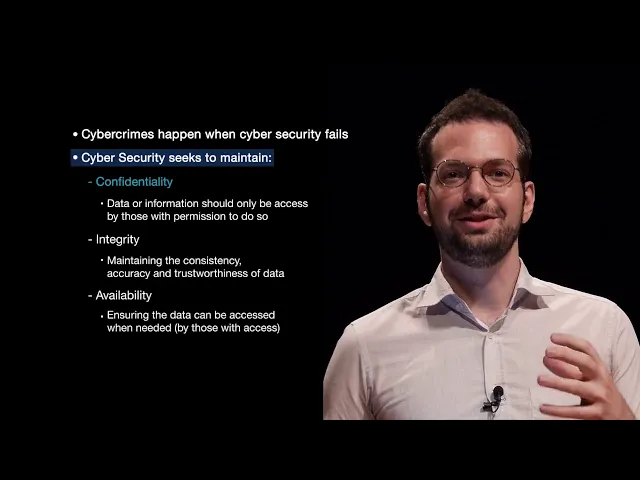
they need to play so think about cyber security as a first line prevention of cybercrime if we didn't have cyber security hackers could essentially come in and do whatever they wanted in a much easier than they do now let's say cybersecurity seeks to maintain confidentiality integrity and availability there's a lot of different cybersecurity models but this is a relatively well established model called CIA model so confidentiality is essentially maintaining the privacy of the information that you or an organization has so in this case we want to make sure that only the people who have access
or permission to access the data can access the data hackers attempt to breach confidentiality to get things like credit card numbers of users of a shopping mall online shopping mall or something like that in this case we want to maintain confidentiality of all of our secret data data that should not be available to the general public or even sometimes to employees and our companies or things like that the issue with confidentiality is that many organizations don't think about how much access do their users or their their employees need in that case it gives too many
people access or too much access to information and then company confidentiality is some what's attacked because of loose internet information security policies there are a lot of different ways to attack confidentiality and systems it really depends on what the attacker is trying to do but confidentiality is main maintaining the privacy or only access to the people who are authorized to have that access next is integrity and integrity is maintaining the consistency accuracy or trustworthiness of the data so think about whenever I store data on my hard drive or I transfer data to another person I
want to make sure that that data is correct and accurate I want to make sure that they receive exactly the information that I wanted to send them for example email if I send someone an email and I can't trust the path that that email is taking to whoever I sent it to then maybe somewhere along that path words in the email were changed or even the entire body of the email was changed and whoever receives the email gets completely different information well they're attacking the integrity of that info they're making it seem like I'm sending
something that I'm not actually sending the integrity of the data on a hard drive for example I want to make sure that the the data on the hard drive is the data that I expect to be there I don't want that data to be modified in some way an example of that could be if I have a contract in a file on my computer if somebody can potentially get access to my computer and modify that contract without me knowing then that contract has been been modified it's integrity is no longer valid but that contract might
be legally binding in some sense as if we can't prove that it was somehow manipulated so integrity is making sure that the data that I either store or transmit is correct and accurate to what I wanted to store or transmit and availability so availability ensures that the data can be accessed when it's needed by those who have permission to access that information so think about if you store a file on your hard drive you want to be able to come back and get that file whenever you want it but imagine that somebody was restricting you
and you could only access it every Friday in the last Friday of the month that would be very inconvenient for you and then wouldn't you wouldn't your the the freedoms that you're being restricted would be quite annoying basically you wouldn't be able to access your information in some cases it would cost you a business let's say you could only access your bank accounts at certain at times you could not transfer money but you purchase something from someone and you can't actually pay for it well in that case it could cost you business it could cost
a lot of things so availability of services there's a lot of different ways depending on what service or what data or information you're talking about to attack these services um it could be just getting access to files so right now there's a type of virus that essentially encrypts all of your data and it's just removing the availability of those files and asking you to pay money to have them decrypt it and to gain the availability back other types of attacks could be trying to take down a website so that way they can't make sales online
as long as their website is down their service is not available for users to purchase things on their website so they lose money and potentially a competitor gets those sales and makes more money instead so confidentiality integrity availability is all about why don't we attack those we are taking away essentially the rights to access or access the original data that we want to have access to and that we should have access to we want to make sure that we are always maintaining the availability integrity and confidentiality of all of the information and depending on the
type of organization you are even an individual if you think about confidentiality integrity and availability of data it can go a long way into not only protecting yourself but also protecting your organization if you're thinking a little bit more about ok what data is the most important to me and how do I maintain its integrity how do I make sure that no one has access to it other than the people who should should have access to it if you go in thinking like that then you will already start to implement some basic security practices way
more than most people do right so cybersecurity normally involves locking down or hardening systems so whenever we put a computer or any device online if it's directly accessible on the internet that means that every other device on the Internet can potentially connect to our device if our device is accessing or providing some sort of service then that means that everyone online can access that service and potentially try to manipulate the service or the device in some way whenever we try to harden the device we're essentially going through and saying okay what services should actually be
available to the public online and what type of access should they have to that a very very basic example example of hardening would be if I'm running an email server I don't want to run an email server that just lets anyone connect to it and send and receive emails I want to at least implement for example passwords for sending email even though it's a very basic way to to secure the system at least there's one step that makes it slightly more difficult to people for people to access my email server and use the service the
reason people may attempt to access an email server for example is to send spam emails to other services so they make money off of sending these horrible emails to to other people basically another way to attempt to improve security in your organization or yourself is giving the least amount of privilege required to the user whenever they need it so on a lot of systems especially in organizations people have basically full control over their computer and over the systems in the organization and whenever a user has full control if an attacker attacks that user then they
can potentially they can potentially get access the same level of access as the user that's that they've attacked so trying to restrict the amount of access that a user has to only the things that they absolutely need to access will also restrict any attackers that that attack those people there's no single way to ensure security that's the biggest thing to think there's there's no single perfect method to secure your systems we are finding vulnerabilities in in all operating systems very very commonly but there are things you can do to make it much easier or much
more likely that you won't be compromised or you won't be a victim of an attack most security experts recommend a layered approach to security and for individuals that usually means like a personal firewall just good practices about accessing and opening emails and attachments for organizations that usually means different security levels splitting up departments and things like that so someone in sales doesn't necessarily have access to somebody in finance so a lot of different approaches to security depending on your situation and layered approaches tend to work pretty well cyber security is both a technical issue and
an education issue if we have proper education in place then it becomes much easier to manage security in an organization it may be extremely difficult to get into a network through internet facing devices if your IT team is doing their job well then it will be very difficult to actually access the internal network from an internet from an internet facing device so people who don't know about the organization all they can do is potentially see a domain name and then they can attempt to attack systems associated with that domain name but if they can't get
in that way then there's not really much else they can do except it may be extremely easy to get into a network by tricking an employee into clicking an email link so if the technical side especially the internet facing side is very very secure the weakness are actually the employees who are in the organization an administrative person or even the the CEO if you send them an email saying hey look at this new contract they made us download the attachment open it up and that attachment contained a virus they didn't know so now their internal
computer is infected and if they have full access to the system now they have full access to that computer once they have access to that computer depending on the security policies inside the network which are usually not very strict then we can potentially access a lot of other devices on the network and eventually take it over or get any information that we want from the network so it's not just a technical problem right we can we can make the technical side relatively secure by using industry standards for for information security it's also a people issue
making sure that people are actually educated in your organization in your organization so they know how to interact with emails and attachments and people asking for information so internet accessible computers if a computer is directly accessible the internet it will be attacked I've I've attached a couple devices directly to the internet using a publicly accessible IP address and they are usually attacked within ten minutes the longest I've had was about ten minutes before the system was at least started to be attacked and this really depends on the service that's running on the system but any
computer you put online will start to be scanned within a few seconds basically and start to be actively attacked if it's running a service within a few minutes so just keep in mind that computers online are constantly being attacked usually by just automated systems going through and scanning but that method of automation can sometimes result in getting access to entire networks so it's it's quite effective and it doesn't really take much resources on the on the side the attacker any internet accessible computer should at least be protected with a firewall a few years ago or
at least with Windows XP we didn't really have firewalls and then whenever they introduced a built-in firewall everyone was concerned about it or hated it or whatever but it was needed because most people don't install extra firewalls or extra protection for their computers so the result was that a bunch of different computers were being attacked because they had essentially no protection installed whatsoever so minimum minimum to protect yourself turn on your firewall and I'll talk about some other recommendations in a second companies themselves should be using things like intrusion detection systems and / intrusion prevention
systems setting up layers of security where it's we know that device are potentially less secure because they're more accessible and securing them or segregating them from information that should be extremely secure these systems you can purchase very very expensive systems that are configured and have supports and all these things and they can cost a lot of money or there are some some free solutions but then you usually have to have a little bit of technical knowledge to implement them so there's kind of a trade-off free means you have to essentially do it yourself and support
it yourself and have the knowledge paid for means it's going to be quite expensive so internal systems that's kind of we talked about internet facing systems and I'm saying in very general terms here because there's a lot of different potential Network configurations on internal systems users often have full administrative access to their computers if a user has full administrative access to the computer that means they can essentially do anything with the computer they want the result is if their computer is attacked or if their user account or browser or email or whatever is attacked then
the the attacker can also get full administrative access to the computer which means that you have a potentially huge compromised once their computer is taken over the hacker also has full access to the computer and they will use this computer usually to get access to other systems on the network or just start stealing information directly from that single user a user's access should be limited and again most people don't do this because they don't want to type in a password or extra password or they they just don't like extra security because they think it's annoying
but if we limit the amount of access that our account has and we only give ourselves more access whenever we need it then it makes it much more difficult for attackers to also be able to take over the system so just quickly some common attacks now because everything is kind of going a cloud based or online based a lot of attacks are happening on the browser so many attacks targeting users are browser-based and militias are infected website can infect a person's computer through their browser so if your browser has a vulnerability then an attacker can
potentially use that to install either malware malware or other programs into your system and kind of get access at least initial access to the system always use the most recent version of a browser and its plugins install some extra security plugins like for example an anti-virus that scans URLs to see if they're malicious or not if we use the most recent version of a browser that will reduce a lot of different attacks that are available online a lot of people do not keep their browsers up-to-date and that is a major reason why they get compromised
email an email contains attachments or usually an email that contains it an attachment that attachment may be malicious what they're hoping you will do is download that attachment and open it up as soon as you open it up you are running not only the attachment but in the background you're running a malicious program that may do a number of things it can either start to steal information from you it can download other programs we'll talk about that later in the malware so when the attachment is open the computer is infected and emails may also contain
malicious links these might not necessarily have viruses or malware in them but they could for example take you to a webpage that asks for information for example maybe it says your account has expired for some websites you click on it and you go to that website and then it asks you for your username your password and your credit card number and all of this other information as well to restore access to your account but it's not actually from the website that has that account they just essentially steal all of your information so be aware whenever
emails are asking you to update information they're usually scams linked to send the browser to an infected web site you may also get a link and it essentially sends you to a website but in the process of sending you to that website it may have sent you to a malicious website first your browser downloaded a virus and then it forwarded you to the original website in that case you may be infected but you don't necessarily know anything happened another type of very common type of attack is SQL injection and this is one way that attackers
get access to especially database information in databases SQL injection has been happening for a very long time basically as long as we've had web pages with forms and databases on the back end we've been able to do a type of SQL injection attack and using SQL injection or using essentially SQL commands in web publicly accessible forms we can trick the website into giving us more information than it should in that case it could be user names passwords social security numbers credit card numbers birthdays all sorts of information can be leaked through SQL injection attacks it's
not a very sophisticated attack and it's very easy to prevent but many organizations either don't have the resources to check or just don't know to check for SQL injection and that is a cause of a lot of our our problems online and finally brute-force there's a lot of other different types of attacks we'll talk about later but one that I see a lot is brute force attacks whenever I put a system online and it's running some sort of service if that service requires a username and password then someone online will attempt to guess the username
and password combination to get into that service and that basically happens automatically as soon as you put that system online someone will start or a program basically will start to guess those credential informations so just realize that a user name and password isn't necessarily enough you have to make sure it's secure difficult to guess you have to make sure that there are other protections than just a username and password on that system securing that service so like I said before there is no single method to secure your system there's a lot of different technical methods
as well as just actions or activities or things that you should be aware of while you're using computers to secure yourself if you do even basic things the chance of you being attacked goes down significantly tips that will keep you safer than most people first off keep all software up-to-date if your software is up-to-date then a lot of different viruses can't or have a harder time of attacking your system if your software is up-to-date then certain vulnerabilities the hackers use won't work next use an anti-virus and keep it updated just like software and don't visit
suspicious websites or click links or attachments in emails so that's basically it thank you [Music]