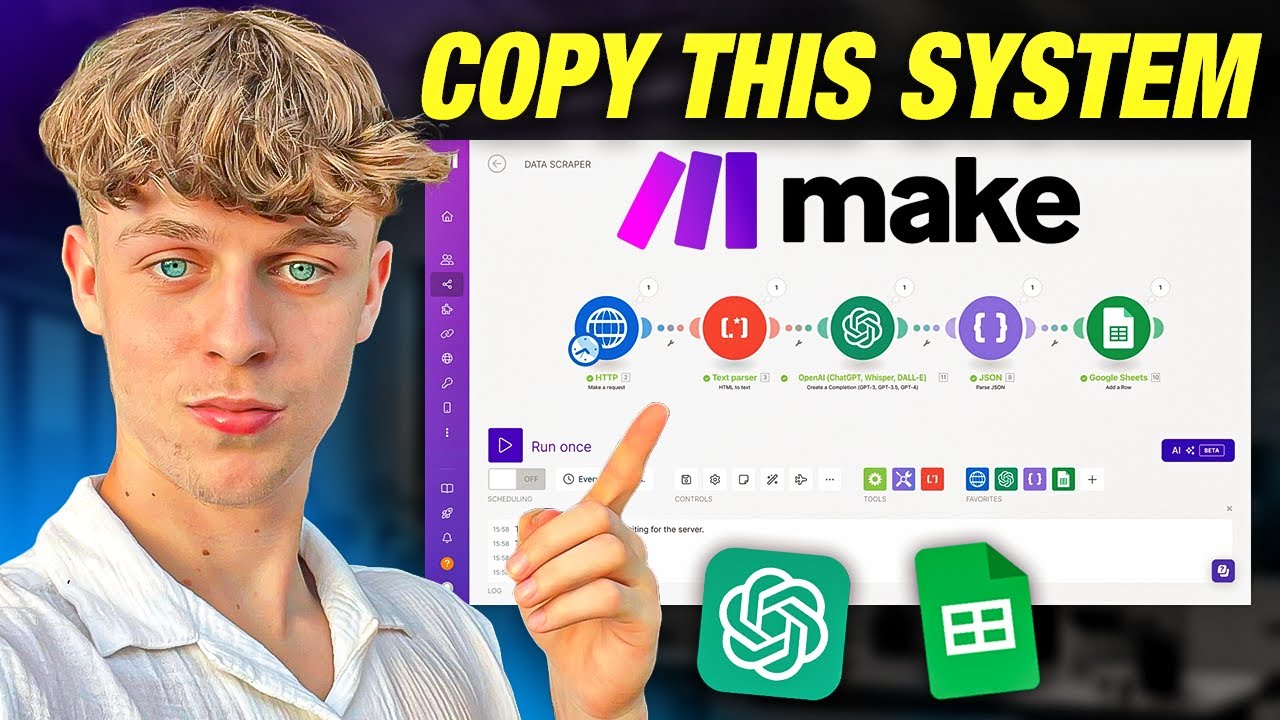
this automation right here will take your favorite content articles blogs and turn it into compelling content for LinkedIn Twitter Instagram and even your newsletter on complete autopilot so we essentially have an RSS feed so it's going to watch whenever a new blog is released or whenever a new article is released in your Niche and then it's automatically going to turn that into compelling content and post it for us and it's going to be amazing so you're going to be shocked at how simple and easy this is to set up so let's dive into into it the first thing you are going to want to do is go onto Google and just search for the Chrome web store right so you can see that if we just click on it we're going to search for the Chrome web store and what we're going to do is get a Chrome extension that can essentially take whatever blog we want and give us a URL that we can then give to make which is what we're going to use to build the automation for free by the way you don't have to pay for anything um and it's going to be able to post content from this autom uh from this information right so it's going to be amazing just search for um RSS feed um URL finder so it's this one right here and simply just add it to your um yeah as a Chrome extension and then just make sure you book mark it so you can see it at the top right and now what you're going to do is the only thing you really need to do is just find blogs or articles in your Niche so if you are a let's say you let's say you want to provide Fitness content you you could go to health articles that provide daily updates around the newest Health news and you could use that as your main um ideation source so you don't have to think of ideas um but for my case I'm in the marketing and online business space so I want to make my content around you know marketing strategies insights for scaling online businesses maybe Ai and Automation and things like that so we are just going to use starter story um most of you should know starter story they are a YouTube channel that basically goes over um startups and how they scale to like a million a year and just crazy stories about you know software companies and stuff like that so you can see here that we've got the 31 best side hles for web developers or how we built a seven figure email management app so really great insights that we can then provide as the main source of content um so this is how it works right so as you can see at the top right it's already given us a um URL so this URL right here essentially you're going to see right now if we just go on to Google again and search for and this is really quick so just keep watching you're going to be surprised at how easy this is um but if we just search for RSS viewer so if we click on this part right here and we just copy in the URL that it's given us um what this is going to do is if we quickly search for vew RSS it is going to load up the feed so it's is going to take all of this information right here and put it into a single feed and whenever they release a new article it's going to um yeah automatically go right so as you can see it is um putting it into a single feed where you can see here how I grew my language app to $7,000 per month and it provides if you go down you see that it provides like insights into how did you land your first customers um so you can see really great insights that we can then use as content for my LinkedIn Twitter and all that good stuff um so what we're going to do now is once you've done that we're then going to head over to make. com most of you have used make. com before it is essentially just a no code automation software where you can build uh automations really easily for free and that is why we use it because it's free and you don't have to enter your card info so the first thing you're going to add is RSS and we're essentially going to watch an RSS Fe right so the best part is you can simply just paste in the URL that you've gotten from the Chrome extension and maximum number of returned items we're just going to put one and we're going to click okay um so now you'll get a few options you can put whatever you want um we're just going to do like all RSS feed items just so we have plenty of ideas that it can give to um to chat gbt and then obviously the next thing we're going to add is chat gbt because we we don't want to make all of this the content right we want to be able to package it up and make it into really nice threads for Content so um you know if we do CH create a chat completion just make sure you connect to your open a I key um you can see that if you click on this you basically need to put in your API key and your organization ID it's really simple it shouldn't take you more than 5 minutes there's actually a a thing here that you can click which will give you online help which is really useful um and then for the model we're going to do GPT 40 um and then Max tokens we're going to put 400 and then add a message we're going to do system and then you're going to put in your prompt so just for context this is the prompt that I've used and you can pause the video and copy this but I've basically told chat gbt to create a professional LinkedIn post talking about the latest strategies for Marketing Online businesses so use the information of the blog as a case study in the thread make sure it's not longer than 200 words uh make sure to ask occasional questions throughout um and make it really easy to read and provide great insights and then also this is really important you must tell chat gbt to not include emojis or any punctuation because you know how AI can sometimes give that like AI feel to it I'm sure you all know what I mean um so you want to prompt it by telling it like what to do what not to do and you may have to to run this a few times to get the content style of writing that you like um but it can be yeah obviously made a lot better and how you like if you do provide examples so that's why I've said like the perfect example for my LinkedIn post or Twitter post would be here's the five secret insights to get more customers for your SAS um and then it would say something like don't sleep on these underground strategies it's how I don't know let's say apple added an extra 40K to their Mrand you can do the same obviously that was just a you know analogy but um then it gives like 1 2 3 4 Five Points of how to get more customers and then it gives a call to action as comment the word scale and I'll personally send you a free whatever to help you scale right and then we get basically give chat gbt the title of the um R SS feed and then the um the summary right so the summary would be pretty much all of this stuff that it can then package up and provide as like a five um you know five tips for getting more customers and scaling your online business so that is essentially what um you would put as the um as the prompt or something like this but once again you want to play around with this um because you probably have a lot more time than I do but if we just click okay um you can see that you know you can save that which is what you should be doing you should always be saving it and you should be running it um occasionally so if we run this just to see what it's going to do um and then we're almost done from this point on all we need to do is just uh make sure it posts to LinkedIn Instagram whatever platform you want to post it on but as you can see right now it has done the first thing so let's just quickly look at what is done here um actually if we go to the thing we can just see what it's given us as the output um so if you click on choices plus one messages content um you can see here are you seeking ways to elevate your online business marketing strategy look no further I recently came across a captivating case study um you know detailing the Journey of an entrepreneur who bootstrapped $42,000 per month with a custom software development agency here's a breakdown of the strategies used so the first one targeted content marketing so the agency built a robust blog so yeah referral programs that's what they did to scale SEO optimization um social proof using case studies email marketing um and then these strategies yeah so it gives a summary and then it's interested in scaling comment the word scale right so pretty decent and then what we need to do now is add a router so a router is allow us sorry is going to allow us to basically just distribute that onto other platforms not just one so you know we could do LinkedIn we could do create a user text post just make sure you connect your LinkedIn for the content just put the result and then um for yeah we don't actually need mentions media type you don't need to put anything for that um just click okay and then obviously we could do X so formally Twitter create a post just make sure you connect your Tweet uh your Twitter account um we could do another one this one could be I don't know um I wouldn't really recommend Instagram because you obviously need an image and I just don't think AI is good enough to be able to to yeah do that for Instagram yet however a really good one would just be like a Google doc um so create a document we could call this newsletter so if you want to actually package up the blogs on a daily basis and then turn it into a newsletter this is how you would go about that um so call it newsletter content would be your result um just make sure you select the right Google Drve just select the the place in which you want to put it click okay um so yeah now um that is pretty much it right so it's pretty easy like we've done it in almost less than 10 minutes which is pretty damn impressive because we've essentially yeah gotten the RSS feed URL um of whatever blog you want um so you can just find like five to 10 blogs that you like it's then going to um yeah go through chat gbt to make sure it provides it in a good structured uh you know value based red it's then going to post onto LinkedIn X onto Google doc um those are the main things that I'd recommend doing and then all we need to do now is just make sure we schedule this every day and just put it for whatever time you want to run so at 12:00 p.
m. every single day if you turn scheduling on and you um you know you just save this what's going to happen is it is going to yeah essentially watch the the blog for any new posts it's then going to do it automatically and post it on social media um so that was a really quick summary um now just a quick plug if you do want this Automation and about 10 other make. com automations and free go level and free leads then feel free to hop into my community we've got about 400 Plus members in here absolutely loving it um so you can see that the um you know a bunch of new members joining the value is pretty nuts we've got 40 plus hours worth of content but obviously we have a make.