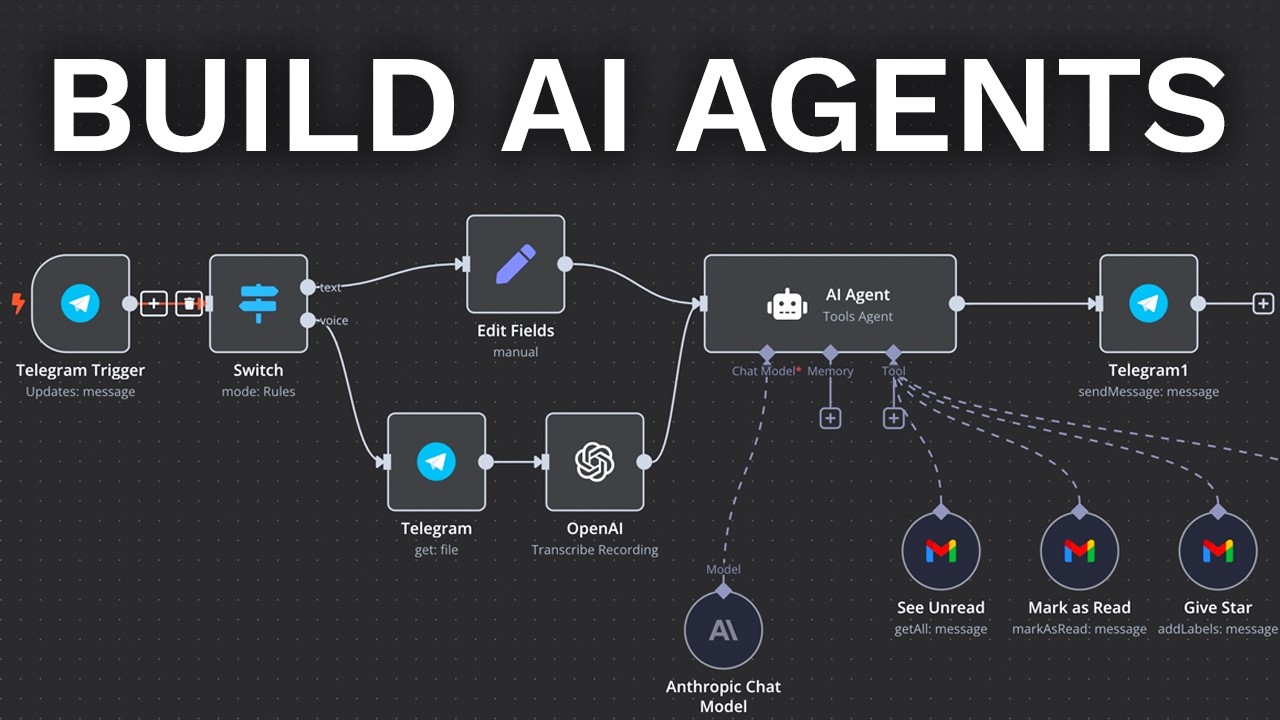
in this video I'll show you can create your very first AI employees very easily in just a couple of minutes using a technology called Lindley ai lindle ai is kind of like it's like a no code AI agent Builder and we're going to use that to develop a couple of things we're going to do two things number one is an email responder so in other words we get an email into our inbox could be Gmail could be Outlook we create a draft response automatically based on our knowledge base and that knowledge Base by the way guys could be G Drve notion um zenes wherever we like and the second one is going to be a really cool chat B that we can just throw on to website I'll show you how you embed that as well very easily uh so this is a fictitious one ibol for example it's sit in the bottom right you click it this guy is all like yo yo yo but obviously we can pre-program it with our own color scheme and images and that sort of stuff and I'll show you how you configure those together now just to give you some context in terms of when you might use something like Lindley AI which is like a an AI agent platform versus something like make. com make. com is like Lego the what I always explain we're doing this Channel as I show you how you can configure some of Lego bricks and you can build whatever you want so with make you start from scratch or if you import a blueprint incredible lindley's kind of like I use just Lego analogy it's building like pre-built agent workflows so for example if I head over to um just to show you as if quick for instance right if I come down here I go to new Lindley um we have these different templates so they've got an email responder lead Outreach uh lead generator not taker whatever it specifically is you kind of pick a template it's pre-done then you just connect the accounts and then you sort of rock and roll so it's an alternative where I would say that it kind of is worth really really leaning into is if speed is a priority for you so if you want to get like an auto email responder with a knowledge based done really quickly you can use a platform like Lindley to get a head start they've kindly agreed to sponsor this video but funny story someone from the community reached out to me and said dude have you use this yet uh you have to check it out so I really want to show you some cool functionality can do as another tool fori toolkit and I think you're going to find it really interesting so to start off we are going to begin with the beautiful email responder so how does it work well look they their automations are called things like lindley's so the way this sort of works you come down to the left you click on new Lindley right there you can start from scratch and build your own thing or if you wish you can just use an existing template and by the way and now I'm dressed in green I'm kind of like dressed like the Green Power Ranger right now and that's because I'm heading to MMA in a short couple of hours and you know I wanted to get this video out for you so we can rock and roll and make magic happened so what do we click on first we're going to go on email responder in the bottom left hand side and then we get this crazy flow but looks like this it it is kind of cool that they give you these little yellow um guides in terms of how to set things up what that looks like so what are we going to do first of all so we are going to start off with email received so we click on this one here and you can see you connect that to your email account it's very simple you basically push the button you sign in and then you're effectively done okay once you've done that you can click save in the top right hand corner and then we've got here requires response so the way this works is it connected to your email automatically it then asks the question is this required now can you see here you can kind of pick the model do you want the cheapest balance marest whatever you want and then you can say deserve the reply so what we're saying here is does this deserve a reply and effectively if we think that it does we will then go on and create a draft email for that and if we don't then we won't do anything about it if you were to build this and make what would do is add a filter and add your own precond conditional logic so you'll see what I say in terms of like the time save like if this is a really specific thing you just want to get live quickly a flow like this can be really beneficial so what we said here is go down this path if the email is asking a question about my Serv service product a company I wouldn't recommend that you use that promptly set it up you can be specific you can say look if it's anything about you know working with me if it's about X if it's about y kind of really really specific on that terms of the condition now this is where I think is really cool it will check knowledge base so if it determines that it does deserve a reply we can check knowledge base so let's build that knowledge base together and I show how that works now when you're building this out in Make Or n8n there's different things we can do with know knowledge bases using things like pine cone and different softwares but what's really cool with this retrieval augmented generation you get like I think it's roughly 16 million characters if I remember correctly you got a lot of characters basically um what this will do is we can actually just simply by one click upload knowledge to the base now if we're doing this in a different platform we need to do the whole thing with you know uploading the documents for the automations which is fine and awesome and cool it just takes a little bit of time this one you can single select documents and it just kind of goes so like if I click on check knowledge base for example I get to kind of pick where I want it to come from am I grabbing it from a website am I uploading files manually from my desktop um am I using Google Drve notion fres so we can say for instance let's use Google Drve as an example so we click on Google Drve this loads up and then we just simply say add Google file and obviously for you you'll need to then just connect it to your Google Drve it's one or two clicks and then you'll be ready to go so herey it validates that my Google Drve account is connected which is good it should be cuz I did that earlier so guys I'm going to select here this AI agent prompting template which is from my last video where I showed you a full AI agent system that is probably the best video that I've done and if you haven't seen it I'd really encourage you go check that out because it's really really freaking cool um so I'm going to pick the agent prompting template just for your benefit uh this is something out of the community which is the kind of template we use uh when we're prompting AI agents so we've got all this information here it's like five pages I'm just using this as an example so we can kind of test that it actually physically works so let's come back over to the Builder which is over here we've agreed this is the one we select it your file's been added awesome and then you can just keep on adding as many files as you like off the back of that until you've got all of the kind of knowledge basic you'd like uh for your for your agent in this flow then we click on Save beautiful now that's done it then goes on to find a response if it basically then it will after it's found a response as you can see here the respond action is set to save his draft toggle it for direct responses blah blah blah which is cool what I do like about this is it will respond to the email within your fold which is pretty sick that's decent once that's all done dusted we can like play with the different settings and you know basically optimize things but fundamentally that's like the tldr of it and then we're going to click on Save and obviously we can test if we wish to so your change has been saved successfully so what I'm going to do now guys is I'm going to email my basically my inbox with a question that it could only answer if it was able to read that document so the question I'm going to ask it is this one here and i' ask chat GPT to just read through give me a question it would El know the answer to and I'd say hey uh can you help me with this question boom and then I'm going to go click Send and one other thing you can do guys to save cost with this kind of thing is if you click on this email received you can actually add filters to it so you can say here only the events matching this trigger will physically go through and we can say hey the from to CC BCC subject or whatever it is contains equals to starts with etc etc whatever it is so for example if it has the word no from a no reply let's just not even trigger this in the first instance because you couldn't reply to it anyway so you can build out those different triggers to cut your costs way down because you don't need to be creating drafts to every email and we don't need to be causing triggers for no reason so for example I'm going to go ahead and test this one here so received an email from Gmail let's have a look at what that looks like and right here we've got one here can you help move this question so select this one as it for instance and as you can see it's working down the bottom right hand side guys requires a response condition met the email is asking a question here we go is check the knowledge base found a response and has responded so let's check out exactly what that looks like there we go according to the format specification Show an example if no valid references are found you should return an empty list for references key this is directly stated in the example under the formatting and output specification section and just like that guys that's exactly how you'd create an email responder using your own knowledge base and what that would do is just save as a draft in your Gmail and then of course at that point you can just send it directly and then you're ready to rock and roll and then guys if I come over to Gmail itself I can see that this has been saved as a draft with the inbox which I think is pretty cool and it's it's something that's just in my view very easy and quick to get set up and rock and roll if you want a solution just to get rocking and rolling and make magic happen it will do that for you automatically now let's take a look at some of the other templates one in particular I want to show you is a chatbot uh with using your knowledge based rag system so let's build this one from scratch so we're going to come back over here uh we are going to go to new Lindley which is cool again you can just kind of create from template if you like all right so have a look at let's have a look at some of the templates and see what we f are doing here so we've got lead out Reacher enrichment generator customer support website customer support that one's very cool let's go for under the support section here website customer support and we'll embed lindly onto the uh website so just click on this one here that's cool we just click on ADD let that load up beautiful all right cool so how does this flipping work so what we're going to do is the first we're going to do is embed the actual widget onto our website which is really easy to do with just simple line of code so we click on Lally embed and you click on configure embed settings all this is basically about guys is like what will this look like on the website so domain name if you leave it blank it will apply to any domain you'd like if you just want it to be client specific off your own website just enter what your own domain is uh the display name I'm going to put here is something like I don't know YouTube chat yeah let's do YouTube chat I like YouTube chat and let's of course see if we can add a beautiful Emoji in there we can okay phenomenal accent color I'm feeling something in the can range actually you know what let's go for yeah let's give a yellow beautiful yellow okay cool beautiful um popup is fine position is right you can obviously decide where you want it on the website at right is standard so I suggest that you don't um try to kind of um you know make magic happen and change things circle is okay that's a generally good rule by the way guys for standard Universal accepted practices for design follow them you don't need to reinvent the wheel so we're going to add a quick logo here I've just uploaded the Lindley logo itself but of course you can just add whatever you like icon here if you upload something it will change the chat bubble into an icon I quite like the chat bubble I think that kind of makes sense it's not there we can add a greeting message which will be howy how's the coffee all right how's the coffee by the way if you asking a question coffee is delicious today so yeah that is a really tasty coffee conversation starters this could be stuff that they could ask us like um uh how much is it by the way little tip by the way you know questions I ask regularly make try and make those answers as quickly you know as available as humanly possible because those are sometimes the reasons they don't buy so we want to make those answers really accessible like where are you based that really wouldn't be a big question but I'm just it's just fictitiously right blah blah blah whatever we got a couple examples there call at message this is for example something where you could be like do you want it to have a question like I don't know ready to get started I don't know or whatever it is like still not you know whatever you want that question to be you can have that if you want to customize it and then you're going to get this code snippet copy to the clipboard click done ready to walk and roll I'm going to show you how You' embed this in something like card.
co which is a um it's a basic guys c. co is like this freaking amazing site builder for single Pages you get like 20 for $50 a year it's really cool for spinning up minimal viable products just a fancy way of saying of testing here day it works that's basically it so when you are when you are on car.