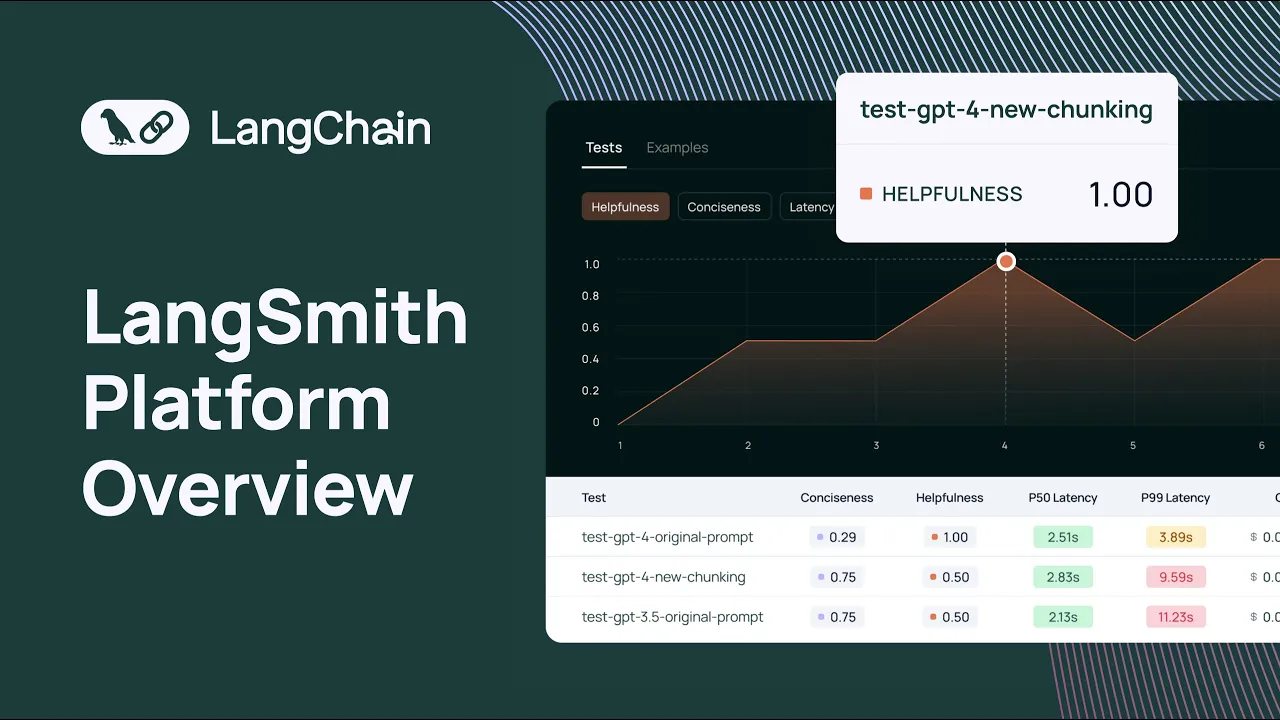
hello and welcome so today is a big day at Ling chain today we have G linki so thank you all for coming to join uh my name is Julia shottenstein I lead go to market here and I'm joined by anush who's co-founder of linkchain and and today anush is going to be demoing and showing off all the new capabilities of Link Smith and we really thought about this product to be helpful in All Phases of your development life cycle so specifically we'll spend some time on what it's like to prototype your app how link Smith
can help how get into beta phase uh link Smith will also be useful and then hopefully when you hit the promis land of GA link Smith will get you there too even faster than you could without it so just some Rules of Engagement feel free to ask questions in the chat and I will read them out loud and interrupt en Kush at appropriate times but we want to make this interactive so so thank you all for joining and with that I'll turn it over to anos to say hello hey everyone I'm anos co-founder of Lang
chain um really excited to be here and demo lsmith for you all um and yeah if uh no other intros needed I'm happy to get started and dive right right into it okay awesome yeah so uh today we're super excited to launch the general availability of lsmith um as most of you of you are aware lsmith is our platform for L application development monitoring and testing uh here I'll give a quick overview of lsmith and dive into all the features that lsmith supports um and how they relate to each phase of the LM application development
life cycle specifically prototyping beta testing and even production so uh with that being said here I've logged into Lang Smith um I am a part of the Lang chain organization um and I can see a few different sections on the homepage I see projects I see data sets and testing annotation cues in the hub I'll first dive in projects uh I'll preface this by saying uh projects are nothing more than collections of traces that you're sending to Langs Smith and uh usually uh what we see people do is map a single application to a single
project so you can have each project represent or uh be a collection of traces for specific applications so here I can see all the all the projects that I have um and the statistics that are uh associated with each project in each row I'll dive into the chat Lang train project um some of you might be aware that we have an an application um that's deployed on chat. chain.com it's an llm powered application built with built with Lang chain um that is designed to answer questions about uh uh Lang Chain's python documentation and so you
can ask it questions you can submit feedback um and uh you know uh get your questions answered about about linkedin's pth documentation and we have all the tra is uh set up to uh log to Langs Smith with under the chat Lang chain project so here I'll just highlight a quick uh a few quick um attributes that you can see as part of the project so um you know you can see the total run count for the past seven days which is the default time period you can see uh total tokens um the cost associated
with the tokens so we have a token based cost tracking currently this is only available for open AI models but uh support for uh all of the other models is on the road map for the near future uh we have median tokens uh some statistics about error rates and streaming latency uh time to First token and then we have some filter shortcuts that allow you to filter by a number of different attributes which I can dive into later so um what we can do is uh expand a Trace by uh clicking on a single Row
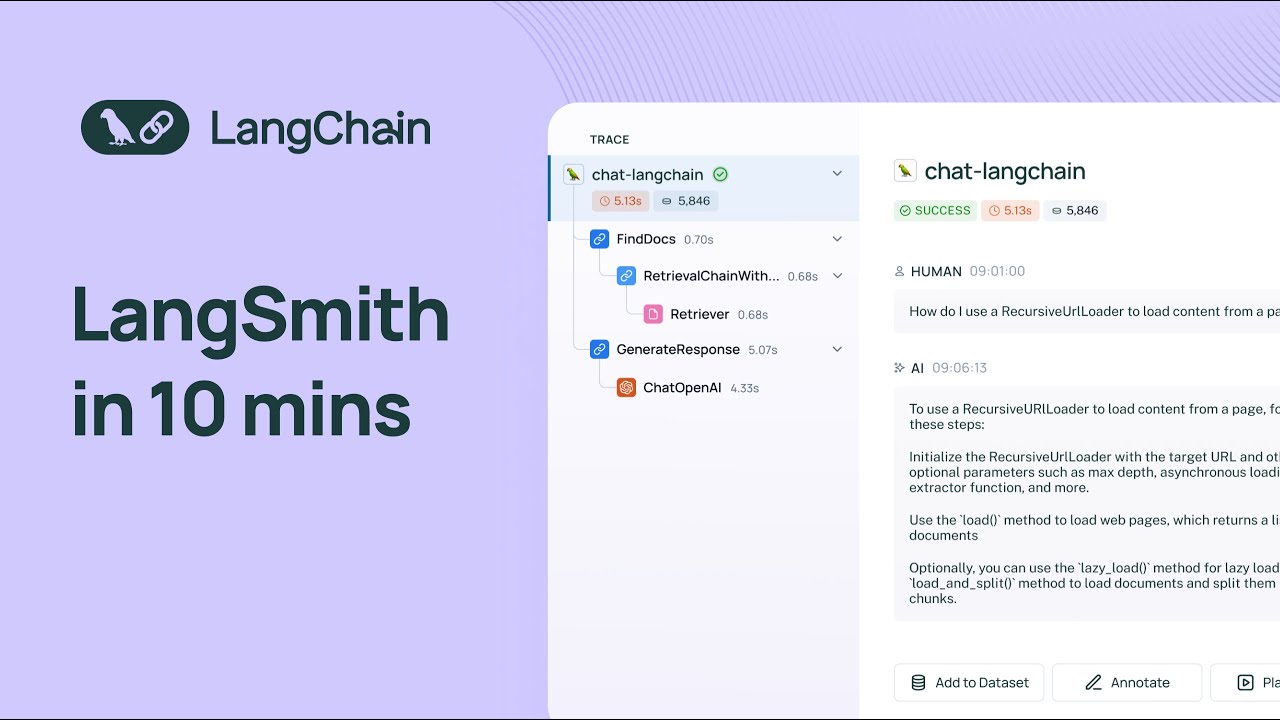
in the uh in the project Details page so a trace is an endtoend invocation of your application so uh in this case we're looking at a trace for the llm pipeline that backs chat link chain and you can see all the different steps that the system takes to arrive at the final answer so at the top level you'll see the uh highle input and the final output but if you dive into um any of the uh intermediate steps you can see exactly what happens at that level I'll dive into the most interesting ones so I'll
dive into the retriever step here in this case um we are doing a retrieval step we're going into an index and retrieving documents based on a query how do we use a recursive URL loader to load content from a page and then we have a generation step that uses um an llm uh so here uh if you look at metadata you can look you can see all of the uh different um invocation prams and like the model name um and other helpful information like your runtime information and you can um inspect the raw prompt so
here we see like the system message um we can look at the human message and the final AI output if we did have feedback for this run uh we would see it here um but we don't um I'll actually dive into feedback right now um so when you uh when you submit a thumbs up or thumbs down score with chat Lang chain we actually have that wired up to a a specific feedback key called user score that shows up in Langs Smith so when we filter by uh feedback key we see all of the traces
or all of the application indications that result in a positive user score um and we could you know obviously like use the same principle to filter for traces that have a negative feed uh user score this is really useful uh when it comes time to understand how your application is doing in real world scenarios and it can also help you construct data sets that allow you to test uh future versions of your application so um before I go into data sets and testing I'll just highlight a few more things in the project Details page so
we had um talked about the trace um we talked about feedback we talked about metadata one thing that I'll highlight is we also have a tab that allows you to see only uh llm calls isolated so if you're only interested in the Raw prompts and the generations you can find all of these in the llm calls tab we also have a monitoring section and this allows you to see different metrics for your project over time so you can see uh you know the trace count uh over time you can see the llm call count uh
a bunch of other helpful uh metrics llm latency tokens per second uh you'll see feedback metrics here um and Yep this is um you know this is what you'll find in the monitoring section you can also Group by metadata and this allows you to look at different versions of your application and how they're performing side by side one other one other thing I'll highlight is it's super easy to get ones the visibility was was really clean what if I'm not using linkchain as the underlying Logic for my application how my traces get displayed yeah that's
that's a good question so they get displayed exactly the same way um you can use um uh either Langs Smith's python SDK Lang Smith's typescript SDK or even our API to log traces to lsmith and um you can have the traces show up the exact same way whether or not you're using L chain so you have a lot of control over um you know how how you can send traces up to the system and how they display as well cool um one thing I'll mention I guess like one thing that's important to talk about is
is why is this important like why why is it even useful to have tracing and and and how how does it help well when you're starting off um prototyping an llm application you can run into a lot of like really frustrating issues you can run into um you know infinite Loops if you're using an gentic workflow you can run into issues where um your LM pipeline is used using more tokens than expected um and then you can also just in general be seeing uh very uh wrong or concerning output at the end of your pipeline
and you can even isolate these outputs by doing what we did before by by filtering for uh traces that have bad feedback associated with them and so often times when you have these issues it's really hard to root cause them if you can't see what's happen happening in your lmm pipeline step by step so by doing so you can really get a high like a like a close understanding of the inputs and outputs at each step and isolate any issues that you see with the final response so one thing that I alluded to earlier is
um uh I guess before I dive into that I think it would be helpful to show case uh the the the prompt playground so one other thing that's useful when you're prototyping your application is rapid iteration and Rapid experimentation so let's say you know you get this you're at this llm call and then you see like the system message human message the output and um you know let's say you want to um you know mess around with um The Prompt or other parameters associated with the application um okay I guess in this case we hit
a token limit um so let me try to open up another trace a good one yeah so you can um actually edit your prompt and edit any parameters uh that are associated with uh the model and then you can see how they affect the generation so this is really this playground environment that we have here is super useful for Rapid iteration and rapid prototyping we have a number of different models available in the playground and actually two of them are free so we offer uh Google pal and fireworks for free um and we have uh
a number of different model types within each provider if you're using uh Azure open AI uh we support that as well hey Anish I'm seeing some tools in the playground do you want to talk a little bit about how tools can be used yeah definitely so um when okay so I can let me back up a bit here when you're using um uh I guess if you're building like an agentic system that relies on your model uh uh using like function calls uh returning function calls you can also play around with that in the playground
so basically if you have an agenting system and you supply the model with uh some functions so a number of uh models now like support function calling you can um uh you know the model will output the function and the arguments that it wants to invoke and and uh this is also supported in the playground environment cool um should I move on to data sets and testing now any other questions yeah we had one question in the chat about whether we support Azure open AI in the playground and the answer is yes we do you
just have to supply your own proxy and token but we have a lot of varability there cool awesome okay uh so let me dive into the data sets and testing section so uh let me preface this and ground this a bit uh let me first find examples so often times when you're building an llm application you'll want to to um not only rely on Vibe tracks before you deploy it to an initial set of test users you'll want to create a benchmarking set and then run some tests against uh the benchmarking set that you've created
so we've followed like a similar idea here with this example so we have a data set here called chat Lang chain complex questions and then this data set has a list of examples associated with it each example is nothing more than an input and a reference output uh that you can use to uh ground the results of your llm pipeline so once you've assembled a list of data sets sorry a list of examples in a data set you can uh run tests against the data set and so we offer the capability to do this with
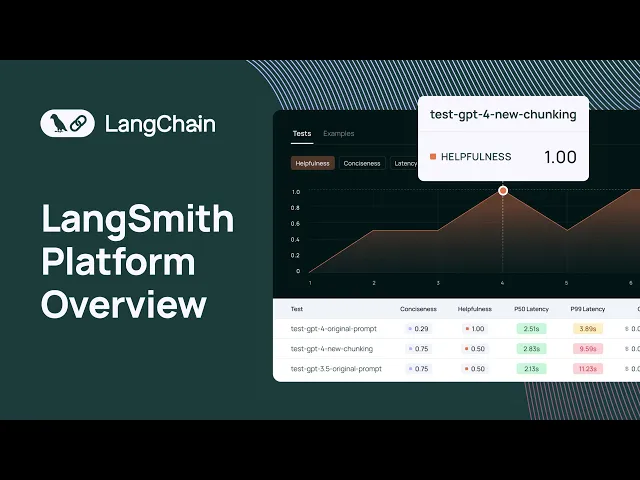
the Python and the types SDK uh there's also a way to do that uh with the API and once you've run a series of tests over a data set you'll see all the test results in the test section of that data set we offer a uh chart that shows different metrics for all of your test results you can easily see how your test results are performing relative to each other and we made this pretty flexible so each test can be um you know you could label it according to something that's useful for you to understand
like at a high level what that what that um uh I guess like what's specific to that test result these can be GitHub revisions uh for an llm pipeline you can also tag it with commit commit messages and things like that and you can also see a bunch of different metrics in this case uh we're looking at correctness here and so when you run a uh when you run a test what you can do with the Python and the typescript SDK is configure a set of evaluators to score the results of your tests these uh
can be a combination of llm orisic based evaluators we offer a number of evaluators in uh the Lang chain library that you can use off the shelf these are evaluators that can score the results of your tests on a number of CR criteria such as correctness um I think we have a vagueness criteria uh evaluator helpfulness criteria evaluator things like that um and obviously as I mentioned earlier this is completely configurable so um all you need to do is write a function that takes in an input uh an output and a reference output and then
submits a score based on those inputs and then the results will show up in the data sets and testing section uh for that for that test result you can dive in and look at an individual test result um that this gives you a good uh overview of the input the reference output and the actual output of your application you can also open up a test run comparison view that allows you to see the results of multiple tests side by side so this is really useful if you're uh if you want to track regressions across multiple
revisions of your application we've also added some charts to get a quick overview about how your tests are performing um this is completely configurable in this case we just have one feedback tag associated with um you know with this chart uh but if you have multiple feedback tags that are associated with different evaluators you'll see the results of those here we can also look at the latency um the token usage and then uh we can also we have these distribution charts as well that allow you to see um uh how the different test results are
stacking alongside each other hey anos how would you make recommendation for folks on reading eals using off the shelf evaluators that we have in link Smith versus custom evaluators that they can also craft any guidance you want to share yeah that's a good question so I think one thing that I'll point out is that evaluation is very use case specific and so often times off the shelf evaluators are a good starting point but they likely won't be enough for you to get an indepth understanding about how the application is performing relative to criteria that's important
to you and your organization so one of the benefits uh one of the key benefits of having um your tracing system and your evaluation system in the same place which is what length Smith offers is is is it allows you to grow your data sets your benchmarking data sets over time with real data so when you initially deploy your application to a set of test users you might only be testing your application on a few examples that you've come up with your head or a few examples that you've seen while running your application however when
you submit your application to initial set of beta testers you're you're getting a really um uh good idea of how your application is performing in real world scenarios so a common workflow we see is for users to go in and drill down into traces that receive either very good feedback uh from the from the from users or really poor feedback from the users and this can be something that is wired up to a thumbs up thumbs down button or a comment box or something similar and then it helps the user draw attention to the most
interesting data points uh from what they've collected um by rolling out to an initial set of test users and then you start to develop a an intuition for how your application is breaking down on certain inputs and uh how it's breaking down and this allows you to as I as I mentioned earlier not only craft examples that you can use to test further versions of your application but also gain an intuition for what heris sixs or what LM based evals you want to run in the future to defend against uh the problems that you're seeing
in that specific version um I don't know if that's helpful or if that specifically the question but that's kind of how I think about evaluation with link Smith great yeah that helps it and how are people using how do you see people doing evaluation if they're not using link Smith like what's maybe the before State yeah we've seen a lot of teams run uh you know collect data in spreadsheets and uh um it's not like very collaborative in that sense and it's very it's very um I guess like rudimentary in a in a sense and
uh I think one of the key benefits and then the other struggle that we've seen is um you know once you have like an initial spreadsheet how do you get how does it get updated with data that you're seeing in the wild right like how how like how are those benchmarking sets evolving over time and and lsmith I think it it solves both of those problems because it gives you like a central place where all of your data sets live and grow over time and then since it's also connected to your tracing logging system you
can very easily Port data from your real production traces to your benchmarking data sets um another thing I'll point out is data sets don't only have to be used for evaluation they can also be used to improve your application so we can use data sets for things like fuse shot prompting and we've also seen a couple of teams use lsmith data sets for fine tuning so this is something that will probably um uh invest some more resources in like building better workflows for f shot prompting and fine tuning in the in the near future and
maybe one final question before we move on from from testing when are people testing in link Smith looks like this is offline evaluation when do you recommend in your workflow that you should you know build your data set run your evaluation tests is it pre-prod postr and how do I prevent regressions from making it into my production application yeah that's a good question I think um I would like to see a future where people run tests uh for their LM pipelines in cicd obviously there are some uh I guess there are some blockers right now
from for for people to be doing that one is the if you're using llm based evals uh they can be like pretty expensive to run the other thing is oftentimes we've seen that llm based evals to score your results aren't always accurate in a sense so it takes a good bit of human review to look at the results and uh really understand you know whether or not the result of the evaluator is actually what you want so right now um I you know the recommendation is to test as much as possible but with these two
uh things in mind that if you run evaluations if you run tests that use LM based evaluations too often it can be expensive and then the other thing is oftentimes uh you'll need human review on the llm as a judge results uh that run against your that run against your test results cool and I guess one thing I'll also mention is the concept of online evaluation so here I've talked about offline evaluation which is running your LM pipeline against a data set and then um running uh combination of heris and LM based evals to to
score the results of your tests but oftentimes it's also really useful to run automatic evaluations on your production data so lsmith provides uh let me just dive into the projects view again a me a mechanism for you to to annotate your run so you can submit feedback um on on a particular trace this can be done at any level of the trace so for example if the overall uh output of your LM pipeline looks good you might want to give it like a correctness score of of one um you can also add a number of
tags that that you can use to to score your your your pipeline these are these are tags that are like associated with your tenant and you can add new tags as you see fit um but sometimes it's it's really useful to actually look into an individual run so in this case I'm in the retrieval step and then you can annotate the retrieval step separately so basically if your overall output was bad and you traced it down to your retrieval step like it's not returning the right documents based on the query you actually go in and
annotate the retrieval step separately um and then uh you can you know query for you can query for traces that have a poor that have poor retrieval feedback and see how that um um see how that impacted the overall result uh so getting back to online evaluations in addition to running automatic evals offline um on your test results what we're working on right now is a way to configure eval evaluators to run on a sample of your traffic so the interface for this will look something like run a vness evaluator on 20% of my downvoted
traces and so what that will allow you to do is get a really good sense of how uh your application is doing in production on real data with respect to the criteria that's important to you and your organization so the evaluation step doesn't just stop at you know testing or the CI step it's something that carries into uh deploying your application to production awesome one quick thing I'll point out is we also offer a workflow called the annotation queue so you can add any Trace to an annotation que and you can then go into The
annotation queue and look at each Trace that you've submitted to The annotation queue one by one and review them in a cyclical manner so this is really helpful when you want a really focused view for evaluation and annotation um um and we're actually working on a permissioning system that allows you to um you know Mark certain users as annotators and so they can go in and access The annotation queue and uh annotate the results that you're getting in in uh uh in your uh projects in your tracing projects cool we had one more question on
testing I want to hit so the question was how how many tests uh are needed generally speaking yeah that's that's a um question that's kind of hard to answer I think what we've seen from teams that we work with is when they're initially launching a version of their application it's around 20 examples to get um uh to gain some confidence in in their in their application uh but we've seen we've also seen teams that run their LM pipelines against multiple data sets each data set having you know 20 to 50 examples sometimes more so it
can really vary uh based on the team um how much time you're willing to spend on evaluation or testing and um I guess like how expensive it is to run your evaluators and um score score your results of of your tests so it really yeah just to add I think I think what we've seen people do in link Smith is dramatically grow their testing coverage and you know Enos stated the before world where it was a lot of manual tests and spreadsheets most teams have some kind of internal tooling maybe that they've built or it's
imperfect um what we've heard is that Lang Smith allows you to add the incremental test more easily with less effort which which results in higher quality production applications yep awesome um one thing that's helpful for production is U monitoring that's something that I demoed in the uh when I was when I was uh demoing the tracing projects but every project has this monitoring Tab and um I don't know if I mentioned this before but it's useful sometimes to deploy multiple versions of your application to production um and there are multiple ways to do this you
can Route traffic to a specific version of your application or you can have a single version of your application that everyone hits and you can have a shadow pipeline running so such that the uh input gets sent to your main application but also uh Your Shadow pipeline Your Shadow pipeline might have some changes relative to the retrieval strategy or the prompt or the model um but anyways at the end of the day you could have multiple versions of your application running and accepting production data and we've done that with chatlink chain um and uh we
have like multiple models serving traffic and generating responses and this is really uh I guess the monitoring section and being able to group my metadata is really useful for being able to understand how different versions of your application are doing side by side so it allows you to AB test different configurations of your application um so yeah this could I right now we're we're looking at uh different models but you know these can be different prompts uh different retrieval strategies can be like look back window length things like that so it really depends there's so
many different knobs that you can that you can dial um change in your LM Pipeline and uh being able to AB test all of them at at the same time can can be useful so at the end of the day all of these all of these uh features that we've supplied in lsmith allow you to not only gain observability in your data but answer the question am I getting better over time or am I doing worse over time so that's that's really what we're building towards here hey on we had a couple questions on open
source models do we support it in link Smith and can you see the full capabilities like token tracking uh as well as uh multimodal or multilingual applications how is that supported in link Smith yes so we support uh basically all you can use any model you'd like and get that to trace uh get that to render correctly in link Smith this is uh regardless of whether or not you're using Lang chain um Lang chain has a bunch of wrappers around open source models um but if you're not using Lang chain you can still use our
SDK and we have a few examples in our docs about how to send up llm runs that uh allow your run to we actually do token counting um in the back end so you don't have to send the tokens up to L Smith we'll do our will do a best effort token count um so you can still get that information uh um saved in the back end and you can view it in the UI for multimodal we do support uh multimodal I don't think I have a multimodal trace hold up here but if you're using
the gbd4 vision model and you're sending a b 64 encoding encoded image or an image URL um as your as your input and you're asking a question about about the image that will show up uh uh in line with your Trace in the llm run and I just dropped a link to a Blog as well for multimodal rag examples and if you click in there there should be some public links to how Lang Smith handles multimodal models cool awesome all right um I'll just quick quickly dive into the the promp tuub which we launched a
while ago but I think it's worth mentioning again and then I'm happy to answer any more questions about uh about LMI so the prompt tub is a solution that we offer is part of lsmith that allows you to manage your prompts and view uh prompts that other people submit to the system um so here you can see a combination of public prompts um and then you can filter for prompts um by different tags and use cases you can see prompts for agents chatbots so on and so forth you can also see prompts that are specific
your to your tenant um you know some of these are public um and you can try out any prompt in a playground environment um we we were able to open up the playground environment from an llm run uh by clicking in on a trace and then going down to the llm run and then opening that llm run in the playground but you could also get to the playground by opening up a prompt from The Prompt tuub in the playground and uh this prompt has different variables you can input the variables and then you can run
a completion just like you did in the playground environment from the llm call we're actually doing some work to consolidate the playground environment so that it's accessible as soon as you enter Langs Smith but right now these are the two ways to get to the uh the the experimental or or or the playground the iterative which gives you an um an iterative kind of um environment to test your your prompts and your model configurations how do you expect people to work in the playground do you expect developers to only be crafting prompts or how does
this help you collaborate with other team members yeah so there isn't really a good solution right now for um uh Team prompt management a lot of people use a number of different templating libraries and they uh also store their prompts in GitHub and other Version Control Systems I think while Works um we've seen a lot of companies want to offer a solution that makes it easy for people with non-technical backgrounds to go in and edit and deploy prompts um and and you know play around with prompts in a playground environment and uh you know iterate
on versions of prompts and that's kind of the solution that we're moving towards with the with the prompt playground we still we still have a lot of work to do but we want to make it as easy as possible for people with non-technical backgrounds to use um to use the uh to use the promp tub um so yeah if does that kind of answer the question anything you wanted to add there Julia yeah yeah I think what we've been seeing a lot is that developers are the ones that are building the full orchestration systems making
sure the testing and evaluation and monitor ing is all running smoothly uh but a lot of times you need to collaborate with subject matter experts maybe you're writing a prompt or legal industry and your engineering team work closely with someone in legal profession to get a Vibe check or make sure that the quality is uh as expected and so what we've seen a lot of teams do is use the prompt Hub as a way for non-developers subject matter experts uh to contribute to the LM app development process and I think you know with all things
that are being used in the real world it takes collaboration between you know Builders and and and users and so this is a really fantastic way that you can bring more people along along for the ride in the prompt tub yep it's well said and then we have some other questions on public prompts prompts versus private prompts uh can I just have prompt for my team can I integrate with other tools such as GitHub how do you suggest teams to work on prompts yeah um so yeah you can uh submit prompts that are private to
your organizational tenant or your personal tenant um any prompt that you submit can either be private or public so if it's private only members of your tenant can see it if it's public anyone can see it how does this integrate with GitHub right now it doesn't um we have a um we have like an SDK that allows you to pull and push prompts to the hub right now um so we don't have an integration with GitHub although that that could be something interesting that we that we work on uh we're also working to support a
lot of different types of prompt templates so we've seen teams use handlebars and mustache um alongside you know other other templating libraries for prompt so we want to support all of those and as I guess as Julia mentioned we want the prompt Hub to evolve into a system that um makes it really easy to manage and experiment with prompts regardless of whether or not you're a developer or a PM or someone on a marketing or sales team um so we want to like lower the barrier entry and make working with llms and prompts less scary
and we also want to actually offer native integration with our testing uh and benchmarking workflow um so right now in the prompt playground you can only run a uh I guess like a single prompt um but we would like to build a we would like to build up the capability for you to run um a data set in the playground and this allows you to I guess this lowers a barrier of entry for testing as well we had a really good question around I'm going to combine two questions we had in the chat one is
how is Ling your your application code whether it's written in L chain or not synced up with the traces in lsmith like how do you wire it up and does link Smith or Hub add any additional latency that that we should be aware of yes so let me answer the first question um we actually updated our docs a bit to make this more clear but we have a quick start guide that you can follow to understand how you can use the python SDK the typescript SDK or the API to submit traces to Lang Smith so
if you're using Lang chain it's very easy uh you just export a couple of environment variables and then you run your application as you normally would if you're using the python SDK um let me actually go into a more indepth guide here if you're using the python SDK we offer a number of different ways for you to log things to lsmith you can use our run tree uh API which allows you to build up traces and spans uh in a pre like format and then send them up to the Langs Smith back end we also
offer a decorator that you can use to decorate your functions and this would turn them into into individual spans within a trace and it allows you to submit traces to the system we also have an open AI wrapper um that you can import and then wrap the open a client and then this will this client that you wrapped will now have all the same functionality as the openi client but the added benefit of having all of your uh uh inputs and outputs loged to Links Smith if you're using typescript we offer a couple of ways
to log traces there is this um uh run tree uh run Tre API that we that we that I just showed that works with python as well but we also recently launched a just today actually um let me see yeah this traceable um this traceable function that allows you to wrap any arbitrary function and have it logged to lsmith so I'll update the docs to include this in the core functionality how to guide as well but this is something that we just released today so we're constantly working on lowering the barrier to entry for using
Langs Smith and um it's completely independent system for Lang chain so you can get all the benefits of lsmith regardless of whether or not you're using Lang chain obviously we strive to have seamless support with Lang chain but we also want everyone to benefit from lsmith regardless of whether or not they're they're using linkchain um and then if you're using the API um we have the API docs here actually and all of the functionality that you see uh in the UI in the DK with lsmith is available in the API so this includes logging traces
um quering for statistics querying for runs uh uh creating creating projects things like that thanks and then how about latency how is it wired up such that blank Smith doesn't have doesn't add additional latency to your application uh and and then maybe speak about hub specifically where if you decide to to pull in prompts yeah so we again answer the latency question first uh everything is logged in the background so if you're if you're using the SDK and if you're using uh Lang chain setting up tracing to lsmith will not impact the latency of your
application uh additionally if Lang Smith is down for whatever reason it will will also not affect your application if you want to use the prompt Hub you can pull in prompts using um so we have some documentation here on quick start and how how to use the Hub but it's really easy to uh create a handle start using the Hub uh commit and then um all you need to do is install uh linkchain and linkchain hub configure some environment variables and then you can pull objects from The Hub and start using prompts that are available
in the Hub in your in your application code yeah and just to call out I think people like prompt tuub for a number of reasons one it is a way to collaborate with non-engineers which you mentioned and two uh is get maxed says in the chat it makes code a lot cleaner what we see a lot of teams doing today is littering their code with a lot of prompt text this gives you a nice UI to store and version it it's not backed by GitHub but we've created our own versioning system there's a unique commit
Shaw for every uh prompt so you can pull in an exact version and and uh pin it to not change and it really helps people test and iterate over their prompt construction because that often is a a big driver for code quality and an application performance because I know we're getting to the end here maybe what's next for for Ling Smith or how do you think about the workflows that we want to enable what are some of the things the teams thinking about and should that should keep an eye out for in the future yeah
it's a great question so we actually uh wrote up a blog post about our uh the general availability of lsmith and our recent fund raise and here you can get a good idea of the different workflows that link Smith supports at each step of the LM application development life cycle and how they fit in with each other and at the end uh we have the road ahead so what's next for Lang Smith well we want more native support for regression testing um so we want to be able to integrate Langs Smith with CCD pipelines such
that you can run lsmith tests in GitHub actions or in gitlab or or whichever Sky tool you're using and we also want to make it very simple for people to go in and make Corrections for um uh scores that were submitted by llm evaluators as I mentioned earlier uh one pain point that you seen uh when running tests for llm pipelines and using llm based evals is that they're not always correct so you want to streamline this process by making it very easy to hook up lsmith tests in cicd and then also streamline the process
and making Corrections um that uh that um result um I guess make make corrections to L based evaluator scores the second thing is uh I mentioned this earlier but the ability to run online evaluators on a sample of your production data so we are actually working on this right now and you'll be able to configure an online evaluator uh in a very simple manner um such that you can do things like run a vagueness or repetitiveness llm based evaluator on let's say 20% of your downloaded production traces the next thing that I'll point out is
better filtering and conversation support so this is a new interface that we want to provide in Langs Smith when you have a chat based application and you're uh and you've hooked it up to lsmith each invocation of the chatbot will actually log a new Trace to Links Smith and currently you can group all of the these traces together by sending in a particular metadata key value and then uh filtering on that metadata key value so you can send up in the metadata payload something like conversation ID and then have the value be the ID of
the conversation that's going on with the chatbot and then if you filter on that you can look at all the traces that result um uh that are part of that conversation however this is a bit of a um cumbersome workload and we don't want people to have to think about uh you know conversation ideas and filtering for them um so on and so forth so what we're working on is a more native um a more native experience for people to view their chatbot history without having to perform an additional filtering step so this is something
that's in the works the other thing that we're working on is the ability to deploy LM based applications that you build with linkchain in uh hosted L serve uh so more to come on this soon but we want to provide a really easy experience for people to deploy their applications in the first place and obviously with L serve there's there's uh going to be seamless integration with lsmith so you can get everything that lsmith has to offer out of the box uh with uh this hosted Linker product the last thing that I'll point out is
we're working on Enterprise features to support um admin security needs of of large teams um one thing that I alluded to earlier was permissioning so for example if you only want people to go in and access annotation cues to annotate your traces that you send to The annotation queue this is something that would be possible with the um rback model that we're that we're working on right now maybe a final question from the group unless others write something into the chat in the last last minute or two a lot of questions on linkchain expression language
seems a bit newer for folks how can link Smith help with chain construction and visibility and linkchain expression language and anything more you can comment on around playing serve yeah so if you build up a chain with lank chain expression language and you have the um I think I have an example in the docs that uses Lang chain expression language yeah here we go Lang chain so this is this is Lang chain expression language um it uses this pipe syntax that allows you to stitch different components together so in this case we have a prompt
model EP parser this is like one of the simplest chains that you could build and by by default all of this is logged to uh to lsmith and actually chat Lang chain is also built with uh Lang chain expression language so any of these uh traces that you see is they show you the different steps of the uh linkchain expression language uh pipeline so you'll get immediate visibility if you're using LC with link with lsmith and this allows you to get a good sense for what's happening at each step of the pipeline and make changes
as as needed not sure if that completely answered the question but uh yeah we have native support with LCL out of the box yeah to add on the because we have uh every llm call can open up a playground we'll keep track of all the previous state for where the chain has gotten to or where the agent has gotten to so when you open up a playground call for a multi llm uh a chain or agent that calls multiple llms you'll be able to see what's been called previously and and will'll keep track of state
so certainly helps helps as well and then um langing serve uh it's that's that's Source available we do have a posted links serve beta that you can reach out to me if you want to get access to at Julia linkchain dodev um but that's not in GA yet and I think we'll wrap there thank you all for joining we're super excited for you to try out link Smith if you've been using link Smith uh we really appreciate you and feel free to give us feedback uh Team ships very very quickly and we're always trying to
evolve and get better um but it's a big day for us and and we appreciate all of your support and helping helping us get here so I will hopefully see you all soon thanks so much thanks Julia thanks everyone bye right