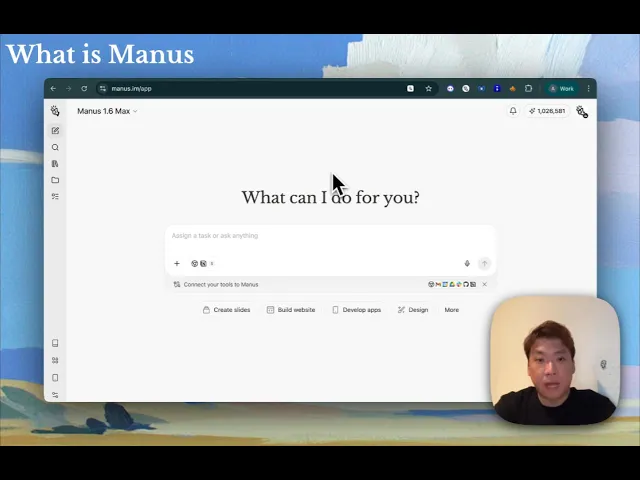
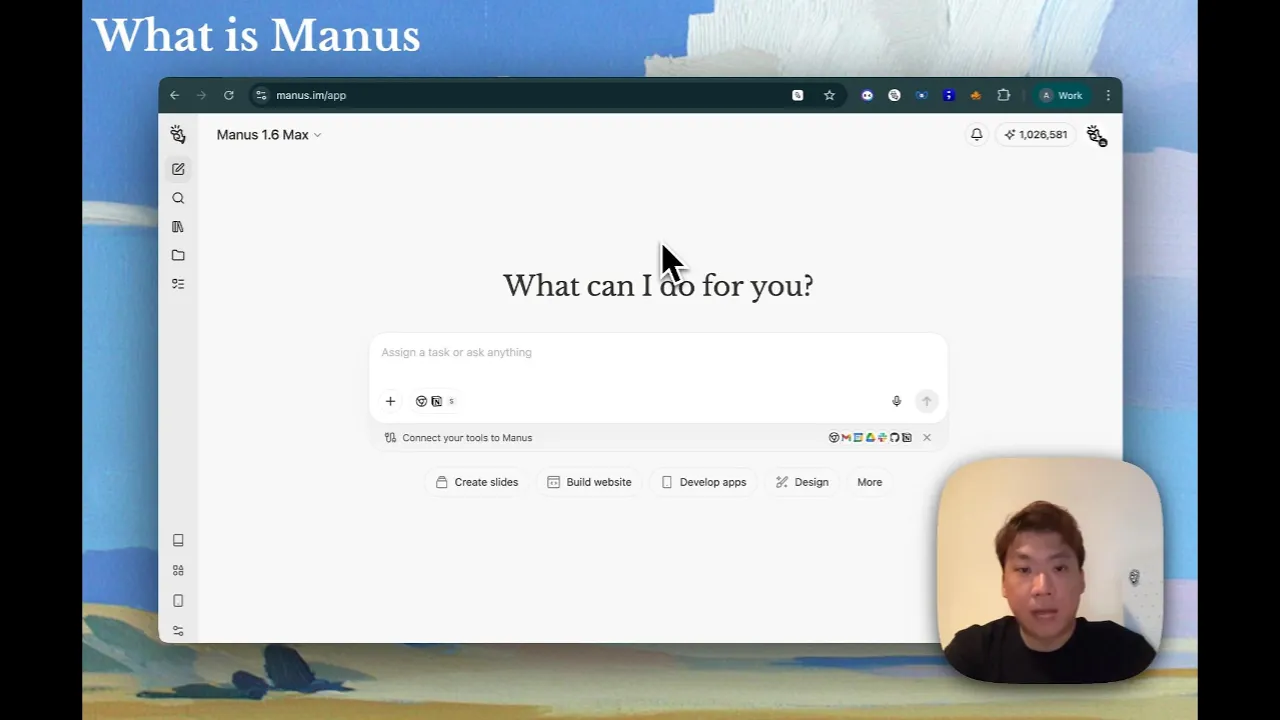
Hello everyone, this is Alan from Manus. In the following section, I'll do a quick product demo so that you have a comprehensive understanding of what Manus is capable of and how to apply Manus in your day-to-day workflows. Manus is a general purpose AI agent platform.
It executes complex tasks for you independently. It delivers production ready results end to end. It is LLM agnostic which means it is built on top of all of the state of foundational models so that it picks the best model for your use cases.
Let's start with this interface. Here you can see a wide range of output formats and task that manage can do for you. Ranging from creating slides, building websites, developing mobile apps, design, setting up schedule task, wide research, spreadsheets, data visualization, video, audio, and a lot more.
You can also connect manners to your existing workflows via connectors. Here you can either select from the existing list or add your own custom API or MCP. But next, let's start with some real use cases.
So let's take a look at manners for size generation. In this case, I'm an investor using manners for deal sourcing looking for serious B2C cyber security companies that meet certain criteria. Manus first identifies 60 companies and via wide research, it breaks down this massive task into 60 sub aents all running in parallel simultaneously in a structured manner and then it generates a slide outline detailing the structure of the slide deck.
Ultimately delivering this slide deck as you can see is well researched well structured almost as good as interns output quality. Manus can also generate slide deck following your company's slice template so that the deck generated will be more on brand. In this case I asked manus to create a deck comparing Singapore and San Francisco startup ecosystem and I use PWC company template as an example.
Ultimately, this is a deliverable. As you can see, it is following the PWC slice template format and design tone. In this use case, I'm an event marketer.
I just hosted a event on Luma and I exported this data spreadsheet from the event that I hosted. I asked managers to convert it into a slide deck and data visualization so that I can deliver a postevent analysis. Here is the slice outline and here is the automated slide deck.
So as you can see uh if you are a traditional marketer and didn't have much data analytical skills this would have saved you a few hours of work. Okay let's take a look at crowd browser use cases. With manus crowd browser you can visit and log into websites with private access such as your own social media internet or databases.
In this case I asked man to log into my trading view account and analyze this particular stock and scrape the all the relevant data and metrics and indicators. Ultimately, I asked managers to deliver a website. As you can see, this website is live updated with relevant information based on the private access to the database that I provided.
In addition to crowd browser, manus also has this Chrome extension that is called browser operator which takes over directly your Chrome and the tabs that you're browsing. Let's take a look at this use case. I asked Manus to go to this ad library and then search for this particular advertiser in this particular country within a specific date range.
So as you can see manus is taking over my browser to scrape through the ad library used the search filters and then scrape all the ad copies and analyzed all the visuals as well. So ultimately manas delivered the results in a slide deck format analyzing the campaigns the copies the visuals the CTAs etc. So this become a workflow a automated workflow for advertisers.
Now let's take a look at this use case where I ask menace to take over my link and search for the best relevant candidates based on these JDs that I provided. Let's watch it again. As you can see, Manace is now reading the job descriptions on LinkedIn.
And now based on its understanding of the jobs, it used my LinkedIn to scrape the relevant candidates using my search filters based on my first degree connections. So ultimately, I asked Manis to deliver a detailed recruitment report based on the job descriptions I provided and man provided a list of potential candidates that I can talk to based on my first degree connections. So this is almost as good as a head hunting agency.
Now let's take a look at mana wide research use cases as opposed to deep research. Manus wide research can do hundreds or even thousands of task extensively in parallel. That means with mana centralized orchestration it breaks down a massive task into parallel processing subtask each independently executed by sub aents and run simultaneously.
In this use case, I asked Manus to research 100 sneaker models. And I only gave Manus this very simple prompt. And this white research was triggered by Manus with 100 lines of research items, each independently executed by a sub agent.
Ultimately, this is the final deliverable, a spreadsheet of 100 sneaker models with all the data and metrics. In another use case, I asked managers to research 250 AI researchers in an AI conference. Imagine if you give this prompt to any major AI tools in the market today, it will most likely not be able to exhaustively provide you the results because of the limitation of context window and also the lack of wide research capability.
But in this use case, manus breaks down this massive task into 250 subtask. Each line item representing a sub agent researching on each researcher profile. Ultimately, this is the spreadsheet of 250 researcher profiles.
And this kind of task was on average done in like 10 or 15 minutes. This is another use case of white research where I asked man to research the AGI artificial general intelligence timelines that were predicted by all these AI researchers and entrepreneurs. So this white research was triggered with 20 subtask each independently researching uh what they have said on social media and news uh news reports.
not only deliver a CSV spreadsheet and documentation format but it also it also visualized the the result in a infographic manner almost as good as a reporter. In this use case I came across this GitHub of hundreds of prompts and this is a unstructured uh website and I wanted to scrape the prompt only this part from this website that has hundreds of prompts. So I asked manus to extract all the prompts and then put them into my notion database where I've previously configured my notion connector in manus.
So this white research was triggered with a 100 sub aents each independently looking into the prompts and the use cases and ultimately the prompts were scraped and also delivered to my notion database. So in this use case I literally converted a unstructured website into a structured database scraping the info that I wanted. In this use case I asked man to generate 10 posters for me following the same theme and following the same brand guideline.
So this is also white research but in this case is not just research but batch generating certain media assets. So this task was broken down into tens of task each independently generating a poster and this is the final deliverable poster that follows certain brand guideline and representing the same theme. In this use case I asked man to research about all UNESCO heritage sites in Europe.
So menace started with this 50 task each analyzing a European country and research about all the heritage sites in these respective countries and then it deliver a research markdown report and then I wanted to convert that research output into a educational website. So I asked manus to build a website and ultimately this is the website that is publicly deployed on manus. It is a fully functional interactive website.
You can literally click onto any particular site and you can see there's embedded Google map here as well with the relevant info about the site. There's also a directory of all these UNESCO heritage in Europe and you can use the search and filter as well. So this is a perfect example of turning a white research task into a uh deliverable in website format.
In this use case, I asked managers to research all the websites of the latest Y Combinator YC 2025 winter batch. So this is a pretty long websites with close to 200 companies. So this white research was triggered with 200 uh with 167 subtask each independently scraping the websites and the company info in this batch.
And then I wanted to learn more about the traffic insights of each of these website. So I call my custom similar web API and I ask man to research the traffic of all these websites. So another research was triggered and in particular you can see in this column there's API success column here that means each independent sub aent here call API to find out more about the traffic insights of each of these websites.
So white research is not just research per se but this is also doing uh batch API calls and ultimately this is the kind of data visualization delivered by manus. Now let's take a look at this use case of mail manus in settings you can set up your manus email address and workflow email so that you can forward an email from your inbox to manus to trigger a task and relevant automated workflow. In this case, for example, I received this email from a colleague asking me to analyze this infographic which has 100 logos in the image.
So without AI agent, if you ask a human intern to deliver this research, it will probably take a few hours if not days. In this case, I forwarded this email to my manas bot based on the email address that I set up. And this reply actually became the prompt that triggered a manus task.
So without leaving this inbox I received a reply from manus within the same thread saying that saying that uh menace has received the task and has now uh planned the following uh task accordingly. So after 10 minutes manus successfully completed the task and delivered the result within the same email thread. So what happened in rayati was that uh manus actually took that reply email and the attachment as a prompt and triggered this research task.
So white research was triggered and this massive task was broken down into 134 subtask each independently executed by a sub agent and ultimately this is the CSV file delivered by manus summarizing all the research based on these hundreds of companies. Now let's take a look at manus web development use cases. Manus can help you build fully functional websites with AI capabilities, back end and loginins.
In this use case, I asked menus to build a tool that scraped all the images from any Google doc. The pain point is that if you have a Google doc like this, you would realize that you can't actually download images from the Google doc. So if you have hundreds or thousands of images in this Google doc, that would be a major pain point.
So I asked man to build this tool and then this is the tool that manus built. Let's test it with the URL. So this website is built by manus via just natural language and it is publicly deployed on manus.
So yeah 29 images were scraped from that Google doc and I can bash down them at once. In this use case I asked manus to build a manus product feedback portal where you can as a user submit feedback upload other feedback and also uh search for previous historical feedback rates as well. So let's give it a try.
Let's say need more slice template for marketers. So this is my request. So this is submitted and it goes to the back end of this website and this is automatically categorized as a slide related temp uh uh request and you can upload it as I mean you can change the evaluation status and other users can also comment on this feedback.
So I can also sort it by time. So you can see the latest request is here and I can search for relevant uh feedback as well. Let's take a look at the back end of this website.
So now we're in the back end of this website. So you can see this website is built by just natural language prompting. Uh first of all, you can see the code.
You can actually export the code if you need to hand it to a human developer. You can also uh see a data dashboard which is something like a Google Analytics where you can see the visits, the page visit duration, bounce rate, etc. There's also a database where you can see all the feedback comments uh created by users.
Uh there's also settings where you can change the domain, you can connect to your existing websites. Um you can also connect to stripe payment or input uh or improve the SEO as well. So there's a testing environment and there's also a public uh URL where you can just deploy with manness.
In this next use case, we build this AI flower arrangement visualizer for this flower shop in Singapore. So the pain point for this solo entrepreneur is that she needs to do a lot of back and forth WhatsApp communication because there's a lot of customers asking for like flowers u the pricing the look and feel and the combination of different flowers and this leads to a very low conversion rate for her and with this tool she can actually just pass this to potential customers and they can just pick from the list here which is built based on the database that she provided and then you can also add custom instruction So by selecting all these options, you can ask man to generate a preview image of the flower that you want to buy. And you can see there also small details about the custom instructions that I provide as well.
And then you can directly schedule a delivery. You can put your name here. You can put your address here.
And then because this is already connected to Stripe, so you can directly go check out and pay for the flower. So according to the entrepreneur, this is a very uh productive tool for her that helps her streamline the custom order process. Let's take a look at manage schedule task use case.
In manus, you can set up a regularly recurring task via settings. If you go to schedule task, add new schedule, you can add title, prompt, and the time of that particular schedule task. You can choose the frequency of the schedule task and you can also set up a automated run mode so that it doesn't require your manual confirmation.
It also connect with your connectors as well. In addition to setting this up in settings, you can also just trigger it in your task via prompt. In this use case, I'm a product manager and I want to um set up a schedule task that visit product hunt and look at the daily trending products and deliver that in a website format.
So, manus helped me uh set up the schedule task and did a wide research on the websites and then ultimately delivering this uh summary page highlighting the daily trending products in the format that I wanted. Let's take a look at manus for data visualization and spreadsheets. You can actually build financial model with manness.
So in this case I asked manus to create a advanced SAS financial model. I asked for a complex advanced model with like um various assumptions and also like multi-heets underneath the model. So man started with this wide research analyzing the typical uh industry benchmarks and metrics of the SAS industry for example like turn rates NMR CAC etc.
It then generate this financial model using Python and summarize it as uh some visualized charts. So you can see this is a summary of uh threeear projection with some growth trajectory charts, waterfall charts and also uh scenario based planning. If I click on this uh financial model, I can export it to Google drive or one drive or locally.
uh there's a cover up page with assumptions and then benchmarks based on the info that menace has researched and then uh scenario based projections projections based on revenue P&L cash flow of all these base bear and bull use cases in this next use case I asked manus to estimate the total addressable market and also the s and s of the US electric bike market so manus did a quick research and also used some uh built-in data sources as well to reduce the chances of hallucination and then it delivered a research document and I further asked manus to visualize that in a infographic manner. So this is a chart that manus created illustrating the time the sam the s of the USD by market. In this use case I asked manage to analyze a bunch of SEO keywords.
I exported this SEO keyword list from ah refs and I asked man to plot it in a 2x2 matrix using these two dimensions global volume and keyword difficulty. So in about 10 minutes manus gave me this chart you see the y-axis global search volume and the x axis keyword difficulty. So this quadrant shows the keyword opportunities that I should be prioritizing.
So imagine if you give this task to a human intern or a SEO specialist. This would probably take a few hours. In this case I asked man to use my type for API and analyze a survey results that I recently uh published.
So manus actually dig into the type form data that I connected and ultimately analyze the submission trends and also the persona of the u applicants. So uh these are not built-in analytical features in tyform. So this is uh additional analytical layer that is enabled by manus.
So ultimately uh because of this typhon connector manus is able to deliver a analytical report based on that survey result. Now let's take a look at manus for image and video creation. Imagine I am this seller of a soft drink brand and I wanted to find 20 AI influencers as my brand ambassador selling this soft drink.
So I asked managers to scrape 20 portraits of AI inferences and ask them to hold this preferred in their hands. So ultimately this is the series of AI inferences that maners created for me and imagine if you're selling this soft on e-commerce platform you can directly use those images in your storefront and uh these are the images in this use case I asked manus to create a cinematic video for a feature launch um so it is a astronaut walking alone on the moon with some brand content as well so ultimately u menace created different scenes and based on the scene uh manus created short videos and stitched them together into a one video. So this is the final output.
I just never shot it became stories was the output single prompt. In this use case I asked man to watch a video about a feature launch that we had before and then turn it into a comic style. So this is a example of repurposing existing content.
So man using n banana created this comic that is highly resonating with the YouTube video that we had. Imagine you're a marketer. You can easily repurpose uh different formats of media assets.
So in this use case, we use Hen API to batch generate a series of uh personalized sales video in different language. So before this, I had already set up a uh Hen character using one of our co-ounders image and I asked man to create 10 videos in different languages as sales pitch. So ultimately you can see this is a series of videos in different languages.
that is based on a personalized uh sales script. Let's take a look at some manage connectors use cases. In manage you can add connectors from the list or via custom API or MCP.
In this case, I as manage to create a video based on a page deck that I uploaded and I as managers to use my Hen API to create a AI avatar that talks through the sales deck. So, let's take a look at the video. >> Hello, John.
I'm thrilled to present these exceptional rental market, $300 per month. So the deck is about a property that I'm selling and then I want to further stage that editor onto the top of the slide deck so you can see. >> Hello John, I'm thrilled to present these exceptional rental properties that I rental with studio requirements.
You're looking for a spacious two-bedroom market. I've identified two exceptional properties that align perfectly with your criteria. >> So in that two particular moments that I stopped, you realized that the video actually followed the flipping of the slides.
So this is already a very high uh production quality uh video that you can use for personalized sales page. In this case, I connected manus with my similar web custom API and I uploaded this infographic with dozens of logo. So I wanted menus to research the companies listed in this infographic and tell me the traffic insights.
So uh what research was triggered and uh API call was done in this research. So ultimately I got deliverable like uh this which is a visualized chart with the traffic insights of these dozens of websites. In this use case, I as managed to analyze this website using Href's API to predict the top 10 traffic driving pages and the main keywords of this uh coffee shop website.
So ultimately is a SEO audit report based on the HF's data. I further prompted to find unbranded keywords opportunity tingling a specific country. So imagine if you're a SEO specialist, you'll be able to leverage your HES API and manage to do additional analysis and further convert it into a presentable slide deck where you can share with your colleagues or manager.
In this use case, I asked menus to connect to my HubSpot where I have a bunch of VC and potential investors that I want to further uh research and enrich their data. So without any further data enrichment tool, I connected manus with HubSpot and Menace basically scraped my HubSpot contact database and enriched the the info of all these investors. So manage connector is an excellent way for you to connect Manace with your existing workflow without leaving Manus.
Let's also talk about manus projects. In manus you can create projects which are dedicated workspace for you to group the same type of task under the same project with the shared project names and shared master instructions. In this example, I created a project called manus design.
It shares the same master prompt that is following this design guideline of menace and use the attached manus logo. Here I've uploaded the manus logo here. That means whatever task that I created under this project will follow this master instruction and reference this attachment.
Let's also take a look at some personalization settings in manus. Here in settings personalization you can add your nickname, occupation and your profile so that manus will know more about you. You can also add custom instructions here.
Here in knowledge these are the preferred ways of working that you want to inform manness whenever these kind of situations reoccurs. So for example I have a knowledge here where whenever presenting a data point in slides make sure there's a data source added to the bottom of the slide or whenever manage is drafting content for X and show the content is under 280 characters. So in this case for example I'm drafting a X post and so because of that knowledge setup there's a reminder that this knowledge is record this is about X content posting and whenever there's X content then it will ensure that like the content is under 380 characters.
Last but not least you can set up manus API via settings integrations with menace API where you can create manus API keys and manus web host. So you can connect your service with menus by calling manus api. Here you can find more about our API documentation open.
ai/docs. AI/DOCS. We also have a trust center where you can find more about our security and compliance standards.
We also have a use case library, awesome. mus. space where you can find more about our high quality use cases from our users and internal team.
We've also recently launched Madness Academy where you can find general courses and vertical courses for business analysts, product managers, and finance. You're welcome to take the courses and earn certifications and free credits.