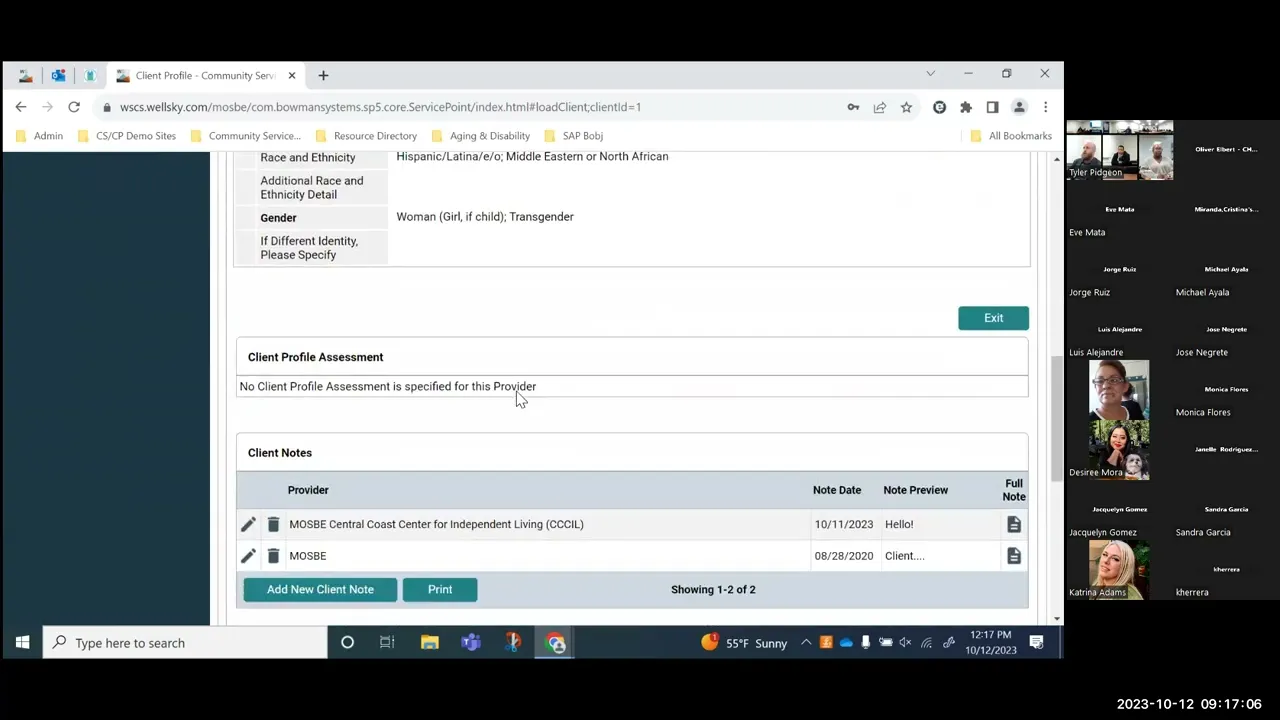
There so that attended um and yeah let's go ahead and I'll share my screen we go so today is uh Thursday which means it is uh psh rapider housing day we need to have like I was thinking like maybe like a fun you know like taco Tuesdays but psh rapid rehousing Thursdays doesn't really have that same rank all So we'll just we'll just go into it all right let me hide some stuff here there's lot of stuff going on right get that out of the way get that out of the way and then we'll uh
we'll go ahead and we'll log into a community services and I'm going to go ahead and Shadow somebody that way we're not going through the system as well Sky um so I know Denise what's your favorite rapid rehousing permanent sport housing provider um I don't know all yet I'm GNA Use fore again I think I saw him in the chat and I seem to use him for all of the other stuff so I think Cil has a rap housing project so we'll go ahead and oh yeah absolutely dig into that all right um so yeah
when you when you log into the system uh it does land you on your homepage dashboard so just be aware you guys should all be familiar with that but pay attention to the system news the agency news um there's Definitely good good updates that get posted there when when things change and whatnot um so it's it's going to start uh by going into the clients uh tab here this is going to allow you to search for a client make sure that you're doing a thorough search you don't want to create a bunch of duplicate clients
if you do have a duplicate client that you discover in the system make sure to reach out to your system administrator Which would be Oliver uh and provide him with the client ID number uh you don't need to send all of the clients sensitive Social Security and date of birth and all that client ID works just perfect however in the event if there is a difference in Social Security number or date of birth just I identify with the client ID which one is correct to use date of birth on client number one yeah that's good
point because sometimes those do differ I know Oliver Uh does uh has a kind of a report that allows him to analyze the both client records to see if it truly is a duplicate or not um and if yeah if the information is different he needs to know which one to to carry through all right um so it may drop you on the summary tab here so for Jorge it does uh the summary tab is nice it gives you a summary of what's going on with the client's record so you can see the Demographic information
that date of birth race and ethnicity we'll talk about that in a second um and then the tabs below oh we have some people all right good on in sorry for being here late oh yeah oh yeah thisise yeah thank you um yeah so we're just getting into a client talking about kind of General workflow for Rapid re housing in Permanent Supportive Housing projects um we're using our good friend um and as the example you're trying to get them on the owl also there is an owl in the room so when you talk it's it's
it uh it'll pick up on your you talking or just making noise so just be aware of that all right it's back into Mr Norris's Record um it is worth noting uh that these tabs that you see displayed right here can be customized per your agency so if your agency doesn't do shelter uh or doesn't have an emergency shelter you can actually remove like the shelter St tab if your agency does goal planning or case planning with your clients that you document in the system um and that's something that you want to see we can
we can add a tab um here and you can you're able to see uh the the case plans and Whatnot just like you you see kind of this summary information for households and rois and shelter stage and measurements and all of that good stuff um so yeah summary just gives you kind of a quick summary of of what's going on with the client uh you have the client profile this is the one area that you can modify the client record information so this is uh this is one thing where this information really should be captured
as part of the record Creation but sometimes and especially in the case of like Outreach and whatnot you may be unable to capture all of that information right off the get-go so if you do need to go in and uh correct missing data such as like social security number or maybe there's an alias that you wanted to put in there um this is the area that You' want to go into to modify that that information and so uh yesterday there was actually a really good question About social security so I just kind of want to
touch back on that um if the client does not have a Social Security number or refuses to give you the social security number if you were to leave uh the social and the data quality blank so as select or data not collected those are essentially the same what ends up happening is it pulls into the reports as missing data and so ideally that's not what you want because that's just saying that you Never even asked for the Social Security number so if the client doesn't have one and they tell you that they don't have one
or they don't know it or they refuse to provide it to you uh the best course of action is to actually go in to the data quality field here and Mark client doesn't know or client prefers not to answer that way it doesn't look like it's necessarily missing um but it rather Rec categorizes it into that client doesn't know client prefers not To answer still not the best case scenario right Oliver I mean you best case scenario is they are willing to share the full social security number with you and that's what you put in
next best case scenario uh if if that doesn't work is maybe you get partial social security number maybe it's the last four and then you would Mark approximate or partial social security number reported um but if if they do refuse or prefer Not to answer uh definitely it's better to mark one of these options than to just leave it completely blank what if they are undocumented that sounds like they don't have a Social Security number and that seems to me like it's probably they don't know it thank you or they prefer not to answer so
in that case I think it's just whatever one kind of uh feels better at the time I probably just said CL yeah that's what I probably go with that one I mean both would be kind of applicable to it but yeah all right so that is the one area um it should also be noted that don't ever change data back so if there is a social security number in here and they come into your organization they're like I don't want to give you my social security number don't change a valid social security number to like
missing Data or a client doesn't know or client refus so you can just keep that information um that's already collected in there I think one of the advantages of having an H system one and and and having a shared hm system system is that you don't have to necessarily ask the client the same thing over and over again you can just kind of verify that the information is correct um so when a lot of times when I was doing client intake I'll just say Hey let's look at the screen is is all the information accurate
here and the client would say like yes that's still how you spell my name uh that is my Social Security number that's my date of birth um I actually identify as just black Hispanic I don't identify as white so and that's where you update because you do want to get the updated information um for the client so um you can also access the client demographics here this is one area where You can access this you'll notice that these client demographics are also going to be found on your intake assessments so when we when we get
over to actually completing an intake for um or's uh Rapid rehousing or permanent support of housing project I'll show you and talk a little more detail about these but if you did want to access that information here um you can open up the little pencil and you can see that that information now there are a couple Changes that you may have noticed in the past uh 12 days to race and ethnicity as well as gender uh with the new data standard changes uh race and ethnicity moved away from a primary race secondary race and separate
ethnicity field and now we have this lovely kind of combo field called race and ethnicity I think this is a great change uh from Hud's perspective and I think well Sky did a decent job implementing it um it is a multi select here so if a client Identifies as Middle Eastern or North African as well as Hispanic or Latino you can select both and you'll just need to hold the uh control or command key down as you're selecting the values to get both of them in there once they're highlighted when you nav when you navigate
away from it you'll see that those are still kind of selected they're not that bright blue anymore but that's uh that uh indicates that they are selected so very similar To gender before where you can uh specify up to multiple genders or a dump bunch of different genders uh so same thing uh you'll also notice that the verbiage within gender has changed this is not Oliver going in there and making changes nonchalantly this is actually coming down from the HUD data standard so they released new changes and so it went from male female to man
boy of child woman girl of child And then there's the culturally culturally specific identity EG two spirited transgender non-binary question different identity and then the same kind of client doesn't know client prefers not to answer data not collected just a reminder is the same as leaving this blank so whenever you see this data not collected that is probably the last thing that you want to select because that is saying you didn't even try to ask the Question and then you have some text fields in here as well uh so if they identify with a race
or ethnicity that is different from maybe what's specified up here or a gender that is different from what's specified up here you have these little text boxes to fill in um yeah what they specify all right um also it's worth noting that this client demographics area this is going to show the most recent Information so you don't you don't really get a history when you're looking at this this display right here uh if you go into it then you can kind of open up the history and see how things may have changed over time um
but yeah when you're when you're looking at this if you're just popping in the client profile taking a peek at this it's always going to grab the most recent information for that particular client uh there is a spot for a client Profile assessment so um I typically either don't like to have a client Profile assessment here or if I do it's typically associated with like contact information or something like that uh client notes is an area where you can document the client notes these are General notes for the client if you're doing something that relates
more to like a goal or a service that you've provided to the client there's more appropriate areas in the system to Document those specific uh notes but if it's just kind of General client notes uh this is a great area to uh to do that file attachments um so this is a catchall area for the file attachments here uh so yeah you can go through and you can see if you add a file attachment from Roi entry exit um if you're attaching it to like maybe a disability sub assessment because you have documentation of that
disability it's it's all going to show Up under here so this is the one area that you can go to see all the file attachments for that client uh incidents so if you guys uh want this is something that can be enabled for you I guess Jorge doesn't have access to incidents but um and you can actually add incidence in here so the incidents that you could potentially have are things like um if there's substance abuse like on the premises or if there's like a violent episode with The client this allows you to go through
and document any of those incidents that have occurred now it doesn't necessarily need to be like bad things either I've seen a lot of communities use this to flag like allergies so if you have like an allergy to shellfish or something you can throw it in here as an incident that way um you can see really quickly kind of what's going on with the client all right households let's talk about households for a little bit because I Know this was kind of a sticky topic um over the last day or two uh so your perfect
scenario uh with a household is to just have one household under the households tab you really don't want multiple households and I I should probably start by saying if you have a single person right an individual coming in that's not part of a household um you don't need to to do this you can just skip right over The households tab um because yeah they're they're not part of a household so you don't need to associate them with with a bunch of other people um but if there is multiple people that are being served by your
project you want to make sure that you're associating them together here in this households tab and so if there is no household so what we're going to do through that I'm in here as Jorge forgot um if there is no household tab Or no household displayed here you can always search for an existing household or start a new household and so searching for existing households means you're searching for clients that may already be part of a household and then you're taking this client Mr Chuck Norris and you're attaching this one client to that existing household
starting a new household this is going to be you're creating a new household and then you're going to Search the system for other clients to bring back into your household that you just created um and either way uh ends up with you know a household being displayed under the household's tab now if if you need to modify uh this particular household at all you can always go into the manage household button and it's going to show you all of the different household members that are uh currently part of this it's also Going to show you
any previous household members so you can see testing client test um was at some point part of this household but they left on 1011 if this client needs to uh rejoin the household you can always do so by clicking the little uh back arrow this will allow them to rejoin that particular household if you need to add or delete household members uh you can do so using this button that says add or delete Household members I will say it is extremely rare that you'll actually delete a household member so if you go in here you
do have the ability to actually like delete the household member but what's going to happen is it's going to delete that relationship with them but it's also going to delete like some of the history of them being in that household so the only I guess use case scenario where You' use this is if You've accidentally added somebody that should not be part of that household they were never part of the household in that case you can come in here and actually delete them that way they were they were never part of it if you have
somebody that is just leaving the household that happens right they have a couple family members together maybe the the dad leaves um you can indicate that by clicking on this little red circle with a minus in it and This will remove them it'll it'll have them leave the household so that it's not being displayed in your household selection panel you're not going to see them as part of these active household members uh and it'll move it over into the previous household members just like what happened with test testing or testing client test so that is
uh definitely uh something that that could happen now I would say um if you do leave a household member in Here and they're not currently part of the household it's not really that big of a deal because this is just the um it's it's taking the different client records in the system and it's just associating saying hey these people all you know identify as a household together when you actually go to create the services and the entry exits and all of that you're going to be selecting which specific household members are actually going into that
program or Receiving the service and it's okay if if you just don't select one of the clients it's not going to do anything um too drastic so for that that reason I think it's just kind of an easier workflow if if you have you know let's say a mom dad and two children um and they come in for services and you create this four-person household and you you document those services and then a month later it's Only maybe Mom and one of the CH children coming in for for the service you don't have to like
remove the dad in the other child and then go and and and document that service just as part of that service transaction as part of that enrollment into the project just select the two that that came in for services that day it's again a much easier workflow than than you know removing people and then reading people and removing them again and reading them Again it gets uh it gets a little tricky that way uh if you have a client or a household I should say um that has a new client so maybe Chuck Norris Yogi
Bear the incredible hawk and Norris I'll get together and have a baby you can always go into the add delete household member and then down at the very bottom underneath the current household members the previous household Members you'll see a tab for add client to the household and you can open this up and it's going to give you a client search so what we are doing here is we're searching the system for those household members sometimes they may already exist in the system so if we uh find that one Chuck noris again oh all right
there sometimes they may not exist in the [Music] system so if they exist in the system uh you can go through and you can add the client to your existing um household by clicking on the little Plus and so it'll move them down under the selected clients and you'll click continue and it's going to add them in uh to that household if the client that you're searching for does not exist in the system you can add their information Here and then add a new client with this information down here what this will do though is
it's going to create a brand new client record in the system so you really want to make sure that you're doing a thorough search before adding a bunch of new clients and so we are on the live site um because I did want to get into some reporting later so I'm not going to add any you know fake clients to the live site it's not good practice um but this Does appear to be a test where somebody has a really funny name um so we'll go ahead and click continue and you're going to see that
now test test is part of this this household here now a couple things you want to do um the joined household date you want to make sure to to update that to reflect when this particular household member join the household uh and then if you want there's this relationship the head of household I will say this is not the One tied back to the data standard so if you ever have an APR or a paper or whatever report that um you're running where there's an error with relationship to head of household it's not this it's
going to be the one tied to the intake form when you're completing the enrollment into your project I know that's a little little confusing but all right um yeah I'm trying to Think if there's anything else yeah that's pretty much it for the households I guess uh I did want to have this so if you guys have questions especially you know since you're in person and and whatnot feel free to ask them as we go through I don't mind a little little back and forth so when you're adding that test client in is there a
way to tell if they're already in an existing household or would you have to yes yeah a great Question um so when you are looking for them you'll you'll have this household count here and so if there's uh an basically like a one on it it means that they're in a household uh if there's like a three it means they're in three different households so yeah you'll be able to see like all the people that are in that particular household so here let's see if we can't but you won't be able to see that until
you add them in so we do little search here of On now you you'll be able to see it um previous to that so yeah see how it's still there so like this client right here there's actually two households that they're a part of uh this these clients they're not part of any household this client's part of one household even though it's a single person household but so yeah yeah and that's also something if you see like your client you're like oh they're already part of the household Well maybe if it's all the people that
you're looking to bring into your household maybe it' be better to um if it's like a brand new household that you're trying to start maybe it's better to connect them to an existing household rather than start a new one and then bring all the other people in if they're all the other people are already in a household but yeah if you already have an established household and you're looking for them you'd be able to see if They uh have that and once you get to this point now all of these people are going to be
in this household up here um and if you see one that has a two it means they're in multiple households so yeah really good question um yeah have your household history so changes that that occur finds coming in and out sometimes that's helpful honestly I I don't use that very often But uh you can also issue ID cards uh off the household tab so if you're looking to issue ID cards from like the entire household it makes it kind of nice because you can go into Chuck Norris's record issue an ID card switch to Yogi
Bear's record issue an ID card go to the Hawks record issue an ID card yeah what other any other questions you have the chat up right some come in that way too okay all right we'll move On that little popup is an optional feature so if it annoys you uh that is something that can be removed all right the ROI does anybody know what Roi stands for in the room yeah it's good it's good I I was see who is actually part of like Continuum people because the bankers that' be like return on investment but
for our purposes it is release of information also fun fact um I had this happen once where the ROI basically just said King it bright bizarre and I was like what is going on like their site is super buggy like to where it's just display King I would go on the back end to see if like maybe there was a way they changed the name of the tab and it said King on the back end no way changed the tab um so I actually submitted a I'm on silent why is that I actually submitted um
like I think Engineering like what are you guys doing turns out Roi um is French W for King and somebody had their translate on like on the browser and it was translating the tabs here so up anyways fun fact nothing you guys really need to know but now every time you look at the ROI tab you're going to think hey all right so yeah uh release of information and and I should say uh we Are documenting the release of information right now but this really should be one of the first steps that that you take
with the client so uh before entering any information into the system uh you really want to have the release of information signed by the client that way as you're creating households you're filling in you know the client profile information it's in there now I will say from like a workflow perspective this is usually Where the ROI kind of lands and the reason for that is one you need to have the client's record in order to put the ROI into the client's record right so that makes sense that we did that the households though typically I
like to do before because when you go to add a release of information you now have this household selection panel so you can select multiple household members and take that release of information and put it into all of their records all at one Time so it's going to save you a bunch of time um so that's why yeah the ROI is what the third or fourth step really uh in the workflow but it really should be the first step that you guys capture yeah in real in real time yeah yeah in real life um yeah
and so if if you have you know just two clients maybe it's only Chuck Norris and Yogi Bear coming in uh for services again you don't need to select everybody you can select who you Want to select so if it's just Chuck and and Yogi that you're applying this release of information to just check those two clients um if it's everybody you can go through and check all the boxes or you can uh just check this one up at the top this will uh check all the boxes here you may notice that Chuck Norris's record
uh that little box is grayed out that is because we are in Chuck Norris's record so if you're in the client's Record it's going to to gray out that box because if you're adding an Roi for this client it's just through their record it's assuming that they should be included in this so if that's not the case and it's really like Yogi Bear or the incredible hawk or maybe both of them coming in but Chuck Norris has nothing to do with this you need to make sure to navigate out of his record and into one
of the other records and there's a couple different ways that you Can do that one through the households tab just find the client that you want and click on the hyperlink it'll take you into the record or you can go into this little household switcher I'm sure there's a more technical name for that but um yeah and then you can say all right I want to go into Yogi Bears record submit it now I'm Yogi Bears record so if I'm adding the ROI well guess what Yogi Bear is the one that's that's gred Out so
sometimes people kind of lose track of which client record you're actually creating the data from right all right so yeah we'll go ahead and say everybody uh your provider so this actually has a multi select uh in here so you have your agency here you want to make sure to do that but if there's a specific project that you also need to go and uh do so maybe this client's going into SES rapid rehousing uh you Can also select that as well so you have the two values down here once you have your providers that
you want to add the ROI for make sure you exit this is going to look a little different because it's it's the multi select uh that's going on here was the release granted yes or no the start date so this is going to be the date that the release of information was signed so if it's today make sure that you put today's date uh if it was Signed yesterday and you forgot to put it in the system right away make sure you put yesterday's date and then the end date so you can prepopulate this it's
going to be 3 years out from the start date so quick little trick just use the calendar picker right here um and then yeah back one up put in the new and you should be good to go documentation uh so there's different different options here I would say sign Statement from client is the gold standard and then the witness is whoever is going to actually witness it um on the the ROI form a lot of times that may be you as the case manager or the the project intake specialist um sometimes if you're just a
data entry person it may be some somebody else who actually did the the ROI with a person uh from this point we're going to go ahead and save the ROI release of information and so you're going to see Both of those get added into the ROI t uh uploading the scan copy of the ROI can be done by clicking the little binder clip icon or paper clip I guess it's not really binder it used to be a binder clip now it's a paper clip yeah um so yeah you go through add file attachment and then
uh you would see if there is any uploaded file attachments you would see them right There and then you can always access those files um by just going in in here uh you can also go into the actual Roi and in the upper right hand side you'll see that little paperclip icon uh here where you can upload a file attachment uh you have an option to print off the release of information if you want um yeah and if you forgot to include additional household members you can always include any additional household members to that Roi
just Through this this area right here uh now I will say uh for the the HUD data standards if a client uh refuses to sign a release of information that is perfectly okay it's perfectly okay um there's ways that we can lock down the client's records so that the other providers in the community will not see the information that you're collecting about that client however a lot of people I've seen uh providers take it too far and they Just don't put the information into the system at all and that's not the case you still need
to add the client's information into hmis the only difference is that information instead of being shared because that's what this Roi is for it's it's authorizing you to share the information with other providers uh so instead of sharing with the other providers it gets lock where only staff at your agency or your specific project Would be able to see that client's information so make sure you still put it in in the system because if it's not in the system you never serve the client it's not documented it never happened all right I'm GNA pause for
a coffee Sip and to see if there's any questions about rois or Kings okay well let's go ahead and move on to um kind of say probably the most Important uh aspect uh of uh enrolling somebody into your project which is going to be the entry exit Tab and so this is how we document that they're enrolled in your program or your project and so under the uh entry exit tab you'll see any history that they have uh if there is a new uh enrollment so maybe they're coming into your SES rapid re housing program
we can always add an entry exit through Here just like with the ROI we have the household selection panel that exists up at the top so we can specify which clients we are wanting to enroll in this project and so we'll go through and select the clients if you have you know parents and a bunch of children that are all being served make sure that you you include everybody if it's just a couple of clients that are coming in you can just select those couple of clients that are Actually being enrolled into your project all
right your provider it's really important that you specify which specific project that these clients are being enrolled into because right now the workflow for your community uh we went to one where you basically just changed the drop down off of your agency to a specific project it does veryy for e agency it does yeah oh so some agencies yeah are very does anybody Eda interum does interum yeah okay does yeah so yeah if you're interum there's a there's an extra step they have psh rapider housing guessing I think I saw Katrina on so they're here
so yeah if you're if you're following um kind of a special workflow like interum does make sure that you Eda before all of this the nice thing edas it's going to default to whichever provider that you Eda for um but I know a lot of you uh just kind of keep it at the agency provider And then you'll change it to your specific project through here now some of you may see a screen similar to this so orge you you'll see exactly this because we're shadowing you uh this is because you have a lot of
different providers pretty much all of the providers at Cecil that you are that you're managing let see something I bet we could clean this up for him get it he has uh children included I'm pretty sure yeah that's that's why There's that all those inactives and stuff um but yeah he also has access to the Cars and Cars DV and whatnot so he'll have this uh this kind of search screen where he can search for things uh there's some Advanced options so if he's looking for a specific like service code um that a provider offers
like rapidry housing for psh you can narrow it down that way um some of you though if you only have access to a couple of projects instead of this search option you may Just see a little drop down here where you'll select from the drop down select your project because there's only two or three of them uh and then continue on so for Jorge we'll get in there first s Rory housing uh type this relates to fun Source uh funding source so if you're HUD CC ESG funded you're going to select HUD for coordinated entry
purposes you'll select HUD as well if you have any path funding uh you'll you'll want To make sure it's select path if there's any runaway homeless youth funding you guys get Ry funding or is it okay um and then if you're V VA so ssvf any Grant per BMS or contract beds you're going to have uh VA funding so SES rapid rehousing we'll go ahead that's HUD and then our project start date uh so we're going to want to put the date that the client is enrolled in the project so for rapid rehousing and psh
this is not necessarily the day that The client moves into housing you're going to want to enroll the client when the client one basically qualifies for your housing right um two they want to be in your housing um and you're you're ready to kind of work with them so a lot of times what happens is you'll have a project start date clients not housed but you're working with them to identify that housing and get them moved in right and so sometimes that's quick maybe it's Only a week sometimes it's a little bit longer it just
depends on how effective those uh that connection can be made all right um if you're entering data late which you shouldn't be entering data late but if you are uh make sure that you put the project start date of when the client's actually enrolled in the project okay we'll go ahead and save and continue and we're going to see all of the different household members uh here And so if you've uh if you've forgotten anybody you can always include additional household members uh at this time by clicking on this little button if you've accidentally selected
the wrong provider or the wrong type you can always change that and click update here sometimes this happens where not to jump too far ahead but um sometimes it happens where just normal Cil there it is where they put in like the agency right they go through everything I forgot to click update I'm seeing an assessment oh typically there should not be a that should be their first flag yeah that's that's that was my flag knowing I forgot to click update is so yeah if you go in just as your agency you'll still see all
the the people that that are here but when you get down to this point you're yeah Oliver has it set Up to where you just don't see an assessment um and so yeah it should be a flag I could see people like oh yeah no data entry today just want the lottery um but yeah if if you see this something's probably wrong you're you're completing an intake you're enrolling a client into a into a project and so you should be collecting information as far as that project entry goes um the other reason is the type
maybe you've selected an uh incorrect uh Entry type so maybe I selected Ry or something that could be another reason why I'm not seeing an assessment there uh so yeah if you see that or if you do get to the point where you're like all right lucky me I don't have to fill out any data and then it comes back and you see oh this is my agency you can always go back into the project start date here continue on and then change it up here to the project that the client should Actually be in
just make sure that you click click this update um because otherwise it doesn't doesn't change this stuff down here so click update you're going to see oh now I actually have my uh program udes those Universal data elements and so now I can continue on and complete my intake as I should all right so yeah let's go ahead and uh we'll talk about some of the fields that we're going to see uh for Rapid re housing permit Supportive Housing so the first one you may notice and this is a brand spanking new field is this
translation assistance needed um so with the data standard changes that went into effect on 101 um HUD is requiring that you capture uh this particular field and so there's actually a grouping of them it's all of the uh it's called C4 if you're looking at the the data standards um so if you answer no then continue on as normal if You answer yes it's going to pop up a couple of additional questions here so uh I think as Oliver and I were working to implement this we thought it made sense to have the translation assistance
needed as the very first question so if somebody does need help with translating the the assessment and that intake um you can ideally get them connected to the proper um resources to help with that uh yeah so if they do uh the preferred Language so this is a picklist um that we've activated certain ones that that we thought would be beneficial to the community I think it's it's always open for uh feedback and whatnot so if you see or if you have a large population of whatever you know people that are speaking whatever language and
you need to add that in here um definitely reach out so we can get it set up all Right um yeah and then if it's a different language uh you can go through and uh specify that different language right there I'm sure Oliver and I can probably run some reports and see if the if certain languages are still popping up and then we can add them into the preferred language it is kind of interesting a little backend stuff is there was what 360 different languages that we kind of sorted through to figure out what we
Thought the community would want there so it is very thorough and chances are if you have a language down here uh we could activate it in the pick list all right um let's go ahead and move on so you have your enrollment COC so that's your enrollment Continuum of Care for you guys it's really easy it's just c506 so just always fill that out uh you also have this new field which is the enrollment County and so there's a couple different choices right here but This is going to help with reporting and us being able
to break apart clients that are uh being served in montere vers San Bonito vers bajaro is that you say that all right jro um so yeah anyways Newfield uh fill it out based on where the client's being served all right here's the big one the relationship to head of household uh so this is the one that if you're getting An error um it's because of this field right here this is the relationship to a head of household that occurs on the client's intake and there are a few um scenarios that would cause an error to
occur with this and so the first is you have to have somebody in this household identify as the head of household so if nobody takes that on and nobody's the head of household you're going to get an error and what happens on the APR and the Caper and some of the Other data quality reports is that it doesn't just throw an error for one person it's going to throw it for everybody so sometimes when you're looking at like the APR you'll see this this really large number of people that have issues with relationship that head
of household and it looks tedious and overwhelming but it's it's really not because once you correct like one it's it's actually correcting in this case like all five of the client records so Um but yeah so somebody has to be the head of household right you can't have more than one of household so if you have two people that identify as head of household they have to choose one and then document in the system um yeah that's pretty I mean I guess that's pretty much it there's not that many scenarios so have a head of
household don't have more than one head of household yeah and everybody else has to have some sort of relationship to That head of household so uh don't leave the data blank don't leave it missing and so sometimes it involves kind of popping back and forth between the client records so typically what I'll do is I'll go um I'll save it and then I'll look at some of the other household members assessment so I'll go into like bears and so he's head of household child then I'll go into This so this would throw an error because
the incredible hawk also identifies as head of household so I would need to make sure that all right well which one of these clients um is the head of household and then whoever isn't so maybe the incredible hwk not we would want to change to a value other than that oh we got a lot of stuff going on with the incredible hawk so couple couple fields that are Missing so this might be a good one to to go through all right uh date of birth gender race and ethnicity we already kind of talked about those
um notice how they are part of this intake assessment as well uh so make sure that they're accurate at the time of intake if something here is is is not so if the client when they're coming into your project they don't identify as native Hawaiian or Pacific Island or M black make sure that you're updating this information to reflect um what the client is reporting all right uh then we get down into this contact information right here I I think this is just good information uh to capture uh but when you kind of feed this
back into corate entury it's it's really really important right uh so if you have clients that are um and not maybe not necessarily for every housing permanent housing because you're taking Them out of Corry but yeah uh good information to have nonetheless and so if you wanted to add a client residence here you can go through add the client residence you'll have the street the city that we do Tampa Bank of America uh State address quality start date and end date so these are fields that are um used for reporting purposes so Basically you align
the start date with the date that you want the information to come in um and then keep the end date open now if this address is no longer valid uh instead of like deleting everything or changing everything you can just simply put an end date in there that way we know it's it's no longer a valid address and then there's a bunch of additional information so if you want to capture landlord information and whatnot I think for you know like Scattered site psh and Rapid rehousing this could be really really helpful information because I think
part of of what you do is help kind of mediate with landlords and whatnot if issues do come up so um yeah it's really good information to have so go and save that all right last per zip code so this is actually an older HUD field but a lot of communities like it to see kind of where clients are coming from so I'll Fill that in and you have your current client's phone number and email address oh that's that's not a phone number just randomly typing without looking at what I'm doing all right so now
we get down into living situation and so uh we have our prior living situation here uh so this is uh super important field uh because you can see it's kind of broken down into you know homeless situations institutional Temporary permanent and then others uh if you're operating you know like rapid reh housing where you're funded to serve persons experiencing homelessness and you have people that are in their own rental by client and that's where they're they're coming from uh you're probably serving ineligible clients so it's really important that you pay attention to to what's actually
happening here and what you're selecting so that you're selecting an appropriate Answer for I guess your funding source right and the project that you're you're operating um and and be aware I mean previous answers exist so just because this is complete doesn't mean that it's accurate so you really want to make sure that you're going through looking at it and asking the client these questions where did you come from and if it if it's the same same all right that's that's fine you don't have to change it but if it's if it's different you need
To make sure that you're updating it uh so yeah we have prior living situation the length of stay in the prior living situation approximate date this episode of homelessness started and so I think the key word there is like this episode um I think it was Katrina right that that pointed out yesterday that uh you don't want to be asking when did your homelessness start because clients May interpret that as Like when was the first time I became homeless or homeless homeless um and then might go back well you know back in 1995 there was
a week where I I slept out in the streets but then I you know lived with my aunt for the next 10 years well you're not wanting to get that 1995 date you're wanting to get the date that the like current episode that this episode of homelessness started so um and if you are unsure ever about how To ask some of these questions or why you're asking these questions or valid responses and guidance on this there is a lovely tool available there's the C4 translation assistance um called the hmis data standards and I know this
may look fairly intimidating uh and there's it's definitely very long but it breaks down every single question that you guys are asking here and it gives you a bunch of great information about it so like prior Living situation so it's giving you like why why you're even asking this who is it collected about so it's actually only collected for the head of household and all adults in project um as far as the funer components and collection points it's all compon it's all project types and it's only collected at project start so that's why you don't
see prior living situation as part of the interim update or the exit assessment and so you can see it's I Mean it it gives you exactly what you should be doing so I'm not going to read through all of this um but definitely definitely know that this is a resource for you guys there's a little workflow charts here I mean it's it's very uh in depth and so it has great great guidance on on everything so look you can approximations are permitted so if they don't know the Exact date they just know it was sometime
in January you can go in and put in January 1 all right um yeah and a couple other questions so regardless of where they stayed last night number of times they have been on the streets ES uh Safe Haven in the past three years including today and then the total number of months and so a lot of this will factor into whether the client is experiencing Chronic homelessness or not so it's it's really um really really important that you're you're collecting this as accurately and completely as possible uh Katrina has a question and then Bera
had a question about DB but she left oh okay I'm just assuming it's about like locking down DV CL which we were going to go over yeah yeah so if you have a a DV fleeing client uh hopefully you identifi that prior to like putting information in the system And you're at this point um there are ways that we can limit visibility so that other providers um and really even specific projects within your agency um it won't be able to see that information so so yeah we we could definitely put visibility restrictions on like DV
clients and I would recommend following whatever the local kind of policy and procedure is for making that happen and then Katrina has her hand up Oh hey can you yeah can you please reshare the um circumstances that resets that Homeless start date such as the 90day institutional Rule and couch surfing and those things just so everybody has the idea of like what that actually means um with the most recent episode and how to ask those questions sorry you were kind of um low volume could you repeat the so ask I'm okay um can you hear
me now yeah no No no it wasn't you our owl was like Turned way down so we couldn't hear any and now we can hear you loud and clear okay great so can you please re um reshare the 90day rule on how that resets the homeless start date with institutional settings in jail and then also reshare um you know couch sharping and how those things impact that start date because what's happening is then um they are going back historically and they're missing these gaps where they're Considered hous and then they're becoming chronically homeless yeah yeah
absolutely is so there's that so when you're looking back in time um basically it's seven consecutive nights also kudos to you yesterday because you nailed the exact uh time on that um in any permanent or temporary housing it so it's it wouldn't be broken so that look back period so if you stay a night on the friend's uh couch or whatnot um but you were in an Emergency shelter prior to that in an emergency shelter after that it's not that's not the the break right there and then uh same with you know institutional stay of
less than than 90 days so if you go from emergency shelter to Jail uh for for a couple months and then are discharged um that doesn't doesn't break it um yeah and definitely recommend if if kind of going through and looking at the data standards um because it's I'm really just reading it right off of Right off of this so Straight From the Source the other thing is about when a client um pays for their own motel and how that impacts they're qualifying as being homeless during that episode yeah so so you have a kind
of situation where if you have a provider that is paying for a hotel is actually technically classified as emergency shelter right so that that doesn't have any effect but if the client is paying for their own hotel Motel um then that becomes a problem because it's over you know seven seven days then that would break that episode of of homelessness um so yeah definitely that is that seven days for that motel or is it any payment and also when a family member or friend pays for their Motel um I believe that that also resets it
and I believe that's any given number of nights um but if if it's different in there please please Practice yeah I mean I would say just looking at at this guy right permanent or or temporary housing situations um so whether it's you know I guess sleeping on the couch with friends or you know paying for your own Motel um if it's like one night I don't think that's gonna I don't think that's gonna break it okay revisit that because I understand that if they are able to afford to pay for their own motel that they're
not considered homeless Yeah let me let me look back at this um see if there's anything specifically about hotels [Music] two okay thank you and that's that was my last question yeah and I can and I can always double check with um our compliance officer just to make sure that we're getting accurate information Probably should start at the top and read down but um yeah I could do this I'll read this during the break or if if anybody else wants to read it and find exactly where it specifies uh hotel motel but yeah I mean
if you have uh project paying for the hotel or motel it's typically considered emergency shelter if you're paying for it it's you're it's it's not a homeless situation um but at least from what I am interpreting this uh the data standards As is if you're doing it for like one one night it's not necessarily going to break that episode of homelessness either so let me I'll look through this uh so we don't have that training where I'm just reading the data standards by myself um and I will definitely let you let you know um after
after our break and then Christina you have a question hi yes I do um so when I'm entering a client um that's new and Their prior living situation was incarceration when I click that um the dropdown for um yeah so when did the homelessness begin is not there and it's coming up as an error on our end so my question is what am I doing wrong or do I just put it um place not meant for habitation so uh yeah so when you have the prior living situation here it does kind of change the the
required feels That fall after it um so this so so it's like this one determines initially kind of what we're what we're seeing here um and then if we do like jail if it's one night or less then this automatic this automatically populates like basically yes right because the length of stay right and then it's if it's no then it populates that oh I see what you mean but it's coming up as an error when they run the report so it's like I don't understand why it's coming Up as an error okay which uh which
report are you referring APR paper um let me see if my supervisor could chime in on this one Eve she just left oh okay so I I will get clarification on that but I do know that it was coming back as an error and I didn't know how to correct it other than putting it back to um place not meant for Habitation okay yeah we could definitely um investigate that so it's when you select this approximate date is is flagging as missing right okay um okay I wonder if you 252 but that should have logic
in there where it's it it would flag not necessarily is missing but it would just it would kind of like what it does with like children and whatnot yeah or it doesn't even count It but yeah good good question um yeah we'll make a note of that and see because I did want to run a couple reports um and we see if we can replicate that or if you have yeah if you know which report it is or can find that out maybe maybe we can run it for your provider and see if we can
replicate it okay yeah because I I have about I think four or five individuals right now that that this is pertaining to gotcha okay Okay all right we have another question from the chat who determines the what it means to be SL definitions of homeless sorry who determines like yeah I mean HUD Oliver Oliver does not yes no yes you're home yeah it's it's all based on um on Hud's uh guidance and and whatnot so I Jo hey I think that maybe the Question should also be um asked about what determines when they become chronically
homeless I know that that's been a question that our staff have asked um kind of what to look for especially when filling out the Outreach paperwork and needing to get the additional starts yep so uh chronic homelessness uh there a couple different things that kind of go into that right um so you have the first of all is how I always Think of it right is where is it your assessments are all different down here uh disabling condition so disabling condition if this is not answered yes then do not pass go right uh so they
have to have a disabling condition and then once that occurs then we're looking at these questions right here and so the one of them I think there's a couple different ways it's calculated but one of them is the approximate date that This episode of homelessness started and it looks at this particular date and then Compares it to the project entry if you're calculating it at project entry or the current date if you're calculating it that way and it's if it's greater than 365 then it Flags them as chronic homelessness but then there's other other logic
down there as well so it's or you've had uh four or more times in the past year or this equals um 12 months or more than 12 Months um question and actually an Ask um to help our staff because they don't know when clients are chronically homeless and then I'm having to go back and run reports to find this is there any way to put a triggered alert when they become chronically homeless um on the provider's Start Episode um this way our staff know and they save the record oh my okay this client actually qualifies
I need to go get this additional Paperwork that's I think yeah I think that's a great idea um and and definitely something that I can submit to our engineering team I've I had a kind of a recommendation of having like a readon field that pops up um here as well that you know basically if you answer to where the client that scenario um and those you know questions are answered in a certain way that it pops up chronic homeless equals yes or no basically but it's not something that You fill out it's something that's a
legal field correct yeah yes it would be absolutely just a an alert to let staff know that this this client qualifies and just something in red something bright um so they know that they need to go out and get the additional paperwork before um it becomes more challenging to do so yeah yeah absolutely I think that's a great idea so to be hom need out of disability you do yes yep and then Jacqueline has a question hi good morning hey Tyler can you go back to your example um where you said you said something about
um you use the example of 1995 if you were living I think you said on the streets and then you moov from the streets to your van um you don't use 1995 as an example can you kind of I I was a little bit lost there well yeah sorry uh not necessarily van so if you're if you're in a place Not met from habitation and you move to like another place not met for habitation like a van um or or whatnot that's that's not going to break that episode of homelessness but I was using the
example of like when I when I first became homeless uh it was back in 1995 and I was on the streets for like a week but then the following 10 years I lived with my aunt or like family right that that would break that episode of of homelessness so you wouldn't want to put The approximate date going all the way back to 1995 you would want to look at you know the the later episode like this current episode can I give one more example of that I think that's probably a little bit more realistic for
what we're running into is where a client um has been incarcerated for more than 90 days and they get out they said oh yeah I was homel starting back in 2001 you know but they they forget to include that they Were in jail for more than 90 days and so it would actually be the first date that they were released from jail and back out on the streets that would be their homeless start date yeah much much better example thank you for the clarification all right any other questions in chat oh no not in chat
yet okay good good good um yeah let's let's talk about income income uh and income sources so uh with the sub assessments That we're about toh talk about there's there's four kind of big ones one is the uh source of income uh source of non-cash benefits disabilities and health insurance each one of them has a corresponding yes no question and that's what we're we're looking at right here uh so it starts as does the client have income or not and so I want to answer yes or no here uh and then we move down and
the sub assessment is what this this big old Thing is called um really specifies what is the source of income what is the source of the cash benefits here and so uh the best way it is the my preferred way uh to to look at it is to go into the HUD verification here and it's going to show me which sources of income they they either do have or they don't have now if you're working with a a newer client and it's not yet been specified whether they have or do not have income um it's
it's Probably going to be over here on the incomplete and then it's pretty simple you just go through and Mark yes they do have it or no they don't have it uh you do want to make sure though that this whatever you say here matches up with what's going on over here so if we say the client has income here and they do have income we should have at least one of the sources of income being specified as yes over here and so if you're updating clients information like like What's happening here you don't want
to necessarily go in and just change like the dates or the the no responses to yes responses because we want to keep that history of what's going on um so let's say they have uh SSDI and uh it's marked as no but they they report that they do have it as part of the entry into your project so we're going to want to go into the little pencil next to SSDI and it's going to pull the record That has uh that's producing this no value here but again we do not want to change this we
don't want to change this from no to yes because if I were to just change that to a yes what's going to happen is it's going to look like they were receiving SSDI going all the way back to 2021 and that would have a significant impact not only on like your reporting but you're also affecting other providers reporting who may have served That client prior to coming into your rapidry housing or permanent support of housing project so you never want to change the start date you never want to just change this rather we want to
end this record set so that we keep this in the system and so the best way to do that is to go into um the little calendar picker and put today's date and then just move it back one day and we're going to there we go so 1011 2023 and so now what we're saying is this client did not have SSDI between 1210 2021 and 1011 2023 so we're keeping that that history here and so I'll go ahead and save it and you're going to notice that when I did that it actually moved this over
to incomplete the reason for that is we're looking at the income as of 1012 so because we ended that one one day earlier we now have uh we have to specify do they have it or do they not Have it now if they didn't have it you wouldn't need to end that you could just let it ride right oh do we get a question Des um uh but we said that they did have ssbi so we want to go in and we want to make sure to Mark yes here when we do that we can
specify the monthly amount um SSDI it's going to default to yes and then our start date is going to align with the um date that we're creating This update on now another thing that I've seen happen that you do not want to do is to go and change this back so if if somebody said all right well yes I have SSDI but I started receiving it you know four months ago you don't want to go change this start date back because it could affect other projects that the client was enrolled in at that time now
ideally information is always up to date and and and whatnot um in the system and it all kind of Vibes but uh there you you definitely don't want to uh yeah change this start date back um all right yeah and so for reporting purposes starting on 102 2023 this client is going to have yes they are going to have uh SSDI in the amount of 445 and so a good way to to look at this is through here because this is going to tell you all right client doesn't have any of These as of this
date right as of 1012 and they do have SSDI uh but if you wanted to look at a little bit more of the history you could always click on the little magnifying glass next to the monthly income and this is going to give you all of the different record sets that that exist in here uh note that up at the top you do have the ability to sort here so if you wanted to group all of the non-cash benefit or not non-cash cash benefits um Together you could you could do that so you can see
SSDI there's that old record set so again between uh 1210 and uh 1011 they did not have this particular one and then starting on 1012 they do have SSDI now had I just changed that it would have looked like they had SSDI the entire time and you really really do not want to um to do that so this is the proper way to update uh these particular record sets and this same thing applies not Only for monthly income although I would argue like monthly income and non-cash benefits those are probably uh the couple that most
likely updated but uh yeah it applies to non-cash benefits so there's none of them you don't have to change anything you don't have to verify anything right here you just you just leave them how they are uh it applies to your health insurance so if they do have health insurance and we look in here and health insurance is not Um indicated we would want to go through we' want to end the other record set right so go one day back we'll save it and then we can then specify either yes or no which one they
have um and disabling condition as well so if they have a disabling condition however nothing is marked in here we would want to end the no record set and put in a new yes record Set uh but we want to keep that history in There all right and the old one uh if you ever have a scenario where you end the old one and it's still gray out with a no it just means that there's multiple open NOS there that were that we're pulling into that response again in a perfect scenario you don't you don't
necessarily have that um where people are adding additional Rec sets for the same value that already Exists in there uh but sometimes it happens so just make sure to go into the the other one and uh close that one out too uh yeah and we'll mark yes so with some of these uh income and disabilities are the two there there is an additional question so with income you want to put the amount of the income uh for Disabilities you have this particular field right here so you want to make sure to fill that in and
then save it and we'll go ahead and and Exit um one other thing on disabilities uh if you or not just disabilities these these four uh sub Assessments in particular uh if you see this HUD verification where it's not a little check mark but rather it's a red triangle what it means is one of these options is incomplete and so we may have like Mental Health dis order I'm just going to delete that real quick so if I look in here you see the little red triangle If I go in here it just means that
that mental heal disorder or whichever one was missing um one of them is incomplete and so you would want to specify whether they have that uh particular disability or they don't have that disability all right we'll exit it back out of there um and I'll show you we'll do an interim update so I can show you how to kind of update these as well which same process just we'll get a little more Practice with it uh DV so Survivor of domestic violence so if this is yes make sure that you're uh filling in the follow-up
questions here uh for this particular field uh if it's no then you don't have to worry too much about the follow-up questions I will say if if you get to this point Point uh the fleeing question this ideally is identified prior to all of this right um employment information so are they employed or Not uh type of employment and then if it's not uh why are they not employed some education stuff so this is going to be the last grade completed and then you have additional profile information um so a couple things here one is
going to be your housing move in date this is a really really important field for rapid rehousing and psh uh so you may have the client Enrolled in your project prior to actually moving them into housing once they go into that unit you're going to want to document this hous in move in date so when they actually move into housing you're going to come back in and put this date in here now sometimes I know some psh projects operate like this where they just they have the unit ready so when they're enrolled they can just
go right into it so sometimes that may occur on the same date as the Entry a lot of times and I would say especially for Rapid rehousing it's not going to necessarily be on the date of the entry into the project it's going to take a little bit of time for them to identify uh housing for them to get moved into so uh if it's if it's blank as part of this entry process that is completely fine uh and then you have some current School enrollment and general health status uh stuff here down at the
very Bottom as well all right you're going to want to uh save or verify and Save uh the difference between these is verify and save is actually going to restamp the data field with your name and your value so uh this verify and save will help with other projects entering data late and affecting your data it's a something we call data chatter it happens occasionally um but the verify and save uh yeah basically when we click it Required Fields when we click it not only is it going through and it's documenting the value that I
put in there for the ones I changed but it's actually like for like domestic violence I don't think I changed that at all it's restamping it with that value but it's associated with my user and my provider so and yeah the the real reason that this works well is if you have certain providers entering data Late and I kept this in here it would actually be pulling from like this value from back in 2018 and so if somebody came in prior to 1012 and changed it for my reporting for Cecil here I would actually have
a different value being displayed than what originally I saw on my intake assessment and so if that happens now and somebody goes in prior to 1012 and changes this DV uh Survivor victim to a yes well once it gets back to 102 it Changes it back to the value that I specified so it's it's actually a really good feature all right once you do that you're going to want to go through and complete the information for the other household members that exist so make sure that you have all of your household members kind doesn't have
anything all right you guys have quite a few required Fields um Then going have to fill out which are not great for training purposes but they are helpful for you guys you can usually tell they're in bold and they have the little asteris next to them so those are the ones I'm trying to hit real quick so that I don't flag an error all right per answerer that works all right all right so once you have it filled out for every household member uh you can go Ahead and save and exit and you're going to
see that that enrollment not that one that enrollment into your rapidry housing all right uh you see the client count here so you can see there's five clients uh if you accidentally forgot to enroll somebody you can always go back to the project start date and include additional members that way so if we just forgot to enroll test Norris or test test we could definitely do That uh you do have a case manager tab so if you're working with the uh client uh definitely make sure that you're putting yourself down as a case manager uh
it it takes almost zero time at all you just go through which clients are you case managing click me so remember I'm shadowing Jorge um so we'll we'll go through add case manager and you're good to go I will say for testing I think we were using Jorge pretty much the entire time so he's in there a couple times if He's already managing somebody you don't need to put him in again uh once you're done case managing a particular client you can go through and add an end date to this that way other people in
the system that are accessing this client's record know that Jorge is no longer working with Chuck Norris all right um let's talk real quick about about interim reviews so especially rapid re housing And especially permanent support of housing uh we're going to want to make sure to complete interum reviews so when do we complete an interim review well it's whenever the DAT the client's data changes and so a lot of times this may be for housing move in date right so when you actually move them into housing you're going to want to specify the date
that they actually move into that housing um but also if if their like income or non-cash benefits change so I Think as part of you know the case management you're working with them to increase their income get them connected to food stamps and whatnot um so it's really important that you document that stuff because if it doesn't get documented it never happened and so going into this little interum column here uh you can open this up we can add our interum review select the interim review type there's a couple different types of Interim reviews that
are available here so I'd say either interim review or update there's also a really important one called the annual assessment and so for psh Rapid rehousing you're actually required to complete an annual assessment if the client is enrolled in your project for a year or more if they happen to exit before that you don't have to worry about the annual assessment um but if they are enrolled for a year or more you're going to want To complete one of these uh and the annual assessment needs to be done basically on the anniversary date of the
project start so if I look at my project start which I can't see it was today 1012 my annual assessment would be 1012 one year out 2024 and then you have a 30-day window prior to that to complete it so that's the window that you want to uh to have that's how I always think of it uh if you go outside of that window if you Do like 91 2024 it's not going to pick up that annual assessment so you have to have to be within that 30-day window all right um yeah we'll go ahead
and save and continue and so you'll see if the enrollment COC um changes uh you want to change that which it won't because it's just the the one uh housing movement date so this is this is going to be one that I would say psh uh and rapidry Housing definitely you want to make sure that you're doing an inter room review and documenting the housing move and datee when they when they actually go into housing uh income from any Source again this is something that could change you you might increase the client's income or the
client might increase their income you might just help them uh increase that income uh but yeah as you go through you want to make sure that uh Your income from any source is is vibing and same with the HUD verification here so uh if if yeah so we have workers compensation that's not in there so we want to make sure this is being completed and so let's say they're not receiving that um but we also want to double check the ones that are receiving is it still accurate so earned income if I look at this
this is uh it doesn't have any earned income so we want to make sure That we're filling that in first of all so that would be a data entry error what did that come off of of me all right uh interesting I thought I filled that in did I just not fill that in I didn't save um anyways that that should be in there but uh even if there's a change in income you don't necessarily want to uh just go in and change the income because if I went in here and just changed it Let's
say it was 800 and I remove that and now I put 1,200 what it's going to do is it's going to look back and it's going to say they were receiving $1,200 right from the very start uh so we want to keep that record set in there so if that was let's say 800 instead of changing it we're going to want to go in and end the record set one day prior right save it and then it's going to Kick it back to incomplete and we can add a new record set with the updated income
amount and so starting on 102 2024 they are now receiving the 1200 so and again this is all about keeping that um that history of what's going on with the client all right and we can always pop in here to see our source of non-cash benefits oh I did put it in There no so that one ended earlier here s yeah I am so basically you need to end the cash put the end date and then start a new one is that kind of yes you you want to put the end date so that it
uh it's saying like between you know 2023 and 2024 they were receiving this amount and okay and then starting on you know 10 12 24 um they're receiving this new amount and so yeah what that's going to do is it's going to um basically for reporting purposes when I came into the project this was the amount that was that was specified and then uh via the annual assessment it's going to look and say okay well now this is the amount and on like the APR and the Caper you can actually see that change happen or
it's like they were in this category and now they're in this category um yeah and so say same thing for health insurance or disabilities if you're if you're going in and uh and any Information has changed definitely go in and make sure that you're updating that information uh so I I will say this current living situation and the date of Engagement for Rapid re housing permanent Supportive Housing you guys never need to worry about this um these are fields that are for like Street Outreach Night by Night shelters and for coordinated entry purposes and so
when you're getting somebody enrolled in your rap housing or Psh project they've probably already been through the coordinated entry process um and so you're probably not creating this this update for coordinated entry purposes so um yeah don't worry about current living situation or date of Engagement you'll save and exit now you have your annual assessment you'll be able to see that annual assessment here uh because it's marked with a little one uh and then yeah as the client Progresses through the program when they leave the project you'll want to make sure that you complete uh
an exit assessment for them and so that can be done by clicking on the little pencil next to the exit you're going to specify which clients that you want to exit um one thing I I wish happened would be that it defaulted to having all the clients selected but it doesn't so just make sure that as you're going through in the household selection panel check All of the clients that are exiting now maybe if it is just one maybe it's Chuck Norris exiting by himself and the other household members are still enrolled well then you
can just select the one exit him but uh more times than not I would say probably the entire household's being exited so you want to select everybody your exit date and so through the magic of training we're going to have to go a little further out into the Future our reason for leaving and so you see all the the pick list values uh that are available to you and the really important one is the destination and you may notice that this pick list actually aligns with not only your prior living situation but also the current
living situation the CLS sub assessment that's used by Street Outreach Night by Night shelters and coronated entry um so it's it's the same pick list that is used for Those yeah so select the most appropriate response where the client is exiting to uh and then yeah you have an area for notes I definitely recommend if there's any additional information that you can put into the notes something you you definitely want to do so say hello this is a note all right you can also specify a subsidy if you if you want so if you're getting
them or if you've gotten them Connected with like Section 8 or or whatnot you could put one of those and then you'll save and continue and you have the final uh exit assessment so if any other information has changed this is your final opportunity to update income to update non-cash benefits health insurance and disabilities they'll save an exit and now they are exited out of your project all right any any questions all right so one thing for um Psh is you have a moving on assistance and so uh let's see does Jorge have yeah we
don't have one we don't have a p okay no worries no worries um s right who needs psh actually a lot of people need psh so who's a who's a good p provider inter has pH psh right yeah yeah you can use um s Shores they're a good one sand Shores right yeah so um P psh the workflow that We went through is going to be the same you're still going to have to focus on housing moveing dat make sure that you get complete accurate information um one difference though is you should have hopefully you
have in the service transaction a moving on assistance um that is here so we're going to go in here we're going to find I'm going to search for Sandy Shores SS it's a nice name for a for a Project all right and so yeah uh you're going to have your normal pick list for service types here um so whichever whichever one that you want to specify sometimes it's helpful to to kind of look at these pick lists and narrow down to only the services that you're actually providing um hi hi Tyler regarding this we have
never been asked to enter services at admission for our projects um for our permanent Supportive Housing or transitional housing that's Why those have not been customized yet so um when when did the services for permanent Supportive Housing and transitional housing become required ired at admission so uh probably a couple oh oh no not at admission yeah we're not so the the one I'm kind of focused on right now it's uh it's called moving on assistance here pull it up so it's C2 and so it's required for HUD COC uh projects but it's it's permanent housing
It's only for the head of household um yeah and it's to understand the type of moving on system provided to psh participants so if they exit out of your uh psh kind of where are they where they going um and so it's and it's not even right here but it's it's within here that is not set up for you interesting okay that's correct because it's not required as part of our funding outcomes so I will need to report this Up to our management team and let them know that this is a new requirement for our
staff uh it's additional data entry and I'm not sure that this um is actually relates to Sandy Shores or any of our um fsp well yeah it depends on your funding source so if you're psh but you're not HUD COC funded psh it doesn't matter we are no we we we are HUD funded COC Sandy Shores is but I haven't seen anything About this particular um workflow come to our agency um for Sandy Shores or any of our Nic hope or other projects including our new sunrose project so uh definitely I need for you guys
to send that to us so that I can number one set up the system if this is required and then run it by our director as well yeah so um yeah that that's definitely something that you want to make sure that you're you're collecting um as part of the data Standard requirements um and yeah it looks like we're not really set up right now uh here but we can we can definitely get you set up on that so um I can set this up Tyler I can set this up I just need the information to
come from you guys and come through the COC and to our management with approvals and then I will move forward with setting this up for inter Okie doie so and it's just to be clear when You say like you're going to go set it up you know that you have to go into standards profile and the provider Grant type and you're just going to click HUD COC here and that's what's going to do it yes to be done yes I know about that it's different from just throwing a service in there so right um but
yeah so okay you should be good uh your people might see it but yeah definitely go through whatever things that you need to go Through um to to have that happen um but yeah just just to kind of not short Shores there we go um yeah and honestly when it comes to that particular field none of these like really matter because it's not pulling from from this field so it doesn't matter too much what you're sucking there what matters is this field right here so a lot of times I'll do is I'll throw in just
something really basic Here like basic needs or whatnot just as a as a placeholder uh for your I'll customize that to match the description that they're entering so they're not confused I will cust service yeah and any reporting that will come out in the future on this particular field like this has Zero Effect and for those of you um actually this is a good because we should probably talk about sspf and whatnot you guys are going to have something Extremely similar to this where this service type doesn't really matter much it's what's what matters is
what's actually happening down here because this is what gets reported out on so yeah it might actually be a good is do you guys have ssvf in your yeah or no no we do oh okay yeah so uh I don't know if there's any ssvf providers um online would be a good I forget what that what's the name of your BTC what is it BTC BTC oh no no Nation finest sorry Nation fins that's what I was thinking of yeah Nation fin okay so I don't know if Jesse or Kimberly are on but gonna go
ahead uh and so yeah for for them you're gonna have kind of a similar situation and part of this is just checking to see if got this in here where this doesn't matter really select whatever you want But what matters is yeah all right I'm surprised that hasn't come up as an issue to be honest oh I haven't because I didn't select the the actual project all right yeah so what we should see is yeah so for ssvf you have this uh type of ssvf service uh Financial type and financial amount if it's if it
is a Financial uh service one so ssvf providers definitely want to make sure that you're filling filling those out um trying to think other permanent housing yes so half wouldn't have it have it okay so for yeah psh and Rapid re housing the uh hudoc funded stuff moving on assistance just be aware that's where it's at and for ssvf um yeah this is where your additional services are going to be be found all right what what questions do We have around that Tyler one thing that I'm noticing when you were showing the update um section
and then going in and entering the current living situation I wanted to make sure you knew that since we switched to that process the actual number of times the clients contacted in the COC APR the SG Caper and the path report are no longer calculating Okay something that recently recently the uh no I've turned this in um since we switched to the new process I believe it's been about three years ago but since we've been switching to that enter an update and then enter the current living situation the number of times the clients been contacted
is no longer being calculated in any of the reports it'll only show one one one contact current living State we're still Talking psh cap housing right we're talking for anybody who interest all all programs are required to enter a contact well I mean at but also for outreach I'm just letting you know that that's not working yeah yeah so so that current living situation the contacts uh for outreach yes and if it's not calculating that's that's an issue um but if you're if you're trying to run like the APR of the Caper for like your
Permanent supportive to see contacts and you're you're documenting them under that then it's it's never going to show because it's it's not looking for those contacts because psh and Rapid rehousing aren't required to capture that particular field um but yeah for for outreach though if it's not showing then yes that's that would be an issue um and we would have to investigate why that's not working for Your your particular program which might be a good segue into yeah some of the uh aprs and um Capers so yeah let's go ahead and and we'll run the
APR they're very similar in nature um I would say so I'm in here as Jorge so we'll kind of stick with the Cecil uh stuff so when running reports uh most of your reports are going to be found under the reporting tab so we have a lot of the hand provider reports that are available To you um depending on your access you might see some uh some different reports here uh so like because J is not a system admin he's not going to see like system performance and some of the audit reports that you you
actually see has a Sit admin but he does have access to the APR and the Caper and some of the other kind of big reports that uh an agency admin would need access to so C APR and Caper I think these are reports that are available to everybody Um the APR if you click on the tile for it it's going to open up the report run history so if it's been run uh recently uh you'd be able to see it up here uh if you're running a new report you can go through and uh give
it a name you can put a description if you would like and then you have your provider type so many of you will probably run it for a single provider where you can go through search for that provider or select it from a dropdown Select the provider that you're wanting to run it for and then essy date frames and the entry exit types uh there are different ways to run it though you can run it for a reporting group so if you have multiple psh or multiple rapid rehousing providers and you're wanting to just get
a picture of what's going on amongst all of those different providers uh you could run it for or create a reporting group and then run it for that that particular reporting Group uh another way that you can run reports uh specifically the APR is to select the agency and then select the this provider and its subordinates and it's actually going to grab all of the providers that fall beneath it in the provider tree so you're running it for like pretty much everybody every project at your agency so be aware of that um that you might
be pulling in some of your inactive projects and some of the uh you know Emergency Shelters and Street Outreach and and whatever else you operate there so I will say for you know reporting purposes typically you're running it for a single provider that's what HUD usually wants you to submit is is for a single provider not a group of providers or your entire agency so we're going to go ahead and we'll run it for Cecil's SES rapid reh housing project uh specify date frame you have calendar picker here that you can use to to do
stuff With and so run it for last here that works uh note that anything that you run within the reports tab is going to be real time meaning that as we look at the data if we go in and make any corrections or any changes to client data when we rerun this particular report it will reflect those changes immediately also with the program date range you want to put in the exact date range that you're Wanting now if we're talking about like custom reports um within business objects that always runs like one day behind so
the data is not live um and typically our end date goes plus one day because we use the less than operator to get Lo it's too much detail um so it's it's always like plus one day but in here you actually want to run the start date and end date to the days that you want all right yeah and we'll build the report we'll frantically click the Refresh button until it completes over here and then we can view the uh report by clicking on the little magnifying glass to view it and so yeah um I
guess right off the the get-go it's going to have uh the project identifiers in h so this is going to give you the organization the project name the IDS that go along with it if you see any like missing values here like the the H project type or geoc Codes or whatnot definitely reach out to your system administrator so that we can get that information uh filled in for you guys and by we I mean Oliver so uh and then yeah and then we move into the actual client uh tables and whatnot so uh you
get the total number of people served adults children levers stayers all the things that get reported out in this this APR uh notice that there is a hyperlink over on the counts of the clients so if We are clicking on this it actually gives us a list of all the clients that fall into that particular category one other really helpful feature is um if if you have a client that you're wondering if that they're pulling into the report or where they're pulling into the report because sometimes it's it's difficult especially when you get into like
income and whatnot like I have a client right here who did not have income uh in the Category s star but gained it during the annual assessment well who is that one person or does this person that I think should be in there have it up at the top there's a client filter and you can actually go through and put in a client ID and then highlight the clients so as you're looking through the document you can see um it kind of it doesn't highlight it in yellow but it highlights it in this uh this
weird color and it puts a little ashic next to it we know That this client is showing up into all of these categories now so as I navigate down through I know there's an issue with his or her income Source at start I know there's an issue with the income Source at annual assessment but exit though seems to be fine destination seems fine so it's uh it could be helpful if you're trying to search search out a specific Client there which is kind of nice a couple things I always pay attention to the data quality
tables in the APR are really really helpful uh so we want to make sure that you're going through uh and looking at these information missing data issues those are things that you want to make sure that you're correcting right off the get-go um client doesn't know client refuse again it's it's one of those Things where it's not the perfect scenario but if you have clients where they don't know or they refuse certain things um there's you can't make somebody answer a question right so it happens if 100% of your people don't know their name uh
that's probably a data collection issue uh that should be addressed do you guys want to go through some of the data issues so a lot of time if the information's missing like if there's Just no social security number here it would probably show up in this right if it was client doesn't know client prefers not to answer it it show up here data issue means there's usually some sort of in congruity between the social and the social uh data quality field so we can go ahead and I did copy that right I probably copy it
but just in case um but just in case go take a look at some of This and so for this particular client yeah so it's it's flagging based on all those zeros that's that's happening right there so there is some logic built in so that if you're uh if you're putting in fake Social Security numbers you have to get a little bit more creative um in all zeros or all nines uh let's see where else so yeah this and good job Jorge Uh on not having a lot of data quality issues um but veteran status
uh project start dat the client location disabling condition those are all pretty pretty straightforward I'll would say one that that pops off quite a bit is the relationship to head of household and this is where I was saying like you might see like 20 people here um where this is affecting but really to correct it you might only need to go into like three or four client records um And so yeah any in congruities with a relationship to head of household meaning more than one Rel or self head of household um no self- head of
households identified um or just people missing that particular field would result in errors on this uh this error count so nice job for this this project uh destination so uh if you're not selecting a valid like exit destination or you're using data not collected um or No exit interview completed that usually flags as an error for for Destination so that's that's something you'll see sometimes uh and then income yeah this is one that I think a lot of people probably probably struggle with here uh so looking at the income um and making sure that everything's
vibing at start annual assessment and at exit and so why don't we take a peek everybody in here has access to hmis so we'll look at some of this Information so typically what I do I'll copy off client ID pop it into the system and then I'm going to look at the entry exit that we ran the report for so this one right here SES rapid re housing so clients enrolled they're coming into the report because this start and end dat overlap our reporting period right um and so I think I did the income at
entry so I want to look at the project start date here so it's giving me a snapshot of What was going on with the client's information at the time of entry into the project and so if we scroll down um we're going to see that the income from any source is marked as no so that's kind of the first thing I look at when troubleshooting this is what is the answer here and then all right now that I have no here let's go into my HUD verification and make sure that all of These are also
marked as no well I can see not all of them are marked as no so the reason that we're getting this uh this flag here is there's an in congruity between this and what's actually happening in here so this and I'm not going to correct anything one because this is live client and poge would not appreciate that uh number two I don't know what's going on at this time I don't know if they have income or not so I can't make that decision um but one of two things needs to happen if they do have
that workers compensation I think it was general assistance if they do have this general assistance and they have um they're receiving this then either this needs to change to yes or if they don't have have this what needs to happen is orge or his staff would need to go into general assistance for this particular client and put an end Date as of today by today I mean whatever date that they're actually entering in here as so 126 126 2022 um and then yeah and then that would correct the issue so it's kind of or the
other but again I don't have information about the client so I'm not doing anything um this is also a reason that you don't want to like modify old stuff or change the start dates on things because if you're Putting a start date back you know so this this general assistance just have curiosity did that car Danny um but if you're putting it back in time back to you know 2020 because that's when the client reported general assistance but this client was actually reported this as part of like a 2023 intake well it's affecting you know
Cil data because now this is showing off in their their report so um yeah and it looks like this Was probably put in back there so it should probably just should have been ended um and then continue on but yeah that's one uh thing get out of the client without changing anything you guys want to do a couple more of those yeah it's it's always so for me reporting kind of brings it together um whereas all right I'm seeing errors here like how does it how does it play out in the client's record Let's see
there's yeah you you'll probably have kind of the same on so if there's one an exit and so the big thing here is we want to make sure um you're you're looking so if it's at start the issue with that particular client it's going to be as part of that project start date if it's the annual assessment a lot of times actually it's it's really just because they're missing an annual assessment or it's outside of The date frame that's what flags those I'll do those that one next um and at Exit we're going to want
to look at the client's exit data so again the best way that we can can look at this is to go in here uh find the project that they were enrolled so this is the one that overlaps our time frame and so if I go into the exit data and we look at income something will probably not Vibe here so they're saying Yes there is income we have no income though so yeah that's that's the issue then so kind of similar situation the yes no doesn't correspond to the the HUD verification there um one kind
of neat thing though is uh once you have the you can actually pop back and forth between the exit assessment and the entry assessment so if I want to look at the entry for this client I can just go into the entry Tab uh again more data is collected at the time of Entry but then I can go down and say okay well this client had income when they came into the project and they're probably barking as an error on the uh income uh for entry as well so yeah but yeah you can see kind
of go back and forth between the two once the client actually exits this also might happen where you have these required Fields these new Required Fields so exit out of there all right let's go ahead and we'll grab one of the update ones and I would bet I would bet it's probably a missing annual assessment or it's outside of the the date frame um it could also be if it's the same clients it could just be that it's that same in congruity that's carrying throughout their entire project stay uh So I do look for let's
try this client oh not that not that come [Music] on nothing like trying to highlight something in front of a big training all right right all right so this one is the update here for sesh so they came in uh 72022 yeah so it's just looking at it so pop quiz for for you guys in the room um when should the annual assessment be completed for this particular Client year after right yep so it's one year out so I would say 720 23 and the reason it's flagging as an air is there there is no
annual assessment documented here the client still enrolled in the project and we're outside of of that date range we're past that when that annual assessment should have occurred so um yeah right off the EO I I can tell that's that's what's giving me there now sometimes it gets tricky Sometimes you'll have like an annual assessment here um but it's it's out side it's it might be like a day or two uh it might be like 32 days before their anniversary date and if that happens then it it's the report's not looking at that time frame
so it excludes it from the report and you end up with an error so um yeah definitely something to kind of look out for there all right is there anybody else that that wants to Like volunteer one of their programs or if you want to look at something in one of your programs I know I've been picking on Jorge and he's a great sport but yeah I mean really good I would say this this is looking good few things that need to be cleaned up of course with income but um yeah I'd say a couple
other things so and I think this is what Katrina was referring to before the number of Persons contacted if you're running uh APR an APR for this project type it's it's never going to calculate anything there uh but if you're running it for a street Outreach then it should look at those contacts and it should be adding adding them up appropriately so my go past it um and same with same with engagement uh so the number of people uh engaged You have that date of Engagement but that's that's a field that's only used by you
know Street Outreach and Night by Night shelters so for psh doesn't doesn't really look at it um yeah race ethnicity a lot of demographic information mental health physical disabilities uh start living situation this is another one i i t to look at right here is prior living situation so usually if it's a project that is Funded to serve persons experiencing homelessness I would expect to see most of the people coming from a homeless situation and if I don't if I see a large population under like institutional maybe or especially under like the other locations that's
usually a red flag for me so for Jorge's project he is serving everybody that is's pretty much serving is is falling under that Homeless situation um yeah cash this is where you Can see that change so as people as you update the uh income and non-cash benefits for your clients this is where you can really see it play out so if you're if you're ending one record set where they're in a certain income category and then you're opening a new record set where they're in a different income category you'll actually see those changes uh across
time and so there's three different columns you have income at start so That's going to be what's happening at start the latest annual assessment um and then the exit for people that have left the project and so this is a good area to look at right here um you have four clients and I bet that one client yep there he is another way to to kind of look at that is these are the number of adult stayers uh without the required annual assessment and these are the ones where They're not quite there yet right so
they don't need it quite yet but it's probably coming coming down the line so yeah this four it looks like that's probably what fed back up into the errors that we saw for our income up here oh my gosh where is it yeah um yeah lots of income changes here pretty intense little table uh then we get into non-cash benefits so again you want to make sure you're not you're not Just going back and switching that no to yes because what would happen is if you're if you're working to get people connected with non-cash benefits
and you're updating that receiving non-cash benefit from no to yes and you're not actually ending the the no record set and starting a new yes record set instead of having you know six people come in and then three people get connected or or whatnot it's actually just changing the the ones at The start so it looks like everybody coming into your project is receiving food stamps um and so it doesn't look like you're really doing a lot for them so you want you want to make sure that you're documenting that change um let say length
of stay this is another one I I typically look at so for psh and Rapid rehousing what would we expect the length of stay to be so this is for a rapid reh housing Project yeah I mean I think there's an expect that if you're in rapidry housing you're probably not staying like 10 years in this rapider housing and if so you probably forgot to exit out a client or something um so I definitely look at like for Rapid R housing if I see anybody kind of in this category I would say red flag this
category right here though that wants each two years that's probably the sweet spot right and then anything below that I mean those are Clients that could still be you know maybe they just were enrolled you know a couple months ago um but yeah likewise I I use the same thing for Emergency Shelters right if you have somebody that's been in an emergency shelter for 20 years like you should probably talk to that person get them some help right so they're not staying in emergency shelter oh likewise if you have people greater than five years Psh
perfectly normal right there's no no time restrictions on your your psh projects they should be in there as long as they need that that assistance permanent um yeah and then average length so just good good information to kind of see kind of where your your Project's at [Music] um say yeah destination's probably one I Look at just kind of see where people are going I mean ideally you want to get them connected to permanent Destin ations I'll say if you have a large you know population um where they're where they're being discharged to like prior
living sit or not prior living situ uh place onment for habitation or Emergency Shelters or something that might be something looking into but I mean you can use reporting to help kind of Drive how your Program operates too right sometimes the bad data is can open open your eyes a little bit on maybe we need better discharge planning yeah and then and then it goes down so then it breaks into veterans and youth um so way down bottom a lot of the same stuff just for youth lot of same stuff just for veterans all right
what what questions do you guys have I know there's there's probably here let's see if anybody's Still there first of all oh no we still got 18 people in oh okay everybody did just leave or I had to step out I do have a question is probably not the question we just talked about um when it comes to like case notes uh other agencies um we did see it wasn't on my case load but we did see another agency add-on cases case notes to our program and we send an email out to that Individual and
do they create their own case notes with the same client the mutual client that we would have or how do we go about that yeah really really good question um so there's a couple different areas I guess you can create case notes um and it just want to make sure that we're we're talking so within the case plans there is an for notes and technically these are called like the case Notes I would say it's it's definitely not best practice to go into somebody else's goal and add case notes to their their thing now I
think with you guys though you have those locked down where other agencies and providers shouldn't necessarily be able to see your case notes um let see though oh I guess well we're getting car stuff in here this is all car stuff well guys St about cars those be stuff so that that kind of Vibes the different providers there um and yeah so Mosby wall Sky those things would would kind of naturally be visible to to you hopefully there's not too many well Sky case plans in your system um that's not on our one of our
test clients uh one of the other areas though I know a lot of people call case notes is this client notes area and this is shared with with other providers so it would be perfectly normal to see different providers adding case notes Here um and I'm not sure if it are you are you talking more of the client note or the case it was more on the case plan on our general you know goals General case notes there so you know we advise the client the um individual at the other agency if he can do
it on the where you pointed out the client note um was entered absolutely yeah so I I would say that's probably not what I would uh I Would recommend uh if if you are doing goals you can you can create your own goal um add a different provider and add case notes under that but you really don't want to use people's case notes if they are being shared and I've seen that with other agencies where I see their General notes for their you know program but yeah this individual went into ours and we're like wait
what happened you made a mistake can you fix it like we have the same client I was like no I Don't know let me ask that question on HM but thank you for clarifying that yeah no really really good question and a lot of times yeah it comes down to like uh visibility and everything so just and this is probably more than you guys want oh actually art Global is the actual um goal Global it is okay interesting yeah so uh Sometimes some communities like sharing um uh goals because if you are working with the
same Client then you can see kind of what goals other case workers are are working on some communities restrict it so it looks like with Cecil anyway uh the notes that they add are only visible to Cecil now that being said the goals that they add are are being shared with with others so you can see that Cecil is working with a client on goals um which uh provider are you with just out of curiosity um housing support program and the family Stabilization program and then we have another um but those are the two main
ones that we use right now I didn't see the other case managers hop on on here so I'll just put those two out there how it is it uh you know what it's called in the system HSP HSP okay gotcha um I don't think it has um yeah HSP oh like the code number um 3377 8377 no 3377 agree yes no provider right that's weird sear what HP yeah yeah hold on let me call it up I'm prepared for LSA we'll find it 2377 3377 yeah yeah I forgot I'm in There with this access where
you can't modify other people's programs then uh Katrina Adams has a question well all right yeah let me let me take a look so um so for you yeah so your goals are are shared visibly so other people could technically see your goals as well as your action steps and then the case notes themselves are also visible by others So um yeah it's definitely possible for other people to see it and they should not be adding past notes to your uh goals but sometimes accidents happen um so I'm guessing that's that's probably but yeah it
sounds like you approach it while it's like hey stop Stu adding and helpful yeah and I was gonna say if if it is something that becomes problematic or other providers are having issues with this as well it is something where we can lock down that That area so that other providers can't even see your goals if they can't see the goal then they can't add a case note to the goal um so that that is one option I I'll say then what happens is if you are collaboratively working with clients on goals and whatnot and
you want to see what other people are doing then that becomes a problem because you're you're unable to see that but we definitely have options Yeah great thank you yeah really good question real quick Tyler um I just wanted to clarify for our permanent support of housing um we've never been required to keep case notes or other because we are ALS we also have them in another um we have them in Avatar with Behavioral Health um and so I'm curious if this is a requirement now to enter case notes and goals for permanent Supportive Housing
or if it's just for Rapid Rehousing no no no sorry I don't think there is anything where I it's just an option it's it's no requirement there's want to make sure the only the only thing I would say is if the community has some sort of policy where they're requiring it but I've never come across a community that has required case notes be put into the system now I will say if you're if you're out there and uh you are looking for an area to keep your case plans and your case notes and you Don't
have another system that does that it makes sense to utilize hm to do that um because if you're entering that information in here then you can rep P out on all of that great stuff that you're doing with the clients but no yeah if if it's no requirement from from HUD or any anybody so excent and then I wanted to ask one more thing about case notes and then the notes in the services um and referral screens if we're keeping notes in like The services and referral screen and I know this is more for outreach
um do they have to be in both places or or you know what is the difference between those two note sections yeah so uh the difference between like the case notes and the service notes and the referral notes versus just like client notes yeah so there's a lot of different areas that you can put notes right um the service notes this would basically be a note That is specific to this service that we're providing the client whatever it may be so some people use you know rent a tree um some people use tring I think
of a provider that um oh the renat tree yeah the rent tree it's the weirdest service it's a service that actually exists um in there so say some people have just like a case management um service so like yeah Cecil has just like a case management service and so I know some Providers are required again not by Hud um but some require providers are required to track like service notes and whatnot so if you're doing case management and you need to uh document that service note for any purpose this is a really great area uh
to put it because it ties directly back into this instance of case management that occurred on you know 1012 um so related to the specific service That's being provided to a client uh the case plan so there's case notes in here right um these notes are typically going to relate to the goal that you're working on with the client so as you you know create like a housing goal or employment goal you can add case notes now some people will actually go through and add and it looks like this is exactly what you guys have
done uh different classifications where it's just like General case Notes this is custom to your community I can tell you not every Community has this um but if if you like capturing the case notes Here better then then go for it that works um but typically I use these where it relates back to a specific go I will say it is kind of nice because you can can open up the note here and kind of get a quick view of what's going on you can print everything off by when you print The case plan you
can include you know closed notes if you're printing like the actual uh thing here you can actually do like date ranges for the case notes and everything so I want the case notes from you know September 1st to to now so I think there's there's definitely a lot of benefits to to documenting them here but uh and then yeah the other area is the client profile so down here you'll have just client notes uh typically I recommend utilizing this for just General information about the client um so not related to a case plan not related
to a goal not related to a service not related to like a referral you have something like that this is probably a good area to to put it in um there's actually those case notes um on the client's profile screen are open to all agencies they're not locked down is that correct yeah that is correct so this Client notes uh should be open to all all agencies and I will say I think Pro I've bet money uh a lot of the interim projects when you're adding case notes and whatnot uh you see so like action
steps so yeah that's limited all of your goals anything within that that's all limited to interum um when it comes to a client note though that's so for you it's it's it is limited other people aren't going To be able to see those those client notes okay excellent thank you I just didn't want staff accidentally using that section and and opening it up unknowingly okay thank you yeah say it's it's definitely um to some extent like I I think the goals honestly is probably a good one to have locked down to just your agency because
most of the time you're you're not needing to share goals with other other people but um I I guess there are times That you do uh but I I think there's there's definitely with when it comes to certain things um and I would say probably for me like having a client note in there if there's something that you're trying to communicate about the client that would be beneficial to other providers it might be nice to to share this one section knowing that this is actually going out to to some of those other Providers um so
anyways I mean something to think about right now it's it's lockdown but if you if you ever wanted to change that it's uh you just contact your your system administrator and we can help make it happen uh and then trying to think other area and then there is also a need note uh as well uh so when you're when you're going and you're completing like a referral guess this would be the last Area uh down at the very bottom after I I suck some stuff house at terms let's make a referral to yhdp uh down
at the very bottom there is this little note area right here and this is associated with the need so it makes sense for a referral because client has a need and you're making that referral you can further identify what exactly the client needs but yeah i' would say probably Client notes case notes service notes are probably the more common areas that people document stuff in so many areas for notes yeah great great question what other questions do we have you guys have been quiet what uh what project with the youth uh so we do Supportive
Services support okay it's a little bit different so not quite yeah the housing portion but supporting people get a lot of Definitely like case notes and okay do you guys use any of the different areas yeah instead of like reporting it internally that's what I use and then I just print them off there yeah and let us know I mean we can always uh I know is going to hit me for saying this but um I know sometimes like The Bu a custom report the printing function is is tricky but honestly a custom report to
give you exactly what You're looking for um format the notes in a way if if you're looking for something it's it's a pretty simple process yeah quick report that's that's an easy one to build yeah if you're trying to re create the APR via custom reporting that's a different story but yeah just pulling off notes um actually that that kind of opens up a a good question is are there others out there where they are utilizing something in the system like The case plans or the measurements um something to that effect where you're collecting information
and you're not really able to get it out in a a the perfect way for for your agency do anybody use measurements I don't really think so activities I haven't have any questions about it I think I I I keep it on but yeah measurements are are kind of cool um if if you they're not a Requirement so let's get that out there right off the get go Hut does not require these um however way back in the day I actually used to operate permanent support of Housing and in addition to the HUD cooc funded
grant that we received our board wanted to know some like information just about how the clients are doing in our project and so I had all the case managers use the self-sufficiency Matrix here and the idea is as you go through you have all These different domains and the domains relate to um so basically a lter scale right one through five one is kind of worse off five is better off where is the client and you assess the client when they come into the project you do updates as they're enrolled in your project and then
when they exit the project you you can assess them then as well and so you're collecting all of these different points of measurements And then it gives you this lovely um summary to show you okay when the client came in this is where they were then they you know on 62 they were here and then when they exited on 8:31 one this is where they were uh some totals uh some average scores there's nice little bar chart that kind of shows the the progress a line graph to kind of show progress as well and this
is for again just one client right and so there's some custom reports that you can uh Access via business objects that looks at overall like program and what's going on um so definitely some some cool stuff and then again like uh if there's a certain way that you need to see something all right I'm gonna we're GNA try this and I'm hoping this doesn't have any if there's certain a certain like kind of way that you want to look at the data Right uh we could always build a custom report to kind of help help
with that um um I think I might actually already have a report for that SSM oh no sorry yeah I I was just showing them this probably should is that the upsite no this is this is a different site but doesn't have any client information because this is the one I send out oh so like this this shows kind of how long uh by the way so this is the Vermont Department of Health oh gotta um they're required to do it every six months completely different not um but if you get into the past these
summary tables you can actually get into like the the client record so you can see like the most recent and then the initial inter um and so you can see that that change kind of over time with the client's data so this is one what just kind of an example of hey Something custom they wanted it displayed in this format to where they could really easily see all of the different domains the averages and kind of how it how it progresses over time so we were able to build this out for them um and yeah
now they they can see kind of what's going on with the clients so again just one one example um and because they not a HUD COC funded Continuum or Anything like that they have not yet taken the upgrade to the latest site which looks really weird to me now all right um yeah and then activities if you have like classes or anything you can actually set up activities it's kind of neat uh and then you can cont track the client's uh enrollment and participation in those activities so right through the system and then of course
report out on on like all right you have a parenting Class or a financial literacy class how many of those classes did the client attend is that progress that would be track from information that the client is giving you or the instructor of that course you're talking about like the measurements this uh no like if you were TR like if you were like in the activities tab oh yeah so it's going to be the more like the instructor so you can have um either like case workers manage the activity so if they're the Ones you
can also set up Volunteers in there and they can manage the activities but yeah there the attendance for the clients they would go in and there's basically once you I don't think we have any set up let me see yeah but basically set up like the the days uh that you have the activity and the time frames and all of that and then you'll set out the different classes um and then as the clients come in you basically just go through and check who's there and if They're not there you can Mark if it's like
an excused absence or an unexcused absence um and then report out on you know the percentage of the time that they attended class first didn't attend class and and so on so yeah it's it's kind of a neat um additional feature it's it's again this activity Point uh tracking the client's activities not needed not required by Hud by any means none of your federal partners are requiring it but if it's Something if you're if you're doing a bunch of classes at your organization and you don't you're tracking it like via like an Excel spreadsheet or
something this might be a helpful tool the guarantee this would report out better than your Excel spreadsheet keep it all in one place yeah keep it all in one place you're you're already going to be going in and entering clients information and whatnot and then you can Take the data that's you know captured on activities or captured as far as that measurements Tab and compare it with other data that's captured in the system so if you want to see you know breakdown on demographics or which projects uh you know have the highest success when it
comes to helping people so there's definitely a lot of neat information that you can capture um I'm also a huge data nurt so I get excited about the more data the better so um but Yeah I guess and that bringing it back is make sure that you guys are focusing on the basic stuff that we kind of covered today first right like you can do all the activities in the world and the measurements but if you forget to like enroll the client in your project that's that would be yeah not great so I'm trying to
think if there's yeah I want to make sure we have time for questions too which we we Do krina Adams oh she we be back at one perfect so um I did have a well let me know if this is hold I might need to look into the logic of the report to make sure that it's what you're looking for so the uh 404 there's a client case plan report there is yes that W Sky already had and then I just modified it because I did this for I think city of Selena is a well
that okay um to where you can have if you have multiple programs you can s just you can Select multiple programs gotcha because the original one you could only select one so I guess I could have changed it but I didn't want to mess with anything made a copy of it equal to operator change to an endless operat yeah yeah so I I guess I should have mentioned that you don't need to like have a a report built there are some reports that are already built that you can kind of piggyback off of or or
just use if it works Um but I I'm one like if if you have something that you need to turn into somebody or what not like chances are you can build a customer report that matches the exact information that you're needing to to submit so especially if it's something a little more simple like just if you're trying to print off all the case plans and this this isn't really doing this or you're having to go into every single goal to to go down and print the case plans Um yeah it's it might be it might
be nice to to just have something that goes through grabs all the providers your provider and just dumps out all the case plans do you want to um run it real quick the yeah we can Define it's in [Music] um ERS uhu Custom Custom yeah Custom Custom Custom Custom oh custom yeah and then It's going to be the 404 just 404 all right hspm I don't think I changed much of anything on this maybe just the query I like this seems like but at the same time this was for um I believe Monica okay um
what providers do we want it was for city of SEL there go do it and then there's an actual case note only tab that we can probably modify yeah so yeah I'm sure yeah that's Definitely that one actually is is pretty good at spitting stuff out but yeah it gives you the the client uh case manager history so if there's any case managers assigned enrollment history so you can see like which project they're they're in uh infractions are those incidents so if there's some sort of like allergy or violent episode or whatnot it would show
up there uh yeah then it goes down through the the different case notes Um that you have there one kind of NE thing I don't know how many of you guys use you know business objects but up at the top in the right hand portion there's a main panel and it has a navigation map here and so this is actually broken apart based on based on name last name yeah so if you're if you're looking for a particular client you can just click on them and it'll take you to their their little area or if
you're if you need to search because You have a bunch of clients you can search for for the clients here and then it'll take you to that particular client yeah case notes only so kind of same thing case note user date of the note case note dat so it formats it so if you have lots of them like in this this case M um I think it it makes it for yeah little little easier to [Music] comprehend Y and then you can always print this off so uh up at the top you have the little
export and you can export a specific tab if you want and then you have a bunch of different formats that you can uh export this to as well so Excel PDF CSV let not cut that off yeah I mean that's get goal totals here so you can see how many people accomplish stuff you Have statistics so you can see um basically how many goals there are versus the number of clients there's 24 clients that have 37 goals case notes so and then it even tells you like the percentage of clients with the record so you
know that even though there's 200 records for case notes um over 23 clients not everybody has you know a case note in the record and additional information just gives you kind of breakdown of what you Ran this for so yeah kind of kind of neat little report and if that doesn't work for you like like I said we can always just build build build one out yeah or or just modify if like I just want this other field in there I want the client's well I guess client's name was in there I want whatever in
there um or you want to group all clients together So it's it's pretty easy EAS yeah you see quick little modification for those that have gone into sap don't worry Buffalo is not taking you guys over yes there's any concern we're we're borrowing some logic from them for some reports so does anyone have any questions um whether it's the Workflow anomalies reporting errors reporting request now is the time now is the time what are you thinking for lunch I don't know Pizza everyone in here open the [Music] pizza I did have a question but it's
kind of comp well if it's complicated that's That's even better we want complicated comp so it's kind of going off of your instance of like you have a client coming in they're a little chatty tell you a little bit you know a little bit more in depth of like their situation as you're entering um their information um and it's kind of based off of the length of I'm spent homeless like if the individual was able to get a donation fund while they were In a place um not meant for habitation and they were able to
you know enter into a motel hotel for a day and then decided to um reach out to an organization to kind of get put into their system um how how would that how would that reflect within their entry like um like would you put that into um like the income section or is That you know just a one kind of situation so yeah for income um yeah it's one of those things and I'm not sure what the exact guidance is I know like there was um I worked with a couple clients where they would do
occasional employment that was just under the table and in that case like I just never put that in come into the record because it was it was so infrequent yeah that like it's like all right you work this weekend um but then You're not going to work for a couple more months so instead of trying to like adjust the income and everything but yeah like if they if they got steady employment um which we actually did I'm thinking one person in particular um then then yes then I would put that into the system but yeah
usually like the under the table stuff I never yeah never documented yes a good good question though I mean that stuff like that comes Up let's go you kind of also reminded me uh one of the things on the reports the APR is timeliness does anybody struggle with timeliness getting data into the system as quickly as possible to my knowledge they don't to my knowledge they get their data entries and within the 72h hour window to my acknowledge they are holding themselves to those hyas policies and procedures yeah so this definitely becomes tricky I Mean
this is this is one thing that is reported out right your APR um and I think with the APR you want to make it look as good as possible Right you want your project to look really really good um because it's what your funding is based on and so having a lot of of clients where it's like 11 plus days can be can be problematic um and what this is actually calculating the time for record entry is it's calculating the difference Between the date the system date which you you can't really cheat system yeah you
can't cheat the system so there's not no getting around that whoops I clicked the wrong thing um I meant to click this and hide the floing mean control um and the date that you actually put for your your entry right so I go in and let's say oh I'm actually entering this this client but they going into the system and it was it was two Days ago well it's looking at today 1012 and it's looking at the project start date on 1010 and it's calculating that there's a two-day delay in me getting my data into
the system um so really if if if it's a chronic thing amongst your program like you really should try to address that inake process to where you're getting the data into the system fcker chsp what 72 hours you said 72 but I bet I know what's happening yeah I bet I know what's happening and any of the agencies feel free to correct me if I'm wrong or maybe give me a thumbs up if this sounds accurate chances are their funding stream will switch or they'll get something new then they're updating me they're updating me with
this information a little bit later on and then they're kind of going back and taking out clients and putting them Into another program yeah yeah that was actually what I was about to transition into it so when you have something where it's like oh I have this person that went into um this might be cars right back on 82 2022 well that becomes Come on B um and I delete this and then I create a new entry into my new program it's actually flagging it as me backdating to 82 on my new entry so you're
going to have this This massive delay or at least what's being calculated in the system for that so if you're ever having to switch programs let's say I accidentally entered them into cars but this should be um one of Cecil's rapidry housing projects instead of deleting it and recreating that entry um you want to go in and and modify the provider here so entries in there if this really should have been um you know the covid NCS we go in we fill in all the data there I forgot to update it I always do that
I know I do too I feel like once I change it there it should it should just be changed but it's it's not so you have to hit update good thing is as I was clicking it I noticed the assessment was still the the coordinated entry assessments um yeah and then you can go in save and exit and what that is doing again if it's a mistake is it's actually um not deleting And recreating the entry but it's it's still using this so the project start date that you put in and the current date it's
still going to calculate whatever that was no no no that and but sometimes they'll like say that this client we were serving them in this program this whole time so they were existing and I so I'm going to pick on C for a second um let's say that a client was like I said enrolled in one funding Stream So they were in that program but Then they ended up serving them in another one but in the system they never recorded that so they just forgot to do the entry so they forgot to do the entry
so then yeah they'll go and close that client put them into the new program but this has been like months have gone by Yeah well yeah then it's yeah if it's a different funding stream different project Al together yeah Whenever they know that they're serving them using that money which should be near the beginning you don't usually serve a client be like oh you know what we're using HUD COC money for this client we should have probably entered them into that yeah that just becomes you're entering data late you know um but if there's yeah
I guess uh if they don't know and they're serving them with like a new funding source or a funding source That they start serving them with as soon as that happens then they should should create that entry um to try to alleviate that but I don't know I guess scenarios uh in the chat people can yeah they're pretty quiet right now and we're we're down to like eight so probably um at least prepare for lunch yeah it's probably not not a bad idea um so does anyone else have any [Music] questions because this Afternoon we
will be going into emergency shelter transitional housing and pretty much kind of cover what we covered earlier but it'll just be focused on those project types so if you don't have any questions I don't expect to see any mistakes um but yeah we're probably going to end this session a little early and then we will be back at one um hey Vicki sorry I have a family whose disability was entered in 2013 hi guys and hasn't been updated since okay and but when you download the master list doesn't so this person the head of household
has four different disabilities okay but it was entered in 2003 it does so I mean the thing is if if data is entered even a really long time ago and there's no change to it it just kind of carries forward in the system um it's not coming down It's not do you have theid number yeah we this is good yeah as people kind of filter in um for this [Music] yeah it's a it 2319 2319 so yeah there's a couple things I'd Probably look at so disability for for the master list it's not showing the
disability yeah not showing so oh not medically frail so okay yeah let's uh that particular field is going to use the disability sub assessment it's going to use a combination of three in order to Tri morbidity right yeah yeah it's that Tri morbidity thing so I'm pretty sure I'm hoping that I used the um most recent information and I didn't look at the Like information at the time of entry into there's that ENT there's never been anyn so I was just curious that's so yeah what I would probably look at here is this little verification
action and so you have physical mental health um there's no substance abuse so that's why it's not coming in as try more bed so yeah so you H so it's the trior bidity looks at all right how does this grp it together so physical and chronic Health and then it has mental health and I think like developmental maybe and then I think that one's also with physical um but drug use disorder alcohol both alcohol and drug and alcohol use disorder that has to flag to give one of the three points required for tri morbidity okay
there's certain programs I think you have to have a drug like New Beginnings you just need to have a a h verified Disability yeah and I would I would say with um with that driv liity field it's just it's looking at that combination of stuff so I don't know if that's necessarily should be used for like eligibility screening or whatnot it's just to yeah I mean we've been using that to find people because a lot of the programs somebody the family has to be has to have at least one disability that meets a hood okay
yeah I would so then how would you filter so What I would do is I would use this this filter um on it because yeah that TR or B is looking at like basically three different parts of the disability types so can we just add a coln that just says we have one already yeah uh disability or disablement condition I thought it was the only one on the oh the manager L is there I think the tri morbidity was used to just identify people that were more Vulnerable and basically points to their vs but ask
for right so but yeah um we can if it's not on there which it probably is um it may not be on there as an input control though so that you can like easily filter down to those those people so we could definitely add that if need be in short that's that is the reason though so it's just the lack of substance abuse disorder all right um I think we Probably have our people yeah got some more people that have joined welcome welcome um so looks like everybody is connected up there's a couple people still
getting connected to audio I guess but for the most people part people connected um so yeah this afternoon we're going to go through the uh emergency shelter transitional housing uh workflows which honestly it's going to Be pretty similar to this morning um so but we'll we'll go through it and and again bring questions uh that you have if you operate emergency shelter or uh transitional and I should specify this is more entry exit based emergency shelter if you operate Night by Night emergency shelter where it's basically a service where somebody you get them a bed
for the night there's not really any case management that goes with and they leave in the morning that's going to be Considered More Night by night um and we can talk about that tomorrow morning um so let's go ahead and I'll share my screen all right and we hide this control all right um yeah so you'll you'll log into the system and then uh in order to enroll somebody into your es or th project you're going to have to find the client that you're wanting to enroll and so uh maybe not so recent but we've
uh We've switched away from kind Of the shelter Point uh workflow for Emergency Shelters to a workflow that is more consistent with how you enter people into transitional housing or even rapt housing permanent housing so um we'll we'll go into the client Tab and then search for the client that we're wanting to uh find and add and I'm actually G to use another client do you have what's your client Denise that you've been dying to I deleted him like all together yeah I delete him Every time I use it just so it doesn't show what's
the number it's no like I mean I completely deleted his his entry so if I can still get him I can rejuvenate him uh uh 30363 all right alar the Grouch so what we're gonna do is I'm gonna bring back life for this purpose there we go all right now I am disappointed that there's no picture for Oscar the Grouch so but sorry you're you're new you're new I'll let it slide this time I really fair fair there think matter though so um yeah so let's go ahead and we'll we'll Shadow somebody now that we've
revived Oscar the Grouch for our training purposes um and we'll Shad out somebody that operates uh emergency shelter or th and so maybe we'll just pick on somebody in the audience uh I'll share so I can see all the lovely names I don't think I put in his Roi see all right so Jorge I've picked on for the last this whole week um so about Christina back there's two of them yeah we'll do one of them all right so go ahead and share go shadowa that's not back that's not me it's Christina Miranda from share
for Backs just typ backs there you go there you go and I don't have an H in Christina what's that there's no I don't have an H in Christina is that how I spell that that's that makes sense okay my apologies I am the worst name speller no it's okay it happens I can't even spell my name pigeon right it's the an extra D in there all right um yeah so uh let's go ahead and we'll go into the client's Record and so if we're wanting to search oh you have a kind of funny enough
at uh backs you have the race and ethnicity and gender Fields enabled as part of your search um so I guess a quick question to Christina is is that something that you requested no you know what it actually when the update for like the translation and stuff that actually came up that's pretty recent as well for Us okay as far as I know we didn't request that yeah it's it's a setting on the back end of the system and so some people like the this information here um I I personally don't I think when I
search I typically search by name you know let me be I can be honest with you too I agree I I mean it that's how I do it I always search by name I don't ever go by ethnicity or anything like that so Gotcha yeah so here let me change something just real quick X so this is a setting not to go completely off the the subject here um but we'll go into module settings and it should be under this and if we go down at the bottom sh not that one it's the community services
settings um there's a setting that will allow you to display the client Demographics during the search so we'll just uncheck that for you if that's not something you you want and then sometimes it takes um uh a second to go into effect uh but when you go to the client tab any search Appliance yeah that's probably much better it looks a lot cleaner too thank you so much yeah you're welcome it's yeah it's then you don't have it's the gender and race and ethnicity questions uh just kind of blow things out of Proportion and then
you end up with the search and the add new client and the client number way down at the bottom and just for me it's harder to navigate so yeah happy to help um okay so yeah let's uh we'll go ahead and we'll search for our client and so there's our test Oscar the Grouch um and so we go ahead and navigate in notice in the client results uh you can see the gender if you want by hovering over this uh the household count so if You want to see if they're in a household uh you
would be able to see that so Oscar the Grouch is actually in a single person household um which technically it's for me it's kind of a waste of time to create like a single person household um um just because it doesn't really do a whole lot extra and it takes time to create so I tend to not like to see these but it it doesn't hurt anything if you if you see one the reason why it says multigenerational is Because I had them I ended up deleting the whole household when I was done oh gotcha
okay so yeah this is a good example um then is sometimes if there's a visibility issue with like the client itself or in this case if the clients get deleted or merged out of this household you might end up with a client that's in here um and the others were at one time Associated but now they're they're not so um and that's just based on them being like deleted yeah yeah Good catch good catch um so yeah we'll go ahead and we'll go into SC grouch's uh record and so this is one also backs that
kind drops you directly on the entry exit tab here uh this is this is actually another setting um that we can modify so if you would prefer it to drop you onto a different tab that's definitely something that we can adjust for you I know uh for me I like to usually drop onto the client Profile tab um I think it it gives you kind of a quick summary of what's going on demographics the client notes are found here um so that's a good one the summary tab some people like to get dropped on to
this and again if there's the any one of these dashlets that you want to um add or remove or whatever it may be uh we can we can create a dashlet basically from any of these tabs that exist up here so if that's something that you want to see as part of your Summary uh we can definitely do that yeah Cent say Tyler we think alike yeah it's sad funny there's there's definitely preferences that I I know I have when it comes to system settings uh and it's it's really I just want to go through
the workflow obviously because that's that's what we're here to do but also if if something works better for your provider or um during launch uh some of the the youth people in the room they're like oh we never use like case Plans or you know measurements or whatnot like oh we could just remove those tabs for you if you if you never use case plans I think having a case plans tab here if you never use measurements having a measurements tab there can be really confusing for new users so um if there are certain tabs
that you you'd prefer not to have here it's definitely something worth a conversation with your system administrator to see if it can be taken Out now obviously like you're like oh I don't like entry exits it's a lot of work and whatnot let's remove it well we're not going to be able to do that because that's something that's required otherwise you won't be able to enter your data um properly and Report out on it but um for some of the optional stuff yeah it's definitely something that we can remove just be mindful that when you're
requesting a lot of custom things it may Not fall in line with what's already been built out system wise and training wise visually function wise it will still be the same but just be mindful of that yeah that's actually a great point it's uh different projects have the ability to experience the system differently and when you start getting into custom layouts training can become less effective because people are like oh my gosh I'm missing all these tabs um what Am I doing wrong and it's really well your project doesn't use case plan so it's not
there your project doesn't assign case manager so it's it's not there but um yeah it can have an opposite effect I guess yeah as much as I try to give you guys custom I think I try to do that more on the report side and then on the entry exit I kind of try to have everyone more yeah standardized standardized yeah I have a question really quick about what you mentioned About um modifying where we land on the profile is that something that agency admins have the ability to edit it or does that need to
be edited by our oh okay would you please mind going through how we can change that itn't be now just at some point no no this yeah it's not too bad so um for the back provider do you guys want to land on the entry exit just out of curiosity maybe it's something where which is funny because I Typically have start on Entry exit since it's straight straight to the program entry yeah I think we can go ahead and leave it just because we want to go straight to enrolling them in es okay gotcha um
no that that makes complete sense so um Vicki is a CHS oh CHS I probably should have mentioned that sorry so what you want to do and you're you're not gonna have access to all of this so like Vicky passed it no yeah I was gonna show VI I think one That we can use that actually is the one that I'm thinking of is the cast no bua emergency shelter so here's what we're here's what's going to happen when you search for the provider you're G to get all of your CHS providers now if you
were using an Eda workflow so like interum can do this because when they Eda they're actually going to take on all of the layout configurations of each single project That they can Eda to when you're not using Eda and you enter a client's record you're actually entering the client's record as your default provider therefore the layout settings that you see are going to be associated with this so if you're not using Eda oh okay Mak it's you're not going to get the customization for each specific project uh you'd have to modify it for the entire
agency and that means Everybody which no matter which project they have are all going to to have the same layout okay that makes sense thank you so much yeah now if you're eding then you can go into each one of these modify it so if safe passage doesn't do case management you can get rid of those tabs if you have you know this General rapid reh housing let's say this is for singles only you could probably get rid of the household tab because you're never going to need to add household Members or whatnot so uh
yeah there there's a lot more control and customization that you can do by using Eda uh but it also adds that kind of layer of complexity when you're entering data as well um but either way in order to modify that one area for your case you would want to go to the agency so this would be that level two project and then you're going to navigate over to your module settings and this is where you'll you'll Find a lot of the different module settings uh in here but it's actually going to be the clients module
setting and so I always think of like the tabs that exist over here so like shelters clients um scans and whatnot so client module setting and then right up at the top this is where we can manage the the tabs so our summary dashlet so if you need to add additional ones so if you want to see goals you can enable goals if you want to see them in different Orders maybe you want to see incidents I'll have the the top you can move that up to the top I'm not going to change anything but
um and then this one over here maybe you don't want the summary there at all uncheck that sumary goes away okay you want to set the household as the default tab there's a button down here we set default now when you go into a client's record it it drops you on the household oh okay and you can also change the order Of the tabs too um again it it does get uh difficult especially when you have users that are going through a training where the tabs are all ordered in this way or you have long
time case managers or Tabs are ordered in a specific way if you start changing that order um chaos will ensue yeah yeah okay you do things around I I I in I know this from my days as a system administrator I made one simple change where I put the summary at the very bottom Thinking clients would go through the entire workflow and they would end at the summary and it summarize what was going on I had probably about 400 users in the system and I probably got about 400 phone calls that day about what was
going on with with you know community services so it was H yeah I I learned quickly here I try not to change too much without um meeting discussions and talking it Over with the the network I will say very quickly agency admins do have the ability to to change all of this as well as you know other settings and whatnot um definitely if if you're not 100% confident in what you're you're doing or you have questions reach out to your system administrator because there are some settings that can be enabled or disabled that could severely
impact yes your data Collection practice like this one you could get rid of interum and follow-up reviews altogether if you uncheck that box and you're a project that has to do updates for annual assessments there's no way for your case managers to now complete those so um definitely definitely reach out um to to make sure that you you know what you're doing with with stuff but yeah that's that's where it's at thank you so much yeah you're very Welcome all right bless you and either way I do give them like the green light to modify
most of their settings where it need be just as long as it doesn't alter too much of their work blow unless they're okay with answering all their new staff questions hey that doesn't look like the trading yeah no I think that's actually um A really good thing I mean ultimately when it comes down to it the the projects that are set up in the system are not Oliver's right they're your projects yeah um and that that being said Oliver is you know the hmis expert in the community right so there are certain things to that
he does and sets up and configures to hopefully make you guys successful in what you need to be doing um um but yeah it's it's it's definitely great to to get in there and And understand some of the settings that are available to you if if there are things that would make your workflow a little easier um and you understand the changes that you're making then then yeah go for it a lot of communities are one I shouldn't say a lot but some communities are like rule with an iron fist yeah and the hmis admins
don't allow the agency admins to do anything so no I like to empower yeah I I was always the same way if you if you give Them the knowledge to succeed and then it's less just relying completely on one person to rule everything and they kind of just understand the system better like inside and out defin yeah yeah absolutely um all right yeah so kind of popping back to some of these tabs that are available to us right now uh so the client profile uh this is a great area where you can capture information um
on the client record uh you can upload a picture here you can issue ID cards as Well uh which ID cards can be used to scan clients into shelters for shelter stays if you're using uh scanpoint um you can also scan clients for services so if you have really high volume providers so I always think like food pantries or things like that uh you can scan clients in for services as well so it's a nice little feature it simply issue ID card uh you could throw in thing uh there's no photo but if there was
a photo you'd be able to see a Little photo of the client sry um but the the big thing here is this barcode so when it scans it actually matches back to this number and that number is the client's ID number so uh yeah Cent demographics an area where you can can uh modify this information so uh you will notice for those not here in the morning that there's a couple of new Fields um that Exist now in the system race and ethnicity is going to be one of those question Gary has a question about
the aprs okay D rign the a yeah let's dive into because I think Gary's been been waiting for the for today he's been early for when we were coming back from lunch he came early yesterday come on Gary get your questions yeah sorry about that I I I just jumped in I was I was in the Leadership council meeting but I was like man I gotta get these questions over so I've been running my two I've been running the the CLC APR and the ESG Caper okay when I run them for my program the the
outcomes are not showing up like they're not um divvying up appropriately I guess um and I'm just wondering is if I'm not recording it correctly okay yeah because like I had Like 130 like if you scroll all the way down oh wait this is the first report I can I need to see the parameters of the months that I ran it for so not that one the second report okay yeah I'm just trying to grab off your history so yeah so yeah that one was for the fisal year if you scroll all the way down
to 23c q23 C oh man we're going we're going deep is this is this one of the income ones no I I can figure out the income Parts but it's the you see the destinations for the exits so like I went through every single person person if you scroll down it only has recorded 18 13 but then at the very bottom of the subtotals or totals it has 13765 and 72 okay yeah so normally also it would have like total persons exit like all of that will be figured out and I would have all my
percentages it's not showing any of that stuff when I run my eprs and I'm like what in the hell is going on to where it's not recording it and and you know and I'm having to go in because I had to do a report for the city but they wanted the exact number of individuals moved out versus family members and I was like normally you know it figures it out for me but I was like man how why is it not recording all of my data and I went back through and checked every 137 people
like I I downloaded the Results 137 and I went and checked every single one of them and 121 of them marked were for per housing and so I was like what in the hell why isn't it record why is it only recorded as 18 people yeah that is and so all right so we have yeah because I mean just some some quick math here 18 plus 17 plus add to 137 equal 137 exactly so that is I had to go in manually and check Che everyone to Double check my numbers my numbers were correct like
that I've ran in the past but for some reason when I'm running it now it's not it's not adding up and so yeah there's number of levers here yeah you can like you could even click on that list and we could go through like 10 people and they and like you know they're marked as permanent like you know moved in with subsidy or something like that um but it's not it's not recorded on The um on the APR for some reason yeah I mean I'm I'm getting calculated in total huh um yeah and the fact
that it didn't even break it down the percentages you know underneath that I'm like am I running it incorrectly is there a glitch in the system right now yeah it's so when we release the data standard changes it must have thrown something off so we had um we actually I forgot to that thing yeah Jorge there's a there's something where we were looking at a client and it it said you know eight but it wasn't showing anything so yeah yeah I'm wondering if there's an issue with with that because yeah that's definitely cuz I'm I'm
presenting to the city council no Board of Supervisors next week city council first week of November and I was like damn I was trying to run the number so that I can feel you know comfortable in what I'm Saying and then when I ran it I was like a like it ain't a it ain't it ain't adding up right now and I'm you know they wanted their their slide yesterday and I was telling them let me just confirm some things I'm GNA meet with uh Oliver real quick and and hopefully troubleshoot this but yeah I
don't know what to say well I got like two potential Solutions one how quick would well a to Take a look it's they probably already know about it because if this is affecting you guys it's probably affecting way more communities um yeah we had this issue earlier too where the the it wasn't the client information was entered into the exit is we're we're all doing reports right now yeah for for the first quarter and we have the same issue too where the um the client exit is completed it's that we listed their exit destination you
know as rental but same We're having the same issue yeah it's not showing up as an exit yeah not populating in the report fully I have a quick question when you guys are reporting to the city are they relying on the full Caper or this goes back to that initial question I was talking about yesterday or Monday um are they looking at specific like just certain Fields or are they looking at the report Entirely I so from my understanding they only look at the fields that we're reporting so so we have a couple of of
different things that we have to do for backs we have this like quarterly report and then we have a monthly City D City city data services yeah the activity report that has to be done monthly yeah so in the CDs we have to submit the APR and the numbers that we're submitting in The APR have to match our goal numbers that we've set in in the city data services and so they're only checking I don't know if they're even checking I can ask Casa or not but technically what we're reporting has to match the APR
I think that almost goes back to when I was talking about building up that like a custom AP or something that's to it but may not be needed um see L I'm almost thinking if you guys are all filling up reports right now it Might be worth us building out a custom report um or at least sending a notice to all the provider saying that hm is kind of squirly right now you know yeah no that yeah because I don't know if you guys have like if the city has a hard deadline or if they're
willing to be lenient due to the system itself which I would I would hope that they'd be more lenient due to the system right but then I guess the alternative if push came to shove we just have the Specific FS that they're looking for like for what they're reporting out on we can still built that on the back of right yeah I was going to say I mean we can get you numbers and percentages on like exit destinations where it's pulling right yeah um I want to check with my engineering team to to make sure
that one they're aware of it which I I think they would be um but more importantly like when a fix is anticipated yeah So if we're about to push like a fix tonight then it doesn't make sense to go in and build like a custom port right and then on another report I try to run the daily unit reports me and I I don't have anything come up on my when I go to it there's like no program Associated or Pro yeah that just empty yeah yeah so the daily unit report this is actually a
shelter point or shelters based report back at shelter Point yeah um so If you don't have any like shelters where you're entering data through the shelter you won't have anything here so how would I run a like a a roster report because I know because I I I do reports for Alam County and Contra County and we use Clarity Clarity has like a program roster report that we can run and I've been looking through the reports on how do I run a program roster to match it With my owny report to make sure that matches
up how do I do that then yeah so I mean this is this is that report the daily unit report it's just the workflow that um we're using is like more of a uh through the clients tab uh to align with like your traditional transitional housing and PS your more traditional workflow I guess um but yeah if you were using the shelters tab to track like your Shelter this would give you like the number of clients that are in your beds every night and a list of all the clients for every night that were in
your beds so even though I know I was say I was trying to avoid the shelter Point conversation if you want to just do you have so who do we have that shelter Point uh Community well find out homeless Illusions for sure all right yeah so rest of the center looks like they have like a bed so yeah if they're Checking clients in to these these beds right here so CCRC Central resit that's a lot more complicated to go through the the shelter Point uh it's so what happens with Shel with the shelter Point workflow
there's a few more steps on the front end on and on the back end and unfortunately even with all like even before I got here with all the training that was provided These steps were just missed for on a data entry level but then even on an agency admin level as much as I love you guys in the network I know that you're uh as program managers you guys are pretty busy so keeping up with a bed inventory right is going to be required in shelter point and on the back end of your standards information
right and so managing that because that that starts bleeding into like the hick and pit and then the LSA And SPM and all that stuff so it was kind of like it was it was just that whole workflow was just a mess and then just managing that um I I really had I could only rely on the network to provide me with the most up-to-date accurate information and because that just wasn't happening I just figured a way to put everything back into uh client point now going back to if your agency kind of requires something
like This we can definitely go over the pros and cons um for both sides as far as like data entry reporting just the whole ins and out and if you say okay no yeah we would prefer shelter point then I would just have to um yeah you'll just you'll just have to have a higher level of responsibility within the system when it comes down to your bid inventory yeah I'm not I'm not trying to do more I just wanted to make because what I've been Getting yeah I'm not trying to do all that the thing
is I've been getting scrutinized about my counts of how many people I have here and so Count's been wanting me to they wanted some type of documentation of me showing who I have here who's on my who's on my current roster here I have created an occupancy tracker internally that tracks everyone here but I wanted some type of Truth to behind to back it with some like hmis data which I have like I could do that In Clarity but I you know I was wondering if I could do it some way here too you know
yeah by saying that these people are enrolled they're open to my you know but is there a way to run a report that shows everyone open to my program right now yes yeah honestly I I thought we built like a basic enrollment report we well there was a few that would so so me and Grant was building a bed occupancy report at one point the time Factor was The hardest thing that we couldn't figure out that formula that variable we were able to crack it in R but we weren't able to crack it in hmis
yeah he's he's just looking for like a a basic um oh like just Just moment roster basic roster yeah like a here this is probably [Music] yeah so I guess uh in short other than like the APR or something there's not really much Exactly all I've been able to do is run aprs like that's the only report that I've been able to run and you're just looking because he's looking for a account right a client account yeah pretty much he a CL account yeah so throw in like a report start date report end date so
if you're looking for like roster via this month exactly I bet this gives us something ah this is yeah so it would be client count the client the entry date theate where They went um I think we may have modified this report for something else so based on the other tabs that I'm seeing but that's I mean that's something that we could fix or I'm just looking in the wrong area but it should it there should should be something within um sap business objects that's similar to to this yeah because in in Clarity we can
run active within this date range enrolled within this date range exited within this date Range yeah yeah you might want to go to my personal folder and just see what's in there their I was gonna say it should be facing but yeah um I imagine that we have something and if not I mean if that's a need for the community that's that's definitely something that we can can build out I think that's it's also a way for us to track that the data quality is Good too like I want to make sure that the intake
is happening within like a a 48 hour turn around period you know uh and so it's hard for me to track it without being able to run those those daily unit reports and then see when their their intake dates were input so that I can go hey why are we why is this person inputting hmis on 1012 and we did the intake on 105 you know like uh so it's hard for me to hold anyone accountable here for intake stuff Because I don't have a daily unit report to kind of tell them hey was everyone
upd like I can run a report of everyone who was enrolled on the this week and I can make sure that all my intakes were uploaded correctly you know yep know that makes sense I'll definitely get with Oliver yeah swear I have that report I know I I just got to dig through these no so in short Gary we I we I have something like that for you Perfect that probably yeah it goes back to we should probably make sure that this is ordered um in a way where you guys can access the the reports
a little yeah typically um I'll build folders for things that they need so if it was like like the HSP HRC project with me and Grandma working on that I guess one other question is am I gonna need separate access because now the city wants me to start running reports on uh transactions service Transactions okay do I need like a separate access to a different type of report to run service transaction reports no no you should be able to go through here um there's a couple service transaction two different ones yeah so the client served
is going to be uh based off service transactions it's going to give you a breakdown of all the different Services funding sources and amounts um and then a bunch of like demographic information but more of like An aggregate report right so you're getting client counts and whatnot if you're looking for like a specific line by line uh that's going to be more service transaction report um which will break down like here's the client's name here's the service they got here's when they got it nice hi Tyler it's real Qui yeah on the services transaction report
one of the things where I'm having to like build out a lot of custom Reports myself is because I can't see the provider specific service um on that particular export and I do r on that heavily to match that language to our funders language I'm wondering if that's something that might be able to be added in the future um yeah I think that's a a super reasonable request uh to have provider specific uh Services get added to this yeah and as you you kind of mentioned unfortunately right now um it when we Build this system
wide it's it's not showing that you get the the need and the actual service itself um so yeah I think that's that's definitely um and I'll pass that along to engineering but yeah right now probably the best way because unfortunately like I can't go in here they don't give me the keys to the the back end of the system um in that way to just modify you know the columns here um but we could Definitely build you something custom within business objects that looks at whatever you're wanting and however you want to to display it
so right now the report writer is working for our agency um so that's been working really good so I don't think I see need anything them in business objects it would just be a nice a to run that from that main dashboard without having to build out that specific uh report for that yeah and that that's um yeah Another good point is report writer as much as I I dislike it just because I it's a very simple reporting tool um but this this does work for any kind of custom needs as well uh so you
can pull in the different different fields that you're wanting including the provider specific Services um and yeah I'm shadowing I'm not shwing anyway so yeah good uh good comments and I will definitely Pass that along to the engineering team during our next rails meeting he left he left our leadership council meeting to join our well Sky meeting that's big that's big I had some major questions man I had some major questions shout out to everyone that's in that's in here right now I appreciate you I appreciate seeing how serious you're taking your hmis it's a
good feeling you guys can be Anywhere but you're here with us yeah I guess what other questions I know we do the yet into I mean and just real quick everyone that's on this call um a thumbs up would work are we all pretty much familiar with the entry exit process with um Emergency Shelters before we uh yeah I see a lot of the same names that were here this morning and it's not too dissimilar from from what we did this this morning so I Think yeah pretty much everybody um I want you guys to
give us some of those G like questions at this point but like no that because that's really a if you're finding something that I'm not um and I will admit I'm not using certain parts of these reports to the level that you guys might be using them to so um I'm G to give a big shout out to Katrina Adams anytime that she notices anything within the system that's just slightly off she will notify Me right away um Gary thank you for bringing this to our attention as well today so if there's anything else that
you guys are probably used to see that seems just slightly off I do think now is a great time to um bring that up for someone who started like last week are there differences between the entry and exit between a regular program versus or not a regular program but like the rapidy housing permanent Supportive Housing And emergency shelter yeah so uh there there's not too many differences um the house tab you're going to deal with the exact same way um if if you're serving a household make sure that they're Associated here the Roi you're still
going to need to capture that uh when it comes to your entry um going through a lot of the same information is being captured that's what you were looking for earlier that that drop down remember Jorge has a search function oh yeah yeah Yeah looking for yeah this is the other one that it's yeah it just depends once you get over a certain amount of providers it instead of having this massive list like oras um it just kind of condenses it so you can just do a little drop down action here um yeah am I
in um oh sorry Katrina go ahead I'm sorry no worries I'm sorry Katrina was in um one of the things I've noticed that's Disappeared since I mentioned the report writer is I've been looking for the new um gender and then also the new race ethnicity Fields with a multipick list and I can't find them in there yeah so I think that's actually something that's on the engineering bu to M yeah to uh we still need to swap it out and Report writer um also that kind of brings up a good point is if you did
have any custom reports within uhy business objects you need to kind of Remap them to the new field for for that now when I say like remap them the well sky has mapped the responses from that from the Old Fields into the new field however when you're looking at like a custom report the field itself if you're using that old one you'll still you'll still get responses and whatnot um however you're going to need to change that out with the the new field um but as far as like report writer goes yeah honestly I have
not Ben in report writer It's my baby I heavily rely on this so um because a lot of the custom things you know that are in here I'm able to pick through and find those fields and those values and just create a data dump and that's so much easier for me to work through and find where staff have not entered things correctly or whether you know we're missing stuff it's just for me this is just like a really really important tool for for our agency particular but um I promise I will Become more vers and
Report writer for you so I can be more supportive okay thank you and and I'm happy to share anything I have here um while we're on reports too I just want to let you know does look like it get rid of those popup notices you know after you're done running the COC APR and those other things I'm literally like the reports been downloaded I'm trying to get to the data and all of a sudden I have way of what I'm Doing yeah those notifications are super delayed please really appreciate it they go I think I've
just conditioned myself to just like I'm numb to them now but are super delayed recognize them I yeah I don't even recognize them so one thing uh if you're so you're you're running the existing like report writer reports is that what we're so it does look like you can go pick on one go you can go find one I'm actually working on one as where on the right now but um you can go Pick on an inim report super cool um there might be a few names in this uh yeah thank you so much for
removing the extra ones as you can see these are all like my data dumps that I use for no she doesn't yeah that's why usually any time she gives me any feedback within the system okay I'm listening what you got she's but she's the type of user Trina That I think if if we could just give you a taste of what sap can do know you would could go nuts yeah in there I think I think one day Katrina when you're not too busy like when both of our desks are too busy we should just
play around and I can show you like what I've learned in sap okay now I've used like sap a little bit just not with this particular system and then um like I I use um powerbi dashboards and stuff all the time so I'm familiar with that but Um okay yeah that might actually be easy transition but the thing is like we have to report specific like multicriteria counts where it has to be a certain age and a certain ethnicity and a very specific you know we only want to know that who is there between these
these dates and I found with the sap and then also even with the powerbi that I'm not able to give them that quarterly view they're looking at which Is why I do this okay so I'm using multicriteria F statements um this goes into Excel that then does all the counts for me yeah yeah once you start getting into any custom like multi-statement like if statements like you said report writer is never going to do that for you um but yeah sap business objects that's that's like wrer does the data dump that I need I've been
in sap other tools and they're not able to give me the specific view That I need um after we get off this I can show you what I'm talking about and then if you have a way to solve that you might have solved some other things because I have dug in and tried and done my own sequel code and it just doesn't seem to want to get it into the format that our Thunders are want so gotcha I I always like a good challenge I know me too I'm kind of like what do they want
let me know what they need yeah we'll get They want was there a specific report here just for anybody else that has maybe report writer reports that need to have race ethnicity feeli kind of modified I think every single one of these reports is going to need to have that but um I mean you can click an open one if you want just uh not the disability notes review that's that's me trying to catch people entering in medical information um there might be a few names Resered go go ahead yeah you can you can do
that one real quick you can see like so here we'll click it over on Counting real quick um so yeah it's it probably has uh let's look at Fields it's probably going to have the fields that have the old ones so we're probably getting some broken stuff here um not yet not yet we're fortunate not yet it has not broke yet um I'm just getting the old information that was entered um from the previous episodes before the New and so my guess is when we get down so yeah we're pulling in these retired Fields here
correct which actually that's that's the old yeah I was gonna say that's not a um one that has the the new field on it um so yeah you just want to make sure that you're grabbing one of the assessments that has the new fields on it and I know I think Oliver and I identified most of them but if you're not seeing the new race ethnicity field reach out to us okay and my other Question there's the other thing that this is going to hit is our path report because our path funders they want specific
gender and um race criteria in there so I need to make sure that this aligns with the past data standards and that it's not going to impact that um that's yeah yeah and so why we keep the p 2017 in there they we actually use that pth 2017 report for all of our outcomes that go into our Outreach and enroll Path Point gotcha yeah and so with the path report it's it's specked out based on like the federal um standards that that we get to to program it um so it should align how how you
collect data with these fields should translate into the path report you shouldn't have to do anything special to it we do have to do something special with the path because we need the zip code of first Contact in there Which is required and there are also other path specific values that may be impacted by this change so I would just take a really good look at that it's why we use the path 2017 um form versus the old even the old 2020 es streets gotta yeah Ju Just real quick uh this is the race and
ethnicity you you pull in um and then just take the other ones That we had marked down in here you would want to take those out and of course if you had any like filters or anything based on this um but that should should kind of resolve that um yeah and going its path again is it something the state like specifically requires out of your path reporting or is it yes I believe the path requirements are separate in here and I would have to go look those up for you and I have not Looked up
to see if they have an updated 2024 version but I know we ran into this when we switched to the 2020 version for the UDS yeah that's that's kind of interesting because um I don't know if we've had other communities experience that which makes me think maybe something got Lost in Translation with with your path project um because when whenever data standards are updated we always go Into more information than you guys are are wanting but well Sky will go into the assessments release new assessments specifically for path so this is the entry for for
Street Outreach 2024 um and update any questions again based on what is required specifically for path and it's these These are kind of the special things that are just for path but there's also the um like Universal data Elements program specific data elements all that stuff should be captured as well like date of Engagement and contacts and and and whatnot um that stuff is the same but specifically there's the um zip code of Outreach that's in there um might be really useful for everybody to be honest is like in which zip code did I Outreach
this client where did they sleep at instead of just putting in their previous ZIP code or these other things So this is like you know the city of origin basically for these clients um and that's one thing that's missing and has been missing from the other and so then H releases you something like this right reporting specifications for the year we take this and basically translate them so that you can go into this report the path report and run it for your provider and it Should output everything that that's needed now if you're not submitting
this to like HHS for for path and you have some other additional fun that's requiring this it goes into Stage it goes into Sage yes stage reporting is where all of our reports get uploaded into and I want to make sure it's stage compatible for everything this is the report that you run then is the path report yes path report gets run um and then we Um download it and then all those files get uploaded into Stage and just kind of looking through real quick uh destination exit temporary destinations so that's that's all kind of
standard stuff right there demographics we have the breakdowns we have that my concern is if you have somebody who's selecting multiple races and multiple genders and those things how is that going to translate when it Gets uploaded into Stage it's you're it's fine it's everything is specified right here and and kind of going back to this you're collecting zip code but zip code is not being reported here I don't see it right but we do need that um that that goes specifically into the community of origin that we're required to report out to the city
of Monteray it is also required for other um City specific funding projects Okay so it's not Pat then is it is but it isn't it's both so it's both but yeah that that zip code of origin has been really really important for our agency okaye right so you're capturing just some additional information because another funding source wants it for your path program but yeah as far as uploading to Sage that zip code doesn't doesn't go into like this at all race and ethnicity if I mean if you really want to see how they They break
it up somewhere in here right is the logic on how they're going to take race the different answers to race and how they translate it so that Sage can read it but and I I understand like the I guess the worry um but also we're going to follow this programming spec so when you download this report and upload it and they're requiring that it gets broken down into all of the different races that where are all the different races wherever the Different races are here somewhere um it's it's going to translate it just fine such
gender age weing closer raise so it will break it down into this automatically for you so if they pick say two different races and this does not have a section for multiple races and in here ethnicities which one is it going to pick first is it going to go in alphabetical order or is it going to pick I just I don't know how that's Going to work and then um yeah and so let's see so it's going to and I don't know if this path report is the most recent just that that's in there but
it's I know like the APR goes multi-race um those are all outcom what question was it it was 26c and I definitely encourage you if you're um if you're wanting to see kind of how this this works this is going to Be all right so race and ethnicity 26 C mul R option should be counted in all applicable categories so there it is so sum of this may not equal the sum of the clients served okay that's fine I just need to let um our managers know when they go to do that that that's not
an error so the sum of race and ethnicity and the sum of gender May exceed the the total number of clients yeah yeah yeah and same same thing here I Don't know if that's how I would do it if I was I was fud but or HHS but that's how they're doing it yeah and another good tool as you guys just saw me pull up is um if you're if you're needing to find out exactly how some things are calculated uh there's programming specifications that exist for the path report the APR the Caper um and
so on so sometimes they're a little tough to read uh especially when it's like stuff stuff Like this um but it it is helpful to to kind of know exactly how things are being calculated thank you good good questions though for sure these are the tough questions I was hoping for these these were the questions we were we were wanting and waiting I have a list guys well yeah let's go sorry I'm sorry so um Tyler while I have you and I'm sorry everybody else um going to forms for just a second I know I'm
jumping around a little bit um I'm talking about in spe specifically the client self-certification of home form um and the section at the bottom of the due diligence and then also the third party um verification of homelessness and this is specifically for outreach clients okay we're talking like like paper forms are we or is there a form we gonna get a chance to get over to paper forms because I don't want to like break The hmis blow here but I definitely want to talk about some of the um requirements that are HUD requirements um when
it comes to certifying clients as chronically homeless and when those are required yeah in just may I probably should start this so my expertise is specifically with well Sky Community you know Services application so that this hmis a lot of um like paper forms and whatnot I can't I'm happy to provide as much guidance as I can but I will Eventually hit a limit with what you guys are doing in your Community versus that's required yeah yeah so um I don't is there any system questions I just want to make sure that when you have
the system questions first and then I'm happy to jump over to paper forms yes and by the COC would be better suited yeah um the next request I have is when running reports now since we switched The system where it has them all let's do with the top for each time you run it is it possible to add a delete button to those because like I run them multiple times until everything's cleared and I just don't like want like 32 reports sitting there that aren't necessary and I think it would actually help kind of clear
out the system too so like where I could maybe delete the report that I'm not needing if it didn't come out clean um I if that's a Possibility um yeah they just they just delete after 30 days I know but it's just annoying yeah she's she's running like the same parameters after probably like fixing data or something yes and so she's getting a bunch of like essentially the same report that's coming here I I think that's a great great idea um it it's I there it's not a setting that I could enable or disable and
honestly it's not a setting just in general it would Require our engineering team to go in and put like a delete but um I will definitely pass that as along as well actually me a happy request um another engineering at maybe um so the reports for de data comes into to those areas we don't want them to land such as data not collected or um you know those those critical areas we definitely want is there any way to turn the the font in those sections red so they're easier to spot like on on the COC
APR on the oh Gotta ESG paper so when you're running those and if we have data that falls into those categories which I know is a data entry error um is there any way to turn those specific Fields red such as data not collected um or social security number where they decide to type in all zeros and then put full um and I find out yeah so those data entry things I'd really appreciate it those could be either bolded or red or you know were there data issues data Issu yeah yeah again another uh another
really good request um another one that would have to fall kind of with our engineering team I can say though that that is part of um one of the uh future releases um so you may have noticed the community services in general went from looking like it was from like the 1990s to a somewhat modern feeli and and look now given 2012 no it's still not like super super modern but we're we're Inching closer um so that was kind of phase one of things um phase two is going to focus on more kind of functionality
um and not necessarily like the user interface but like the the actual functionality that exists within the system and trying to uplift that with like better features and whatnot and I could tell you that as part of that we're trying to put in validations that will help reduce data entry errors in the first place so um for example a Good one is if you have date of birth and then it's a child it's like a 5-year-old and you try to uh put in veteran it highlights it or it prevents that field from from being populated
as like a 5-year-old veteran right um same with social security number that's when they're it's not just purely accepting rawad data right yeah so that like 00000000 right now you throw that in there it's picking it up on the APR as a data issue but there's nothing Preventing me from just entering a completely bogus social security number here so that is something that um we are going to put some more validation features in place to help prevent those uh anomalies that that may occur in data entry and honestly I like your idea of not necessarily
just like preventing it from happening maybe although I'm sure there are certain scenarios where that would be beneficial but rather like kind of flag it you're like this this Shouldn't be you know that would be great to spend one of the things like I like the new format for you know hmis system it's aesthetically more pleasing but for me where I'm getting older my slides are getting older too it's a little bit more challenging for me to see the font the font has come in smaller I do increase my browser and I know that a
lot of the fonts are softer but it's it's a little bit more difficult for me to read and be Very honest and yeah got get right up in there even if I do that right even if I do that it's fine but then I'm limited on how much I can see in one view so yeah um it's just if we could just flag those on those specific reports the COC APR the SG Caper and maybe the past um that would just be it would be really great then I could catch things easier and before they
go upstream and somebody else get to them so no yeah that makes Sense yeah like that like that idea all right um Gary's destination Fields not doing its thing that's weird all right all right next question for my list for you that's it I think that's it for now uh I think everybody might have been here for the other discussion we had about end dating How things but yeah it' be great have that extra training online that should be about it for me so thank you so much thank you good train yeah yeah very welcome
luckily all those last requests were all like engineering it's someday I'll get the keys to the yeah but course I I do not know what I'm doing with the coding of things yet so that day will wait yeah I don't know I mean how hard can just designing a system be come on I mean over reports yeah a little different but how hard right yeah um let's see what other questions do we have are you guys feeling um I know we we covered almost nothing on actual emergency Shel that's okay um my question was just
the differences between the the different types of uh Ines and exits yeah so I think the main thing to kind of take Away the workflow is going to be the same um but with Emergency Shelters and trans transitional housing projects you're not going to touch the housing movement date um at all so you're not going to touch like current living situation so those are fields that they they don't need to worry about um thank you and so yeah especially that housing movement day I think that's one where some providers may see it and they're like
oh if I know the clients being Moved into housing I should put that in but that field is definitely reserved for your permanent housing provider so psh um op and Rapid housing so they're the only ones that should be touching that how's moving dat and then current uh yeah current living situation so there's a let me see we're start off with Christina she was one of the ones on the training And that's not going to work and then my other question is just what like if there were differences in uh Linkin reporting or referrals uh
I'm sorry one more time I just SP that no it's it's h just going into the diff like if there were differences in the entry and exit and then also the reporting and referral well I guess you wouldn't really emergency housing no okay Are you saying like refer to like a shelter or whatever no typically I mean could it be done yes is it something that typically gets done no no okay at least not from the time I've been here I haven't haven't seen it so here one other thing that's say Sidetrack this again but
um do a lot of you guys have a lot of these zzz inactives that show up in your list that is going to be based on their Eda yeah If they have so children provided I send out so remember I tell you about empowering the agency admins um when they have a new user depending on the size of their agency and their programs I give the uh agency admin that test to assign the programs to their end user some agency admins will just do like the whole t only and then some of them will do
just the individual projects yeah yeah as say it's kind of a setup um situation Where I always ha See shadowing Christina right now yeah oh no Vicky Vicki oh Vicky so but well for Vicki because she might be doing things as an agency Aden to where she might need historical historical yeah yeah I usually um only the agency admins will have this level of access everyone else who we assign the Eda groups to definitely doesn't see all of this okay all right deal yes I typically like if the agency admin Doesn't get a chance to
yeah provide the end user with with whatever then I will kind of go in and I'll probably just give them a generic um like just based on what I see available okay but no yeah I say typically for the agency adid it's easier for them to have full access to their historical programs y that makes sense um and then yeah they're now that's what I said but also however comma some of the smaller agencies where They only have so many people within the system they kind of just have that finer understanding to where it's like
okay I'm just going to train you even deeper so if you do have this kind of set up you at least know what you're looking at and so on and so forth yeah it's kind of like like the mid pins and I say like what the nation's fin is like nation's finest there's only two people but they're both agency admins just due to like the nature of Like what goes on there so okay yeah no worries yeah if it works you guys but yes um pointing just I do want to mention one thing because I
am preed for my LSA I do have a few funding stream errors so let's make sure that we are identifying our programs that are no longer active and if your programs are active um we need to update that funding stream I know that had nothing to do with this moment of Emergency Shelters for flowing in reporting but I'm just seeing that whole inactive thing um it's kind of made me think of it so that's right when you said that it actually triggered another thing it's like it's going to trigger if you operate R housing send
Oliver if it's if you provide rental assistance or if it's you know case management only yeah but that's something you'll follow up with yeah them anyway I mean actually you know what I Think we should segue into making sure that your emergency shelter projects are set up properly if it is going to be uh the entry like what is it night by night yeah so thereus go ahead there's two different types of Emergency Shelters that can exist in a community in Huds eyes right right um you have like an entry exit based Emergency shelter and
you have uh a night by Night emergency shelter and a A good rule of thumb and kind of how I think of them is with your entry exit based emergency shelter a client goes in there's typically some sort of um case management aspect that goes along with it so it's not it's not just a service it's not just a bed that they're sleeping in for the night but there's it's actually like a project that they're enrolling in um and typically With emergency or entry exit Emergency Shelters the client may may stay for a period of
time uh whereas you're Night by night it's usually it's I always think of it as like a service you know the client gets entered into the project and then they're staying a night it's like a service there for huh going back to shelter Point going back to shelter Point yeah and there's there's actually a different workflow because right night by night not a spoiler alert for Tomorrow yeah but Night by night to actually operate a lot more like Street Outreach right whereas like Street outreach are enrolled right and you may not see that client every
single day but the client you know your case managers are are contacting them frequently but it's not every single day Night by night's kind of the same so they're enrolled and then you have the clients that are being tracked through shelter point so it's tracking those bed Nights um but if the client's not there for a couple nights they still stay they still keep that enrollment um and then they'll come back in maybe a few nights later um into the shelter and if they're not there for a while then you go back to the last
time they they were there and exit them out um and that's that's going to be defined by whatever the community um definition usually it's like 90 days but um so kind of similar shot out reach right yeah if you're if You're contacting a client and those you know contacts become less frequent and then you haven't had contact with a client in over 90 days you're going to go back and you're going to exit them out of your street outreach program so very similar kind of workflows right um Night by night and and Street Outreach and
that's that's also why they're grouped together tomorrow because they are very similar um but yeah to get back to what we're Talking about today the entry exit it's more of a it's more of a program so you're going in you're typically talking to somebody um and trying to help the client get connected to resources and whatnot so there's that component of case management that goes with it um rather than just here's here's a beted for the night good luck um I didn't want to check so here's still going to have the translation assistance and all
the other stuff it's It's actually the same form that you you filled out before um Oscar the Grouch doesn't have any information Denise we're gonna have to fill this out this this client that Denise has just been begging me to use PA technically this is the second or third one I deleted my official official one he had his he was a good boy he had everything filled out and actually technically the theise is doing right because she knows that we don't do data And true that's fair gotta have the teams back it makes for good
trainings to watch me fill out take forms in complete silence I say I say it all the time I say hey for as much as I I tell you guys how to do it ignore me when I'm flying through things I'm not going to like I'm not going to do it by the best practice but once you have that error I can assure you how you got There um and it looks like for this particular program there is another assessment so um this is a method that I know is is pretty common amongst different providers
where and if anybody's ever done an entry into cars you know this that multiple assessments can be available as part of an intake and so in this case you have your standard uh profile uh Universal data elements but then they also have this uh little cdnb bed check in so this is this Is specific for emergency emergency shelter that's a really good I'm so glad you brought that up so this is a custom workflow that we we created originally with um or the PRK Pro uh project project room key sorry I'm like yeah what PRK
means I'm sorry that's okay um so PRK which was Project room key it was a hotel motel um like a temporary emergency shelter and we still needed to keep Track of the beds right and so for that workflow we decided that it would be easier for the case managers to um track the uh it was and at the time it was actually room numbers because clients were move move they would stay at the same hotel but they would probably relocate to a different room but they would be in one pro they would they they wanted
to track the um that program entry record to be consistent so instead of them entering Exiting entering exiting we came up with this assessment um which also has a custom report based off of this so it's as simple as just getting the location and then you enter the room number and then you're done okay so and then every time they change rooms just inter update that's it okay way smoother way easier um a lot less flicks in comparison into uh shelter Point M Because you would have had to go into the service transaction you just
would have had to do a few more things that unless it's your daily like data entry routine it's I don't want to say that it can be like challenging but it's just it's just a few more steps and to me I'm just trying to get I'm trying to make the workflow as easy as possible um especially for the end user that doesn't touch the system on a Regular BAS places and within shelter Point um clients were not able to you weren't able to have more than one client in the same bed so sometimes you have
a family right and you might have two children sharing one bed but in shelter point you you would now have to say that okay maybe there was only two beds but in shelter point we're tracking it as three and then that's not the case so even when we report out we're still we're still reporting Inaccurately I guess so to me this was a better alternative I think I still have to figure out something on the I'm starting to think that I might be missing something somewhere else though I haven't seen it yet in my LSA
Flags um but this has just been easier to stay on top of like the bed inventory on the standards information side and then for them to just keep up with their um case management doing Their inters if clients moving into a different unit bed whatever have you so taking that PRK workflow we've been able to implement it into Emergency Shelters or agencies that have like that was using shelter point and they have like you know multiple bed or site locations things of that nature so we pretty much just copy that I think I answered your
question so some of the other Emergency Shelters do have a Similar assessment that they're filling in or that's what I said yes and no and no so that's what I have I do have some work that I need to catch up on as soon as I soon as I started saying all this I was like oh great okay sorry no no no it wasar it was no it was it was already in my head um yeah say that's that's your main difference is so yeah so Community Homeless Solutions like their their emergency shelter programs all
have it um I'll need to incorporate it into backx quick question uh someone from back that'ss here how do you guys keep track of your bid inventory what's your do you have like an internal system Christina if you're available or or I Can Vicky are you there than see do you guys have a emergency shelter right as well yeah we well KAS Don Chua is the more residential one and then safe places Night by night if you're looking for like the one where they do um I was looking for it was safe place not safe
passage yeah safe I was like I was like it's not safe passage it's transitional yeah I was was like you guys place is Night by Night KAS NOA this one 3657 that one is not Night by night okay residential emergency shelter what question how are you transparency moment how are you guys tracking are you guys are you guys using um shelter point for uh safe place for safe place yes we use shelter Point okay you haven't and you haven't had any I haven't received any like um emails from you guys requesting support so I've been
assuming mean you guys are like trained Well on this workflow yeah because for safe place for like safe passage and KAS no bua I don't believe and I could be wrong um but if you pull up KAS noo we'll find out right now yeah see I don't believe KAS no Buena and safe passage are in the practice of using uh shelter point we use it for safe place because it allows us to do that daily check in and check out we we use this on a daily basis for safe place our night by night shelter
and and that's why Usually the people that are doing it on the daily they're trained very well they understand all the steps um so for the other two programs that are not using it would you like to see like that quick PRK or the uh Community Homeless Solutions workflow yeah that would be great because I we've discussed um wanting to implement especially since we're gearing up to open Shuman har house another um single women and Families with children shelter that's going to be on H so um there's been discussion of wanting to um use this
function for that too okay um you m being my navigator yeah or I'm sorry my uh my driver um 35 35 595 what's a name of a person that we would want to Regina Williams sorry Regina good old Regina I haven't seen Regina this whole week no she's my other rock star I mean all You guys are like my rock star but you know some of you just shine brighter than others at times which is okay um I want to say it's either 3595 or 3698 you know 3698 is their graic rehousing 3595 is their
navigation Center oh look at that 35. 95 a lot and that's the one that is because yeah because they're yeah so Hun yes so the cool thing is you guys already did your assessment boom boom boom and now when you go into the sub I'm sorry your second assessment it will just have the site Lo so the site location so now if you have multiple projects the the thean logic behind this is you're going to match your site location to the program that you're selecting that's First so you if you notice the Chinatown navigation Center
is the program so then we should be selecting for site Chinatown navigation Center and then from here you would enter if it's a now the room slun number to the bed number that is still going to be like your internal agency's like process on how you identify or right identify how many beds do you have is it if it's five bits are you guys using 001 or you just doing like 135 you're Going want to be consistent with the um way that you're filling it out because it's it's not it's it's not like a pick
list okay so this doesn't necessarily have to directly correlate or line up with like on the in shelter point when it says uh female bed one or family uh bed one this is our own internal how we number or designate yes and I think that that's I think the more that that's understood it becomes a better tool for you guys on Your end because whatever your internal process is for keeping things organized um you just have to be consistent with it because when you go to on the reporting side of things as long as all
these fields are completed like with anything else you'll see it in the report and so now in in the event that you do have a family to where let's say um yeah they're in room 103 and they're in bed number three well For one like I said you can add more than one um client into the same bed if that's the real life scenario like a whole ass the same okay yeah so like I would say that if um I'm just going to use like a room so let's say room 103 only has three beds
for whatever reason you could say Okay room 103 we know that that bed count never exceeds three based on our internal tracking system because you're going to imply your you're going to Apply your internal tracking system to how you're recording the data right so if room 103 only has three beds um that bed C or that bed number should never exceed three that's that's going to be like rule number one but number two like I said if you needed to put more than one client in that bed you now have that um capability okay so
now if in the Event um you have clients that are going to relocate to a different room or unit and again room slun is going to be like that's up to you and your agency how you guys want to utilize that if you want me to give it a different label it's completely like we're customizing it at this point um excuse me but we also just want to make sure what we're doing on the front end we understand on the back end of the report so now if right so if it's Main Street right You
just want to be consistent with you just want to be consistent with your with your labels so now after you save and exit if you need it to switch that client's bed you would just do an interim update and then you would simply just go into the assessment and change the number simple as that so you don't even have to go into service transactions you're not Doing all that extra stuff or I guess you're not going in the shelter point right um because technically you could you could get to it through certain transactions to happen
you yeah you can't but so that's why it's kind of like it's a little tricky yeah and maybe that's just me just kind of knowing like oh there's another way in um so now after you save and exit that the original record set of that 103 bid 3 will still exist in The start on the um entry assessment but on the interim you're going to see what was it room 102 room 105 bet too yeah you that history you have that history there so you'd be able to see it from there but yeah you could
go into the the project start date and if you look at this one it's going to display the information displayed at the time is all right this is kind of a weird one because it's the same Day we did this so but nonetheless when we get to the report on the reporting side of things [Music] um do you want to pull up yes I have a question about how this will translate on reports if we do like um for for reporting bed nights because something that we changed on at for safe place our night by
night shelter we were doing entry exits we were checking Clients in and then if they stayed for a week or two at a time we weren't doing we weren't doing daily checkin and check out and so we were finding that that then we were doing reports and our um bed nights were off so if we do the same thing here like since this is now for safe place we do daily check in and check out out um but for for something like this if they are it's a 90-day program so if I check them in
to that bed just once and then don't check them Out until they leave the program if I run like a a daily unit um is that unique total in the daily unit going to reflect um each day as a bed night or just that entry exit as one you will if I'm not mistaken you will miss it Doe to it not being in shelter point right yeah yeah so yeah daily unit is looking at the shelter point and seeing who's in what beds in shelter point so on the on the custom report side of things
is where we could probably throw that in There for you and if I'm not mistaken can you pull up that um customer report of so even if I did it in shelter point if I check them into and assigned them into a bed and didn't uh check them out and till after the 90 days or however long they stayed if I did do it in shelter point it would still a daily unit report would only would that still only count as one or would it count every single day as a bed night it would so
if you didn't check them out until Later down the line it would count every single night as a bed night okay in shelter point cuz it's going to look like they were in that shelter bed every single night okay thank you um folders public voters so it looks like you may have the option to go back to shelter point with Another program as well if this doesn't work out for oh yeah commity Homeless Solutions and then um Community Homeless Solutions bid inventory I'm actually still Worthy on this well I'm waiting on Virginia to give me
more feedback so so just kind of um so the effective date and the report end date um how do I explain this so the Effective date is going to be the date that you actually want to look at and look into um if you wanted to see like the most recent I'm always going to say just you know make used today's end date um and then make that match with the effective date that's going to give you everything of what you're looking at right now now however if you wanted to look at the initial entry
or the bed that they were In when they first enrolled that effective day you would want to push back some okay help re explain that help me re explain that I can still look at this is still gonna look at a a range of dates not just one not just that one effective yeah it's it's I it's like because I know how effective date Works in my head it's just hard for me to explain it sometimes All right so effective date is used with assessment data now with that the way that you're tracking the beds
in there that's considered assessment data so it's going to return whatever value is in there as of this effective date for the majority of your reporting A good rule of thumb is the effective date matches the report end date um because you want to get the most recent data in a client's record right as of the end of the the report um but yeah so kind of What Oliver is explaining is if you put today's date you're going to get the bed list as of today and where people are now if you move it back
in time for some reason it's going to pull so if we move this back to 91 whatever assessment data is in that client's record meaning whatever the date was oh I just got hit with the same thing interesting um it's going to yeah it's going to grab the assessment data as of that time um yeah here kind of a quick yeah Because I want to show I want to say with u I'm pretty confident that they they probably change beds at Community Homeless Solutions I know with our PRK report it'll show it but I don't
know if we have any more clients in there so here's here's actually a good example uh you guys won't be able to see me pointing so I'm not going to stand up um but if I run an effective date as of 10:15 it's going to return this value Right here because that's what the value was as of 1015 if I run it as of 1014 it's going to return this value right here because on 1012 this was the most recent value now this is a little confusing because there's two of them on the same if
I move the effective date all the way back to January right yeah it's gonna pull yeah one of these so it's it really kind of depends On when when you're doing that now there are some different ways that we can access like the bed at entry versus the most recent and whatnot but in short see who's in what room or I I think whatever the value that's designed to your project is is in real time you need to pick like today's date to be the effective date exactly exactly yeah the effective date as up today
this is going to give you that and then the report start and end date although they're also Date fields uh this is looking at is the client enrolled in your project and does that enrollment overlap this time frame right here and so a lot of times if you're wanting to see who's in the project as of today you can go through and you can actually just go yesterday and run it for you know 1011 basically okay even if if I ran it for a wider range like a quarter for a quarterly report it would still
give me the um if as long as my Effective date was the the present date it would give me their current assignment even if they had changed rooms from the point of effective date yeah so this right here so like if you had multiple programs you could select you could select all your programs and just see your overall count and then as you can see like when they came in their household type if it's individual um their entry date their Exit date the site location pretty much is going to be equivalent to the program but
then your room unit number um again that's going to be based on how you guys track that internally so I want to say that they have like trailers and something so you know like trailer 4 is their team4 and then depending on again that room and units um tracking method will also be how they classify their bed so I just Like I said you want to be as consistent as possible um because if you only have 50 beds you wouldn't want to see like number 67 in there right you wouldn't want to see like 89
yeah so it's like there there is a part to where it's you guys are still responsible for your own data but I think this could potentially make some of the workflows a little bit smoother and easier um depending on I guess how Familiar you're depending on how familiar your staff is with shelter Point okay thank you yeah and there's I mean there's this can always still be modified I there's a lot of room for improvement on this um it was getting the job done for uh PRK at the time but they also didn't have like
a lot of extensive um reporting requirements I don't think if you go to the program summary tab summary uh all clients all Clients that will give you a client account the individual account the household count the members members of the household average household size and then the total household old then again it's just going to break it down for each um program and then the next tab is going to be your exited hey Chris got a question so if you go to the program um summer re exited CLI So if you have clients that would
have exited so can you throw a older dat well yeah and so you're looking at like one day so you're who exited you know yesterday is basically what we're looking at here yeah we get you we get you what you need so let's go ahead and we'll go back couple yeah give us there we go yeah yeah still no all Right so this report either a probably just needs to be tweaked a little bit or she or not is ENT household ID the household ID is present when you have household members this was your logic
you help me build I would have done it this way this was from okay I just copied your logic and it over well all right so members in household so I mean it makes sense that there's zero people because none of These people are in a household are they probably not though oh those are all individuals if they I mean yeah if they're all individuals we can uh yeah individual individual individual individual individual and I bet it keeps going so yeah that's that would make sense if there's no if there's no household househ then there's
no members in household so that's I said that probably is Right technically and same with Average household size like you don't you just don't have any households yeah it just looks weird sometimes like oh it's working it doesn't yeah so probably should have I thought there like a formatting R like a zero forat I say I can add that in there anys there's so much room for improvement the more we the more I learn about reporting um but yeah um actually so my next Challenge with this is trying to get a bed inventory count that's
that was actually where we were like that's where we dropped off on this because we were trying to figure out how to way to make it either talk to the standards of information remember and then so this just kind of got set aside but at the same time they haven't given me any like red flags but I do feel like it needs to be Revisited now now that I got you out here not right now maybe maybe like tomorrow when we have lighter day um but yeah that's that's pretty much the report and then Grant
had a workflow for this because he was in EXL guy so if you just needed to get this into your Exel workflow Or view yeah look similar to that the approach anyways yeah I guess that's where the S location room unit that number but that's where this stuff is going to it's capture custom information report out custom information MH and then that summary count should be and again we could even make the summary like match whatever reports you guys need to fill out or mimic That if if possible yeah there there's definitely there's so much
possibility within business objects if you guys are looking at something that you you need like hard data like like this we can do with with notes case notes exit destinations if you're looking for something more visual where maybe you don't need to know the specifics and which client is going into which bed but You just want to have like a pie chart of the breakdown of the different site locations the breakdown of the different like rooms or occupancy percentages or something to that effect um or just kind of summary what what's going on without getting
into the the weeds with with things um that's also something that we can definitely investigate I'm doing yeah so all right that's uh yeah I guess that's That I mean like I said there's definitely going to be some things that are missing from compared to like what you were getting from your shelter point in lifetime um but at the same time it was kind of hard to keep up with the hick and pit errors and LSA errors well yeah because the and I completely understand the logic so what happens with shelter point is you're checking
somebody into a bed Which it's creating data associated with the shelter bed yes but you also need an entry exit so we would enable a a feature that when you check somebody into this bed it creates an entry when you check them out it creates an exit and next time they come in check them back in it creates an entry because this entry exit is what is required right for for reporting out onto LSA if you're running like an APR on your emergency Shelter like you have to have this entry exits not looking just at
shelter stay so then you get this kind of conflict between well what if the entry exit doesn't match the the bed nights and and everything because it kind of becomes its own yes because sometimes you would see a client was exited from the program but not from the shelter yeah yeah because the entry occurs through shelter Point interms are being completed through the entry exit Tab and then Instead of you know going back through the shelter to exit them they just decide to grab the the exit date here and so then the client's still enrolled
in the shelter and it yeah it creates issues lots of issues when it just exists I'm like well I can't yeah can't do all this and so we did try to create some logic to where you can't like delete an entry exit without deleting shelter stay as well and whatnot so there were some Like kind of checks in place but and users still get get around them and then there was just duplicate entries at that point yeah and then you yeah then you get duplicate entries because some people would would go into shelter Point create
it it automatically creates an entry here then they would come and add another entry for the same enrollment and yeah it became um kind of a nightmare uh to to manage so I understand moving the entry exit based Emergency Shelters away from that and just going to this because you need it anyway yeah creating it through shelter point is is going to essentially do the same thing but it's one less area that you have to worry about maintaining and you can just focus in on your project start date your project ex end date um and
completing updates and making sure all the data is filled in here the one thing that we lost though is the ability to specify a BET right And that's what Oliver um has kind of built back in with that one assessment so thus thus this uh right here and trying to figure out how to get it as close to live as possible or as when I say live meaning as long as you guys are doing everything you're supposed to be doing on your end The report's going to do what it needs to do on its end
but also looking at The standards information if possible and looking at that bit inventory I don't know if we're ever going to figure that one out that logic just yeah it's it's tough because we're looking at multiple like locations in the database where it's c yeah because I was trying to get them like a utilization I guess yeah that that I was trying to get you as close to a live utilization rate since we weren't going to have that um if we're not using Shelter point so I feel like I'll figure out something that's I
feel like we're going to get really close I just have to like be annoying with Tyler and just say hey this is all I want to think about for the next two weeks or see if another Community figured it out before us yeah Poss sure yeah sure somebody out there has but yeah um I don't know there's do you guys have any other like custom Report questions or needs I have another bed night question recording um if we do on shelter point if I check in um a household under the same check-in it's still going
to record each one of them as occupying a bed because when you let's take and this is I'm thinking with safe place at safe place we don't serve families but sometimes we serve couples without children so when we check in one person they're in a Household together in hmis it prompts you want to check this other person in too so if we if we do that will we still have accurate bed uh bed nights yeah so it's um what it will do so if you're checking them into like bed one but you're actually checking two
people in here yeah yeah we we put someone in and they have a partner in their household and it says you want to check them in yes they were here too let's check them in uh we have gotten Out of the habit of doing that only because we were worried that it wasn't going to provide accurate bed nights come reporting time later oh I see so when you're running the thing because it's going to count them in a bed essentially that that other person um and so for like occupancy wise off like this particular count
um it's going going to like if you put Them into another bed here so that's that's one option is you know client a goes into bed one and then the the spouse or the partner or what not goes into bed bed two um and it is filling up those those beds and thus the utilization uh another workflow is putting the head of household into bed one and then the other people go into this overflow and this overflow is a infinite overflow so as soon as soon as you add somebody else you get another Overflow and
so on um as far as like if you're looking at we say like utilization like the check unit availability when you're looking at this it's looking at these 12 beds so if people are in overflow it's not it's not putting it's not filling up that capacity but it is Flowing filling up the Overflow beds um now when you compare it against your hick pck that's a different story because it's Still two people in here so if everybody all 12 people have two people households right then you have 24% or 24 24 people and it's all
un bet so it looks like you're yeah 200% utilization yeah exactly um which is fine right I mean that's that's not a terrible thing this because you can provide a n yeah you can say everybody came in with a part and so this is what we did and we actually serve twice the amount of People because of that so in theory we should be okay to check in households in shelter Point together and not have it affect our data quality yeah I I would absolutely say that because you're you're recording what's actually happening yeah okay
and I I can't 100% remember what the workflow is off the top of my head but I think it does prompt you to select what bed that other person is occupying when you enter them yeah here I prob um and I I just had an epiphany so when you go in here and you check the person over to the right of it you can actually assign a unit yeah and again this is where you just decide do you want to put them into an actual bed or do you want to just stick them in overflow
okay so as long as we do that part too yep yeah yeah and now I did have a quick Epiphany I think what would Resolve that utilization factor that we haven't been able to figure out is going back to if your program does have a set number of bids and you know that that's not changing and you know that you're and I know the bids are kind of based on funding but some programs are kind of like we are going to have 50 beds this year we're going to have 50 beds next year then I
can build I have logic to go off of in the repor cuz right now with Community Homeless Solutions they don't I don't think they're have a consistent uh bid count for me to go off of right which is where we were trying to pull in those those numbers from somewhere else but if they do have a set number yeah and specifically like this is what we're trying to grab probably not 200 16 but yeah whatever the most recent one is off of that not yeah that is the most recent it doesn't so yeah so that
mean now hey Vicky is that is is that so accurate hang on what uh safe passage 2016 inventory start day yep okay so till it's six okay so that's fine that's fine so now in something like this we can build like a utilization we can just use that that number at that point right yeah so the idea is our report looks at this grabs what what becomes tricky is when you have like multiple beds here because then you have to put logic in say grab The one that's open as of now so we're grabbing this
number um and then comparing that six to the entry exits and who's enrolled during that time frame yeah and then and and the logic behind it was because if we if we got that logic down we could have built a generic enough report to where anyone using that workflow would have been able to run the same report instead of Building 25 of the same report basically right right yeah right Yeah so that that's where that came in that now I'm remembering why we came back to the standards information however common it's it would be a
one one to one yeah you'd have to run it on a per provider basis otherwise you right otherwise you'd be comparing right Vicki's safe passage bed to like's perit support of housing now how we're com in the event that I can't figure it out but I at least have a somewhat Solution we could still get you that until I crack the bigger code so just just giving you some options yeah know it sounds like uh probably the way Oliver and I are talking like oh yeah like customer report and everything although reports can be easy
at times um no matter how easy the report reports take time yeah there's there's certain things that have to be done there's certain you Know flows that you have to go through you can't just like throw out a report typically you develop it then you need to like format it then it needs to go through a Q&A process where you're checking to make sure that what you think is should be happening is actually happening in the report um and then you typically will release it back to the provider so for you guys to actually test
the report to make sure that you're not coming up with you know different in Congruities and anomalies that that occur with the data um and then it gets you know finally released so um definitely you know it's something that can be done right but it's not something where it's like hey I need this report by Friday yeah please don't so if you have one of those reports let's see how much let's see what reports already exist and if I can just train you on that but if it's something that you're thinking of for the near
future yeah Let's get those submissions in and set up some meetings Yeah the more time the the better that way there's there's plenty of time to go through all those steps and validate that the the report's working correctly then you have this beautiful report that will serve you really well in the future that you just have to click a couple buttons and it should give you some data that you want so we're down to our last three Um is is are we trying to just like oh yeah like attrition at this point it's like who
can we force off the call by just it's like last call not talking about emergency shelter but no does does anyone else have any other questions any feedback anything that you're still not clear on no so fun a very different vibe this morning was like I think a little more training Like structur This was oh Yeah less yeah less structured but yeah hopefully yeah hopefully a lot of good information for you guys a lot a lot of good questions coming in oh yeah I mean I figured today was going to be a little bit more
yeah say I like this better format me too so me too yeah this kind to help me for for coordinated entry but um I'll stop sharing so as you all know I do love to give time back I just value time more than Anything if there aren't any other questions we're going to end today's training and meeting a little early and tomorrow we will pick back up tomorrow's going to be a lot of it's going to be a lot shorter we're going to go over Street Outreach Night by Night SSO and homeless prevention look oh
go ahead Vicki sorry Oliver I have a quick question about tomorrow I so apologize for not having Been able to join you all this week we are in the midst of finalizing things to open Schuman har house so I haven't been able to join but I was really hoping to be able to come in person tomorrow but I can only do the 9:00 am to 10:30 am is that okay yeah that's fine come on and even and even if your question has to do with SSO or HP or psh or rapid if it has everything
to do but with Street Outreach ask ask away anyway you're one of my favorites well thank you I know we've never met in person too so I'm like oh yeah I guess we haven't yeah come on in yeah so I really want to come um but I can only make it for that session because I've got some other stuff going on later in the day but if it's okay I will come for that session okay no that sounds good okay perfect thank you so much then I will see you guys tomorrow Morning a great day
you too bye all right uh Christina and Christina how are you two feeling differently they both ma Christina H and Christina no one is um Christina yeah one one's HRC or no okay I'm going to stop this recording













![Upbeat Lofi - Power and Energize Your Workday - [R&B, Neo Soul, Lofi Hiphop]](https://i.ytimg.com/vi_webp/ONcY0BM5EAg/mqdefault.webp)