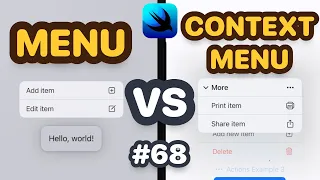
and we're back what is up everybody my name is Nick this is swivel thinking of course uh another video I did not need to make but we're making it this is the menu uh so earlier in this playlist I covered the Picker and on the Picker there was a menu picker style but there's also a component in Swift UI that's just called a menu and it's just as easy to use if not easier than a picker I think this is kind of what apple is Shifting towards rather than having one generic picker they're making individual
components don't quote me on that but regardless it's really really easy to use I think this video is gonna be like two minutes long so check it out let me know what you think [Music] welcome back everybody my name is Nick this is swiftful thinking and this might be the quickest video in the series I just want to get this component in your toolbox so let's right click the Navigator create a new file Swift UI View and we're going to call it menu bootcamp it's pretty self-explanatory but let's just jump into it in an earlier
video in this series I covered the what do I call it the Picker boot camp and the Picker boot camp had a picker style of menu picker style let's see if we can see that on the screen here real quick menu picker style and it looked kind of like this it seems like apple is now trying to move away from this generic picker to maybe more specific components I'm not exactly sure why but menu is kind of the new way to do that same UI so what we're going to do here is create a very
simple menu let's use maybe the title and content and the title I'm just going to say click me and for Content we're just going to add some buttons so maybe a button one that says one and I'm just going to copy and paste that twice or three times one two three four super simple very easy logic here the menu is literally just like a drop down menu so I think depending on where it is on the screen it's going to pop up above the button or below the button but this is a super convenient little
component here that I would recommend trying to get into your app this could be good for something like maybe a filter or a toggle that has like multiple options anything that you would have used like a picker for that has maybe it's not a date picker but maybe it's got a range of five or ten choices this is a great option for it all right that's the whole video super super simple one but I want to just cover it just to kind of like get it on paper get it in your toolbox thank you for
watching as always I'm Nick this is swifflethinking and I'll see you in the next video [Music]