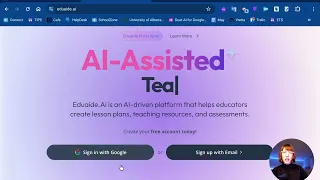
[Music] okay I call this the One-Stop shop why would you go anywhere else AI tool eduaid AI is a spot where you can get help with the planning for your classes or your course you can have ai help with a regular routine class tasks classroom tasks that you need to do as a teacher every day or just to generate ideas for something maybe new and you hadn't thought of yet so I'm actually going to launch my um my account here and just give you a sense of the overview so we have three areas we have
an assistant we have a Content generator and then we have a community so I will start by showing you the eduaid AI assistant so this is where you can get some help so may I help with those time consuming routine professional tasks that we all need to take care of every day every week in our profession so things like creating emails to send home class announcements may be for a newsletter creating sub plans I know that takes forever for me to make a subplan IEP outlines intervention lists accommodations Etc so all you have to do
is go up to the grade click on the one that is appropriate for you and then click on what you'd like so we have so I typed as my topic we are beginning the book To Kill a Mockingbird this week so I could go into a little more detail there but I am going to have the AI generate a email so this is in the email format because I selected email home but I could also decide that this is just a class announcement send it out in a newsletter um it will keep it over in
the workspace with editable content so the usual word processing type edit options um as you probably are all familiar with you can change the font size color Style um so this is where the teaching assistant will deposit the work I also like that in the productivity there are templates there are Source lists there's an anchor chart to help you explain topics to students there's a list Wellness you could do an SEL activity mindfulness activity Icebreaker you could do a mindfulness activity and then if you keep the topic of To Kill a Mockingbird and click add
to workspace it is now going to use passages from To Kill a Mockingbird in this mindfulness activity so I just think that is so exciting um now let's take the theme or the the topic of To Kill a Mockingbird and let's move over to the content generators the content generator is where you will create unique materials for your class based on your topic your grade and anything specific that you're hoping to accomplish we're going to start off by selecting the subject so in this case I'm going to select language arts and it is already pointed
at middle school that is the level the level I teach and then you have some choices you can look at an assignment generator question generator or general so for the read for the assignment generator we have some options we have reading comprehension team activities essay review essay outline I really like that it can do this for me instantaneously because I often find that after assigning something for reading or giving a chapter for homework I'm going back to the drawing board to create you know meaningful questions to determine the comprehension of the text so reading comprehension
generate an informative text with reading comprehension questions so what I could do is go ahead and put in we are reading To Kill a Mockingbird and actually I'm going to be very specific specific I'm going to say chapter two and then I'm going to click add to workspace now it's going to add the resource here and it looks like we are talking about the understanding of setting the class is going to dive into chapter two of killer mocking board and it is important to understand the setting it describes what setting is it describes the town
in fictional town in Alabama it Etc so this is a reading comprehensive guide and at the end it is going to regenerate the questions for me so what is the setting how does the setting affect the plot and characters Etc now everything that I've generated so far is over in the workspace and the workspace I can name the workspace To Kill a Mockingbird however I am unable to save any of this inside this app or inside this tool itself because I do not have a paid version so what I would do is just copy and
paste this into a Google doc or a Google form or however I would like to share this information with students so the next section would be questions I can generate specific questions about this chapter and then I sing as every time I sign a new chapter I can generate new questions or I can generate discussion prompts vocabulary words extension questions so it doesn't have to always be five comprehension questions at the end of every chapter and then finally just to show you quickly there are some interesting extension options generate poems book summaries skits I really
liked this one for To Kill a Mockingbird so I'm gonna actually assign the kids a skit they're going to produce a short play on chapter two of To Kill a Mockingbird and it's going to create this lesson plan for me it's going to assign the different characters it's going to assign the scene and these this is the dialogue so then I will assign this to small groups and they will act out the scenes from chapter two these are specific scenes that came directly from the book I didn't have to be specific because as it is
already directed to this particular topic or keyword so finally there is a community as well this is coming where you can share ideas and collaborate with others this is a relatively new tool so they're building this feature and then again if I have this paid version I can come down to my saved content and everything that I have would be here however until I log out all of the work that I have generated will be in the workspace so this is incredible you could do this for you know the start of a class you could
do this if you um want to plan out your lessons for the week and again copy paste this into another AI tool and I will be doing some app smashing later on in the series so you can see how I could take some of this information or some of these resources and paste them into another app that we're looking at and have a either a Google form quiz generated instantaneously have a infographic generated instantly or even a narrated version of chapter two and the skip that the kids have created so so many exciting possibilities with
this particular app I really hope you enjoy it and I hope you give it a try with your content your grade level and the need that you find most pressing right now in your class good luck foreign [Music]