in this video we'll walk through the key Concepts needed to automate your tasks within n8n we'll start with a simple automation where each time a prospective customer fills out this get in touch typeform survey we'll post a message through the new request channel in slack this is just a simple example to show the key Concepts that you can then apply when automating your own tasks and processes I've just created a new workflow in it in so let's add this first step of our workflow since I want my workflow to run each time someone responds to
my typeform survey the trigger or first step of my workflow is an app event but there's various other ways to start a workflow like on a recurring schedule or an incoming web hook and many others I'll search for type form and I'll add it to the workflow canvas first off I'll connect to my typeform account by selecting one of my existing credentials if you don't already have any credentials saved yet you can create them here as well next I'll pick the specific typeform survey I'd like to watch for new form submissions Let's test this trigger
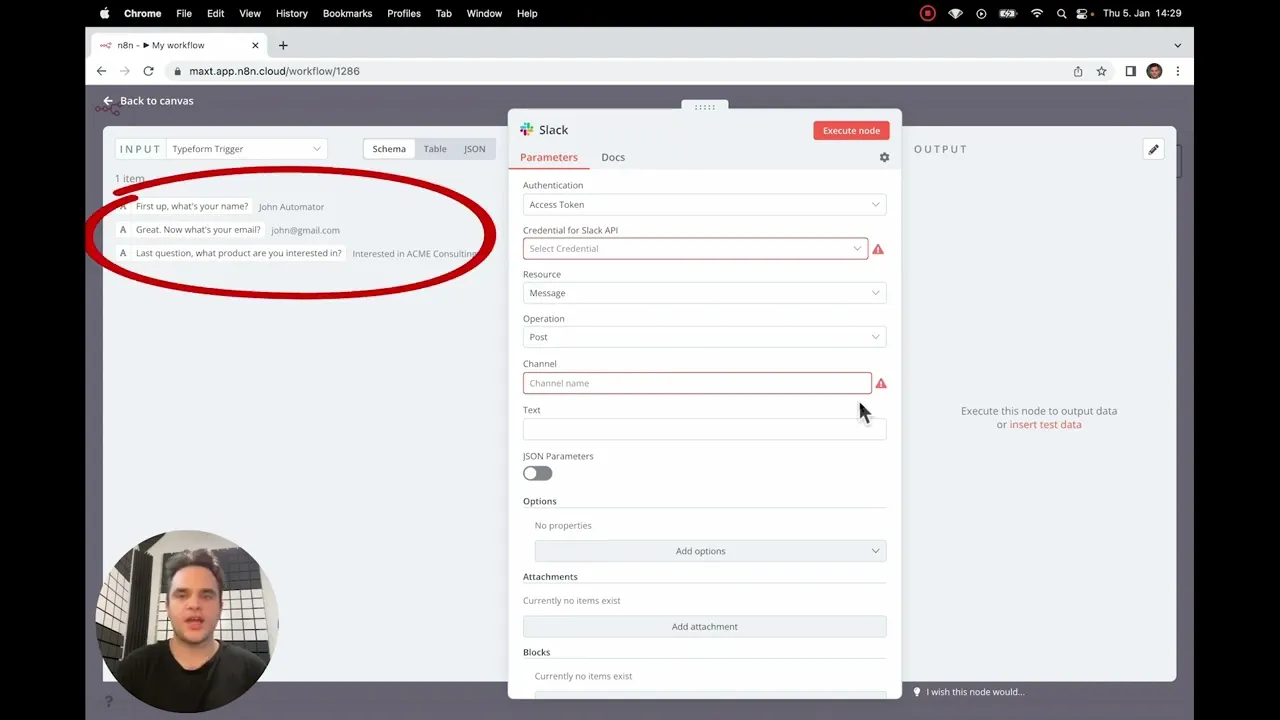
by listening for an event the typeform trigger is now in listening mode it's waiting for us to go into typeform and create a form submission back in my typeform trigger I can see we have successfully fetched the data from typeform now that we have that data in my workflow let's add a slack node to my canvas and connect it to my typeform trigger when double clicking my slack node we can see the data from my typeform trigger is now flowing into the slack node just like with the typeform trigger I need to set up my
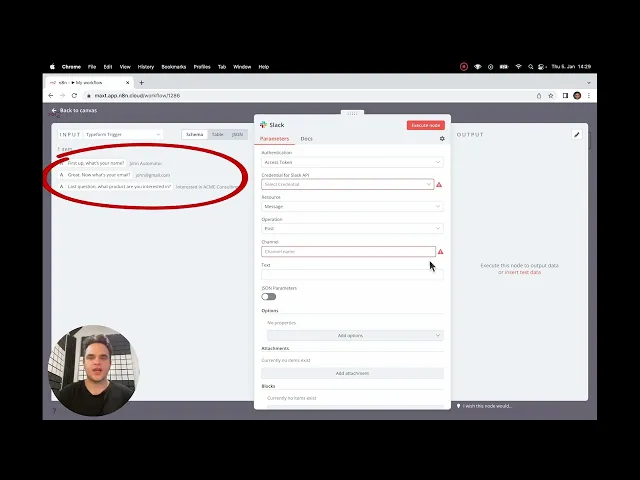
slack step this node supports different auth types I'm using oauth 2 and I'll select an existing credential we'd like to post a stack message so we'll keep the resource and operation the same and we want to post to the new request channel so I'll add that in for the text of my slack message I want to reference Dynamic data from my typeform trigger so I'll drag and drop data pills from the input panel I'll then quickly format my message and transform the message with a bit of JavaScript let's quickly test the slack node by clicking
the execute node button in the output pane we can see we got a response from Slack and if we check in the new request Channel we can see the message posted successfully our workflow is now finished we just need to activate it so that it runs automatically each time the typeform survey is filled out look at that we just built an automated workflow in a few minutes that will help ensure the team doesn't miss any valuable inquiries but what if we didn't want to get slack notifications from prospects with a Gmail email address no problem
let me quickly show you how you'd filter those out I'll add an if node in between my type form and slack steps this allows us to set up conditional logic to control the flow of our data in the workflow first I'll add a string condition since we want to check whether the email contains the word Gmail I'll then map my email data pill to Value 1 select the contains operator then for Value 2 I'll enter Gmail the condition will now evaluate whether value 1 our email data contains the word Gmail I'll quickly rename the if
node so it's more understandable from the workflow canvas next we'll quickly test that the node is working correctly in the output pane we can see the form response is correctly being routed to the true Branch because our email does contain the word Gmail back in the canvas we'll connect the if node's false output Branch to the slack node now each time this workflow runs it will stop at the if node if the email contains Gmail and if it doesn't the data will flow through the false Branch to the slack node and will get a slack
message now we just have to save the workflow and since it's already activated the live version of the workflow will now filter out any typeform responses that include a Gmail email account you've now got the key Concepts but we've just scratched the surface of what's possible within it in have fun building your workflows and if you have any questions we'll see you over on our community forums with the n8n team and a global community of flowgrammers are waiting to help you
![Building AI Agents: Prompt Engineering for Beginners [Part 3]](https://img.youtube.com/vi/77Z07QnLlB8/maxresdefault.jpg)

![Building AI Agents: Chat Trigger, Memory, and System/User Messages Explained [Part 1]](https://img.youtube.com/vi/yzvLfHb0nqE/maxresdefault.jpg)