hello everyone welcome back to part four of the day trading for beginners miniseries in this playlist we're going to answer a lot of the questions that newer Traders or inexperienced Traders might have when they're first entering or coming into the market it's always good to do a lot of research before you dive into anything that you want to commit to full time and there's a lot of dangers there's a lot of information that's required for day trading and I find that the people that do a lot of the research first they're gonna be much more
equipped to handle the stresses especially when you're diving into something that's extremely complicated and requires a vast amount of knowledge why wouldn't you want to do the research first I remember when I first got into trading I didn't do much research at all I just dove into it thinking that I could pick it up and it was easy and I was smarter than everyone else but that was clearly not the case at all the market ended up having a very special way to Humble me so join me for this mini-series and we're gonna go through
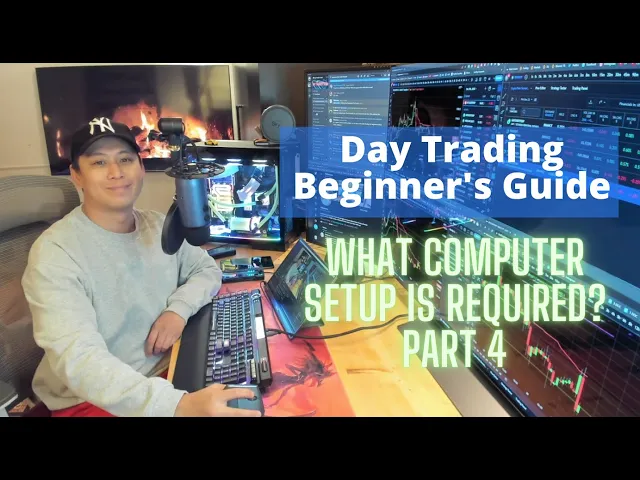
tons of the things I think are extremely important for beginners and in this part 4 of the mini series we're gonna go over the computer setup what's actually needed versus what are actually luxuries and this will give you a very comprehensive idea of the bare minimum that I think are required for trading so let's get into it I'll be spending a lot of my time looking at the computer and showing you guys what I have and then we're going to compare it to what's actually needed for the majority of people so first of all for
myself the reason why I need an intricate setup like this is because I produce a lot of videos and I like having a lot of monitors so I don't have to switch back and forth some people don't really care about switching back and forth and tabbing and they're okay with that whereas myself personally I think I've been doing this long enough to have the luxury of sticking to multiple real estates we're going to go over what I have each part one by one and then we're going to talk about what's actually needed for the majority
of people out there so the first thing I'll start off with is the peripheral which is a mouse the mouse that I have is the Logitech MX vertical and the reason that I have this mouse is because I used to use the traditional Mouse where you would hold it from the top and after 25 years I developed a massive pain and tennis elbow to the point where I couldn't exercise and I couldn't hold up heavier dumbbells so I decided to go with the ABX vertical Mouse so the way this mouse works is you hold it
upright like this which is in a more natural position see the scanners on the bottom over here so you're holding it upright it's a natural ergonomic position and after using it for about three weeks to a month it ended up reducing my pain severely to the point where it's actually gone now and I can lift up really heavy dumbbells again I'm exercising a lot and whenever I do bicep curls it ends up causing a lot of pain before but this actually relieves it and I don't feel anything and if it's great so I definitely recommend
an ergonomic Mouse this one happens to be Wireless and Bluetooth so really convenient as well I'll have a description of all of the parts that I have below just in case you're interested in picking it up for yourself but know that this is not sponsored by any of these companies they're not paying me to talk about them at all so the next thing would be a keyboard I prefer having a mechanical keyboard and I like looking at this soothing color where it has a variety of different RGB features not everybody needs it you can get
away with the basic Mouse on a laptop or any keyboard whatsoever you don't need something this is more of a luxury versus the need the mouse I would say this is a need you need something that's going to prevent pain long term especially if you're going to be on the computer for 8 to 12 hours a day the keyboard complete luxury I happen to like one that has a keyboard scroll on it and all the fancy RGB and also these shortcut buttons on the side they help me with my macros for what I reply to
people on Twitter or on Discord so beautiful keyboard relaxing RGB type of lighting and that's what I like and this right here is a luxury versus a need the microphone okay I've got a like a full Blue Yeti set up here and this one comes with the Blue Yeti microphone comes with I forgot what kind of Pop filter I have have a blue extension as well it's a really nice boom bike so whenever I'm not using it I'll do that I'll move it away and when I'm using it I'll bring it back so it's actually
not in the way and this is more of a luxury and if you need a microphone you don't actually have to invest in something like this this is just more so for a professional purpose for what I produce videos like this one when you're producing content of course you want to have a little bit of a higher quality than just maybe a gamer that's casually do good at home so this is a luxury but if you need a microphone any microphone will do and it's good to communicate with people when you're in a Discord group
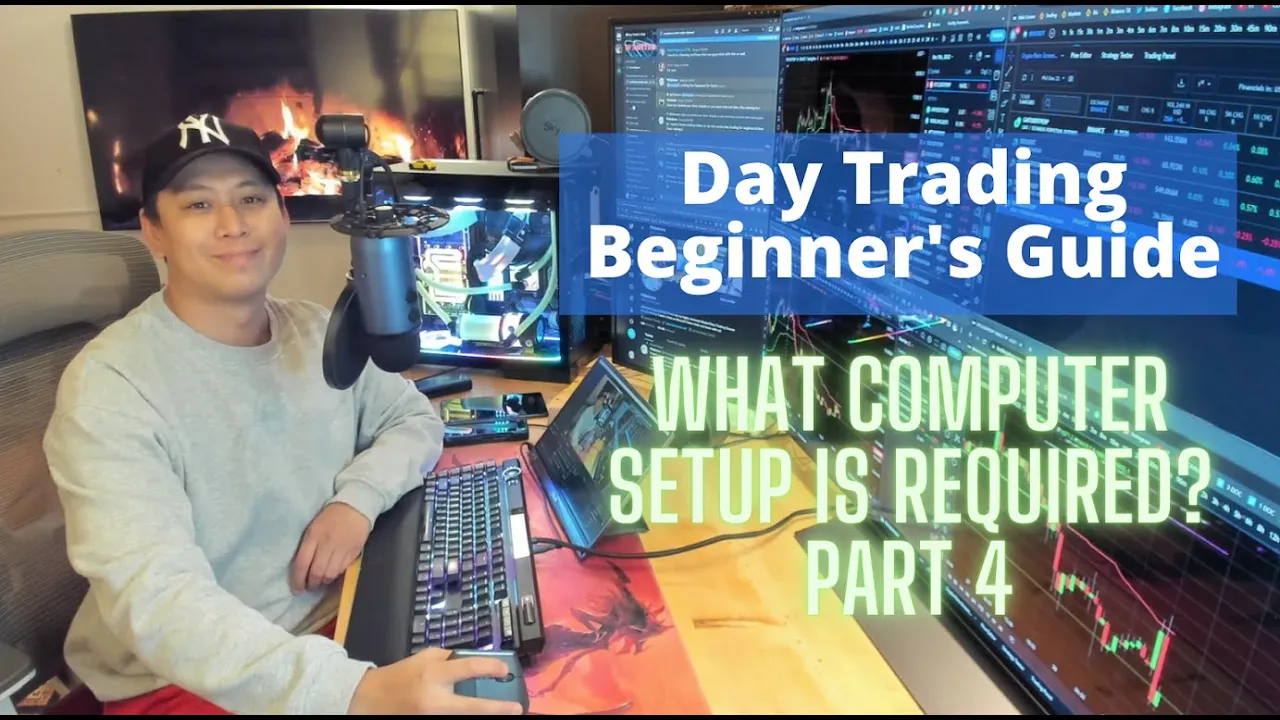
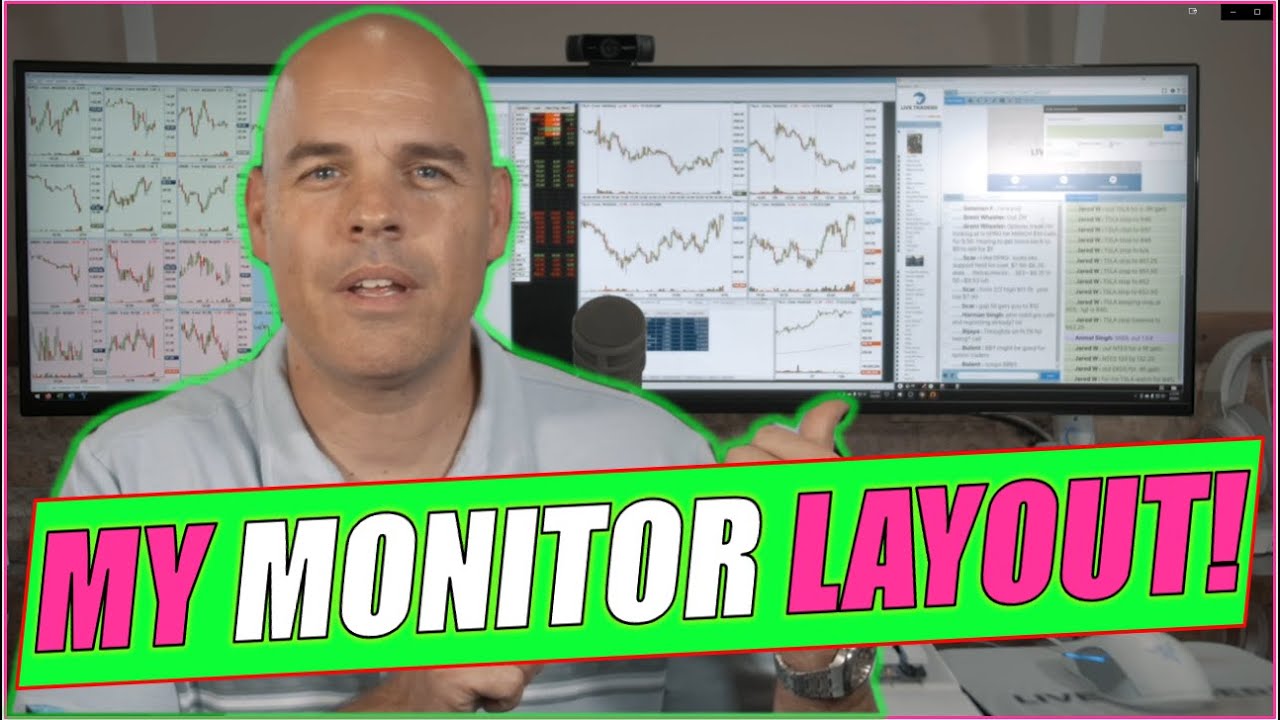
so if you're communicating with them and you're trading together you want to have some microphone to talk to them so the next thing we'll go on to is the monitors so for myself to break it down I've got basically seven monitors here okay this counts as one this counts as two total because they're split up and this counts as four so I have four different zones I'm using a tool by Microsoft called power tools and within that they have something called Fancy zones so you can take a big Monitor and you can actually partition it
and when you partition it it brings breaks down the zone so you can easily move things just to give you guys an example of how it's done here okay so this is the screen that you see here and then I can do you see how the Orange is highlighting I can move around the screen and it snaps right away so the way that I have this setup is fat it's a 55 inch LG G2 OLED I used to try using LEDs before or qleds I didn't like them too much compared to like a high-end IPS
or an OLED now this is actually a TV that I'm using and OLED TVs can be used for a monitor and they're great great contrast great brightness Vivid colors great on your eyes refresh rate is phenomenal the only problems with OLED is it can cause burden when you have something static on the screen for a long period of time on the TV itself it has this feature where you can scramble the pixels so it doesn't cause any burden over a long period of time but other things that I do to prevent this burn-in is when
I'm not using it I turn off my TV right away you got to use a remote that's one of the drawbacks it doesn't have that auto activation like it does on a monitor where you don't need to ever turn it off as soon as it gets a signal it turns itself back on that's the beauty of a monitor as opposed to a TV you've constantly got to use the remote to turn it on and off but it's not that inconvenient once you actually get used to it another thing that I do is I have a
screensaver that's always changing in my background I've got a slideshow so the slideshow changes pictures every single minute as my screen saver this way you don't get that burden or that static image on the screen so the reason I got this monitor in a 55 inch format is because a 55 inch monitor or TV is the exact same thing as having four 27-inch monitors side by side and stacked on top of each other so each one of these zones that you see here is equal to a 27 inch monitor so 155 inch can essentially give
you four 27 inch monitors now the cost of them of one big OLED is going going to highly exceed the cost of four 27 inch monitors you can get 27 inch monitors for well under 200 now these for a fairly basic and decent one but if you want to get a high-end OLED a G2 like this one for example this will run you for at least two thousand dollars but the main reason I got it is because I also play games and I watch movies on it as well so the way that I have this
monitor set up is like this this bottom one right here the bottom left is used for my main tactical analysis and also binance trading I also use it for surfing the internet for whenever I you need to use the browser so that's critical for me to have the one in the bottom right over here is always used for Bitcoin it's got a chart up of Bitcoin at all times no matter what the reason I have it up there is because when I'm trading on the bottom left Monitor and if Bitcoins volatile I need to know
what Bitcoin is doing if I'm trading in all because Bitcoin will always affect every alt that you're trading in a volatile Market when you're in a bull market you're always going to be looking at Bitcoin no matter what coin you trade you look at Bitcoin and Bitcoin is moving and it's very volatile it's going to affect the coin that you're trading so here is my main technical analysis binance trading surfing on the internet going to website that I need to that one there is for Bitcoin only at the top right that needs to be on
24 7 and never changed and that screen right there is for my crypto scanner I always filter through it and I'm using an extension called imacros with scripts that I programmed that Cycles through the filters that I have and once these filters are cycled it's going to notify me right away if there's something that's popping up on my watch list so that's critical for me to have on there can never be changed this one here whenever I'm trading a coin I'm always gonna have it on two different time frames if it's an extremely volatile coin
in a bull market or if there's a big drop this one here is always going to be on a one minute chart or lower so maybe it's a 30 second maybe it's a 15 second Maybe be so one minute and then I'll switch back and forth to binance on this screen only and in that one I'll have it on a higher time frame such as maybe a three minute or a five minute depending on what I need so it's crucial for me to have this setup and this one over here it's always going to have
my file explorer or my social media's app so social media is like Facebook Instagram my emails because I communicate quite often since I do have a Twitter at YouTube and a Discord group so it's important for me to communicate with people and customers in general and followers so this one needs to have my my file explorer I'm always constantly sending people things as well and also I need it for when I'm editing my videos in Adobe Premiere Pro and this one here the top part is dedicated to my Discord group I always need to know
what's going on with the Discord group they're a vital part of my day-to-day I'm always communicating with them posting so information needs to be exchanged without all tabbing back and forth now is all of this needed for the average person absolutely not but is it needed for myself yeah I need all of this to function properly now as for monitors for you guys what I recommend always is at least a 24 inch to a 32 inch if you have a laptop I would recommend to guess a monitor like a 24 inch so you can have
a second display if you have a desktop dual display super important over time as you gain more knowledge and your multitasking skills increases you're going to want a second monitor shift tabbing alt tabbing back and forth between applications it's not the most convenient thing especially when you're day trading or you're scalping and time is money you can't spend your time going back and forth to Applications it just doesn't work any professional Trader that tells you they trade literally on just one monitor they're probably not doing it well and they probably haven't reached the type of
successes that other people have reached before if you're trading on only one monitor or a laptop I highly doubt that these people have access to information that quickly because you need a lot of information as a day trader switch trading is different you can use one monitor in my opinion because you're not going to make as many trades as often then you don't need instant information right there and especially for investing you could do that on your phone as you go higher up in terms of from scalping to normal day trading to swing trading to
investing you require less time less multitasking skills so you don't need access to as many monitors as for day trading and scalping you need information to come in quickly day trading involves a massive combination of multitasking and the quicker you get information that you can process it the quicker you can make decisions and the last thing you want is to add stress to your trading if you've got an ALT tab over 10 different windows or applications opened at a time on one monitor it's going to cause a lot of stress and you're going to spend
more of your time multitasking than what you actually need to do the minimum for a desktop whether it's a Mac desktop or a computer PC you need two monitors as for a laptop I highly recommend to get a second monitor to add to the the main one that you have already and it's always good to have for example a mouse and a keyboard for your laptop as well and the reason for that is because if you're for example at home but you bring your laptop around a lot it's good to have a stationary system mouse
keyboard and a main monitor this way when you plug your laptop in this now in front of you the main monitor laptop keyboard it becomes your main setup and then the laptop becomes the secondary display because it's smaller that's a much better way in my opinion to do it whereas if you have a laptop in front of you and you're using that as your main display then you're using the keyboard on the laptop and you're also using their trackpad as well so no external keyboard or Mouse you're using the laptop as your main the secondary
monitor has your other one on the side maybe it's a little bit more difficult because well you're on a small tiny little system I find that when you're using something more ergonomic something more comfortable something not as compact it's gonna give you a better vibe in the office and you're going to be more efficient and productive I'm laptop is designed for portability unless you're getting like a 17 inch laptop which who has a 17 inch nowadays most people have like a 13 inch and I've seen my wife's MacBook we just got a MacBook Air a
newer one and that thing is Tiny it's 13.1 inches and she got me to type a few things or to set it up and I was like oh my goodness I just can't do this on such a tiny little keyboard and a track pad that's not really accurate you want something with high sensitivity and precision like a mouse that you can use because when you're day trading and you're scalping and there's so much volatility by the time you move your mouse from somewhere to somewhere that five second it could be a difference of huge slippage
so you want to be able to react as fast as you can as well in some ways when you're trading on a computer it's like it's kind of like gaming it does rely on quickness as well and the actions per minute that you can perform it can really add up when you need that multitasking when you need to do something quick and precise there have been moments where I've seen a trade so by and I'm on my phone and I need to do something right away to react and the phone is so clumsy when you're
trying to scalp or day trade it's it works alright but you can't do it nearly as accurately and then of course you're gonna cater it to exactly what else you did if you need more real estate because you you're also recording you can figure out how much screen space you actually need of course what's in the budget as well and then you can decide and build your own display setup everybody has different needs for what they need in terms of display and real estate in front of them more real estate easier to multitask less real
estate it's going to be more difficult for you to get around but it can still be done it's up to you to determine with a delicate balance of a budget of course and how many you actually need and with what you do to determine what you actually need so everybody has different needs not a single person will have the same needs when it comes to a system a lot of people say to me oh silicon your setup is a little bit Overkill you don't need that to professionally day trade maybe not to professionally day trade
but I need it for what I do and that's important to me so don't let anybody tell you what you actually need and what you don't need and then there's a lot of other peripherals as well for example the web camera how you decide to actually mount it is really up to you I have mine mounted in front of me because I prefer talking and looking at the camera like this and my monitor is too high I don't want it looking at me only I'd rather have a nice background of my computer set up here
show everybody I also have other things as well like LED ring by Razer if I turn it off it's not nearly as bright you can see the color difference right away you know turning it on that gives more of a professional look gives the right Ambience especially when I'm recording at night I don't need to worry too much about the lighting and that's important to produce higher video qualities and that's up to you as for speakers I've got fairly basic speakers installed Logitech g560 nothing too fancy just a pair of 2.1s which is two speakers
on one on the left one on the right and the subwoofer as well one thing that I really recommend to everybody when they're trading at home is this right here so that right there is a monitored lamb and what it does is at night when it's dark it provides an ambient light in front right here to light up the whole screen it ensures that it doesn't cause eye strain first of all it's got different temperature lights that you might like the temperature hasn't cool and a little bit warmer as well so depending on what you
like it's also got an automatic sensor on it when the TV turns on turns on when the TV turns off it turns off one of the best 40 Investments that I got you can get pretty much any brand just do a little bit of research there's tons of them available in the market just make sure to get one really wide like I have a 55 inch so I had to get one a little bit wider the one I got is actually made for a 32 inch only but it works great for 55 as well another
thing that I have that you don't see is actually behind the TV behind the TV there's a Philips RGB lighting strip for a TV and the reason I have that in combination to this monitor lamp above here is so that it gives an Ambience behind the TV I train a lot at night I'm not always recording and I don't always have the light on this is only bright right now because I'm recording and I'm making a video but at night I'm not always doing this so I want something with an Ambience around the TV to
give it a glow so it doesn't hurt my eyes I'm now 38 years old and I used to game in the dark all the time and I got laser eye surgery just earlier this year so my eyes have been a lot more sensitive and I actually want to take care of them to make sure that if I'm on the computer for 8 to 12 hours a day I'm not gonna have any eye strained so I strain it's something you really want to focus on in terms of the ex the monitor that you have in terms
of the second monitor I really recommend at least a 2K resolution screen if you're using like a 32 inch or bigger monitor okay that's important because the resolution is going to affect how your eyes see it and in terms of refresh rate you don't need anything higher than 60 hertz for doing desktop applications your eyes won't even notice the difference whatsoever for example this one here I ended up getting a cheaper monitor it's a ViewSonic it's got a 2K resolution and it's got an IPS on it so for eye strain it's great there's none whatsoever
and it's 60 hertz only got this one for maybe 200 220 perfect 32 inch that's inverted sideways and I don't need it because I'm not doing anything extravagant like on the main monitor it's basically just for text and reading often it's barely changing so I didn't need to invest in some crazy old at 32 inch that would cost me Triple the price so it really comes down to what you're using it for but I would recommend the minimum 2K resolution for a 32 inch if you're using a 27 inch you really don't need 2K 1080p
is fine so if you look at this monitor here the whole monitor is in 4K resolution but each section that I'm using is actually 1080p 4K is double the width and double the height in terms of the resolution of a 1080 but because I'm using only a section of it this is actually only 1080p resolution if I use the whole thing then it would be 4K how it'd be condensed this right here it's more than enough 1080p 27 inch but if you're going bigger 32 inch get a 2K it's really really going to help you
4K is overkill you don't need that for day trading it'll be a little bit finer but your eyes probably won't even notice it much between the 2K and a 4K and refresh rate once again 60 hertz all that you need you don't need anything more so you guys know now what kind of monitors I recommend in general or what kind and the refresh rate the specifications based on what you need so now let's go over the actual computer itself and the minimum specifications that I think are really important to trading so what we've got in
front of us is a custom open looped water cooled system where it doesn't have a fan to cool the video card or the processor I've always been a huge computer person growing up but this one here is using a soft tube PVC because I take it apart quite often to clean it I don't want anything happening to it and it will probably get moved quite often as well so on the bottom here is the reservoir the reservoir is the tank where the water is in here you're not just using normal water you have to use
a distilled water and you have to use some sort of solution in it to prevent corrosion but I'm using a specific coolant by egwb the majority of parts in here are all egwb and all RGB so I've got the reservoir here and the reservoir first of all pumps to the radiator there's a radiator just like for a car it pumps water to it so it can cool it down with fans and once the water is cooled down it pumps into the water block on the central processing unit and then it cools it with water there's
a heat there's a water block on it that's usually copper or nickel it dissipates the heat it absorbs it into the water and after it absorbs into the water it now goes to the video card so the water is probably a little bit warmer than when it came out of the radiator at first and then that warmer water will go into the video card that's this huge vertical thing that you see on the side that's the video card I removed the entire normal uh stock cooling that had the OEM fans I replaced it with an
egw an ekwb water block so now water gets pumped through there it goes on the graphics Processing Unit cools it down and then extracts the water it dissipates it and it brings it back into the reservoir so this is the basic concept of a water cooled system and the CPU that I use is now a ryzen 9 series so it's one of the higher ones out there in terms of a CPU for yourself if you're just getting into trading and you don't play games and you don't need anything flashy you're not doing any graphics or
video editing or it was any type of major processing the bare minimum processor that you need is some sort of newer I5 equivalent maybe something like within at least four years old or six years old something that that can still keep up pretty well so an i5 minimum I3 just doesn't have that type of processing power when you have a lot of windows open like Chrome so for the CPU at least an i5 equivalent and if you're getting a ryzen maybe like a rise season 5 series you don't need the craziest CPU because you're only
doing desktop applications and desktop applications that don't have a lot of Graphics they don't need anything like a high-end video card it can just be a basic integrated graphics card and that's good enough for these applications so for example some amds CPUs they have a built-in video card and with these built-in video cards that's all that you'll generally need it'll use the video card from the ram that you have this way you don't need a high-end video card because you're only doing desktop applications so I'm not going to turn this into like a computer kind
of video like a very tactical one so I'm just going to get through this really quickly for you guys the ram the minimum I recommend for Ram is at least eight gigabytes four will be very frustrating four is the minimum that you need just to run Windows 10. and if you want to run more than that in a very factive way and you want to multitask you're going to need at least minimum eighth although I highly recommend 16 gigabytes for my myself I need 32 because I've got so many things open that all times and
the last thing that I want is to have lag leg can be detrimental to day trading I don't want that freeze for 15 seconds or for even two seconds if there's lag and when I'm putting it in order for example I might wonder if it's me or the computer or the exchange and I don't know so I might put in a double order by accident and if the double order goes through that's not something that I may want to do because I do use that quick trading on binance you just click on it once and
it just buys your position so the last thing you want is to have a mistake because of lag so video card bare minimum is just integrated good enough you don't need a good one unless you're playing games and doing things outside of trading for CPU at least an i5 equivalent for Ram at least eight gigabytes that's the minimum of what you need so I think we've pretty much gone over everything and the last thing I want to talk about was a desk and a chair so the desk that I have is 220 centimeters long it's
solid fine and it's 110 centimeters deep and it's height adjustable so you can actually raise it and lower it but I've actually never used that feature one time I thought I would use it but the reason I don't is for two reasons one I've got too much stuff on my desk over here have you noticed there's a lot of things on my desk and I don't want it moving around I want it to be stationary if I had a smaller desk maybe I would use it more often I got it because I wanted to be
healthy and stand up it always increases productivity based off of research but when you've got this monster you really don't want your desk going up and down to counter that my my productivity because of the lack of exercise under my desks I actually have an elliptical and it's a it's a mini under the Desi elliptical that allows you to exercise so using this every day I still burn at least 100 to 150 calories depending on the setting so you're just sitting here and you're just cycling away it's a great way if you're sitting here anyways
to actually use something under the desk to stay healthy I've been trying to lose a lot of weight turkey has brought a lot of good food not good for me so over the past month or two I've been exercising a lot lost 20 pounds feel phenomenal still a lot of ways to go of course and the second thing I'll talk about and lastly is the chair I recommend getting something that's ergonomic it can like for example this chair that I'm using just get up quickly for you guys this chair that I'm using it's got a
headrest that you can adjust can you see it it's got a headrest you can adjust up and down back and forth you can adjust the lumber support on it as well and you can adjust the tilt of of this over here you can adjust the tilt of the chair you can adjust How deep the chair is you can make it go further or back so it's a fully adjustable ergonomic chair and I think that's really important to have a chair because you're sitting on it all day right sitting on it all day and this is
more of a need than a luxury in my opinion you don't want to have back pain as you get older trust me I started to have back pain because I was using cheaper chairs but now it's great this chair that I use is sold from America and just to be clear they're not paying me anything for this at all here so I just want to show you guys it because I love it so this one right here is the Ergo chair it goes for 449 usually it's about 500 but if you don't live in America
or Canada it's gonna end up costing you a lot I ended up getting this chair for almost double the price after shipping and paying for all the duties so might not be the chair for you but for under a thousand dollars it's definitely one of the best chairs out there then other than that we pretty much wrapped up and covered everything that I think that you personally need and always keep in mind that what you need might be different than what others need in terms of a video card you really don't need anything powerful you
can use anything because they're all desktop applications for a processor at least an i5 processor out there I highly recommend some things like a good chair an ergonomic vertical Mouse of any brand also having at least two monitors regardless of how you end up setting up so thank you very much for joining me for part four for the computer setup I look forward to seeing you for the next video coming up and that one's probably going to be a lot more interesting than talking about a computer setup so I'll see you then and I hope
that this video has helped you bye now

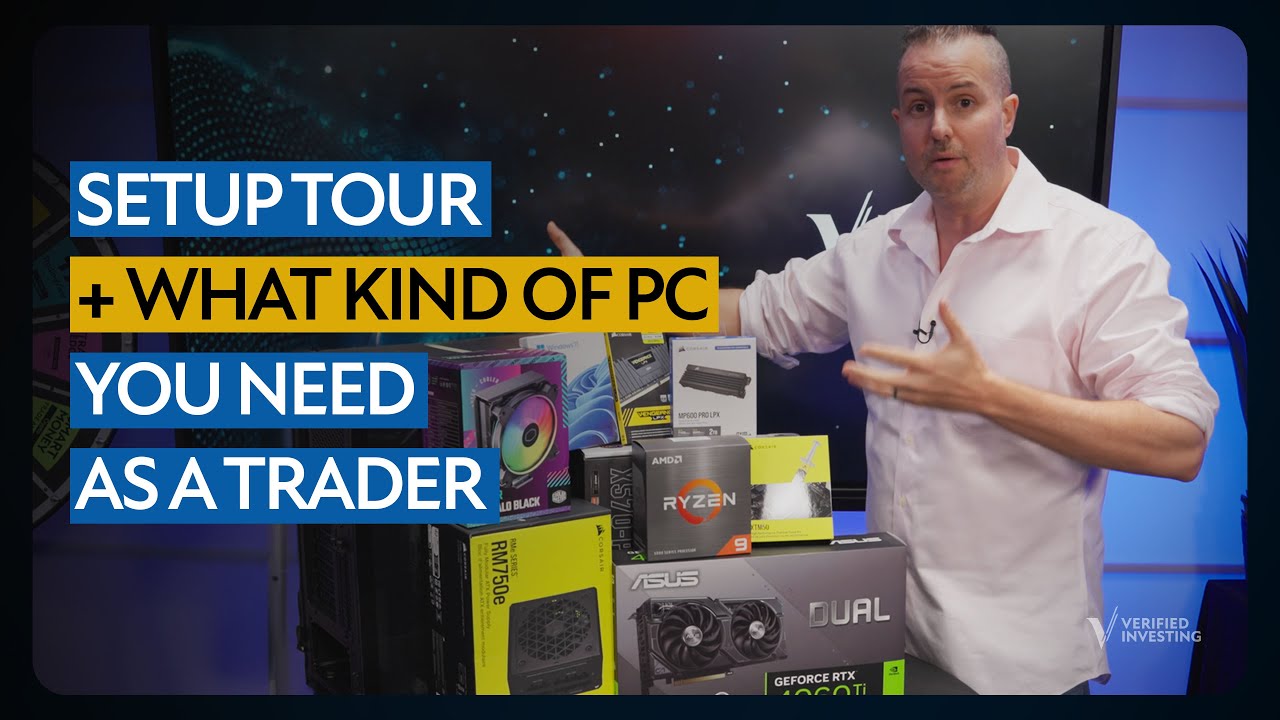
![How To Build A Trading Computer [Complete Guide and Parts List Included]](https://img.youtube.com/vi/Lv2d5YSgCLU/maxresdefault.jpg)


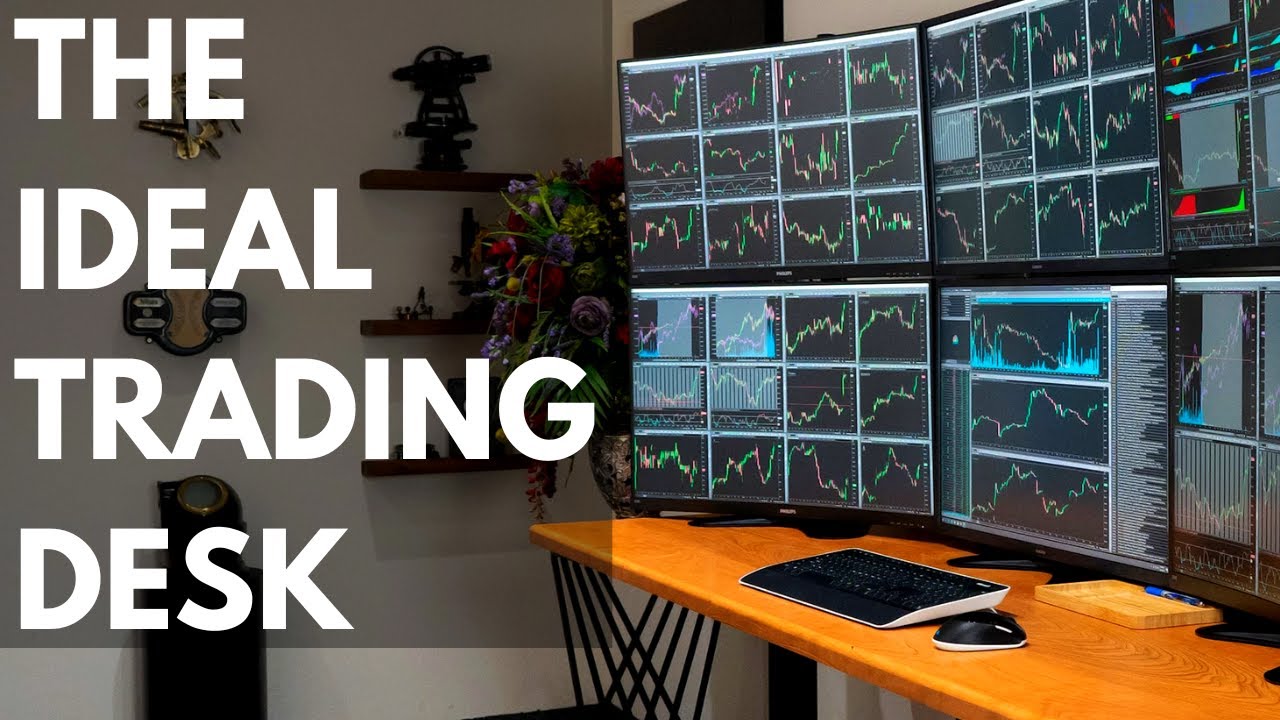
![Trading Computer | My Day Trading Monitor Setup Explained [How To Guide]](https://img.youtube.com/vi/HFSDnytpjdA/maxresdefault.jpg)