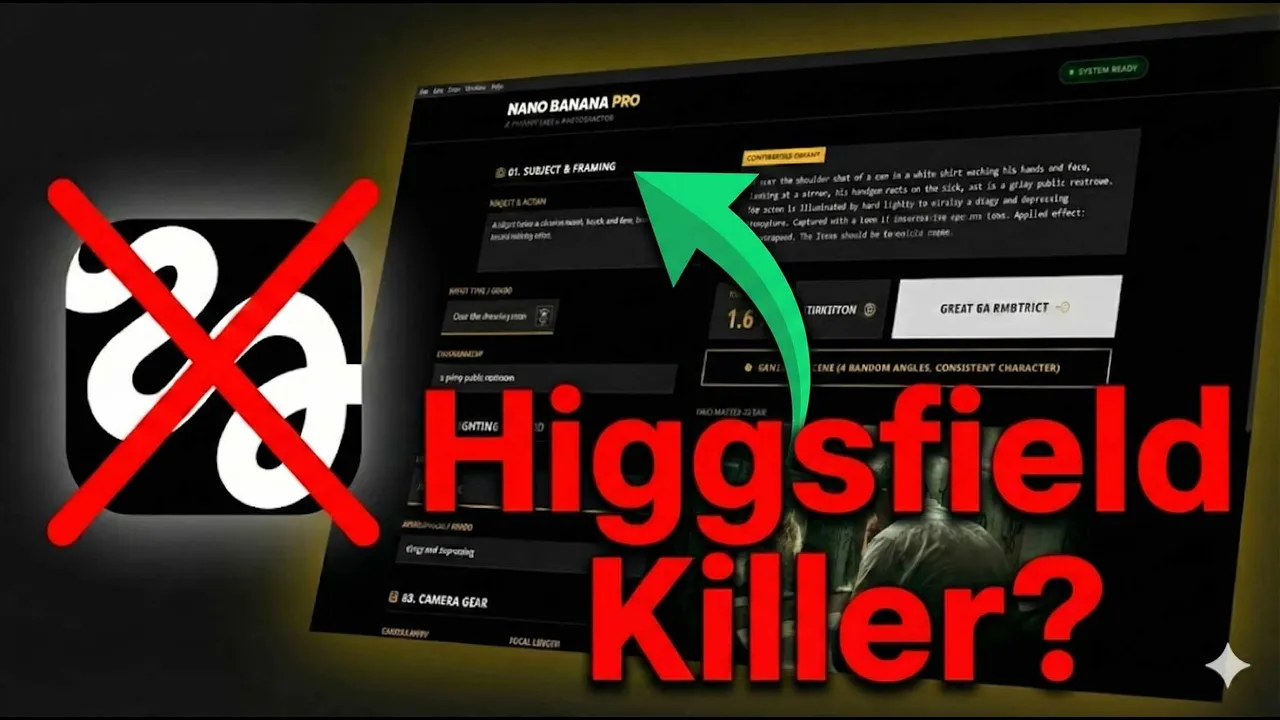
I needed cinematic consistent AI visuals and the only real option out there was Higsfield. But at up to $249 per month, well, that's wild enough. Add into that the accusations of some overblown marketing and probably dodgy practices around their unlimited products that aren't really that unlimited.
And then you finally get in there and you realize that Cinema Studio only gives you a few camera bodies and a few lenses to choose from. That's the ultimate peak of AI control. It's like trying to direct a film with training wheels on.
So, what did I do? I built something better. I built Nano Banana Prompt Builder.
A bit of a mouthful, but it's a desktop app that gives you hundreds of styles, lenses, camera gear, framing options, even lighting suggestions. And it constructs your prompt as you direct. No subscriptions, no limits, just full creative control.
Now, let me show you. So, in this video, I'm going to show you three things. Why Higsfield, even though it's impressive, might be holding creators back more than they realize.
Two, how I built Nano Banana Pro Builder to give full cinematic control without the limitations. And three, how you can use it right now with your own API key. No subscriptions, no platform lockin.
Let's get into it. So, let's look at Higsfield for a second. Yes, it's slick, polished, and honestly, pretty magical until you try to go off script.
Camera body, three, four choices. Lenses, maybe a couple. Lighting or good luck.
It's not that it's bad, it's just not for people who want real creative control. You're paying $249 a month for guardrails. But what if you could direct your AI shots like you'd direct a real film crew?
Here's the problem. Most people don't speak prompt engineer, and they certainly don't speak cinematographer. So, I built a UI that does this for you.
You're not guessing, you're directing. It's like having a cinematography assistant that speaks the language fluently. You've got choices of different types of lenses, different focal lengths.
You've got lighting styles in here, angles. Let's say there's a film that you really admire and you really love the look of it. You've got those choices in here, too.
Click it. It creates the whole prompt based around that film's aesthetic. That's also true for photographers.
There's nearly a hundred different photography prompts in here for different photographer styles. Click one of those and it will adjust your prompt to get the result that looks like that photographer's style or the movie's aesthetic. You put in your prompt here.
You can choose a shot type. Choose the angle you want the camera to be at. Write about your environment.
Choose a lighting source and lighting style. In the camera body, you haven't got five cameras here. You've got 43 different options.
Lenses, film stocks, you've got those, too. Aspect ratio. Set the aspect ratio you want.
Cinematic 21x9, even for social media, maybe 916 to go on Instagram. You have the ability to choose photography styles. The prompt then reflects what those photographers do.
Filters and effects that you could stack on top of each other to really influence the output. When you've created your scene and your prompt, you hit generate image. You get this result.
You want to create the rest of the scene. Hit this button and you've got four more shots. Different angles, different actions.
Not just the same action in the scene. the the actual scene progresses. But that still doesn't answer the big one.
What happens when you own the tool? Nano Banana Pro doesn't rely on me or any platform. Once you have that software, you bring your own API key and you're free to do what you want.
No more paying rent to use your own creativity. You pay once, you own it forever. What makes it even more impressive is if you don't want to use your API key, well, you can actually copy the prompt once it's constructed and take it over to Gemini app and create the images there or even export the JSON for the multiple angles that you create.
So, this is not just cheaper, it's yours. As AI gets more and more complicated, more GPU and RAM intensive, the less likely it is that it's going to be open source, or even if it is open source, usable on your own PC. That's why I'm building tools that don't add to your monthly costs.
I think it's important for creators to be able to actually create in the workflow that works for them, and that's what this app does. Now, sometimes words just aren't enough, and you know what you want, but the prompt can't get you all the way there. So, I've built an additional feature to this app.
It's called Elements. It's a tool that lets you upload reference images for characters, outfits, objects, and full environments. So, here's an example.
Legally blonde courtroom scene. I stick in the reference images. We've got the woman.
We've got the We've got the woman, the horrendous pink outfit. We've got the angry Chihuahua and the courtroom. We put in our prompt, we hit generate.
We've got the visual. We click another button. And we have the multiple angles that we need to create a scene.
And what do we do? We don't just have the same action with different angles. We've got different actions.
the characters actually do the next thing in the scene and you get the ability to create a story. So yeah, I built Nano Banana Pro Builder because I wanted cinematic consistency, creative control, and I didn't want to pay for another subscription. Now it's yours, too.
Whether you're storyboarding, designing a pitch deck for a project, or building worlds using Gemini, this tool was made to fit your workflow. But there's one thing I haven't shown you yet, the behind the scenes of how I built this app and the weird prompt tricks it's unlocked. So, if you want to see how this was built and how you can use those prompt strategies in any AI tool, well, that's the next video coming up.
So, make sure you subscribe. And if you're interested in looking at the features of Nano Banana Pro Builder a bit more in depth, you can watch this video right now, which is a full tutorial on how to use the app properly and set it up. If you really want control without paying huge amounts of money every month, you're going to want this in your toolkit.
And I'll see you in the next one.
![Nano Banana Pro Builder [User Guide]: Setup & Cinematic Angles Workflow](https://img.youtube.com/vi/r9UsREDyc_I/mqdefault.jpg)