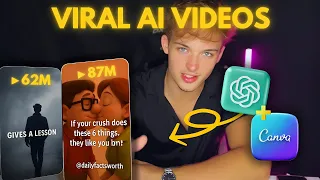
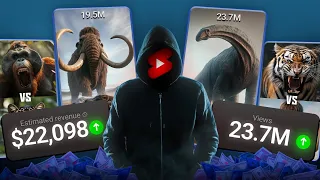
Hey creators, welcome back to a tech studio. What if I told you that you could create viral AI powered shorts, reals, or Tik Toks in just minutes? No camera, no fancy software, and no editing experience.
In this video, I'll show you how to create stunning short form videos using Chat GPT, Leonardo AI, and Halu AI, all powered by artificial intelligence. Whether you're a total beginner or looking to upgrade your content game, this is for you. Stick around because at the end I'll drop a pro hack to make your videos stand out even more.
Step one, script your short with chat GPT. Let's start with step one. Writing your attention-grabbing script using chat GPT.
Shorts work best when you hook viewers in the first 3 seconds, then quickly deliver value. Open Chat GPT or Chat GPT4. Enter a prompt like, "Write a 30 to 60 second YouTube short script about AI tools that feels fast-paced, engaging, and Tik Tok style.
Need ideas? Try prompts like three AI websites that feel illegal to know. How AI creates art in 5 seconds.
This AI can clone your voice instantly. After chat, GPT generates your script. Refine it.
Add a call to action. Follow for more AI hacks. Insert emojis or slang if you want a Gen Z vibe.
Ask chat GPT. Make it more viral and energetic. Pro tip from AI Tech Studio.
Your first line should be shocking, funny, or super curious. Example, this AI can turn your face into a Pixar character, and it's free. Once you're happy with the script, let's move on to visuals.
Step two, generate images with Leonardo AI. Now, let's create the visuals to go with your script using Leonardo AI. Head to Leonardo.
ai and log in. Paste a prompt based on your script. Example, a futuristic AI robot sitting at a computer, glowing background, cinematic lighting.
Leonardo AI will generate ultra highquality visuals in seconds. For better animation later, generate multiple images from different angles and styles. This helps keep the final video dynamic and smooth.
Try Midjourney or Ideogram AI or free Pikmon if you want more artistic or stylized outputs. Download your visuals and get ready to animate them in the next step. Step three, animate with Halu AI image to motion.
Here's where the magic happens. Animating your static images using Halu AI. Go to Halu.
ai and upload your images. Use the image to video or image animation tool. Select animation styles, zooms, pans, movement effects.
Adjust the motion speed to match your script's pacing. What makes Halu AI stand out is its cinematic transitions and smooth rendering which make your video feel professionally made even if you made it in your bedroom. You can also add filters, lighting tweaks, and export in vertical format directly for shorts.
Once you've animated your visuals, download your clips. Now you're almost done. Step four, compile and edit with Cap Cut or VN Editor.
Want your shorts to really pop? Use Cap Cut or VN Video Editor to finish the job. Import your Halu AI clips.
Add your voice over or background music. Insert bold captions, emoji stickers, and jump cuts. Match visuals to your script timing, and keep the energy high.
Cap Cut even lets you add auto captions, popular sounds, and Tik Tok style effects in seconds. Make sure to export in 916 vertical format and keep it under 60 seconds. Here are pro tips to make your AI shorts go viral.
Start with a bold hook. No slow intros. Use popular background music if posting to Tik Tok or reals.
Add text overlays for silent scrollers. Keep transitions quick and the pacing snappy. Consistency wins.
Try posting one short daily for a week. Loop your video at the end if it makes sense. It boosts watch time.
And that's it. You've just learned how to create a professional AI short video using Chat GPT, Leonardo AI, and Halu AI. No camera, no editing headache.
Which tool impressed you the most? Let us know in the comments. And don't forget to like, subscribe, and turn on notifications for more AI content right here on a tech studio.
Catch you in the next one. Peace.