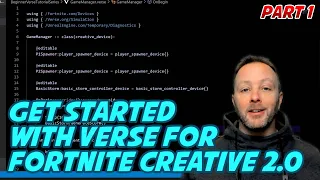
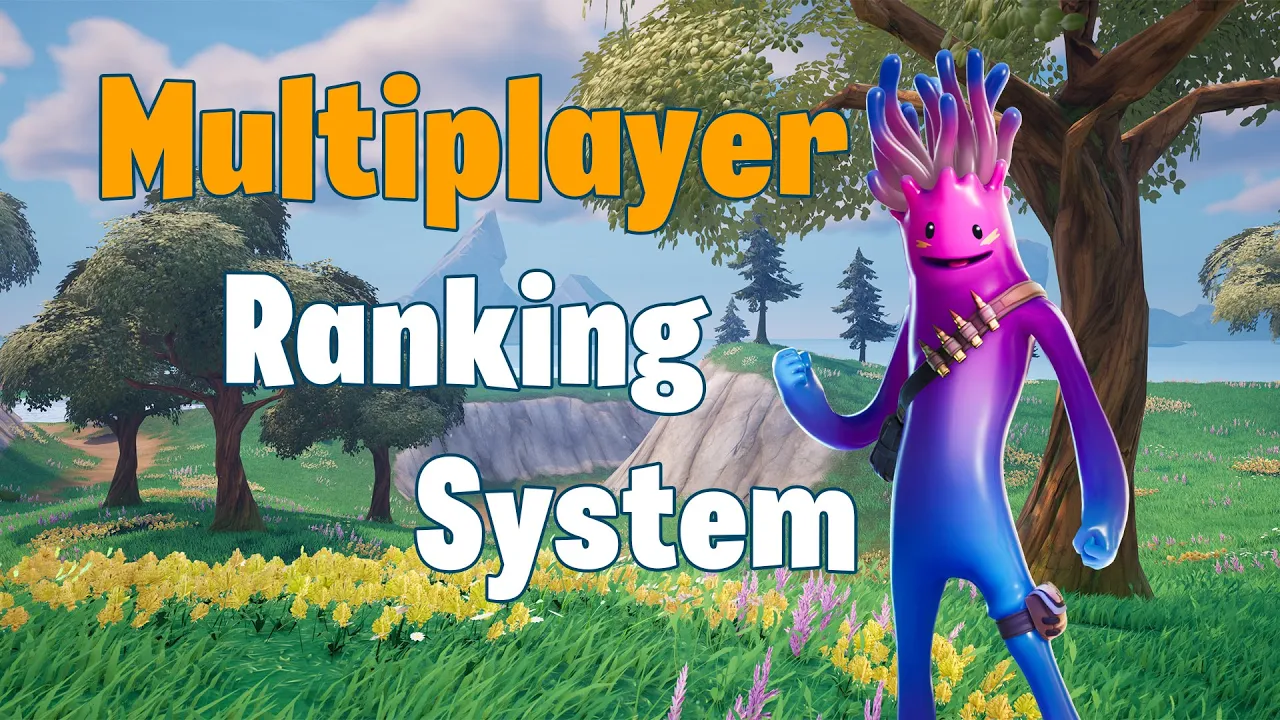
hi in this video I will show you how to code a multiplayer ranking system for our vet UI which we made in a previous video before we start I would like to shout out to Mark wbach AKA warforge and Logan Louis Mark's Liv stream video helped me to understand how to set up a multiplayer and control each player's data separately and when I was looking how to assign cinematic devices per player Logan pointed me to another Mark code where he assigned teleported devices per player so I just used same logic with cinematic devices big thanks to them and finally I want to knowe that this system isn't tested in published game with many players I tested it only in a private version with only two players so I share it as is and I would suggest you create a new project and implement the system test it and if all good then combine with your existing project or continue to build on top of it this will protect you from breaking your existing working project if something goes out of control and now let's get started I prepared to already our devices what we will use so let's start from the right side so we have safe point we want load and safe on AO same AO load Behavior it's on initial spawn then I choose save load out so this is our weapons then it's up to you like do you want to save resources gold this is doesn't matter for our ranking system this is what you want to save rest I disabled everything and only left save eliminations because only eliminations I will use for ranking system and nothing else here then we have tracker device so again start to truck eliminations then uh Target value is zero because we don't want to do any events when this is happens so again we assigning on a game start we're assigned with a joining in progress yeah so this is when we already have our session running and then someone joins later we don't care about Hood video you can keep it but we're not showing it anyways then make sure you're not enabling this reset on a first spawn because then it will reset all your safe and it won't load then we want for any team sharing as individual so this is by default then when Target is reached set it to do nothing in here show on Hood no sh in progress again off so it means we're not showing that vidget in here make sure you enable prist and enable Autos save and autoload you will need to experiment again as I mentioned it's not tested with many players you see here it says like resolve conflict so this is what if exactly same moment two or more players will try to get this data from the trucker and then what it should do okay and there are a few options to test for yourself please so nothing else here then we have a hood message device in here show own start we don't want that because we will activate that through the verse then message recipient we want triggering player because again from the verse we will tell what to show to whom then disable play sound so you will have sound just click on this drop down and do clear and for show for duration disable that because you want it to be infinitely on the screen then placement in my case from previous tutorial in a Viet I anchored everything to the top left corner that's what I choose here so placement you have here just Center and top so I choose custom and then in here I choose top left so it will stay always in the top left if you have multiple widget devices you can have up to five layers of this so five devices can display same time on the screen so in my case it's only one so I keeping that on zero intro animation and outro animation it's To None because it's just will appear and always stay on the screen and nothing else here and final two I will select two of them so this is our cinematic devices we want one cinematic device per player I will test with two players that's why I have two cinematic devices if in your Island settings this maximum plus to 16 you need 16 cinematic devices don't forget about that so I inputed here sequencer from our previous video of the widget and creation of all this vet materials then we don't want Loop playback we don't want outo play visibility it should be only instigator okay not for everyone just instigator because each of these cinematic devices will control our icons and progress bar so we want for individual only we don't want to keep State just keep it none so we have our spawn pods what I want to do is add tag to them so then in a code we can get all of them at once we don't need to create array and input them into array and go through array to like checking when player spawns we will just use T it's much faster and it doesn't care if you will have 20 40 these parts okay and what I want to show is main H in here in my previous video I didn't have these numbers so we had icons we have our progress bar we have our text block you can drag and drop Drit into this overlay it appears like this and then if you select it you just set it to Center and center anchor basically inside of the overlay to the center and center and then you can shift it to the left or right so in my case it was to the left yeah something like this okay so you see it's already positioned like that so I will delete this so I have these numbers I scaled a little bit down size I think by default it's like 34 35 so I put it 20 again it's up to you and if I will grab now this arrows you see so everything stays together so on the left side it will show current points and on the right side it will show how many points needed for the next run so now I won't control this text I have this binding if you didn't had any binding there will be text I don't remember what it says but basically text with a button you need click that button and then it will give you drop down asking what to basically select and just select like message Hut or something like this and just okay and it will convert this into this window okay and then you can close that one popup window and then come here select your text go to view bindings and you will have this text here so click on this and it will appear in here actually I can even show you so for example I'm clicking on this I then want text and again arrow to the left it shows that it goes into the widget arrow to the right it shows from the widget so in this case we want into the widget so arrow is fine and then in here I want to choose our Hood message and text select that's it this is exactly what we want so basically like in the verse I will will set message to this hot message device and this widget will pick up that message and send it into this text block and I want to show a little bit our sequencer few people asked me that for example I was saying it should be one to one with eliminations and a seconds so we know that it's a 30 frames per second so if we want let's say 1 second so we're just setting for 30 frame yeah so in this case you see like it's a 90 so it's means it's 3 seconds so it means I need three eliminations to get wrong and if I set let's say on this one so you see my progress bar is working as it should it goes from 0o to one into this 90 some people had issue with that so it's not properly aligned and that's because some of my keys they are triangles and some circles so click on this one this is our curves expand and let's say in the progress bar see how it looks so this is our curve and the triangles they represent linear so it means it goes directly from one point or key frame to another if I will select let's say this key frame and set it to AO we have always out by default it creates kind of like a this smooth transition so it's like easing out and easing in so mostly in animations we want this otherwise our animation would abruptly change but in our our case we want our to set to linear so you can select your key and just press for so I was showing in my previous video that when I was coming close to my changing rank so just few frames before that I was setting my icon number still on the one it should be same it's one here and it's one here if in your case it's a zero then it stays on a zero and then next frame I'm changing to next one and then we have our transition so from one icon to another if you remember we have this rotation and scale down so we're starting that on here our icon totally will disappear so then we swapping on the next frame to another one and we're starting again scaling it up and we see it okay and here I have on this Frame I have my progress bar on one so it means it's full and then on the next frame I'm starting from the zero so hopefully everything understandable now we can do some coding we can go in the verse explore if you don't see verse explore click on verse and here verse explore so now right click on the rout add new verse file let's call it game manager create and I will create right away second one it will be custom player and it's not device so I won't create empty and let's open so we have our game manager we have our custom player let's open both I will delete in here everything let's save let's delete all this we don't need all that and for now I will just write block so there's no errors I will scale everything think slightly up so you see better I don't need that window we can remove let's scale maybe up more okay first thing first we need add our functionality for the tag in here we'll just write sponer comma equal plus T curvy brackets you see we have error if we hover over that we see it says we need basically add using we can highlight this like that and crl c and contrl V so basically adding our first using line there's no error now we can save that let's jump back build our code so we need to do that first before adding tag otherwise we will have no tag to add we need select our spone pad and go add and here we should see our tag or just search for the tag ver tag markup then in here click on edit and our spawner just put tick that's it no need to do anything else just hold out and drag just to duplicate and you will duplicate it with a tag because I have only two of them so I will do again so you can see if you done it correctly so again tag edit sponer done okay so now let's go back to our code so first I will implement multiplayer support and on top of that then we will add ranking so first of all we need create player map it will be at the least where we're storing every player so basically we will have separate class as a custom player so it will be this one and then we can do our ranking system inside of this custom player and this custom player will work for each player separately so when for example someone is leveling up or playing cinematics this is will be working in this custom player and it's only will be triggered by game manager so we have our custom player so this is our this class so custom player our name but inside we have player and then equal map curly bracket so we have error here because we not wrote anything in that custom player verse we'll do that in a second I want add elimination tracker and I want at our widget blueprint so this is our tracker device and our hot message device now we can go into our custom player I will copy paste here my using lines which I know we will need to use so you can just like Po and copy that then we need custom player comma equal class so we need unique because we will do comparing and to be able to do this comparing with the classes we need to add this unique when we added this we have no error in here as well with this custom player now I want add our cinematic device so later I can Implement that cinematic device they will use separate class as well I could use this as a separate file same as custom player or I can just add in the same file with game manager because there will be only like two lines of the code I don't see any problem to have it in the same file so let's do this it will be progress cinematic it's Unique because we will need to compare later and concrete it's because through the game manager I will bring cinematic devices inside of it so we'll do it now progress cinematic of type cinematic sequence device Matic secin device and now last one is variable is available type logic and equal true so basically we will have array of the Cinematic device okay first of all and this array will have no directly cinematic device but will contain classes so it will contain this cinematic device with this logic and then we will be checking if this cinematic device it's available or not if it's available so it's true we're assigning it to the player and then we're changing this variable to false and next time when another player joins we're again going through the array and we're checking and if it says it's false we're going to another one and another one and another one until we're finding which has still true and then we player leaves the server we setting this variable to true now we can take this and create our array and in here you see I'm adding s so it's progress cinematics because this is array and type will be our this progress cinematic IC so this is array let's come here build verse code maybe save creative devices here is our device and now we can add our stuff so we have emit tracker so we can grab it like this or for example main Hood you can click on a peck way like this then we have our sequences and you see like progress cinematics so let's add two of them so we have one and we have second so now we inputting all this in our code and now we can control it so for now we will leave now progress cinematics and we will do multipler s side let's unblock this so first thing is our spawners so we need detect when sponer spones play so we will do in it boners so this is our function so spones it's our name for that you can name it as you like but then this is super important so we doing get creative objects with tag and this is our tag so right now you see like if I will hover over this at the end it says creative object interface so for now it's not yet spawners because we don't know what we're grabbing with this tag it only gives us what we tagged we know that this spawners but code not so now we need Loop for that let's call it like obj is like object in our spawners then we're getting our spawner so now you see this is class Play sponer device so we're getting this obj and we're checking the this is our sponer and now with this when we'll go for the loop of them it doesn't matter if is one two or 20 it will loop from them and will subscribe to spawn event for all of them and now we need trigger our function so this is will be our function on player point we can copy that and if we will hover over this spawn event see it says like listenable it's agent so it's basically when you trigger this our function it will pass agent so we need receive agent so we've got our agent now we need to get our player we need to do it for the if because it's available because agent could be NPC and it could be player when player it's always agent same as NPC it's always agent so now we know that this is player so we can start initializing our player so init player so we've got our player here now we can send to our next function so in need player and then we're receiving player of type player and then what I would like to get is Ford character I will use forth character to subscribe on for elimination so ranking system will only work when you're killing play and not a bot in this case so I want if for or just character we have error and it says we're missing this using characters so again we can highlight that contrl c contrl v okay so we getting our fourth character and we can do then and then we're checking if our player is responding because it was eliminated or is it just joined the game if let's call it X existing so again we have our player of the class player and this is our map custom players and then we using this player as ID and we're checking if it's already existing in our map so if already there I will put curly brackets this is means do nothing and nothing else will be executed after this line if you want to add some more functionality here so then remove this curly brackets put comma and then you can write here something so for example I could write print player respond you will see only this when you will test it but again you can add here functionality what you want player to get or to achieve when player just responds in my case I don't want that so just curly bracket keep in mind this indent it's super important if something is not working for you pay attention to my Indians so we have our if and then I will write else so it means if our Play Already exists in the map so it means it responds already a second time it's not just joining game if it's not then we're doing else so just for the biking I will add print line here that I'm starting initializing new player now we can get our forth so again this is our this for character first of all we're subscribing for this forth elimination so when character is eliminated we will start checking if maybe player jump to the void so this will be counted as self elimination or maybe another player eliminated player we want to know should we award points or not this will call function let's call it update eliminations and for now I will create that function but it will be empty this one you see it says listenable and it's elimination result this is what it will pass and this is what we need to receive so we call it resulta elimination result and I will write block here we have error here and it says we need this using Game copying that and pasting here on the top save and error gone so we prepared this function so we can write logic here later let's continue in here now let's do custom player my equal of type custom player and now in here we're basically storing information what we need to store in this custom player now as you can see it's empty so we need first now write what we want and we want store player of course then we want main H and this will be h message device so you see like on the left it's our name and on the right it's class and actually I can add even progress is Cinematic so we can receive it later progress cinematic see now it straight away it says error here because in the curly brackets we're not passing any information it's basically empty but our custom player now it requires that data and this is what we will do so again we need player comma equal yeah then we need our main Hood I won't pass this progress cinematic because I don't have this data and it will show me error all the time let's go to another line and now what we just want is just set this custom player into our map so if set custom players player equal custom player and that's it so we're setting this but we don't want to do anything else after that so that's why I'm adding just cover brackets here what we would like to do as well is what if player leaves if player left we want to know so we want to remove it from our map so in here on the begin we won't subscribe for this event so we want get play Space play removed event subscribe and we will call on player left server get Place space sorry and now I will just copy our function past it here at the end and what it gives us it gives us player player leaving of type player now we're checking if custom player comma equal custom players so basically we're getting our player in our map then we creting variable new custom player map type because we can't edit maps and arrays so we're finding our custom player and creating new map but without this player or here value layers and we setting new one don't worry about all this if you not fully understand we creating our new map as I say without our left player and then we set custom players equal new custom player map and we're done here this is our new custom player map it's basically what we said here and this one custom players this is what we initially called our variable and now I think we can start implementing our ranking system so before initializing our player I want assigned our cinematic device to the player because then I want to pass it to our custom player here so we want to First find available one I will copy paste this print in here and I will just call it checking available cinematic device again for debugging and we can start with creating variable available cinematic of type question mark progress cinematic and false because it's available so it's maybe progress cinematic class uh we have maybe not okay so we're doing this and then we creating variable idx it stands just for index integer and starting with zero now we will start Loop and because we're starting loop I want add here suspend what suspense means it's basically everything inverse it goes from top to the bottom it's line by line executed and if We're looping something it will wait until it's finished so sometimes you want that but sometimes you want it to do two things or even more at the same time and it's called ously it means we can do something while we're still looping for the our Loop and because we have now suspense so it's have some asynchronous code so so we can directly call it so I will write spawn curly brackets here and curly brackets here so now there's no problem so back in the loop I will start with if idx or index is larger or equal progress cinematics length so then just break so as I said progress cinematics everything it's in Array and we want to Loop through that array and it's easy to do with this index I will just Loop through that and if index it's equal or larger than the length of this it basically will stop nothing else will be executed after that so then we're breaking that line but if it's not yeah so we're doing if in a short PC but it stands for Progress cinematic so on this line we're doing two things we're taking our index so index will start with zero then one 2 three and it will Loop so we're taking one by one we're setting it in this PC and then in this PC it's our class so our progress cinematic class and because in our progress cinematic class we have that logic variable is available so this is where we're checking if this is available and question mark we're basically checking if it's true or false so if it's true we want available cinematic option brackets PC so it's still optional and then we're doing for the if set Progress cinematics Index is available equal to false so basically if we checked and if it's true we will set it to false and now curly brackets break and if none of this is working so then we set our idx or index plus equal to one and I will add some sleep so we look through our progress cinematics we found what we need we've done that so we're stopping our Loop and we won't Implement another thing so we setting if and progress cinematic for equal available cinematic like this now I will grab everything this and indented now when we've done with all this cinematics now we're grabbing this available cinematic and because it's again it's optional still so we're adding it with a question mark we're starting here initializing our new player so we have our forward eliminations and we have our custom players now here I want to add our progress cinematics so now we can comment this now it asks us to add it progress cinematic and then here as well we want this so it's basically same progress cinematic so we have no error everything good so we're passing that data now as well to custom player I want add variables ranking variables to our custom player so then we can pass that information as well some of that we can even name it ranking variables so first one I will call it current eliminations and actually I will add to all of them private when you're doing for yourself it's not so important but it's a good practice if you want someone from another class directly change this variable that's fine but probably most of the time you don't want so you want it to be only working inside of this class and from another class like for example from game manager you can just activate it for the function like calling function so if we putting this private it means none of the outside classes can do this then we have of type integer equal zero then I will add Max rang reached private so I want to control what happens when player actually reaches maximum rank then I want points Point private Z I want separate points and eliminations in this tutorial I won't even use eliminations but I'm just adding them so you can separate them points will mean that points from all games so let's say player played three times your game and now it's a fourth time so when they joining eliminations will be on a zero but ranking points you can grab them from the tracker device and you can assign them so you can restore Sav ranking points but then same time when play now starts with a points eliminations it's on a zero player can see okay how many eliminations I have now per this game and how many eliminations I have in total and we want variable ranks Vols private of type array of integers and equal array and cly brackets so this is will be at least how many points player needs to get to get to that rank so these numbers in Array need be one to one with your progress bar sequencer so in a sequencer if you set let's say goal for the first rank is 25 so here you need to 25 if second for example 100 you need input 100 my numbers they're really low but this is just purely for the tutorial okay so keep that in mind so mine is three 9 what I will add now because it's a last thing before we can start putting any logic here for the ranking so this is a line for our Hood message device so I will call it progress bar text for UI loizes in here progress bar text so this is for our numbers on the progress bar progress bar text first of all when we will start we getting points from our tracker and we want to pass them into our custom player as I said I set all of them to private so game manager can directly set them here so we need function for that so let's call it init current points we have our function and then we're receiving integer and just calling them points I can even copy that that later for our game manager and then in here Set current points equal points we can save so now we're ready pass this data after this line it's fine custom player and we can paste our init current points and we're sending our elimination tracker so we can call elim Tracker and then get value layer and now I will do on elimination wait we will trigger it and it will just like increment by one and same time we'll do for the points as well now back in the game manager so we can delete this and just for debugging let's add print elimination happened if so now we're getting Eliminator so who actually eliminated someone result eliminating character so it's with a question mark because maybe it's not player now we need to get agent get agent now we're getting player and same time we will get our custom player from our array because we need to send information about that into custom player where we will do all these calculation for the ranking custom player in custom players map and our ID will be player then you can add here another print just for the bugging character now we're doing if and in here we can check resultate it character equal result minating character which Mark we can write not put this into brackets so we have now all this in this one bracket and then we're comparing this to not so we're inverting check so we're checking when this is not a same so they not equal so it means another player eliminated another player and in here we can do custom player and we have already prepared our function there on elimination so we're triggering that and I think in game manager it's everything let's call it update ranking it will definitely go on the loop so I will use suspense and then wait let's just add block for now I want call this function from both of these functions so I will do here spone early brackets dat ranking and I can copy this one into this function as well now we can unblock this one and first of all I want to check if Max rank is reached question mark and I will put curly brackets because if maximum rank is already reached we don't want to do any competition here any checkup nothing because that's it player it's on the maximum rank now let's do space and do else so if player not on the maximum rank we creating variable index of type integer of zero Loop let's create print for debugging with this print I will check if it's maybe constantly looping and not breaking now if index equal or larger than our ranks goals and now we will do the message of string equal maximum rank now main H set text progress bar text for UI so this is basically our that line it shows me constantly error because it says that I don't have break just for now I will set one but later I will remove it in here I need capital letter length and in here no space actually in here it's another mistake it's progress bar with capital letter few errors fixed sorry for that okay on another line main Hood show this is very important if you will use just only like this show so you will show for all players this message if you hold control and click on it you see we have one show and we have another show and here in the brackets we have empty but in here we have agent so basically if we will pass agent we will only show message to that particular agent so then our agent it will be player and now we can break now I think we don't need to this one else if oh actually one more thing I forgot sorry because next time we will again will go through because I'm not setting Max rank reached Max rank reached we set it to true so now because we're here we're setting this Max Ranch to True next time when we'll try to trigger this it will be set to true and it won't go okay now here ENT goal Comm equal ranks goals index then if current points equal to zero let me first copy all this and let's delete maximum rank reached because we didn't reach maximum Rank and in here I will write current points and slash here outside of curly bracket and then again curly brackets current goal so what we're doing here is I'm checking if current points are zero or not why I'm checking these current points because when we will initialize on the beginning our current points so we're grabbing our points from a Tracker and tracker may have zero points but we're still activating all this and it will go through all this proess again calculations and maybe setting up progress bar and sequences and we don't need that if it's zero that's it message that is zero and break we don't need anything else but again if it's not else if we in points are less than current goal in here I want call another function which will actually play my cinematic device and I know that it will be on the loop so I will use spawn curly brackets update ranking UI and I want to pass current goal I will copy this function and then when I called for that function I will again break let's go down here and again make sure you're on the right indent so it should be on the same level as update ranking I will paste it here so it should be yeah on the second one update ranking we're receiving current goal of type integer then I will add here suspense white and I will add now block for now so we're breaking here now what I want is what if nothing in here happens first we're checking if this is zero and then here we're checking if points smaller than goal if index is zero goal will be free if index is one goal will be nine and so on so forth so we're checking if our goal for example now is bigger execute this one if it's smaller then we need to increment our index by one and go again through the loop and check until our current goal is larger than current points so this is what we will do so in here l we don't have any condition I will add print again index so I want to see what index is there now and just add index and we will set idx to plus minus one we're not breaking here because we're incrementing this is last line it means it will go back on the top and it go and go and go until anything of this will happen Okay so we finished here let's go back into our updating ranking UI actually I will just grab this whole thing because it's actually same again watch your indents so we're grabbing our progress cinematic and this is in our variables in here so we're grabbing this one it will look a little bit weird but be with me progress cinematic again and then play and we need to pass our player why we need twice this thing because first one it's when we're getting our cinematic devices class from our array and then second one is because in here you see our variable in this class progress cinematic class here our variable is called as well progress cinematic and that progress cinematic is actually cinematic sequence device and we start to play but of course we will start from zero but we will now set our time so our second and as I said I recommend one to one so elimination count equal to seconds in the sequence so again progress cinematic progress cinematic set playb back time our current points are integers and Playback time it requires Float by multiplying integer with a float we actually getting float that's why I'm multiplying by 1. 0 and then why I'm subtracting one because our current points this is where our progress bar should stop if you will do it like this your progress bar won't be animated it will basically will jump to that particular second you won't have smooth playing and now I want loop I want to check when our sequencer plays I want it to play only for 1 second so and instead of just let it go for one second and stop I will check if it's actually equal to my current points so I will check that every 0. 2 second and when it actually reaches that moment I'm just stopping it you can set it to like 0.
1 or 0. 5 it's up to you I think like 0. 2 it's fine and because we're just starting to play I don't need right away like check it because I know that it's not yet there because it just just started so I'm just setting sleep not at the end but at the beginning so I'm now getting current play time and now we can add print again for debugging so we can actually see on what second and even like millisecond our sequence is and now if play time it's larger or equal to current points multiply by 1.
0 so we don't want to stop stop it means it will reset to zero we won't just pause and break and that's it we have everything done I will show now code slowly so you can easier to check if you did everything correctly let me enlarge it a little bit more so we're doing on begin our spers initializing spers then we getting our player initializing our player getting for subscribing to elimination events we're getting our cinematic we creating our custom player our map then we have our update eliminations and when player left server then in a custom player so we're getting player data our hot message device progress cinematics we have our variables for ranking so points eliminations Logic for updating ranking points and updating our ranking UI now let's go back to editor build bu verse code and actually what I forgot it's our item grunter so here we want keep all current item enable on game start receiving player all of them ground condition always a cube grum item yes I set my ammo to infinite so I don't care about giving you won't probably give ammo if you not have infinite and Grant on game start I don't want to trigger it I'm just will grant it when it starts now let's try in a game okay so let's start so in the left corner you already could see locks we have our guns we have our progress bar my second account is on Xbox so we can test with it and we eliminated we got one point and in the locks you see this is our progress bar checkup every 0.