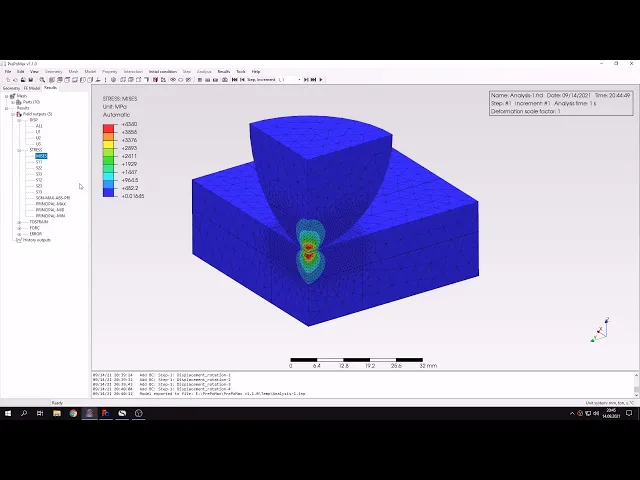
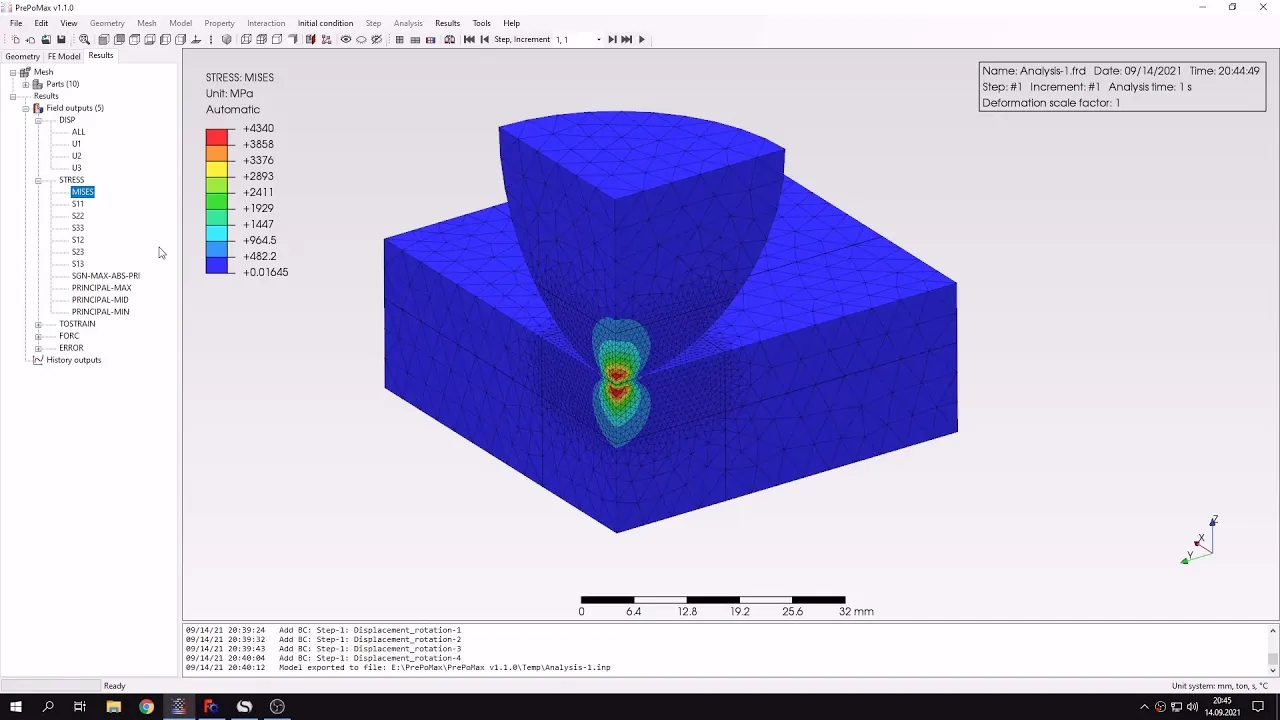
hello and welcome to my next tutorial about prepomex this time i will show you how to analyze a hertz contact problem let's create a new model first i will choose the unit system of new meters and now i have to import the geometry i'll use the step file format and the geometry is already imparted so we can see that this will be a sphere or actually a hemisphere in contact with a plate but you can notice uh for two things first of all uh there are there's a that's like a quarter of the whole model
because we lose symmetry and second thing is that you can notice that there are ten parts instead of two and that's because of the way it was modeled in in three cat because apart from modeling those two parts i had to divide them into smaller regions so that i can apply a mesh refinement here and here but unfortunately in frequent if we partition the parts we'll end up with a model consisting of more parts than you would expect however it's not a big deal because in preparamex there's a tool that will help us merge those
parts into compound parts so let's start by selecting those two origins here and i will choose the geometry create compound part and continue and this will create a compound part from this from those two regions and now let's do the same for the plate i will box selection and to select all those parts and i will again use the create compound part tool uh i will play continue and now we have two compound parts and now let's create a mesh our specify mesh parameters for those two compound parts they will have the the same machine
parameters and this will be formal meters for global element size so you can preview this uh however in this case we will use something new a function that we haven't used in previous tutorials mesh refinements and we'll apply them to those two regions here so that the the mesh is refined in the area around the area of contact let's choose this let's switch to part choose this region first this will be the whole volume here and i'll specify a mesh size of 0.8 millimeters and now i will do the same for and and bottom parts
also specify and the same mesh size i can confirm this and you can see that the mesh will be refined in this area and let's create a mesh and you will see and that for those two parts there will be varying mesh density the mesh is already generated you can see how it changes density around those regions and now let's define the analysis features i'll start start by defining material and this will be steel i could define two materials one for this sphere and one for the plate but to simplify the analytical solution i will
use a single material for both parts and this will be steel as always and i will use the same material and properties i can confirm this create a new section and i will apply the section to those all those parts i can confirm this and now what we have to do is create a step but before let's create a contact that's also something new and that we haven't done before let's start by creating a surface interaction and we have what we have here is surface behavior in the normal direction friction but we will ignore this
and gap conductance which is for thermal analysis so i will only specify surface behavior and use the default heart contact i can confirm this and now i have to create a contact pair and the surface interaction that you that we chose before is already selected here and i will have to pick master face and slave face for master i'll choose this one here and for slave i'll choose this one here there are several rules that tell you which surface should be master and which surface should be slave i won't discuss them here but they'll only
tell you that it depends on the dens on the density of mesh on the rigidity of the parts but also on their size and and which one is concave which is convex which is flat and so on in this case the proper selection is is right here but this model is not so complex so it shouldn't matter that much let's confirm this and now i can create a step you can you can see that the contact pair was created so i will only have to create a step this will be static step with default settings
and now i have to define boundary conditions let's start by applying boundary conditions to this region and this will be symmetry in x direction i won't name the boundary conditions because there will be only a few of them and it shouldn't be confusing when i don't specify names let's confirm and now i will create another boundary condition of the same type applied to those faces here and this will be in y direction and let's create another one and this will be again displacement rotation type applied to the bottom of the plate and this time it
will be fixed in all directions like that let's confirm this and finally i will apply one more displacement boundary condition applied to this top face of the hemisphere and this will be a translation prescribed displacement in z direction and the value is 0.2 millimeters towards the the plate of course i can confirm this and now everything is defined properly and i will enable measure again and now i can submit the analysis it might take a while and that's a non-linear analysis with contact it took some time but the results are already available so let's check
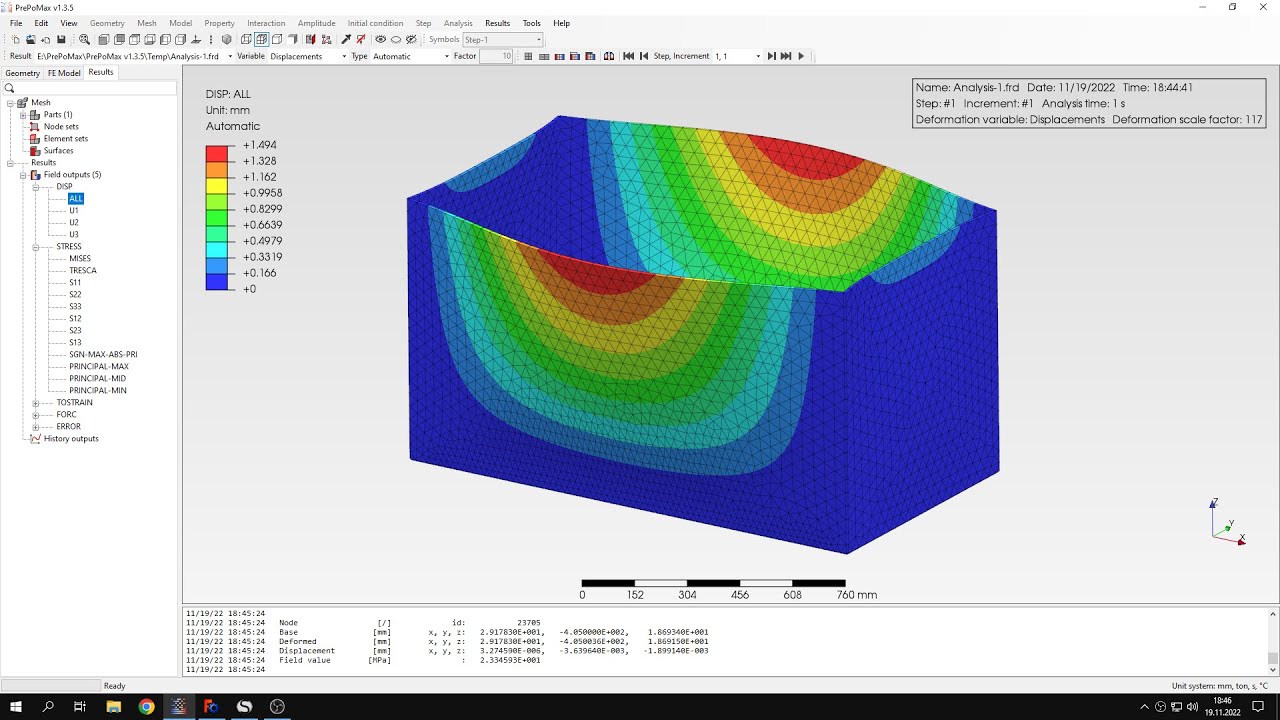
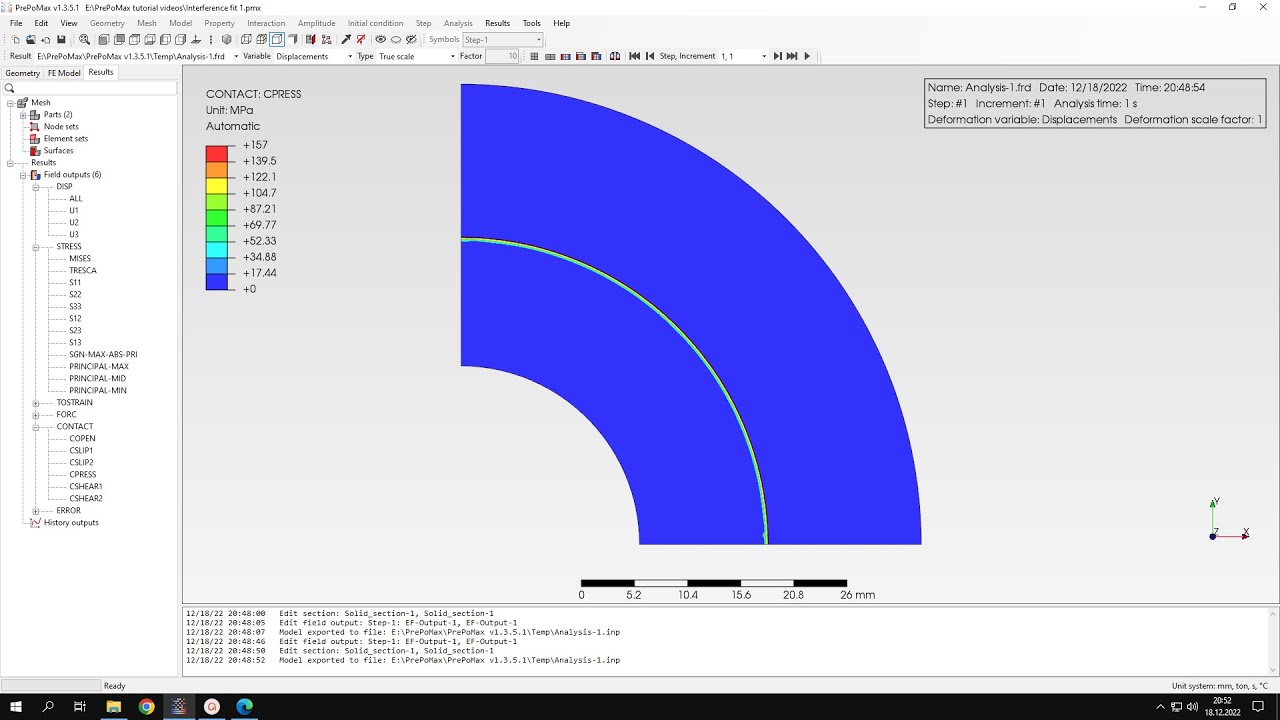
them in this case we are interested in the stresses uh we compare them with analytical solution so let's check the fullness of stress as well as this normal stress in the direction and this is the analytical solution and the formula here is the one i derived from works for muscle stress and strain and you can see that the maximum stress should have the value specified here and let's check what are the stresses in the model you can use the query tool and to check the stresses in a few points around the area of contact maybe
not necessarily in this particular point but slightly further away notes located above and below that point and compare this with analytical solution you can see that even though the mesh that we used is not very dense it could be and definitely could be denser and but you can still see that the results are still very good in contact analysis mesh density is very important and for this type of analysis we got really close to the optical solution so of course if you wanted to have even more accurate results we would have to further refine the
mesh around this region of contact but this level of accuracy should be sufficient that's it for this pre-palmex tutorial thank you very much for your attention as always feel free to ask any questions and suggest topics for future tutorials in the comments have a nice day and see you in the next video