hey guys and welcome back to a new video as an Android beginner nowadays you are facing a huge wall of different architectural patterns and I know how overwhelming that can be because some people talk about mvvm some people talk about mvi some people talk about clean architecture and you end up having no idea what all that is about with this video I really want to give Android development beginners a clear road map a clear path what they should follow to on the one hand have a decent architecture for their project and on the other hand
not be overwhelmed with all those tons of patterns we have here and the recommendation that I will give you here will likely not be what you will stick to for the rest of your life that's really not the intention of this video instead the intention is really to just bring more clarity to your life that will help you much more to get your hands dirty with architecture and actually get started with it than being overwhelmed and stuck because there's just so much different stuff online and no this video will also not be a video where
I will tell you oh it will actually depend on the project what kind of architecture you should pick well thank you that won't help a beginner if the beginner is not able to assess which architecture fits so this advice is only useful for professionals and by the way if you're curious how I learn new things how I make coding Concepts stick and remember these I will share you my top five learning methods Down Below in a free workshop on November 2nd it's a live Workshop completely interactive won't be recorded but you can sign up right
now for 100% free so what you initially really have to understand that the most important thing that all different architectural Styles out there all have the same goals on the one hand they want you to structure your classes files and functions in a way that is consistent so if you have a certain structure for feature a then you can also expect to have that same structure for feature B then the second goal is that the architecture should just make your project easier to maintain so it's it's easier to make changes to the project and this
is achieved by just splitting up responsibilities in your project and then isolating them as much as possible so in the architectural world we speak of these layers that you often hear about where you might have a layer for your abs UI and you might have a data layer that involves things like a database or an API the main goal that we want to achieve with such a layering is that if there is one bug in one layer let's say we have a bug in our API call that this bug does not eat through the whole
project and end up breaking some kind of UI rendering or so so if we know okay or a request to the server actually failed then we also immediately know we only have to look in our data layer because if some of your API calls are in your UI some of them are in separate classes then you again lack that consistency and you will again have no idea where to even start looking for the bug and the third goal of good architecture is that it should make your app easy to test but this is a goal
that I intentionally want to put aside for beginners here because you really don't have to worry about testability and writing automated test cases yet since that is a more advanced topic but still the architectural approach that I would recommend you here will allow testing but this is just so important to understand all architectural patterns out there be it mvvm mvi MVP they all exist to achieve these three goals just in different ways it's really just like three different people trying to lose some weight where the first one just goes working out the second one goes
running the third one just eats less if they consequently stick to what they are doing they will all achieve their goal and as soon as you understand that it suddenly does not matter that much anymore which architectural style you pick as long as we talk about viable architectural patterns so those you always hear about they will all take you to the same goal but before I dive into the actual recommendation that I want to give you as a beginner here there are two more architectural learnings or architectural things that I especially see begin very often
be vulnerable for and number one is they become religious about their architectural approach because over time we all kind of find our own architectural style that we typically apply and that's great but the fact that you like your style more than others does not immediately make it better than others so stay open for other people's perspective and don't try to hammer your approach into other people's brains by portraying it as the only real way to do something because it isn't and the second learning is Simplicity of over complexity and when you hear this you might
be like oh yeah that that's obvious but what I mean with this is that especially beginners often over complicate the architectural patterns they learn about and then they suddenly think that if their app does not have at least five layers 7,000 use cases it's not clean anymore the opposite is actually the case if your app has five layers but two could be deleted while still achieving all those architectural goals that I talked about then your architecture is trashed this is really everything but clean so if you you've already heard about architectural Concepts like use cases
mappers UI models data models then this can all make sense in the right project but it's not by default clean so please unlearn that if you've been thinking that it's really not clean if you have to command click through five different classes just to find out what a what a simple login call does and it's also not clean that if you want to maybe show an item from your database in your UI and you first of all have to change five layers to be able to do that so all in all find the middle ground
between putting everything in one file and flooding your app with different layers and classes that just have a single function call in the vast majority of cases this is incredibly over architected so while all that that I just said was quite vague let's get a bit more technical now how do I really recommend you to structure your architecture for an Android app as a beginner a beginner's app should consist of four different parts I'm not talking about four layers but four different parts on the one hand your UI your models a data layer and one
view model per screen so let's go through these one by one to understand what this is really about and what I mean with that starting off with your app's UI make sure that your UI does not contain any complex logic uui should really just display composable it should not decide about how state is updated it should not make database queries it should not make an API call directly but it should just display composes with readymade State and there are two major reasons for that on the one hand putting a lot of logic in your composes
makes it more vulnerable for bucks cuz as especially with a jetpack compos you have to be very careful that you don't accidentally add any side effects with that so function calls that directly happen inside of the composable that gets called with every recomposition and the more complex your logic is the more deadly the buck will be and also by default your state won't survive any configuration changes with that so configuration change is for example when you rotate your device because in that case the activity on Android is recreated and therefore all the variables all the
fields inside of that activity and therefore your UI will also be reset to the defaults and you of course don't want that to happen to your UI State yes you could make use of things like remember savable which survive configuration changes but that one only makes it easy to store simple state in it so simple simple types of variables but not any more complex ones and the second reason why you should definitely make your UI very simple is that it just makes testing much more easy but as I said that's something you as a beginner
don't have to worry about but the advantage will still be there if you pick a simple UI okay coming to the second part of your architecture and that is the models so your app will very likely deal with some sort of bundled data which is usually your models so a node app for example would Define what a node model is so what a node consists of you create a node model which is nothing else than a Cartland data class that consists of an ID maybe a title a description maybe a creation Tim stamp so just
all that data that that corresponds to one node that makes up one node in your app and that's it don't over complicate this for now forget about UI models domain models data models just one model per type the third part part of your architecture is your data layer now chances are that your models come from some kind of external data source and any of these external data sources and the logic that is involved in that and retrieving some kind of data from that belongs in your apps data layer and the two most obvious types of
data sources on Android are just remote apis and local databases so taking the notab example again you would for example fetch some kind of node from a remote API but it doesn't stop there data sources can also be something completely else an external data source could be preferences a data source could be something like um listening to GPS updates so in that case the data source would be the GPS sensor because it delivers data so your coordinates a data source could also be your devices sensors which also obviously deliver some sort of data which are
the sensor values so any type of external data source belongs in this data layer with external I really mean anything that is outside of your app for rest API this is obvious that the program you talk to is on some kind of remote server which is definitely outside of your app but this is also true for a local database because a local database is nothing else than a program running on your Android device it's again a different program that delivers this data getting sensor data will also make your app talk to a so-called system service
which is a service managed by the operating system and in the end again another program that delivers this data to ur app it's not Ur app that suddenly generates the sensor value somehow no it's the operating system that delivers these to your app when you ask for it and the most prominent reason why your app definitely needs a data layer is that pretty much any app out there needs to access data in some sense unless you have an app that really just displays static text your app will need a data layer but another reason is
that the data layer also tends to change very frequently because if we think about it very common change requests in the real world are something like hey let's migrate this HTP client to this one or it might be the back and team actually added another field to our Json model or it actually changed a Field's name so we also need to make that change in our Android app and for such common changes we want to achieve with our Android architecture that we obviously have to change as little code as possible in as little classes as
possible this just achieved by having our own data layer with all of our separate data sources online you actually often see people call these data sources repositories no matter what these do however if a class is really just meant to communicate with some sort of data source an API a local database then I would rather call it data source like Note data source for example if it retrieves nodes if it allows you to insert new nodes and so on a repository on the other hand is rather a design pattern that is used that coordinates the
access to multiple data sources so for example if you have a caching strategy in your app so if you have both remote API that allows you to fetch some nodes and you also want to take these nodes and insert them into a local database so that you also enable this offline access and this coordination between these two data sources that is much more what belongs in a repository in my opinion but coming to the last part of your architecture and that is one view model per screen I won't go into the details of what a
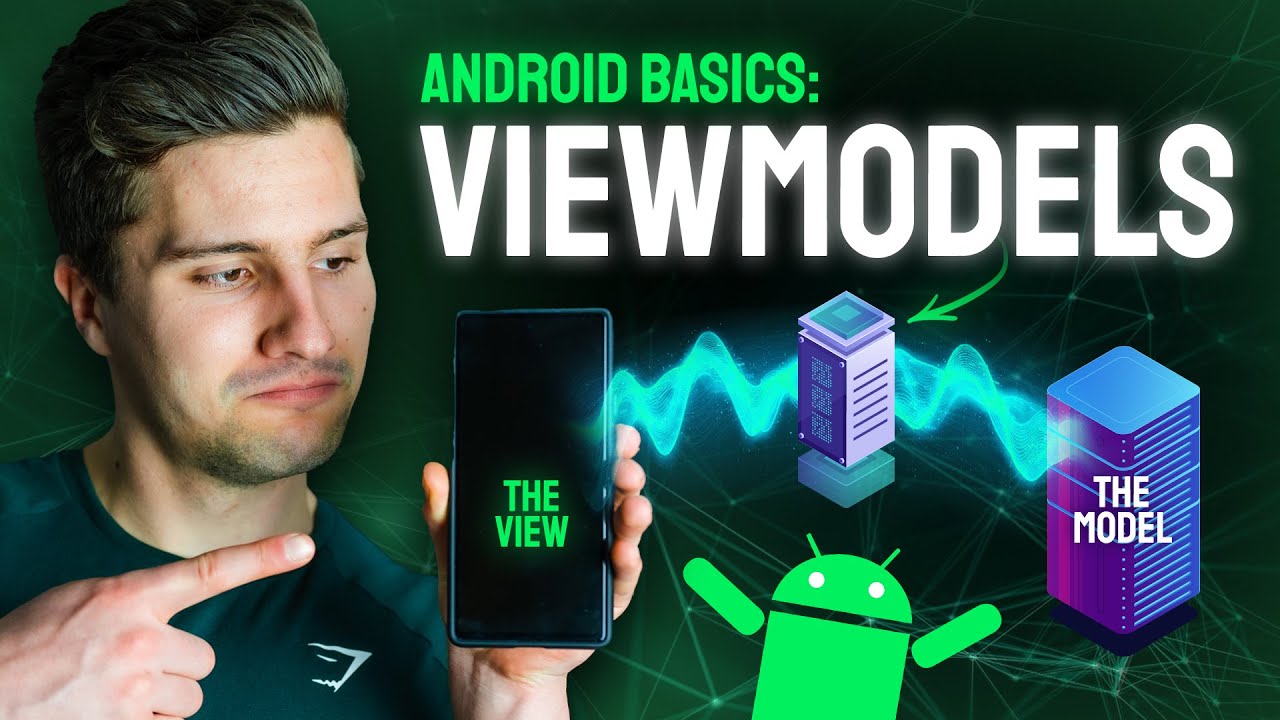
view model really is on Android I will link a video down below where I did but if you look at 100 randomly picked real apps then you'll find view models in 99 of them so what is a view Model A View model is in the end nothing else than the middleman between your UI and your data layer so first of all the view model receives events from the UI when something happens in the UI so when the user does something like clicking a button changing a text in a text field anything that has some sort
of impact on the UI State then the view model has reference to your UI state so it actively keeps that rather than you putting that in remember blocks in your UI you put it in the view mod instead and when the view model then receives these UI events for example if the user typed something in a text field then you also have to update that text State and that is done by The View model again and lastly The View model has access to your app's data layers or to your data sources repository if you have
one and it can therefore save something in your database make an API call load something from local preferences retrieve sensor values whatever kind of app you're building so a sample flow code look like this you again have a Noe app where you have a node detail screen the user can maybe enter a title can enter a descript and the moment they enter something in the text field you just call a function from your UI to the view model where you just send the new text the new title in that function in the view model you
would just say Okay old text is equal to new text which updates the state and then again shows in the UI so the UI just listens to State updates that come from The View model similarly you would just do this for the nodes content and when the user then hits save in the UI which again is just icon button or normal button you again call a function of the view model on safe click or so and that is now when the view model will take the field so the nodes content the nodes title send them
to your data layer so to your nodes data source for example to ultimately save this in your local database after that is done the remodel again tells the UI hey saving was successful and the UI can navigate back so just all the logic that somehow has a direct impact on your UI then belongs in your view model and you have one view model per screen and that's the whole Magic to Android architecture all the details about it are really secondary so whether you know store your state in a single data class bundles it or if
you store it in separate fields in your view model or whether you bundle UI events into a sealed interface or whether you just call Simple functions of your view model these details are really not the most important part about architecture but these little differences are really just what the differences between those typical patterns like mvvm mvi MVP are all about some patterns just call a certain Class A Different Way some patterns bundle State some other patterns don't but in the end they all solve the same goal and they all have the same Foundation they just
give you slightly different ways to solve the same problem and I think whether you now give your architecture a name or not as long as it solves the problem or it achieves the goals that I've talked about here that's all you need and I think especially more complex architectures yes I'm talking to UK clean architecture have done more damage to beginners than it has actually helped them I'm not saying these architectures are bad um that you don't need them yes I also have tutorials about them I know they are very in demand a lot of
companies also stick to these types of architectures but I wouldn't recommend a beginner to star with these complex architectural approaches because they quickly raise the assumption that you need all those layers and those three different types of models to call your code clean but clean code starts with simple code and it's important to say that you can of course extend this topic there are very viable reasons to sometimes go more complex than I shared here and there are sometimes very viable reasons to also have an additional layer like a domain layer but when you're starting
out you really just need those two like as yourui and your data layer you can put your models in your data layer or UI that doesn't matter too much you put your view model in the UI with your screens together and that's it those are your layers as a beginner you will be so much better off starting off with such an architectural approach than diving right into something like clean architecture because you will learn more quickly you will enjoy the whole process more and you will get to the more complex Parts more quickly that way
so I really hope I could help someone with this as I said down below you will find the link to the workshop registration it's completely free it won't be record it and in this Workshop I will share my five learning methods that really help me to make all these different coding methods and coding Concepts stick thanks for watching have an amazing rest of your week and I will see you back in the next video and hopefully in the workshop bye-bye [Music]

















![The Complete App Development Roadmap [2024]](https://img.youtube.com/vi/yye7rSsiV6k/maxresdefault.jpg)