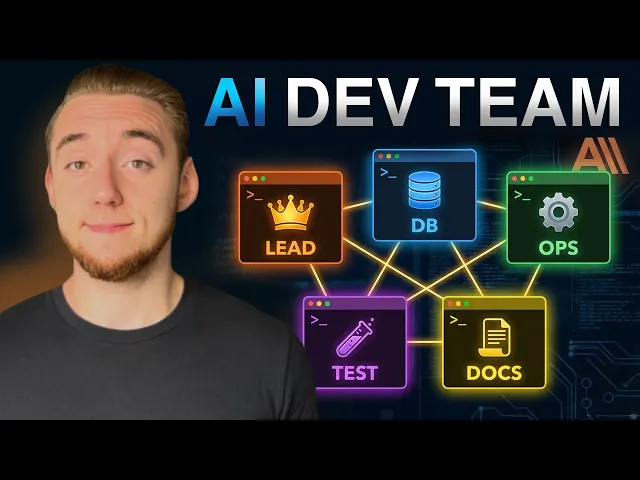
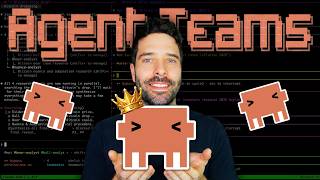
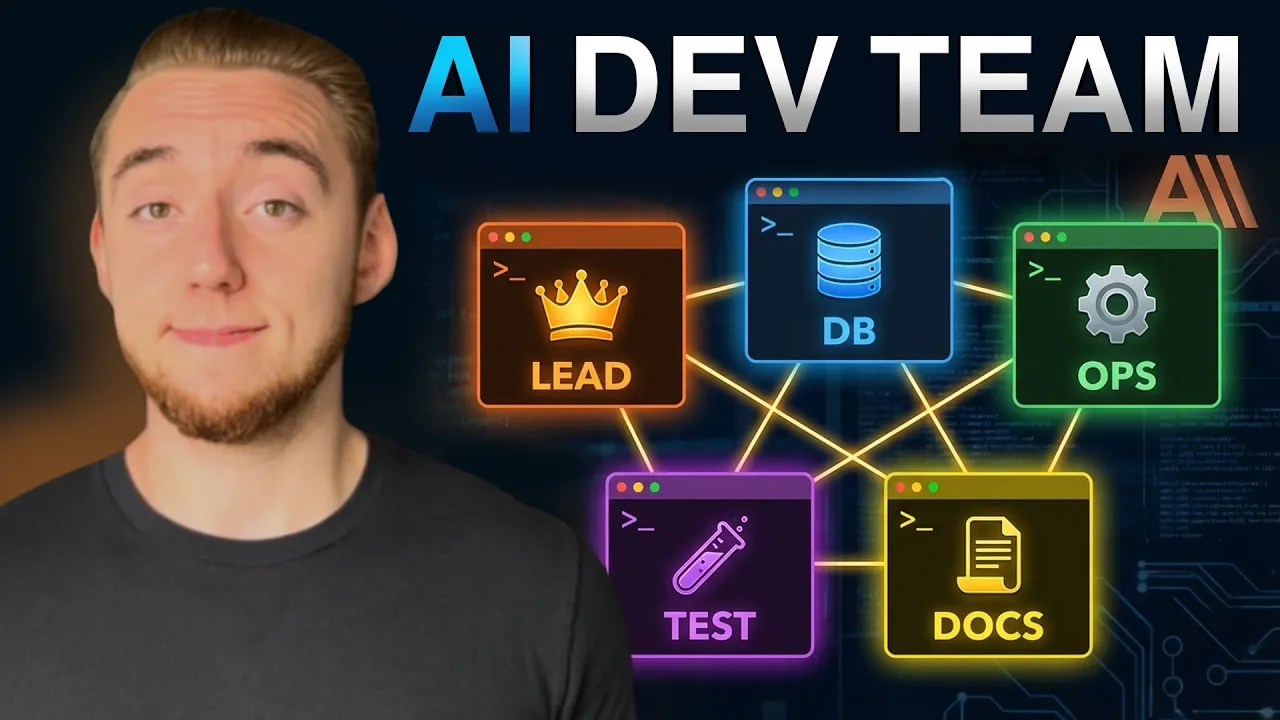
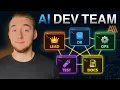
Take a look at this. I have four instances of Claude code working at the exact same time together to perform a code review on my codebase. And this is all thanks to the new agents teams feature that Enthropic has built into cloud code.
And man, let me tell you, it really does look like I'm peering into the future of agentic engineering when I am using it. So, we have our primary lead agent on the lefth hand side. And in real time, I watched it spin up each one of these T-Mux terminals to create these agents to collaborate on the same task.
Now, people have been doing this sort of split pane multi-teux terminal sort of setup for a while now. So, it's not really new, but there are a couple of things that make this super novel. The first is that our primary agent, it actually decided the team to form based on the request that I gave it.
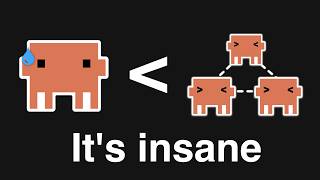
And the other part of this that makes it so powerful is that under the hood, each one of these agents is working on the exact same task list together. So this goes way beyond sub agents. These agents actually talk to each other like, "Oh, let me complete this before you work on this.
" They have that kind of communication that makes it so that we can take this idea of parallel agents a lot further. So in this video, I want to cover how agent teams works with you. It's a new experimental feature that you have to enable.
We'll talk about how to set it up. I also really want to cover how agent teams is different from sub aents. A lot of people are confused by this right now because they operate really similarly.
The main difference is we have collaboration versus isolation. There are pros and cons here that I want to cover. Agent teams is really powerful but it is not perfect.
So we'll get into that which will also lead into a template that I have for you. This is a command that I've built. Basically, you can use this to give instructions for cloud code on to how to use agent teams better because believe it or not, even though this is a feature built into cloud code, it's not actually that good at using it.
And so, I'll show you how to really take advantage of this new feature to do some pretty incredible things. Now, this code review demonstration that I have for you is just a really simple example what we can do with agent teams. Anthropic has published a couple of articles where they've shown how far we can push this idea.
For example, Anthropic used 16 agents running together with this new agent teams feature to build an entire C compiler. And let me tell you, building a compiler from scratch is not easy. If you were to hire a dev team to do this, it would probably be hundreds of thousands of dollars.
But they were able to do it with only $20,000 in API costs, which yes, that is still an insane amount of money. agent teams is very tokenheavy, which is one of the downsides we'll talk about in a little bit. But it's still really cool to see how far they were able to push what is possible with coding agents just running together, collaborating autonomously.
They literally just threw this in essentially a RA loop where they forced it to write, I believe, hundreds of thousands of lines of code to create this. So, it's very, very incredible. the kind of thing that they say later in this article, there's no way that a single agent would have been able to do even if you were to give this whole task to, you know, Opus 4.
6, for example. All right, so really quickly, I want to show you how you can get your first agent team up and running in just a couple of minutes, and then we'll get into how it's different from sub agents because it is really important to understand. So, I will have a link to this page in the description.
This is the official guide on agent teams from Anthropic. However, there is a lot of information here. It's pretty overwhelming and so I just want to break it down nice and simple for you right now.
So, the first thing you have to do because this is an experimental feature that is far from perfect, trust me, you have to enable it. And so, you can either set this environment variable on your computer or in just a terminal session or you can add this to your settings. json.
So, this is one of the config files for cloud code. You've probably worked with this before because it's where you set things like your MCP servers and your hooks. And so we can set this at either the global.
cloud level or in the docloud project directory. And so you can enable agent teams just for specific projects if you want. So the other thing that you have to set up if you want that split pane mode where you can see all the terminals at the exact same time is you need to install either T-Mox or iTerm 2.
These are terminal applications that support the split pane mode and these are just the two that are supported by claude code right now. So if you install T-Mox which is my recommendation or iTerm 2 then claude code can leverage that directly to create those terminals and you can watch them appear in real time. We'll see that in a second.
It is really really cool. And so the instructions is a bit different depending on your operating system. But actually in the agent team skill resource that I have for you I have a readme that gives you the installation instructions.
So really really easy. Just keep in mind for Windows you do need WSL. And so I actually have that.
So I got my Linux subsystem here on Windows. I'm running on Windows right now. And so the first thing you have to do is you have to set that environment variable.
So either like this or in that settings. json file. So cloud code experimental agent teams.
Boom. There we go. And so now the next time I go into claude agent teams is available to me.
So now, just like with sub agents, all we have to do is tell Claude we want to use the agent team feature, and it's going to know exactly what we mean. And so for a very simple example, I'm going to send in this request right here. So I'm asking it to create an agent team to review my codebase.
Similar to the demo I showed you earlier, that was a lot longer of a prompt, though. But for simplicity, I'm just going to say have one agent focus on security, one on code quality, and the other on documentation. Now, we could use sub agents for this as well, but the collaboration we have here, even for a simple example like this, I think is really powerful because, for example, the review on security might affect the way that we see documentation.
Like maybe we need to make sure we document any potential security issues that exist in the codebase. I think you get the idea of how that collaboration even for a review, but especially for when we're diving into actually writing code, that is really, really necessary. And so the lead agent here, it's going to do its initial analysis, think about the team to generate, and then it'll spin those off.
So I'll pause and come back once we've gotten to that point. So here we go. Usually the indicator is something like, let me create the tasks and spawn all three review agents because it defines the task list that is shared between all the agents once they collaborate.
And then in just a second here, we'll see the first pane spin up on the right hand side. And then it'll do all three one by one. And boom, there we go.
We have our security reviewer to start. And you can see the command that the lead agent runs. It's just starting another cloud code session, but it's passing in the prompt to give it that context around its role.
It is the security reviewer. And then giving it the task list and access to manage that with the other agents. And yeah, a lot is happening here.
a lot of buzz on my screen but it has started all three agents now really really quickly and each one of them is focused on their individual task but they'll start communicating with each other. Now one thing that I will say is you have to watch the logs very very closely just to get a sense for when the agents are actually talking to each other. So maybe that's one of the gripes that I have with agent teams right now is there's really not that much visibility into the actual collaboration.
And so I have seen examples as I've been testing things. And if you ask the lead agent after how the agents collaborated, it will give you a good answer, but for a lot of it, I just feel like I'm trusting that the agents really are working on the task list together. There's not a really good way to dive into it.
Now, one thing you can do is you can press CtrlB and then you can press an arrow key to navigate between the different T-Mox terminals. And so I can chat with any one of the agents here to ask it like what are you currently working on? How are you collaborating with this agent?
It's also really powerful to go to the primary agent ask that as well. It give me a status update on the task list and what the agents are working on. And then by the way once all of the agents in the team are done the lead agent will spin down all those terminals and you're brought back to the simple view here where you can continue to work with the primary cloud code agent or spin up another team if you want.
So, I want to take a little bit of a different break from the video than I usually do. I'm speaking at an event this March, which I am super excited to tell you about. It is the Sonar Summit, which is Sonar's first ever global virtual event.
And I'm doing a fireside chat on building self- validation and guardrails into AI coding systems. And this has been a big focus of mine because here's the thing, AI is already writing 30 to 40% of new code at major tech companies. So, adoption is pretty much universal.
But teams are realizing that shipping code faster does not necessarily mean also shipping quality faster. Review times are climbing, incidents are up, and security vulnerabilities just slip through. So for my session, I'll be covering what I call the AI validation pyramid.
This is a framework that allows us to define the validation requirements before we even write a single line of code. So it's a part of our plan. And we have our agent handle the foundation, all the easy things like the type checking and linting and our initial round of testing.
And then we as the humans control the layers that matter most. And besides my event, there is a lot more going on at the Sonar Summit. There are four tracks in total with keynotes on the future of software development in the AI era, deep dives into Sonar Cube, sessions on integrating code quality into CI/CD pipelines, a lot of awesome events to attend.
And by the way, it's free to come to Sonar Summit and they are running this virtual event in pretty much every single time zone. And so if you want to know how to ship quality at speed, not just code at speed, I would highly recommend checking it out and I will have a link in the description. So hopefully the value of agent teams and how to run them is clear to you.
Now I want to talk about how they are different from sub aents. And this is a really important distinction because now whenever you want to do parallel work with claude code, you have to make that decision. Should I ask Claude to use sub agents or should I ask Claude to spin up an agent team?
And spoiler, there still are a lot of times where you want to use sub agents instead, especially because of a couple of problems with agent teams that I'll talk about that'll lead really nicely into the skill that I have built for you. This makes Claude a lot better at using agent teams. So, I'm really excited to show you this, but first, let's talk about sub aents.
So, the primary idea with sub agents is context isolation. We want some way to be able to dish out a request that could take tens or even hundreds of thousands of tokens, but all we need back is a summary. So, our primary agent knows generally what happened, but it doesn't have to be polluted by the context of the entire task.
And this is important because context is the most precious resource when you're using an AI coding assistant. But this context isolation has downsides to it because there is no coordination between sub aents and the entire process is just a black box because it is only the summary, the final output that is given back to our primary agent. And so that is why I say that sub aents are generally used for focused tasks usually something like research because all we care about is the result that summary at the end of the research.
If we're doing something like coding and we have a sub agent actually write code then we don't have any idea into the process of the sub aent and so the main agent loses a lot of context as to what was actually implemented which is why I say research over implementation. There's no coordination at all. These sub agents work completely in isolation, which does make them very token efficient because they're honed in on a single task and they're only communicating a little bit back to the primary agent.
But sometimes you need a lot more than that. Sometimes you need your agents to coordinate with each other, manage a task list together, and that is where agent teams comes in. With agent teams, we still have a primary agent spinning off these subprocesses, but the difference here is they're actually talking to each other.
So, they have this shared task list. They're updating each other on their progress, communicating to the main agent as well. And you can instruct Cloud Code in a lot of different ways how this communication actually takes place.
We'll talk about that in a little bit. So, we have true peer-to-peer coordination. And this is so powerful for implementation because for example, our back-end agent might change something in an API endpoint where it would have to tell the front-end agent, hey, I changed this API.
Make sure you update the front-end component that uses the API as well. And it can actually do that. When we had sub agents in the past doing that kind of implementation, those kinds of things would break all the time because they're not talking to each other.
So, they'd step on each other's toes, but not know they're doing so. And so it was up to the main agent after to find all those bugs and fix it. And it was just a complete mess.
And so agent teams is a lot better for implementation. But you have to keep in mind that sub agents are a lot more token efficient. It takes a lot of tokens to set up this task list, maintain that collaboration and the communication between the lead agent and all of the other agents in the team.
And so this is a really really rough estimate but yeah often times when you're using agent teams it's like two to four times the token usage compared to just using cloud code by itself or using sub aents and so you oftentimes need the collaboration for coding. So generally I would say if you want a really simple rule of thumb right now you should use sub aents for any kind of research like diving into a codebase or searching the web and then you should use agent teams for your actual implementation. And so a lot of times when you're working with a single conversation of cloud code, you might start with sub agent research like analyzing the codebase and then create that task list and spin up the agent team to knock out the plan that you created from the research.
So again, it's sub agents for research, feed that into a plan, and then send that plan into an agent team. Now, as powerful as Asian teams are, there are two more issues that I want to talk about with you and then we'll get into the template where I've been starting to address this and experiment with some things to make Asian teams more reliable. So, the first problem that I've encountered as I've done a lot of testing on both Linux and Mac is that a lot of times you have to be very specific with Claude.
Like you have to say, create an agent team with four teammates to do this and this and this. If you aren't really specific, it just kind of hallucinates. It'll make weird teams.
Sometimes it doesn't understand how to handle the T-Mux terminals. Most of the time it will work. But there's just those odd instances I ran into where it just totally fell flat on its face.
And then the other problem that I've encountered is sometimes even with the agents communicating with each other, they can't truly run in parallel. For example, I had it happen once where I had my database and backend agent run at the same time. the database agent defined a bunch of the schema and then by the time it told the backend agent what the schema actually was, the backend agent almost was done with its work.
So it created this entire backend based on a completely incorrect schema. So it had to go back and do a lot of work. And so yes, the communication was there for it to fix itself, but it would have been a lot more token efficient if we just did database agent first, then the backend agent.
And so I have been working hard through a lot of experimentation to address both of these things with the skill that I of course will have links in the description. This is giving instructions for cloud code on how to more reliably create agent teams and manage the issue of sometimes things can't be totally parallel and being really specific for how to use the terminals and how to create good teams. And so I have this clone locally ready to go to create a brand new project.
And by the way, you can use this skill, and I'll show you how to in a little bit, to create brand new projects or features in existing code bases. And so everything is driven from these instructions here, which I'm not going to get too in the weeds with this right now, but essentially all we have to do is give it a plan, something we've created with sub aent research or whatever. Like here's the next feature we want to build.
So we give it the plan, and then it'll use these instructions to figure out what's the optimal team to address this plan. Should we create a backend front end and database agent for the team? Like what should it be?
Also giving instructions for how to manage the terminals effectively to reduce some of those hallucinations. And then most importantly, I have this process called contract first spawning. So we're not doing everything in parallel.
We we're setting the stage up front for some of that work that has to be done before we can just kick off all the agents like here's our database schema for example. Then we send the agents to work in parallel. And this has gotten very reliable results for me versus just telling Claude, "Spin up an Asian team to do XYZ" without any additional instructions.
And running this is super easy. So, all you have to do is follow the instructions in the readme. And like I showed earlier, I even have instructions for how to install T-Mux and then enable the experimental feature.
Copy this into the skills directory, either global or for your project. And then that'll give you the command. And so you can run /build with agent team.
You give it the path to the plan that you've created already and then you can define the number of agents for the team or also let cloud code figure that out based on your plan. So it can be very very dynamic. So I have an example here in my team terminal.
I pointed it to a plan for a brand new project. So I'm starting something from scratch and I'm going to have a team of three agents. And so I'll send this in and it'll look very similar to the demo that I showed you earlier for the code review, but this one's a lot more intricate.
We're building an entire project. It has to think quite deeply about the agent team that it'll create. And we'll see it spin that up in a little bit here.
All right. So, take a look at this. It's a fresh project and it's defined the contract chain.
So, we need things to be set up at least partly in the database before we can even go to the back end. And then same thing with backend before we go to the front end. So, it made the decision here.
This is all dynamic just based on the instructions I gave it to spawn the database agent first. So, it's the most upstream in the contract chain. So its first job, oh I lost that there.
Its first job is to build the database layer and then send me its contract. So it doesn't have to be done done. It just has to send the contract, then it can spin up the backend agent.
So we're still going to have some parallel work, but there's a little bit of the groundwork it has to lay first. And there we go. The database agent sent the contract back to the lead agent.
So the groundwork was done. The lead agent knew that. And so it started the back-end agent as well.
And then I kicked off another request. So the database agent keeps working actually. And so we're seeing this all happen in parallel still, but we had a much smarter flow.
And so we'll see the front end start in a bit as well. I'm not going to show this full example here because the point more is to show the intelligence up front. And I really encourage you to try this command for yourself.
Just see the consistency for creating these teams based on the plans, managing the terminals. It's so powerful once you have a bit of instruction to claw code for how you specifically want to use agent teams. So, I'd also encourage you to adjust the skill and the command as you're using it.
Make it mold to your use case and how you want to work with these teams because there's a lot of customization that you can do for the specific coordination as well. Like I'm doing this contract first approach. You can do whatever your heart desires.
So, that my friend is all that I got for you right now on the new agent team feature. Super powerful stuff. Like I said at the start of the video, I really feel like I am peering into the future of agentic development.
But like we've talked about, it is far from perfect right now. And so I'll definitely be covering it in the future as anthropic continues to improve it once it's beyond the experimental feature and also once I work on the skill and continue to use agent teams better and better. And so if you appreciate this video and you're looking forward to more things on agent teams and agent coding, I would really appreciate a like and a subscribe.