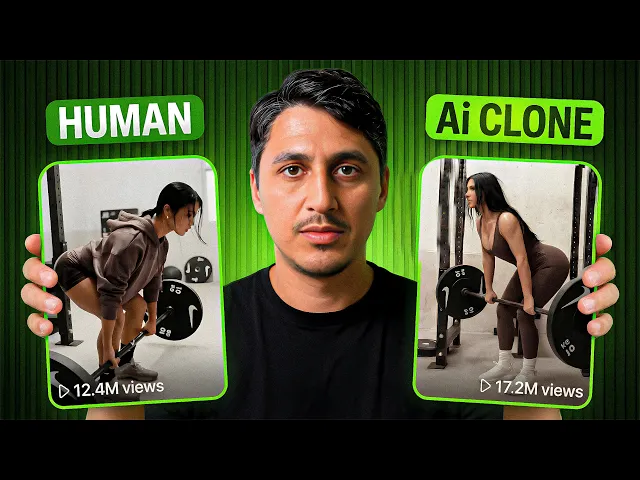
This Nike ad costs tens of thousands to produce, while this ad, I made this in five minutes using AI, starting with nothing but a single product image. No camera, no studio, just one single tool. Same cinematic look, dramatic lighting, and premium brand feel.
And the bonus is it doesn't look AI generated at all. Brands pay anywhere from 5,000 to millions for videos like this. But with the workflow I'm about to show you, you can create the same level of production starting from one single product image.
If you're selling products online and you want to position your brand as premium, this is the type of content that you need. Clean visuals, strong emotions, cinematic storytelling, and the best part, you can replicate this in minutes. In this video, I'll walk you through the exact step-by-step process to turn a single product image into a full cinematic commercial.
I've tested dozens of tools and workflows to simplify this as much as possible. And everything I'm about to show you happens inside one single platform. Image generation, video creation, editing tools, everything happens in one place.
And the biggest advantage is speed. Because this process is so fast, you can test multiple variations in no time. I've used this method to recreate a promo from Oakley and the Meta Glasses featuring myself as the on-screen talent.
I've also used it to recreate the ad style from the North Face and Skims collaboration. and have a look at this video. The branding stays consistent, the logos remain accurate, and the final result looks ultra realistic, just like a high-end professional production.
If you're new here, my name is Christian. If you want to step up your ecom game, hit that like button, subscribe to the channel, because I post tutorials like this one every week. Now, let's break down exactly how this works.
This entire process is built around four key stages: storyboarding, image creation, video creation, and final production. Let's say you're selling a product like this shapewear jumpsuit that's already generated almost $1. 4 million in the past 6 months on Tik Tok shop.
The product is already winning, but now you want to reposition that as a luxury brand. That means that your creatives need to match that premium image. The first step is storyboarding.
Before you touch any AI tool, you need a clear concept. A cinematic ad isn't just a collection of beautiful shots. It's a short story where your product is the hero.
And you only need to decide three things. What shots do you want? What environment fits your brand best?
And what emotions are you trying to create? For this example, I took inspiration from a Nike commercial. High energy, determination, grit, that premium athletic aesthetic.
But I didn't copy it word for word. I only used it as my blueprint. I broke the video down into scenes.
And I started by screenshotting all of the angles of the woman from the ad. the woman sitting on a bench before training, a heavy lift moment, a tight grip close-up, a scene where she changes the weights, and a recovery moment on the bench. Once your story board is clear, everything else becomes much easier.
Okay, now that we have our storyboard, let's move into step number two, which is image creation. Inside top view, create a new board. Select image edit.
For cinematic consistency, I use the Nano Banana Pro model. It gives strong character consistency and realistic lighting. First, generate a base character using a reference image.
Since this is an ad, the product must stay visible in every scene. So, upload the original product image and apply it to your character. Guide the AI with simple instructions like make the woman from photo two sit like the woman in photo one and she is wearing the outfit from photo three.
Upload your image references and hit generate. If the result isn't perfect, don't immediately rewrite the prompt. First, click re-edit and you can adjust your prompt in there.
And once you get an image that you like, that becomes your anchor frame. From there, click remix and create the rest of your storyboard photos while keeping the character consistent. Just describe the scene and you can add reference images as well.
For example, for the heavy lift scene, I used this prompt. Repeat this process until all your storyboard frames are complete. We now have all five scenes created with our new character in the new outfit.
And notice how fast we went from idea to consistent AI images. This is the kind of speed that lets you test multiple creatives in hours and not in weeks. Now comes the fun part.
Step number three is turning this images into videos. Hover over your reference image, click create video, and you'll enter the video generation interface. For this example, I'll use Clink 3, but you can also test models like Google V3 if you want.
Choose your resolution. I recommend 1080p. Set your aspect ratio to 16x9 for cinematic ads or 9 by6 for Tik Tok and then choose your duration.
You can also add XR reference photos to guide the motion. This model allows up to seven images. Now you need a strong cinematic prompt.
I used Gemini to analyze the original Nike style video and generate a scene by scene description. Then I asked it to convert that into a cinematic video prompt optimized for the model that I'm using. And here's the prompt that Gemini generated.
If you want the exact prompts that I use in this video, drop me a comment below and I'll send you a free PDF. The more specific your visual direction, the more realistic the output. Click generate and let the AI render.
And here's the result. Clean motion, strong lighting. It really looks like a high-end professional production.
Repeat this for each storyboard frame until your full sequence is completed. Hover over each image from your storyboard scene, enter the prompt, and click create video. And when the video is ready, review it.
Compare versions if needed and keep the one that feels more natural. You can easily mark the ones that you like by using the star system from the board and by adding comments. And now comes the final stage, the production.
This is where separate clips come together and turn into a real cinematic commercial. Export your clips and bring them into your favorite editing software. I use Caput, but you can use anything you want.
Arrange the clips according to your storyboard. Keep transitions minimal. Focus on pacing.
Add subtle cinematic music if it fits your brand. Premium ads are simple, clean cuts, and strong visuals. And just like that, your first cinematic AI ad is ready.
We took an idea and turned it into a brand campaign that looks like it had a massive budget behind it. Instead of waiting weeks for a production team, you can launch new creatives in hours. So that's the full workflow from a single product image to a Nike style cinematic commercial in just minutes using AI.
If you want to try top view, you're going to find the link in the description. And if you're interested in creating UGC ads with AI, watch this video next. Click it and I'll see you there.