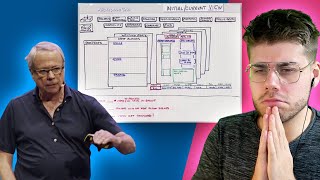
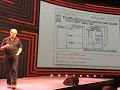
I had a topic called the GCD app right I actually created the ultimate GTD app I have it willing to give it to you by the way because you know in the newsletter soon if you get out of GTD newsletter hopefully you all do I'll give you a link to this there's the home page that's what I want to see when I hit f1 right I want to see what gotta happened today what I need to know about today what needs to happen specifically on the time today I need to see what just happens sometime
today for sure I need to have all the rest of it at my fingertips so I can see longer or shorter on the process I need to see then the other stuff I need to do in and around what's on my calendar and quickly be able to see a map of all the projects I have I also by the way want to see and want to have the ability to be able to hit a note anywhere on my computer and a post it shows up and it drops into an end basket and also the size
of that end basket will change color as it grows and it will be on the corner to my screen all the time right gonna let me know how many projects I have that don't have next actions on them and any previous things I thought I was supposed to do on a day that went forward didn't get done I need to say that's that f1 that's what I want to see when I hit f1 now by the way each one of those things each one of those boxes you could click on any one of those and
they will take you to other other things just if you're processing your in basket that should look a little familiar to you folks it's going to do that but as you're doing going through that each one of those things when you click will take you to that area so that you can then manage that appropriately and you know the right way if you have a project that project page should be processed there you should have the ability to manage as much of that detail on that project as possible if you want to get to take
a look at that project by the way if you identify something as a project this will also instantly give you whatever you program as the time you want to have for your project brainstorming software to become to secondo screen i to me give mine manager for two minutes if I wanted a extend that I can if not then it goes on to something else but it asked me is there a next action on this David before you leave your brainstorming that's just three of nineteen screens but I drew in 1994 it hasn't happened yet now
Kota and score oh and you know come on folks and Ken and I'ma focus all have done elegant versions of a lot of this but not the whole thing yet we tried with two different teams with some of the best brightest people in this world and also 15 years of my friend Eric Mac who designed what I'm still using which is an overlay on IBM notes now which comes close to some of that as close as we could get right with the technology so talk to Eric if you want to see here a lot of
that history where this comes from the two times we did this in the mid-90s and then only about four or five years ago it was Eric Eric Anderson his fabulous company intentional software at that time and neither one of them was able to get success for it for various reasons not because of the lack of talent or the lack of a model to work on but both technological issues bi-directional issues trying to build it you know something that would integrate all of this because it has to have calendar has to count had the ability to
integrate all of the stuff that you're doing and see it in a dashboard and be bi-directional expensive and hard to do technologically legally the worst thing is the market didn't think it needed it come on people still walking around with stuff in their heads why would they bother buying something like that so building a valuable you know final valuable product however you call that in the agile world to begin with start to do it never really got off the ground so this is going to be available publicly and if you want to run with it
have at it that's it folks [Applause] thank you