is, by far, the best platform out there for creating a paid community. So, in this video, I'm going to show you step by step how to set up a paid community using WAP. Whether you're selling a high ticket coaching program, a low ticket recurring community, a high ticket community, or a free community, it doesn't matter; it's the place to be.
The reason why is because it lets you do everything you need inside of one platform. You can have course modules in there, you can embed websites, you can use it for payment processing, you can do direct messaging, chatting, forums—literally, you name it, it's in there. So, in this video, I'm going to show you step by step how to set everything up.
Without further ado, let's get right into it. All right, so to make your paid community on WAP, first things first, you're going to go to wap. com.
It's going to be linked in the description, and then you're going to hit "Start Selling. " It's going to ask you to name your community, so I'm going to name my community "Get Fit Fast. " This is a fitness coaching community, and I'm going to hit "Next.
" You're going to select your category out of any of these; I'm going to go ahead with "Fitness," and then I'm going to hit "Next. " Right away, it's going to say, "Hey, welcome to W! " So, the first thing you want to do once you're inside is add apps.
What an app is, is basically courses, chat, forums—whatever it is that you need for your specific community—you can add it in here. You can add as few apps as you want, or you can add as many as you want. I'm going to cover the apps that I think pretty much everyone needs.
So, first things first, you're going to need a chat so your community members can communicate. You're going to go ahead and hit "Add App," and let it load. Next up, you can pick who's able to post in this chat, so I'm going to hit "Everyone," set the default username colors, and then I'm going to leave this and then next you're going to want to hit "Access" and pick who has access to this chat.
You can make it free, or you can make it paid. Since I didn't create a product yet, we're going to go ahead and create a product. Then, you're going to pick: do you want it to be free or do you want it to be paid?
I'm personally going to pick "Paid" because I want to make money. So, you click "Paid," and then you hit "Continue. " Then, next up, it's going to ask you, "Oh, do you want to do a subscription or a single payment?
" In this case, since this is a fitness community, I want recurring clients, so this is going to be a subscription. I'm going to hit "Continue," and then for the price point, you put it up here. You can put as much money as you want, or as little money as you want for the subscription period.
You're going to want to hit "1 Month," so this means it's going to bill them every single month. You can add a free trial if you want; you can add an initial fee. I'm not going to do that; I'm just going to hit "Continue.
" Next up, you can pick if you want to make your product visible to the public, if you want to make it hidden, or if you want to make it hidden with a password—completely up to you. I'm going to do "Visible Public. " The reason why you'd want to do "Hidden" or a "Secret Link" is if you're selling high ticket and you don't want to reveal the price point to people, and you want to gatekeep it behind the sales call; you're going to go ahead with the second one.
However, if you're fine with people seeing the price point and you want them to do an instant checkout themselves, just go with the first one for all low ticket communities. Pretty much just go with the first one, and then boom, done in seconds. So, now we have a product, and we've included the chat app inside of this product.
What this means, in simple language, is everyone who has access to this product and pays 100 bucks a month instantly gets access to the chat. Now, I don't know about you guys, but I don't want to charge someone 100 bucks for just a chat. So, what I'm going to do is go and add more apps.
You can add a course, so you're going to go ahead and click "Add App. " Once you hit the course button, it's going to say, "Create Your Course. " Now, right before I do that, I'm just going to give access to everybody who's paid for the Get Fit Fast community.
So, I'm going to checkmark that, and then I'm going to go back to the setup and hit "Create Your Course" now. So, give your course a name: "How to Lose Weight," and I'm going to hit "Continue. " Course tagline: I'm going to say, "Get Fit Before the Summer Ends," some clever copywriting right there.
Hit "Continue," and then you're going to want to describe what's inside. So, just for speed purposes here, I'm going to say, "Lose Weight Quick," and then I'm going to hit "Continue. " And then boom, we got our course live!
So now, we're going to take a look around, and it's going to prompt you to upload your course videos. How you're going to do that is you're going to hit "Lesson One," and then you're going to upload an MP4 file. The thing with this platform is it's super secure; it basically does this in a way.
. . Where people can't steal your course videos, WAP is the only platform where I've seen this executed efficiently.
It even watermarks it if someone tries to steal it, so it's super, super good. So, basically, here you're going to upload an MP4. Boom!
My video just finished uploading. Now, to rename the lesson, I'm just going to click up here and say, "Mindset: How to Get in the Right Mind Frame. " Kind of, you know, I could have probably done that better, but just for the sake of this tutorial.
So, once you have your first lesson added and you want to add another one, you just hit "New Lesson. " You want to go for multimedia like pretty much 99% of the time. However, you might want to do text, video, PDF—you know, completely up to you.
I'm going to go ahead with multimedia because it lets you rename the lesson, upload a video, upload files, and you can even put text down here. You can even make it look super pretty by hitting the forward slash. You can put a heading, "Hello," and then you can put different stuff like that.
So, remember: rename the lesson, upload your video, and you're ready to roll. Make as many chapters as you need, and boom—you just launched a course! So, that's how you do it.
In terms of the chat and what it looks like, you can just hit "Chat Preview as a User" and say, "Yo! Hello, World! " So, boom!
Now we got a chat! Now we got a course! We can push this live and start making money.
The cool thing is you can put these together inside of a folder. So, I might want to call this "Low Ticket," so I'm going to hit here and rename the folder "Low Ticket" because it's 100 bucks a month. Then, also, you can rename the chat.
So here, I'm going to name this "General Chat. " So, "General Chat," and then for courses, I'm going to name this "Weight Loss Course. " So, boom!
This might be your low-ticket product. However, you might want to have a high-ticket upsell, which I highly recommend doing. So you're going to want to go to products, hit "Create Product," and then name it "Keep the Weight Off.
" This is going to be our high-ticket because our low-ticket, for 100 bucks a month, we get them in; we showed them how to lose the weight, and now it's a whole new thing to keep the weight off. So, that's going to be our upsell. I'm going to hit "Keep the Weight Off.
" I'm going to make it paid, continue. For this one, I'm going to do a single payment, and it's going to be $4,000. It’s going to expire after 4 months, so I'm going to hit "Custom Duration" because 4 months isn't an option.
Then, I'm going to put 120 days here, which is equivalent to 4 months. Hit continue. I'm going to make this hidden, so it's a secret link, just because I'm going to be doing sales calls for this high-ticket program.
I want to make sure people don't actually know the price point before they hop in because it might prevent them from wanting to join. So, I'm going to hit "Secret Link," continue, and done! Boom!
Now we've got our high ticket. Now, what we need to do, just like last time, is add apps to this high ticket. So, what I'm going to do is make a new chat, and I'm going to go ahead and name this "High Ticket Chat.
" Now, you don't actually want to name it "High Ticket Chat"; you know, name it "Keep the Weight Off Chat"—whatever you want. I'm going to go to access and then I'm going to only put the access for the high ticket. Then, I’m going to go ahead and also create a course for the high ticket.
So, same thing—go here, add app, and then once it loads in, we're going to go to access, put it for only the high ticket, and then I'm going to go to setup and make the course. Just for time's sake, I'm not going to do that again since I've already walked through it: you rename it, you can put it like this, and then rename the folder to "High Ticket. " Now, just to walk through a couple of other apps, there are also forums, which are super good for announcements.
So you can go ahead and add this app; we're going to bring it into our low ticket folder, and this is going to be used mainly for announcements. So, I'm going to rename this "Announcements. " Then, I'm going to go into it and hit access, and I'm going to go here and checkmark this just so that everybody who has access to the low ticket community gets access to these forums.
Now I can go ahead and preview it as a user and make my first post. So, I'm going to say, "Welcome to my community, bro," and then post this. And then, boom!
Now we got our first post up. So, I can use this for announcements: "Hey guys, new course modules up! " "Hey guys, new videos up in the platform!
" You know, whatever, whatever—I can just put that right in here. So now we got our product built. We can literally launch this and start making money today.
There's a ton of other apps in here, just for time's sake I'm not going to go through them; however, there are nice descriptions here for every single app, and you can also use the search bar to find more apps. And if ever there's an app missing that you really think. .
. Should be here. You can just request an app in the top right.
Now, just to show you what a fully built-out setup looks like, I'm going to go inside of Internet Money. In here, you can go to Resources, Community, Courses—there's literally everything you need inside of here. So I'm going to give you a rundown.
The way that the Internet Money guys set it up is there’s the intro course. You click in here to get access to it: intro, business models, funnels, how my e-figure company works, and so on and so forth. It shows the durations, and then the user can just click through these courses and watch them as they go through.
They're going to get a progress bar on the top here that says when it's complete, once they checkmark it. Next up, there’s a chat. I just dropped a message.
I said, "Yo, what's up? " There's also an announcements thing, which is pretty much a forum where we have feedback, post your wins, and there's also an onboarding call here where they directly embedded their CLI. They also have an affiliate system inside of here, so this way, their paid community can grow on its own.
They also embedded a webpage inside of here, which is their high-ticket product. I actually edited this video on-screen if anybody was wondering. There’s also List Kit, which is their software company, and it’s another upsell they have embedded within this paid community.
As you can see here, they literally just embedded a webpage, which is something that allows you to do, and I'm going to show you how to do that right now. So what you're going to want to do to achieve that is go to "Add Apps," then hit "Website," and add your app. I went ahead and embedded my agency's website, which is Ticksale.
net, just in case I want to upsell some of these fitness guys on my agency services. Now, when I hit preview as a user, it's going to pop up my beautiful agency website. It's going to show all of our amazing case studies, and everybody is going to love this and book a call with us, getting upsold into our agency.
Now, obviously, my agency offer isn't congruent with the fitness offer; this is just for example purposes. But one important thing you want to do, guys, is never forget to go to "Access" and then make sure to give access to the low-ticket community, the high-ticket community, or whatever you want to. Now, the next thing I'm going to cover is how to make multiple payment links for your high-ticket products.
What you're going to want to do is go to your products, then go to your high-ticket product, and once you're inside, you can create multiple pricing options. So this is the pay-in-full price; they pay you $4,000 up front and get access for 120 days. And let's say your sales rep is watching this; they want to know how to send a payment link to a prospect live on a sales call.
Get that PIF—PIF means pay in full. They’re going to hit "Copy Direct Checkout Link," and then they’re going to go and paste this into the browser, and then boom, the prospect is going to be able to pay. I didn’t finish setting up this new OP just for example purposes, but usually, it’s going to look like this.
Boom! This is what it’s supposed to look like. I just made this right now for example purposes.
It’s going to allow them to type in their credit card info and pay right here on the side, and then they’re going to get instant access to your product. So let’s say you want to charge someone to split pay. Here’s how you do it: Most split pays take up more money up front and then less money afterward.
Here’s how you’d set that up: You hit "Create Pricing Option," hit "Paid," hit "Continue," hit "Subscription," and then "Continue. " You’re going to choose a price—this is the amount that they’re going to be paying recurring. So let’s say I want to charge somebody $2,500 up front and then $1,250 a month for 3 months afterward.
I’m going to go ahead and put the subscription amount up here, and then for the subscription period, I’m going to put 1 month. Then I’m going to add a free trial, which is going to be 30 days, and then I’m going to add an initial fee, which is going to be $2,500. I know that was super confusing, but let me explain.
Basically, what’s happening here is they’re not going to be charged the subscription amount for 30 days, but there’s going to be an initial fee for $2,500. So, pay me $2,500 today; 30 days later, there’s going to be a $1,250 subscription that’s going to start. That’s how it works.
Next, you want to hit "Continue," continue, and then after that, you always want to hit "Hidden Secret Link" for your high-ticket products. Hit "Continue," and it’s going to create the plan, and you’re going to hit "Done. " So now we got this set up, and then if I paste the direct checkout link inside of my browser, this is what it’s going to look like: $2,500 up front, and then after that, it’s $1,250 per month.
So congratulations! You just created multiple pricing options for your high-ticket product because you don’t want to be turning people away just because they can’t pay in full; you always want to have split pays. Another super cool thing about this is direct messages, so if you wanted.
. . To, you could run your whole company on W, which is why I like it so much.
So, anyways, this is Hunter. Shout out to Hunter! He's messaging me; he's saying, "Yo, what's up?
" Say, "Yo, yo, it's good! " And then he can see that message. The button I clicked to access messages is right here, and if I wanted to create a new message, I hit here, and I can search up a user.
And then boom! I could just direct message him right away, hit create, and boom, I'm going to be like, "Yo, what's up? " So I'm not going to send it, but you get the gist.
All right, so the next thing we're going to talk about is the dashboard. Once you're inside the dashboard, it's going to look like this. One thing about it is you can literally use it for payment processing.
For my coaching program, I use it, and the reason why is because Stripe is notorious for banning people's coaching programs. So many of my clients in my agency have gotten banned on Stripe, even myself! My coaching program's Stripe account got banned within two weeks.
That's because we got too many customers, but you can literally just run your whole business on W. Now, here, this is what your payout screen is going to look like. I'm going to blur out all the numbers because this is for my coaching program.
But here you see lifetime net revenue, pending balance, available to pay out, in transit to bank. You can withdraw it whenever you want; you can see all your payouts here. Next up, you can go to payments and see a list of everybody who's paid you.
You can even go to disputes and see if you've had any disputes. I'm going to unblur this just to flex; I've had no disputes. Then, next up, there's the operations section.
Here, you can get reviews. Next up, your users are going to leave questions here. We have cancellation reasons, so if somebody cancels from your low ticket or your high ticket, they can leave a cancellation reason, and you're going to be able to view all of them right here.
There’s even a resolution center, so whenever a user opens a case in the resolution center, it's going to show up here. This is useful for resolving issues with your users before they escalate to a dispute because you do not want to get any disputes. Then, next up, we have the affiliate section.
You can invite affiliates to promote your product, and they can get paid out, and you're going to get paid out, and overall, everybody wins. They even have a milestone section where you can get a phone call, a handwritten letter, merch, a trip to NYC—you name it, they got it. There's even an internal CRM where you can see people's names, emails, phone numbers—you got it all inside of here.
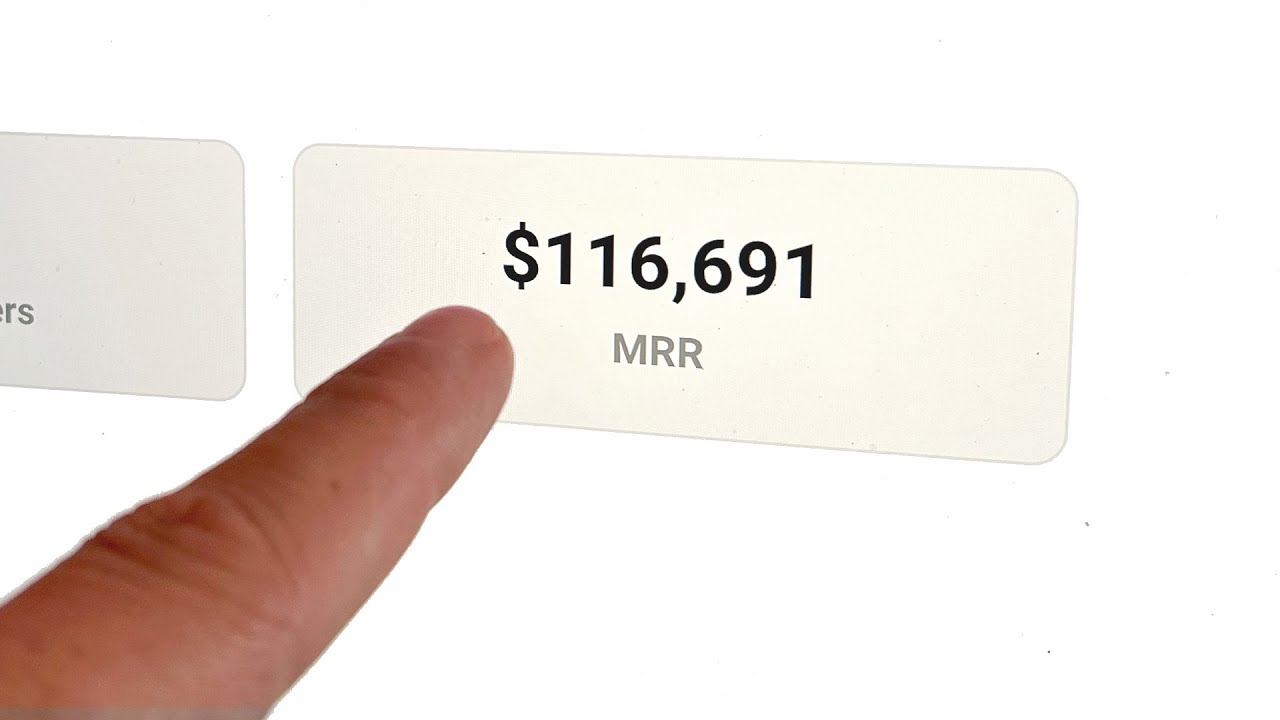
Next up, there's a home dashboard where you can see your MR, your AR, your gross revenue, new users, category ranking, marketplace ranking—you name it, it's here. One other thing that's amazing about them is their support is literally unmatched. If you click into it, it literally tells you, "We typically reply in under a minute," and this is not cap.
Okay, I've used so many software programs as a business owner; I'm sure you have as well, and they'll always tell you, "Oh, we reply in an hour," or, "We reply in a day. " Usually, it's way longer than that! It's super customer-focused, and they want you to succeed.
It's in their best intentions to help you succeed and make money on the platform. You can contact them just by clicking this button here, and then you can talk to a person. You hit this button; you won't be talking to a robot.
It's going to be a human being. This is so blessed; like with Stripe and all these other platforms, they usually always try and push you to a robot. Here, you can just hit "Talk to a person," and you're good to go.
So that concludes how to build out your paid community inside of W. Whether it's low ticket, high ticket, free—it literally doesn't matter. This is the spot to be because it allows you to do everything in one, even payment processing.
Guys, I can't stress this enough! Stripe is literally going to ban you, so you need to be on W. My coaching program got banned on Stripe, and a ton of my clients did.
We got them all on W, and then they were instantly able to take payments. So, if you guys want to get access to W and build out your paid community today and start getting paid online, hit the first link in the description. Also, if you need help getting more traffic or converting eyeballs into your paid community or high-ticket product, YouTube is definitely one of the best marketing channels used by the top sellers on W.
So, if you want to get more paid customers through a YouTube organic sales funnel, hit the second link in the description, check out all of our amazing case studies, and book a call. So, that's it! If you enjoyed this video, make sure to leave a like and subscribe, and I'll catch you in the next one.