hello everyone welcome to a new series for developers who are interested in developing with experience cloud and lightning web runtime sites in our fifth episode we will look at how to use content assets and metadata from salesforce cms within your lwr sites ready set go search for cms is as the name says account management system which is built on top of the salesforce platform it comes in two flavors content management within salesforce where you maintain all data directly within a salesforce environment and content management outside of salesforce where salesforce cms operates as connector to another
cms for this series we are focusing on the option to maintain content within the celtos environment and for the remainder of the video we will call just cms because well that makes it a bit easier now cms offers you a variety of capabilities you can organize your content in so-called workspaces have different content types schedule go lifetimes multi-language support and more and then you can deliver that content to your end users through a variety of authenticated or unauthenticated channels let me walk you through how that looks like for experience cloud and our sample app we
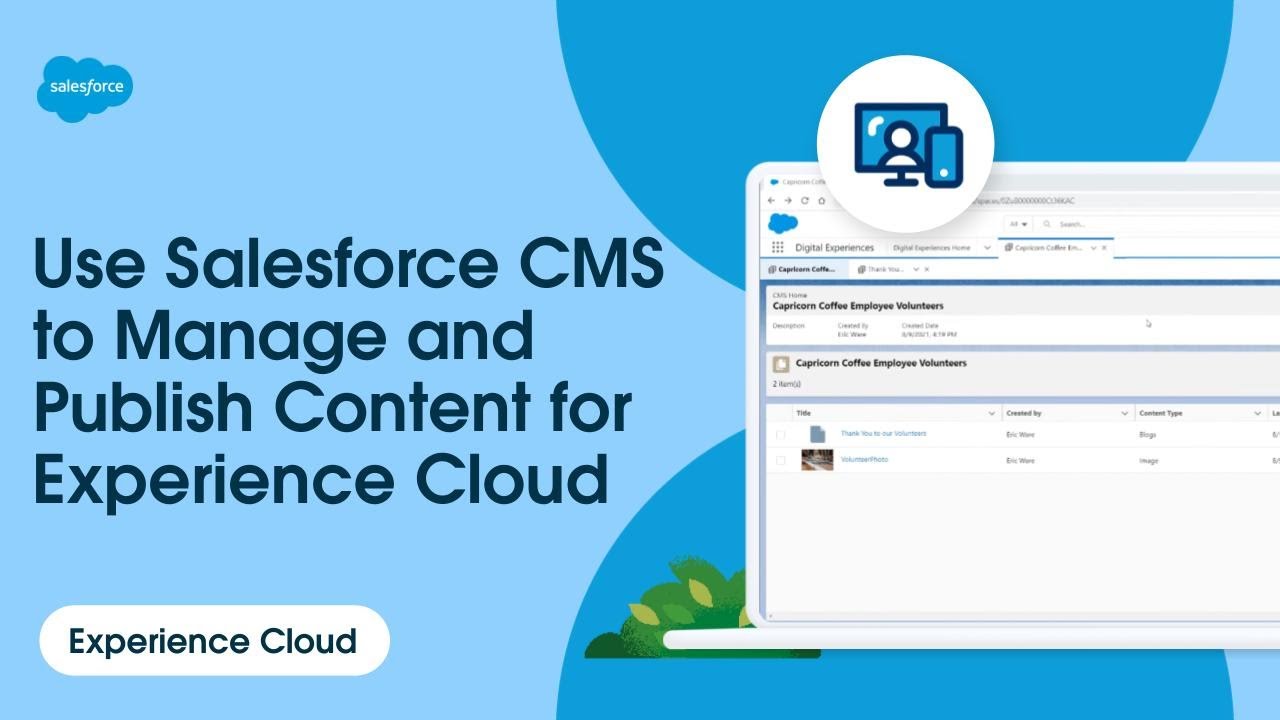
are here in our salesforce org environment to work with cms you have two options available in app launcher sas for cms and cms home personally i prefer to use the latter one so let's pick that because cms has been really built with experience cloud in mind you get an overview of the available sites like from our sample app and then you can create your workspaces where a workspace is really just a mechanism to organize your content around so let's do that we give it a name ac insurance in our case next we select the channels
that we want to deliver this content through and a channel itself is a mechanism to manage access control to your content it's visible when we click on create channel and on a per channel basis you define if the content can be publicly accessible to unauthenticated users or if it's for users behind the login additionally you can also specify if you want to serve this channel via b2c commerce page designer we won't go in depth here find in the description of this video links to some blog posts that walk you through the different use cases and
how to for example access salesforce cms content from marketing cloud so once we select the channels we can specify who of our internal users can use this workspace and also can administrate it and next we specify the available languages the default language and that's it we created our first workspace ours is now pretty empty at the moment so let's change that there are two options on how you can populate a workspace either while adding content manually using the add content action or via an import action as we have plenty of content prepared we will use
the later one and upload our content there are two types of content image assets and rated text content so we have to run two imports it is a really straightforward process and takes for our data only a minute or so now in case you wonder why we are doing this all through a user interface and not an api this is because there is no api for this which means creating and maintaining cms always needs interaction through an org that includes creating and or uploading content as there's also currently no api for this as our content
is now imported we can maintain it for example let's filter for carousel images and select the first entry this is the content that is displayed on the home page of the marketing site within our carousel component i want to highlight here the different metadata that you see like the button label custom image and so on this is available because we defined the custom content type carousel image based on our business needs it is important to know that you can't create custom content types through the built-in user interface if you want to have your own types
there are two options the first one if you prefer a user interface is to use the cms content type manager app from the salesforce app exchange the link to that one is posted in the description below the second option which i prefer is to use metadata content types are stored in a salesforce environment using the manage content type metadata type we look here at the metadata definition of the carousel image content type that was just on screen and working with that is really simple a field is represented here as a managed content node types node
in xml like the definition of the title or text or an image and compared to workspaces channels or content a managed content type can be programmatically created within a salesforce environment for example with the metadata deployment like with the salesforce cli you can create one now once you have all your content in an environment how do you actually access it within an lwr site and that's what we will look at next if you watched the previous video about custom navigation you may remember that we used the visual property editor to manage the behavior of our
navigation and the same can be done for cms content like for our carousel we can specify which content actually should show up on the carousel you will notice that we have a specific user interface which already filters for carousel images and this can be defined in the metadata definition of our lightning web components when we zoom in on the first property you will see the two key configurations first the type of the property is content reference which tells the property editor to actually display the cms content selector and second we specified a filter for our
custom content type so that we can only select this specific content type for this specific component because eventually we rely on content type specific metadata for our component now you learned so far how to set up cms and how to ensure that anyone can select your cms content for your custom lightning web component next we will explore what code we have to write the selected content is stored as metadata associated within our custom component on our site we're looking here at the page definition within our experience bundle and the content id value of our selected
cms content is stored as a component attribute value note that these values are preserved in your experience bundle so when you change a component attribute in general and then retrieve that metadata to your local project it will be stored in source format that may cause challenges when you don't have the same cms content imported in the environment where you deploy your site to we can now use the configured content id value to retrieve the metadata and data of our cms content for that we use within our sample app a single apex method get content in
this iteration of the sample app we designed that apex method to take in a couple of parameters like the content id language or filtered by content type what is really neat is that you can access cms wire apex using the connect api we provide the manage content class which has different methods to query cms and in our sample app we use the method to query by content key this method gives us in return a managed content version collection of all content notes based on our selection criteria the full documentation of the manage content class is
linked below in the description and that you will also find the other methods to query all content by channel by id and so forth in our lightning web component we then call that epics method for example for a specific content id in return we get a json object with the data and metadata of the query content and every node type that is configured can be directly accessed by its node name and then we can then access its value property there is one special thing to hide about images which are obviously the most visual asset images
have an auto-generated property unauthenticated url which gives direct access to the image for unauthenticated users on public channels to effectively use cms images in your custom lightning web component you will have to construct the url by prepending sf sides c to the unauthenticated url and if you want to make your component fail-safe you will also add the base path in case you have not worked with that it is an out of the box import that gives you programmatic access to the current base path of the current site this ensures that the component is agnostic to
your site's configuration with or without a base path after its domain now this is how you can use salesforce cms with lwr sites compared to other templates you don't have access to pre-built cms components and that's okay because this is a build your own template with a couple of lines of code you can use the connect api to query all your cms content and bring it into your site thanks so much for viewing feel free to like the video and see you next time when we talk about using experience cloud specific navigation with lwr sites
never miss an episode by subscribing and turning on your notifications