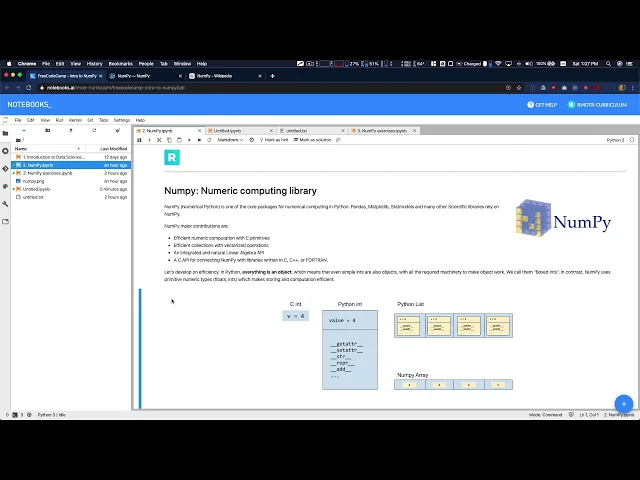
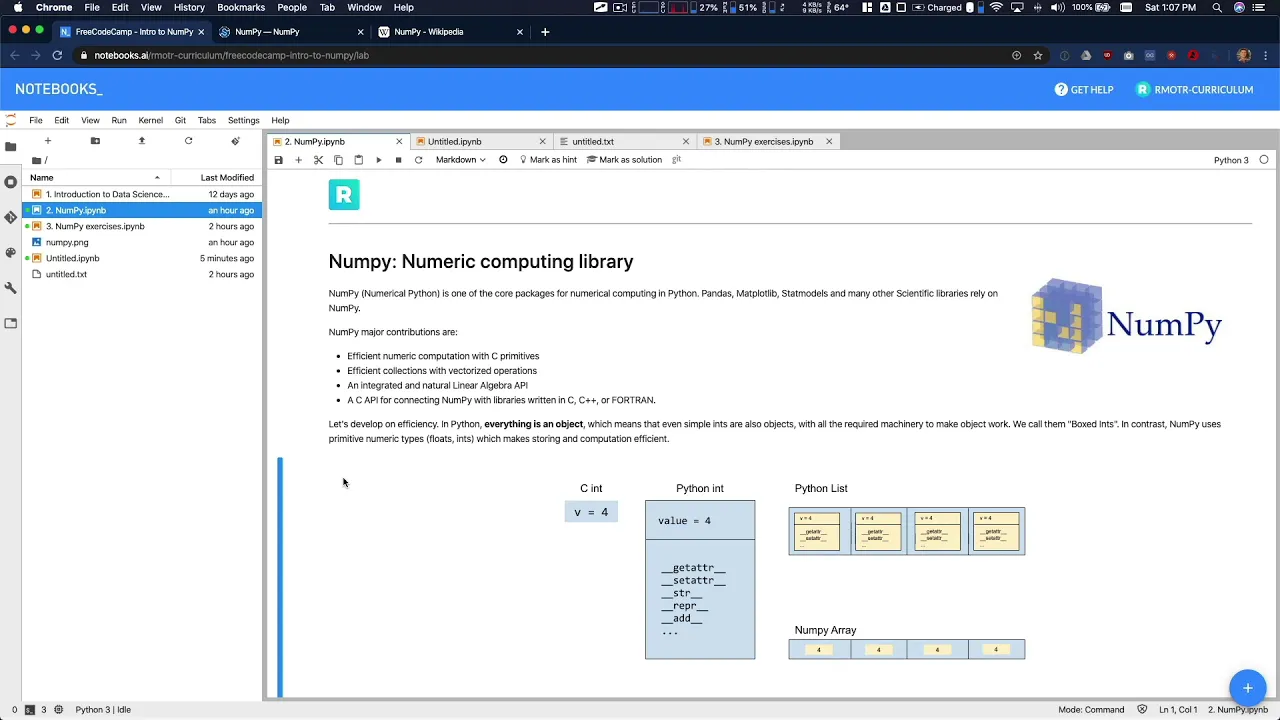
Now it's time to talk about NumPy, one of the most important libraries in the Python ecosystem for data processing. In general, it's the one that got pretty much everything started. And if you trace back on NumPy, it's it's a very old developed library.
20 years, maybe it's it's an extremely popular library and important library, I'm not gonna say popular. And I'm going to explain why in just a second. But it's a very, very important library in the Python ecosystem for data processing.
NumPy is a library that will lead you it's a numeric competing library, it's just to process numbers to calculate things with numbers. And that's it. So NumPy has a very limited scope, we could say, and this is an on purpose, a very simple library, when you look at it, and when you look at the API, which is very consistent, by the way, why is NumPy so important?
Well, in Python, numeric processing, and just pure Python processing numbers is very slow. Okay, Python is not slow as itself compared to other programming languages. But when you go down right to to very deep levels of performance, when you are processing large amounts of data, right, and you need to squeeze, even, you know, that tiny bite at the end of your pipeline, you need to squeeze every flow up from your CPU, then Python is not the right tool for non Python as as a pure python programming language.
NumPy is actually solving that NumPy is a very efficient numeric processing library that sits on top of Python, and gives you the same API as you're going to work with with just writing Python code, as you're saying here. But low level, it's going to be using high performance, numeric computations and, and arrays and numbers and representations, etc. That's it.
That's it for pi NumPy. It's extremely simple from from an API perspective, but it's extremely powerful. Why did I said that?
It's not so popular. But yes, it's so important. Well, because in reality, we don't usually employ NumPy directly, you will not see yourself using NumPy.
So often, but you will be using other tools in Python, like for example, pandas, and matplotlib. And they are all working on top of NumPy. They're all relying on relying on NumPy for their numeric processing.
So that's why NumPy is so important. So the for, at least for this part of the tutorial NumPy. I'm going to divide it into pieces.
The first one is going to be a very detail, low level explanation of how NumPy works, why we need to use NumPy. And what are the differences between different bite sizes for numbers, we're going to talk about integers, but this is going to apply for decimals and daytimes. Also, and why you need a very low level, optimized to us NumPy.
Now you can, you can skip this part, you're going to find the description of this tutorial, the precise moment in time. So you can just skip and go directly to the second part, which is when we actually start using NumPy. And I show you how to create arrays, how to make computations, etc.
So for now, we're going to divide it in two parts, we're going to start first with the low level explanation which you can escape if you want, because it's not going to be crucial, you can easily use NumPy. Without it. We found that for some of our students, it's it's important to understand the low level basics of it, especially if you didn't have a computer science background, it can help you get you know, raise your your level of understanding of computers, and how to make your computations more efficient.
But don't worry if you if you don't want to go through that now it's fine. You can skip this part and come back later or any other at any other moment. You don't need at the ease to use NumPy seriously, you don't need it.
It's going to be beneficial, but you don't absolutely lead so you can just skip and come later. So with that said, let's actually go into into a deep understanding and explanation of how computers store integers, numbers in memory and what are bytes bits, etc. In order to understand why NumPy is so important.
We have to go back again to the basics. What are numbers, how they are represented in computers, etc. As you might know already, I can peterik can only process ones and zeros bits.
It can't process numbers or just decimal numbers to be more correct, sorry, it only can process ones and zeros. That computer is just always storing and processing ones and zeros. It's a binary machine, you're your memory is the central place the ROM, the random access memory in your computer is the the central place where your computer is storing the data that it's actively processing, right.
So you have, for example, a hard drive, which stores long term data. But the computer can process data directly from your hard drive. Before doing that, it has to load it into your ram into your random access memory again, usually, right a computer is going to have what eight gigabytes 1632 doesn't matter.
Let's say you have eight gigabytes of memory, that at some point is going to translate to number of bits that your computer can store. So if you follow, if you follow these we have right here, you can see the total number of bits available in regular computer with eight gigabytes of memory. Why is this important?
Because again, the objective of these of these tutorial is the objective of this part, at least is to explain how you can squeeze out of every single bit you can in your computer, right? How can you make it more efficient? For your numeric processing, both in storage?
use less memory for the same data? And also how to make it faster, right for your calculations. So in terms of physical storage, or actually memory storage, right?
How can we make it? How can we optimize to use the least amount of memory for this given problem? That's objective of optimizing it, we need to understand how numbers decimals or sorry, integers in the decimal numeric system are represented in binary, right.
So these table right here shows you the first nine numbers, 01234, etc. and their binary representation. In your computer, let's say you want us toward the age of user age of a user, which is I don't know 32.
You can't store 32 in here, because your computer, again doesn't know about decimals, it only knows about binary. To do that, you will need to find the correct representation in ones and zeros of 3030. Right?
Sorry, two, which is not this one, to be honest, I'm just making it up as we go. But again, you need to know the correct binary representation of these number in norther. To store that data, how can you know that?
Well, there is this whole binary arithmetic, right? There's a whole part of math dedicated to binary doesn't matter for now. But I'm going to just drive the intuition of it so you can have a better understanding.
And if you're interested, you can dig deeper later. So basically, any decimal number needs to be stored in a binary format, which of course only sticks, ones and zeros. And what we usually do is just we keep increasing zeros and ones in positions, right.
So in this case, we have the number zero, the number one, that's fine. Once we need to store the number two, winning now to increase the number, the position right here we need to increase, right, so we need to go from two to one zero, we go to the number three, it's one one, and then we need to go to number four, we need to increase positions again, because we only have two symbols, zero and one. So as you're seeing right here, up to these level, we need only one position.
Up to this level, we need two positions. This level, we need three positions. And these levels going to need four positions.
And you'll see how the size of each of these is increasing. And it's it has a an explanation behind it that we're gonna see in a second. So the question is how many decimal numbers you can store with n bytes and bits, sorry, bits.
So let's say we have n bits. And let's say n is equals to three. That means that you only have three positions, right three bits, how many total decimal numbers, you can store with it?
Well we can store 000 we can store zero, we can store 100 we can store stores are a one zero, right. So in these size, we can store up to here, we can store up to seven numbers 111 is equals to seven was once we've filled all the positions, right, we've reached the limit, right the largest number, the largest binary for this amount of symbols or positions. That's the number seven.
So these means that with three numbers, you can start from zero from zero, here, zero up to 111. In total, you can store eight decimal numbers here you have eight decimal numbers 012345678, total decimal numbers from zero to seven. The equation if you want behind this is as follows.
If you have n equals three, and it's, in order to know how many decimal numbers you can store with those bits, it's two to the power of n, in this case is total a bit. So if we go back into our drawings, we said that with three bits, we can store up to eight decimal numbers. And again, the equation is two to the power of n, it's going to give you how many decimal numbers you need.
You can always do the opposite process using logarithm and get how many bits you're going to need to create to store a given decimal number. I'm I'm not going to get into that so we don't complicate it. But again, the math behind it is extremely simple.