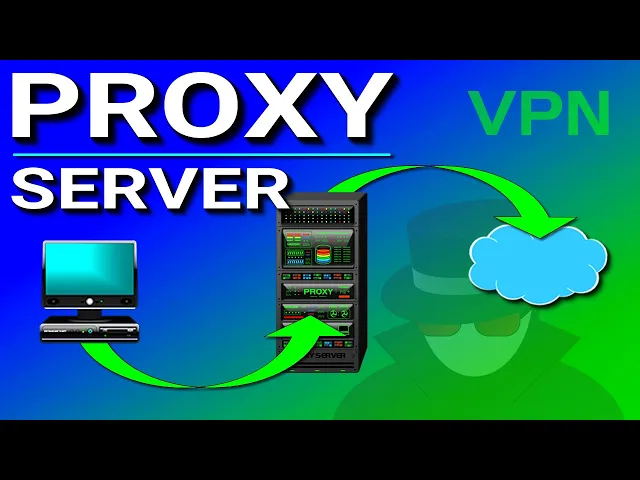
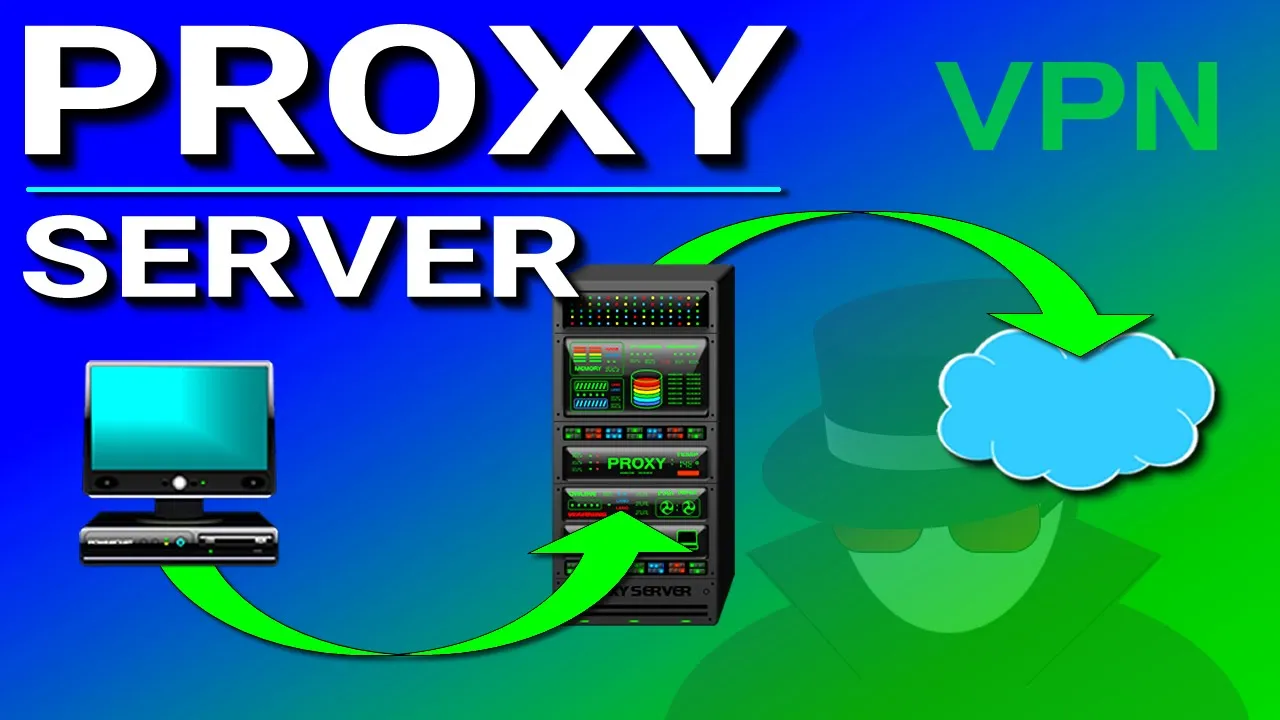
What is a proxy server? So that is the topic of this video. Now a proxy server is a server that retrieves data out on the Internet, such as a web page, on behalf of a user.
so for example, normally when a computer wants to view a web page out on the internet, you would just open up a web browser and then type in the address and retrieve that web page from its web server. Now when you go through a proxy server, the proxy server will act like a middleman and will retrieve that web page for you. So now when you want to go to a website, the proxy server receives the request from your computer and the proxy server will directly retrieve the web page on your behalf and then send it to your computer.
So the question is why would you want to use a proxy server? Well, a proxy has several benefits and one benefit is privacy, because it allows you to surf the internet anonymously because it hides your IP address. Because without using a proxy and when you visit a website, your public IP address is visible so certain people can know which websites you're visiting.
But when you use a proxy, your IP address becomes invisible because as the proxy server is retrieving the webpage for you, only the IP address of the proxy server can be seen viewing the webpage. So your IP address stops here and then the proxy IP does the rest of the work. And another benefit of using a proxy server is speed.
So for example, if a company uses a proxy server and whenever a user wants to retrieve a webpage, the proxy server will retrieve the webpage from the internet on behalf of the user and then it'll store that web page into a centralized cache database. So if another user on a different computer goes to a webpage that has been stored in the proxy database, the proxy server doesn't have to go out on the internet to retrieve the web page. It can simply retrieve it from its database and then send it to the user.
So this makes webpage retrieval much faster. And another benefit of this is that it saves bandwidth, because a proxy server reduces the need to go out on the internet to retrieve data because it already has that data stored in its database. And another benefit of a proxy is activity logging.
Now a lot of companies will use a proxy to keep track of what websites their employees are looking at. So when a company's employees are surfing the internet, the proxy will keep a record of what websites they're visiting and how long they were on those websites. And in addition, a company can also configure the proxy to block certain websites to keep their employees from visiting them.
Now there's one notable thing that a proxy server can't do and that is encrypt data as you surf the internet. And when data is not encrypted, that data can be intercepted by hackers, ISPs, or governments with the proper equipment. So this is where a VPN comes in.
A VPN or virtual private network not only hides your IP address, but it also encrypts the data that's being transferred between your computer and the internet. So any activity that you do on the internet, such as viewing web pages or transferring files, the data is encrypted and kept private when using a VPN . And no logging is involved.
A VPN provides a dedicated secure tunnel between two points over the internet. If you're interested in getting a VPN, I personally use Nord VPN and if you go to NordVPN. com/powercert and use the code 'powercert' or just click the link below, you'll get 75% off a three-year plan with an extra month for free.
Nord VPN has over 5,000 servers in 62 countries and they use military-grade encryption with a strict no logs policy and they also offer a risk-free 30 day money-back guarantee.