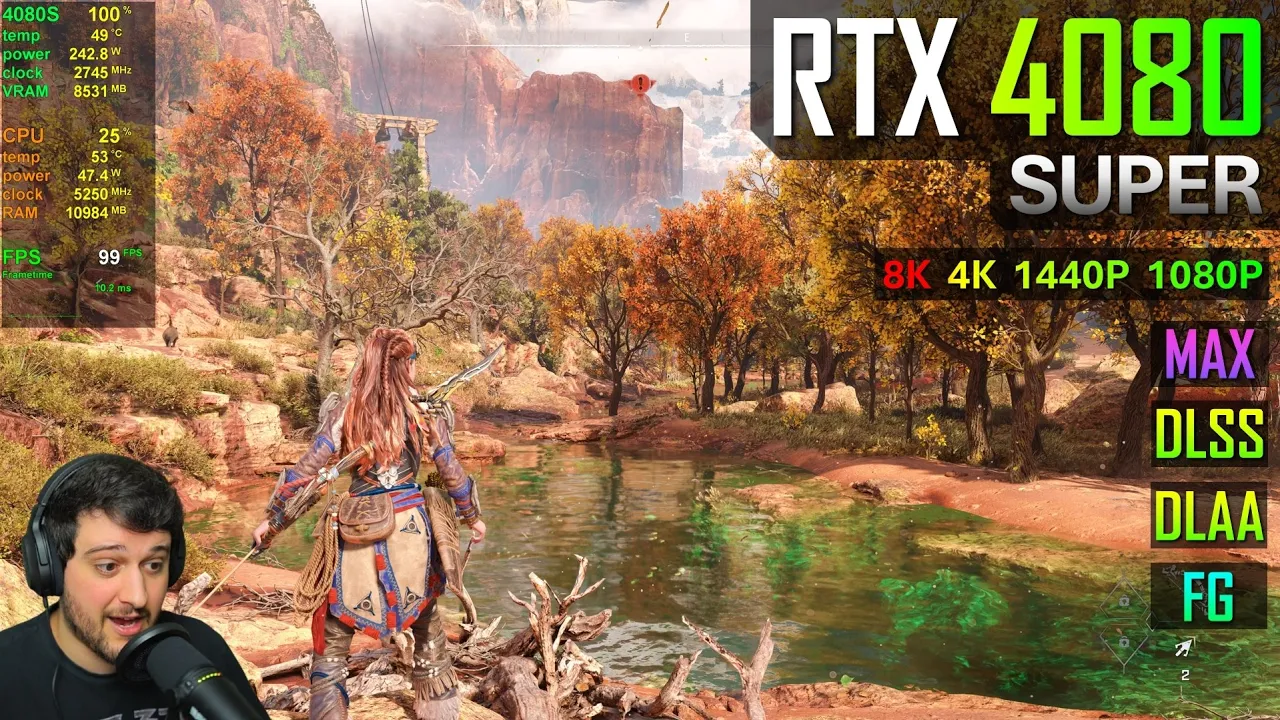
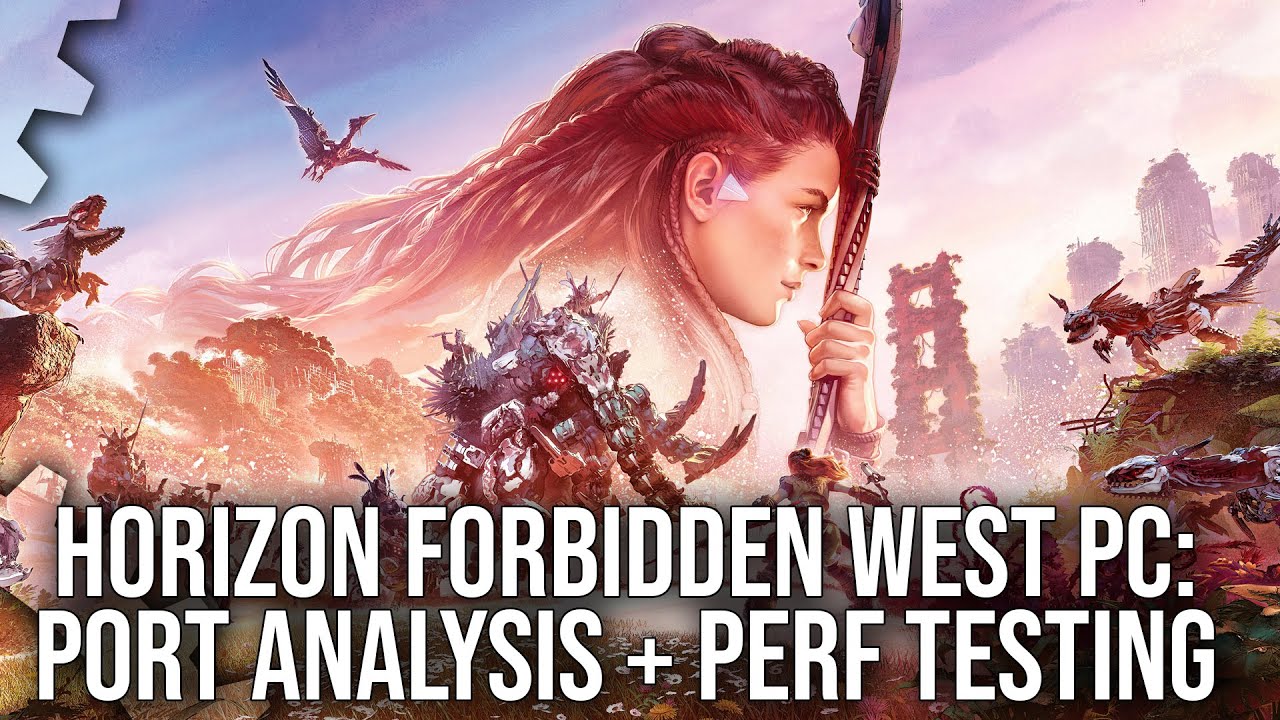
hello guys chis here welcome back to another video with this one my friends I'm going to be testing a GeForce RTX 4080 super in Horizon forbidden West this one is the founders Edition model of the card we are running it with the latest NVIDIA drivers and I'm not manually overclocking it you can see all of its specs here in Tech powerups GPU Z resizable bar is enabled and we got 16 GB of gddr 6X to work with and over on the left we're pairing it with a ryzen 9 7950 X 3D with half of its
scores disabled so we're only utilizing the 3D V cas course I get asked very often why I do this and it's because I want to make sure that the games are running on the 3D Vash cor some games won't really do that and you'll lose performance that way finally on the memory tab we're using 32 GB of ddr5 6000 MHz Ram in dual Channel and let's get right into it shall we all right here we have it guys let's go over the settings first I'm starting at 1080p using the laa and the highest settings over
here aside from motion blur Viet and chromatic aberation and I'm also going to test this at 1440p 4K and 8K resolutions all right let's start counting our FPS with and without tlss by the way uh now da laa does look quite a bit better than the TAA implementation that they got going on in this game I already tried it using TAA with a 3060 in yesterday's video in the minimum and recommended requirements of this game check it out if you haven't already and although the TAA implementation in this game is quite decent it's a little
bit oversharpened and I feel like the laa looks a little bit better and it seems like it's performing around the same as well by the way this is one of the most intensive areas in the game at least so far I played for about like an hour I played through the first few missions completely there was an area that was a bit more intensive and it dropped a little bit to these values that we're seeing right here but most of the time it was getting like 10 15 20 more frames per second well let's fight
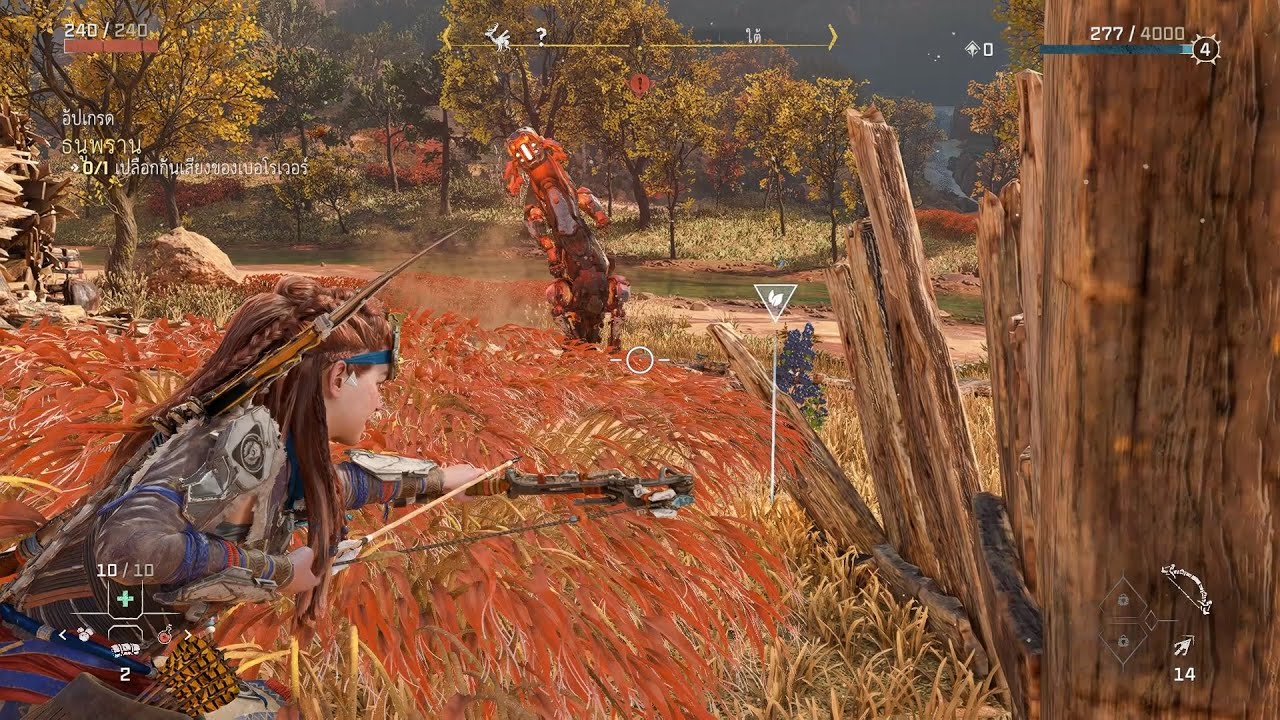
these bastards right here the bob bobs yes Rob Bobs these are Rob Bobs not robots okay there we go it seems like it drops slightly into like the lower 120 sometimes I've seen it dip down to like 110 115 frames per second already because um I I actually started making this video and I didn't really record it I didn't notice that I wasn't recording so the 1080p section I'm I'm just repeating it okay so now we're seeing a lot of NPCs on screen a lot more buildings and stuff like that and it's still getting around
the same FPS as out there guys uh doesn't really change by too much which is quite nice to see as well game is really well optimized actually from what I'm seeing here it actually looks insanely good like there's no blurriness to the image which is very nice and the water looks awesome as well wow I didn't expect this because most recent titles are super blurry you know at 1080p resolution but not this one even on my 42in monitor it's definitely super passable and speaking of 1440p I'm not going to do like the LSS and frame
generation here at 1080p res because there's no point really uh but I'm going to try 1440p now using the laa still and you know what I'm kind of curious actually using daa we're getting 106 frames per second right here right around that and I want to see it using TAA I want to see if there's a big difference between using TAA and the laa in some games like cyber Punk there is a huge difference actually so here we go TAA gets us like five more FPS four to five more FPS it's not really that big
of a deal so I definitely choose to play with the laa it's also a bit noisy using TAA and it gets rid of the noise when you use the laa and this is looking absolutely fantastic holy crap it's so detailed when you're swimming you can see the water ripples around you they're pretty good looking as well look at that damn it makes me want to go there in real life you know it looks very vibrant as well it's beautiful guys also oh oh the L flares in this game they are very very good looking as
well I guess around like 100 FPS average is what you can expect at 1440p Max settings in this game if you want more FPS you could use some dlss which I'm sure will look great here at 144p you could also utilize the very high settings preset instead of the maximum settings preset I'm sure that will bump the FPS by uh quite a bit as well um but yeah there's no need in my opinion cuz this is a single player title you don't need super fast reactions and it will work just fine with 60 plus FPS
and this is essentially getting like 90 plus FPS it's very very smooth indeed and the kind of experience that you'd want coming from such an expensive GPU honestly maybe you know if you're paying a, bucks God damn it for a GPU you might even want better than this but remember it's maximum settings okay 120 is right here I'm also just exploring this area you know let me just bring up the map Yep this the big area right here open world as well it's good for benchmarking and I wrecked the averages there because I went into
the menu you know what I'm going to kill that one but first I want to stand right here we're getting 99 100 FPS tons of particle effects look at how much alive this looks that's so pretty and there's a little bug as well in front of the camera amazing amazing the bug was detailed as well so we're getting like 99 FPS right here right so I'm going to enable the frame generation now and with frame generation on top of daa look at this I can tell it might be a little bit softer than it was
before but since the game is actually quite sharp at Native resolution and like other titles out there it it's not a problem in my opinion this this looks almost the same as native resolution guys it's really really close there might be some imperfections coming from frame generation I'm trying to see if I can spot any artifacting but we're at 120 FPS now and uh un like a high refresh rate monitor you might be able to tell the difference between 100 and 125 FPS which is the difference from frame generation enabled in terms of input leg
it's very similar I might be able to notice it a little bit but it's not really the end of the world it's above 100 FPS and frame generation above 100 FPS feels really good look at that what a raccoon my friends there's a raccoon and we can see his fur and everything and it looks great oh my goodness I didn't even know is there a Jack In this game by the way maybe Jack is a robot probably oh oh I'm sorry I'm I'm so sorry how did I yes it's like this okay there we go
yep oh boy oh boy oh boy I prefer the slow motion okay wait a second wait a second we should be fine I crafted some arrows let's get this over with good stuff also the frame time might be a little bit less thick than it was before with frame generation actually that's something that I found FG to do pretty well it's making that frame time graph even more stable it's super noticeable for example in Microsoft flight simulator it flattens the frame time graph by quite a bit and I find it to be kind of the
same here but it could also be because the FPS are just higher overall but I think if you compare this Frame time graph that we're getting here aside from those little spikes which are not noticeable by the way um it is a little bit flatter it's like more of a line than it was at 1080p without the frame generation and with the same FPS more or less so let's stop it there look at how close the 1% lows are to the averages this is great so far 2024 has been better in terms of game optimization
than freaking 2023 guys for some reason like we got this game which is buttery smooth and looks absolutely amazing we got hell divers 2 which is buttery smooth and doesn't look absolutely amazing but if okay I will take the optimization you know this is probably how I'd end up playing this game either like this or native resolution with the laa with a 4080 super at 1440p again there is no need to utilize upscaling here but if you want it let's try it on quality we're getting around the same FPS I guess maybe slightly higher than
with FG enabled on top of the laa but the game now kind of looks like TAA is enabled guys cuz can can you stop please can you God damn it okay uh I'm I'm fine I'm fine uh but yeah it kind of looks like TAA is enabled because it's a bit oversharpened now detail is still there though which is very impressive because this is upscaling from 900 ISP resolution or actually is it 892 p i I think it's 8 192p when the LSS is set to Quality at 1440 and obviously it looks a lot better
than that resolution it also looks better than some other games out there at even native resolution in 1440p so there's that but what is wrong with my skirt thingy what what the hell it's glitching out that's so weird um thankfully we're not using frame generation because otherwise I would think it was because of frame generation standing right here which is where we standed previously it's actually getting exactly the same FPS as FG with the laa so that's that's what I'd go for if you're not happy with the native resolution FPS and if you are happy
with the native resolution FPS just use the laa on Native and it looks fantastic and it still performs really damn well okay moving on to 2160p or 4K resolution using daa as well no frame generation or dlss yet and still using the max settings wow it I mean Jesus there's so much detail in this game it is really gorgeous I mean it doesn't look very close to to real life you know it's not super realistic but it looks absolutely gorgeous with that Lighting on the trees and stuff the shadowy areas wow it's lovely and it's
still above 60 FPS as well where is the other machine there there was a robot right here right I think so uh maybe just left hello little guy how's it going I'm not going to kill you like the the the world is ridden with freaking robots wow look at this look at the detail a far away detail as well I can see that bridge over there the trees at the distance are still moving with the wind and I can see the little leaves as well not really the little leaves we'll get there at 8K by
the way but uh yeah I can see that there's something there right it's just it's awesome and on top of all of this with this great draw distance and everything it actually isn't even losing FPS that is again really well optimized guys I I love it maybe it should have been playable or more playable on uh like GTX 1650s and stuff like that but the game just looks really really good even on the lowest settings it's very impressive and it has a ton of detail okay 1% lows are already in the 50s now all right
this is probably where the RTX 480 super will start to struggle a little bit bit okay water effect still not dropping from 60 oh there we go 58 okay so it will have some areas and especially like in boss fights and stuff like that although I have already completed a boss fight and it wasn't more intensive than this area so there's that but yeah if you come across a boss fight in an intensive area for example it will probably dip down into the low 50s at times and that's a bit underwhelming for $1,000 GPU but
at the same time the game looks so good that I I will forgive it okay guys again you can just lower down the the graphical Fidelity a little bit if you 60 plus 100% of the time or utilize D LSS which I am sure will look great at 4K resolution cuz usually at 4K it looks pretty much the same as the native stuff and also you know what maybe just disabling daa will be enough for us to get 60 plus FPS all of the time now that I think of it it only dropped to like
58 or so so yeah just disable n leising this is now yeah it's really sharp but you get a lot of shimmering and we're getting like 73 frames per second and let's see TAA here kind of the same FPS as an leasing offl right we only lost like two frames per second you know what 70 FPS or 71 is what we get here with the daa and with daa we get 68 3 FPS difference you know what I just pick the laa honestly even if it dips down to like 58 sometimes maybe overclock the card
a little bit like 100 megahertz or so and then it will stay above 60 100% of the time at least in this general area right here of course maybe in other areas it will dip down a little bit further but I've been to a city already and I've played through the entire thing first like the entire first part of the game or the mission whatever and again it wasn't really as intensive as this now let's try frame generation on top of the laa cuz again at the lower resolutions this looked pretty much the same as
native stuff and here at 4K holy crap it is so gorgeous and it is actually smooth now well it was just as smooth previously CU I'm using 60 HZ once again but on a high refresh rate monitor it will be quite a bit smoother because it's now 100 frames per second and yes you could argue it's not true 100 FPS because the input lag is a little bit worse now since it's still above like 80 frames per second it's okay and since it is around like 100 FPS frame generation just feels fine the input lag
feels fine as well I can tell it's a little bit worse than native 100 FPS you know but it's just the same thing as I told you previously this is a single player game I don't really mind a little bit of added input lag it doesn't really bother me much it's actually dropping quite a bit right here in the cutscene interesting look at that cutcenes can get pretty intensive and I actually found that while testing the minimum and recommended requirements it usually dropped a lot more in cut scenes all right so now I'm going to
get into a little bit of a fight with these guys wait a second actually not going to kill it right away cuz I want to see uh more effects on screen and stuff hello hello boy oh boy okay that's what I want to see yes sir if I die it's all because of science okay and I wanted it wait a second there we go that one is down all right what is happening by the way why aren't the other guys helping me maybe I shouldn't have skipped the cut scene but you know you got to
do what you got to do for benchmarks oh boy but yeah even with all of this happening it's not dropping guys so yeah I would choose these settings for my own playthrough in this game and uh well I can leave it right there but I will still utilize the LSS here okay the LSS quality no frame generation it should get around the same FPS as what we saw here with frame generation that's what we saw as well at 1440p so things should be very much the same in terms of FPS here at 4K okay but
in terms of visuals if you actually like a little bit of a sharper look an oversharpened look you could say as well this is a little bit oversharpened compared to just the laa at Native resolution it's interesting usually frame generation on top of native res doesn't look as good as D LSS quality at 4K resolution but in this title well FG on top of native res with daa looks better than dlss quality in my opinion it's a minor difference guys and I doubt you can actually even tell the difference if you have like a 28
in or 27 in or even 32 in monitor but here on my 42 in monitor I can tell this is a bit oversharpened and I it's not I don't like the look of it it's just that I prefer the look of native res with FG on now what if I use frame generation on top of D LSS will that make it a little bit less sharp like no I can still see a slightly oversharpened look but yeah I think since FG actually makes the game look a little bit softer than usual than without FG you
know and the LSS quality was a little bit oversharpened I think FG actually balances it a little bit and now you can have the best of both worlds really good visual quality which is very very similar to Native resolution actually and 100 plus FPS which is kind of insane wow damn I think I would still go for the laa plus FG because it looks a little bit better to me maybe it's just Placebo at this point this is 4K after all but I can still see slightly oversharpened looks sometimes um but yeah this is a
great experience actually every experience that we've had so far in this game has been really really good with this GPU stop it right there and let's go ahead and do the next step up my friends it's going to be 8K without frame generation first also have you taken a look at the vrm usage it's also under control a 12 gig card would be able to play with these settings without maxing out that vrm buffer that's another insane thing because a lot of games these days are super broken and they consume a lot of VM all
right this is it it's 4320p resolution no ngali in right here or dlss or frame generation but still with the highest settings wow it's just like watching a movie at the movies at the cinema yes movie at the movies yeah this is actually quite surprising considering we got 60 FPS Plus at 4K resolution I thought it was going to struggle a little bit more here with the maximum settings at 8K but it seems like at 8K maximum settings the 480 super can still handle this game a bit although I'm actually starting to notice a bit
of texture popping sometimes it doesn't happen very often but I've noticed it yeah once or twice already right there as well um I saw it again so maybe the VM is just not fast enough to handle 8K at these settings I don't know it's not it's certainly not running out of VM because it's using 14 gab of it and we got 16 gigs in this GPU another great thing about this game even at freaking 88k maximum settings it doesn't utilize 16 gabes which is amazing a lot of other games do now let's try D LSS
performance which usually looks insanely good at 8K resolution and indeed this doesn't disappoint here either it's actually less sharp or oversharpened than 4K with quality dlss but it is definitely a little bit more detailed than that at the same time and it's getting 40ish frame per second so I guess you don't even need to mess around with settings and presets you know if you want to play at 8K with a 480 super this will do it's 40ish FPS yeah not a great experience it's much much better at 60 FPS of course but it's still doable
and it feels great because it's not like frame generated um 40 FPS with a lot of input leg it's just true for the FPS and the input leg is what you should be getting reflex is also enabled so not a problem it still feels a little bit Snappy I think that's it for this one guys thank you very much for watching this video I hope you guys enjoyed it let me know what resolution you're playing on if you have an RTX 480 super and what resolution you choose for this game if you don't have an
RTX 480 super and yeah I'll catch you in the next one very soon as always love you all bye-bye




![Horizon Forbidden West [PC] vs [PS5] | Direct Comparison](https://img.youtube.com/vi/G78A4E_kSbA/maxresdefault.jpg)