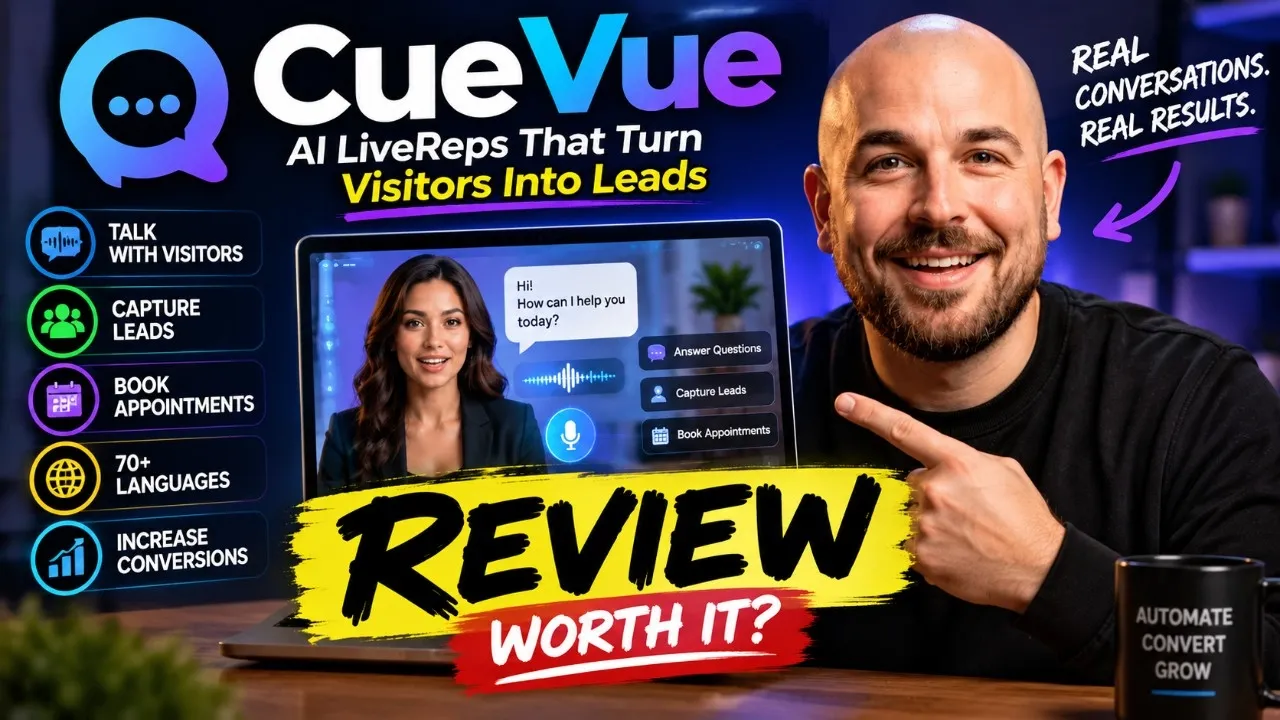
Hey everyone, Sam here and welcome back to my channel. Today I'm going to introduce you to Q View, an AI powered platform designed to help you turn your website visitors into real conversations using humanlike AI live reps. Instead of having visitors simply browse through your website looking for information, Q View gives them an AI representative they can actually interact with in real time.
Your live rep can learn about your business by creating a knowledge base from your website, answer visitors questions through natural voice conversations, capture leads, handle common objections, and even help prospects schedule appointments. You can customize the avatar, voice, personality, and purpose of your live rep. And once everything is ready, [music] you can add it to your website, landing pages, checkout pages, or sales funnels without needing any coding experience.
In this video, I'll first walk you through a complete demo of Q View and show you how the platform works. Then, we'll take a look at the entire funnel and pricing, [music] and finally, I'll show you the exclusive bonuses you can get if you purchase Q through my link. So, let's get started and jump into the Q View demo.
Everything starts from one dashboard. Your brands, your avatars, your leads, your appointments, and your analytics, all in one place. First, you create a brand.
Give it a website and Q View reads the site automatically, pulling in your business basics, your look and feel, and building a knowledge base it can pull from. If a site can't be autoreed, there's a guided fallback. Fill in the business basics, [music] pick your colors, and let AI generate your FAQs for you in seconds.
From a brand, you enlist an avatar, a teammate for that brand. One tap drafts the whole card. Name, role, mission, opening line, even the voice.
All generated from your brand automatically. You can regenerate any field or write your own. Then you pick the face.
Q View gives you a library of stock studio faces across three tiers or you can bring your own. Upload a photo, describe one with a prompt or use your webcam. The platform runs an AI quality check on your photo before it builds anything.
And any custom face requires signed likeness consent and an identity check before it can go live. So it's safe by design. Once you upload a real photo, Q View builds the custom avatar in under 2 minutes.
Creating the portrait, framing it, building the avatar, and writing its mission. Then it's ready sitting in your library with a name, a voice, and a personality. Every avatar opens into a five channel builder like directing a show from the booth.
Channel one is the mission, the goal, and the persona. Channel two is face and voice. Pick the rendering engine, the presenter, and match it to a voice.
Channel three is the brain, the knowledge base it answers from, so it never invents prices or promises. Channel 4 is the ask your own form filled by conversation with presets for lead capture, booking, sales, onboarding, testimonials, support, recruiting and surveys or just open conversation with no form at all. Channel 5 is on air where it deploys and where its leads go.
Deploying is one snippet or one link. Paste it on your site as a corner widget or send the link and it opens full screen and every surface it lives on injects its own context. So, a visitor from an email link is greeted differently than one who found it on your homepage.
Your keys never touch the page. Every conversation is captured automatically. Recording, transcript, and outcome.
Searchable in one inbox, appointments booked live on a calland straight into your diary. And everything rolls up into analytics, conversations, conversion, and the actual questions people are asking, computed straight from the real recordings. But here's the part that matters most.
What a real visitor actually experiences. This is Samuel live. You start the call and he's right there talking naturally with real facial expressions, not a static avatar, an actual conversation.
Ask him anything what the product does, what bonuses are included, and he answers in character in real time. Then says goodbye just like a real person would. Hey there, welcome to Samuel Marco Reviews.
Looking for honest insights on software and AI tools or curious about our exclusive bonus stacks? I'm here to help you find the perfect fit. I'm Samuel, an AI assistant, and this call may be recorded for quality purposes.
What can I help you with today? >> Please tell me more about your bonuses. >> Our exclusive bonuses are unique resources and tools designed to complement the software we review.
You can access these real bonus stacks by purchasing the featured software through our special affiliate links provided within each review. Are you interested in a particular software we've reviewed or would you like to know how to earn bonuses for a specific type of tool? >> That's it.
Thank you. Bye. >> Thanks so much.
Take care. Goodbye. So glad I could provide some more information about those bonuses for you.
If you have any other questions, feel free to check out the website or pop back on a call. Goodbye. Let's go deeper into how Q view gets Samuel out into the world.
From the deploy center, you pick a surface, put him right on your own site as a widget, tucked into the corner of every page, or send a link that opens him full screen anywhere in an email, a text, a DM. Both are live in seconds, and everything after this step works the exact same way. Then comes the style studio, and this is where it gets fun.
Five layouts to choose from. A corner bubble, a sidebar panel, a bottom bar, an inline block, or a full takeover of the screen. Pick left, right, or center, and a launcher size, small, [music] medium, or large, and watch the live preview update instantly on a real mock page.
You also decide what greets the visitor before they even click. A simple chat bubble. Samuel's portrait sitting still or alive where his face actually moves.
A wave when he arrives. A raised brow while he's reading. A nod when he returns.
A tilt while he's talking or go withstanding. His photo paired with an invitation to chat. Next, you dial in the look and feel.
Pick an accent color. Write your own call to action label instead of the default chat with us. and override the greeting line if you want something different from his usual opener.
Behavior controls exactly when he shows up. Never automatically after a delay, when the visitor scrolls, right as they're about to leave, or the instant the page loads. You can even route every lead straight to your own CRM or Zappia with a web hook on top of what QView already saves for you.
Going live is one script tag pasted once before the closing body tag. Q View even gives you the exact spot for WordPress, Shopify or funnel builders like Goh Highle and Lead Pages. And here's something worth knowing that embed code is public by default.
So anyone who copies it out of your page source could run it on their own site and burn your minutes. Which is why there's a one-click option to lock the snippet to your own domain. Last, back into the brain, the knowledge base that keeps Samuel honest.
Every source lives here as its own card. FAQs, plain text, or a website that Q crawls and reindexes on demand. And any of them can be opened and edited right in place.
No need to delete and start over. This is the guardrail behind everything. Samuel answers only from what's indexed here.
He never invents a price or a promise. And if he doesn't know something, he says so and hands off to a real person instead. Here is the widget on a real web page.
Hey there, welcome to Samuel Marco Reviews. Looking for honest insights on software and AI tools or curious about our exclusive bonus stacks? I'm here to help you find the perfect fit.
Just so you know, I'm an AI assistant and this call may be recorded for quality purposes. How can I help? Q View All Access is the main offer and gives you everything you need to start creating and deploying your AI live reps.
You get the complete live rep builder, stock avatars, ready-made templates, multilingual conversations, lead capture and follow-up tools, plus client workspaces, and additional conversation minutes. At checkout, you'll also see the five custom avatars order bump. This gives you five custom AI avatars that you can use to create a more unique presence for different businesses, clients, brands, or campaigns.
Next is the Q View Mega Bundle, which is the main upgrade. This gives you access to the premium avatar engine, two custom avatars, voice cloning, additional conversation minutes, the full agency launch kit, and the masterclass call. It's mainly designed for users who want more advanced avatar capabilities or plan to run higher volume campaigns.
And finally, there's Q View Mega Bundle Light, which is the lower tier alternative to the full mega bundle. It includes fewer credits and removes the masterclass call, giving you a more streamlined version of the upgrade. If you're about to grab Q View, wait, because I'm also giving you 13 powerful AI bonuses designed to help you get even more value from your live reps by generating traffic, creating content, automating your business, and offering additional services to clients.
Bonus one, the premium AI Gentic AI business automation platform. Deploy smart AI agents that engage leads, close sales, and manage support across websites, funnels, and social channels, helping you automate even more of the customer journey alongside your QV live reps. Bonus two, the all-in-one AI business command center.
Get AI video creation, avatars, voice cloning, image generation, website and funnel builders, copywriting, social content, and automation tools to build complete marketing campaigns around QView. Bonus three, the one command AI business operating system. Manage emails, create content, publish blog posts, generate videos and images, find leads, and automate everyday business tasks directly through Telegram.
It also includes a commercial license, [music] making it especially useful if you plan to offer QView related services to clients. Bonus four, the AIdriven 3D avatar creation platform. Access over 100 avatars, 1,000 plus video templates, multilingual voice sync, and autopublishing to create branded avatar and spokesperson videos that can drive traffic to your QView powered pages.
Bonus five, the AI app business creation and growth system. Build and launch AI applications with over 270 ready-made apps, white label branding, custom AI training, and commercial rights, allowing you to expand beyond live reps and offer additional AI solutions to clients. Bonus six, smart interactive AI presentation builder suite.
Create interactive presentations, slides, and AI presenter videos with over 1500 voices. Ideal for sales demos, webinars, proposals, and agency presentations. when pitching your Q view services.
Bonus seven, the ultimate AI viral video and social content engine. Create viral videos, [music] talking avatars, images, and social posts while automating publishing, helping you generate more traffic for the websites and funnels where your Q live reps are deployed. Bonus 8, the advanced AI app collection.
Get additional AI tools for images, voiceovers, talking avatars, motion graphics, and analytics to create marketing assets for your own or your clients QView campaigns. Bonus 9, unlimited AI hosting on NVIDIA GPU servers. Host websites, funnels, and AI apps with fast performance, free SSL, and daily backups.
Useful for hosting the pages and digital assets supporting your Q view campaigns. Bonus 10, the AI powered faceless Instagram growth engine. Automatically create and publish short form Instagram content, helping you attract visitors and send them to pages where your QView live reps can engage and capture them.
Bonus 11, the automated Reddit traffic and sales machine. Create and automate Reddit campaigns with AI posts, subreddit discovery, autods, lead capture, and [music] analytics to generate another source of targeted traffic for your Q viewpowered funnels. Bonus 12, the AI powered faceless YouTube channel creator.
Automatically create faceless YouTube videos, including scripts, thumbnails, titles, and descriptions, giving you another way to attract targeted visitors to your Q view campaigns. Bonus 13, the AI powered 8K movie creator. Create cinematic AI videos with scripts, actors, voices, and music [music] in over 150 languages.
Perfect for producing professional ads and promotional content that can drive more visitors toward your Q live reps. [music] And that's not all. You'll also get my exclusive bonuses, a complete vault of additional AI tools covering ready to deploy AI coaches, 20 plus AI assistants, funnel and website builders, autoresponders, social media traffic automation, [music] content production, graphic design, video creation, SEO ranking tools, ebook and podcast creation, cloud storage, and QR code generators.
On top of that, you'll receive the vendor bonuses, including official trainings, extra apps, and resources provided by the Q View team to help you get results faster. This entire bonus package alone is worth far more than the price of Q View, but it's yours completely free when you purchase through my link. Click the link in the description now and lock in all these bonuses before they're gone.
Now, let's dive into everything you're getting. [music] Heat. Hey, Heat.
[music] [music] >> [music] [music] >> Baby, baby, baby. [music] Hey, hey, hey. [music] [music] Grand [music] >> [music] >> Heat.
Heat. >> [music] [music] [music] [music] >> Click the link in the description box for all the bonus details. Here's a preview for you.
Heat. Heat. So, after taking a closer look at Q View, I think it offers an interesting approach to turning a traditional website into a more interactive experience instead Instead of visitors having to search through pages for information, you can give them an AI live rep that can answer questions, capture [music] leads, handle objections, and even guide them toward booking an appointment.
One feature that really stood out to me is the ability to build the live rep's knowledge base directly from an existing website. Q can collect information about the business and use it to help configure the AI, which can save a lot of time compared to building everything manually from scratch. And with the customization options, multiple deployment possibilities, and client workspaces, I can also see Q view being particularly useful for marketers and agencies that want to offer AI live reps as a service.
If you want to learn more about Q View or grab your copy, check out the link in the description below. Everything you need is right there. And if you found this video helpful, make sure to give it a like and subscribe to the channel for more software reviews like this one.
Also, let me know what you think about Q View in the comments below. I'd love to hear your thoughts. Thanks for [music] watching and I'll see you in the next video.
>> Hi, so here is a quick demo of our software called Q View. Q View is an app that builds humanlike AI assistant avatar that you can put on your website or checkout page or anywhere in the funnel. And this avatar can work as a salesman for you.
It can work as an appointment setter for you. And you can put it on any website with just a copy paste code of that widget. So the main difference between the existing apps like these and this one is most of the apps that are available right now they are more robotic in nature.
Not only when it comes to the way they speak but also their facial expressions. In this app, we have got more humanlike avatars and those avatars speaks more like human. They understand the business they are talking about.
You can actually update their in database and knowledge base with the latest information about the business FAQs and other stuff. and on behalf of you 24 by7 it will answer your customers queries and interact with them and hence it will improve the conversion so let me show you how it works right now I'm in the dashboard and you will see how many agents we have created and how many conversations we have tested so far and what are the avatars various avatars that we have over here you can choose any one of it so we have a vast library of avatars and when you have to create your first avatar you just have to go to the dashboard click here new avatar from website so click on website and here you have to put the name of the business and the URL of the business so let's pick this one and we will put the URL here and the name of the business that is S dental and click on generate. Now it's creating not only an avatar but also generating a knowledge base for that avatar.
So it takes hardly 1 minute to create such an avatar. You don't need any understanding of coding or recording. And here you will see it visited the website, grabbed all the information about the business.
AI already wrote the description USB. It also identified the target audience. Here you can see and also the look and feel of the business.
So their primary color of their website. secondary color the emoji that we can use and also build a basic knowledge base. If you want to delete anything from it, you can delete like this.
If you want to add anything, you can simply click here and add whatever you want over here. Apart from that, it has picked their pricing as well. You can add pricing field easily from here.
And FAQs, it picked FAQs too. If you want to generate FAQs on the basis of the information they already have on their website, just click here on generate FAQ. So app will create exhaustive list of FAQs from which you can pick the one that you want to keep.
You can delete that you don't want like this and click on create brand and index knowledge. So now app will go out index the knowledge create a brand for this business. This is the knowledge base.
This is the FAQ. And now we have to assign avatar from here. If you want to add client name, you can add it from here.
And everything is now ready. We have got USB ready, audience ready and click on build this avatar. So now it's building an avatar on the basis of the information that we already have.
So here you can put all the details manually or else you can click on autodraft all fields. So AI will fill up all the details from the information that it has scraped from this business's website. So mission voice opening line everything is ready.
Here are the matching voices. If you want to change the avatar, you can do it from here. Here you have got various avatars.
Okay. And now this is Morgan from S Dental. Everything is fine.
Let's create and open our builder. So now we know the name, we know the role, we know the opening line. If you want to create personality with AI, you can click on generate AI or you can draft a prompt for that from here.
And now we have got personality and system prompt ready. You can edit it as you want from here. Click on save and next.
All right. So this is the avar. We have got various avars.
If you want to change any avatar, you can do it from here easily. You can pick voices from here. But we will keep right now as it is.
Okay. And you can click on save next. But before doing that, you can test live call at any point of time.
So let's go here and click on test live call. Hey hi, >> welcome to ask dental. How can I assist you today in exploring our comprehensive dental care options or scheduling your visit?
>> So, I would like to know more about your teeth whitening services. Can you help? >> Certainly.
At Dental, we offer professional teeth whitening treatments to help brighten your smile. Are you interested in learning more about the process, pricing, or how it compares to over-the-c counter options? >> I would like to know about pricing.
Pricing for teeth whitening can vary based on your individual needs. We recommend scheduling a consultation with our team to get an accurate quote. Would you like to do that or can I help you with anything else?
>> No, please fix an appointment. >> Certainly. To schedule, could you please provide your full name and email address and what days or times are generally best for you?
>> Yeah, definitely. My name is John Doe and my email address is john@gmail. com.
>> Thanks John. I have your name as John Doe and email as john@gmail. com.
Is that correct? And what days or times are best for an appointment? >> Absolutely.
And what are the slots available >> to give you the best options? Could you let me know if there is a particular date or range of dates you prefer? That will help me show you what >> Got it.
You prefer Fridays. Would you prefer early morning, late morning, afternoon, or evening? Let me know when I can start here.
10:00 a. m. works for me.
Well, can you hear me? >> I do hear you. Yes.
Great. I have you down for Friday, August 7th at 10:00 a. m.
You'll receive a confirmation email soon. Is there anything else I can help you with today? >> No, nothing.
Thank you. Bye-bye. >> Thanks so much.
Take care. Goodbye. >> Goodbye.
So like this you can test the agent that you have created. And here you will see one more chat, one more agent. And here are the existing agents that we have created.
So if you want to edit anything about this agent, you can go back, click on save next and here you will get all the FAQs. If you want to crawl and index, you can just put the URL over here. You can click on crawl so that it will appl.
If you have any PDF documents from your existing customers, you can upload from here. You can add any FAQ specifically for this client, you can do that. Or if you have a text file, you can paste it over here.
So this is how you can build your app. Here you will see the capture form details. From here you can pick whatever you want and how the live preview will look like.
So let's click lead capture and this is how it will look like. If you want appointment then we will replace it with appointment and this is how it looks like and save capture. Click on save next.
And here we can now deploy this agent on anywhere on the page. So be it your website, be it your checkout page where he can it can push for that last nudge and convert your audience into a customer or it could be upsell. You can apply you can deploy same agent on various pages of the funnel as well.
So you can deploy it basically anywhere. Again you can test live it from here and for deploying you just have to click here on publish and deploy and you will get one simple code that you have to put on your pages. So website it could be website widget or if you want to build a complete landing page you can do it from here or thank you page before appointment after appointment.
So let's pick this one. Click on style and preview. And now here you have got entire style and preview.
We have already picked the design tokens from our existing client. So this is how it will look like. You can change colors, feel, sidebar, bottom bar where you want to show or just a bubble.
It's up to you. And click on next and go live. Okay.
And now deploy this surface. You will get this snippet code and you can add it in your existing website or simply copy this link in a funnel page or a website and your agent is ready to interact with your audience. So this is how it works and here you will see here you will find all the avatars that I have that you have created.
If you want to check out the ex extensive library, you can get it from here and select any avatar from here. Here you have got various templates lead generation lead qualifier. So you can start from this as well.
These are the live call you can see and you can check out the preview how agent looks like and how it talks. Here you will find all the information about the deployment. So all the agents you have created you just go here and want to deploy it to some other page just go here click on deploy get the link get the snippet whatever you are comfortable with and deploy it on your website.
Here you will find all the leads and the timing of the lead and we'll also see the recording of each agent and each customer. Here we will get the full transcription of the call and details captured from the customer actions taken and here you will find the analytics. the total analytics how many conversions and how many were engaged, how many captured from each element like website widget or landing page or before appointment and top questions.
So here you will get the complete analysis and this is the settings page. So in a nutshell, this is an app that builds more humanlike avatars, AI assistants, smart assistants that can be upgraded with the latest information from the website and it will interact with your audience quickly so that it will act as a salesperson for your organization, a front-end salesperson or appointment setter or an AI assistant who nudges for that final push on a checkout page. So this is how Q view works.
If you have any question just let me know. But this is how the entire app works. Thank you.