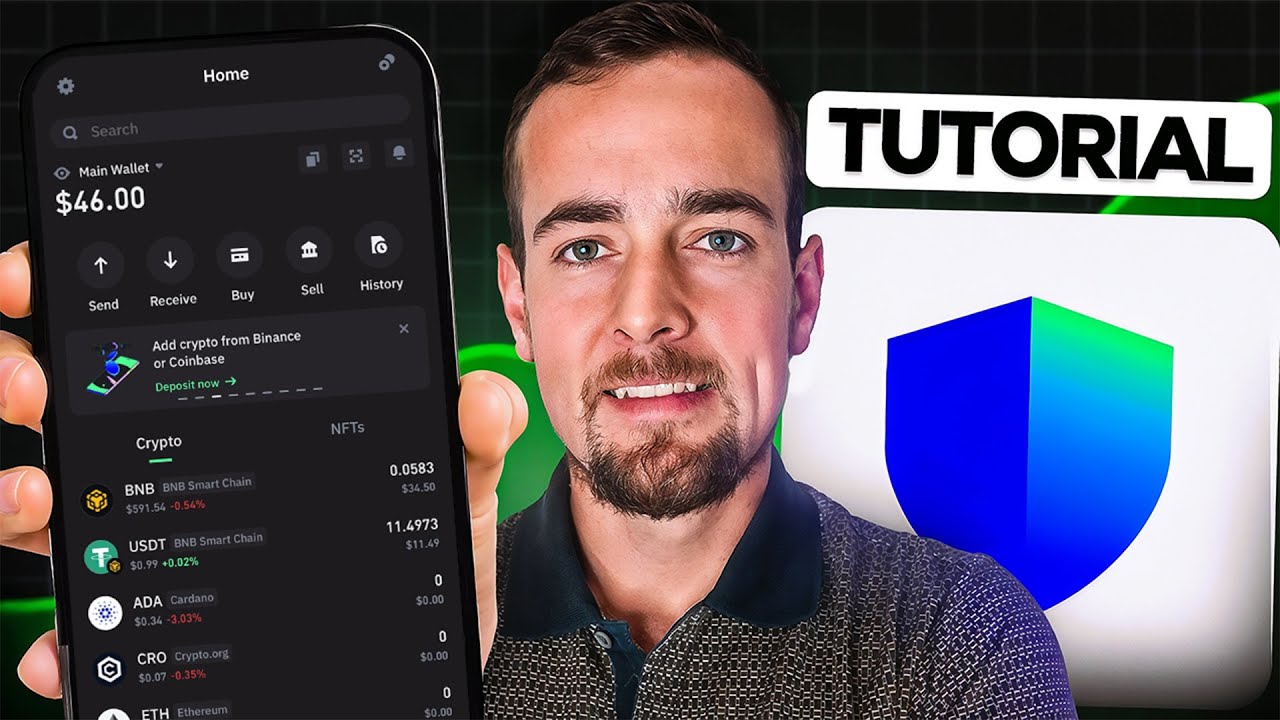
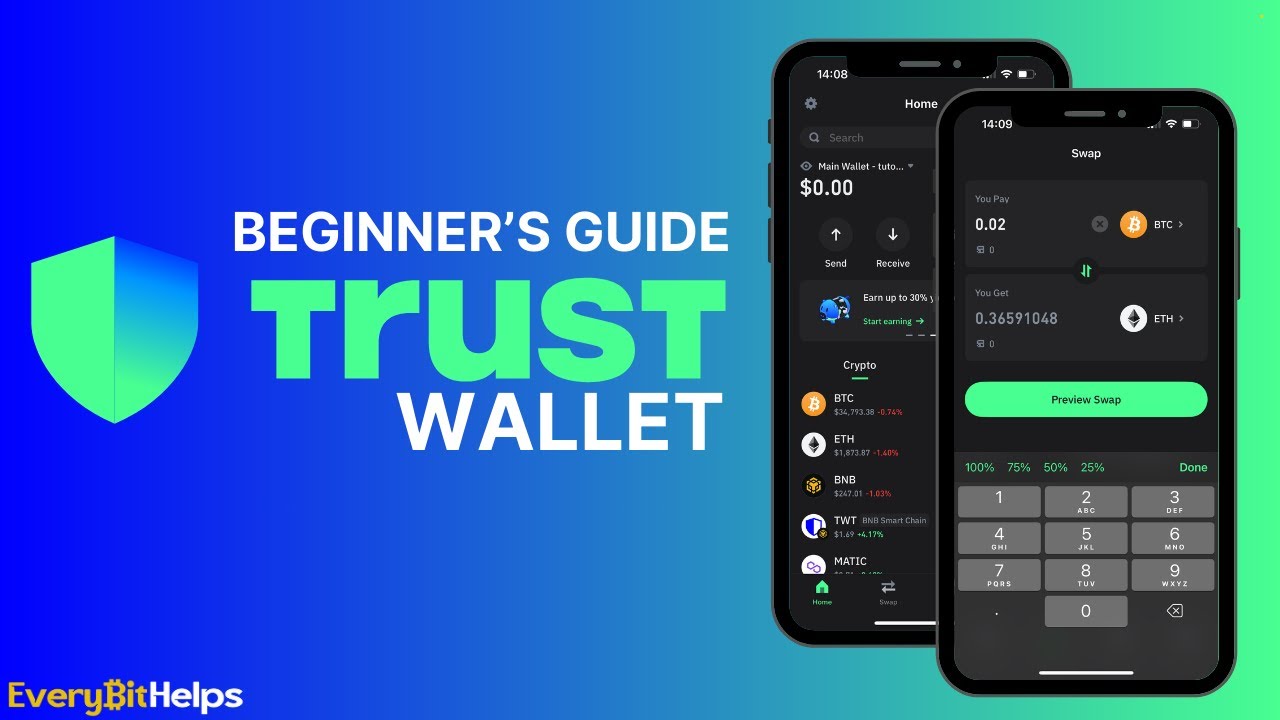
this video is a trust wallet tutorial we're going to get set up with a brand new trust wallet and I'll show you everything within the app including receiving sending crypto and cashing out if you need to Tim stamps for all of that down in the description below so once you've downloaded the app on your phone it says get started so we'll click that and then it goes through to asking us do you want to create a new wallet or do you have an existing wallet that you want to load into the app if you have
an existing wallet just use your seed phrase to load that wallet and then you can start using it if you don't have one we can create a new wallet so we can click this and then it says create a password this is an app password that is specific to your device now you can turn this off in settings as well if you don't want to use this to open up the app but it's an app specific password just as an extra layer of security you can't use this to reload the wallet anywhere else so we'll
just click a password like this and confirm it and then it says you can open the wallet so you can uh choose a couple of different ways to back up your secret phrase so when you're uh creating a new crypto wallet the way that you own that wallet is by owning a secret phrase otherwise known as a seed phrase or a recovery seed phrase and so there's a couple of different ways that you can back this up for right now in trust wallet the first one is to back it up manually and if you click
this it's going to go through and give you 12 words that you have to write down in order from 1 to 12 you can write it down on a piece of paper and keep it somewhere safe the recovery phrase that you get is like the master key or the master password to your wallet so as long as you have those 12 words you can delete the app load it on another phone with those 12 words and then you have everything in your wallet again and you can spend all the uh crypto that you have in
there so whoever else has these 12 words they own all of your money because they can use the 12 words to access your wallet as well so it's incredibly important to keep those 12 words safe if you write them down on a piece of paper is that safe you can also buy steel seed phrase cards where you etch in the uh seed phrase which is a little bit more hard wearing the other option is back up to iCloud which you can do right here so if we click this you can name the wallet press continue
and then it says set an encryption secret password for your secret phrase so this is a file that will be created in your cloud account and it will be encrypted underneath the password that you set here if you use this to reload the phrase if you want to reload the wallet somewhere else you can just use this from your iCloud put in the password and it will reload so you can either choose to write down the seed which is man manual on paper or you can store it in your iCloud account and password protect it
what is the safest way well if you have something in iCloud it could potentially get hacked if they hack into your iCloud and then the encryption on the file if you want a you know non-digital way then use the paper that won't be stored online however this is a hot wallet and so your private key is always on your phone as well in any case which one should you choose that's up to to you now if you're watching this after I make this video you may also have this way of setting up your wallet trust
wallet are going to introduce something called MPC this is a safer method of setting up a hot wallet and so what you can do is actually log in with an email address or another account from a social app and what happens is the hot wallet gets created for you and your seed phrase which is the wallet gets split up via your cloud and uh the database that trust wallet are using although they can't ever see your P your past phrase this is a little bit safer and you don't ever have to store the seed phrase
all you have to do is essentially remember the password that you set so if this is available for you it might be another option that you might want to choose it's too much for this video but quickly just to say you can see here MPC this uh use users private keys are divided into multiple different parts and stored across multiple devices when a transaction needs to be signed these devices are dynamically called to partially sign the transaction which is taken to the frontend to be able to reconstruct the final signature anyway that's too much for
this video but that is a little bit of a safer way to store a seed phrase versus just storing it in your iCloud any of these options you can dig further into them whatever way you want to do it you can set up the uh seed phrase just like this call the wallet what you want and then do your way of storing that seed phrase which is best for you once you go through and set up the wallet we can now look at the tokens that we want to see on the main page so right
down here it's going to give you the main tokens you can just swipe these to the left if you want to get rid of them so down here maybe we can swipe this one to the left and disable it so you can't see it again if you want to add in any tokens in the top right hand corner of the app just click the plus button and then you can go and search for the assets that you want and toggle them on and off if you can search right here for any assets so you know
maybe you want polka dot something like that you can search by the name or the ticker just turn it on and off like that and then go back to the main page now from here also we can go to settings as well and then make sure we've got that set up so your address book right here is wallets that you send to regularly um so you might want to do that you can choose them when sending around and that makes it a little bit easier rather than putting them in every time preferences as well you
can choose your currency and settings right here also if you go uh to security security you can just verify your password and you can turn on face ID at this point so do you want to allow face ID don't allow put in my password right here uh and then you can actually turn it off right so if you don't want to use that now you can just turn it off like this and then verify and then you don't have to put that password in each time you open the app if you don't have any crypto
yet and you want to get some into your trust Wallet account you can buy directly within trust wallet the buy icon right here in the middle so we'll press buy now trust wallet is a decentralized wallet and they do not have links to fiat currency payment rails or anything like that so what they do is use third-party payment providers to offer this service in the app so let's say I want to buy some B&B coin or some BTC I'll press BTC and then it says um how much do you want to buy so I'll just
put in an amount right here and then we can look down here and it says pay with credit card so we'll click that and you can see the third party providers so these are trustworthy and reputable they're used a lot within the industry and what you can do is use a credit card you pay the third party provider they get your wallet address and send the crypto to your wallet address so this is fine if you want to do this you have to set up an account with one of these providers so if you choose
moonay uh and then it says buy with credit card it's going to take you over to moonay and then you have to use your card now you're going to have to set up an account you're also going to have to do kyc with them potentially which is you know driver's license or passport or something like that and then actually go ahead with that payment it's going to take a little while but it will send that right into your trust wallet now I never do this because the payment fees are very high you're going to be
paying around 2 to 3% as a fee to get money from your card into crypto so I don't personally do this what I do is use a real crypto exchange where the trading fees are like .1% and you can just buy on there very easily and cheaply and then send it out to your trust wallet we can move on then to receiving crypto into our trust wallet or depositing it from somewhere else so the only two things that we need is which asset do I want to receive and which blockchain do I want to receive
it on because we need to know those two things and then we get the address that we need to send it to each asset or blockchain may have a different address so we just need to be sure so the first one is if you have a list of your assets down here you can click them and it will tell you which blockchain that they're on for example B B right here if I click this up at the top it says BNB smart chain that is the blockchain that this asset is on if I go back
to bitcoin you can see that Bitcoin or BTC which is the asset is on the Bitcoin Network because that's at the top right here so you can see the network like that the other way of doing it is just pressing the receive button in the middle here so I'll click this and then up at the top we can just search for an asset that we want to receive and it will tell you which chain it's on now something like a stable coin that's going to be on many different networks and so you just have to
choose the network that you want to receive it on so beside the usdt here it says BMB smart chain at the top it says ethereum Tron salana and so on it even gives you the logo of the blockchain in the bottom right so just choose the asset that you want to receive and the blockchain that you want to use and then it will give you the correct address so we're going to go out of here and then choose BNB and then I'm going to press receive and this is the address that I have for BMB
so this is my BMB smart chain address and I can now copy this in so I'm going to copy this and then go over to a crypto exchange where I can buy this for much cheaper fees and actually withdraw it so I'm going to go over to my binance right here I'm going to find BNB that I've bought and I can go and withdraw it so BNB right here and then press withdraw and we need to send via a crypto Network remember trust wallet is a decentralized wallet so it can't be linked up with anything
to to get coins into there you have to use a blockchain and store it on the blockchain so you have to withdraw via a blockchain network that you're using so I'm going to press send via crypto Network I'll leave links to binance and the other exchanges that I use you if you want to uh trade on there you can just uh use those links you may be able to get a deposit and trading bonus a lot of them have you know new bonuses for new uh users so you can check the details via all of
the links below now from here what we need to do is send it to an address now remember I copied the address of my binance smart chain wallet or B&B smart chain wallet so I'm going to paste that in here and what binance should do is realize that this address is a wallet or or a network that we can use so it says Network here if we click this down it says you've got an address and you can actually use this address on two different networks B&B smart chain and opnb now both of these are
BNB ecosystem uh blockchains but obviously whichever blockchain that you want to use and receive it on that's the network that you have to use so I know that I'm receiving on BNB smart chain that's where I want my B&B and so I just choose the B&B smart chain here so I click this one and it says this is the address and this is the network that you're using just make sure that you want to withdraw a certain amount so you can go you know whatever that is as long as it's uh available to withdraw just
press withdraw so to be sure the address up the top is the address that it's sending to and the network here is the network that it's using so you can double check that you're sending the token that you want on the network that you want and then press withdraw there and that is going to take maybe a few minutes through the blockchain it's going to send that asset out into your trust wallet address another feature you may be able to use here is depositing directly from an exchange so if you have either binance or coinbase
applications already on your phone and you're logged into those you may be able to just link up the apps directly so from here I'm receiving Bitcoin I'm going to press receive it's going to give me my address but down at the bottom it says deposit from exchange if you click that you have two options here for binance and coinbase so if you already have binance and coinbase apps you might click that and it's going to link up the applications and give you the details and so you don't have to manually copy and paste the address
so that may be an option for you and it may just uh reduce the amount of errors that may happen when sending tokens from one app to another we can do the exact reverse to send crypto out from trust wallet but there's a few things to keep in mind the first one is we're using a decentralized wallet and that means we're using blockchains for every transaction from our wallet and when you use a blockchain you need gas to pay for the blockchain fees so every blockchain will have its layer one coin that you need to
use to pay for that transaction if you want to use an application if you want to exchange tokens if you want to send crypto out of your wallet to cash out you need gas for that transaction each and every blockchain of course that you use will have that layer one coin so for Bitcoin it's BTC for ethereum it's eth for B&B smart chain it's BNB coin uh for others it's the layer one like salana kadano and so on so you need some of that coin in order to send crypto out so as long as you
have that you can send crypto out if you don't for example if you have a stable coin and you want to send it it may just not let you send so you need to make sure if you have a stable coin you know which uh blockchain it's on for example this is tether on the B&B smart chain and so I know that if I want to send this out of the wallet I need some B&B coin to pay for gas so let's go through with that I'm going to send so I'm going to press press
send right here and then it shows me the assets that I actually have a balance of so I'm going to press BMB smart chain and then it says enter the address so where do I want to send this well if I want to send it to another wallet I need that address if I want to sell the crypto for cash and then withdraw that back into my bank account or my card I need to actually send this crypto into a centralized exchange so that I can use the centralized exchange to trade uh for cash and
then get that out so what I'm going to do is go back to my binance and I know that I have BNB coin on the B&B smart chain so I'm going to choose BNB and then right here I'm going to press deposit and then it says choose the network you can see there are a few different ones so I'm going to make sure that I choose B&B smart chain because that's where I'm sending it from so click that and then it's going to give me the correct address of my exchange account if you don't know
how to use uh exchanges and trade I've got tutorial videos so I'll link them all below for you but I have the deposit address right here so I'm just going to copy this then I'm going to go back to my trust wallet and then paste that in allow paste and then choose the amount so I've got that I've got the address and the amount that I want to send I'm going to press next and that's going to just you know give me the details here so it tells me that the asset that you're sending is
BNB and it's from my wallet and it's to the wallet that I chose and you can see the network fee here is very very small but it has to be paid and it's being paid in BNB because that's the gas coin for this network if I had other coins like stable coins on BNB I'd still need BNB to pay for gas so you're showing me the network fee here how much is being sent I can press confirm I pay the blockchain fee I send that crypto out of my wallet and it's going to the address
that I gave it we can also swap cryptos directly within trust wallet if you don't want to send the crypto out to an exchange trade it for something else and send it back you can use the decentralized exchange within Trust wet now because these assets are on different blockchains you cannot trade from one blockchain to another blockchain they're different and separate systems and you can't trade between them you can use centralized exchanges to do that because you're just sending everything into the crypto exchanges wallets and they just move them around for you but on a
decentralized exchange you have to stick to the same blockchain so we're going to choose an asset that we have which is BNB on the BNB chain so I'm just going to click from here uh and then I'm going to change the chain right so we're on the ethereum train right right here which is fine if you want to use that but I don't have any assets on there so I can't trade so I'm going to choose the B&B smart chain as you can see so I'm going to click that and then you can see it
actually uh sees my balance right here now where I'm swapping to I don't want to be swapping to another chain you can see that the two is a theum and it won't let me swap because B&B and ethereum are different chains so I'm going to click the chain here I'm going to click the same chain and then I'm going to click an asset so apart from B&B I'm going to switch it into tether which is a stable coin so click that now you can see I'm going to put in an amount that I'm going to
trade from so swap from and swap into so BNB I have some uh money in here which is an amount so I'm going to trade 25% of that and it says that the exchange rate right now from BNB into USD is this much and I'm going to get around $18.44 for my trade so as you can see down here the provider is 1 in so what trust wallet are doing is using a application a decentralized application uh used called 1 in that's a decentralized exchange it's going to use that it's going to trade my BNB
into tether for me and you can see the provider fee here is 12 cents and the minimum amount received is around 1827 so it's giving me a quote of 1844 minimum 1827 the max slippage is 1% so if you press continue it will say the details you want to confirm the swap confirms the details again you can see the provider fee and because I'm using a blockchain I need to pay gas on that blockchain and so I need to pay with BNB even if you're trading two tokens like tether and another one you still need
to pay for gas with B&B so you need some of that in your wallet press confirm and you'll swap the BNB into the coin that you want if you have any cryptos in your wallet that allow for staking trust wallet also allows you to do this through the wallet some cryptos do not allow for staking like Bitcoin but if you have proof of stake coins you may be able to stake them staking is something where you put your coins on the blockchain to help it run and you get staking rewards from the blockchain and so
that's paid out to you and it's not like defi or anything like that you're just staking on the blockchain to help it run so what we can do is actually go down to the staking options right here so you can press discover and then from here you can scroll down it says staking so if you press this uh arrow on the right hand side it's going to take you through to all of the cryptos that you may be able to stake if you have a balance of them uh and so let's just choose polka dot
as an example you can see right here it says start earning so we can click that start earning and then it says you know the uh minimum amount is 250 so you need at least that to stake you can see the API is around 14 or 15% from the blockchain you can press stake here and it's going to ask you to choose a validator so what you're doing is taking your crypto and staking it with a validator and they pass through the blockchain rewards for you so you can choose an amount of you know dot
that you have or you know whatever you want to stake and then from here it says select validators so I can click that these are all the validators that are running uh the blockchain right now so you can choose them you can see their percentage yield might be a little bit different but if you just choose one and then go back you're going to be staking with that validator now each proof of stake chain may be different in terms of how long you have to lock the coins for and the withdrawal periods could be anywhere
from a few days to maybe a month so you're just going to have to see that for the you know the chain that you want to stake on but you can do that you can press continue you may have to pay a small blockchain fee and you're actually staking on that blockchain and receiving those crypto Rewards for most blockchains though if you if you do this you have to lock up your coins while you're staking and so you won't be able to use them for gas or for anything else so just make sure that you
know about staking I'll leave a videos on what staking is down in the description um you need to know what it is and everything about it before doing it but that is how to actually do it with trust wallet we can also use our trust wallet with decentralized applications or daps the way that we can do that is simply in the wallet we can go to the address of the DAP that we want to use we link up our wallet and as long as we have coins on the blockchain that's supporting that dap we can
then use it so you can go down to discover and then if you scroll down these are actually coins so you have you know Meme coins lending borrowing coins some other coins right here down at the bottom it says defi so these are the applications that we can use if you click into here these are very very popular applications that you know are the most popular apps within defi so pancake swap is an exchange curve is an exchange RVE is lending 1 in is an exchange aggregator trying to get you the best prices so you
can click on these to use them uh directly within the app so I'm going to click uh let's say pancake swap here and what it does is it is it actually loads the uh website through the DAP browser now this is the website of pancak swap Finance so as you can see at the top you can see the B&B logo if you click that these are all of the chains that are supported on pancake swap so if you want to use one of these chains with the decks then you can do as long as trust
wallet also supports that chain and assets on that chain so I've got B&B chain so I'm going to click this one so I'm using B&B chain with pancake swap now I can connect my wallet to this pancake swap is not trust wallet it's a completely separate dap but you're using your wallet to connect to the DAP so press connect and it says what do you want to do right here it's says trust wallet so just click that and it says do you want to connect your trust wallet with the DAP they will be able to
view your balance and they will be able to uh request approval for transactions so if you want to use the DAP you have to give it permission to use Assets in your wallet now right here you can see the ethereum logo with main wallet I don't want to um connect my ethereum wallet I want to click here and I know that I want to use B&B smart chain so I'm going to click that one so that's going to connect me on the B&B smart chain to Pancake swap I'm going to press connect and now I
should be connected down here just to the right hand side of B&B you can actually see that it's reading the balance of my coins so it knows exactly how many coins that I have and I can use this to swap to something else should you use this to swap or the um you know the trust wallet swap trust wallet swap is going to use 1 in like I said which is an exchange aggregator which is going to um probably get you best trade out there between all exchanges so that's absolutely fine if you want to
use that but as you see as you can see you can use this to link up to any application that you want I'll leave some other helpful videos Below on trading crypto and using blockchains plus the exchange links if you need them as well I'm James this man G cheers for watching and I'll see you in the next one