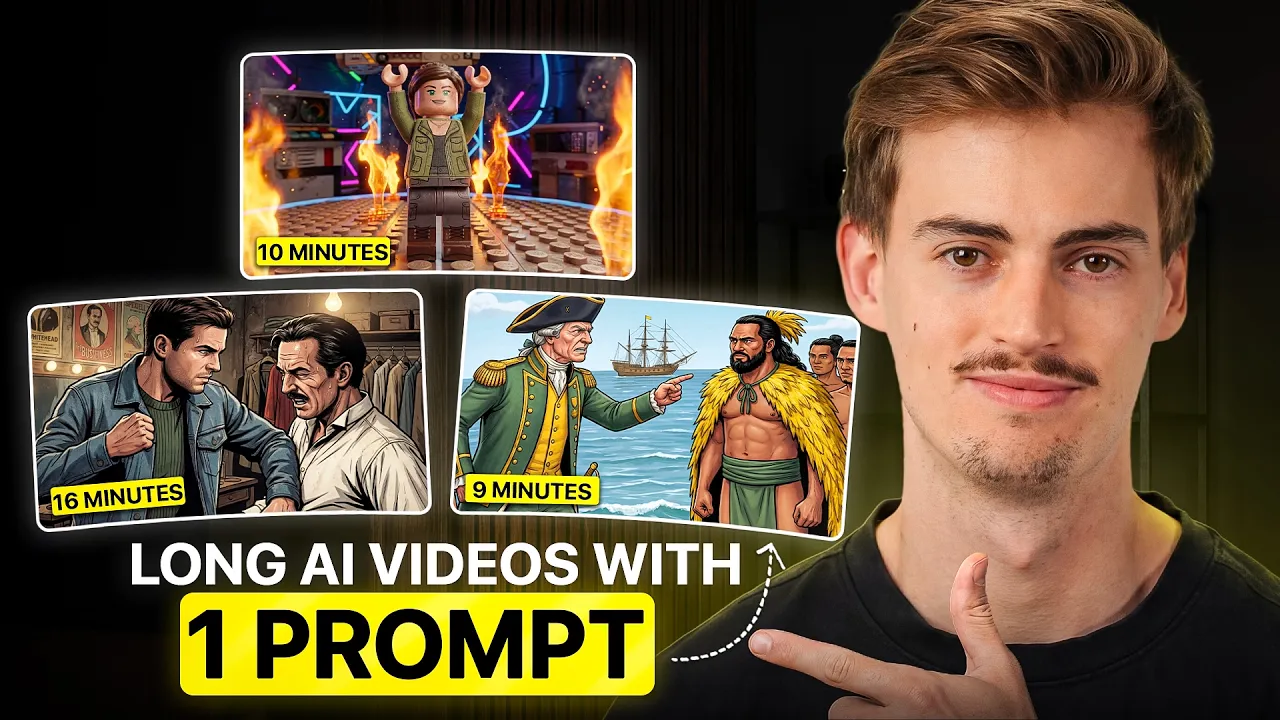
This new AI video generator allows you to generate videos that are up to four minutes long. And the possibilities with this are crazy because before you were only able to generate videos that are 15 to maybe 20 seconds long and then you had to go through the painful process of generating each scene separately and that takes a lot of time. Now, this tool does it all with one prompt.
You can drop in your script or your audio file. You can drop in your assets like any images of any character that you want to have in there. And you can even choose your own style to get the exact result that you want.
Then it will do all the hard work for you and you will get a result like this. >> Lock yourself in handcuffs, get thrown in a river, and escape in 60 seconds or die trying. That was just a warm-up for the legendary magician Harry Houdini.
This guy made a career out of laughing in death space. In his shows, he locks himself inside a tank filled with water, hung himself upside down, and escaped every time while crowds lost their minds. There are so many different use cases of how you can use this AI video generator to create YouTube videos.
Like for example, take a look at this channel. The type of videos that he makes could be made with this tool. So in this video, I will show you five different use cases of how you can use this new tool called Agent Opus.
They were also kind enough to sponsor this video and I told them we need something in return. So, if you use my link when getting a subscription to Agent Opus, you will get a,000 free credits, and that is quite a lot. You can do a lot of generations with that.
But first, let me show you all the different use cases so you can decide for yourself if this is worth it. Use case number one is entertainment videos. And this could be used for YouTube shorts channels or also long- form YouTube channels.
And the way I made this is as follows. So, over here on script to video and Agent Opus, you have story mode. And in story mode, you can choose first the style that you want to make.
So, for example, they have all of these different pre-made styles that you can choose from. Like you can do this claimation animation. You can always do a collage or 2D line.
But you can also create your own style. If you want to create your own style, what you can do is you can drop in your assets right here. Then you can describe what your styles like and then you can give it a name.
And this way you can make your own unique style. And I will show you how I made a few of my own styles later in this video. After you've chosen the style that you're going for, you can now start and dropping in your assets.
Now, here you have multiple different ways to do this. And the important thing you need to remember here is that the outcome of your video is only as good as the script that you put in there. So, make sure to spend most of your time on writing a good script or creating a good voice over.
What I found from testing this tool for literally a few weeks is the best results are real told stories. You could use AI and I will show you how I'm using AI. But if you have a clip of yourself, then it works really well.
But for example, let's have a quick look at this one right here. This video right here is made from a audio snippet from Hermosi. >> The reason I'm such a fan of Rockefeller is because of one very important lesson that I learned from the letters that he sent his son, which was he tells a story of how >> So yeah, I can't show too much because I don't want to get in trouble, but you can watch all of these videos in this like kind of like timeline here.
Now you can also what you just saw here is you could also use his style. So if that inspired you, you can use the style. I already have done that right here.
So we're using comic noir. Then the next step is you can drop in an audio file or you can use their voice over. They have a few different voice to choose from.
I would say the best result will be a audio snippet of any YouTube video or it would be a self-recorded voice over that you've done or it is like creating a custom voice through something like 11 lapse or fish audio suits more of your needs and then maybe edit it a little bit to get the exact result that you want. So let me show you how I made my video. First we need to write a script.
I have this script right here that I used for my video. The way how I made this script is as followed. I will give you this prompt file.
You can find this in my free community. All you have to do is you can download this. Then you go over to Claude or Chetchup Tea.
You drop it in there and it will help you write something. Then you simply ask it to write a script about the topic that you want to make a video about. And then it will help you get to the finished result.
For example, I prompted something like this. Create a 6second short form explainer video about Harry Howini focusing on his most jaw-dropping escape feast and his bizarre deaths. Then you just hit send and then it will start asking questions to get to your point.
So basically you can start customizing it, filling out the details and all the different hooks that it does. And once you get to that point and you finished it, you will have something like this. Make sure that you read it yourself.
Think if it's a good script because this is the point that's most important. The whole video will be based on your script. Now that you've made your script, you can straight up start inserting this into the agent opus and pick one of these voices.
Or if you want to have more control and you want to create your own voice, then use something like fish audio or 11laps. In this case, I'm going to use Fish Audio because I like their custom voices. I think their emotion and their new model is quite good.
So, it's also quite cheap, I believe. Just pick a voice that you'd like. You can choose and listen to all of these voices.
The voice I'm going to use is this Gojo voice from this person. Let's just have a listen. >> Yeah.
Yeah. You're trying to lecture me about right and wrong. How boring being the >> So, yeah, it's an anime voice, but it sounds quite good.
So, we're going to go with that. And now we're going to put in our script. And then you can tweak the settings a little bit.
The tweaking that I usually do is I try and change the speed a little bit. And then I hit generate. This will give you two different voices and you can listen to both and pick the best one.
There's one glitch though. If you download this and straight up put it into aus, I don't know why, but for some reason it just doesn't work. What I had to do is I had to go over to Premiere or to Cap Cut.
You can use any free editing software. And I just had to rerender this MP3. And that is one way to fix the audio uploads if you fail to do that.
I don't know what it is, if it's agent opus or if it is fish audio voice file. So, we just add in the audio file. And now we can just hit send.
You can tweak these settings. Let's say you want to have it in 16x9. You can do that too.
And if you wanted to, you could also upload your actor logo object. I will show you later how that works. Now we hit generate and it will use this transcript that it has generated.
And this will cost you like 60 credits. And then you hit confirm. >> Lock yourself in handcuffs, get thrown in a river, and escape in 60 seconds or die trying.
That was just a warm-up for the legendary magician Harry Houdini. This guy made a career out of laughing in death space. In his shows, he locks himself inside a tank filled with water, hung himself upside down, and escaped every time while crowds lost their minds.
But here's the twisted part. The man who escapes death traps died from a random sucker punch. On October 1926, a college student asked if Houdini's abs were really as strong as people said.
Before Houdini could brace himself, the kid threw several punches to his stomach. That shouldn't have been enough to kill him. But unfortunately, his appendix had already been rupturing due to infection.
And sadly, those punches sealed his fate. He died days later on the day of Halloween. The greatest escape artist in history couldn't escape the one thing nobody saw coming, a random punch.
Everything has been generated on one script. There will still be mistakes in there. And this is where the difference is to the people that have success and the people that don't have success with their videos.
The people that do it correctly, they don't just accept generating one video and just upload it straight away. They go through like a lot of different feedback. They look at the video, they say, "Hey, I don't like that scene.
" And then they change it. Unfortunately, right now, we don't have an editor yet in Agent Opus. I heard they will add in an editor, and you can change scenes and all that in the future, but for now, you got to change this manually.
>> Lock yourself in handcuffs, get thrown in a river, and escape in 60 seconds or die trying. So, after you've generated your scene, what I always like to do is I generate the same scene a couple different times because if I have three different versions, I can one, pick the best version out of that, and two, I can mix and match different videos. Like, let's say I like one scene more and I can use that scene and replace a scene that doesn't look as good.
Lastly, what you can do once you have your video like this and you want to spice it up a little bit, you can add in some sound effects. And you can use AI for this. You can use something like Artless for this.
And if you add in these sound effects, your video will sound and feel a lot better than without them. The second use case that I want to share with you is making explainer history type videos. And that is also kind of like the video example that I showed in this intro.
They have a bit of a like explainer type videos. So for example, here they have the Opium Wars explained. And those kind of videos tend to work quite well.
So what you can also do is you can go over and take a look and inspiration from other people use that put it inside cloth or chachi to write your own script with that don't steal like I know you can copy steal and and just change the voice all of that but for the sake of creators and respecting their work please just write your own script and take inspiration from others but don't blatantly copy stuff for example here's a video that I made about the history of James Cook which is An explainer history type video. >> Captain Cook conquered the Pacific Ocean, mapped unknown lands, but died over a stolen boat. This guy literally started as a nobody in the Royal Navy, just an able seaman doing grunt work.
Fast forward a few years, and he's charting territories nobody in Europe had ever seen before. He circumnavigated the globe, survived scurvy when everyone else was dying, and became one of history's greatest explorers. The way I made this was the exact same process as I already have shown you.
Only this time I'm using this CLA style and I just uploaded my audio. So for example, this time I picked a calm middle-aged male narration voice. I believe it was this one called history.
Do the whole process over again. Generate your script using the same method. Generate your voice, then put it inside of the agent opus and have it make the video.
The only difference I did this time is I made it 16 by9. Use case number three is generating niche content. And for this I want you to generate your own style like Zaki films or like Fern.
These people are known for having their own style. So for example, let me show you how I made my own style. So this is the style that we're going to go for.
Let me tell you the story of how I got started as a YouTuber in the AI niche. So, a couple of years ago, I was actually studying sports marketing. And at that time, I didn't quite enjoy what I was doing.
I got inspired by this channel that is called Good Enough. Shout out to them. So, what I did is I took a screenshot of this scene right here.
Okay, this is maybe not the best past moment that I could take here, but yeah, I took this screenshot. I put it inside Nano Banana, and then I basically described what I want to happen. So, I said something like this.
Use image one as a style reference. And create a shot of two men sitting in the office cartoon style. We're using Nanana Pro.
You can also use Nano Banana 2. Doesn't really matter. Make sure you do it like 2K.
And then we hit generate. Now that got me something like this. And for this story, I wanted to have me in there.
So what I did is I went back to Nana Mana. I dropped in this reference. Then I dropped in an image of me.
And then I asked it to turn me into that type of style. So now we have this cartoon style stick figure with something that somewhat looks like me as a reference that we're now going to use for our next video. So for this video, I downloaded this style that I made in Hicksfield and we're going to upload this in Agent Opus as the style.
So the other image that I made, which is the character, we're going to use it as a character. You simply just upload your image and it will write a description for you. You can tweak it a little bit if you wanted to.
In this case, I kept it as is, which was fine. And then you can give it a name. For my style, I named it web comic illustration.
Because I already have it, I'm just going to select it right here. Then the next thing I did is I added in an actor. So here I added in this image of supposedly me as a stick figure.
And then you can start typing your script. Or in this case, because it's supposedly me in this video, I just recorded a voice over myself. And you can script it out, read it out loud, or you can just start talking and say whatever you want.
So here I have my self-recorded file and I'm just dropping it in there. Then you can select your aspect ratio. I kept it at 9 by6 and then you can hit send and it will start making the script based on your voice over, based on your custom style and based on your own actor.
So that is pretty cool and this is the result that I got. Let me tell you the story of how I got started as a YouTuber in the AI niche. So a couple of years ago I was actually studying sports marketing and at that time I didn't quite enjoy what I was doing.
I already knew I was not going to do anything with my degree, but I did want to start something on my own. I really enjoyed doing video production and marketing and that actually landed me an internship at a company that was in the sports marketing. I really loved that.
But after I graduated from my university, I finally decided to start my own company and that is when I helped entrepreneurs to build their own personal brand. That period was a lot of fun but also quite stressful. During that period, Chet GPT launched and I was blown away.
Literally, I saw it as a big opportunity because I thought like, okay, this will disrupt the market and yeah, it did. Then I learned everything I could about AI. I got into video, I got into production, I got into how you can implement this into your business.
That ultimately led me to create this YouTube channel that we have today. And now we're over 200k subscribers, which is still crazy to me. So, shout out to you guys.
I generally think that this is a fun way to repurpose any story that you have told in your videos. Like, for example, this works great on podcasts. This works great on people who create short form content.
It is a fun way to visualize your story in a different way. Seriously, try it out. By the way, in that example, I added the subtitles and the background music myself to spice up a little bit.
Use case number four is AI ads. Here's an example of what you can make with this. >> It starts long before the cup.
High in the mountains where the air is cooler, the soil is richer and the pace is slower. The beans grow carefully, shaped by their environment, then picked at just the perfect moment, down to the seconds. From there, it's all about the roast, heat, and time working together, bringing out the depth, balance, and the character that makes each cup what it is.
In the end, it's never just coffee. It's the result of everything that came before it. Starbucks.
Make your moment. Depending on how good your script is, I think you can make some pretty decent ads using this method. In this case, I used a custom style that I found through an image of Pinterest.
This is the image that I used, and it made me this video. The only thing I did different this time is instead of using an actor or a logo, I used an object. And here I uploaded a image of a Starbucks cup.
So I added that in there. And now we have these asset files in there. If you wanted to, you can prompt it in here if you have specific instructions.
What I found out if you already have your audio in there, it will probably just do fine. Like this ad that I just shown you, that was my first try on this. The last use case that I want to share with you is creating AI music videos.
So if your music has lyrics then you can upload your audio file and you can prompt it. You can choose your style and then you can make something like this. >> All things said this is a lot of fun to play around with.
Is it perfect? No. You still have to do a bit of editing and I can't wait for their editor to come out.
Some of these use cases work better than others. I think the explainer type videos are perfect for this. AI ads are also a lot of fun to create.
I would say you still need a bit of manual editing yourself. It's not perfect yet, but that's the current state of AI. This technology will only start improving.
And I can't wait for Agent Opus to drop in their own AI video editor so you can adjust these scenes. Now, if you want to try this out and play around with this for yourself, if you purchase a subscription through my link, you'll be getting a,000 credits for free. And that is quite a lot of videos.
I think that's like, depending on how long your video is, could be like 20 different videos. But yeah, if you want to learn more about AI, make sure to click the video that's on the screen right now where I teach you how to use AI for AI filmmaking.