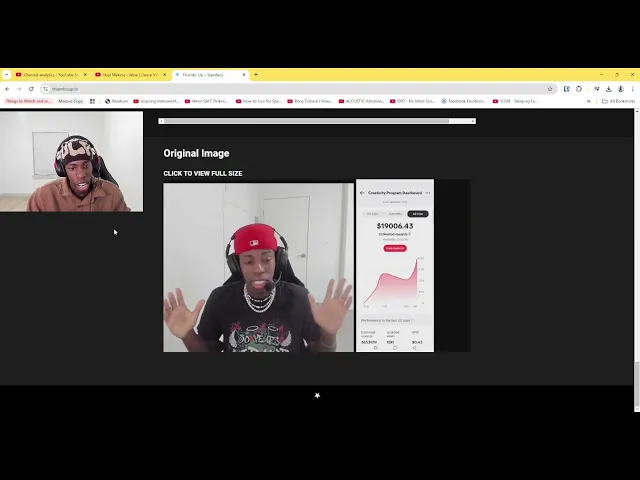
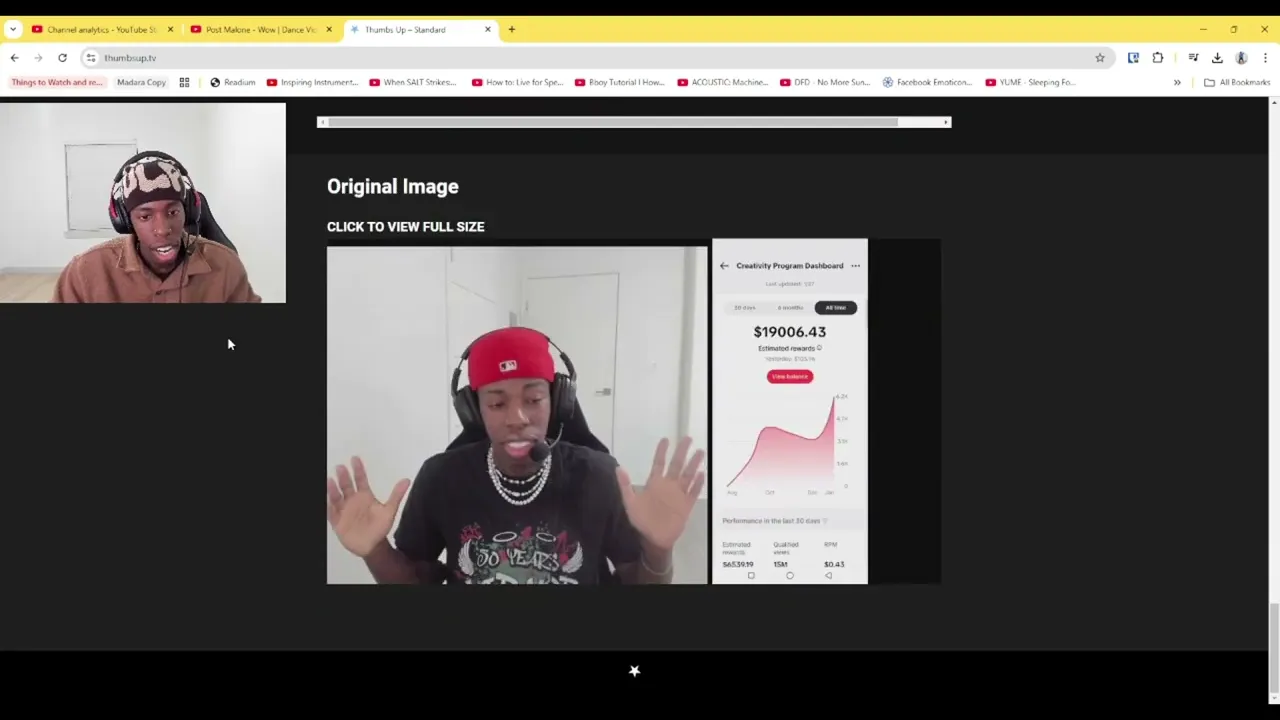
all right beautiful people I'm going to show you a beautiful tool that I like to use when I'm composing or getting ready to upload a video um yeah it's called thumbs up this is kind of what I alluded to in the last video where I was talking about like the three things that you just cannot mess up and here we are so we have a website it's called thumbs up.tv thumbs up.tv it will be down in the description y' can click the link and use it but basically what this tool is I'm not going to
make this some 50 minute videos very straight for very simple right you type the title of your video here so let's say for example um how I made 20 20,000 gaming on Tik Tok in less than six months right and then T yeah we'll just do that right so that'll be the title of the video clearly right and then here you just click on this poow and then you look for the thumbnail that you created for this video so you can do it like this right and now what this does it'll show you right you
can toggle like different dark modes let me move this over you know I mean like to slide stuff around sometimes right you can see what the user or what a viewer from the other end who's watching videos would see what what what the video would look like to them so someone who's not the uploader of the video or who didn't upload the video right who hasn't watched your video before this is how it would look when they will open a YouTube website so you kind of get an idea how your title looks is it too
long is it too short is it is the thumbnail not visible enough this is a great this is probably one of the most helpful tools that I found because it allows me to see the different sizes of um how my title and thumbnail is being displayed right and if you use dark mode you can see it on that too right I like dark mode it's nice but some people use light mode right but yeah let's go down right so you have the web browser which is like regular computer home large this is home small right
this is the sidebar so this is where like on the side where you're like watching another video or something and you'll see this is how your video will show up on the side it will look like this right and you can still see that everything kind of fits right this is channel page large which is like when somebody clicks on your page your channel this is what it will look like really nice really big and this is just like fill in text because obviously you can't put it in the description right now but it's fill
in text of what what your uh description will look like right History Channel page watch later watch list mobile right A lot of people most of the YouTube viewers watch it on mobile so this is good information right here if they can see it on mobile good title right column a little small but it's okay Apple TV not that many people look at it but it's good information again right now say for example right um this is a good thing to do if you're doing like super law en titles how to use let's just make
something at the end just to show y'all what um it would look like if I had too much going on Tik Tock creativity program the the right way right so this is like a super long title I wouldn't advise anybody to do that usually keep it around 60 to 70 characters if you got to stretch it most 80 you know what I'm saying but look it cuts off so you see where the cut off point is right if you're going to make a title that's super long at least make the first idea you know what
I'm saying get through okay so look at it how I made gaming 20 how I made $20,000 gaming on Tik Tok and less the whole title doesn't even come in if I hold them small right now something more interesting will happen if I go to mobile let's get down there it starts to change a little bit this is probably a tablet view full width you know what I'm saying how to use Tik Tok you get to see majority right but this is what it would look like typically on mobile how I made 20,000 gaming on
Tik Tok in it's going to get cut off so if if if this is happening with your titles nine times out of 10 you want to you want to drop it down a little bit right and this is where you can use stuff like uh chat GPT or just use your brain you know what I'm saying you don't have to overly rely on chat GPT because you want to also be able to come up with these ideas yourself so you're not like using it as a crutch but it is everyone uses it to a degree
um you can like say to chat GPT hey man can you make this can you make this a little shorter and then you it'll give you an idea of what you can do and and obviously you want to tweak it cuz you you don't want to rip the title straight off of chat GPT and then put it on on put it on YouTube because somebody's going to be like yo something chat GPT wrote that it just doesn't sound like it doesn't have that human touch right and I'm going make a whole another video about Chad
GPT and how to use it the right way and not the way these goog on YouTube be showing y'all oh yeah put this headline right here and it's going to do that you gonna get a million views in a day it doesn't work like that it don't matter if use AI it don't matter none of that doesn't matter you're not going to get a million views because just because you use chat GPT is literally just a tool to optimize your chance all these tips that you see on YouTube is used to optimize your chances of
getting a viral video nothing is guaranteed life isn't guaranteed okay everything is a chance please this is what I reviewed in the first module right the mindset none of these tips that I give you is going to guarantee a viral video it's going to optimize your chance so you have better chances of getting a viral video right and once you get that viral video you study that and see what worked what title that you use what thumbnail that you use and you try to make it again but with a different video idea you get me
you get me right but yeah this is the essence of uh thumbs up.tv again it is just a a place a website where you would simply check your title and your thumbnail and see how it is displayed on different devices right and you can put it on dark mode light mode whatever you want to do super super simple not going to make this a 36 minute video I love you guys so much yeah