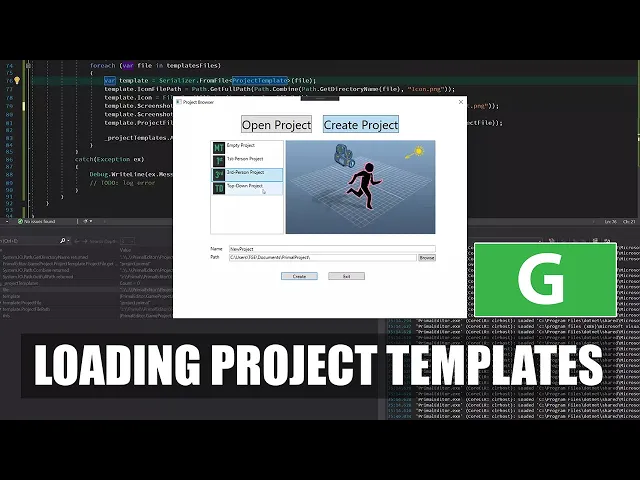
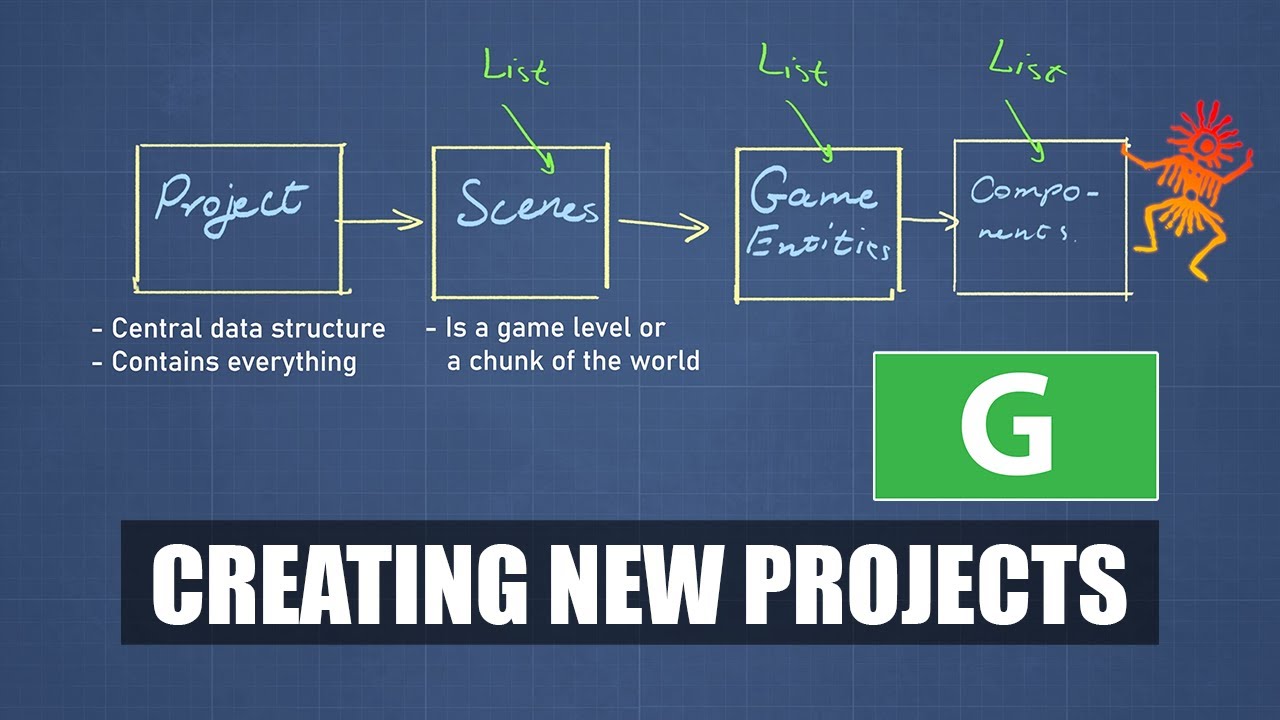
[Music] hello everyone and welcome to the game engine programming series where i'm writing a game engine from scratch last time i created a couple of controls in wpf that would allow me to create and open projects although i don't have a code yet that actually opens or creates new projects and today i want to write that code so that we finally will be able to create new projects and open them first before i start writing this code i'm going to talk a bit about how i want to implement this right uh if we go here
and in for example new new project view that is our control that is intended to create new projects with we see that there is this partial class that inherits from user control it's partial because well obviously parts of it is implemented here and the other part is actually this xaml that will be used by the compiler to generate the rest of the class right so if i uh go here and see what kind of stuff is in the inheritance tree of user control i can see that there is a lot of stuff that has to
do with the ui display right so for example here the content control the user control in here's from content control and that inherits from control and my point is that there is a lot of stuff here that isn't in any way related to um to creating a game project so ideally i wouldn't want to mix that code with the code for our view so here are a lot of uh events for mouse handling mouse and keyboard inputs yeah there is a lot of stuff that's not uh related to what i want to do and that's
almost always the case right every uh use case is different but you don't want to mix the logic of your program with the user interface program so that's why i am going to create another class and the way i want to do it is well we have this control now this represents the class that i am using for uh project creation and what i want to do is to create a class that has the specific things for my use case for creating a project for example i wanted to have these properties or these fields for
name and path and a list of templates basically that's a code reflection of what we see here but there will also be functions that operate on these um on these fields for example we will have a function to validate the name and path of the project and there will be a function to obviously create a project so what i want to do is to couple these two classes together somehow unfortunately wpf provides me with a means to do this and that's the mvvm design pattern which stands for model view view model design pattern so in
this case this is uh this display of uh controls is my view and the logics behind it the business end is my view model which also contains my model model is basically all the data that you need to do the work and the viewmodel is all the code that handles everything that needs to be done with the data so in order to be able to couple these two together or to bind them i need to implement an interface that is i notify property changed interface and this interface just has an event that is fired every
time one of my viewmodels properties change the way this works is that i can set this class as the data context for my control and bind each property to these controls and whenever this event fires these fields will get notified that something changed the other way around is also possible that if the user types a new name here then it will change the field in the view model so this is basically what i always do almost always do with your user interface construction in wpf so what does that mean in code in code that means
that i have to now create a new class i'm going to call this new project and as i said before i have to implement this inotify property changed interface but since i'll have a lot of these kind of viewmodel classes in in the editor i don't want to implement this every time i make a viewmodel what i do is i'll have a base class for all my view models view model base view model or view model base maybe that's the better name for it and this will implement the inotify property changed interface now i'm going
to generate a class for this like so i'm going to put it in a separate file in a minute but for now i'm writing it just here and this base class will implement this inotify property changed interface and this interface just has one event that gets fired whenever a property has changed so the way it gets fired is through a method protected method that is available to anything that inherits from it called on property changed and it gets just the name of the property that has been changed and uh fires this event so here we
check if anything any event handler is has been attached to this event so if its value is not nil that means that something has been attached to it and if so we can invoke the event like so and that's all we have to do now i'm going to put this in a separate file so that it can be accessed from everywhere in the project i'm going to create a common folder and add a new class to it okay i do want it to be accessible from everywhere so i'm going to remove this common namespace and
then make sure that component model is included here and that's good close this now i can start writing the rest of my view model for creating a new project like i described before there will for example be a property for name of the project so the way we create this kind of bindable properties that's with the red orange lines here it's like a regular property right so uh here we have a private backing field so there will be a name filled i'm going to give this a default value in this case a new project okay
and there is a property for it so public with a normal getter which returns the name and the setter will check if the name is a different value and if so we will assign the new value to the name now the difference between this bindable kind of property and a regular property is now that we uh now that we change the the value of this name we also call this on property changed event with the name of this property and whenever we now bind this property to uh to our control for example here we have
the textbox for a name i cannot bind this the text for the textbox with name of course i haven't set this class as my data context yet one of the ways i can do it is in the xaml itself so here i can create an instance of the new project viewmodel class that creates a new instance of this new project and sets it as the data context the data context is an object if i can look it up here so in framework elements there is a data context here is just a property and this type
is object that means that it could be anything by doing this i create an instance of new project and set it as the data context now if i am going to bind the properties of the data context i would like to have some kind of autocomplete i don't think let me see if i have for example if i do this for path so if i want to bind my second text box for path to to this property path okay there is also a path sometimes when we don't have this explicit uh data context here then
the this xaml editor of course won't know what kind of data context we have so this kind of suggestion doesn't happen which makes it a bit difficult to well you can make mistakes in names of the properties if you don't have this luckily there is a way to to make sure that visual studio knows what data context you are using i can set this designer instance to a type of my data context and and tell visual seo that is design time constructable and so whenever i don't have this so i can remove this now and
i still have i still have this autocompletion or suggestion for available properties right so if i don't have this then yeah this is something else now but name won't be there right okay uh now i can also see that it recognized the value of my path my path of course hasn't got the correct value yet i can set another default value and that one would be one of my special folders for the current user for example my document would be a good place to start so using environment get folder path i can get one of
these special folders and that is like this and i will append this primal project path at the end so all the projects that we create in primal project will be in this folder of course the user can type in another address or another folder path to create the projects in some somewhere else and that's okay too but this one is just a default value that we that we start with now if i go back to uh my control and i compile again there should be uh this value oh i haven't i have made an error
of not renaming this now if i go back to my control in new project view i can see this path also display it and that's good so the next thing i want to do is to generate a list of available templates so what i have already done is that here in in primal i have created a project templates folder with a couple of folders for each kind of game templates that i want to have and for now the only thing i have done is to put an icon in it and a screenshot so there is
for example for the for an empty project is an icon that tells that's empty and there is an empty screenshot and if i go for example to the third person then there is this icon and the screenshot in each folder i want to have a file that describes the template that describes the project so i'll create a template as a xml and in here i want to have the description of my project so what is a project template i'm going to model this project template by using a class so this project template has a name
of course or a type actually so i'm going to have a regular property of type string and it's a project type i want to have one more for project file the project file is a name of the file that is going to be our game project so for example this name of the project will be the name of our project file and of course i want to have a list of folders that i would like to create for my new game project for example there will be a folder that contains game assets 3d models textures
animations etc and there will be a folder for game code so all the codes that a a game creator writes or a game programmer right goes in there and maybe in the future there will also be some more default folders that i will create but for now those are the two that i need actually there is three because i want also to have a private folder for the editor to put stuff in it that is that is not um well i want to do something like visual studio or git do here we have two hidden
folders you can see they are hidden because they are a bit darker in color than the regular folders and they put visual studio for example puts its own bookkeeping stuff for bookkeeping here primal editor needs something like this as well to to put like temporary files in it that don't don't need to be seen by the user of the editor so i'll have one folder for that as well for now there is a list of folder names and that's kind of it so i want to generate this um this xml file here first and then
i'll change it by hand to for each for each type of template project so um to do that i am going to make a constructor for this class and then have a list that i can use to put all these folders that i find in it i'm going to first find all the all the template directories so i'll have it a templates path that points to this location first so it's a private read-only string of course this is a path that would be uh included with the binary of this primal editor so hard coding is
like this is isn't really correct because if you would install primal editor someone somewhere else then maybe this path wouldn't be correct anymore so i'm going to put a to-do here for this okay but for now it will do i'm going to use this template path to find all the folders that contain this template xml file and i want to search all subdirectories as well and this will give us a list of templates put this in a try catch block because i'm going to read from files and it and the serialize or serialize to xml
there will be a possibility of something throwing an exception so i'm going to cache that here and output it to the debug [Music] to the debug output of visual studio and later on of course i want to lock the errors in a proper way so that's we don't well if you don't use visual studio around the around the editor stand alone then of course we can't see anything like this so we we do have to make our own log for this for now i'm going to use this this is template files i'm going to assert
that it contains at least one template so we should have at least one template to be able to create a new project and now for each of these templates our for each of these files that we found i'm going to read in um the templates but as you can see now this template is just an empty file so first i'll write to it and then copy it to other folders as well and then well when we are done then we can read back from it so for now i'll just create a new template and i'll
use a name or a type for it it's empty projects and a project file is a is a file name so this name the project will be when we create our project we will change this to the name of the project so that will be changed later on and of course for the folders i need a new list and that one contains this hidden folder and one for content and one for game code now i take this file and then write this project template to it so to do this i need some kind of this
serialization which is available in netscore and net framework i can use xml serialization but the better way to do it is by data contracts because data contracts also allow me to serialize private fields so that's that's why i'm going with data contracts and for each field or member or property that i want to serialize i can mark it as data member so i want to have all of this and of course i need a method to assist me with serialization now i'm going to write a little utility class that allows me to serialize using data
contracts so first i'll create a new folder and then add a class serializer this is just a public static class like so and i'll have a function or a method here that's also static and it writes to a file so to file and it's a generic function that takes a type or an instance of t so in instance i'm being dyslectic today instance of t and a path to save the the file and because uh i'm writing to files and serializing those operations could throw exceptions i'm going to use a try catch block for this
and again i'm outputting this to visual studio outputs if it happens and put a to do here to do it later on with a proper logging okay so i'm going to create a file stream for this using this path and i'm going to create the file so it should be create mode and of course i need the data contract serializer to use with this file stream uh not the json one but a regular one that outputs xml well we could also use json but i can't json is a bit more difficult to read so that's
why i'm using xml whenever i want to write not to a file per se i can use another kind of stream as well but for now i want to write to a file now i can use this function to write here to write to a file oh this one should be the template that i want to serialize uh now i already have set this as the data context so there will be an instance of this class created whenever i open the editor so i can set a breakpoint here now and see if that happens i
have this one file created here so it should find at least one of these files let's see yeah it has one file in it that's this one and this will write to it if everything goes okay let's see didn't throw an exception and application is started okay so now i go back to this file and see what happened to it there is like one line of code and i can rearrange it to see what what is in it as you can see there is a project template and this list of folders name of the project
file and there is also the project type so that's all good i can save it like this and then i can copy this to other folders as well and just change this because the only way that they differ right now is only by the project type well i have generated my template so i don't need this anymore no i need to go through these folders and read those templates in so now uh it's the other way around i have to create a method in serializer that instead of to file we'll read from it so it's
from file and it gets a project template for me from this path right and i do exactly the same as i did here but then the other way around now i have to read from objects and i have a data type of well actually it should be an instance of this and this one should be open and this is of course a string and this is the file yeah and then of course i have to return this object from this file and if something goes wrong i have to return some default value of t in
this case if the if t is a ref reference type like a normal class it will return no and if it's a value type like a struct then it will return the default of that particular type now i have this method that deserializes from a file and i can use this to have to create my template with and i want to put this template in in a list right so i need for this instead of using a regular list i uh i'm going to use a special kind of list that i can use to bind
to my view and that's an observable collection okay so this one is private so it can't be used by the view or the control so i need to use a public one to expose it to the outside world but i don't want other people to be able to add to this list or remove items from it for that i'm using a read only observe observable collection of project templates and it's just a property that's read-only so it's just a getter and i have to assign a value to it in the constructor now i can use
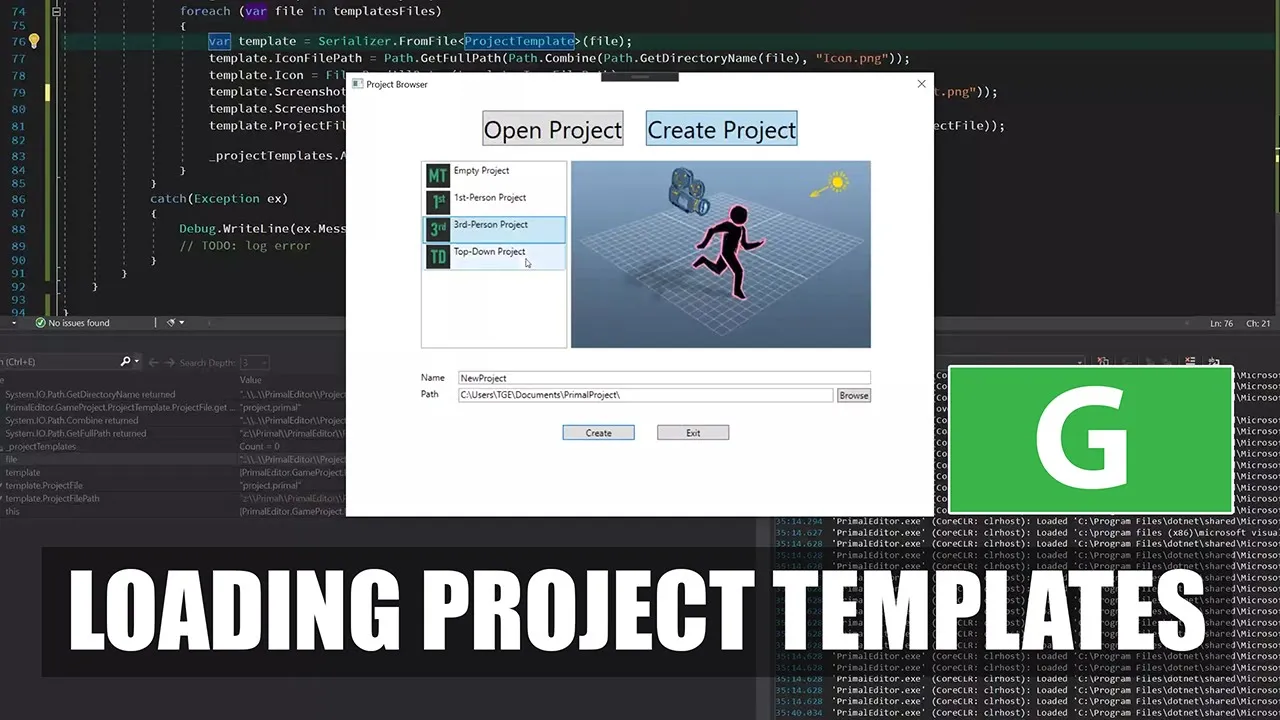
this list and bind it to our list of templates in the control so remember we have this list box here now i can go and set its items to the project templates let's see what happens okay now i forgot to add these to the to the list so i can do it here okay so i have a template here for the empty project that's good and the folders are here as well and then i can add all of them now i can see there are four objects here uh that's good but i haven't told the
the control how to display them so i can now go ahead and do that as well the way i can do that is by telling this list box how to display its items so one thing that i can do already is to put an image in this border so this will contain the image and oh well let's first read a bit more data in before i can do this here in in this project template i want to read in the data for this icons and screenshots and yeah construct a bit more data to be displayed
so for that i need an array of bytes like a binary array of um for the icon it just i'm going to read that png file in here i'll do the same for that screenshot and i'm going to remember where these files are because i need to copy them to the destination folder for project for the game project right so here i need a property that is the icon file path and i need one for the screenshots file path and one for the project file path so in this constructor while i'm reading this template i
can now go and fill in those fields as well for example i can have these templates of icon file path i can get that from from the path included in this file right i need a static class here from system dot io so because i am using a path a property is kind of collides with this with this system io path so i'm going to change these to project path and project name and here i need to change this as well project name and project path now i can get the directory of my template file
and then append the name of the icon file to it it's still telling me that it's ambiguous oh shapes i need to remove shapes okay i don't need shapes now i have the fall path for icon i do the same for the screenshot and here for icon i can read all the bytes of that file into this icon and do the same for screenshot and for the project file path i will have i will do the same but then i will use the project file name for that so here i have a template project file
and this one is a project file name path i'm sorry okay now we have all the data that we need to use with our control and i can go back here and tell the control how to display these these data this border needs to display whatever is whatever templates we select from this list so i need a name for this list to to be able to refer to it and then i have this border the background which is an image brush and i'll can't bind its source to to whatever is selected so selected item but
the selected item is of type project template so i get its screenshot and the element where i get this selected item is the template list box so this should display the the screenshot and in the list box i'm going to tell the listbox how to display the name and icon and i have can have a horizontal stack panel that displays the icon first and the project type next to it i put a little bit of space between the icon and the name of the project or the project template okay let's build and run and see
what happens uh and i don't see anything yet so let's see what is wrong here here so i'm getting the path and the data as well and something went wrong here so now if i look at the output i can see hopefully see what went wrong and that path was apparently zero so let's see but what path that was okay um i forgot to put this there's a copy paste error it's a screen file path of course and now it's not no anymore and that should give us our list and our uh screenshots or the
template pictures basically so this is a top down one and then we have the third person first person which has a camera on his head and empty okay one more thing i want to do is to give this list box a selection when i open it because now i have to i have to click on one of these items to make its picture visible i want to already have one selected item and i can do that here by setting the selected index to zero that selects the first element in the list now this is already
selected and yeah this is uh good of course we still can't create a project and that's what i am going to do next time thanks for watching if you like this video please feel free to like and subscribe if you join me on patreon you'll get access to the code on github so you don't have to type everything over from the video plus there are also other nice goodies and rewards exclusive to my patreon supporters please use the link in the video description to check them out i hope to see you next time until then
take care and happy game engineering [Music] you