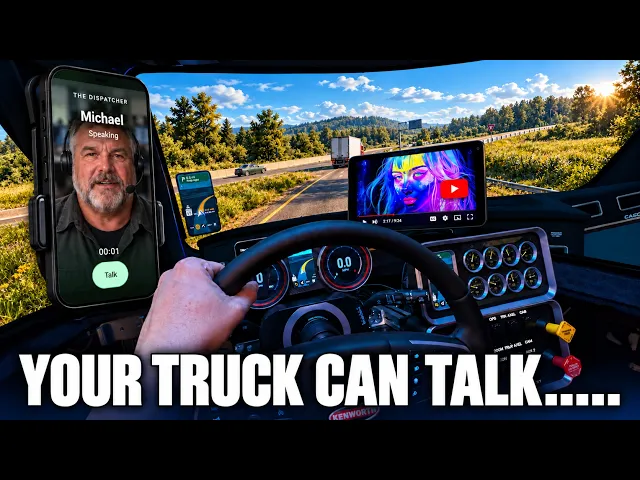
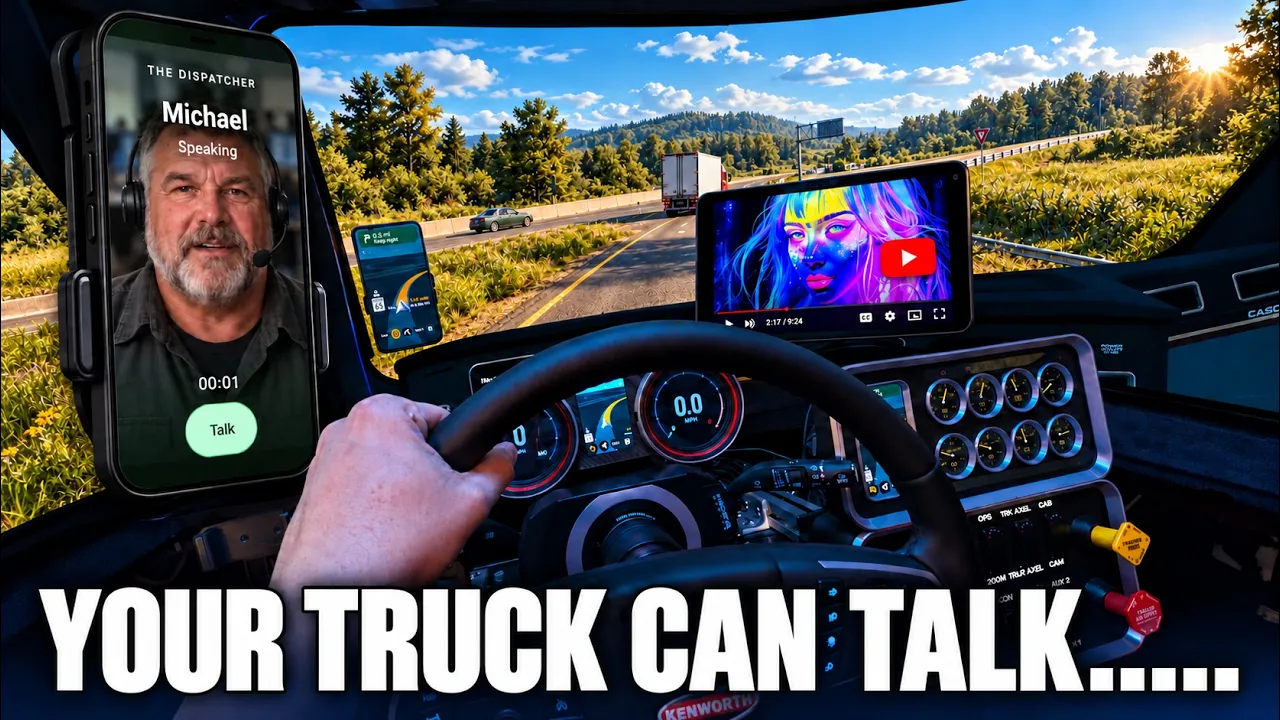
Michael, can I get a brief? >> About 61 miles remain. Rest is due in about 12 hours and 17 minutes.
>> There you go, just like that. There you go. You can use the guidance on the screen and make it happen.
Or, you can watch a YouTube video. That's right. This is not something I condone for anyone driving in real life, but guys, we are playing a video game.
We're enjoying ourselves. You can finally watch YouTube in your truck. You can listen to music.
You can do whatever you want. Oh, and I forgot to show you. Yeah, it doesn't all just live in the game.
Check this out. Look at this. Connect a tablet or phone.
Well, let's do so, my friends. If you are on the same network in your house, I don't know what else to show you. I don't know what else to tell you.
You can put your phone here. If you like that, then that's what you can do. The coolest part about all this is if you had a tablet, well, you could do the same thing.
Allow me to introduce you to the dispatcher. Not a mod, but a program that works so flawlessly with your game, you would think that it was always part of it. A place where you can get information, where you can get navigation.
But more than that, you can talk to a dispatcher. A place where you can see your dashboard, your auxiliary instruments, talk to the dispatcher, see trip information, look at your navigation, and basically make it all yours. But more than that, we will offer DLCs that will make this experience unforgettable.
CB radio, infotainment with YouTube and Spotify, a truck panel that shows you the health of your tractor and your trailer, and much, much more. A logbook to keep track of your business, and a story mode, something so compelling I can't wait to share with you guys. So, allow me to take you on a journey.
This is the dispatcher. Hey, Michael, give me a brief. >> About 61 miles remaining.
Rest is due in about 13 hours and 33 minutes. >> And there we go. Today, I want to show you the work of my life.
I've been spending a long, long time on this, and I can't wait to share it with you guys. It's going to be a lot of information. I really hope you stick in there.
I gave you a little snippet. There'll be many other videos coming to explain every feature in detail because there's so much going on that it's almost impossible to keep track of. I hope that this enhances the way you play the game.
Let me take you on a tour. Let me show you what I've done. Ladies and gentlemen, please meet the dispatcher, the most complete piece of software to aid you in your truck simulation, which I will be humbled if you would sign up and sign along in our beta and even after it comes out.
What this is is a companion, companion on the road in every single way from the dispatcher that talks to you to the CB radio that keeps you company, the trip information that you can use, and you can plan your trip along. Of course, navigation in the center, so you know where you're going and how far you have till you get there. The dashboard, which is an amazing feature which I'm going to present to you guys, and the auxiliary gauges similar, a truck feature that shows you the health of your truck, but can do something so amazing that you will be blown away.
So, hang in there for that. And then, the logbook. Of course, you guys know what the logbook is, and you know what it's there for.
But, the thing that you saw at the beginning, the infotainment. there a tablet on our screen? I can't wait to share all of this with you guys.
This is not a tutorial by any means, and I will make a tutorial for all my beta testers and all the people who have supported me. For now, this is a showcase. I can't wait to share this with you, as SCS says, the greatest community ever.
So, guys, here we go. Navigation, ladies and gentlemen, what can you do with navigation if it's in a Windows program behind your game? For example, if I click on the game, it is gone, isn't it?
Well, not any longer. If you prepare your trip before you go, you can do things like this. Every one of these panels, these are called panels, has a word at the top that's called pop out.
If you hit it up, well, it pops out. And wouldn't you know it, it is in the shape of a phone and you can see it here. Yes, fully interactive map in every single sense of the word.
You can move the phone and we'll get to it in a little bit later. You can actually move your phone by using your joystick on your control. That's right.
What if you change your trucks? What if you want to put it in a different position? You will be able to change your phone position instantly.
So, that is your phone. What can it do? It can do a lot of things.
Of course, it can give you navigation. You can press on DEST, which is destination. You can choose other places, not just your delivery, which should be standard, but fuel, rest, service, and scales.
Also, you can end navigation. What if you don't want to go anywhere and you just want to free roam? So, that is the quick of what the navigation does when it pops out.
It is a phone with a lot of capability. Next, something I'm really, really excited to present to you guys, the dispatcher. And you heard me do it at the beginning.
I'm going to do it again. When you assign a button like this, you can say, "Michael, how much fuel do I have? " >> Fuel, 64%.
>> As you can see, you now have a true dispatcher that you can talk to. I have to be clear, even in beta, this is going to be somewhat limited. I We've been working on this language model for a long time to try to get it to understand, to have meaning, to correlate and tie sentences together.
I want to ask you kindly, please speak slowly. Please ask basic questions. It is not AI.
It is not our best friends. They don't understand us like our parents do. Michael, where are we going?
>> East straight, Louie. >> And there you go. Also, they can do fun things like, "What is my name?
" >> Your question. >> Of course I am, because that's my name. That's my God-given name.
Uh at launch, this will not be available, but the CB radio will actually play pieces of audio, pre-recorded CB audio. And wouldn't you know it, you can also place it anywhere in the cab. And I want to make sure to explain something to you guys.
These are not mods. None of this goes in your folder, which means you don't have to keep them updated as the game updates. Maps do have to be updated, but not this.
So, that is so cool about what I've innovated here is to play the game, to add so much more reality, like a CB radio, like a phone on your windshield, but these are not in the game. These are floating over your game, and that's where the magic happens, because as we continue, there are so many cool things. For example, what if you want to look at the trip?
As I've said before, you can pop out every single one of these panels, and there's so many things you could do with them. But, sometimes you might not want to look at this, so you just dock it back in, or use a little arrow that points to dock back in. Let me show you something really cool, the infotainment.
There it is. You now have a tablet in your truck, which I can move using this button here, and you can listen to music, or you can watch a YouTube video. That's right.
This is not something I condone for anyone driving in real life, but guys, we are playing a video game, we're enjoying ourselves. You can finally watch YouTube in your truck, you can listen to music, you can do whatever you want. I can't play that audio for you right now, as you can understand, we're on YouTube.
I'm going to get shut down and demonetized. Heck, I don't even want to look at that video too long, because, well, I might get in trouble. When you look down at the bottom of the tablet, you can see Spotify, YouTube, trip information, oh, everything about your trip, navigation, and then an amazing little button called trailer.
That's right. And if you don't want it, you just press doc and it goes away. We are popping out almost everything.
I want to show you another really really cool feature, but for that I want to dock everything. And this I want to show you here. You press doc, everything goes back in, everything nestles back together.
It's like it was never there. Now, here's check out this cool feature. Here I am on a triple screen.
Yes, I do make and sell these dashboards and the link to these all these units will be in the description below if you want to add reality to your simulator. But, what if, like me, you have a triple screen and you are if it enlarged your windshield so much so that you can no longer see that down there. What happens is we have an augmented reality new cluster.
This cluster can be placed all the way at the top, at the bottom, anywhere your heart desires. And wouldn't you know it, you can shrink it. The reason you want to do that is because you can't really see your speedometer in your RPM.
But now you can. And there are so many features that I cannot really just go into depth. For example, if you don't want to show it all the way, you can actually make it see-through, just like this.
And some people might enjoy that look. This is here to help you in your simulation. I said that at the beginning that the dispatcher is here to help you and bring your simulation to a new level.
I also want to show another feature called the auxiliary gauges. There is so much information that that you want to see sometimes. You might not have a device like this that I have invented and sell on my website.
But I am offering to you this at the top. And wouldn't you know it, it's not just one, it's always many. And what I mean is if you press this button here, they switch over and over to different themes.
There are so many dashboards. You might even find the one that of the truck that you're driving in right now. So, there's so much more to show you.
Honestly, I'm so excited to share this. I know I'm going through it very, very roughly. It's It's on purpose so you guys can get an idea without being bored to death.
There is a logbook. It is a work in progress. We're working on it.
But, you can keep an eye on your company and all the drivers and all the things and garages that you own. You can keep an eye on your fleet and how many of those Western Stars do you own? And of course, banking.
Banking is important. A lot of this stuff is not out yet. As of the making of this video, you will get what I call the five panels, the basic five panels, which you can read more about on my website.
You can add additional panels like the infotainment and the truck and logbook and story mode later. I hope you're still hanging in there. Let me know in the comments below if you're still hanging in there.
I'm docking everything back in. I'm bringing it on my main screen. I need to introduce you to the stars of the show.
You did meet Michael, but you also have to meet Aaron Hart. These two people will be your companion on the road from now on. They'll talk to you.
They'll give you information and they will actually navigate the truck to wherever destination you want to go to. A lot of the features are still work in progress, so please bear with us. So, as I said at the beginning, these people are going to be your companions forever.
And they have a story. Aaron and Michael have been around for a while. When the story mode comes out, all of these cards will be covered and I don't want to uh show you too much right now.
But, there's a history to Michael and there's a history to Aaron Hart. And here's what's going to happen if you talk to them. Who is your wife?
>> Denise is my wife. She is a public school librarian. >> The cool part about it and it's difficult to explain to you guys right now, but you will see once you own this little uh DLC from us.
Michael Mercer meets his wife at one point and we have that story. Any story about them in photographs and in writing, you can enjoy it. So, there's two ways to discover story mode.
You can speak to them and unlock all of these secrets just by asking just the right question. And sometimes you won't know what to ask. So, we'll give you hints in story mode when it finally comes out.
But also, a better one is to just drive. Drve the map. Drve the map.
These people have been driving before. They lived across the country and they have stories to tell. So, if you drive through a specific location in a specific big area, Michael will come along and tell you a story about what happened to him in his teens or where he worked at before.
Just like this. What was your first job? >> I started at Harland Truck and Brake, an independent repair shop outside Toledo in 1984.
Tires, brakes, inspections, parts runs. >> There you go. There's so much more to this.
We could be here all day. But finally, I want to show you something really, really cool and that's the last thing uh that I'm going to show you. Many more DLCs are coming out.
I really look forward to the community's response on this. I want to hear what you like, what you hate, what you love, and what what else you're dreaming up. We can make it happen for you.
The community will be a big part of the dispatcher. The dispatcher grows with the people, not with just myself and the few beta testers. So, let me show you something really cool.
For that, I need to start the truck. Yes, it's an automatic mode. We've been doing a lot of testing.
We can't shift in and do all this stuff. We're going to detach. So, the trailer's detached.
>> eye on the final approach. >> I will. Michael, thank you so much.
I'm trying to show the people something. Check this out. Do you see that fifth wheel down at the bottom?
If you press it, the further I pull away, we see a schematic of where the truck is and what it takes for us to get back. I know a real trucker doesn't need this kind of crap. I can hear it right now, guys, but it's fun.
It's fun coming up with cool concepts for you guys. It's fun innovating for you. Check keep your eye on the tablet.
If you're not sure about how to drive and how to hook up a trailer. There you go. Just like that.
There you go. You can use the guidance on the screen and make it happen. Oh, and I forgot to show you.
Yeah, it doesn't all just live in the game. Check this out. Look at this.
Connect to tablet or phone. Well, let's do so, my friends. If you are on the same network in your house, I don't know what else to show you.
I don't know what else to tell you. You can put your phone here. If you like that, then that's what you can do.
The coolest part about all this is if you had a tablet, well, you could do the same thing. And if you don't want to just see navigation, you can see trip info or navigation, but guess what? The best part of it is But yes, you can still talk to Michael.
All you got to do is press this button down here at the bottom. How much longer do we have to go? >> About 1 hour and a little bit of minutes to go.
>> You can communicate with your dispatcher through your regular phone, through the phone in the cab, or the tablet, what have you. You can use your button on your steering wheel. It all works.
But one thing I want to tell you, please remember this. This is a Windows program and you saw me a lot of times that if you noticed I actually tapped out. You do have to set it all up and that's why we're giving you guys buttons that you can set cuz you have to set it all up before you start driving.
You cannot be driving and exit out of it and go to the dispatcher. It is a Windows program running behind your game. Uh but the additional pop-out and floating panels that happen everywhere are there to help you.
You can look at them. You can interact with them, but you can't just click on them as you drive. But just set up your trip before you go.
It's not that difficult. I am so excited to put this out. I'll be honest with you as I always have.
I'm giddy right now. I'm uh excited and I'm nervous. And I don't know what you guys will think, but that is why we have a Discord.
Please support us on Discord. Join us on Discord. After making your purchase, let us know if you have any trouble.
We are ready to assist and more than anything as I told you. We are ready to mold this dispatcher to do exactly what you want it to do. That is the goal.
That is what we're trying to do. Oh, yeah, before I forget, if you bought anything from me that has a touch screen, the dispatcher now works. No need for SIM hub anymore.
We have our own presentation and our own software. The dispatch, ladies and gentlemen, and of course, let us center our navigation. Let's zoom in and center.
Good to go. I can't wait to hear from the community. I don't know if you hear the nerds, uh, but I'm excited.
I love you guys. Hit me up in the comments below or join me on Discord. The link to the Discord, the link to the dispatcher should be in the comments below.
Love you all.