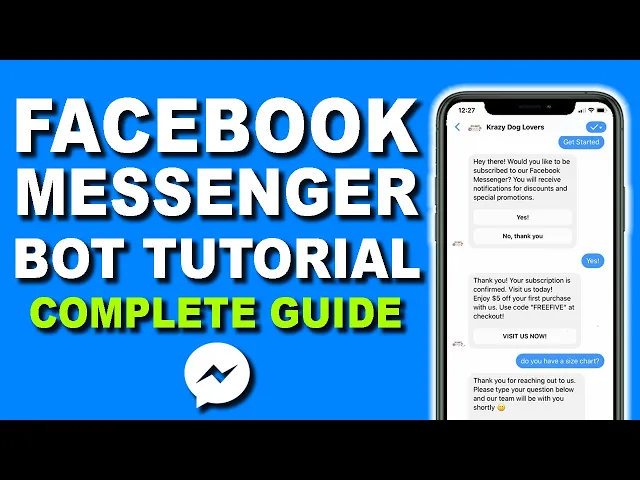
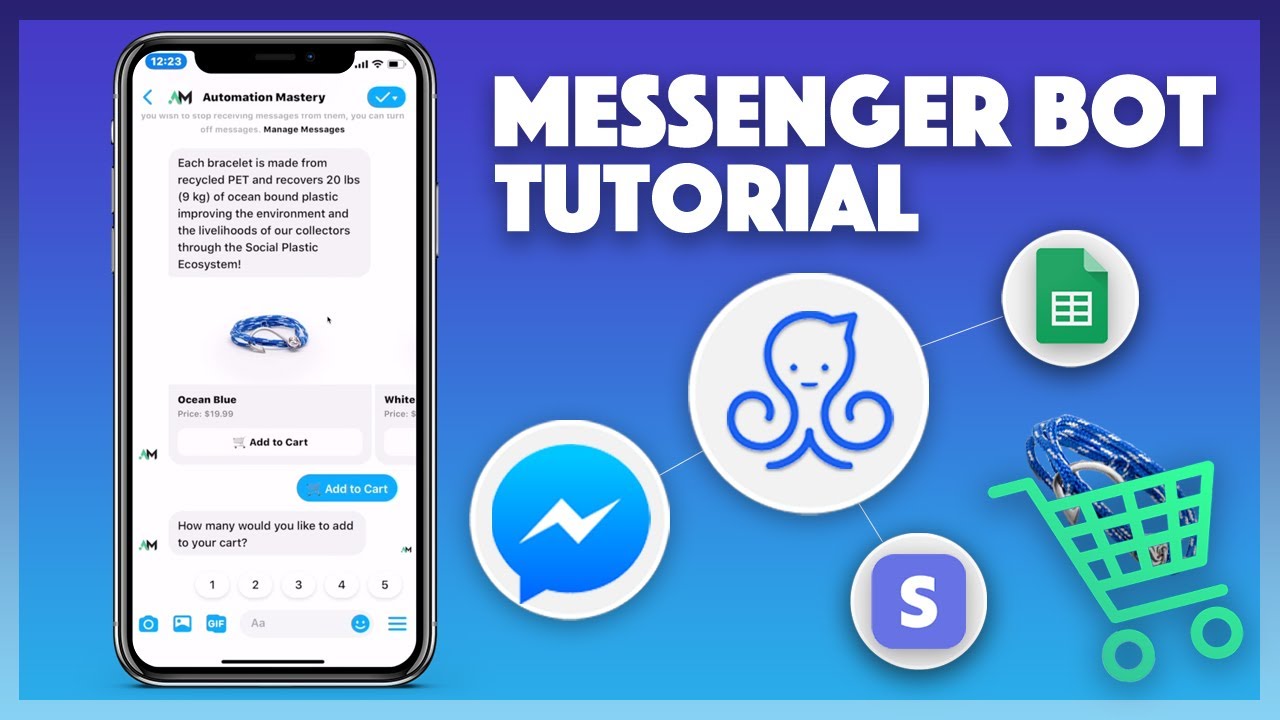
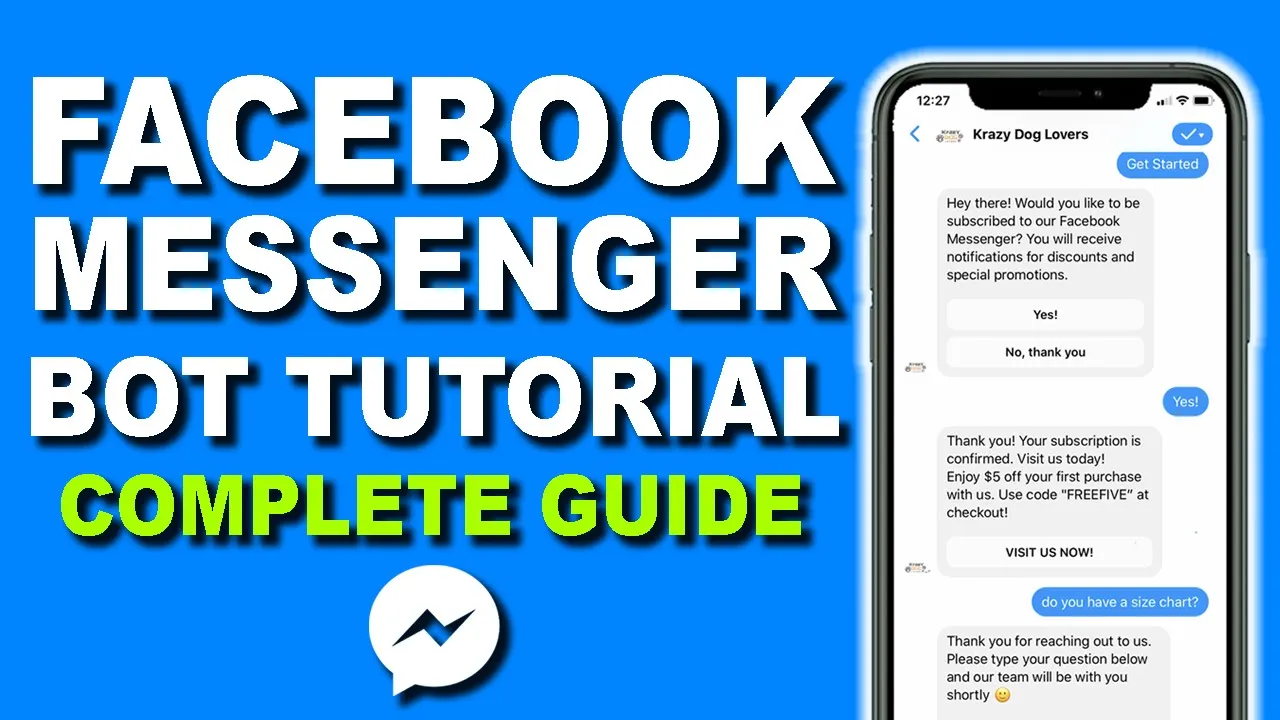
hey what's going on ecom dominator cynthia here and in today's video i have one big question for you and that is do you currently own a facebook business page and if the answer is yes then you definitely need to be using chat bots and i'm gonna be getting questions well cynthia what exactly is a facebook messenger bot and how can i use it to maximize the use of my facebook page all that will be coming up in today's video so stay tuned and if you're new to my channel hey what's up my name is cynthia and i teach everything related to facebook marketing and how to build your facebook fan page successfully so if you're interested in learning more don't forget to smash the like button and also stay subscribed to my channel for more content just like this already guys let's get into it so if you're not familiar with what a facebook messenger bot is it's basically an automated messaging software that uses ai to help you interact with your audience chatbots allows you to reach your customers directly and communicate with them via the facebook messaging app like how you would normally communicate with your friends and family you have the ability to program the chatbot to ask certain questions and provide a few options to help your customers resolve a problem or get to a certain place or reach a certain goal not only can you essentially use it for anything like customer service you can provide options for the most frequently asked questions like tracking deliveries booking an appointment or simply visiting your website now with chat bots you can set up automated interactive conversations with your customers to guide them with the product selection process and send them to your site to make the necessary purchases because most likely your audience is new to your brand and you can remove that barrier through conversations thereby giving them the confidence to purchase from you and the software that i'm currently using is called manychat they're the leading software for facebook messenger chatbots and they are the best on the market so there are basically three things that i actually use manychat for number one selling a product number two lead generation and number three customer service so in today's video i'll be showing you a quick tutorial on how to set this up the first step is to head on over to manychat. tbootcamp. com where you can get started for free and the next step is to sign in with your facebook account and they will automatically link up all of your facebook pages to manychat now once you have successfully registered for manychat you'll be redirected to the dashboard and if i scroll down over here you'll be able to see all the current active subscribers you have on your bot so over time as you grow um you'll be able to see the line grow up and up and up it's just how it works so um just install it and you'll see your subscribers grow now another thing is sometimes you may want to see each individual subscribers to your list so if you look under audience you'll be able to see each and every single one you'll be able to see under the subscribe who has subscribed who has unsubscribed things like that now i would say that the most valuable tool inside manychat is the growth tool this is the part where you get to send free organic traffic from your facebook page to any website that you want don't worry i'll be coming back to growth tools showing you exactly how to use this now another feature inside manychat is that you can use the live chat so if anybody ever message you on your facebook page instead of logging in on facebook you can actually chat with them right on manychat because they give you that option right over here another thing is you can also send broadcast so whenever you have build up your subscribers list to say 500 or a thousand people you can start sending out broadcast messages say hey we have a new product go ahead and check it out or check out our service like anything that you would send in an email you can actually use broadcasting to send to your subscriber list so very similar to an email list that you want to build it to you know 5 000 10 000 people on your list you want to start building your subscribers on your uh chat bot and another thing is automation now this is one of the most important part in terms of customer service because when you go under automation we can set up things like welcoming message and default reply so i'm going to be showing you exactly how to set that up in today's video so the first thing you want to do once you register for manychat is to set up your welcome message so whenever someone message you for the very first time on your facebook page they will see this immediate message now keep in mind this is all automated any message you'll get they will see this first welcoming message so i'm going to show you exactly how to set this up so the first thing you want to do is click new flow and then you want to give your new flow a name so i'm going to say welcome message test and i'm going to click create now this is the part where we get to customize our message to anyone that message our page so you can type it right over here and then over here you can see a preview on how it actually looks like when someone messaged you so for the purpose of this training i have already typed up a welcoming message so i'm just going to paste it in right over here so basically what i say is hey there would you like to be subscribed to our facebook messenger you'll receive some discounts and special promotions now notice how i have structured our welcoming message i want to make an offer for them to subscribe to our messenger because our end goal for using manychat for any facebook page or any business is to build our subscriber list so we definitely want to extend that offer to anyone that message our page now you also want to offer an incentive for people to want to subscribe to your messenger bot you know nobody wakes up in the morning say hey i want to be spammed more you know through facebook messenger nobody does that you you know you want to definitely give some sort of incentive for them to subscribe to your bots so what i do is i'm going to say hey if you subscribe we'll give you discounts special promotions things like that so that way people are more inclined to subscribe so over here people are going to be asking well cynthia how do people subscribe via this bot so with manychat they give you the option to add a button and this is the options that you're going to provide to anyone that is seeing this message so all you have to do is click add button now over here you have multiple different options but in this case for the first button i just want to say yes yes i want to be subscribed and then you pick an action what you want to happen so i'm going to click action and then i'm going to scroll down here and say subscribe to bot because this is what we want people to do so they click yes they're going to be subscribed to their bot and then i'm going to go ahead and send them a message so i'm going to say in that message right over here i can type in a message if they ever click yes so now we're going to set up what we're going to send to that person if they click yes i want to be subscribed so what manychat will do is they will automatically subscribe that person to your list but we also want to tell them that we have received their subscription so over here i usually type something like this i'm just going to go ahead and paste it in i'm going to say thank you your subscription is confirmed and then i'm gonna say hey why not enjoy five dollar off your first purchase with us just use this coupon code at checkout so immediately what i like to do is offer them a coupon code so for me since i own a shopify store the way that i like to track my leads that are coming to my from my facebook messenger is i can go back and track who ever used this specific coupon code i know that i generated that sale through facebook messenger so i can refocus my marketing efforts uh towards facebook messenger as opposed to emails that way i can track what's working better versus which one is not working as well so that's a little cool trick that i usually do is to have a custom coupon code for emails have a custom coupon code for facebook messenger or if you're on you know instagram or pinterest have a specific coupon code for each and every single one of these platforms that way you can track where majority of your sales is coming from so over here you know you can say your subscription is confirmed please visit us you can also add in a button and this button says you know visit us now and then you can open up a website so you can enter in your website right over here so what i do is i can come back over to my face uh to my shopify store so this is just my test shopify store i'm gonna go ahead and copy my domain again you do wanna have a custom domain this is a very generic one so i'm just gonna paste that in i'm gonna click done right over here so now the other question is well cynthia you set up the yes what if someone says no i don't want to be subscribed how do i set that up so that's very simple so what we want to do is we want to come back to our welcoming message and we can add a second button so for the second button obviously we want to say no and we'll say no thank you and then we can select an action and this action will just be unsubscribe from bot just want to click that and then i also want to send them a message if they do click no thank you i'm just going to say we are sad to see you leave you can visit us anytime at and you can put in your website here so over here you can also add in a button if you want to so we definitely always want to make an offer for them to visit our website even though they don't want to be subscribed to our list so that's pretty much it so after you are done you can go ahead and click publish and it will be live on your account now once you have successfully published that specific flow you then need to set it as your welcome message because manychat does not know which one you want to use um so for that you need to come under settings and then come under messenger and then right over here this is the part where you can set up your welcoming message so over here i just click edit and then i can say select another flow and over here i can select any flow that i want to so this is the one that we just set up the welcome message test i'm just going to select this one right over here and i'm going to click select this flow so once you have selected it will come under welcome message text and then don't forget to select enabled this is when it will be truly live on your facebook fan page so the next thing that we want to set up is the default reply so say for example somebody message your page we automatically send them our welcoming message but what if they ask us a different question that is not related to being subscribed to our bot what if they're you know asking hey where's my order or um i have a question about your product obviously the technology is not there yet where the bot can automatically answer that type of question so for this part we definitely want to send a default reply if anyone decides to ask us a question that requires a actual human being to answer that question we still want to give them a reply so that how you can set this up is if you click on default reply and you click on uh new flow you can create a new flow for your default so over here i'm just going to type in uh reply test and then i'm going to click create now from here we can actually type in what we want our response to be so very similar to how we have created our welcoming message this is how we're also going to create our default reply so for the purpose of this tutorial i've already typed it up so i'm just going to i usually type something like you know thank you for reaching out to us please type your question below and our team will be with you shortly in the meantime please click a few of these options that may help you solve any issues that you're having so not only did we acknowledge um that they have sent us a message but we're telling them that our team will be with them shortly that someone will be there to answer their questions but another thing what i like to do is you know while they're waiting we definitely want to give them a few links that they can click on because most of the time their questions can be answered by your faq or if they want to track an order you can send them to you know a link where they can track the order on your shopify store or wherever so how you can do that is we're going to set up these options using the buttons down here so let me show you exactly how to do it so i can add button again and then for this one i want to say open website over here i'm just going to say you know faq if somebody want to check out frequently asked questions i'm going to say open website now i'm going to come back over here and say this is my faq for my website over here i'm going to go ahead and copy the link come back here and paste it in so if someone while they're waiting for somebody to get back to them they can actually click on faq and view some of the questions that may actually help them solve their problem so we can also add in a few more options down here i'm going to click add button and i'm going to say track your order and then i'm going to click open website and then come back over here and if you have something to actually track your order i recommend to add that to your shopify store or if you don't even have a shopify store you can obviously offer a different option but this is the track your order where they can enter in the order number email track because more times than not most people are messaging you because they want to know where's my order so i'm going to go ahead and copy this link come back here paste it in and then click done now obviously you can add more options over here say for example they're just interested in your products but they don't know how to visit your website you can just say visit us here and then you can open up your a different website so over here i'm just going to um copy the front page of my website i'm going to paste it in right over here and click done so usually i like to offer a few different options down here right over here so that people can actually attempt to solve their issues um so that you can take care of your customer service super easy and simple using uh facebook messenger chat by so once you're done i'm gonna go ahead and click publish now very similar to how we have set our welcoming message we now have to set our default reply so i'm going to go ahead and click edit i'm going to say select another flow i'm going to click the one we just created which is the reply test select flow and that's it so also a lot of people always forget to enable it never forget to enable it a lot of people come to me and say cynthia i set it up but it doesn't work it's all you have to switch this one on in order for it to work so now i want to show you a quick demo on how your audience is able to interact with the bot that we just set up so if i come down over to my test facebook page if they want to send you a message they may click on this button right over here so immediately what they see is this get started button so let me show you how it works once i click get started so immediately we are sent uh the welcoming message right over here which says hey there would you like to be subscribed yes or no so i'm just going to say yes i would like to be subscribed and then immediately i get a second message which is thank you for your subscription here's my coupon code right over here okay and then i can click this visit us now button to get on to the website now say for example i am a customer that's interested in purchasing one of my t-shirts and i have you know maybe a question about do you have a size chart okay it's like some random question i'm just going to go ahead and type that in so immediately this will be the default reply as we have set up you know thank you for reaching out blah blah blah in the meantime please click one of these options below and someone will get back to us so as you guys can see with the technology in you know ai bots we cannot program our bots to answer this type of question you know do you have a size chart or you know they have a question like is this color more close to red or pink you know the bot can't answer these type of questions so what we want to do is really set up the reply acknowledging their question and then someone else can come back here and answer their question so it's very important that you not only set up your welcoming message right over here to get people subscribed but also send them a default reply letting them know somebody will be right with them so for the last part of this training i want to show you exactly how to use the growth tool feature on manychat and in my opinion it's the most powerful tool you can ever use for your facebook page so the first thing you want to come and do is click new growth tool now in order to set up your growth tool you'll first need to select a specific post on your facebook page now for the purpose of this training i've already created a post on this page now as you can see on this post i did not put any kind of links and if you watch my previous videos i don't recommend putting links because it simply lowers your reach on facebook so what i do is i post a simple image and then i add in a very generic simple description about my content so over here obviously i want people to get this free ebook so i'm going to show you right now how you can drive free organic traffic from your facebook page to your website so what i do recommend is to give something away for free because the way that you're going to really maximize the use of your facebook messenger bot is you want to build your subscriber list but not only that you want to build your email list you want to build both of them and in order to do that you want to give away something for free now i know i'm going to be getting questions well cynthia i don't have an ebook to give away and i don't want to spend a fortune for someone else to create these ebooks for me no problem so a website that i actually use is called idplr.
com you can go to plr. tbootcamp. com where you can come on over here and search through thousands upon thousands of different products that you can give away for free and you're bound to find something for your specific niche now they don't just have ebooks if you look down over here they have videos free graphics audios articles templates they have all of these things that you can give away for free in exchange for their email address in exchange for them being a subscriber to your bot this is truly how you're able to going to build a massive email list and a massive subscriber list where you can then sell them other products down the road but you actually own that specific asset so i do recommend going over to plr.
tbootcamp. com get your free lead magnet and then come back over here to post it right over here so i'm going to show you a quick tutorial on how to build your landing page to drive traffic and collect your email list so very quickly i'm going to show you how to set this up so the first thing you want to do is make sure you select specific posts and i'm going to go ahead and select the post that i want to send the message to so anyone that comments underneath this ebook i will send them a message and i like to turn off track first level comments only and then you can select um when to send it to them i like to select immediately and then the next thing you want to do is gonna go on over to auto response now over here this will be the message that you send to anyone that comments underneath your ebook so over here i'm just going to pretty much delete this right over here it's going to say hey and they'll address them by their name i'm just going to go paste it in would you like to download our free ebook if you want to go ahead and click the link down below and we can go ahead and add in our button so before we add in our button we obviously want to redirect them to a landing page where they can enter in their name and email address to download their free ebook so let's hop on over so right now i am on click funnels and i love using click funnels to build out all my landing pages to help me build my email list so let me show you exactly how to use it so the first thing you want to do is go ahead and click edit page and you'll be brought to this page where you can go ahead and edit everything on this page so this is by default this is uh my best converting landing page that i've ever used is actually converting at 70 so if you want your own copy you can actually get this 100 free um if you want a free access to my click funnels course you can go to cf. t bootcamp.