so let's say what are the prerequisites you should have before you deploy your netscaler okay so you need to have a license as I mentioned then if you are planning for the VPX Appliance then you need to have hypervisor either you need to have Citrix or VMware or your hyper-v and then you should have a minimum of 4GB RAM and 20 GB hard disk space you need to design and then processor minimum two vcp unit doesn't connectivity you should have 100 Mbps or njbps recommended this is the data center connectivity and then on Nick card
you should have with the hypervisor so this is the requirement of your VPX and when it comes to the hardware appliance which is MPX and sdx first thing you need to have a Rackspace and then you need to have a Cat6 cable to connect between your switch or between your laptop Etc and then you should have a laptop for the initial configuration because you need to plug the Lan cable directly from the netskiller to your laptop you know first to access and do all the initial Network assignment etc etc so these are the high level
pre-exers you need to have before you you know configure the net scaler okay uh Network requirements so IP address so you need to have a minimum three IP address I will talk uh why we need minimum three and then we have a subnet mask we need to have a DNS name we need to have a default gateway and then ntp server for the time synchronization and then you should know the time zone on which time zone you are deploying your net scale if it is the Asia Dubai or India etc etc okay so coming to
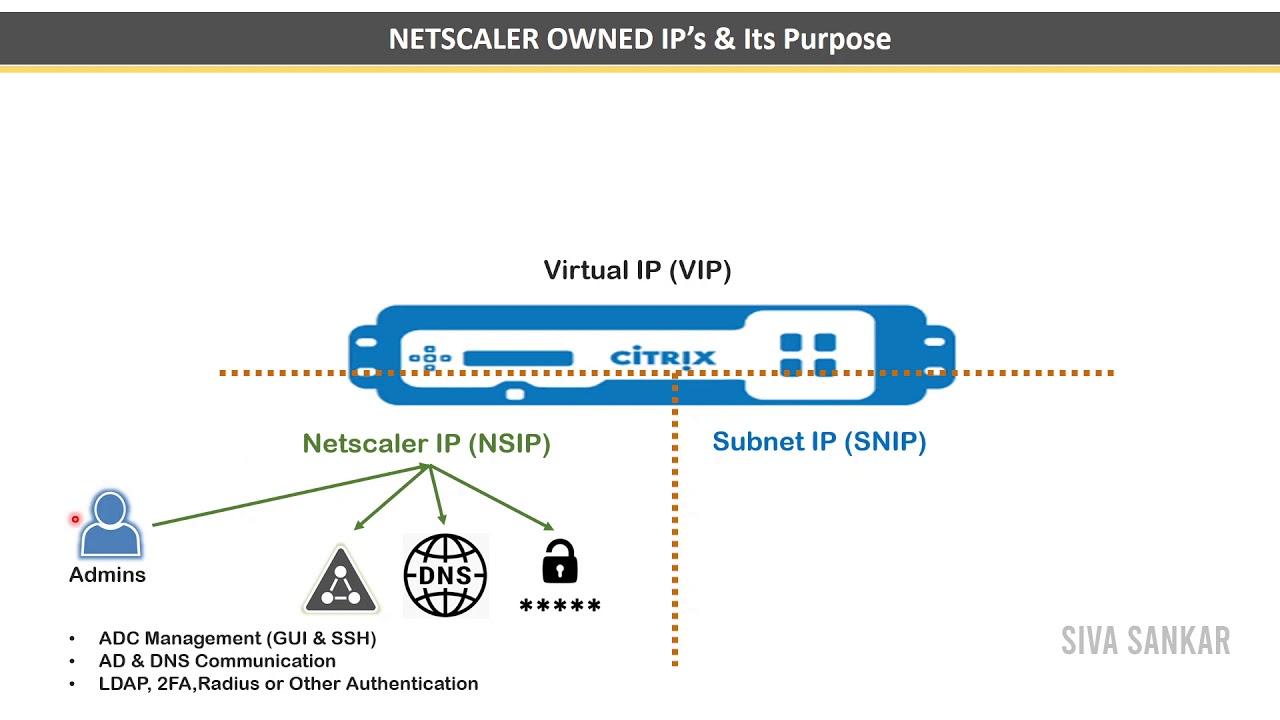
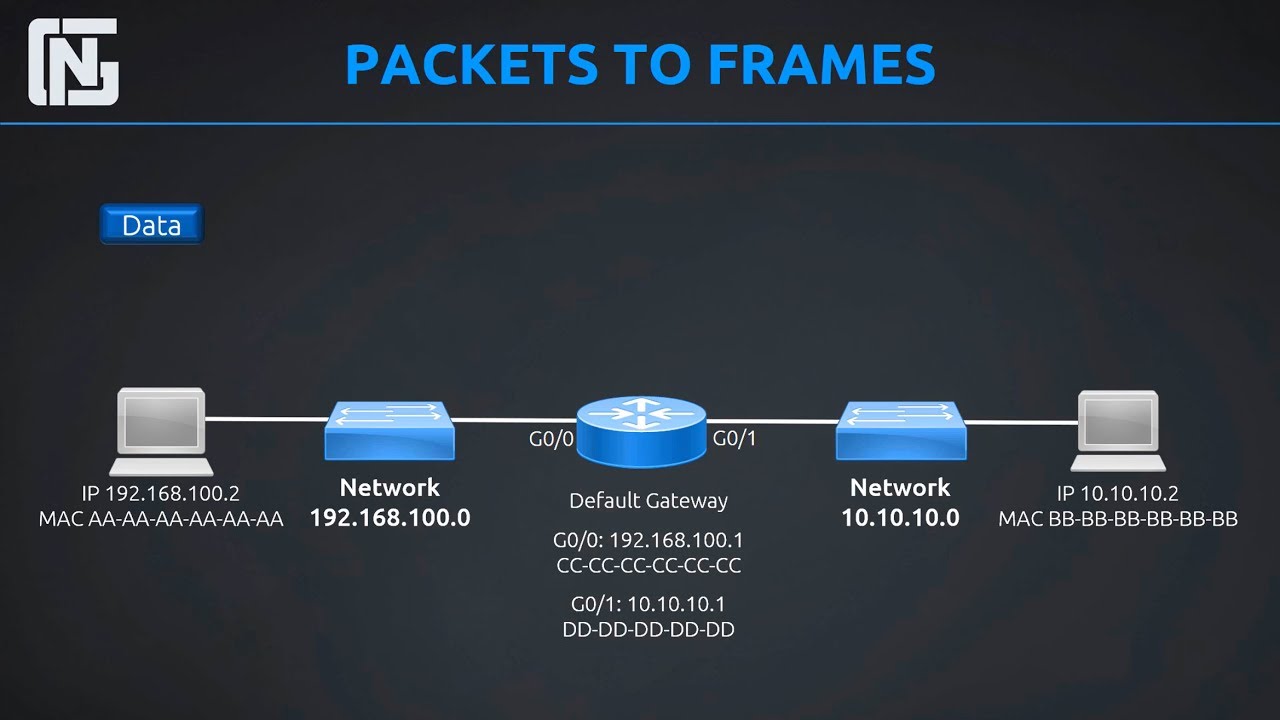
the very very important concept the this you should know very well which is types of IP address in netscaler okay see when you deploy your netscaler there are three IP address which will come into picture one is nsip which I mentioned here and another reason is Snip and another one is virtual IP so nsap is the address where your access the machine for management as I told you right you have a separate interface for the management so you will connect that interface with your laptop and you will access your netscaler through one IP which is
called as nsap so nsap it is purely designed to access your net scalar and do the initial configuration okay so this is for purely for the management as I can say and then we have something called snip snip it is used for server-side communication and it will be used to Route the traffic uh that is destined to the whip it means let's say you have a servers here right so if you if I enlarge so from the netscaler you need to communicate to the back end right so that traffic it will use IP which is
called as snip very important don't get confused with nsap and snappy and sap only for the management Snape only for the backend communication okay and then third one we have whip virtual IP it is the address of a virtual server to which end user will connect and through which they will eventually authenticated it means so now we have our IP address for the management and now we have the IP address for the backend communication then what about front end so the front end which is served with a whip which is called as virtual IP so
virtual IP this is the IP we are going to give it to the user to access our netscaler okay so technically we have a whip on which you will receive the traffic then that traffic will be routed to the backend using snip so this is the communication okay from whip it is a entry point netscaler will receive the traffic from that scalar to the back end it will send the traffic through the snip okay so nsap won't come into picture in the traffic flow oh okay nsap only for the management I'm highlighting once again during
the traffic flow it is whip and the snip will come into the picture hope this is clear for you guys what is nsap what is Snip what is Whip please highlight any doubt if you have related to these three because these are the very very important concept of netscaler without this it is very difficult you can you know successfully deploy your net scalar Appliance okay so remember nsap snip and virtual IP