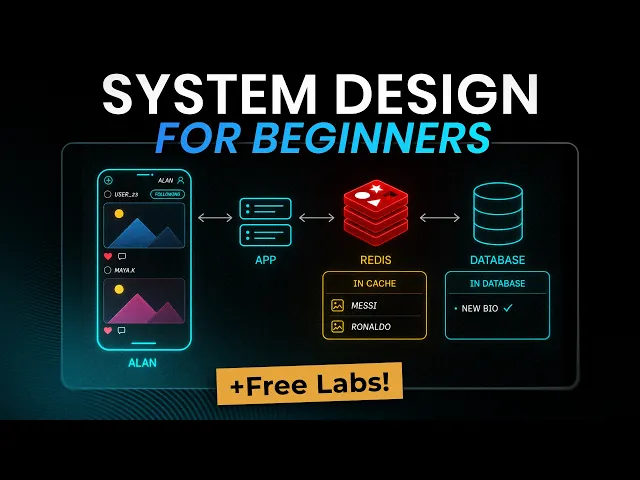
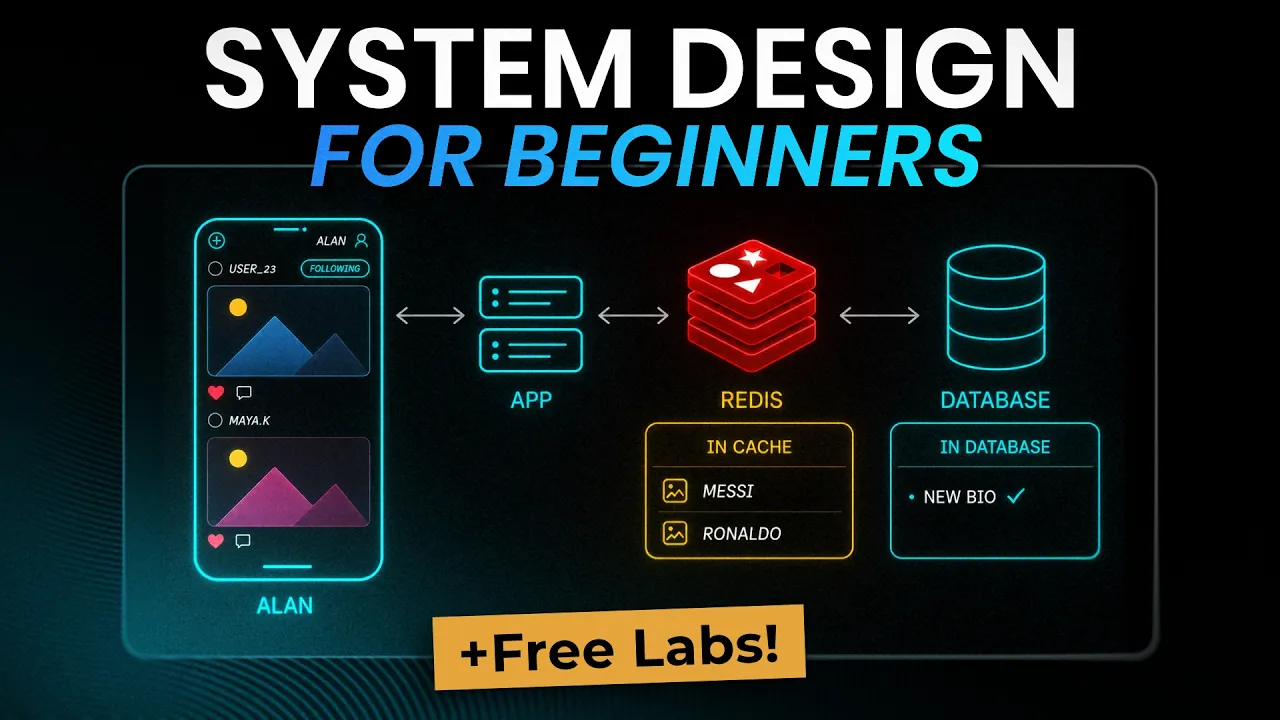
This video is designed for absolute beginners who want to understand what system design is and how it actually works. And instead of covering topics in isolation, we'll attempt to design one real application together and improve the design step by step. Every concept, load balancers, caching, indexing, replication, sharding shows up exactly when our app needs it, so you always know why a component exists. You'll also Get free hands-on labs along the way where you can play with some of the components of the system. So if that sounds useful, let's get started. When you look at the
technology landscape, there are so many tools available to you like databases, caching systems, CDNs, load balancers, servers, and many more. But ultimately, what you want to do is solve a specific problem. For example, you might want to make an application that lets users share photos With each other. To build this app, you have to use these components in the right way. System design is the skill of choosing the right components and putting them in the right place to solve a software problem. And when you transition from junior to senior roles in engineering, your responsibilities around
that system change a lot. As a junior engineer, your job is to develop a specific feature. You code something where you already know what the input Will be and what the output should be. As a mid-senior engineer, you're handed a problem and you have to figure out the approach yourself and how your solution fits inside the existing system. And as a senior engineer, you have to design that system itself and make a lot of choices on how the whole technology should work. The aim of this course is to help you get started with how mid-seen
and senior engineers think about systems. And the best way to learn How they think is to watch a system get designed and watch it fail as well. So let's take an example and try to understand what problems we face when we do system design and why system design is actually required. Let's say you want to build an app, a site where people upload and share photos. You wrote the code and then you rented one server for $10 a month. If you are wondering what a server is, then it is just a computer sitting in someone's
data center whose Whole job is answering your visitors requests. So you take this server and put all the components in this server. The web app, the database, the uploaded photos, all of it lives on this server. And honestly, this is a great setup. It's easy to build, easy to take it live. And when something breaks, you know that I need to take a look at this server only. Most of the apps should start exactly like this. Now, let's say your app gets featured somewhere and 10,000 people show up in one business day. That one server
may not be able to handle this much traffic and even if it does not crash, the app can become painfully slow. But let's see some of the specific ways it can fail. And every one of these failures has a name and a fix. That list of fixes is basically the whole field of system design. Failure number one, the server runs out of CPU and RAM. Every visitor opening their feed means your CPU is resizing images And running database queries at the same time. Pages that loaded in 200 milliseconds now take 10 seconds. The obvious fix
is that you add a second server. So half the people go to one machine and half go to the other. But that creates a brand new question. When someone opens your site, which of the two servers should they talk to, first or second? You need a traffic officer standing in front deciding where each request goes. That traffic officer is Called a load balancer. As the name says, it balances load on your servers. and it's the first box we'll add to our system. Failure number two, the database gets overloaded. Most of those 10,000 visitors are asking
for the same things, the same trending photos, the same popular profiles again and again. And your database runs the same query from scratch every single time. The easy fix is to keep the popular answers sitting in separate memory so that we don't have To query database again and again. This fast memory layer is called a cache. And this is the second box we'll add to our system. Failure number three, the machine just dies. Probably a disc fails or a power supply gives out. Someone unplugs the wrong cable. And because everything lived on that one box,
your app is down and every photo anyone uploaded could be gone. There's a name for this problem. It is called a single point of failure. The fix is to keep Data on more than one machine. You can create a replica or copy of the database which is running on a different machine and your actual photo files can move to external object storage like S3 which is built to store large files safely and keep multiple copies automatically. Did you notice what we did in those three steps? We never rewrote the app. We never made the code
smarter. All we did was split the work across machines and decide where each piece should live. That's really what system design is. choosing where the pieces go and understanding what each choice costs you because every fix we added brings a new problem of its own. For example, we added the load balancer and it can die too. We added cache. What if the cache stores old instead of fresh data? We added database replica. What if the replica is not up to date with original database? And that chain of fix something, get a new problem, fix that
Is exactly the chain this course talks about. And you don't learn system design by memorizing diagrams. You learn it by watching different components fail. By the end, when someone asks how you'd scale an app, you won't be reciting a diagram. You'll be describing things based on logical thinking of how the system should work. In system design, we hear two terms again and again. HL and LLD. These stand for highle design and Low-level design. Let's use our photo app to understand the difference between HLD and LLD. Highle design is the zoomed out view. You're looking at
the big pieces of the system, the app servers, the database, the cache, the queue, the CDN, and how a request moves between them. So when someone says design Instagram, they are usually asking for highle design. They don't want to know the function names you are going to use when you configure One of these components. They want to know the big blueprint of the design. It includes things like where does a user request go? Where is the data stored in your system? What happens when traffic grows? What will break first? And how do we fix that
component? Low-level design zooms into one small feature like the like button. What happens when a user taps like? Which function handles it? How do we check if The user already liked the photo? How do we save the like in the database? How do we update the like count without counting the same user twice? That's why interview questions are different too. Design Instagram is usually highlevel design. Design the like feature on Instagram. Or design an in-memory cache is usually low-level design because now the interviewer wants to see how you organize code objects and data Structures. In
this course, we are not writing the code inside one box. We will be looking at highle design and how components talk to each other and what each choice costs us. When an interviewer says design Instagram, you should always mention at which altitude you're going to answer the question. Say something like I'll stay at the high level. I will mention components, data flow, and trade-offs. And we can zoom in to any one component Later if you want. one sentence and you've shown you know the difference between highle and low-level design. Most candidates just start going deep
in answer. And if the question is low-level system design like design and in-memory cache, you talk about the classes and data structures you'd organize. No need to talk about servers. The problem is answering at the wrong altitude. Don't start with load balancers when they asked for a class design or function names. Interviewers say mismatched altitude is one of the most common ways candidates lose the interview. An interviewer rarely stops you. They just let you spend 20 minutes at the wrong height. Before you design your app, you need to answer two very different questions about your
app. The first question is what should the app do and the second Question is how well must the app do it. The first one is called a functional requirement. The second is a nonfunctional requirement. And the difference sounds academic until you see what each one actually means. So just think about what functionality your photo app should have. First, a user should be able to sign up. Second, a user should be able to upload a photo. Third, a user can follow another user. Fourth, a user should be able to scroll A feed. Fifth, a user should
be able to like and comment. All these are functional requirements. Each of these requirements is a feature you can actually see in the app and test. Either the photo upload works or it doesn't. If the requirement is missing, the app is incomplete and everyone notices immediately. Non-functional requirements describe the quality of the system. The feed loads, but does it load in half a second or Does it load in 8 seconds? The photo can be uploaded, but will the photo survive if the disc fails? The app works for a 100 users, but does it still work
for a million on a Saturday evening? These aren't features. They are qualities like speed, durability, scale, availability, cost. Nobody can point at non-functional requirements in a small demo, but everybody feels the non-functional requirements. Just think about it. Two apps with the Exact same functional requirements can be completely different systems. A photo app you build for your family and Instagram have nearly the same feature list. You can upload, follow, scroll the feed, like the posts, etc. The functional lists match almost line for line. What separates them is entirely nonfunctional requirements. One system serves 10 people who
will tolerate a slow day. The other serves a billion people who leave after 2 seconds Of lag. This tells you what exactly matters for the rest of this course. Every component we're going to add to our design, the load balancer, the cache, the replicas, the que will exist to meet our non-functional requirements. The user never asks for a cache in the system. Users always ask for a fast app. And the cache is how you make the app fast. One warning before we start designing Systems. Non-functional requirements always fight with each other. Faster systems usually cost
more money. An app that never goes down needs extra machines sitting idle. If the main machine fails, then the other machine can take the load. But those machines sitting idle still cost you money. You can't just add whatever you want to your system. You have to decide which components this app actually needs and which ones it can leave out. And how do You decide that? You decide that by asking the right questions. Let's see what questions you need to ask. You can't design the right system if you don't know what or who you're designing it
for. You need to take a pause and answer a few questions before you start designing the system. First question, how many users and how fast are they growing? A photo app with a thousand users and a photo app with 50 million users are not the same system. For this course, we will assume that our photo app has 10,000 users today and users are doubling every few months. So, we design for the millions we're heading toward, not the 10,000 we have right now. Second question, is the app read heavy or write heavy? For a photo sharing
app, people scroll their feed way more than they post. In the majority of cases, a user scrolls hundreds and thousands of photos in a month, but they post two or Maybe five photos in a month. Scrolling photos is reading. Posting their own photo is writing. Basically, we can say a user will read photos more than they will write. Therefore, it makes sense that you spend your effort on the reading path or the feed page where they scroll photos. Third question, what data can you absolutely never lose? And what can you afford to lose? Can you
afford to lose a user's uploaded Photo? Never. If you lose someone's photos, you've lost a customer for life. But the count of likes on a photo being off by three for a few seconds, probably nobody's going to notice if you have 41 likes instead of 45. Knowing the difference tells you where to spend money on durability and where to relax. Fourth question, how much latency can we afford? Opening the feed needs to feel instant, Say under 200 milliseconds. Otherwise, users will feel the lag. But what about uploading a photo? People will happily wait two or
three seconds to upload the photo because uploading feels like work. So you can do slow, heavy processing on the upload path, but you want super fast loading of photos on the feed. Fifth question, what does it cost? Every copy of your data, every extra server, every cash, you have to pay that bill Each month. The right design isn't the one with the most components. The right design is the one that meets the first four answers for the least money. Now, let's look at what those five questions gave us for the photo app. We now understand
that the app needs to be built for millions of users. The app is heavily read. Photos must never be lost. Feed must feel instant. and keep the bill sane. We haven't drawn any design yet, but we already know that the feed is the hard part. Photos need the strongest durability. By durability, I mean we need to store them carefully and uploads can be slow and heavy. And honestly, this is the habit that separates people who design systems from people who just collect components. Anyone can say add cash. The real skill is being able to say
why this app needs cash and how much the extra cash will Cost you. If I have to summarize, I will say before designing anything, always ask these five questions. Always remember that the first five minutes of a design interview aren't about design at all. When the question lands that you need to design a photo sharing app, the interviewer is watching whether you start drawing or you ask some follow-up questions. Strong candidates ask the questions we already discussed. How many users are we designing for? Read heavy or write heavy? What can we never lose? How fast
must it feel? Etc. Basically, you ask what this app must do. What are the requirements before you build anything? Because the interviewer's requirements might be different than what you're thinking. The answers you get from the interviewer are your pillars. Every time you add a component later, you justify it with one of the answers the interviewer gave Earlier. For example, you will say, "I'm adding a cache because we said reads dominate." That's the sentence interviewers will remember and will leave a good impression. Your photo apps requirements are clearly defined. Now, we have one important decision to
make about the app. Should the app be monolith or microservices? Let's define both using the photo app because the definitions are simpler than people make them sound. In monolith architecture, the whole app is one codebase and this codebase is deployed as one unit. So all the functionalities like signup, photo upload, the feed load, likes and comments are bundled inside one program. Think about it as a large code file where all functionalities can call each other. One thing you should remember is that when you deploy a change to any of these parts in your codebase, for
example, you change the signup page, you Will have to deploy the whole thing again. If I have to summarize, monolith means one codebase, one deployment, one thing running on your servers. In microservices architecture, we split that one program into many small separate programs. There will be one service for uploading photos, one for loading feed, there will be a notification service, one service for likes, and each service will have its own codebase. And each service gets Deployed on its own and runs on its own servers. This can be done because each service is a separate program
now. And since they're separate programs, they talk to each other over the network. They have to make network calls to talk to each other. Now, everyone thinks microservices are the real deal. And the monolith is something to be embarrassed about. That's completely wrong. For our photo app today, when we have only a few thousand users, the monolith is the Correct choice. Think about what the monolith gives you. Everything is stored in one codebase. All functionalities can directly talk to each other with function calls. No network in between, nothing to fail. There's one thing to deploy,
one thing to test, one place to look when something breaks. A small team moves fast in a monolith because it is less complex. So why would anyone split monolith to microservices? There are two reasons. The first is independent Scaling. Remember our app is read heavy. Users scroll more photos than they upload. Now imagine the feed scrolling needs 10 servers to cater to all users while uploads need only two servers. In a monolith, you can't scale just the feed. You scale everything together. So if you scale to 10 servers for feed, the upload functionality will also
be scaled to 10 servers. But if you use microservices and split the feed into its own service, then you scale only the Feed service. In this case, you can also scale upload services independently to two to three servers based on load. The second reason is team size. When 40 engineers all deploy one codebase, they queue up behind each other and step on each other's changes. Give each team its own service and each team can work on its own schedule without asking permission. Microservices have downsides too. Every service has to make a network call to talk
to other services and a Network call can be slow, can time out, can fail halfway. We will talk about networking in later videos. Debugging changes too. In the monolith, you read one log. With microservices, one user request might touch five services. You have to take into consideration how services interact so that you can debug the system properly. And most companies you'll actually join run a monolith plus a handful of services that got split off. Not one giant program, not 300 tiny Ones, a monolith with a few satellites. So for our photo app, we start as
the monolith and split a piece out only when that piece gives you a reason. Later in this course, we will split some services from monolith and see why we do that. I've seen a fivep person startup run 30 microservices and they spent more time debugging the network between the services than building their product. You should take decisions based on requirements, not on buzzwords. Your photo app is starting to get more and more users. The one server you started with is maxing out. CPU is running at 80% capacity and feeds are now loading slower than usual.
Now you need more power. And there are exactly two ways to get more power. The first way is vertical scaling. You make your server bigger. You add more CPU. You add more RAM and a faster disc. It's the easy choice. You don't change a single line of code. You just pay for a More powerful machine. And for a while, vertical scaling is genuinely the right move. If a bigger box buys you another year, you should take it. But vertical scaling also has limitations. Once you have purchased the biggest machine available to you in the market,
you can't increase the size anymore. Also, the price doesn't grow in a straight line either. Going from a small server to a medium one is cheap. Going from the second biggest to the biggest can double your bill, but it may add only 20% more power. You pay more and more for less and less as you increase the size of the machine. And one big server is still one server. If it goes down, your whole app goes down with it. Making the box bigger doesn't fix that. So, the second way is horizontal scaling. Instead of one
big server, you run many small servers, each running a Copy of your app. 10 cheap machines instead of one giant one. Need more capacity? Add an 11th one. This is how every large system on the planet actually scales because horizontal scaling has two things vertical scaling never will. There's no upper limit. You can always add another machine. And there's no single point of failure. If one of the 10 machines dies, the other nine keep serving. But the moment you have 10 servers running your app, you've got a brand new question. When a user named Allen
opens the app, which of these 10 servers handles the request? A load balancer has to stand in front and spread the traffic across 10 machines. And another problem, those 10 servers can't each keep their own copy of the data. Or a photo you upload to server 3 Is invisible when your next request lands on server 7. The data has to live somewhere all 10 share. So the rule of thumb, scale up vertically first because it's simple. then scale horizontally when you hit the limit or when you can't afford a single point of failure. I've seen
teams jump to a fleet of servers for an app that 50 people touch a day and all they bought was complexity And nothing else. There's a warm-up question interview. Your app is slow. Why not just buy a bigger server? In this case, the interviewer just wants to know, do you know what the trade-offs of each approach are? The answer that works starts with vertical scaling. Explain that we will go with a bigger server first because it's simple and buys you time with zero code changes, but then explain vertical scaling has a hard ceiling and one
server can be a single Point of failure. So you go for horizontal scaling. Interviewers also care if your answers come with specifics. You should mention that a 50 user internal tool should use vertical scaling and a consumer app heading for a million users should go for horizontal scaling. And in most cases you end up using both scaling strategies. Let's pause the scaling story for one video and answer a question we've been skipping for some Time. A user opens their phone, types your app's address, photoapp.com, and hits enter. What actually happens between that moment and the
feed showing up on their screen? Quick reminder from the start of the course. A server is just a computer in someone's data center whose whole job is answering user requests. And like every machine on the internet, your server has An address, an IP address. Think of the IP address as the machine's phone number, a string of numbers that tells the network exactly where to deliver things. But nobody types numbers. The user typed photoapp.com, a name. So the very first thing the phone does is look up the IP address behind the name. This lookup is DNS,
the domain name system. And the easiest way to think of DNS is as the internet's phone book. The phone asks DNS, "Where Is photoapp.com?" And DNS answers with the IP address of your server. Now the phone knows exactly which machine to talk to. Once the phone has the IP address, the phone and the server need a shared language so that they can talk to each other. That language is HTTP. The phone sends a request and the request is get me the home feed. and the server sends back a response to the user, the feed data.
But you'll almost Never see plain HTTP anymore. You'll see HTTPS, and the S stands for secure. The S is a lock. Without it, everything between the phone and your server travels as plain readable text, and anyone sitting on the path, like someone on the same coffee shop Wi-Fi, can read all the data, including passwords. With the S, the whole conversation is scrambled, and the people in the middle see nothing useful. How the lock gets set up is a story for another course. For now, the S means nobody in the middle can read your user's traffic.
Now, two terminologies about the speed of the app because they get mixed up constantly. First is latency. Latency is how long one round trip between the user and the server takes. The request travels to the server. The answer travels back. Second is bandwidth. Bandwidth is how much data you can push through at once. The width of the pipe. And here's why the difference matters for the photo app. A feed showing 30 thumbnails isn't slow because thumbnails are large in size. Thumbnails are actually small in size. The feed is slow because of round trips. If each
little thumbnail is fetched one by one across half the planet, 30 round trips will make the feed slow, even on fast Wi-Fi. Hold on To that thought. Two of the biggest boxes we'll add later. A cache that skips the trip to the database and a CDN that answers from somewhere nearby both exist to fight exactly this. So here's the whole journey now. The phone asks DNS for the IP address behind the website name. Then the phone sends an HTTPS request to that address. Your server does the work and sends back the response. But there's one
thing wrong with the picture we just drew. The DNS Answer pointed at one server, and we just spent a whole video deciding you're going to run 10 of them. So, which of the 10 should the phone talk to? That's exactly the next video. Your photo app now runs on several servers, each one a copy of the app. When a user opens the app, which of the 10 servers actually answers to the user? The user should only talk to one of these servers. The answer is a load balancer. And to See where the load balancer fits
in this design, let's trace exactly what happens when someone opens your app. First, the user's phone does the DNS lookup you already know. It asks, "Where is app.com?" and gets back one address. But here's the trick. That IP address doesn't point at any of your 10 servers. The IP address points at the load balancer. So the user request lands at the load Balancer first. And here is one major misconception. The load balancer is not some special piece of hardware. The load balancer is itself just a server running an application. And this application's entire job is
to take each incoming request and forward the request to one of the servers. It may send one request to server 2, the next one to server 4, spreading the load evenly. So if we have 10 servers and 100 requests, the load balancer should send 10 requests to each server so that the load is even. Any server that sits in front like this taking requests on behalf of the servers has a general name, a reverse proxy. A load balancer is the most common kind of reverse proxy you'll ever meet. So if you hear reverse proxy, picture
the load balancer in your mind. Now what if one of the servers dies? In this case, the load balancer should not send the requests to the dead server. How does the load balancer know if a server is actually working or dead or overloaded? This is the part that makes a load balancer more than a traffic splitter. The load balancer actually does health checks for each server. Every few seconds, the load balancer quietly pings each app server. You still alive? If Server 3 stops answering, the load balancer notices within seconds and just stops sending traffic to
server 3. The other nine pick up the work of the third server. Your users never see an error because the load balancer never sent the request to the dead server. And that's the whole request path so far. The user asks DNS for the address. DNS returns the load balancer's IP address. The load balancer then picks a healthy app server. The app server does The work, reads from the database, and the answer travels back the same way. Every request to your app from now on walks that path. Let's dive slightly deeper. So, how does the load
balancer pick which server to send the request to? The simplest way is roundroin. First request to server one, next to server two, next to server three, and back to server one. Roundrobin is good enough for a lot of apps. A smarter way Is least connections. Send the next request to the server which is handling the fewest requests right now. For example, server one and server two got seven requests each, but server one finished three requests quickly and has four requests pending, while server 2 is taking some time to process requests due to some reason and
still has seven requests. So in this case, it makes sense to send Requests to server one because server one has fewer requests pending. The load balancer can do this because the load balancer keeps count internally. It remembers how many connections it has sent to each server and how many are still open. And you need to also remember that all servers are not the same size. Some servers can be larger and can handle more requests. So the load balancer can also do weighted distribution. If two of Your servers are twice as big as the rest, you
give those two a bigger share of the traffic. So, do most companies build their own load balancers? The answer is no. We can use readily available load balancers like Engine X or HA Proxy running on a machine you manage. Cloud providers like AWS also offer their own load balancers like the AWS elastic load balancer. These load balancers are proven, Reliable and they handle all the complex edge cases. But this architecture raises an important question. What if the load balancer itself goes down? That would be a real problem because all traffic will hit a dead end
and all 10 app servers behind the load balancer become unreachable. That's why in real production systems, companies don't run just one load balancer. They run multiple load balancers. So if one fails, another Takes over. How multiple load balancers work together is a separate problem which we will not address right now. The concept of stateless and stateful is very important in system design. Let's understand both these terms with a problem in our system. Your photo app is running on 10 servers behind a load balancer and traffic is nicely distributed. But users started reporting that they are
getting logged out from the app. You Didn't change any code. So what might be happening? When a user named Allen logs in, this request may be handled by server one. The server creates a login session for Alen. This login session is basically a small note. Allen typed the right password and he is logged in. On every request after login, the server checks this note instead of asking for the password again and again. And server one did something that is Totally natural. Server one saved that session note in its own memory. A few minutes later, Allen
opens another page and the request gets routed by the load balancer to server 5 and server 5 checks its own memory. But we don't have Allen's login session in server 5 because it was stored in server 1's memory. Due to that, server 5 says, "Who are you? Please log in." This is exactly why users were getting logged out. This is the single biggest Thing that breaks when you go from one server to many. On one server, keeping the login session in local memory worked perfectly because every request hit the same machine. The moment a load
balancer spreads users across servers, user data also spreads across different servers. Different servers remember different users. Because each server is maintaining login sessions, we say that these servers are Stateful. Stateful means the application keeps memory of previous requests. In this case, the application is storing the login session details. So the fix is to make your app servers stateless. A stateless server keeps nothing important in its own memory. The server handles a request, sends the answer, and forgets everything. But the login session has to live Somewhere. You don't want users to log in all the time.
So you take that state out of the individual servers and move it to one shared place. A fast shared store every server can talk to. Now when the user logs in on server one, the login session gets written to the shared store. If the next request from the same user hits server 5, server 5 checks the same shared store finds the login session and the user stays logged in. This solves The whole problem. There is one more solution to this problem. You'll hear people say just use sticky sessions. In sticky sessions, we tell the load
balancer to always send a user back to the same server. So if a user named Allen comes, always send to server one. The thing is sticky sessions bring back the exact problem you are running away from. If a user is pinned to server one And server one dies, that user loses their session anyway and the load balancer can't spread traffic evenly anymore because the load balancer was configured to send the user named Allen to server one. And login sessions aren't the only thing that makes the server stateful. Just ask one question. If this server vanished
right now, would any user lose something? If the answer is yes, that data is Making the server stateful. Honestly, if data is making your server stateful, then that data has no business living on the server. Move it to a shared store built for holding things and let the server go back to being disposable. Let's make one thing absolutely clear. Storing photos in a database or in cloud storage does not make your application stateful. Those stored photos live outside the Server. Stateful means the server keeps information inside itself in its own memory or on its own
local disk. The question is never does my app store data. Every real app stores data. The question is where that data lives. So let's see some tasks that servers do and categorize them in stateless or stateful. If users are uploading a photo, it is Stateless. The request carries the photo, the server writes the photo to the external storage and forgets it. Downloading a photo, applying a filter, searching photos, fetching a photo's details, all are stateless. Every one of these requests carries everything the server needs to do the job. Login is the one call that genuinely
needs memory. The server has to remember the user is logged in between requests. And now you know exactly where that memory should live in the shared store, not on any one server. This is exactly why keep your app server stateless is one of the first rules of scaling. The servers become disposable. You can add one, kill one, restart one, and no user ever feels it. All the important state lives in a separate store. interviewer's favorite way to test whether you actually understand Horizontal scaling goes like this. You scaled to five servers from two servers and
now users are getting randomly logged out. What could have happened? We have already discussed that we need to store login sessions in a separate store. Therefore, mention the cause first. Login sessions are stored in each server's local memory. If user A's login session is stored in server A and his request goes to server B, then server B won't recognize and log out. Then you Should provide the fix. We can move the sessions to a shared store and this shared store can be accessed by all the servers. This approach keeps the app servers stateless. There is
a move that can get you some bonus points. You should mention sticky sessions before the interviewer does. Say, we could assign each user to one of the servers, but it will not allow the load to spread evenly since users are now tied to a specific server. If you Mention the wrong answer yourself with the reason why it's wrong, it'll make a positive impact. Now, it's time to try your first lab. First of all, you don't need to worry if you're not feeling confident for the labs because labs come with a lot of hints and solutions.
All you have to do is go to the link, click the enroll button for this course, go to the relevant lab, and click on the start button. In this lab, you'll run a small app in two containers behind EngineX load balancer. You'll send a bunch of requests to the containers, then shut one container down while it's still busy, so that you can see how the load balancer will forward requests to the other container. The lab link is in the description. Go give it a try. So far, we haven't discussed about database where we actually store
our users data. We know That we need to store things like photos, user information, likes, comments, etc. In this lesson, let's dive deeper into what data our application actually stores and how you decide the shape of that data. This step is called data modeling. Data modeling is deciding what information you need to store, breaking information into organized pieces, and figuring out how those information pieces connect to each other. And data Modeling is one of the most important steps in system design because every database decision you make later depends on it. Now, when people start designing,
the first question most of them ask is which database should I use, Postgress or MongoDB? That shouldn't be the first question you ask yourself. The first question that you need to ask is what are people going to ask this app to do. Basically, we should first understand the access Patterns of our users. An access pattern is simply a question your users will keep asking your app thousands of times a day. So, let's write down the access patterns of our photo app. First question our users will ask is, "Show me a user's profile." because our users
will go through others profile. Second, show me all photos uploaded by a user. Third, show me my home feed. Fourth, upload a photo. Fifth, like a photo. Sixth, comment on a photo. Seventh, Follow another user. Look at this list carefully. This list is basically your whole app written down as a set of questions. Once we have the questions, we can design the data that answers them. Let's go one piece at a time. First, users. When a user named Allen signs up, we create one user record, an ID, a name, an email. Second, photos. When Alan
uploads a photo, we create one photo record, a unique ID for this photo, who posted the photo, the Caption, and the upload time. We also store where the actual image file is stored. But here's the important part. The actual image file itself does not go into this record. The photo record only keeps a small link that points to where the file is stored. Why we do store actual image separately is a bigger topic and we will cover it properly in a later lesson. Then come the connections between users and photos. Let's start with a like.
When Alan likes photo number 42, we don't copy Allen's name or the photo anywhere. We create a small record with just three things. Allen's user ID, the photos ID, and the time of the like. That's the complete record for one like. This record says Allan liked this photo at this time. And if we want to know how many likes photo 42 has, we simply count all the like records that carry photo 42's ID. A comment is similar to like, but stores one more thing. When Allen comments great shot on photo 42, the comment record stores
Allen's user ID, the photos ID, the comment text, and the time of comment. It is the same pattern. two IDs to connect the pieces plus the actual content. And a follow doesn't involve a photo at all. A follow connects two users. When Alen follows Priya, the follow record stores just two IDs. Alan's ID as the follower and Priya's ID as the person being followed. So when the app asks who does Allen follow, the app collects all the follow records where the follower ID is Allen's ID. Notice the pattern here. Every connection is just a pair
of IDs plus a little extra information. This is exactly why we gave every user and every photo an ID in the first place. The IDs connect this whole data model together. And that's the whole data model for our photo app. We have five items. Users, photos, likes, comments, and follows. Let's make one thing absolutely clear. A data model is not a database choice. We haven't picked Postgress or MongoDB. A data model just says what we store and how the pieces connect to each other. These five pieces can live in an SQL database or a NoSQL
database. That decision comes at a later stage. So why did we insist on writing the questions first? Let's take one access pattern and walk through it. Show me my home feed. Say Alan follows 200 people. To build Allen's feed, the app has to first find all 200 people Alan follows. Then find the recent photos from each of those 200 people and then sort all of those photos by time to show the newest ones first. That one question touches the follows data, touches the photos data and needs Sorting as well. And the thing is scrolling the
feed is the single most common thing users do in this app. You only discover this when you start from the access patterns. If you had started by picking a database, you would have discovered it much later. The access patterns also tell you how to organize the data. Show me all photos uploaded by Alen tells you that photos must be easy to Look up by the user who posted them. Show me my home feed tells you that photos must be easy to sort by time. Each question directly points at how the data should be arranged. So
remember the order. questions first, data shape second, technology last. Our photo app stores five things: users, photos, likes, comments, and follows. And we selected these five things based on the handful of questions users actually ask. And now that we know exactly what we Store and what users ask, we can finally answer the question everyone argues about. Should this data live in an SQL database or a NoSQL database? That's exactly what we'll figure out in the next lesson. You've identified the most important pieces of data that you need to work with. Now, the next question we
need to ask ourselves is should we go for SQL or NoSQL database to store this data? It boils down to one question. Is our data Structured or unstructured? If the data is structured, we use SQL database and if it is unstructured, we use NoSQL database. Let's dive deeper into this. SQL databases provide good structure. Your data lives in table format with a fixed shape just like a spreadsheet where you have rows and columns. If we look at photos that we upload in our app, then we know each photo has exactly the same fields every time.
So all the photos will have an ID, who posted the photo, the caption, the upload time and the image link. So we can have one table named photo details. Second functionality that SQL provides is relationships. A SQL database is built to connect or join tables together. If my query is find everyone Alan follows, then find their photos, then I can join two tables. The follows table gives me everyone Alan follows and the photos Table gives me the photos posted by those people. By connecting tables, I can easily answer a lot of similar questions. An SQL
also gives you transactions. What do we mean by transaction? Let's say Alan deletes one of his photos. Then we need to delete the photo record. But then we also need to delete all the like records and comment records associated with this photo. So we group the deletion of photo, its likes and Comments as one unit and call it one transaction. So either all of the deletion will happen successfully or none of them will happen. This makes sure that data is never left half finished. You will never want to store likes and comments of a photo
which has been deleted. That's why we group them in one transaction. This transaction property falls under acid guarantee that SQL provides. You'll hear The word ACID in every database conversation. But let's not worry about acid properties for now. Some of the examples of SQL databases are MySQL and Postgress. Now, no SQL databases are almost opposite in nature. They don't store data in fixed tables. NoSQL actually loosens the structure and each record can have a different shape. For example, if we want to store user behavior on how they interact with the app where the Users actually
click on the app, then every user behavior will be different. And this is where NoSQL can be a great database. NoSQL is built to spread across hundreds of machines and answer give me user behavior of Allen very fast at enormous volume. Some of the examples of NoSQL databases are MongoDB, Dynamob and Elastic Search. If we look at our data carefully, our data is structured. For example, all Photos need similar fields to get stored. ID, posted by, caption, upload time, image link, and our data is full of relationships as well. Users, photos, likes, follows all need
to be connected with each other to get relevant information out. This information is pointing straight at SQL. So for the core of the photo app, we will pick SQL databases. And within the SQL family, we will use Postgress. Yes, we have chosen SQL for our app, but Real systems use both. For example, if our app wants to store user preferences to the app, Allen's theme, notification settings, language, etc., then all user preferences will have different shapes and user preference will change often. So, storing user preferences in NoSQL database works perfectly. So, in real life, we
will have two databases for our app. SQL for storing structured data like photos, users and NoSQL for unstructured data like user preferences And user behavior. Our servers will connect with both and the application code will know which database to ask based on the data it needs. If we are building the photo feed for a user, then we query Postgress or SQL database. If we are loading users preferences, we will query MongoDB or NoSQL database. It's just an if condition in your code, nothing magical. If you're not sure which database to choose, start with SQL. SQL
will take you further than most People expect. Also, let's make one thing absolutely clear. A database is not some special piece of hardware. Postgress, MongoDB, or any other database is just a program running on a regular server with a CPU, RAM, and a disk. You can run Postgress or MongoDB on your laptop right now. There's one question that comes up in almost every design interview. The interviewer asks you to choose between SQL or NoSQL for your design, and you need to explain why You chose one over another. Why is the most important piece? What earns
points is deriving the choice from your access patterns. You should say, "My data is relational in nature. users, photos, follows are connected with each other. To display the home feed, I need to connect these data points together, which means I will do joins. Therefore, it makes sense to use SQL. If I later add a high volume piece with no relationships like analytics events, That piece can go to no SQL. In these couple of sentences, you've covered structure of data, joins, guarantees, and the fact that real systems use both. You shouldn't say things like, "I will
choose no SQL because it scales." The interviewer will ask, "What exactly stops SQL from handling your workload?" And remember the word acid before you walk in the interview. ACID makes sure either we write full transaction or write nothing At all. We just decided that SQL database is a good choice for our photo app. But now we are facing another challenge. When our user base was 10,000 users, everything was fine. But as we are stepping into the million user zone, we have started to notice that some of our queries are getting slow. Home feed that used
to load in 200 milliseconds is now loading in 500 milliseconds. And this is a real problem you will face in every system you design. When the user Base grows, some of your queries will get slow. Let's take an example. If I have to check all the photos uploaded by the user Alen, then the database will go to the photo details table and check every photo one by one. Was this photo uploaded by Alan? No. Was this one uploaded by Alan? No. So the database has to go through all the photos to identify the photos that
were uploaded by Alen. This is definitely not the most efficient way. As the user base grows, the number of rows in our database increases exponentially. And we can't always go and query all the rows. That's why we use something called indexing. And indexing helps us to make the queries faster. Let's see how. If you've seen the index at the back of a book, you can see all the keywords. And you also see where all this keyword is appearing. For example, mitochondria word is on page one, page 100 and page 125. We do Exactly the same
thing in indexing. We create an index on a column. So in our photo details table, we will create an index on the posted by column. After creating the index, we will know that Allen's photos are on row number 822, then row 15,000, and then row 100,000. And now the database will use this index every time so that the database can quickly jump to the rows where Allen is appearing. This is how we fasttrack the query. If creating index makes queries so fast, shouldn't we make indexes for all the columns? No, we can't do that because
creating and maintaining an index is also a big task. Let's take an example. Whenever a new user signs up on the platform, we have to include this new user in the index as well. So we will have to write the index again because now we have new data and the index has to know where to find the new user. Every new write to The table also means extra work to keep the index updated. If we have lots of indexes, we have to do lots of work to keep indexes updated whenever new data is added to
the table. Also, let's see how this whole thing works in real life. Whenever a query runs, the query hits the index first. Then the index points to the exact rows and then the query directly picks up those rows. The database never touches the rest of the table. This index lies Within your database only. For our photo app, which columns should we index? We should index the posted by column so that we can look up any user's photos quickly. Then we should also index the upload time so that we can quickly look up or sort the
photos by date. And I want to leave one thing in your mind. Do not guess which column to index. I repeat, do not guess which column to index. First you should identify your slow queries. Which of the Queries are actually getting slow? And then to make those queries faster, you should index the relevant columns. There is no hard rule on how many indexes you have to create. But in general, you will see most of the tables have three to five indexes. So start with zero indexes, see which queries are slow, and then add the indexes.
It's time for one more lab. In this lab, you'll fill a database with 5 million rows. Then you'll run a query and watch it take Some time to run. It will be really slow. You'll find out why it's slow and then add one index and you'll run it again. Now the same query will take a few milliseconds. The lab link is in the description. Go try it yourself. Let's zoom out and revisit our design till now. When a user opens our photo app, the request first reaches the load balancer and the load balancer forwards the
request to one of our 10 servers. All these servers are stateless and the login sessions of all the users live separately in a shared store so that any server can handle any user. Behind the servers we now have two databases. Postgress stores our structured data users photos likes comments and follows. And inside Postgress database we have created indexes on the posted by column and the upload time column so that our most common queries stay fast and users get quick response. And we also have our MongoDB database that stores our unstructured data like user preferences and
user behavior. This is the complete design till now and we will keep adding components to this design as our app grows. In the last video, we learned how to speed up the queries by using an index. In this video, let's consider a scenario where we are fetching the same item again and again from the database. Let's say you have a public figure on your app like Leonel Messi or Cristiano Ronaldo and millions of people follow them. So whenever they post a photo suddenly millions of people want to see their photos. So what will happen is
these millions of people will ask for the same photo from the database. So what the database is doing is answering millions of queries which are identical. Millions of queries are asking for the same photo that Lionel Messi uploaded. So, it doesn't make sense to fetch the same photo from the database so many Times. To fix this problem, we add a cache to our design. And a cache is just a small blazing fast store of popular items and it can respond to queries very quickly. We keep this cache in front of the database so that popular
queries can be answered quickly without hitting the database. To give you a reference, if a user reads data from the cache, the cache can respond in under 1 millisecond, where the same read from the database might be 20 or 30 milliseconds. Let's see an example of how the cache will work. In this example, we will use a cache named Reddus. A request comes in for the trending photo. First, the app checks Reddus. Do you already have this? If Reddus has it, we call it a cache hit. The app takes the photo record from Reddus and
replies to the user and the database never even knows about the request. If Reddus doesn't have it, then we call it a cache miss. Since the cache Doesn't have the photo record, the app goes to the database and because that record was not in the cache, the app writes that result into the cache, then returns it to the user. Next time any other user asks for this photo, it comes straight from the cache. So the first person who asks for the photo goes through the full database cycle. So what would the photo app actually put
in the cache? We will put the photo record everyone is asking for right now like That new post from Lionel Messi and the metadata of whatever else is trending on the app. Popular profile cards are another good option to cache. By profile card we mean popular profiles username, display picture, bio, etc. Millions of people open Messi's profile every day and the profile itself barely changes. Therefore, we can keep profile in cache. Did you notice the properties of items that we are keeping in cache? These are information that are small Read constantly changing rarely. That's what
makes a good cache entry. And I wanted to discuss one point that closes a loop from an earlier lecture. Remember we said that the login sessions of all users have to live in a shared store that every app server can access. That shared store is very often this same Reddus. Login sessions are tiny read on every single request and need to be fast which is exactly what a cache is good at. So Reddus ends up doing two tasks For us. Caching hot data and holding login sessions. But handling a cache is not the easiest task.
Adding a cache means you now have the same piece of data sitting in two different places in Reddus and in the database. And the moment you have two copies of something, you have to ask the hard question. What happens when one of them changes and the other doesn't? For example, if there is a photo record in the cache, but the user has already deleted the photo in The database. In that case, the photo can still be accessed by users from the cache. But in reality, the uploader deleted the photo from the database. Therefore, our system
can become inconsistent and we have to be very careful. That's the trade you take on with caching. You get enormous speed, but now you have to make sure the data in the cache is in sync with the database. Your photo app now has a cache in front of the database. The cache now Gives faster replies to queries and reduces the load on the database. But you've created another problem. The moment you added a cache to your system, the database has your data and the cache has a copy of your data. And sooner or later, those
two copies can become inconsistent with each other. If Leonel Messi edits his bio, the right goes to the database and bio will be updated. But the cache is still storing the old bio and continuously sharing it out to Everyone who visits the profile. The database is having the right data but the cache is having old data and your users are seeing old data. So how do you keep the cache consistent with the database? There are two tools to handle that. The first is a TTL. TTL stands for time to live. When we write something into
the cache, we write it with an expiry time. We say this is good for 60 seconds. And after 60 seconds, Reddus throws it out Automatically and the next request misses the cache, goes to the database and pulls a fresh copy of the data and the cache is updated with new data again. TTL is the lazy fix and that's not an insult. We call it lazy because it waits for data to expire and then fetches the new data. So in our example, users might see the old value up to 60 seconds because data expires only after
60 seconds. For data like follower count, nobody Will care. For something that has to be correct the instant it changes in the database, 60 seconds is a long time. TTL can create one more problem. When a really popular entry expires in cache and multiple people are trying to access it, then all the users will have cash misses at the same moment. For example, if the trending photos 60 seconds run out and it gets deleted from cache, then suddenly a thousand requests will miss the cache and slam the database with the Identical query at once. This
pileup of queries to the database has a name, a cash stampede. One simple defense is to not give every cache entry the same expiry. If there are two photos in cash, one from Messi, one from Ronaldo, we make sure both of them don't expire at the same time. We stagger their TTLs a little so the hot entries don't die together. By staggering TTL, we mean we will make one photo expire after 61 seconds instead of 60 so that they don't expire together. The second tool to keep cache and database in sync is active invalidation of
data. When the data changes in the database, you reach into the cache and deal with the old copy. If the user edits their bio, the app writes the new bio to the database and at the same time deletes the old bio from the cache. Now, the next request misses the cache because we deleted the data and goes to the database. And in this cycle, cache Will have the new entry. We don't wait for the cache to expire. The moment the data changes, we delete the old copy from cache. This sounds like a better approach. But
here we are doing more work as well because every time we write new data, we also have to remember to invalidate the cache. So which approach to choose TTL or cache invalidation? There is no correct answer to be honest. You need to check how much you can tolerate the old data which is a Question you already answered when you thought about requirements of your app. The trending feed can be a few seconds old. So in case of photo feed, give it a short TTL and move on. What about a user's privacy setting? Whether their photos
are public or private. We can't have old data even for a second because old there means showing private photos to the wrong people. In privacy settings, we choose cache invalidation. We do have some industry benchmarks for This. A home feed can have a 30-second TTL. A profile card can have a few minutes TTL because profile is changed rarely. A trending list can have a 60-second TTL. And anything security shaped, privacy settings, permissions, gets no TTL at all, only active invalidation. You'll tune all of these later, but these defaults are acceptable in the industry. And one
thing should be clear in your mind. The worst bugs aren't when The cache is empty. The worst bugs are when the cache is confidently showing wrong data. There's an old joke that there are only two hard things in computer science and one of them is cache invalidation. Caching gets you two follow-up questions in almost every interview. Let's see the first question. It says the cash is full. What will you delete from cache? The common answer is LRU. It stands least recently used. Basically, we Release items nobody has accessed for the longest. The second question is,
if a hot entry expires and 10,000 requests miss the cash the same moment, what happens? This is the cash stampede from the lecture. So, mention this jargon in the interview. Then give one defense. allow one request to rebuild the entry while the others wait or briefly receive the old value. You can also refresh hot entries before they expire. Adding randomness to TTLs helps prevent many different entries from expiring simultaneously and expect. How do you keep the cache and the database in sync? We already have that answer. You need to use TTLs where old data is
tolerable and use active invalidation where you can't afford showing old data. Note that candidates who bring up the stampede before the interviewer asks send a strong hire signal because it Shows you've thought about the failure, not just the feature. It's time for the next lab. In this lab, you'll put a reddis cache in front of your database to make it faster. You'll check the speed before and after. Then you'll change the data in the database and watch your app show the old data by mistake. The lab link is in the description. Go give it a
shot. We just added cache in front of our database and we understood cache keeps only the hot Or famous data. Most of the data is not on cache and many queries still hit your database continuously. And we already established that photosharing app is read heavy app. Users read hundred of photos. Therefore, database still do lot of work to answer user queries. If we notice, we have only added one database in our design. If this database goes down, we will lose all our data. This can be a single point of failure. To avoid single point of
failure, we add Replicas of this database. It is an industry standard to keep two replicas of the database. So in total we have three copies, one primary database and two replicas. Of course our cost goes up because now we have three databases instead of one. But guess what? If we have three exact copies of database, should we keep answering user queries from only one primary database? No. If we are paying for three databases, let's use all three copies of database. So now We can distribute the read queries to these three databases so that the load
on the primary database will reduce significantly. It raises one more question. How do we know which of these three databases should answer user query? We again add a load balancer before these databases which will balance the read load on all three databases. Okay. Now I am going to ask one very important question. We distributed the read data to all three Copies of database. But what about the right queries? In which database we will write the new information? Primary database is the only one that will take the rights. We simply can't write information in different database.
For example, let's say primary database and first replica both have the same record that value of X is equal to 7. And then suddenly we have update that new value of X is equal to 9. And we updated our primary database with new value 9. But At the same time we get one more write that says now X is equal to 13 and this time we write value of X in the replica database. So in replica we have X equal to 13 but in primary database have X equal to 9. And now we are confused
which value is actually the correct value of X. So if we write at multiple places we really don't know which one is true. That's why we avoid writing at multiple places. We only write at one place which is a primary database. I Want to repeat this again. We can distribute the reads to all three database copies but we only write to primary database. One thing which we have understood in the past is that whenever we maintain copies of same data, it's very very difficult to keep all the copies in sync. I am writing all the
data to primary database and other two database copies have to make sure that they are in sync with primary database. So what happens is that both The replicas have open connection with primary database and they stream the data from primary database. This makes sure that the replica is up to date with the primary database. Since we are copying the data from primary database to replicas, we know that replicas will always be slightly behind to the primary database and we call this replication lag. Usually it takes few milliseconds to get the latest data from primary database
to the replica. What we say is Primary database and replicas are not consistent at the moment but they will get consistent eventually and this phenomenon in technical world is called eventual consistency. The replica doesn't have the newest write yet but it will eventually. Now let me show you the bug this replication lag creates in real life. Alan uploads a new photo and this right goes to the primary database. Half a second later refreshes his profile page To see his own photo. Refreshing the profile is a read query and we know the read queries are distributed
to all three databases. Let's say this read goes to replica 2 and replica 2 has not received the new photo from the primary database yet. So Alan just posted a photo and his own profile is showing there is no photo for a very short while. But notice the data was never lost. The photo was safely sitting in the primary database the whole time. The Replica was just slightly behind the primary database. So how do we fix this bug? The fix is simple. When a user is reading their own recent data, we send that read query
to the primary database because we know we surely find the recent data in primary database. So Alen's own profile reads from the primary database and Alen will always see his own photo immediately. But when other users open Allen's profile, their read queries can go to the replicas Because if some other user sees Alen's new photo half a second late, it hurts no one. And this gives us the opposite term, strong consistency. Strong consistency means every read is guaranteed to return the latest data. And the simplest way to get strong consistency is to read from the
primary database because the primary database always has the latest data. But remember, every read we send to the primary database adds load back on the Primary database, the exact load we were trying to reduce. So we don't make everything strongly consistent. Most of a photo sharing app is perfectly fine with eventual consistency. Deciding which part of the app needs which consistency is a real skill in system design. Now let's come back to the reason we added replicas in the first place. To avoid the single point of failure. What happens if the primary database actually dies?
Our app does not Go down. We will promote one of the replicas to become the new primary database. This promotion of replica to primary database is called failover. To summarize, replication gives us two benefits. Replicas takes the reload and reduce burden on primary database and replicas save the app when the primary database dies. There's one more thing that I want to be aware of and this is the single most dangerous misunderstanding students have with Replicas. Let's say someone on your team runs a wrong delete query on the primary database and wipes 1 million photo records.
Basically, they deleted the complete primary database. What will the replicas do? The replicas blindly copy everything from the primary database, including your mistakes. Within milliseconds, that delete query reaches both the replicas. And now all three copies are perfectly empty. Replications do not save your data if you make a Mistake and delete the data. That's why we also need real backups. A backup is a snapshot of the database and we keep this snapshot away from the system. So if someone wipes the data on Tuesday, you can restore Monday night's backup. In the last lesson, we added
two replicas of our database and our read problem was solved. Reads are now distributed across three copies of the database. If our primary database holds 1 tab, then replica 1 also holds the Same 1 TB and replica 2 also holds the same 1 TB. Now, let me ask you a question. Let's say we reach 50 million users and they have uploaded billions of photos, comments, and likes. What happens when all this data becomes too big to fit on one database machine? Eventually, we will accumulate so much data that it won't be fitting on one primary
database machine. Can replicas save us here? No, they won't save us because every replica has to hold Exactly the same data as primary database 2. Therefore, at some point, we have to divide our database into multiple parts. This technique is called sharding. Instead of one database holding everything, we split the data across many databases and each database holds only a slice of the data. Each slice is called a shard. Basically, one shard means one database machine. For example, we take our 50 million users and spread them across four shards. Some Users live on shard zero,
some on shard one, some on shard 2, some on shard 3. No single database holds everything, but together they hold everything. And the best part is when we run out of space, we simply add one more shard or machine. But splitting the data raises an obvious question. If Allan opens his profile, on which shard is Allen's data. We can't go searching all four shards one by one. That would defeat the whole purpose of splitting. We need a rule that tells us On which shard we can find the data. We first pick one field of the
data on basis of which we will split the data across four shards. And this field is called the shard key. For our photo app, the natural shard key is the user ID. Because everyone will have unique user ID, it makes sense to distribute the data based on user ID. But how do we divide the data in four parts? The simplest rule we can use is division. Divide the user ID by the number of Shards and the remainder is your shard number. Let's do this with real numbers. Alen's user ID is 10. 10 / 4 leaves
remainder 2. So Alan lives on shard 2. Another user has ID 13. 13 / 4 leaves remainder 1. So that user lives on shard one. This rule is fast and every server can compute it instantly. But two things can go wrong with sharding and you should know both. The first problem is called a hot shard. Let's say by bad luck Messi and Ronaldo and all the other Celebrity accounts land on shard 2. Millions of users open these celebrity profiles every minute. So shard 2 will have a lot of load as compared to other shards. The
fix is to pick some other shard key that spreads users evenly across all the shards. For example, instead of putting all the celebrities together on one shard, a good shard key will scatter Messi on shard one, Ronaldo on shard three, and so on so that no single shard becomes overburdened. The Second problem is worse. Remember our simple division rule. Divide by the number of shards. We were dividing the user ID with number four because we had four shards. Now let's say the app grows more and we add a fifth shard. Because we have five shards
now, our rule changes from divide by four to divide by 5. Watch what happens to Alen. Earlier 10 / 4 gave remainder 2. So Alen's data lives on shard 2. But now 10 / 5 gives remainder zero. So the rule says Allen Should be on shard zero. But Allen's data is still physically sitting on shard 2. And it's not just Allen. The remainder changes for almost every user ID because we are now dividing the user ID with five instead of four. Which means almost all of our data has to physically move to a different shard.
Imagine moving billions of photos between different databases just because we added one more machine. That's a nightmare. The industry fix for this Nightmare is called consistent hashing. What consistent hashing makes sure is that we move least amount of data between different shards when we add more shards. The trick is that in consistent hashing, the rule doesn't depend on the total number of shards. Each shard owns a small range of user IDs. And when we add a fifth shard, the new shard takes over only a small range from only one neighbor. So only those few users
move. and all other shards Remains unaffected. So remember, sharding is the tool you use when your database can't fit on one machine. But use sharding as late as possible in your systems because once you split the data across shards, joining it back together is the hardest thing to undo. Luckily, databases like MongoDB already have sharding built in so that we don't have to implement it ourselves. Now, let's try one more lab. In this lab, you'll set up a primary database and a replica Of it. You'll add a row, then read it from the copy and
see it show up a little late as compared to the primary database. Next, you'll shut the main one down and let the copy take over. You'll also see the replica blindly copy your delete commands, too. The lab link is in the description. Let's zoom out and revisit our design till now. When a user opens our photo app, the request first reaches the load Balancer and the load balancer forwards the request to one of our 10 stateless servers. The login sessions of all users live in a shared Reddis store. This makes sure that any server can
handle any user. When a server needs data, the server first checks the Reddis cache. The cache keeps the hot data like trending photos and popular profiles. And we keep the cache in sync with the database using TTLs and cache and validation. Behind the cache, our Structured data lives in Postgress, users, photos, likes, comments, and follows. And we did indexing to speed up the queries. But Postgress, our database is no longer a single machine. We now have one primary database that takes all the writes and two replicas that answer the reads with a load balancer spreading
the read queries across all three copies. We also have our NoSQL MongoDB database that stores our unstructured data like user preferences and user Behavior. And if one day our data grows beyond what one database machine can hold, we can use sharding to split the data into multiple databases. This is the complete design till now. And we will keep adding components to this design as our app grows.