Neuron Live. I'm Corey Nolles. This is Grant Harvey. And we're really excited you're here today. We see we had a bunch of people lined up ready before we got started. And uh we're really excited about today. This is a thing that Grant and I spend a lot of time with our head really, really deep in the AI weeds. Like a lot of time. Probably an unhealthy amount of time, [laughter] but But >> facts. >> With that said, Grant brought this idea up a couple of weeks ago that we needed to do this and I was
like, >> "Yeah, we do." Uh we wanted to make sure that uh you know, while while yes, we're covering what's happening and and and some of the Flash Gear tools, it's also just as important to make sure that we're helping to make AI more accessible to people who are just starting out, just learning. And uh that's what we're Here to do today. I'm going to drop a poll in in just a minute to ask to get a feel for like the general level of AI skill of everyone who's here. >> Mhm. >> And uh >>
answer honestly, please. >> Yes. Yes. Yeah. Answer honestly. It's okay. It is anonymous. Uh also, if anyone has questions they want to ask today that you feel like you might be embarrassed to ask, like you think it's Dumb that I don't know this or something. First off, no dumb questions. Second off, feel free to email us at teamtheneuron daily and we'll address your question anonymously. I want to make sure that if you have a question, you leave with it answered today. Brand new. Uh what kind of options we want, Grant? Brand new. Uh >> yeah,
let's do let's do brand new. Never touched chatbt. Let's do um I have used chatbt before, but I don't understand It. Let's do I've used apps before, but I want to level up my ability. And maybe let's do I want to learn the five-step framework. Let's do it that way. >> Hang on one second. >> Welcome, Donna. You're in a good place. >> I got through a couple first here already before we we got to your list. I had brand new. I use it a little. I'm pretty comfortable. >> Set up my first openclaw agent,
but want to use more AI more professionally in Clinical AI. Okay, cool. Cool. >> Excellent. Excellent. >> That's that might be a little more advanced than we're going to go today, but uh we will we will cover I think a lot of of ways to set up the systems that will help you when you're using AI in that sort of scenario. So, I think we'll be able to help you generally. Yeah. Let's see. Fonray, will this be relevant to people who are forced to use Copilot for work and don't have access To chat meteor cloud?
Okay. Um, yes, kind of. [laughter] >> Yes. Yes. And and and there's there's a lot I can say to co-pilot as well. We uh I visited yesterday with uh >> oh, what's his title? He's on their product team that's that's dealt with the co-work integration. And uh what they're doing is really um the way to think of what Microsoft is doing with co-pilot is that what they're doing is taking the flashy tools that People like Grant and I have been using for quite a while >> and packaging them up in a way that can be
accessible to the masses because the fact is we're still at a time in this world when most people there's a great chart on this that shows it in little squares. Have you seen that Grant? that shows like the power users this one tiny square in the corner [snorts] >> people who use it some are this this little half of this first strip and it >> it's kind of an effort to take it to the masses >> I would say also with co-pilot they're trying to make it usable inside the existing Microsoft suite >> so that
they're trying to integrate it with everything else that they do which is pretty complicated so that's why it doesn't always work as well as the new stuff that's built you know agent native and also why their rollouts are a little slower because trying to work it into a >> a platform that has 30 year old that's built on 30-y old code. [laughter] >> Yeah, >> you know, uh comes with a number of DMs, but what I can tell you is like with co-pilot added co-work uh this last week to their frontier program. So, the way
they roll these out for context is they start with like a dozen people, 20 people, and they let them try it, see how they use it, and then they go back and re-evaluate, move some things Around. Then they put it into Frontier. Frontier is their like beta program. You can request access to it. Uh, and that's where you get access to some of these other things as well. Uh so with Frontier, all of this stuff comes out there first and it's meant to be a chance for them to deal with some of the headaches and
problems before they push it out to the billions of people across the Microsoft interface. Um So it it makes a lot of sense, but as a result it winds up a little behind the times at the moment sometimes. Uh, >> so let's um let's >> Yeah, we'll talk about that. Let's pass over to Grant. Yeah. [laughter] >> Yeah, we'll we'll talk about that. We'll get into it. I saw some other really cool use cases in here. Um, people don't know what to subscribe to. There's some people who are researchers. Some people have Mac uh Cloud
set up on their own Mac Mini. That's great. Um, perplexity subscription. That's a good question. Uh, we can answer that. But before we get distracted, we're we're trying to focus on the the very basics to start us off here. So, I'm going to go ahead and share my screen and just walk through very briefly what we're going to cover uh in addition to all of the questions. So, >> yeah, >> before I begin, I'm going to open my Screen here and I'm going to share this document. So, this is what Corey and I plan to
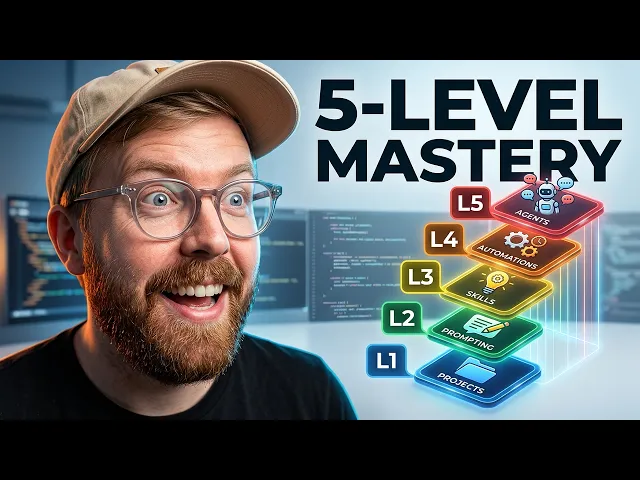
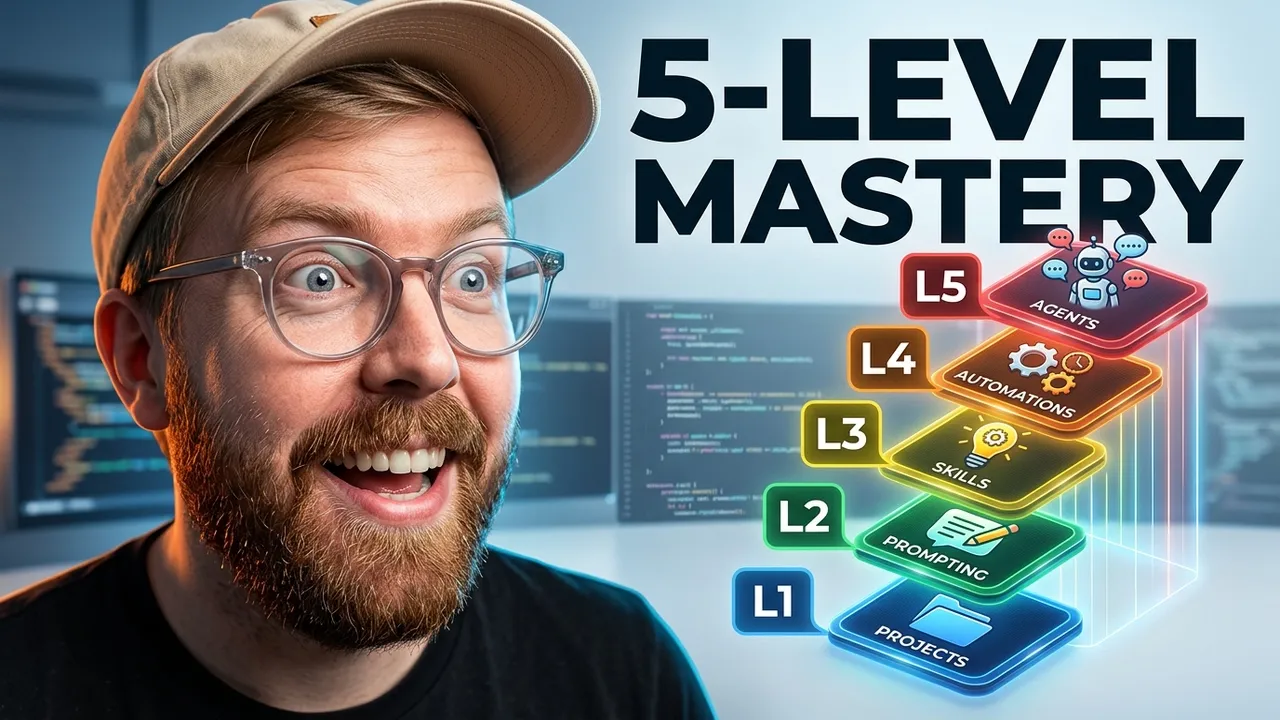
cover today. So, we're going to cover we got our opening um we're going to talk about the fivelevel AI proficiency stack um which uh we wrote a blog about and I think this is going to be really helpful for people to understand like how to go from where you are now to what the majority of people who are using these tools effectively who aren't let's say like frontier Engineers are doing to use these tools to the maximum capability but also uh absolute beginner stuff so I use chatbt but I know I'm not getting the most
out of it or even just what is chat GBT. We're going to talk about that very very basic. Yeah. >> So, we'll cover the absolute basics. >> We'll cover projects versus prompting and which one you should start with. Uh and then we'll go through the five levels. So, projects, prompting, Skills, automations, and agents. And then we'll do more of a Q&A break. And then we'll talk if we have time, which we suspect we will, which tools are best for what. Um, and then if we have time, we'll get into some of this other stuff. Um,
but probably we'll we'll spend most of the time talking about this core these core concepts >> and then uh we'll get into uh everything From there. So, I'm going to stop sharing my screen. >> Yeah. And uh and we'll try to get to questions as we go too. We absolutely uh have someone helping us manage those because it's a lot. Uh so we'll get them as we go and we're here till we're done, you know, ideally a couple hours. Uh also know if you have to leave, if you're not available here for the whole time,
please know that uh this will be available as an archive when we're done. So uh you can come back to it if you have to. Uh first off though, if you would please take just a second and subscribe to the channel because we'd love to have you back here for more of these. We're going to do a lot of stuff like this moving forward in addition to the regular interviews. We have all of those things. Uh, anything else housekeeping wise, Grant, before we dive in? >> Uh, yes, we're launching a robotics Newsletter. Um, let me
grab the form for that. So, if anyone wants if anyone's in into robots, um, [laughter] >> yeah, >> let me uh >> we've got a we got a form for that as well. That's that's coming pretty soon. Uh, I don't know the date off the top of my head. >> Uh, it's it'll be in a couple weeks, but yeah, you can sign up for early access right there. Uh, basically if AI stuff Is interesting to you, you just think it's fun to learn about this stuff, if you want to keep track of how robot progress
is going and how soon they'll be able to replace your entire physical body, [laughter] >> uh, this will be the ro this will be the newsletter for you. So, uh, definitely check that out. >> Excellent. >> Cool. Um, so Corey, do you want to start with the absolute basics and open up Your chatbt and just introduce people to >> Let me I'll do that. I will pull up my chat GPT here. >> Great. >> Mine is going to be a little a little crazier than yours because I I work our team account and a bunch
of other things as well. >> Give me just a moment. I should have had that done already, right? >> Uh so I just want to address a couple while you're pulling it up. >> Um so we've got a couple questions. Before migrating off OpenAI, is it best to organize all your chats clearly into projects? That's actually a good question. Um, I think in general when they get when you export all of your chats, it's a very messy document and you'll probably want to use whatever AI you're transitioning into to help you organize that. So, I
don't know if projects help you in that way. Um, I've actually never never done it that way Before, but uh I'll look into that and I'll I'll I'll write something up on that. Lexi. Um, Corey, let me know when you're ready. >> Cool. Uh, I'm nervous about >> And it looks like um >> Go ahead. >> My connection is is doing awful with this open, too, isn't it? >> No, it's fine. >> Do I sound okay? Okay, cool. All right. Well, I'm sure most of you know this by Now, and if you don't, you've probably
been under a rock, and that's okay. This is Chat GPT. Uh, it's a very simple interface. I'm not going to bore us too much with the other thing with all of the the nitpickies right here, but I just want to show you that, you know, you set up an account. It can be free. It can be $20. It can be $200 depending on your application. I recommend I recommend starting at $20. The truth is the difference in the free account and The $20 account is huge. The $200 account is for professionals who need to be
using it all day. They need higher limits. They need all of that kind of stuff. So, you know, you'll come in and this is what you'll see. You'll probably see this open, you know, but it'll be empty. [snorts] And uh this is projects, previous conversations, and things like that. You'll come right over here. I like to keep my sidebar closed just cuz it keeps it cleaner. And you'll ask it a Question like, "Hey, what's the best EV on the market right now for a new driver?" And it's going to go and it's going to do
the thing. And it'll come back in just a moment. That was a prompt. In a minute, it's going to come back. It's going to give us an answer. Uh, it's reasoning right now. So, check. It's checking options with an eye toward what Matters. So, that's that's the very very basic. I'm not going to get too hung up here. I just wanted to show you for anyone who doesn't know that you can also talk to it. If you hit right here, you can uh you can hit dictate and say, "Hey, I've been seeing these new Lucid
EVs. Tell me about those." And you can stop and hit send and it will translate it to text and send it right over. Super easy. You have different options for how much you want It to think. Some of which are things we'll get into a little bit later. There we go. And uh different tools you can connect to it. You can upload pictures and ask it questions about them. Uh you got web search, you've got all their other tools. You've got their app store. Just all of the basics right here. and it comes back and
it recommends the Hyundai Kona electric. Uh, hits the sweet spot, small enough to park easily, easy to drive. Those are things that Matter for a new driver. So, it's able to not just tell you what are the best EVs right now. It's telling you what's the best EV for your situation. And you could go more in depth. Like one of the keys when it comes to prompting, and we're going to talk about this, is that right now I could have just said, "What's the best EV on the market?" It could have been all I said
and it would have given me a good answer. But I said, "For a new driver," which is adding a Qualifier on there. But I could have also said, what's the best EV on the market right now for a new driver in a rural community of 25,000? Um, you know, where it has an idea of like, you know, how far is it going to have to go to charge? How long of a range do you need? It's able to take all that in and come up with all these much better, much more thorough answers um up
here. >> So, let's just very quickly re let's Just very quickly recap um what you did. So, you went to chat.com. You uh went to what below is the con the context window or the chat window. You typed in this prompt and you gave it very specific information about what you were looking to to find. So, one difference between a chatbot >> and Google is that Google you're usually using keywords to try and get a web page that's relevant to what you're searching for or key phrases like questions. With Chat GPT, the more context that
you give it and the more specific you are and the more you write full sentences, it actually will give you a much better response. >> Yeah. where where search will start to struggle the more you put there often. Uh unless you're unless you're really good at the fancy search. Uh >> yeah, >> that takes, you know, you have to navigate to sub menus to do that. It's Much easier to just talk out loud and and ask for what you want. [laughter] >> So what we're going to do next here really quick is the idea of
iteration. Uh iteration is when you get a response and you're like, I like that, but maybe that's not what I need. So, um, you know, I've asked it about the Lucid here, and what we're going to say is tell me about those. Also, we live in a midsize rural city of about 25,000 people.,000 People. And uh, see what it tells us is different there because it might come back. It's going to suddenly start taking into account range. It's going to take into account availability of chargers and uh uh types of chargers. So, like if a
car has a very specific charger it needs, you know, it might be that you would be fine with one type of EB, but you might not be okay with this one with this super specific charger. Um, but that's really kind of the basics of this. But what we're going to see is it's going to come back with a response that's much more tailored to me after getting these additional details, too. So, Lucid makes very impressive EVs, but they're aimed for the luxury buyer than the first EV shopper. That's fair. [laughter] >> It's true. >> They're
so awesome. >> I I asked because I want one. Um there are two Lucids to know right now. Lucid Air. What's great about it in a rural smaller city? Here's what you don't get from search. Now, I'm not saying use this as search. It's It's significantly better, but I use it instead of it. Like I haven't used Google search probably this week. Uh, and I as a writer for years used to use it probably 40 50 times a day. Um, so yeah, what's great about Lucid? Uh, the long range is a Real advantage. It's built
for fewer charging stops. That matters in a small town. Uh, most of your driving starts and ends at home. This can make rural ownership much easier than shorter range vehicles. So, you know, that's good news. Here's what gives it pause. Like, it's a relatively niche brand. if you need service. Yeah, that's fair. Okay, so I'm going to back out of this now and we're going to take a quick peek over here. I'm going to show you the model Selector. This is there are variety of models you can use. They've kept this much more simple than
it used to be. Instant will is what you would use probably most of the time. At least that's what what they would tell you. Frankly, I tend to keep it on thinking. Uh, Pro is poss probably probably not available in the $20 account if I'm not mistaken. Um, but instant is a smaller model. It's way faster. It's not thinking. What it's doing is more uh Trying to, you know, instant recall a good enough answer because not every question needs time to think. Lots of questions can be answered just right off the bat. Like if you
need to know, wait, what what colors make purple again? It it can just tell you that. But if what you want to know is uh which purple is it I like it at at at Home Depot in one of their brands. There's this purple. It's really similar to Dodge's Old Plump Crazy Purple. If you want to know that, That's where you go to thinking. Uh and Pro is where you go if you want to build one of those for yourself. [laughter] And uh let's see over here. You got a number of things available to you
in the side panel. This is where you start a new chat. You can search your past chats. You can go in and be like, "Oh god, I've got a thousand of these and one time I asked it about I don't know, I asked it about Back to the Future." So, you could search Back To the Future. It'll show you every time you've ever discussed that with it. >> Do a do a test of that. Try to do a search. Um, it's okay if it does Back to the Future. >> Okay, let's do um let's do
Microsoft because I was just doing some stuff with Microsoft earlier. Subscriber-based pitching tips, AI integration for program management, Microsoft AI security focus, coreweave plans. These are not like searches. These are Searches of conversations I've had with my personal AI before where Microsoft was mentioned. Uh, it works really, really well. Um, also you've got various apps you can use, but that's probably a little more in-depth than you want to go today, but if we have time at the end, we'll go back to that. Deep research is a tool that allows you to ask a question and
get it to go think for 30 minutes. You know, if if what you're doing is a say you're doing a big report and you Want it to go through like a spreadsheet and you want it to go gather industry data from a government site, stuff like that, and accuracy is really, really important. That's where you use deep research. It takes a little while longer. How long is good to wait in thinking mode? And once you see it circling, do you just get out or confront? Uh, it can take as long as a few minutes, Lexi.
Uh, sorry, I just saw you uh ask that question. Um, it can Take as long as a few minutes. It can be a little short. It totally depends on what you ask. Uh, they've gotten much more about kind of flexing that amount of time. It used to be that thinking meant x number of seconds and then it got a little shorter and then people wanted longer because they had harder problems and giving it more time lets it think more. So, uh, you know, if the truth is you can run it, tell it to go, and
if it starts circling, you can go Over to another chat and work on something else and it'll you can have it notify you when it's done. So, you don't have to just sit and stare at it. Usually, what I will do is I'll spin up two or three chat GPT windows here, and if I have two or three things I know I need to work on this morning, I'll go start each of those, and then I'll go over and I'll drink my coffee while I go through my email and just let it work. You don't
have to just stare at it. The Truth is that's where the big productivity boost is. It's doing some leg work for me while I'm going through something else I need to do right now. Anyways, my day's my day is busy and uh this has been such an unlock. I was looking at like even just Grant and I's production numbers from the last like 14 months. Grant, I haven't even told you this. Uh >> oh, really? >> My recording has stopped. >> Oh, no. You're good. I still see you. >> Okay. Yeah. >> Okay. Let me
hit something here. >> Oh, looks like [laughter] he just accidentally kicked himself off the stream. Well, he'll he'll rejoin in just a moment. Um, I'm curious to hear what he what he was talking about, but I just posted something in the chat just to recap what we covered. So, we covered you go to your favorite website and maybe you don't have a favorite website Yet. So, you know, the easiest one to start with is chat.com. The one that I really like lately is Claude.ai. Um, but I you can't go wrong with either of those. Gemini
and Grock are the third and the fourth probably best. Um, and Gemini has higher intelligence than um or has is at least on par with the highest intelligence, but we find that it's not as consistent and uh actually the app is not as good. So that's why we would recommend chat and uh Claude first And then Gemini second and then Yeah. For total beginners. For total beginners. >> Yeah. >> Yeah. Um you dropil but >> yeah there is co-pilot as well. Yeah. >> The thing the re reason I often and I know I know there
are people who have strong opinions about copilot and really dislike it. But the reason I recommend it sometimes to beginners is because for one subscription you get access to ChatGBT's best models, Claude's best, Anthropic's best models. So CLA, you get Chad GBT and Claude in one account. You can switch between them. And there's a new feature they just dropped yesterday to where those models critique each other. No one else is doing that, at least not on a broad scale. It's a thing we've done in agents and such, but not a thing that has been like
rolled out to the masses. And that's that's coming very very soon. It's in Frontier now and It'll be to the public by summer. The truth is if if you're a casual user, you're going to get a lot out of that, especially if you already save your files in an all in 365 or something. Anyway, with that said, yeah, I I'm chat GBT Claude. >> Yeah, those I mean I use Gemini. We'll get into this. I use Gemini for specific use cases, but not for my daily driver, and I'll explain why in a minute. Yeah, Grant
and I have opposing daily drivers Is what you should know. And and and it's not for any real reason. The truth is most of the same features exist in both tools. Both of them have at any given moment the top two models [laughter] in in the space. Uh but what I will say is that once you get a tool you're comfortable with, uh sometimes it's not worth changing every time there's a new model or a little tweak. I mean, if there's something significant and you Want, uh, absolutely. But I highly recommend finding one you're you
just like the interface on, you're comfortable, you can go and try out their free versions and see like, I just don't like how this work this works. Uh, or I I really like how this works. Um, and if that's the case, stick with it because these these companies are putting out models every couple of months right now. Uh, and if you're with either one of these, you're always going To have something that's right near state-of-the-art, if not the state-of-the-art. So, I would highly recommend either one of them or both if you just have the expendable
money because uh I use them both daily. >> So, um I just want to cover one thing. So, Perplex, someone asked about Perplexity. Um the reason why I would maybe not subscribe to Perplexity right now, unless you're going to pay for their expensive version for Perplexity Computer, which is a different product, is because most of what Perplexity does, ChatGBT does. and Gemini can do uh and Claude can kind of do and we'll get into that more in part two. Um but if if you like Perplexity and you find it really really valuable for you specifically
for search use cases, >> totally fine to use it. But it's not >> it's not in my opinion necessarily a replacement for like a daily driver like chat or claude. >> Yeah, >> if you're using it that way, I'd love to learn more about how you're using it. Um >> for me it's more of a supplement, too. I really love Perplexity's discover feature where it caters news to me. Essentially, it writes news articles based on what it thinks I want to read the news about today. >> And and a lot of times it's a lot
more positive and interesting than the real news art. >> Um, >> and yeah, Perplexity has a lot of really sophisticated financial use cases. Like I said, Perplexity Computer is like a totally different product and that would be kind of like a replacement for OpenClaw. Um, and that's really good. So, I think if you're willing to spend the money for Perplexity Computer, that's a completely different conversation and that probably would be worth your time. Um, now it's not to say That you can't do what Perplexity Computer does in chat GPT or uh Claude. You just can't
do it to the level that Perplexity Computer does it. >> Exactly. >> But yeah, Perplexity for Research Marcus Stone says, "Yeah, I mean it's it's it's pretty good. Um, I find that it can access probably the most websites besides Chacht. I thinkd can access pretty much every website that you need to go to. Um but >> but yeah, so let's get into um are there any more absolute beginner things we want to cover? Um >> I I think hitting, you know, prompts, how to use the interface. The only thing I could have shown that I
didn't and I'm hesitant to bring it back up because of my internet access >> is if you go to your settings in chat GPT, there's a personalization option and it's a big menu. It's not intimidating, but it's like how do you Want it to talk to it? Do you want it do you do you want it to be friendly, nerdy, pragmatic? Do you want it to be, you know, very professional? You know, you can customize all of that and you can tell it things about yourself and determine like how your interactions go. And that was
a really big unlock for me. >> We can show it on mine. Why don't you walk me through how to do that? >> Okay. Go down to the bottom left where your information is there, your Settings. Click >> Okay. >> Go up to set uh personalization. Okay. So, you see this? So, what I did is I clicked on my profile in the bottom left corner. >> That'll be your name or your email or something >> and I went to personalization >> and yeah, and when you get over here, like that top dropdown, for example, is
a really good one. >> You know, you've got all these different options. You can have it communicate with you however you want. I usually use quirky, I believe. Seems I thought there was a nerdy, but I could be wrong. Uh, you can adjust its tone in a variety of ways, up and down a little bit if something's getting on your nerves or you've got something you really feel like you need from it to to better unlock capabilities for you. Um, >> this is really cool. Yeah, >> it really is. It's a great personalization feature and
not nearly enough people use it in custom instructions. like mine is told to do things like challenge my assumptions, uh double check me if I've taken anything for granted as true that is not uh and a variety of things like that uh that are uh designed to get it to give me what I need out of my AI. And what I need is a backs stop to uh I rush. I do a lot of Things in a small amount of time every single day of my life. And I need something that can be like, "Slow
down, Corey. >> You for you left the keys in the door, much like Claude did yesterday." >> And [laughter] uh >> we'll talk about that maybe later. If not, I I see there are a million questions in the chat here. >> Yeah, let's pull all of these out >> and we can put them in a blog article After because I I it's pretty clear we're not going to get every single one of them today. But, uh whatever we don't, we'll put in a blog article and share in the neuron as well. Um I will say
for the question about Markhamm MVP uh best way to use AI tools to integrate into a job search. We're going to cover something that will help you do that. And in fact maybe we can use that as part of our scenario planning here. >> Um >> the one other thing I wanted to say so I I posted in the chat okay things we covered go to your favorite uh platform. You might not have a plat favorite platform yet. So just try maybe try chat.comclaw.ai gemini.google.com google.com or drop.com and just ask a couple questions to each
of them and see which one you like the best. Um, and then just go with that one. Um, because right now the intelligence is pretty on par. I would Say the first three are the better of the three at the moment. Um, and the first two are the better of the two for all of the things we're going to cover next. Um, then you can iterate. So you ask a question. Then the important thing to remember is you're not going to get what you want the first time. So you iterate with it which Corey showed
us how to do and then uh uh iterate on the question and then you can search to find previous chats. And then the other thing That we I didn't mention in that message is Corey talked about this here which is the the model picker and he talked about why you would want this. Instant is for just everyday chats. Thinking is if you want it to use a higher uh degree of intelligence and you're okay waiting for an answer. and pro it could be anywhere from five seconds to a minute or two. >> Yeah. Right. It
can take some time and you'll know that that's turned on right here. >> Um >> yeah, and you've got an extended thinking option right there as well. >> Is that that drop down? Oh, yeah. You can do standard and extended. If if what you need for it is to give you the highest intelligence possible, then it's probably a good idea to just have extended thinking on all the time. That's what I do when I use Claude. And then there's other tools here, but we'll get into this slightly later as they're Relevant. But just remember that
if you have this plus sign here, you can use these tools. And there's lots of different tools on here. All right. So, >> all right. >> Now, we're going to get into the second part of this. I'm going to stop sharing my screen for a second. So, um, we were talking about whether or not if you're a total beginner, if you start by setting up a project or setting or learn how to prompt efficiently. Um, Corey, what's Your reason for learning basic prompting etiquette? And then I'll share my reasoning for setting up a project before
you really get involved into anything. >> I'll I'll tell you why I do. And uh, and and the reason I say this is is, you know, prompt engineering was a big subject a couple of years ago. uh it was largely mocked by the technical community and and heavily adopted by non-technicals. Uh it is still a valuable skill in interacting with AI, but it is not like a profession of its own. So, uh something I see as what we thought was the endgame early on was like, oh, world's going to be full of prompt engineers. We're
all going to be engineering prompts and that's what it's going to be. Instead, I think of prompt engineering as AI 101. There are a ton of short classes. You can watch a 15-minute YouTube video and get a lot of ideas and different patterns that you can use to help you out. And what that does is it gives you a little toolbox to show up to the party with so you know, like, ah, I want to do this. How can I get the best results to this question possible? You can absolutely just say some words and
it'll probably get you close. But if you need that extra 3% that extra 5% that that increases your accuracy or ensures what you want uh the Ability to understand how to how to carefully craft a question, how to ensure you're not doing things like contradicting yourself in a prompt, which is a big issue. Uh understanding how to just just be clear. The truth is what you want is the AI to be clear. It's going to answer whatever you ask it. Most of the time when it answers it wrong, it's likely because someone asked it wrong.
And uh just taking a little extra time there. Watch a video. That's That's really all I would do. I would watch a video or two. Take a little extra time when you're thinking about it, especially on hard problems. The truth is most of Grant and I's day, it gets no thought. But as a as an absolute beginner, I found it to be a major unlock for me personally, and I highly recommend it. All right. Now, let me explain the logic behind projects and and what they are. And and to do that, I'll I'll share my
Screen and I'll just kind of get into the explanation. >> Yeah. >> Okay. So, >> give me one moment. >> Are we bouncing over to Claude now? >> Yeah. We're gonna we're gonna go to Claude for this next part. >> You might give the 20 second rundown of how everything's the same, but it looks a little different >> as far as like, you know, where you're Where you chat where you >> because I think that's uh you've got that under control here. Yeah, >> when you're in the desktop app, you're not in >> Yeah. So,
we're going to talk about that. So, another layer of confusion uh for these tools is that there's a web-based version that you can access by going to chat.com or claw.ai, whatever your preference is. And then there's Also a web uh or sorry, there's also a desktop version you can download um >> of both. >> Yeah. Of both of them. And I actually would recommend downloading the desktop version uh especially if you want to be using this for any sort of serious work. And the reason I recommend that is because there's just more capabilities that you
can do. So I'm going to show you >> I recommend it because then your AI Isn't hiding in one of the 1200 tabs you have open. It's its own program. [laughter] >> Yeah. So I'll give you an example here. So this is the web version of Claude, right? And you can see it's a a chat window. looks very similar to chatbt. Uh it has a couple different items on the side panel here, but then it's uh um interestingly it it doesn't have some of the same features that the uh desktop version does. And the desktop
version, Without getting too complicated, has this tool called co-work, which is where this lives. And then it has another tool called code, which if you ever hear cla code, we write about that a lot in our newsletter. Um that's what this is referring to. And as you can see here, I was gonna ask Cloud, is this safe to use an MCP server. Um, but yeah, we'll get into that. That's not for today. We're not talking about coding. We're just talking about chat, um, and how this Works. So, uh, that's why I recommend the the desktop.
Now, Chatbt also has a desktop app. Uh, I'm not logged into that right now, but it also has one called Codeex, and I am logged into Codeex, and we might do some demos of Corey's internet is behaving inside Codeex later. Um, but I'll show you the same thing I'm showing you in Claude. I will show you in codeex, which is sort of like chatb's equivalent. >> Yeah. >> Um, so let's talk about this thing called projects. So I'm going to share my screen here. >> Shrink this a little bit. Okay. So what is a project?
Projects are folders that you um are basically like organizing folders. So, in the same way that you would have a Google Drive um where you organize all of your documents, this is a way of organizing all of your chats, but it's a lot more powerful. And I'll explain how that works. Um Corey, also Let me know if there's any questions in the chat related to this and I can answer them because I can't see. >> Yeah, I'll keep I'll keep an eye on them while you're going, sir. >> Okay, great. So, the reason why I
think you should set up a project before you do any sort of work or or chatting is because it's a really good way to keep this like really messy like all chats log organized first and foremost, but also you can do you can set yourself up For success by using projects in a way that you can't if you just rely on a standalone chat. So, let's um let's set up a test project together. Um, everybody who, you know, has a problem that they're trying to solve, go ahead and ask those questions in the chat. Like,
like what what type of project would you like to set up for yourself uh in AI? Like what what do you want to have the AI help you do? >> Give us a good example. Grant will show You how we do it right there. What is the co-pilot equivalent of a project? >> I should know this. >> I think they have projects. Yeah, >> I think it's called projects, but let me um let me >> I was thinking it was called projects, but I could be wrong. >> It could be called folders. Um potentially. >>
Are you pulling that up on your screen? >> Yeah, I am looking. >> Let's see. >> Man, the computer is not happy with me today. >> We'll get you an answer to that. We'll we'll we'll >> I'm not on like my best computer. I'm on like >> Yeah. Yeah, >> you have the chat GBT equivalent is also called projects. So, let me pull up the chat one. >> So, projects is right here in the top uh in the sidebar corner. So, you just hit the little project thing and you can start a project. So, whether
you are using this or this, where' it go? It disappeared. Hello. Here we go. Okay, accidentally hit it. Okay, so whether you're using projects in cloud on the app or tryt on the app or on the desktop or sorry on the web version, that's how you do it. So let's go ahead and make a New project. Uh Corey, did anyone give us any ideas for what type of project we want to create? If not, I'll use the job search example from before. >> Let's see. Uh, our project's the same. Use Quant Excel. Job search manager.
Find businesses, find people, customize contacts, interviews of career pivoters. We've had two mentioned job search. >> Let's do that. >> Uh, another another one mentioned lead Genen. Yeah, I I hit job search real quick. >> Let's do job search. So, what we're going to do is we're going to organize all of our chats related to job searching into a personal project. So before we mentioned the five levels of AI efficiency and I said that um actually setting up a project is level one. So any task that you're trying to do uh or any organizing uh
structure to help you uh accomplish whatever you're Trying to do with AI, I recommend making a project. Um yes, and I have one that's like a general purpose project for everything we do at the neuron. And basically what I do is I'm going to hit create project. And there's a couple different components here to keep in mind. And this is pretty much the same between Claude and chat, but we'll show the differences. >> If you're going to do it more than twice, it belongs in a project. Yeah. >> Yeah, I think that's right. And also,
it's just helpful like you can create a project. And maybe I'll do this as an example, too. I'll create a project that's just like grants uh work zone. And I'm just going to say for organizing all my ideas and projects. like this is probably not the most efficient way to do it, but if you want just like one staging area to put all of your stuff in, you could do it that way as well. So, um, let me explain the different components here. So, first you have a chat window, which is just like if you
went to chat.com and you started asking questions. Uh, but then you have some of this stuff over here. You have memory, you have instructions, and you have files. Why do you want to use any of this stuff? Like how is this helpful to you? Files allows you to either upload documents, add text content, add Google Drive or GitHub uh repos to your database so that anytime you start a chat in this project, it will be able to access that information and learn from it. instructions basically works the same way as having a set prompt that
you apply to all chats in a project. So basically let's go back to our let's go back to our job search manager. So what are some instructions that we'd want to give our job search manager? One thing That we could do is we could give we could upload our resume to the project. So the anytime you start a new chat, your your this uh AI that you're talking to will know your resume and it will be able to reference it. And the way that I would do this is I would you could upload it directly
from your device or you could just add text and paste it in and you could say like current resume April 2nd and then um resume content pasted here, Right? Then you could say, "Help me update my resume in your project knowledge for this job description." And then you can actually paste the job description in down below. Um, if you want to be really uh really specific and really precise, you can use what's called XML tags. And this just says like help me update my resume in current resume April 2nd um In your project knowledge for
this job description. And that the reason you would want to use that is because let's say you have multiple resumes uploaded in the file in the project knowledge over here. um you want it to reference this specific one that's the most current, but maybe you don't want to delete all those other ones because maybe it's helpful to have them uh you know, maybe you have different types of résumés. Maybe you uh Create your resume a certain way for a certain type of job that you go out for and you create it differently for another type
of job you go out for because different let's say you have two sets of skills and maybe your you know some jobs and and previous positions were more relevant for that past uh you know for that for this role and you know other ones are more relevant etc. So that's why you would use XML tags if you want to direct its attention directly to A specific file. Does that make sense, Corey? Did I miss anything there? >> Yeah, that makes sense. That makes sense. >> Cool. Now, project instructions would be like um always use web
search to look up um the current date and time before drafting a cover letter. Um >> this is so different to how I use them in chat GPT. >> Okay, we got to get your take as well. Um, but I would also say you are a uh resume builder and your job is to help me update my resume and write cover letters for specific for specific jobs I'm going out for. Um, now let's say you don't even know what to write here. One thing you could do is you could say, "Hey, I'm trying to set
up a resume built uh or job search manager manager project and I need to write some Custom instructions to get my agent to do things exactly the way I want. Um, can you help me write [laughter] uh the best set of custom instructions possible based on um Claude's current best practice uh documentation. Then what we can do here is we can have the AI actually look up and write the custom instructions for us. And what it's doing is it's searching the web and it's thinking and it's fetching the Information from Claude's best practices and it's
going to now update them so that that applies whenever you have any chat or anything uh uh any tasks that you need to do inside the project folder. >> Um >> Corey, how is this different from what you use it for? >> Well, it's not that different. You threw me off when you went in and started at always do it this way. I was like, "Wait, you're not giving it like a like a system prompt." I was like, "Oh, uh, a system prompt would basically be in case because we haven't explained that before and I'm
not going to get into it too deep, but think of it as every AI runs on one core prompt. So like chat, GPT, Claude, they all have a single system prompt that and a variety of others they connect to, but think of it as a single system prompt that tells you are a helpful assistant. Your job is to Provide users with the information they need. You're going to do this safely. You're not going to give them dangerous advice. That kind of stuff. That's what a system prompt does. And essentially, yeah, >> with a project, you're
giving it its own little system prompt. And absolutely do what he said and have it write it for you. >> So that's great context. So, and that's something that, you know, I missed Because I'm, you know, in this every day and I and I don't think about, you know, using the systems prompt as explaining it. But that's basically what it is when you're setting up custom instructions. It's a system prompt to help this project >> um basically direct directly help you as much as possible. So one of the one of the points about that that
I would add is uh they can be as broad or as specific as you need. Uh I used to have Previous you can see over here I used to have a project folder that was just for cut cutting word counts. Um, I had another one that was for helping me write the around the horn bullets and the intelligent insight bullets that we would write every day. Um, I had one for writing subject lines, but which we're going to get to in level three. That's actually something that I am now replacing with skills, which we'll get
to that. Um, one thing I want to comment Here, I don't believe chatbt does this, but Claude does. So, it's asking me a series of follow-up questions. Do you see this here? >> So, where will this agent run? Yeah, >> this affects how we structure the instructions. So I'll say cloud projects. >> Oh, it does this too. >> Catch does. Great. >> Yeah. Only on specific things like it doesn't do it on every query, but if if You're asking for something like this. Yes. >> Where should the agent primarily help you with finding and tracking
job? Let's just say all of the above because I think we want this to be broad. What matters most in how it behaves? Takes action without asking. Asks before major steps. Follows a strict workflow. I would say asks before major steps is like the really important one. Um, okay. So, I'm seeing some questions In the chat. Corey, are you answering those? >> I'm answering a few. Uh, do you want to take a minute and bring a couple up real fast? >> Yeah. Um, can you bring up them on your side as the host? >> Oh,
I'm I'm looking at it from the wrong side. Yes, I can. I'm over here looking at them in YouTube instead of looking at them in the public chat. >> Yeah. Yeah, I I do that, too, actually. [laughter] >> I'm like I'm like I'm over here clicking and they're not popping up on screen and I can't figure it out. >> Yeah. Right. >> All right. and any any and all questions related to projects because I think projects are like really important to understand if you're going to be doing anything serious with AI inside the applications ask
them all the way >> public chat is not coming through I can't see it in here to bring them up >> it's very very strange I've never seen this happen before >> well I'll go ahead and read them out loud so >> okay yeah >> let's see >> I have a couple I could read too if you want to if you want to just catch >> why don't you why don't you read the questions and I'll respond and then you Can give me your answer as well. >> Do okay so from I'm going to mess
up people's names so please please accept my apology in advance [laughter] from Caric Suri does do projects retain context as we build out several script files for a coding project? >> Yes. Um, now it's not perfect. Like for that specific use case, you'd want to use cloud code. Um, >> and you would want to use your local like repo for where you're writing all The code. Uh, that's where you would want that's what you would want to use for that. But yes, I if you're if you wanted to do it in your chat window, it
it could do that. And basically, the way that it does that is you can ask it, hey, what was the last conversation we had in this chat? and it can actually like read the the um previous chats inside the project. >> Something someone pointed out here I want to call out real fast. >> Oh, I'm sorry. >> Go ahead. >> Uh is that you know I've seen a couple questions about using it using projects as an archive as well like as where like you know you can do that and someone pointed out that you can
also grab old chats and move them to your project. >> That's key. So >> that's that's a baller move right there. So, let's say you're not an absolute beginner and you actually have this just Like massive log of all of these chats that you [laughter] like. >> It's just a hot mess of conversations about everything from Yeah. >> from how to boil an egg to how to start a car. >> Yeah, you can uh you can do this option here in Claude which is called change project and you can just select a different project and
put it there. Um, so that's one way to do it, but that's Going to be very manual. Um, what would be nice is if they have a project organizer agent that they launch at some point that helps you just say like, hey, organize all my prompts into the my exist button like the photos in your in your phone. I want I want a select button where I can go, >> okay, bam, bam, bam, bam, bam, bam, like it's an email inbox. >> I think chat GPT is working on something like that. They have what's called
the Library. And the library shows you all of your uploaded files. And I believe it shows you all of the images that you've generated. >> Any image you've ever created, any video you've ever created, and every file you've ever uploaded. Uh I I within reason. Uh I I don't know how far back it goes considering it's been around for a few years now. >> And uh uh but it will do that. And it's really Cool to be able to go back to them. I was I was really excited to see that added because it's a
thing I've needed for a minute. It's actually it's easier than finding things in my Google Drive. [laughter] >> Yeah. So, let's talk about this. So, we asked it to create some instructions for us and it gave me this document here. And some people might wonder what is an MD document. This is this has become the industry standard for um the output that The AIS produce is they just produce basic what's called markdown files. And that's just a formatting. Like for for example, if I was going to open this in Visual Studio Code, you can see
what it actually looks like. It uses, you know, symbols to indicate when it's bolded or it uses XML tags, which is why that's helpful because this is sort of what the agent reads when uh you send it a prompt. And then it when it responds to you, it produces content in this format As well. But when you look at it, it looks like this. Um, and so in this case it did it did use the XML tags because that's good best practices for setting up instructions. In this case it says copy everything below this line
into the custom instructions field. So we're going to do exactly that. I'm going to copy all of this and I'm going to go back to the project folder and I'm going to set this as the custom instructions and I'm going to Save it. So now every new chat I start in this project will reference these instructions. >> Yep. Let me just fix this. >> And you don't have to type that prompt over and over or go back to an old this is what I used to do before projects is I would be like, >> "Yeah,
>> when did I talk about this last?" And then I go search through my f my my conversations and I'd be like, "There it Is." And then I'd go to the bottom of that and be like, "Write a prompt that gets me the final result here." And you know, you kind of work through it and then it'll give you a prompt at the end. Or I could go grab the prompt I'd used previously because, you know, there was never a good way for storing them, frankly. uh before this and yeah. >> So, I'm gonna see
if I can get a sample sample resume somewhere >> that I can upload and we can test this Out. Um >> you want a sample resume? >> Do you have one? >> I mean, I have I I have >> I have a picture of one. Let me see if I can transcribe the best idea. >> Add my name Grant Harvey to it. And uh and um I'm going to say transcribe this picture exactly as it appears because the vision models with claude are still Really weak at this point. Um >> yeah, >> my name is
Harvey do it. Uh and fill in any other details that are missing. >> So what you would do instead of this is you would upload your actual resume. [laughter] >> I need a coffee break. >> Oh yeah, that's fine. You know what you could also do? You could also just send it to uh your LinkedIn profile and say like, "Hey, can you build a resume based On this LinkedIn profile?" Um, okay. I'm going to look at the chat and make sure there's any other project questions related. Can you also set instructions later? Yes, you can.
Um, can you use it to set reminders? So, we're going to cover that in level four. Um, that that's that's more of level four uh topic. Talk about clawed co-working. Yes, we can. Um, I don't want to get too distracted with that because I want to keep this very simple, But everything that we've done with chat, you can do in co-work and it's a little bit more robust and easy to use. >> Um, >> we can also add that if there's ever one of these we that that a large number of you really need a
deep dive into, we can absolutely do a live sometime just on that. You know, we would love to know >> what you need to know so we can do this right. We might put a form together or something that we can share out. >> Yeah, we've been So, what we've been doing is in the newsletter every day, we have the uh AI skill of the day and uh there's a request form in there. So, if you ever have a specific request you want to know, um if we don't get to it the following day, what
we're what we're trying to do is publish like a digest of them at the end of the month that covers all of the skills that people have requested. So for March, we did that where we covered, you know, maybe it Wasn't like the specific thing you requested, but it was like multiple people requested the same type of skill. So we wrote about it in a generic way that everyone could learn from. Um, that's what we did. So March, it's on the website the neuron.ai. >> Um, a couple more of these. >> I'm going to drop
one of these down here in the chat for you just so you can see it. By the way, while you're over here checking this thing out, please take a Moment to subscribe to the newsletter, the neuron.a AI more than 700,000 people every morning. Uh we share stuff like this. We share the news. We share tips. We share our videos and interviews with any of the movers and shakers in AI that we can kidnap and get to come on our show. [laughter] So one thing to keep in mind so somebody mentioned co-work uh so co-work actually
this is this whole project file structure here is meant to replicate Like what um the file how the file system works on your computer. Um what makes co-work different from that is that co-work can actually access the files on your actual computer. So you can give it access to wherever you have your resume already existing on your computer and you could just say like hey um go to my resume folder and reference that. Um and that's really powerful but there are some you know security concerns with that. So um we're that's You know a little
bit more advanced than what we're talking about but we we'll cover it uh at the end of the session today. Uh cool. So somebody else asked a question. Can I keep client info in projects to create profiles in order to, for example, have Claude find best fit colleges based on a client's GPA and swim times? Yes, you can. Now, there is an ethical question about whether or not you upload someone else's personal uh identification like material. So, I Would probably like generify that um or make sure that you're on the team or enterprise account to
make sure that that account uh that information is like safe because otherwise claude does train on your chats unless you change your settings. Um let's see where it's where it does that. >> I think they all default to yes, you know, any AI. >> Yeah. So, you make sure you have to turn someone mentioned privacy. Make sure the One of the very first things you do is go to settings. Uh uh help improve claude. Turn that off. [laughter] >> Unless in chat GPT. Yeah, unless you don't care. But if you're going to be uploading client
information to create custom profiles for them, definitely turn this off. Um because you do not want to, you know, upload somebody else's uh personal information into the Training data. That's like a big do not do in my opinion. So that's that's what I would do there. Um be careful with that. LLM sometimes go all out to keep you happy and would output what thinks make you happy rather than objective facts. Yeah, for sure. That's [clears throat] a real problem. >> Uh, can co-work access emails? Uh, yes it can with something that's called connectors, which we
didn't really have um we didn't really plan to cover today, But we will cover it in abstract. Um, any other questions about projects? Does this make sense? >> Um, hey, thanks Marcus. Appreciate you. Uh, got to bounce due to family obligations. Yes, the live is always available on YouTube. Uh, if it if YouTube accidentally deletes it, like what happened with the Dan Shipper episode, we'll re-upload it. [laughter] >> So, don't worry, it'll be back up recording. So, uh, yeah. >> Yeah, we absolutely want this to stay available and be watchable. And when this is over,
we'll go and pull this whole trans chat screen transcript and try to extract all the questions and make sure we go through and hit things we missed. >> Okay, so I want to show you an example of this before we move on projects because this is really important. So I've uploaded basically a fake resume here, but imagine I've uploaded my Actual resume. Um, I've set my project instructions so it knows what the goal of this project is. And uh, I am now going to say, can you look up jobs that I could apply for based
on my resume? So, we're going to walk through this here. >> We were just referred to as the Ben & Jerry of AI. You should know. [laughter] >> Wow, that's really kind of >> I like that. I like that. That's high praise. [laughter] >> The Yeah. Interesting. Uh, there's implications there which I'd love to unpack at another time. [laughter] Before I dive into the search, a quick flag. Your resume still has placeholder contact info and an unconfirmed location. That won't affect our job search now, but we need to lock those in before you can actually
apply anywhere. That's good feedback. Um, let's see. The neuron is required reading for students in my AI class. Love it. Uh, you can Just hover over chat in the side panel, hit the three dots, and then add to project. That's right. >> Yep. Uh, would you suggest moving chatbt instructions to project instructions? So, actually, yes, I would. Um, I actually don't recommend having custom instructions that apply to all of your chats. Um, unless it's something that you absolutely need the AI to do for you every time. Um, because I think it's it you will some
it will impact the results That you get. Um, and one reason why I personally like Claude uh better, and Corey, correct me if this is wrong, but it does have project specific memory. Um, >> does as well. >> You can choose between project specific or accountwide memory. >> Yeah, that's right. And I'll just very briefly since I mentioned we would do this, show >> I can't stress what a great time this is Because the truth is all of these tools are great. >> Yeah. >> You know, you know, just rest assured that they they chase
each other. are so fast with feature announcements you can't see straight. So if one of them has something you don't like, just give it a couple weeks. Uh [laughter] >> so here I've I'm replicating the same process on chat GBT for anyone who has chatbt. >> Um so I've I just created my project folder, job search manager, and you hit the arrows in the the sorry the dot dot dots in the top right corner, project settings. >> That's known as an ellipses, Grant. >> I just prefer dot dot dot. I prefer dot dot dot. That
does sound more fun. >> And then you can set instructions. And for some reason, you can't set project can access memories from outside chats and vice versa. This cannot be changed. So I think you have to set that when you start the project, right? Okay. So here's where you do it. So if you want uh to make a project that is that has memories solely related to that project like let's say you're working on something and you don't want to reference all your personal chats. This is for work. You can set the memory on chat
GPT to when you go to create pro hit the little gear icon go to instead of default project only because you Can't change it once your project is set. Um, I don't know why you would want to have these little icons here, but you could add them if you want. I guess those are just suggestions, ideas. >> Yeah. >> Yeah. >> Ideas. Yeah. >> And then you can upload. Where do you upload files sources? Okay, great. Yeah. So, >> used to be called knowledge. >> Yeah, that's right. That's what was throwing me off. So, you
can upload files, same as we did before. You can use text input, same as we did before. or you could upload your resume. You could connect it to your Google Drive or to Slack here. >> And the best part about this is you can actually share these projects with other people on your team. So if you have a project for, let's say, a project that you're working on at work, you can share This with them so that everybody can ask chats and have all the same context and all the same memory that you have, which
is really, really helpful. >> I believe you can do this on >> Does Gemini have project projects? No, Gemini has something called gems. Let's go to that. >> Which are like their custom GPTs. Really? >> Yeah. So, I'm going to show this real fast. So, Gemini has what's called the gem manager, and this is more like custom GPTs. Um, this would be more akin to what we're going to cover in a minute, level three, called skills. And so, um, essentially what you would do here is you would set up a new gem. And so, what
I did is I went to gemini.google.com/gecreate. And you can give it a name, a description, you can give it instructions, you can give it knowledge That you can add uploaded from your drive, you could import code or from notebook LM and uh, and then give it instructions for how to respond. And so the way that that works, I'm actually going to show this Corey if you don't or actually let me ask permission. Corey, can I show the header image creator? >> Yeah. Yeah. Show it. Show So every day when we make a a header image
for the neuron, I will put in something here Like I'll either give it the full draft of what the uh newsletter was or or I'll just give it instructions where I'll say write um make a header image for a new around the horn digest for today. Um, and use the text around the horn digest everything that happened in AI in AI today. Um, Thursday, April 2nd, 2026. And I make sure I set it to pro so I get Nana Banana Pro. >> You know what though? Nana Banana Pro Screws up my pictures. >> I get
typos. I get text that is like all caps instead. >> So you're saying fast is more reliable >> on this project. I have found on this excuse me on this gym I have found fast to be more reliable. I want to use pro. I click it but it doesn't do as good with text for me. >> Uh >> yeah. >> Yeah. Not to say it it may not Sometimes. Uh it's specifically text. The rest is great. >> Yeah. >> Um I do mine just a little bit different. All I do is I type in header
colon and in parenthesis put the copy I want to be there and then I say uh something like >> article text for graphical context. [laughter] >> Oh, okay. Real quick, I saw somebody Oh, here it is. So, this is the image it Created. And that's because what I did is I gave it, you know, all of our previous examples of what we've done. I have very specific instructions for how it's supposed to look. And uh there you go. It created the header image. So I'm actually gonna use this one for today's round the horn digest.
So [laughter] gonna go ahead and use that. It's very cute. Um and I like it. All right. So but that's so that's basically how it Works. And as Corey mentioned, he uses fast because he thinks that that um performs better for his needs. And that that's fine. But the reason he can do that is because I've actually shared this with him. And so you can share these gems. If your team uses Gemini and you're in the Google suite, you can share these gems with other team members. Um, and then other team members can use it.
So that's kind of equivalent to projects. It's not as uh useful, I Would say, because it doesn't it doesn't organize. Actually, let me make let me make sure I don't eat my words there. Um, if I go to video explainer, no, it doesn't show it doesn't show all the previous video explainer chats. So, it's not as useful yet. Um, but you know, that's why we recommend claude or trap GBT as your daily driver. And then you can use Gemini gems for one-off use cases that Gemini are just better is just better at. >> Um, >>
yeah. >> Cool. >> One more one more note on this before we move to level three. Um, is somebody asked where can you find the same like don't train on my data and chat GPT. So, I think it's under settings, >> data controls, >> security. >> Oh, data controls. >> Okay. Improve the model for everyone. Turn that off. >> It It was off. >> Yeah. >> So, it defaults to off. Interesting. >> Just make sure this is off, right? Just make sure that's off. Um, and that way it doesn't mean that u OpenAI can't still
read the information, but it it means that OpenAI is preventing you uh the the information that you upload from going into the next training run of GBD6. So >> yeah, and honestly, there's probably a lot of stuff that provides less value than it used to in the way that grabbing everyone's conversation does. >> Yeah, >> I would think I would think. But um >> there's some >> I click the same buttons. >> There's a lot of really good feedback in the chat and people are adding their own tips. So definitely read through those Um for
folks who are listening. >> So here's >> the other thing we can collect. We could share your tips too. [laughter] >> Yeah. No, that's good stuff. I mean it's stuff I would probably recommend. It just isn't part of this presentation. >> But as you can see here, so here's what I found and more importantly how I think about your search strategically. So, it says where there's a market for you and it gives me some links. Now, what I Would do instead is I would update my uh instructions and I would say um formatting rules. I'll
add down here whenever giving me or whenever I request job um postings or looking for jobs list the direct URLs to the direct job postings with the job description in a bullet point list so I can easily click to apply and I'm just going to save that because this is great like okay Cool. It's giving me This, but what I want is just a URL that I can click, go check out, and go. >> Yeah. >> Um, yeah. So, that's kind of part of level three. So, let me ask it. Can you read the current
instructions about job job postings and try that again? Let's see if it updated in real time. If not, I'll just start another chat. >> Yeah. There you go. It updated. You're right. Let me get you the direct links to actual job postings you can click and apply to. So, this is key. So, whenever you get whenever it comes back with a format of what you didn't want, give it uh give it updated instructions for how you actually want it to um respond to you. >> Yeah, 100%. >> Yeah. Um, maybe this would be a good
time to just cover anything we haven't covered about prompting for level two >> since I'm realizing if we're considering this level one, then we should probably talk about prompting now. >> Yeah. Yeah. Um, you know, there are a number of things I would say about prompting. If I was going to give a couple simple rules, um, the hack that's going to make it all not matter is going to come at the end of this, but I would say number one, think clearly. Remember Not to write the way you speak out loud. You know, in the
end, this is a computer. Your language needs to be clear for it to understand what you do. We speak with a lot of analogies and and other goofy phrases that wouldn't make sense to a computer that thinks more literally. So, I think it's important to watch out for things like that in your language. I wish I had a good example. I don't have one handy. >> I can pull one up from the blog. So this Is all based on this presentation is based on this article we wrote this week the five level AI proficiency stack.
So level one is setting up your projects which we just covered and custom instructions. There's great links to this. I'll share this in >> which is also prompting. [laughter] >> Yep. Yep. Oh yeah it is prompting. Yeah. So to your point Corey maybe level two level one is still prompting but but here here's some good examples. So once Your project is set up, prompting gets much simpler because half the context is already loaded. You don't need to say, "I'm a marketing director at a fintech startup." Every time the project already knows because it has your
current resume and your instructions that tells it everything about you. Um, for the prompts themselves, the simple formula is persona, task, context, format. Honestly, cut this out. You don't need this. If you have custom instructions, You don't need to give it a persona. You just need to give it task, >> context, and format. So, >> and unless for some reason you want it to have one, >> you know, I mean, if you, you know, specifically want that one to be a >> Yeah. So, analyze the sales data and identify the top three trends. Um, in
this case, you know, if we have a product set up, you could say, uh, analyze the sales data in quarter three Sales data. Um, and then that's referencing here. Yeah. Um, something like that. >> Um, context. This is Q1 2026 data for our SAS product. We're preparing for a board meeting. Um, I would even be more specific than that. I would be like, I have a board meeting in 3 hours and I need to create a full um, spreadsheet um, analyzing all these data across XYZ. >> Yeah. um use CA um I don't know whatever
cross XYZ uh and then format presented as a onepage executive summary with bullet points. So in this case I would say um the format needs to be a spreadsheet formatted exactly like the example. >> Mhm. >> In um example spreadsheet template and then you know upload a previous example of how your Reports look so that it actually knows what you're trying to produce and it produces it the exact same way. I still have such a tendency to just copy and paste it and drop it in there and say do it like this. >> Follow this
format paste. Uh I do so much of that like uh and then I'll I'll just yesterday we were working on like >> data about all of our sites because like we're the neuron by technology advice. We have 60 or 100 websites. I don't Remember. They have a bunch. And uh we were going through a list of some of them and trying to make sure that we had like who's the audience here on there. And uh so what I did is I grabbed one that was really good and I went in and I I dropped it
at the bottom of my chat window. And then I went and emptied the form, went up here and said, "Here's the blank form. Here's a good one." And uh and I said, "Go check this site. Fill out that form." And uh and it, you know, Does the thing. Uh >> I think there's a way. This is this is a team account. So maybe you can't do it on a team account. Um or maybe you can there's there should be a way either in security or data controls where you can download the data like download all
your previous chats. Corey, do you know where that is on chatbt? Because I saw a question about this. >> Oh, where you would download your archive. It'd be in your settings. >> Yeah, I did this recently. Um, but >> it might even be in data controls. >> That's what I was thinking, but I don't think we have access to that on it. >> Oh, well archived. Uh, you have nonarchchived. >> I don't think that cuz that just like >> I know there was a way to do it. >> Yeah, I don't I don't know if
it's possible on um on the team account or perhaps chatbt changed it because a lot of people are Switching to cloud. >> Yeah, we are on the business account too. That's the other thing. Uh so ours is a little different than yours will look. >> But yeah, that for prompting, you know, you can get more specific with it if you want. But really the main thing you need to internalize is this. You need to give it a task and I would probably also add a goal like but that can be added to your custom instructions
for the project You're working on. like my goal is you know I am making a I am a newsletter writer and my goal is every day I need to make a newsletter covering the top AI news that has happened in that day um that's the sole purpose of this whole project right uh task context and format this could also be um you know presented as a bullet point list like any constraints that you have on the project and what it needs to look like do not forget that >> um >> yeah it makes a big
difference in the quality of what you get back. >> And like Cory said, >> sorry Cory, [laughter] >> sorry. >> No, you're good. And then like Corey said, uh, like context, it can be something you just add and upload, you know, right here. You can even paste. The nice thing about Claude is like, for example, let me just copy. And in fact, You can do this. I give everyone permission to do this. Um, you can go to [laughter] you can go to our website, copy all of this in um, copy and paste it into uh,
a project that you start and you can say like help me set up my AI setup exactly like this project is set up or exactly like this article says. Um, and you can just do that, [laughter] you know. >> Yeah. And as you get a little more in The weeds, like I'm doing things with like that's one of my things with OpenClaw that made me fall in love with it so much is that I'm taking like if I see a research paper I like and it's something that can be imple and I I'll drop it
in my open claw and say hey is this interesting? What what how could this benefit what we're doing? And it'll come back with we could do this, we could do that, do you want me to implement that? And like we've had there Was one night open dropped a research paper right now. I can't even remember for the life of me what it was on, but like I was at a Mexican restaurant and I saw the paper and I was like well that sounds cool. So I dropped it in Telegram to my Open Claw at home
and uh and it's like do you want me to do that? And before I finished dinner it that research paper that just dropped what it was suggesting was implemented on my home computer. >> Yeah, >> it's pretty sick. [laughter] >> All right, so uh Deb in the chat said, "Can Claude create concept and mind maps?" Um what I said is make one. Um in this case it has access to a plugin that I gave it and uh we can talk about that when we talk about skills. >> And what it's yeah what it's going to
do is it's going to create a a mind map concept map based on my resume. So I've never read this resume. I'm interested To see what happens. [laughter] Um in fact while it's doing that let me go ahead and uh see. So here's the recommendation it gave me based on our blog post. You're inside a cloud project right now with custom instructions, reference documents, and a structured workflow. That's level one. Uh and then it gives me advice on what to do uh from there, which is cool. Um now, how did I get it to how
did I get Claude to do these Uh to uh to use Excaladraw? Well, what I did was I went to this tab called customize. And on customize, you can connect connectors, which uh we weren't really covering. >> By the way, >> did you notice Claude changed them to connectors recently? Is that not funny? >> Uh I think it's been connectors for a while. >> Invented MCP. >> Yeah. >> Shared it with the world. Chat GPT used it, called it connectors, and now >> Claude has changed theirs over to connectors. It's all still MCP and it's
uh it's actually the industry standard now, at least for the moment, but that's another story. >> Now, the way you would do it uh if you wanted to add your own is you would come over here to connectors. Um so, customize connectors and then you click this little plus button and you hit Browse connectors. Uh and this will show you all of the publicly available connectors that you can use. And you know, if you see an app that you already use, like let's say you use hugging fate. Well, that's a that's a very specific one.
Let's say you use Figma because you're a designer or you use monday.com because you you know have that's your project management tool. >> Yeah. >> You can just hit a little plus sign here And that will add it to your uh account. And what that means is it'll have you log in and once you log in um Claude can always use the publicly available uh functions that uh Figma or monday.com give you access to which as you can see here beehive which is our newsletter platform just updated their own um tool here. >> I have
my notion connected to chatgbt and claude. >> I can I can from either tool uh ding the Notion board that runs the website I built. Yeah, [laughter] that's awesome. Love it. Love it. >> I thought so. I was like, "This is great. I can have this one manage this part. I can have this one manage this part." >> But yeah, so I had I had the Excg plugged in. And so now with that, uh, it can create a little mind map here. And I can go in and I can edit it. Uh, now I think
if you just are chatting with Claude on the website, I think it can also create concept mind maps. >> You could probably tell it use only black text. You could tell it >> uh you know uh I want to make sure that these are all in circles and not rectangles. You could there's a I'm certain it would take the instructions and just go do it. >> Yeah. Because basically when you have this connector set up it can use the app that um >> that basically anything that the app allows >> uh over the connector it
can it can use that function. And the best way to set these up if you have your own apps that you're trying to connect uh through a connector is to give what um you know what we talked about with Dan Shipper last week is agent native engineering. Yeah. And what that means is treating the agent as a first class citizen uh who could use the app in the same way a Human can. So any any functions that I could use, any buttons I can click, any tools I can add, the agent can also uh use.
So, if this was set up in that exact way, then the agent should be able to do anything you could do when you click the edit tab, which means you can just ask it, make all the colors black, and it'll do that. Now, that's just a very brief overview of connectors. Uh, Corey, anything else on on prompting? >> No, I think I think we're good, but I think we jumped over skills, didn't we? >> Well, let's get into that. So, >> Grant and I aren't good with linear thinking. You should know that. [laughter] That's why
we created this run of show document for ourselves um to try and keep us on track here. So >> I have looked at it today, Grant. You'll be proud. >> Thank you. Thank you. >> I I opened it and I've even I've even tried to follow along. >> So here's what we've covered, right? The simplest formula. We did a live example. Um we didn't really talk about this, but context engineering is just exactly what I said. So, um, in order for the AI to help you, let's go back to our, in order for the AI
to help you with your job search manager and to actually save you time and not have you manually writing cover letters for every job, um, it Needs to understand your resume. It needs connections. Maybe it needs to be connected to your LinkedIn, if that's possible. Um, maybe it needs to be connected to uh like other services that you use like uh like Gmail or or or things of that nature so that you can pull in all of the context it needs to actually give you a good answer that's not generic that's not just like you
know what Google would give you that actually helps you accomplish the task And reduces hallucinations because it knows everything about you. If I was just to go to a random chat and say, "Write me a resume." It'll write me a resume for some person it's never met. >> A [laughter] good prompt engineering course, by the way, I know we mentioned those a little bit earlier, will will handle context engineering as well because it's, >> you know, getting the right context is a vital part of that. Uh >> yeah, >> a a short course could be
a handy thing. Speaking of which, >> yeah. >> Yeah. Um stay tuned. We might have a cool announcement in a few weeks for you. >> I like that subtle. >> That's really all I can say. [laughter] >> Um I'll say now uh so what I'm doing here is I'm iterating, right? So I have this the way set up the way I want. And What I'm going to say is now let's um turn this into a skill. I can call at any time I want to make a mind map in my preferred format. So this is
the unlock. This is level three. This is uh the thing that most people, it's relatively new, so most people haven't wrapped their heads around this yet. >> Um and it's the thing that's going to save you so much time. So if project saves you a lot of time because it's organizing all of your structures and um Organizing all of your chats and helps you so that you can do recurring tasks on a recurring basis with all of the same information. Uh then skills are basically automating the actual prompting process. So you don't even have to
prompt >> and your tool calls as well as any uh like reference docs. >> Yeah. >> You know, uh it's it's that's what kind of makes it a step past a project, I Think, is that >> Yeah. >> that it's not just your prompt, it's your prompt, it's the tools you want it to use, it's the uh they're really handy. They're not available in standard chat GPT yet. They are available in chat GPG business accounts and in codeex. Uh they are available in all of Claude's tools. I don't believe Gemini has skills at all yet,
but I shouldn't say that. That could be >> I wonder about this. Like I wonder if I was just in Gemini and let's try this. Um if I could say can I call my header image creator? No. If I'm, by the way, if I'm honest, what I would do anywhere that doesn't have them is I would connect your Google Drive to it and start a folder [laughter] >> where it saves skill files for you and it would do it. It could reference them as you tell it to and it would really negate whether they offer
them at all. I Think >> that's a that's a really good tip. So, what what you're saying is like have a shared um skill folder and you can connect it to Google Drive and then that way Gemini can reference >> Google Drive. Yeah. odd and chatbt. Yeah, that's really good tip. >> The only catch would be it doesn't do you'd have to keep it from like converting the MD files over, but uh that's not a big deal. You could Absolutely do it that way. It's a little a little backwards, but uh I love these. Grant
and I probably combine for a hundred of them if I had to guess, give or take, maybe more. I haven't counted. Haven't counted. Grant will have more than me. Uh >> that's funny. Someone Linda said, "I upload your newsletter to Claude whenever you have new info about him. Generally, he will thank me or say he didn't know." [laughter] I love that. I think that's great. I think like the best way to read our newsletter because there's so much information in it is probably to just upload it to the AI and be like, "How could this
help me?" [laughter] >> Yeah. >> Deb, I'd like to say your your question here. So Deb Debiano asks, "So whenever you access the skill, it will perform that specified skill with whatever you get it to access." Yes. >> Yeah. Yeah. I'm trying to I'm trying to get the cover letter customizer into a good point because I think this will be a better skill to test. >> The truth is they're also relatively good at recognizing I need to call that skill, but it >> Yeah, >> Grant and I both still tell it to call the skill
because two times out of 10 they don't. >> [laughter] >> if you just assume it will. Uh but uh normally I I just say something like, "Hey, call my blog article skill or whatever whatever it is." And it knows. >> So what's funny is so basically my chat is being very like reasonable with what's requesting from me, what it needs from me before it's gonna it can actually >> I hear you, Grant. [laughter] That's my favorite response. Yeah, it's it's uh basically I was like just make It up. This is for [laughter] a demo. Um
but it was it was asking for specific information it needed for me so it didn't hallucinate which I actually really respect. I'm glad. Same >> I'm glad that it did that. >> Same that's a that's a thing AI didn't do a year ago. Stop and ask questions. >> Yeah. So >> so important. >> So what what I'm about to do is I'm about to have it uh reverse engineer This chat where I wrestle with it. I try to get it to give me exactly what I want. What I want is I wanted it to give
me the exact jobs that I am qualified for and I wanted to write custom cover letters for each of those jobs. Um, and I wanted to do that every time I, you know, start my day or whatever. Um, so we're on step three of that process, which or actually we're on step two of that process, which is I'm iterating with it. I'm asking questions. I'm when It doesn't give me exactly what I want, I force it to give me what I want by giving it more context about what I'm looking for. Um, in this case,
I said just make it up. But, you know, you would want to tell it you give it the information it needs to be able to do the job the way it >> you're asking it to do. >> Any questions about this so far? I know we've barely touched on skills. We're going to explain it a little bit more in Depth. Um, but >> yeah, the truth is it's it's not once you understand the other things, skills aren't too hard to jump. Uh, but the unlock is big. I think that's the real key with them is
that um, you know, and I would apply that same rule. If this is something I'm going to do more than twice, it needs a skill or a project or something that makes it quicker, easier, you know, uh, you know, make sure you've got the Result you want and then have it build the skill. So, while we're waiting for this to build out, um, someone asked in the chat a couple of minutes ago, how do you get individual chatgbt chats into a project? Let's see if we can figure it out. Test. Oh, I have extended thinking
on. [laughter] Okay. Hi, I'm here. Okay, great. So, now I have a chat. Move to project. So, it's the exact same Workflow. So, um, you hit the dot dot dot, you hit move to project, and then you can add it to job search manager, and voila, it's in there. Cool. Um, all right. Let's see if our Okay, great. So, as you can see, so it gave me a lot of stuff here. So, what what am I looking at? So, I've got a cover letter for >> each roll, right? >> For each ro. And as you
can see, each of them are customized. Taking a bit minute minute to load. But for example, I could open it in my text editor and I can then go in and edit it myself. And then what I could do is I could tweak it. I could edit it and then I could re-upload it and say, "Okay, use this version that I've edited." >> Um, but but here I have a workflow where I've got I've wrestled with it and I said, you know, this is what I want you to do. Can you look up jobs that
I can Apply for based on my resume? Um, can you create custom cover letters for those jobs? Can you give me the URLs? And so now what I'm going to say is I'm going to say now can you use your skill creator skill to turn this conversation into a skill that I can call anytime I need to look up jobs and create custom cover letters for those jobs. Be careful when doing that as it's easy to drop a chat into the wrong project. Good call, Alex Lexi. Appreciate that. >> Linda says, "Oh, Claude says your
newsletter is well respected in the AI community." Uh, I hope I hope so. That's nice. Sometimes I re realize like not everyone in the AI community reads us, but a lot of people do. But it's funny when we come across people who don't. It's like, "Oh, hi." Yeah, it was uh I was at Nvidia GTC a couple weeks ago and and it's the first time Grant always Grant and I always joke about we go to these trade shows and it's funny how we Just never run into anybody that's like we you know we're like oh
we're with the neuron and they're all like huh but in video GTC we found the neuron readers. [laughter] >> Yeah. Like oh here's where you are. >> It kept some felt like every time we turned a corner that week somebody would come around. It was uh it was really cool. It was nice to meet some people. >> Yeah. So, what's happening here is chat GBT actually h or sorry not chatbt Claude has what's called a skill creator and uh if you were to go to customize and instead of choosing connectors you choose skills. Um now
you can see a series of skills that we have here but you hit plus you hit browse skills. These are actually skills that other people have created that they've made public. So perhaps you don't know what type of skill you want to create. Um well, you could come here and there's some that are already for you. Um this One's a really good one. >> Be careful with other people. There's also skills. >> So this is from this is from anthropic. So these ones are >> okay. These are anthropic build. Okay. >> Yeah, exactly. Um and
the and uh what I wanted to reference was this one which was the skill creator. So what it's doing here is it's actually calling this skill creator that creates other skills. And as you can see uh a skill is a Series of folders and more files. >> Yeah. And but it also has code that it can call to do stuff for you. So >> uh you know you can you could totally analyze this and you know reverse engineer it and make your own version. But as you can see, it's the skill is like a series
of Python files and markdown files and HTML that helps it create other skills. >> Um, and you can look at the same thing here for how all these others are set Up. So, let's go back. So, that's what's happening under the hood when you're calling the skill creator skill. So, let's go back to our current conversation or actually let's go to job search manager. Okay, so let's hit the bottom. All right, so now what it's done is it says here's your package skill. To install it, download the skill file. Um, actually what Claude does, which
I really, really like, is they have this What's called save skill. So I don't even have to download this. I just can hit save and it will copy it to my skills. So now, as you can see here, job search cover letters. Boom, there it is. Um, now let's go back to our project folder. So, back over here and >> yeah, Robert, there will be uh this will be archived on YouTube forever and uh absolutely available to watch. We'll have some follow-up materials as well. I just wanted to respond because I saw you looked like
you might have to go >> go look up the top jobs that I can apply for today. Uh and I'll I'll and let's see if it let's let's actually see if it does it calls the skill. Um, let's see. >> Grant, how are skills different from an agent? >> Um, that's a really good question. You Could think of skill as like giving an agent everything that it needs in order to accomplish a task. So >> yeah, >> the skill is more like the organizing principle and all of the files and all of the tools that
the agent needs to go out and accomplish a job. >> Um, >> did it actually call my skill? Yeah, read the job search skill now. Let me search for jobs matching their profile. Um, that's great. So now it knows exactly what I want and let's see how well it adheres to what I'm looking for. Um, one other thing to comment about this. So let's say uh it did doesn't call it right away. You can now go and change your instructions to say whenever I ask for job uh where did I have that before that I
edited format and structure. Well, you can even say at the top right um core behavior decision-m protocol. Okay, it's got this Good stuff here. Yeah, >> I would just throw something in here or I could even copy all of this into the chat and I'll say like, "Hey, can you update my instructions for this project to use the newly created job uh search skill whenever I ask anything job search related?" And then I'll just paste that in. And then it can then go and give me the updated file. So I don't even have to mess
around with that. I can just copy The new version and uh replace it. So, let's go back to the other chat over here. Cool. So, all right. So, what it did is it found the direct job postings. These are new ones that we haven't seen before. Pre-filtered search pages. Oh, that's nice. A lot of openings. Um, now what it didn't do is it didn't immediately start writing the cover letter for me. So, what I would do is I Would go back to this and Oh, wait. I was in actually I was in the wrong was
I in the wrong chat? Okay, let's update this skill so that it always automatically makes a cover letter for every job that it finds. Now, this will then update the skill. And now I can show you how updating skills works. While that's working, let me show you how to do this on Chacht. So, if you're using ChatBT, what you can do is You can go to skills. So, click on your profile, the bottom left corner, go to skills, and they have a skill creator skill. But you what you can do is you can do new
skill create with chat. You can create with an editor or you can upload it from your computer. So if you follow Corey's advice, uh what you can do is you could create a central skill repository for yourself like on Google Drive. Google and then you can upload all of the Skills that you've created in Claude or ChatgBT and upload it there. And then you can just transfer them to chat like that. Oh, >> or use your connector. >> Or you can use a connector. That's right. Yeah. Yeah, that's right. You could just go to you
could go to job search manager and if you have uploaded your drive to chatbt or sorry, if you've uploaded your skills to your drive, you Could say use the Google drive ski uh connector and pull my job search skill um to this chat or something like that. That would be a way to do that. >> Or reference. I would just say reference it even. It wouldn't even have to bring it in probably. >> Yeah. And reference. >> That's my theory at least. Uh I very much just made that up while we were talking. [laughter] >>
But as you can see, like there's you can Also share skills across your company, which is a huge unlock. So as you can see right now, our company doesn't have skills, but we probably should work on that. Um >> I've not I've not created skills yet on here, but I've installed the skill creator skill. I have, but uh I I think it's just that we don't have any company created ones. Yeah. >> Yeah. >> I think we need to fix Grant. >> Yeah. Yeah. Well, you're gonna do a whole presentation on that in a couple
weeks. So, that'll be good. >> Oh, yeah. Actually, it's a good reason to do some now. >> Where do you find Corey? Where do you find new skills? Like, doesn't chat does chat have a skills library that you can >> Yeah. Uh I don't know if there's one a library or not. I just tell it to create them and it does. >> Yeah. But you would do the exact same Process. So, like let's say you have the exact same chat and chat GBT, you could say um use your skill creator skill um to create a
skill for this um chat. Um yeah, >> I don't even tell it that much. >> What do you say? Just like make it >> I just say I just say make this a skill. >> Yeah. >> And and >> so here's what I did uh on Claude. What I did is I had it update the job search Cover letter skill and then it gave me a new skill here. So what I'm going to do is I'm going to hit save skill and then it gives me the option to upload and replace it. So I don't
have to go in I don't have to edit all those files. I don't have to do any of that. It just automatically has updated the skill for me in the skills manager which is great. >> Grant, do we want to take a couple and run through these last couple of things now that we're about an hour and 40 Minutes deep? Yeah, that was supposed to be like five minutes. [laughter] >> Honestly, automation's ought to be its own. >> Yeah. >> Well, let me just show you uh scheduled tasks because I think that's important. Um so,
>> yeah, >> now that we have our job search skill, I'm going to cover level four, which is um All right. So level four of this is automation. So once you've got skills you can call anytime now you can schedule them for recurring tasks. So you can do this in Claude or in co-work and Corey can you do this on the chat GPT app? >> Are they in Claude's website Grant? >> Um where where the skills or the automations? >> They're they're not in the I don't think yeah automations are automations in Claude's web UI.
This is the webs, this is the web version you need to use. Um, so I think if you're on chat GPT's web app, you might be able to do it, but you can definitely do it on what's called Codeex. And Codeex is Chat GPT's >> um coding app, but don't be intimidated by that. This is a great place where you can do scheduled automations. >> I use it to write. I use it for to manage my banking. I use it to give me cooking recommendations. I use it for About everything now. >> Yeah. And >>
it looks like they're moving toward this as a super app anyways. So at some point in the >> exactly what I was going to say we all. Yeah. So eventually the chat GBT core app will have the exact same features that this has um which will be great. Um so but yeah the the difference is um instead of scheduled tasks chatbt calls them automations. So now I'm going to go Back to the cloud app here. Um, and I think actually for this one you might need to be in co-work. Yes. Okay. So, this is why
you need the chat um or the claude app, >> the desktop app. Yeah, that's why I was asking. I thought it maybe that neither of them have it in the web UI. >> Yeah. Let's see >> yet. >> Um, let's see. [clears throat] Job. I don't know how to get my um job search manager over here. >> Uh is it not? >> Oh, you know what I can do? I think I can do this. Um so let's go to projects, >> job search manager, >> start a new task in co-work and then I give it
permission. Yeah. So so this is the flow. So now you've got your project set up and you've got a skill that you can use inside your project. What you do Is on the desktop app, you start a new task in co-work. You give it permission, create a task, and then you say, "Hey, every day at 6:00 a.m., I want you to run the job search skill and find all the new jobs that have been posted today." Um, >> and you could give it restrictions like it needs to be above $80,000 in the greater San Francisco
area. uh it needs to offer a comprehensive health Insurance package if you wanted and it can filter that down for you. So instead of so you don't get >> a lot of trash and you get jobs that actually care you care about you know >> and then does it give me permission to work in the project? No. So we're just going to I'm just going to go with like with go with it like this. So, what happens in co-work now is co-work knows the project because I've said to start a new task. Um, it's going
to get this set Up for me. It's going to check my resume and then the relevant skills so the scheduled task knows exactly what to search for and it will put this together. >> Yeah. >> And it'll be very cool and it [laughter] won't take long. >> No, it's pretty nice. It also gives you on co-work gives you like a little progress report. >> That's your real phone number. >> No, it's not. [laughter] >> Yeah. Don't call this. This isn't me. Whoever this person is, I apologize for doxing you. >> It's all right. If anyone
has the number 333 I33, they're already >> That's funny. So, now it's going to create a scheduled task and it's going to give me the option here. And it's going to say, "Search for new software Engineering jobs at greater San Francisco area with health insurance. Generate cover letters schedule." Um, so it's 6 a.m. every day. Um, but let me do it. Let me update it. So I'm like, "Hey, can you actually run that every 15 minutes and it it will change it." >> I want to answer a question real quick here from Pichoa and sorry
if I mispronounced that and I'm certain I did. Uh, you're probably not finding Them in chat GPT because you may not be on a business account. They're they were just rolled out in business accounts a month ago and they should probably be rolling out broader. If it was today, I wouldn't be shocked, but it could be a month. I don't know. But I I gather that they're coming very soon. But if you download their Codeex desktop app, it's right there. Really easy to use and all of this. >> Uh, so the desktop app has it.
the web UI does not yet. >> Yeah. So, what I would do is um don't be intimidated by codeex. Uh go to Corey, could you drop the codeex link, the the download link in the app? >> Sure. >> Um and I would do it that way. And it has pretty much the exact same thing. You can start with a project. Um you know, in this case, it wants you to use a a project that's actually on your Folder that or sorry, a folder that's on your desktop, but you can just do new folder. Um test.
>> Yeah. Um, I don't I don't know if you can see my screen because it pulled up my um file manager, but then you can do it here and you could say like let's create a skill to track job um postings related to my resume and let's see if it lets me do it. Okay. So, I'm going to scaffold a reusable codec skill for job posting Tracking. Starting by reading the local skill creation guidance and that'll create Yeah. So, perfect. It knows exactly what it needs to do. It's reading the skill creator skill and it
works the exact same way and anyone can do this. I think I think it's the codeex app is free, right? >> Yeah. Yeah. >> Yeah. So, you don't need to have >> free and it'll connect to your normal chat GBT account. >> Yeah. >> That's the other thing. So, if you have a chat GBT plus subscription for $20 a month, it'll connect to that. >> Uh, >> and it's just going, man. It's just writing stuff. It's doing its thing. >> Yeah. [laughter] >> Yeah. So, that's pretty. >> I I legit have codeex building AI models
for me right now. >> Yeah. Crazy. >> It's It's simple. It's easy to understand. I'm not a software engineer. I always joke, but but I did stay at a Holiday in Express last night. Uh, if you remember the old commercials, it was >> No, but that's [laughter] hilarious. That was it. We need a doctor and a doctor comes run a guy comes running over and they go, "Are you a doctor?" And he says, "No, but I did stay at a Holiday at Express last night." >> And >> hilarious. >> Yeah. >> Yeah, they were amazing.
>> I just dated myself, but someone will get it. >> So, let me just show people. So, okay. So, remember if you remember a couple minutes ago in Oh, that's nice. >> Notification. >> Yeah. Click that away for now. So, I said, "Hey, every day at 6 a.m. I want to run a job search skill to find all of The new jobs." And then I asked it, hey, can you actually make it run every 15 minutes? So now I can go to scheduled on the lefth hand bar here. It's right under search. And I can
see my daily SF job search. It says it's active. Says next run is at 12:03 p.m. But if I actually want to just run it right now, boom, I can hit run now. And now you can see the scheduled task and it's running the search. Yeah. So, Uh, someone asked, "I'm not finding skills on chatbt." You already answered that. I know which project without specifying. >> Does it know which project? >> The only reason it knew that is because I went to the project um tool >> and I said start a new task in co-work.
So, it already knows to use this project folders context to start the task inside Co-work. Yeah. Um, and that's how it knew. And then so now I go back to co-work and we can see my scheduled task is running here. So it's got the skill MD. It's running the commands. It's searching the web. It's finding me my job postings. >> Okay. >> And we'll [snorts] see how >> it outputs. Yeah. >> Do uh >> do we want to hold off on agents and do Like an agents 101? >> Well, let let me just >> I'd
hate to halfway do agents. Let me give a brief overview. Everything that we're doing here, we're interfacing with an agent. The agent, I've given the agent a goal. >> The agent is going off and it's uh you know following the instructions that I've set for it, but it's making its own decisions here. It's reasoning. It's um you know, it can't access certain Things. So, it's searching uh again. It's it's it's doing all of the decision- making. So in order for me to make an agent uh to accomplish what I want, >> you could do level
one through four and just using claude or the codeex, you're working with an agent. Like you don't need to use any sort of complicated agent builder. Don't need to use nadn. You don't need to use the agent kit. Like this is technically working with an Agent. >> Yeah, tech you're right. Technically these automations are these automations were exactly what every company was building as AI agents two years ago. uh except uh they were much more complex to set up and build and and Grant and I talked about it a number of times along the way
that you know it's really soon you're just going to say hey build me an agent that does this and and now that's what we have we have uh something I'm Willing to call agentic finally >> I mean I'm using I'm using the co-work agent let's say to create a scheduled automation but it's I've essentially created a daily job search um >> agent >> right >> but an agent lives within that automation that is pre-qualifying those for you. >> Yeah. >> So, your agent created an automation That contains an agent. [laughter] >> Yeah. Exactly. Exactly. And
this is why like the claude code leak, right, that happened yesterday was kind of a big deal because uh Anthropic puts a lot of effort into um creating these agents and creating all of the UI and the and the user experience elements that make this work really well. Um, and now you know everybody is like basically shared that and are is learning from how they set things up. >> Yeah, >> there there were some serious improvements this morning. I was I was watching a few things and they were like, "Oh, do you want to not
worry about, you know, memory anymore? Do you want to know >> I've seen it now now duplicated into Python, duplicated into Rust? I've seen >> Wow. >> Uh, Claude Codeex uh where it's blue and uh like all Everything that's orange is blue and it runs on the Codex models. I've seen it. Uh >> uh yeah, not to mention the other companies who are reversing your I say companies, it's probably more I [snorts] say that they're all looking because if anybody leaks anything, you're going to but uh >> yeah, >> it's it's really interesting. But for
>> ideas, >> their two competitors are are both open source. >> Yeah, it's true. >> You know, Codex and Gemini are both open source. Well, at least their CLI is. And this was Cowworks. This was Cloud Code CLI, not the app. Uh, and and and they didn't leak like the codeex model weights. We're specifically talking about the harness around cloud code that makes cloud code good. >> Yeah, exactly. So, so if you want to do All of this with like a coding agent, right, you would just do it all in in code. >> Yeah. >>
Uh, instead that's how you do it. Yeah. >> But it has pretty much all the same. For those of you discussing m dashes earlier, uh >> at least in codecs, and I haven't tested it in cloud code, but I'll bet it's true there, too. There are no m dashes. Uh because as Grant would say, say it, Grant. >> Uh oh. It's not going to it's not going to tolerate that. Like code bases don't need m dashes. Like they're not going to tolerate that. >> No, [laughter] they're not. >> Yeah. >> Yeah. which means somewhere along
the line it's been figured out how to not have [laughter] M dashes. Uh I'm still I'm Still angry about the M dash. It was like as a as a journalist at small town newspapers and working my way up through my career to bigger publications, you know, the the Mdash was I mean I used I made made m dashes every single day in every single article I ever wrote. >> Speaking of them, [laughter] >> speaking of M dashes, hello there. >> Yeah, they're here on the screen. Um but yeah, so this is a scheduled automation. It
went ahead, it it created cover Letters for all of the jobs that it found >> um for jobs for Chime, for Salesforce, for Flex, Prelim, Cargo, Gusto. Um this is the >> the job seekers revenge on applicant tracking software. [laughter] >> Yeah. And it's I mean now look, this is very basic. It just created the cover letters. You still have to go in and apply, but you know, in theory, you know, you get creative and you can Figure out how to make the agent actually apply for you. Um, but look, this runs every day um
at uh every 15 minutes. So, I can be applying to I can be creating new cover letters for new jobs that are legit jobs from the internet every 15 minutes. And actually, you can you can uh do these scheduled tasks every minute if you wanted to. [laughter] >> Yeah. >> Now, you're going to run out of tokens When you do that. As you can see, I'm on the max plan here. So, that that does make a difference. But yeah, you can you can create and you could create scheduled automations for anything. You could create skills
for and projects for >> if if you're on the $20 plan. Yeah, you may well hit some rate limits with some of what you've been shown today. >> Yeah. >> If if you start using it extensively, >> but they have a mid-grade plan for 100 Bucks, right, Grant? >> Uh, yes. And and I think people have done the analysis to say the $100 plan for Claude is probably the best value that you get. um versus the $200 plan. But on the $200 plan, like I rarely run I rarely have usage limits. Like it's very very
rare that I um ever get, you know, like stopped from. >> In contrast, on the $20 plan, I only have usage. [laughter] >> Yeah. Yeah. If you want to do anything Serious with AA, you probably don't want to be on the $20 Claude plan. Um you want to be on the $100 minimum. Um, uh, >> you can buy GBT's $20 plan a little longer. >> Like, uh, their rate limits are higher. They've, they've kind of strategically bought a lot of >> They've raised more money, frankly. They've raised a lot more money, so they can burn
it more. >> Yeah, exactly. So, uh, you know, I I hit Them less there. Uh well actually I I rarely hit them but I this month is hard to judge on because it was double double rate limit month and they've been resetting them every like third day. Um >> hey one thing I just did real quick. Uh I turned this off so it's going to pause. But what'll happen is if you have a scheduled automation, it will still show up here and it'll just say skipped. So for example, >> if one's missed or something or
>> Yeah. So So I paused it. You probably don't want to delete it if you're going to use it again. I would just turn off repeats >> and then you know you can just keep that. >> That makes sense. >> Um, somebody asked >> I had one question here too. >> Yeah, I think you're gonna flag the same thing I was gonna flag. Go ahead. >> Do you prefer Cloud Code or Codeex? >> I mean, wouldn't you say we would answer differently? >> Yeah. Yeah, we would absolutely. I I I say we'd answer differently. I
I don't believe that either one of us dislikes either of them. >> No, actually codeex, but I use Claude Code as well. Uh, and if I had to guess, Grant's the opposite. >> Yeah. I mean, uh, so this this brings us to part two of the the guide, and I'll Pull that up. Uh, and part two, which we schedule down. So, this is kind of everything we've talked about. The only thing we didn't talk about was like building an agent. Um, you know, there's different ways you can, you know, if you want to get into
coding and engineering, you can do that. Um, but I think for absolute beginners, like working with Codeex or Claude Co-work is like the two easiest ways to create custom agents for yourself. So, I'd probably go with that. Um, >> now we did another stream about using agents inside of uh Copilot. So, some people who were on here were wondering like, well, what do you do if you can only use uh Copilot? Um, and Copilot has what's called Copilot Studio, and that's where you do a lot of the more complicated agent uh building stuff. And so
you should check out that stream. >> I think it was renamed to Copilot Agents. >> Uh oh, did they rename it? >> Maybe. I can't remember. I could be wrong. We'll figure that out. >> We could uh >> if you could drop the link to that at some point, that would be great. >> Yeah, I'm gonna try to find that. Now, we got a couple important questions that I think are really good really good wrap-ups. >> Let's do it. >> Um, Nice things. Nice things. Claude Co-work is only available on Mac, not on Windows. Uh,
no. Well, Cloud Co is available on Windows now. >> Yeah. >> Uh as of couple weeks ago, three weeks ago. >> Hadn't been long, maybe a month. >> Yeah. >> Um >> also, Wild. >> Next question. If you can only afford $20 a month, what do you recommend for the best quality value? Claude, Gemini, or Chad GBT? >> Oh, without question, Corey, you answer. >> Yeah, it's Chad GBT. >> Yeah. >> Is you're going to get the most bang for your buck out of Chad? One a thing Chad GPT has done really well that in
my opinion the others have not is ensure that good quality stuff is accessible to about anyone that's like a Core part of their mission and they've really kind of stuck to that like even the free version the free version is very much it's weaker it doesn't have all the things but it is there you can use it for no money and that means that even without money you have access to some level of artificial intelligence tool and I think that's really important, but their $20 plan is a great plan. Uh, you really get a lot.
Like, you get nearly all of the tools. Uh, I I Never hit rate limits in my daily chat GPT use. And, uh, if you're new to it, I promise you, you're not going to use it more than me in the short term future. [laughter] >> Yeah. So, if Corey isn't gotten rate limited on it, you probably won't either. >> Yeah. Um, but but yeah, I would say like, you know, with the $20 plan, if you really want to do these like automations and really speed up your Work that you're trying to do, um, use the
Codeex app. Don't be intimidated by it. I know we've done a lot of streams recently where we're talking about like, you know, everyone can code now. Don't even worry about the code like like just worry about they've got this nice project folder set up. You can create custom automations. You can do plugins, which you know is what connectors earlier. So >> you just go in and tell it how you want To use it and have it walk you through it. >> Yeah. And you can use >> literally do that. >> Yeah. So I I think
it's and and they know that this is a better app than chat GPT and they're trying to combine chat GPT and their their browser Atlas and CEX into one app. So in a couple weeks maybe there won't even be one single app uh like like or sorry maybe there won't even be a difference between CEX and CHBT. I don't know how they're going to do it. >> Yeah, I don't think there will be very soon. Uh, I think it'll work a lot like the way that Claude does. >> Um, I see a couple other questions.
Maybe what we're about to run through will cover these. Um, but but, uh, if not, we'll cover them at the end. So, here's part two. So, step one, pick your daily driver. We've kind of talked about this a little bit. Um, we recommend Based on everything we've showed you here today, either doing Chad GBT or Codeex or Claude, right? So, test both of them. You know, if money is no object, test both of them. see which one you prefer. If you're uh cache constraints, just stick with GPT. >> But then once you've uh selected those
two, pick your platform. So for us, the Cloud desktop app, that's what we've been showing a lot today. Um if you're using Claude, uh if you're using OpenAI, Use the Codeex app because it's it's really great for everything that we just did and can do everything that we just did >> comply >> and has features you're not going to get to in the web UI in the website. >> Yeah. And and someone said, Leno, like they'd rather use Claude ethics- wise. Like that's been a topic lately. Um just be careful with the $20 tier because
you you know, you could run out of um uh Usage pretty quickly because Claude is you know, they've they've been struggling with staying up because they've gotten so popular lately. So you just got to keep keep in mind of that. if you if your work relies on it, I'd probably try and get your work to pay for the $100 tier um if they're open to it because like it's just you don't want to be, you know, on deadline, you know, have like, you know, five minutes before you need to turn something in and then It's
like your usage is up for today. >> It halted mid midcoding task on me. Uh it's it's those rate limits have burned me a few times and uh yeah >> I've just reached the point where what I care about more than anything is I care that it works when I need to work and um you know the models are relatively indifferent. Um and >> now if you do like Gemini >> if you do like Gemini or Grock better we Just don't find the platforms are as easy to use as what we just showed you today.
But they're both perfectly fine. like we showed you, like you can use gems. >> Um, you can schedule gems with Opal, which we haven't shown you yet, but we can pull that up in in a minute. >> Um, >> you're not even going to notice a big quality difference. >> Yeah, I mean, someone asked earlier About where Gemini lands. It's technically on par intelligence-wise with these two that we showed. >> It's just I think the app, they just need to retool that app. It's just not >> not what it needs to be. >> Yeah. >>
Um, >> shame. and they have a big uh conference in a couple weeks that Corey's going to go to. So, probably they'll announce something there to >> Yeah, something will come out of that. I'll be at Google Cloud next. I know I'm meeting with their head of startups and I'm not sure who else yet, but uh we'll have whatever's coming, we'll we'll have it to you as fast as we know it. >> Yeah. Uh Corey, uh you might you feel free to quibble with any of this because I wrote this. Um you you didn't uh
you didn't give your seal of approval here, but here's our current ranking of which of the major apps is best for what, Right? So chat GBT basic app is good for one-off web searches and image generation. Um it's >> I would do image gen and intensive research or strategy. >> Intensive research and strategy. Okay, that's fair. I' I've done a lot of of of really in-depth like go away for 40 minutes. >> Yeah. >> While it does research stuff and come back and been pretty floored. Uh it's Also really good at math apparently because it's
dropped >> 15 I think it is now. I went and updated I have a story that keeps a running log of all of the unsolved mathematics problems that have been solved and most of those have been five GPT52 or GPT54. And it's it's getting large. There were three more this week already >> certified that are confirmed. Uh >> and uh yeah, you know, I I updated that. I think I'm tracking 18 total now. 12 of which are full solves, a couple of which are like credible or like good contributions to mathematics. But maybe it turns
out that some of that was already solved and they didn't know. and a number that are also specifically >> credible but not verified. Like ones that are there's good chance this might turn out to be true and we're watching it. >> I know Gemini's um ultra version which is like their $200 or $300 plan. Um you know it's really intelligent as well. I haven't seen as many like Gemini has solved like this XYZ like unsolved math problem. Um, so if >> those have been pretty specifically the GPT5 Pro models. >> Yeah. And Yeah. >> Or
is it Alpha Evolve? I think Alpha Evolve's got one. >> Okay, cool. >> Uh, I think uh I know that uh there are a couple that have passed through uh Aristotle, which is owned by Harmonic. We're going to probably have an interview with them at some point in the near future. uh Karina Hong at Axiom Math has contributed to some but there's it's happening there it's happening in sciences it's happening in so you anytime anybody tells you well it can't solve unsolved problems they're they're Just unequivocally wrong now >> it's absolutely a thing that's happening
and it's it's >> there was a really good uh >> interview with Terrence Tao where he was talking about this where he basically said like right now like imagine like the unknown right when we're when we're trying to solve unsolved problems Uh it's sort of like we're hiking in the dark and there's all these different cliffs that we're trying to climb and Some of them are small and some of them are really tall and we don't know the difference because we're hiking in the dark and the AI is kind of like a a jumping machine
and the jumping machine uh can sometimes get to the small cliffs uh but we just don't know how tall the cliffs are and so it's you know we don't know and the jumping machine has like a limit like it can only jump so far so far but eventually you know >> but it's going to jump better over Yeah. >> Yeah. Yeah. Exactly. All right. Let me let me run through these real quick. Um so Gemini is best for accessing YouTube links. It can watch and summarize full videos, something no other model can do because obviously
Google owns YouTube. Um creating images showed you. >> Go ahead. >> Not anymore. >> What do you mean? >> I mean, Google still owns YouTube. Wait, No. JBT will analyze video, but I don't think it can do the YouTube link. >> If you need your AI to understand a YouTube video, you have to use Gemini. like you just have to use Yeah. Um and that's the same for Grock, which I can cover right now. If you wanted to read anything that like people are writing on X, just send Grock there. Like like that's really the
best thing that it's for is just reading those links. Um and on the free account, it can read about 20 links per chat. Um about eight chats. So you can read about 160 links a day with Grock. Um uh for free. >> Is that if you're on a free X plan? >> That's free. Yeah. Okay. You don't have to pay Elon if you don't want to. Um [laughter] >> so then uh accessing YouTube uh creating images we showed you earlier um Gemini uh you know with our header image. Uh we did that by you know
giving it sample uh images that we really liked and trained It with a gem. Uh it's using a model called nana banana and then building automations with opal which um if people still hang out after a couple minutes we can show that. Uh and also deep research. It started with it started deep research as Logan Kilpatrick told us. Um I find that sometimes the output from the other models is better. Um but it gives you a lot of links because it's using Google search. So the link quality is good. The report text itself is Sloppy.
[laughter] Uh yeah, >> so use it for the sources and then rewrite it if you need it. >> Um and then uh Claude is really good for deep research for niche links. This is because Claude hasn't signed all the same deals that OpenAI and uh Gemini have uh and so it can't read as many websites. But if you need like a really niche topic, it's really deep research is really really good for that because It can pull diamonds in the rough um websites. Uh working with files on your computer via co-work scheduling recurring automations and
writing. Uh I [laughter] said the I think Claude is the strongest writer of the bunch though Corey would disagree. >> Cory disagrees. Corey would say Claude used to be the strongest writer, but hasn't been since 3.5. >> Yeah, that's fair. >> Um, it's a good writer. I don't mean It's not a good writer. I just mean it's verbose. It talks a lot. Everything it does is really long. [laughter] >> That's fair. Yeah, Claude's skill system I said was the most mature. Although, we showed you today with codeex you can basically do the same thing with
skills. So, I think chatbt will quickly catch up there with the main app. So just hang out a couple weeks if that's your daily driver. Um, and then yeah, Codex does pretty much the exact same thing with Scheduled automations. I think it's better at organizing your coding work like with the project format. Like cloud code does not have that. >> The thing I keep hearing is is >> I guess it does have project >> is use codecs if if you want it right and you're not rushing. if if you're willing to wait a little longer
on it. Uh supposedly it's pretty spot-on and from everything I've built with it, it seems really great. Uh where Claude will move a little faster. It might I'm told might break some things along the way. But uh >> right >> but like that's why I always say like my recommendation is always if you are an engineer and you're starting cloud code if you're not an engineer and you want to learn building software with AI I would start with codeex. >> Uh the the idea being it's probably a little safer for a beginner. >> Yeah. Now
uh we we also listed on this blog post. We're not going to go through these today, but a list of professional services. Um, we'll update this on a rolling basis, but like if you need AI for a very specific thing. Um, these are all of the best uh services that we've found for those things. Um, there's more on here that we haven't covered. Um, so like I said, we need to update this, but these were all the ones I could think of. >> You can go check out the article. >> Yeah. Yeah. I'll share the
link again. >> Yeah, we'll drop the link in there. Make sure everybody's got it. So if like let's say you don't want to try to set up skills and projects for a specific thing, you just want AI for language learning for example, right? Like speak that we we talked to them. We recommend this. It's great. Um you know for organizing your work, Corey mentioned notion. Um notion >> notion works really well with AI. >> Yeah, >> it it communicates really well. It can be really simple and clear. Uh I'm a big fan of it. Um,
Obsidian is a good one for local ma file management as an alternative. Go ahead. >> Cool. Cool. I was just going to say a couple of things we wanted to make sure and mention today. Number one, if you are here Oh, never mind. I don't want to get into that one. Let's say this. Uh, If you're here and you run a business, you'd love to advertise with the Neuron. We'd obviously love to have you. Please contact Mindy Mets on our team. and she's got some crazy deals going all the time. Both for the podcast, for
the newsletter, for the website, for all of the things we do. She can absolutely hook you up. Also, if you haven't yet, please take a moment to subscribe to the channel, like the video. It really helps Us a lot. Helps ensure YouTube's pushing us out there and people are actually watching when we come do these things. So, uh we're really, really, really grateful to everyone of you who showed up today. Uh means a lot. It was, uh the numbers got high enough that Grant and I were both like, "Oh, wow." Uh >> yeah, it was
kind of shocking actually because we've had a couple streams lately that have been like not as high as this. So it was amazing like oh okay There's a demand for beginner content. Good to know. >> And that's really good to know. And uh we'll have some cool stuff to share in the nearest future on beginner stuff as well that I think a lot of you will really love, but it's it's not ready for showtime yet. And um yeah, pop by check out the newsletter and everything else. Uh the neuron.ai, AI, we'd love to have you
as a reader and a member of the community. We're we're carefully trying To build out here. Um, but I think that's it for today. Is that it for today, Grant? >> Yeah, I'll just kind of cover one last thing here, which is uh you might have heard of OpenClaw. This is not for beginners, but um if you do want an AI that's sort of like the operating system for your whole life, um this is a whole other can of worms to check out. But definitely um try to use like the codeex and claude first like
before you get Into this stuff. Um >> yeah, that stuff there is uh it's a another step down the ladder and we've we've done >> another step down the ladder that's more like >> level five. Um yeah, and then there's also tools to run your own AI on your computer. We've done many streams about this, but you can check those out all in the article. >> Um I don't really know where my Riverside is anymore. Oh, okay. Over here. Let's stop straight stream streaming my screen. Uh, did we do the whole run of show? Did
we cover everything? >> I think we covered everything. I mean, maybe not as as perfect in an order as we'd like and a little bit of it was a was a 15 minute speed round there, but that's okay. I think I think we got it. Um, >> oh, we didn't cover Opal. Can I just Show this real fast before we close out? >> You sure can if you want. >> Yeah, I can if you want to. Um, because I mentioned it and I >> There will be other streams though. It's important to remember that. And
don't forget to reach out to us if you have things that you're like, I don't I don't get this. I don't think other people get it. If that's the case, we want to know about it because we're always glad to either come teach it or go learn and Then teach it. And uh you know, come out and share with you guys the best we can what we find and what we learn. >> All right. So, I'm just going to show this real real fast for folks who are like me and want to close the loop.
So, uh, but if you if if you're not using Gemini, you can you can peace out. This is not relevant for you. But if you do use Gemini, then this would be helpful. All right. So, let me go ahead and share. So, one of the cool things about Gemini gems is that you can connect them to Opal. And Opel is like a little agent manager tool that Gemini has created. And so, um, we actually had a whole video going into this, um, which we'll plug, uh, with the article that goes along with this, but I'll
actually look it up. YouTube Neuron, um, Google Labs. Yeah. See? Yeah. So, I'm going to paste this in the chat here. >> Cool. Cool. >> Um, so that's the video. Too many. Oh, I'm sharing the wrong freaking side. That's why. Whoops. Okay. So, this is Opal. [laughter] What I did is I went to Google Opal.google.com and then I uh connected it with my Google account. And as you can see here, uh what you can do is you can describe what you want to build and it will uh Create a workflow for you. So, for example,
I could say, "Help me create an automation I can schedule to review uh my YouTube videos every day," which, you know, is something that people could need help with, and Gemini is a good use case for that. So, Opal will um their agent will start putting together a workflow for me. Um but what you can do is you can also connect this to your gem. So, if you Have a gem that you've created, like let's say we've created the header image gem, you could create a scheduled automation that says like, "Hey, every day at um
5:00 p.m. run the header image creator on the article draft in this Google folder and it would then like you can set it up in a way that would do that for you." >> Yep. >> Um, okay. So, click to try this Opal. Sure. Let's start it. Enter the URL of Your YouTube channel. Do a shameless plug here. the neuron.ai. Oh, wait. The neuron YouTube. >> That's the website. >> Yeah, [laughter] I'm on. There we go. >> The channel is at is it the neuron AI? Neuron AI. >> Why do I cut it through here?
>> And I don't even really know what it's doing. What I would do is I would Actually like review this and see, is this even what I want? Um, each of these little cards. >> And if you want to know what all these cards mean, you should watch the the YouTube video we just shared in the chat. >> Yeah. um where we actually talked to Megan Lee who's the product manager of Opel and she walks us through the whole thing. It's really cool. >> Yeah. >> Specify the criteria of the video for Viv Vu. Um
what channels are or what's the latest video on this channel? Okay, so now it's going to it's taking my criteria. It's taking the YouTube link. It's searching the Neuron AI YouTube channel. Let's see what it comes up with. >> Awesome. Hey, thank you to everybody who's who's saying thanks and heading out in the chat. Really appreciate everyone who's joined us today. It's Been a lot of fun. >> Is there a free version of this, Grant? >> This is free >> except the models in it aren't right. >> Um, you know what? I don't know actually
if you have to have like a workspace uh >> or your own APIs. >> Yeah. Um, but I think there's a certain number of API calls you get per day. And what that just means is like that's how many times you can ask the AI questions. So like when you're on a subscription or A free account, they give you a certain like number of limits. >> Um, >> yeah. >> But yeah, uh, this is through our company account. Um, so I assume that we have higher limits than the average person, but as long as you
have a Google account, I think you can use this. >> Cool. Cool. >> Yeah. So, >> it's generating a whole report for me. That's interesting. You can also look in here. It >> could be a while. Yeah, >> you can see what the agent's doing now. It's at the point where it's generating the report. >> Nice. >> You can change the theme, I guess, which is cool. [laughter] Yeah, it's generating HTML. That's interesting. I don't know why. >> [laughter] >> Oh, it says re render the review report content along with the YouTube channel and review
criteria into a well formatted HTML web page. Cool. >> There's a lot there's a lot you can do with this tool honestly. Like I like they need to somehow bake this functionality into the regular Google app >> um so that it works as easily. But yeah, this is a daily YouTube review channel. Neuron continues to solidify its position as a premier destination for high frequency news updates. Hey, hey, hey. >> The most recent video titled Opening's New Model is here and it's incredible. >> I don't think that is >> that is slo. That is >>
I don't think we've ever made a video called that. >> Yeah, >> unless there's a maybe there's a short From the social team we don't know about. >> Oh, it is. >> Maybe. >> Maybe. >> Let's see. >> I'm going to give you the benefit of the doubt. Gemini >> shorts. >> Uh, no. >> No, you completely made that up. See, this What do you mean by it being uh and To be fair, we didn't give it the best instructions. So, let's give it the >> This is why I'm so lerary of Gemini models that
are attached to products. >> Yeah, because we don't know what model this is running under the hood. I don't know if we can change the output. Um, but you can prompt it away, but it's just like like this is a lot of extra steps you have to do versus like Codeex and Claude are a little bit more sophisticated in terms of the harness That's controlling it. >> Um, and it just kind of does it for you. Um, so that's why we recommend those as our daily driver. But there's a ton of functionality here if you're
willing to like get in here um uh and mess around with it and get it to the point where you're really happy with it. By the way, if you're checking out cool tools that maybe we don't know about, we would love to hear about them because we uh we're always looking for uh you know, the next Great thing and tinkering with new things and new models and new platforms and new agents and uh so if you know anything we may not, shoot us an email anytime. We'd love to hear from you. We need to get
an email account that is specifically for reader communication. uh we don't have that, but that's something we need to set up right away, I think, because it's it's >> as it is, it comes in through a mighty busy account [laughter] >> and uh and it's easy to overlook them. So, uh >> yeah. >> Um but yeah, that's it for today. Please like and subscribe, call Mindy if you are interested in advertising on our show, podcast, newsletter, any of the things. Um I hope you love >> you like robots, check out the robot newsletter. >> Yeah,
there's a robot newsletter coming and more news you still want to stay Tuned for. Not going to go there yet, but trust me, it's cool. And on that note, thanks. We really appreciate everybody who hung in there. I can't believe this many people hung in here for, you know, two and a half hours. Um, >> respect, >> mad respect, and really, really appreciate it. It's been a lot of fun. And, uh, we will do this again soon. Uh, we will not have a Thursday night live next week, by the way. We might have a Random
evening live. There's a good chance I'll be live on Monday morning though for a new show we're starting called AI news and whatever AI news rumors and we're going to change this last last half of it to be goofy every time. So we'd love to have you. Uh >> I'm gonna plug one more link as well, Corey, if you have questions that we didn't answer. Um fill it out here. Um oh >> oh good call. Did you make a form? >> Uh this form is the one that we have. Let me just remove the parameters
from it. Okay, let me make sure this works. Yeah, so this is our skill of the day request form. So this is where we take user requests for um our AI skill of the day section for the newsletter. So if you have a specific thing you want to learn, um like fill it out, fill that out. Um and like I said at the beginning, >> if we don't cover it, you know, Tomorrow, uh we'll try to make sure that we cover those all by the end of the month and put them in a digest for
you. Yeah, there's always a day we're slow and need something quick. So, uh if if you send something, you you bet it's not going to go to waste. >> Yeah, exactly. >> Thank you everyone. Really appreciate it. And we'll see you back here next time. >> Farewell, humans. >> Oops. Now I got to look around to go hit the stop button.