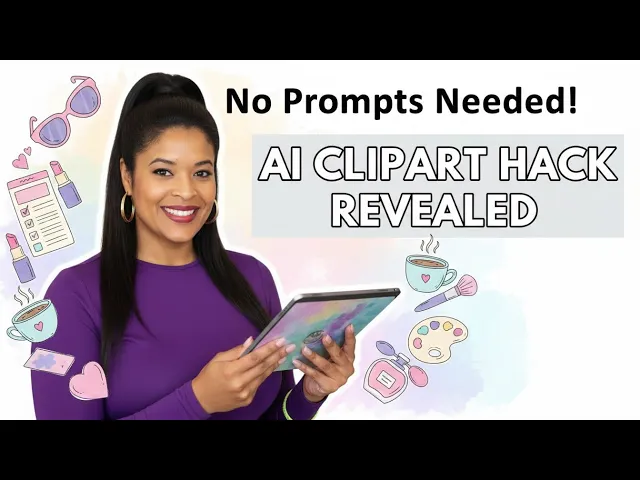
Everyone thinks consistency when it when we speak about clip art comes from a well-written prompt. It does, but not always. And as I'm learning more tricks and more ways to create digital products such as clip art, I am inspired to share it with my community so that you can create clip art easier than what I used to do 2 years ago.
And if you've ever created clip art bundle where every image kind of looks different or sort of random, then this video is exactly why I created it so that I can help you with your consistency model when creating clip art. Hi, I am Lucille and I help people create sellable digital products, Etsy or their own private digital stores using AI without the guesswork and without wasting time and credits so that they can create products that are sellable um with the use of prompts. Today I'm showing you a hack that I have recently discovered and shared within my Facebook community which is um free for all and it has about 3,200 members.
We are growing weekly and the moment I discovered this hack with the use of AI tools. I showed it within my community and everybody's just asked me to create the video create the video and that's why I am demonstrating this method to you today. Okay.
Most creators are stuck with writing or rewriting prompts over and over and trying to to hack the perfect prompt so that the whole bundle looks consistent consistent for clip art. I think that is the most difficult thing to master especially when you're new and you you don't really know how to write prompts to get that consistency and and for the clip art bundle to hold that visual look and feel throughout the bundle. Right?
Consistency comes from locking in a few non-negotiables. So what is the art style that you're using? Is it watercolor?
Is it digitally airbrushed? Is it cartoon style? Is it Pixar style?
So, there's a lot of a lot that goes into a prompt to ensure that you basically get the consistency that you need. If you miss one of four elements, I've got many videos where I speak about what's a good prompt and what's a bad prompt. If you miss one of the four points or four pillars within a prompt that you are writing, you can quite easily end up with a random clip art bundle unintentionally.
So what is the art style is one as I've mentioned watercolor art style is it clip art is what is the style that you are going for the background is it a white transparent background or is is it checker block background so you need to be consistent in each and every prompt in terms of what do you want the background to look like. Uh, typically for clip art, you need to have it on a white or a transparent background because that's just what buyers are expecting from the product that they will be purchasing from you, right? You then need to lock in the what is the main theme?
Are we talking Valentine's Day? Are we designing for Christmas, Patrick's Day? Uh, what are what is the theme that we are going for?
Does it always need to be like a season or like a trend? It might just be something that's evergreen like plants or coffee or but there needs to be a centralized theme because that is what makes your bundle commercially viable, right? Anything that's random, anything that's off the colors, the story just diminishes the value of the clip art bundle.
Then you have to um focus on the if it is a character, if it is a dog or whatever, what like you need to specify certain things that the character main focus needs to do per image cuz you're not going to generate 30 bundles, sorry, 30 designs in one bundle all doing the same thing. So if you are designing like gnomes or woodlands, farm animals, you need to lock in within your prompt what is it that they're doing. Are they sipping on coffee?
Are they reading a book? Are they snuggling up? Are they laughing and playing?
So, so that that's just like briefly in terms of prompt terminology or the pillars of what makes a good prompt. You need to lock those four things in. And if you are not at that level of rewriting prompts to get that output, this video is perfect for you because I'll show you how without having to remember any of what I've just said, you can use the power of AI to bypass all of that.
Okay. So, in this video, I'm going to walk you through the exact steps that I use to constant to create consistent clip art without having to use a single prompt. And just quickly before we proceed, if you want to learn how to create 10 digit different digital products, and these are all products that I've actually sold on Etsy myself, I've got my own Etsy store and my whole track record is there if you want to check it out.
I show you within the digital product boot camp how to create 10 different digital products like bookmarks or mug wraps or Tumblr wraps, t-shirt designs, clip art, junk journal pages, coloring pages. If those are things that you are interested in and that you want to start selling online, then check out the digital product boot camp. The link will be in the description and there will be a 15% discount for you.
Just check out the promotional code that I'll drop there. Also, if you could please like this video, share, subscribe, it helps with the algorithm and it will help me push out the video to more people who are interested in what we speak about on this channel. So without further delay, let me show you this consistency hack without having to use prompts to create a consistent clip art bundle.
Okay. So just to again take you back to Facebook community which you will see here in front of you. This was the bundle that I created.
I'll show you now an image which is this one. And as you can see here on the second image, this is the output. Okay, this is what people loved.
the color consistency, the visual consistency. There's nothing random here. You're not confused.
You know, this is a about a lady who's very fashionable and she likes a certain color. She likes to drink coffee. She's living this lifestyle.
You've got your perfume, your lipstick, and all the colors, the jacket, and the skirt and the sequences. They are all consistent. There's nothing standing out here.
You're not confused. And I'm going to show you now exactly how to do this. Right.
So to all of you who responded to this post, thank you so much. You will be getting the link shortly. So let's go.
So you firstly okay so you need to I did this in chat GPT. You guys know that I absolutely love Abacus as well. So if you are using a different LL like Grock or Abacus or DeepS it I don't think it's not possible.
But if you want to check it out and let me know with those systems then by all means let me know in the comment section. But for this video I'm going to do it in chat. So you need chatup.
We are also going to use Pinterest which is I love it a source of inspiration for a lot of things not just my digital product business but recipes and color palettes and just tips on whatever how to blog. There's Pinterest is an amazing and I want to encourage you guys start using if you are not start using Pinterest more regularly because not only do you get a a lot of inspiration here you're getting a lot of trends here not just like not just current trends but sometimes even predictions in terms of what is going to happen so if you are not I would encourage you strongly to start incorporating Pinterest into your digital product business especially if your strategy is trendbased right? Which is having to keep with what's happening on Tik Tok, what's happening on online, what's happening in on Facebook.
That is what Pinterest is amazing at. And it's very female focused, right? I mean, you don't get a lot of guys doing clip art.
You don't get a lot of men doing this. There are there are men, but it's very female dominated. So, it's there.
Use it, I would say, and just get from the benefits that Pinterest will offer you. Okay, so once you're on Pinterest and I would say just type in Amazon outfits women, right? And the reason I have worded it that way, if you had to go with perhaps lux um female outfits, you would get a lot of females wearing the I don't nec I don't really want them to I don't really want images.
No, I was doing that. There we go. I don't particularly want for the purpose of this exercise.
I don't want the I don't want I don't want models modeling the clothing. So just take note Amazon outfits women, right? This is what works for me.
And you don't see female models. I don't want in the image. Let me take you back to the Facebook community.
You'll see the this was the first and the last time that I've done it. So I only did this. I shared it to the Facebook our Facebook community and I didn't do it again.
I'm going to do it for a second time with you so that you can see it in real time. Right. So again, just to let you know, there's no model.
So try and keep to that. Go back to Pinterest. You can choose here whatever way you want to go.
I would also advise you to please stay away from these brands and Louis Vuitton and all these things because those will trigger issues for you on Etsy. I know people do it. I know people do it and I know there's a lot of stores that are successful in selling Disney and Mickey and all sorts of things.
I don't advocate for that because it's not part of the rules of for Etsy, right? You can maybe get away with it in your own digital store. But even though you're not on Etsy, you are still not adhering to the legal way of doing it because if you don't have the rights to Disney or Noobu or whatever is the flavor of the year, then you are illegally creating content and products which you are profiting from and that can cause problems later.
Okay. So, we have to choose one. It really doesn't it it does not matter what we choose.
Maybe let's just choose one. There are so many e to choose from. I actually like this this outfit.
But let's say we want to create clip art for a digital planner, right? Too many options. Too many options.
The last one was green. Uh let's do something else. Um we go more.
We choose one on top because it sometimes opens up other ideas. Let's go. So, let's see what pops up here.
I'm going to go with this one. So, once you've chosen a outfit, let's just Yeah, keep it. You can save it or you can just click right click on it and then just copy the image and then we go to chat GPT.
We paste the image in chat GPT. Right. Make sure that you select the plus and then click the create image option.
Okay. You will need a master prompt for this which I've already got. If you want this prompt, please comment prompt in the comment section and I will drop it for you.
Okay, I will copy my prompt and I will paste it over here. And basically I'm just asking JPT for the aspect ratio in inch 11 by 8. 5 clip art bundle of an isolated woman full length with shoes on wearing these elements.
Which elements in the attached image? There's your image. Please make the background white.
very important. It must be visually and color consistent with enough space around each design d if you want the prompt please just comment prompt and I will send it to you. So this is what we are aiming for and everything else have been well written.
I've tweaked this prompt. I've changed it up. I have Listen, I've got mixed race women over here.
Just just adjust it according to what you want. Black woman, Caucasian, Asian, or whatever the case may be. That's just for for me.
I was doing this, right? So, if you're happy, you tick on the create button. And that's really it.
The two to create the bundle. The two systems that you need would be chat GPT. I'm sure you can do this in Abacus as well.
I don't really play on Deep Seek, but maybe you can. I'm also not a fan of grow. I don't really use it but maybe it can happen there.
And then the next process, next step would be Canva. So if you do are Canva member, I would use Canva to build my bundle so that I can then start preparing it to sell on Etsy if that is your thing. Or you could be creating a clip art bundle and you could use the images to create a planner or a checklist or something depending on what it is that you are saying.
Right? So it does take a minute. In the meantime, I will go to Canva and I will I create my my bundles in custom size 2,000 by 2,000 pixels.
Right? And let's say you're going to make a bundle um king images. I'm just throwing out a number there.
You would need to have 10 backgrounds, right? Okay. So, it's still busy tearing up.
And this master prompt has got the like I've mentioned the white background, the watercolor art style. She needs to be full. And you will not believe how many times I've tweeted.
But it's through the tweaking and getting it right that you will be getting this product like this because the amount of attempts that I have before I was successful the amount of attempts that the the prompt I had to tweak it really gave me a lot of different outputs that you only learn through trial and error right so this is the image let's just go back to this is ex this is what we asked attribut for and that's the um ref style reference image And this is what Chadig gave us. I'm going to just open it in a bigger screen so that you can see. And that's what it looks like.
Pretty spot on, right? Look here. This jacket, this top, not jacket, this top is almost identical to to this.
Look how cute. Look how cute in terms of the detail. Look how cute is.
Look, let's look at this jacket. Look at that jacket. Look how spot-on that jacket is.
Isn't it amazing? What else is there? The bag.
Let's look at the bag. The bag's also got the same vibe. So, that's pretty awesome.
You've got 1 2 3 4 5 6 7 eight designs in one image generation without you having to think of a prompt. And I'm sure you are pretty wowed with the consistency, the visual consistency of this image. So, if you are happy with that, I would download this image, save it, go to Canva over here, and then bring that image in here.
Right? So, we've already established that you there's 10 designs here. You want to at this point just change the background to any color.
I don't really care which color what color it is. And then I would maybe just make it bigger at this point. And we need about eight of these.
Right. So, over here you'll see a duplicate button. Just click it seven more times.
1 2 3 4 5 6 7. Okay. And what you need to do now if you're going to sell this as clip art, which is what I do, you would need to now cut each and every one like this.
Okay, here we go. And then you remove the background. So the only reason I change the color initially so is so that I can see that the background has been removed.
You see, look how beautiful this looks. If you are not impressed, I impressed. Look how beautiful this looks.
Let's go. Let's go. Okay.
So now I can see the background has been removed. very important if you are selling it with a background your customer will complain and that's what it would look like like on a in a transparent way. Okay, so that's the first one done.
I'm not going to do all of them. I just want to show you how I do this. You can make this slightly bigger or smaller.
So, we're going to go to the second one. And the prompt that I I will provide you with is the reason why you are going to get it right the first time. As I've mentioned, I've had to retweak this prompt because it gave me a a lot of different outputs which I was not happy with and which is not something I would sell on Etsy myself.
So, I had to sit and spend time on creating that master prompt so that I know we will get a good quality design. Okay. So, that's your second image and I'll just do the last one for you.
Okay. I think it's really really gorgeous and I will what I will do is I'll drop these images in our Facebook community as a freebie for today and you can use it in your next digital product. So that's that.
The third one is going to be this one and okay and then you remove the background. So that is my process. That's how I I create prompts without how I create a consistent tear bundle without writing prompts.
Imagine that. Imagine that. Okay, so this is not going to work for all sorts of prompts, but for all sorts of gift art, but definitely for clothing and planner stickers, it's definitely a strategy that I would use.
It's it's wonderful to not have to think of the prompt and then just using it in in this way. So, I hope this video is going to help you. I would love to hear from you and see some of your designs and especially those who are using other LLMs, not Chat GBT.
Could you kindly let me know if it's working in those systems? I might then just make another video for members who are using Abacus or Deep Seek. I don't mind doing that.