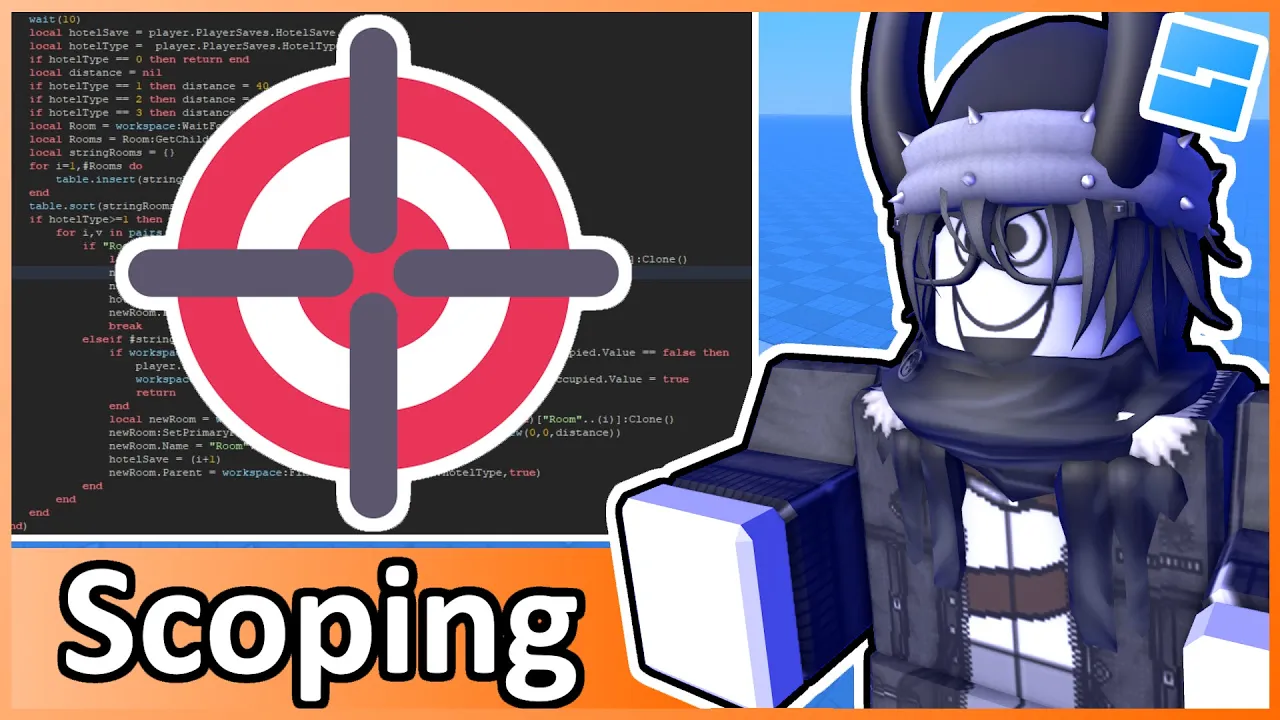
welcome back to my Roblox beginner scripting tutorial series my name is balev and in this episode we'll be discussing about scoping now this is once again another important concept we need to know about and before I'm able to explain it to you what we're going to do is first go inside of one of our scripts that we've already created um in past episodes um instead of creating a new script we're actually just going to go back to our if statements scripts that we created in the last episode so I'm just going to double click on
this and what we're going to do is actually delete everything we've had uh so far with the script so I'm just going to select everything and then hit backspace to delete everything and for this episode we're going to be talking about scoping now in order for me to explain what scoping is and why it's useful uh we're first going to write a variable um that is set equal to something within the game so what we're going to do is say local um let's just say my amazing base plate just like this we're going to set
this equal to the base plate that's located within the game so we're going to say game. workpace dobas plate just like this and and now we have a variable that's attached to uh the game's Bas plate now um we were also able to write functions as well so if we were to drop two lines down here and write a function we would say local function and then we could just say I don't know my great function open and close parenthesis uh select the right side and then hit enter just like this this is how we
created a function and this is how we created a variable now why am I having you write all these things well the purpose of this episode is to help you understand this this keyword Right Here Local and what the significance of this keyword entails now for me to be able to explain to you uh the importance of scoping let me try and picture a scenario for you so I want you to imagine that when we're working with our scripts we have all of these different variables that we want to work with so if I were
to create a new variable down here by saying local um my big number is equal to let's say 500,000 or something uh I think this is no that's 5 million okay 500,000 this is 500,000 so if you were to have this variable like multiple times like this um variable if we were to just copy it and then go down here and paste it and we just keep on doing that and then change these variables to be like I don't know 2 3 4 5 6 so we have all these different variables um that we just
created and now we have access to these variables all throughout the entire script what if I told you that this actually isn't a very optimized strategy to make um variables um especially when you don't need to use these variables throughout the entire script um the reason that this is important is because if this script is allowing us to have access to these variables throughout the entire script then that leads to un optimization for um like roblox's backends when it's trying to make a game Run very well uh but also for security reasons as well if
you don't need to access a variable throughout the entire script but instead need to access variables in specific parts of the script so an example like can give is inside of a function so I'm going to delete these uh variables that we just created here and what I'm going to do is create a new variable inside of our function So within this function I'm going to say local um true statement equals true just like this so we have a local variable called true statement and we set that to True which is a Boolean data type
so when we drop a line down here and then make a print statement by saying uh true statement just like this then obviously if we go into the game and hit play then what we should see in the output is um oh well sorry my bad uh we were supposed to uh call my grade function first so I'm just going to do that very quickly uh go into the game and hit play then what we should see in the output is indeed true because we created a true statement variable that was set equal to true
and we printed that now here's the catch here so if I hit stop and we go inside of our if statement script and I moved this print statement outside of here so if I were to take this print statement hit contrl X to copy it to clipboard and if I were to drop uh two lines down here and then paste it then as you can see Roblox is throwing an error here so this says unknown Global true statement because when we're working with scoping we have to worry about local variables and we also have to
worry about global variables Global variables are basically what allows us to access variables either within the entirety of a script or uh a variable that can be accessed outside of the script in other scripts so that's the importance of understanding how scoping works because we created this local variable called Truth statement inside of this function so this variable can only be accessed within this function and can't be accessed outside of this function if we Tred to access true statement um outside of the function then it's just going to say that Roblox doesn't know any variable
cult true statement because it's only within the the scope of this function now if I were to take this uh true statement um declaration so if I were to hit contr X and then move it up here hit control+ V then it's going to say down here um that there's no longer an error because we know that true statement is now declared up here um that's not pertained to any specific code block within our script so that's the importance of understanding scoping and I highly recommend for the most part when you're writing your variables that
you should have this local keyword so I wouldn't really find any reason for you to make uh Global variables like basically a global variable is if you took off the local modifier like this and it would just say true statement is equal to true I would highly discourage not creating variables just like this because um when you use local variables it only is tied to um specific bits of the code that you need to access this variable in and I'm also pretty sure if you try to create a uh Global variable inside of a function
it just doesn't work uh especially if it has a local uh modifier like this so if I were to say my new variable equal to 10 then it's not going to work because it says that only a local variable can be created inside of a function so that's my recommendation to you so now what we're going to do is add more logic to our uh function inside of here um so to further add on to what I'm going to show you for scoping what I'm going to do is create another variable here by saying local
result is equal to um let's say a nil value now I didn't introduce to you what nil is it's basically a nothing value so it's actually a data type that represents a value that doesn't exist so this is something very quickly I want you to uh keep in mind here is that this result variable is a value that literally is nothing so that's how we indicate a nothing value data type so now what I'm going to do is drop two lines and write an if statement by saying if result is equal to uh nil which
obviously nil is equal to nil nothing is equal to nothing then what we're going to do is create another variable so we're going to say uh local result 1 equals um true or something as random as this so result one is equal to true we're going to then print out the result one just like this and then what we're going to do is if this is not nil which obviously it is nil but let's imagine it's not nil so we're going to to align our else keyword to be like this and then we're going to
say local result 2 so we're creating another variable we're going to set this equal to false and then we're going to print result two so here's what's important here that I want you to get at um when we Traverse through this function so result is going to be equal to nil so we're first checking if result is equal to nothing then we're going to go down here and then create a new variable called result one that can only be accessed within this block this if statement block and if result is not equal to nil then
it's going to go down here and create a second result um variable that can only be accessed within this scope so if I were to try and print out let's say down here print result one then it's going to say that unknown Global result one because once again scoping is what's important here to understand it can only be accessed where it was created which is this code block inside of the if statement and result two can only be accessed within this code block of where it was created and so when you're working with scoping this
is something that's really important to understand and I hope that this has made sense to you and at least gave you a good understanding of how this all worked um one last um simple example I can give here is if I were to let's say create a new variable like let's say local um my second variable equals let's say the string is going to be um I don't know string like something as random as this if I were to make a print statement before we created the variable so if I were to say print um
let's say my second variable just like this then it's not going to work because we need to be able to uh access this second variable after it's been created because we're trying to access a variable that hasn't even been created yet which is why again uh scoping is what's important here to understand and I think these are all of the examples I can give you when it comes to understanding scoping and I hope you're able to take away the idea and concept and also importance of scoping so with that being said that's going to be
it for this episode for today's learning objective what I want you to do is try and practice and fam familiarize yourself with the concept of scoping by uh creating variables moving uh references around and also just um trying to let's say make more if statement branches inside of here where you create even more variables and you try to access them in different parts of the script I think it's definitely good practice to do that so once you're done with that then go down to the comment section share your code that you're comfortable sharing to other
people and that is basically going to be it for this episode I will see you in the next one take care
![EASIEST Beginner Guide to Roblox Scripting [ROBLOX STUDIO TUTORIAL]](https://img.youtube.com/vi/Mg6K3Lxc9X4/maxresdefault.jpg)