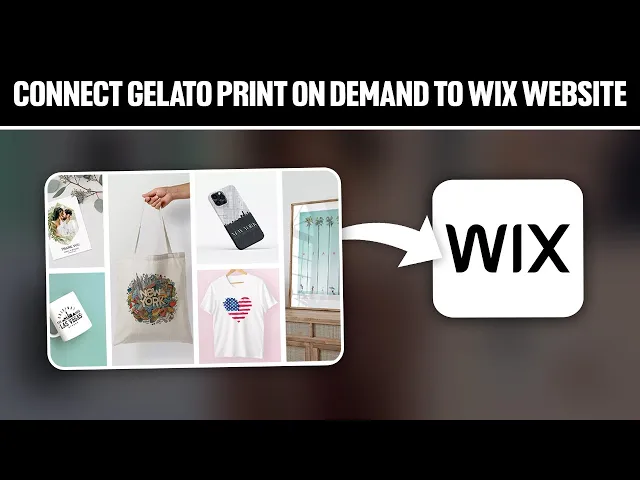
yo hello everyone and welcome back again to a brand new video enhance your Works website and transform it into a print on demand Powerhouse with gelato the step-by-step guide shows you how to integrate gelato print on demand enabling you to offer a wide range of personalized product to your wiek audience so guys let's get started so before we start with this video make sure to watch it from from now till the end so you get the full information so guys the first thing to do is to head up to your gelato account simply go to
your browser search for gelato and click on the first link that will appear to you it should be gelato.in to your account if you have an account already if you don't simply just click on sign up for free and sign in using any kind of platforms uh like Gmail or anything Facebook X Etc now we have opened the dashboard and as you could see on the left you will find this menu so here you'll find home product catalog ERS stores we're going to be interested in the final one which is stores so by clicking on
it this page will be opened for us now let's close these two because we are uh not allowed to actually add more than two stores per account since my account is only on the free so what I'm going to do is click on this details go all the way around here and finally click on delete store and click here copy the name paste it here and just like that I have Fe space for my new store to be added now in this video we are interested in connecting our gelato tox so here as you can
see in the direct integration you will simply find all the Integrations or the most popular Integrations that you can connect your website into there is Shopify Etsy W Commerce Wix square space and B Commerce so in that case what we're going to do simply click on Wix of course and connect to our Rex account that's going to be very easy if you use your Google accounts so simply click on Google click here and wait for it and there we go so now all we need to do is to sign in into one of our website
that we have so I'm going for example to connect to this one and click on agree and add and by the end all you got to do is as you can see this is a problem that we face which is basically like the authentication information so what you have to do is uh go ahead and open your WX website again so we have to go to wix.com as you would see normally it will be good if you have your website launched but for me since I don't have any of my website launched and I have
all these websites here uh that's why like most of them are actually uh being encountered as not really good websites so here I'm going with wi tutorials let me try this one more time I'm going with wi tutorials which is a launch website uh yeah I'm going with one of these let's try this one agree and add and let's wait a little bit authentication error we encoun the but your permission credentials are secure so here is what we know the Wix is not a store please make sure you connect to Wix store so this is
the problem that I am facing my store my website are not store so I'm going to create a new site that's going to be a store so here here they're going to use an AI to actually uh help us make it as a store let's do that very quick so hi let's get started with your setup what do you want to call your site I'm going to call it store for me and here we go so now we are going to wait until uh can you provide it's a store for print on demand next here
we go we wait a little bit more and that's good so the AI is generating now our uh all type of clothes and others so here we go let's wa more uh s apps online stores Instagram fonts blogs so here they are deciding which kind of things we are going to use that's great as you offer wide variety of products it's important to make your website visually appear as there are any specific featur on designs uh preferences you have in mind uh Noe I'm just going to now keep telling them no so they can actually
give us the best website that it could give us and just like that we can create our website very fast just from we can create uh you'll have PL design we can create visually P website you'd like to tell me about your business before we move on no Z created uh AAP and here we go and now we just have to wait for it until it actually uh creates the website for us so you are all set now we can go to the dashboard and we will find the website ready for us so now let's
remember that the website is going to be in here so let's refresh and check if it is here there we go so it's going to be like St for me it is this one uh yeah so let me just try real quick to connect to it here we are we're going to open this page store for me it's going to be a store so add and agree and if there is any more problems that will appear to us it will be fixed right now so simply just like that we have actually connected delato with our
work website now you're going to ask me what are the benefits of actually doing that well basically just by the conversation that I've made with the AI that creates to the w website for us you got the idea we're going to use the gelato print on the main service to actually sell them on our w website so w has a very good like website building preferences and features that's going to make our website look very beautiful very appealing and attracting to more customers so we're going to use that benefits and at the same time to
sell uh and use it as a store we're going to need some product the product that you are going to sell in that website are going to be the product that we're going to get from the print on demand product that's going to be created on gelato so gelato is going to help us to create product that's going to be sold and shown in our WIS website to do and to do so and add in product simply we're going to click on ADD product make sure that you are choosing the Works website and then click
on single product choose here from the catalog all the type type of things that you will be interested in selling and then simply all you need to do next is to actually simply choose the design put the design that you want to add to these clothes and put the pricings put the size and the colors that you'd like and finally share them and upload them to your website and after that each time you receive a command the will be producing the shirt and sending them for you so the shipping and the produce production will be
on them 100% And yeah guys that was it for today's video I hope you enjoyed it and see you guys in the next tutorial