discover 17 powerful cap cut effects to elevate your videos instantly isolate one color lower the saturation of all other colors keeping only your chosen Hue vibrant then fine-tune the settings for a striking cinematic effect [Music] call out text animation make your text follow the moving car effortlessly by using the tracking option just place the yellow Square over the car and leave the scale unchecked for a smooth clean effect image upscaler thanks to AI technology you can effortlessly upscale low resolution photos and I use this feature often to achieve stunning results with sharp detailed images [Music]
blurface and moving the process is easy duplicate your video apply the blur effect create a compound clip create a mask and animate it using key frames I found that the tracking option I used earlier didn't work as expected for this effect [Music] [Music] fake camera movement this effect gives your video the illusion of being filmed with a moving camera but for the best results it's ideal if it was originally shot that way as zooming slightly reduces the impact [Music] change sky this technique is similar to removing a green screen sometimes it works perfectly sometimes not
later in the video I'll show you another method to seamlessly replace the [Music] sky text behind this clever trick lets you create a seamless layered effect with text appearing behind a person in your video first duplicate the video add your text and sandwich it between the two layers next remove the background from the top layer revealing the text behind the subject this creates a depth illusion making it seem like the text is part of the scene to elevate the effect I added a typewriter animation giving the text a dynamic engaging feel as it types out
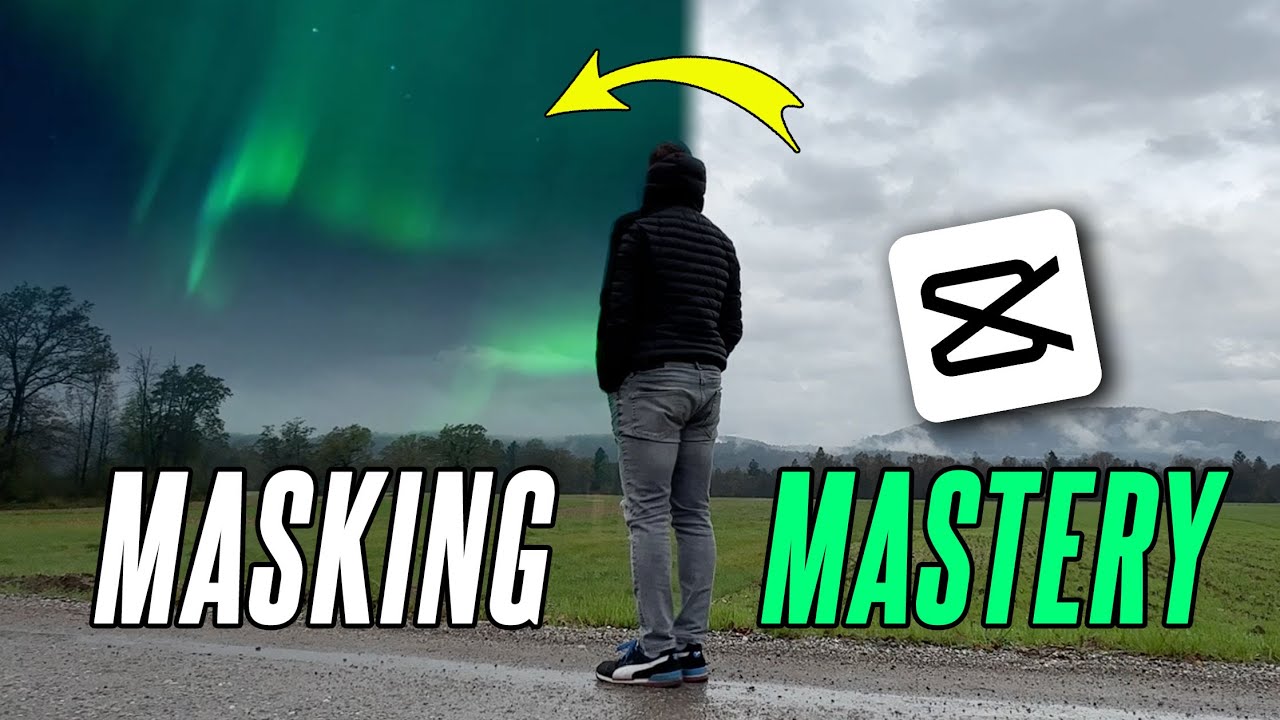
behind the person it's a simple yet eye-catching technique that adds sophistication to your [Music] video change Sky a creative way to transform the sky in your video is by layering a stunning new sky over the original one simply drop in your new Sky then use blending modes to harmonize the two seamlessly for a Flawless finish refine the edges with the mask tool cropping out any distractions and ensuring the transition feels smooth and natural this technique gives your video a fresh cinematic look allowing you to craft the perfect Sky to match your scene's [Music] mood this
effect is designed to draw attention to a specific section of your text making it stand out from the rest of the content whether you're highlighting a key Point showcasing an important detail or guiding the viewer's focus this technique ensures that the chosen part of the text becomes the focal point by applying visual enhancements like bold fonts color changes or animations you can make the highlighted section more engaging and impactful it's an excellent tool for emphasizing crucial information and keeping your audience's attention exactly where you want it circular countdown time timer Begin by adding your plain
text and stretching the bar across the entire length of your video for full coverage press capital o on your keyboard to set the duration then spice things up with a clock wipe animation applied to the insection of the text drag the animation to extend it smoothly throughout the entire video for a polished seamless transition next create a compound clip to group everything together and for a unique twist click reverse to play the effect backward giving your text an intriguing and Dynamic finish that captures attention this method not only adds flare but also enhances the flow
of your video making the text animation truly stand out this effect is added to specific parts of a video to give it a cinematic look mimicking the widescreen feel of Hollywood films however modern movies don't actually use black bars they achieve this cinematic Vibe through wider frame Dimensions like 21 n during filming by adding black bars you can create the illusion of a professional wides screen format in your videos instantly giving them a more polished dramatic and immersive feel perfect for creating that big screen atmosphere fireworks [Music] effect to add fireworks to your video import
fireworks footage place it on a new layer set the blending mode to screen or brighten and adjust its position and scale sync the fireworks with key moments and color grade if needed for a seamless effect add a highquality fireworks sound effect to your timeline sync it with the visual fireworks adjust the volume and apply fades for a seamless immersive [Music] touch the vignette effect creates a soft darkened edge around your video emphasizing the central subject and adding a touch of cinematic flare split screen the split screen effect allows you to divide your video frame into
to multiple sections showcasing different scenes or perspectives at once this technique can be used to compare visuals display simultaneous actions or create a more complex narrative structure by effectively balancing and synchronizing each segment you can create a dynamic and engaging visual experience that captures the audience's attention and adds depth to your storytelling [Music] progress bar animation Begin by dragging in your plain text then hold shift and press underscore to draw a Sleek line underneath expand the line to your desired length and take it up a notch by choosing a bold line color and a glowing
accent to really make it pop after that group everything into a comp pound clip to keep it organized and use the mask tool to animate the line creating a dynamic flowing motion that draws attention this approach adds a polished professional touch to your video making the text stand out with a vibrant eye-catching [Music] effect a progress bar animation in video visually tracks the completion or advancement of a task or sequence adding Clarity and engagement by showing realtime progress this option is also used by many creators of short form content as well as the circular timer
that I showed you earlier [Applause] [Music] [Music] floating effect [Music] video in text to create a video in text effect place the video above the text layer and change a blending options to have the video play Within the text [Music] shape the text in video effect lets you fill your text with video creating a striking and dynamic look that makes titles or key points pop adding movement and flare to your [Music] content if you enjoyed the video don't forget to like And subscribe for more awesome tips and effects to level up your video editing skills
[Music]

![6 Ways to Edit Any Scene — Essential Film & Video Editing Techniques Explained [Shot List Ep. 10]](https://img.youtube.com/vi/FVR8zz8ci2k/maxresdefault.jpg)