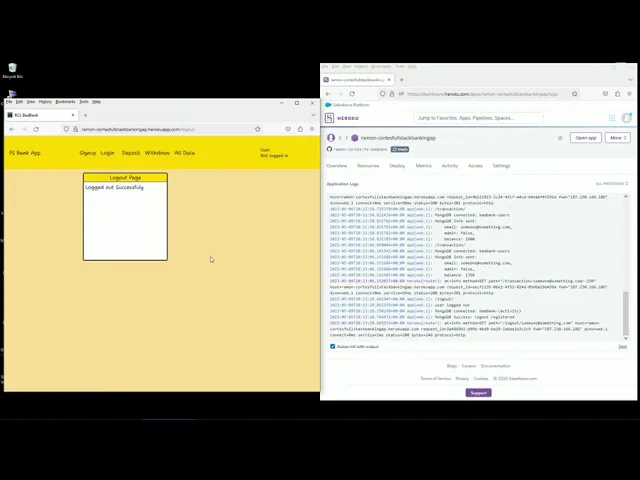
hello this is video on number three I will showcase the app's basic functionality here we have my Firebase account and okay let's start I will start by creating a new user this will be named someone something with a password of 111 yeah sixth one it's not going to be an admin sign up and Save here's the pop-up that the user was created successfully it has a set timeout and let's see in Firebase if we refresh we will see someone created today May 9th okay let's continue all users start with 100 let's deposit 500 okay so
it has 600 one thousand balance updates let's Quick Draw 250 there you go now here's the logs database is saving the information and let's log out uh first we have context the user is displayed here and it's user level which is user let's log out we have logout we go to start let's refresh and login again it was someone and one someone logged in again deposit balance is persistent withdrawal also lists the balance we can see the deposit of 500 and 1000 that I made then the with all of 250 and date of the transaction
I think that's all for the apps basic uh functionality let's log out and you almost forget if you are already logged in and click refresh by accident login status is kept if you are in all data and you'll refresh you have to move to another page we draw or deposit then back to all data and it will load again okay let's continue with deployment how did you deploy your app this was the hardest part of all the projects so I will try new not to go into all the details but I created a repo in
GitHub then an app or dyno in a Heroku which I connected to that repo in Auto deploy from a main then set up Heroku config bars and used dot EMB to mirror those variables then created a proc file to launch my server file and the git ignore node modules and the dot EMB files finally use con concurrently in a start script to be able to launch server and client in Dev mode where is it hosted it's in Heroku and the database in mongodb Atlas and did I use Docker um yes but only in the earlier
stages of the project I just used it to have a mongod docker to test commands using shell what challenges did I experience um well challenges were pretty much every step of the deployment process I wanted to use GitHub actions but that proved Overkill or or too difficult and my troubleshoot process it was called research trial and error in research I found that connecting Heroku to the GitHub repo was actually the way to go what additional features did I build in the deployment process the combination of dot EMB uh configure parse use of concurrently using node
EMB and setting some static routes allowed me to work seamlessly between the development mode and fully deployed up and regarding additional features in the app as I mentioned there's an old data page that shows all activity that the app has received why did you develop this um features um deployment wise I wanted an easy trans transaction between development mode and fully deployed up and the application wise I wanted to know which operations the grading team performed in my app that's why I logged everything into the database um what challenges did I encounter well it would
be easier to just say that the front end was the only thing that did not prove too challenging the rest was uh slow and painful process uh if if I started this project today um I I think I like my codes structure what I will have done differently would be the design process uh if if I started the project today what additional features would I have built I would include more authentication methods and you can see here in my slides a couple more details so that's all for video three thank you