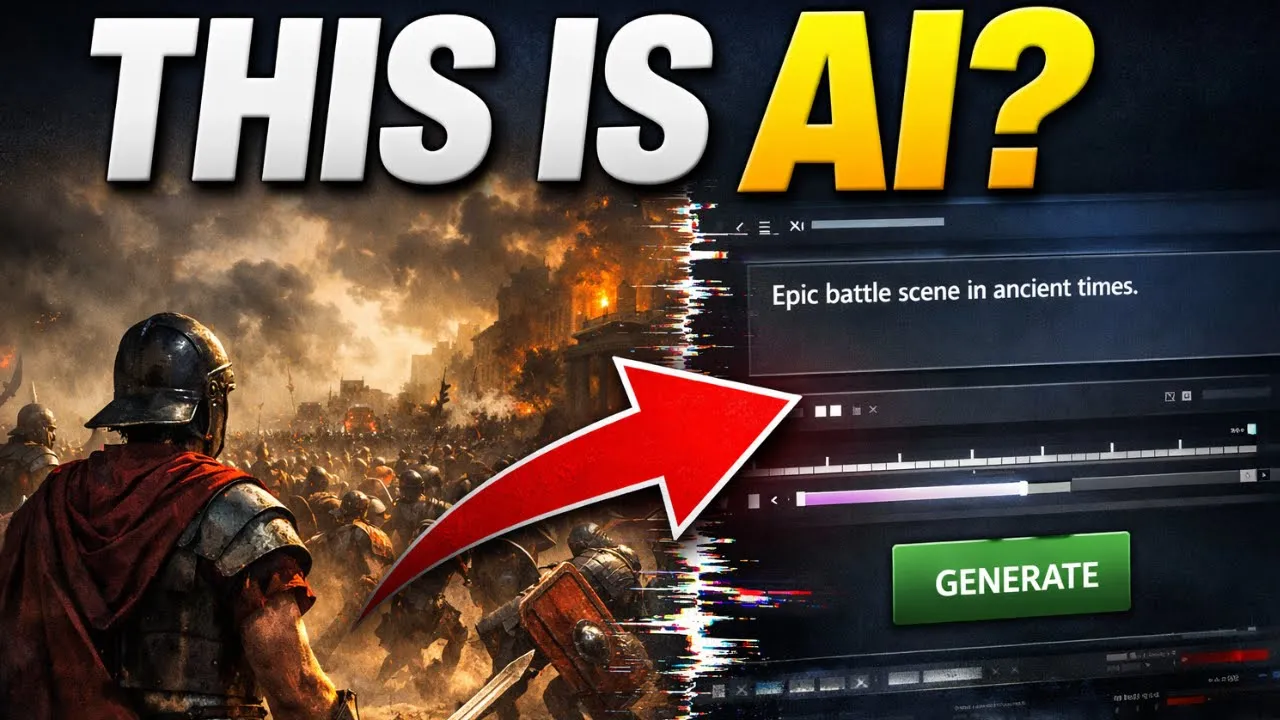
All right, listen closely because what I'm about to show you has never been done before. You're early. Like insanely early.
Right now, we're standing at the beginning of a creative revolution. One where anyone anywhere can recreate history itself in cinematic 4K using nothing but AI. And here's the wild part.
You don't need a film crew, a historian, or a million-doll studio. You just need Sora to chatt5 and a simple video editor. That's it.
In this video, I'm going to show you how I created a viral history documentary style video, fully animated, cinematic, and emotionally powerful in just minutes. Not weeks, not days, minutes. Because let's be honest, traditional history videos take forever to make.
But with Sora 2, I recreated moments like the fall of Rome, the moon landing, World War II, soldiers charging through the trenches under falling ash, and even the battle of Thermopoly. All with hyperrealistic AI footage. This is the new frontier of storytelling.
Not fiction, not fantasy. AI generated history where creators become time travelers. Channels like the AI historian and Farsen films are already exploding, pulling millions of views every month using the same AI storytelling strategy I'm about to show you.
And here's the crazy part. This is still early. Almost no one is doing this yet.
In 2026, the creators who start now will dominate this genre. So, watch closely because if you miss even a single step, you'll miss how I pull this off. Now, before we start, let me show you something.
Here's a 36 second clip I made entirely using Sora 2. No studio, no animators, just AI. Guide my hand and let them remember.
Not today. Face me. Come on then.
What used to take documentary studios months and thousands of dollars can now be done on a laptop in minutes. And that's not even the craziest part because everyone tells you how to make videos, but no one tells you how to make them go viral. They'll show you 95% of the process, but the final 5% that actually makes your videos explode.
That's what I'm revealing by the end of this video. Because what's the point of recreating history if no one ever sees it? So stick with me until the end.
I'm going to show you how to recreate viral historic moments using Sora 2 and Chatbt5, how to turn boring history lessons into viral cinematic videos, and finally, the secret formula that makes AI history videos explode on YouTube. Oh, and before you ask, even if you don't have access to Sora 2 yet, I found a secret method that lets you get in from any country in the world. No waiting list, no watermark, completely free to try.
So, grab your notepad because by the end of this video, you'll know exactly how to create history that goes viral. Let's get started. Finding the perfect viral history idea, the foundation of everything.
Before you even think about opening Sora 2 or typing a single prompt, stop. Because just like with anime or cinematic storytelling, everything begins with one thing, the idea. You can have the most realistic visuals in the world.
But if your idea isn't strong enough to make people click, nothing else matters. And when it comes to AI generated history videos, the idea is everything. Why?
Because you're not just recreating the past. You're making it feel alive again. So here's how we'll do it.
I'm going to show you exactly how I come up with viral storydriven history ideas that people can't stop watching. Let's open my viral YouTube idea generator. This is the exact AI tool I built and personally used before every video.
It's completely free. You can grab it using the link in the description or the pinned comment. Once you're inside, you'll see this dashboard.
Now, here is where it says custom niche. Type this historic battles with emotional storytelling. And now, click generate viral ideas.
Boom. Look at that. It just gave me insane video ideas like the forgotten soldier who saved an empire, the last stand at dawn, the battle that changed the world, when Rome fell, one general refused to surrender.
These titles instantly pull you in, right? They're short, emotional, and cinematic. That's the secret.
Viral history videos don't just teach facts, they make you feel the moment. All right, let's pick one. I'm going with the forgotten soldier who saved an empire.
It's mysterious, emotional, and powerful. Exactly what people click on. So, for the rest of the video, we'll turn this concept into a full AI history short from idea to final cinematic video.
Because here's the thing, most creators try to teach history like a textbook. Dates, names, numbers. But viral creators, they tell history like a story.
A story of pain, courage, and emotion. Things people remember. That's what makes your videos timeless.
So, to recap this chapter, start with emotionally charged ideas, not dry events. Use my viral idea generator to discover proven clickworthy titles. Pick one story and stick to it.
Don't confuse your viewers. Focus on emotion first, accuracy second. Now that we've got our viral concept locked in, the forgotten soldier who saved an empire, it's time to bring it to life with our viral storytelling.
Let's move to the next chapter. Writing the viral history script with Chat GBT5. Writing a consistent cinematic history script with chat GPT5.
All right, our idea. The forgotten soldier who saved an empire is ready. Now it's time to turn it into a short film that feels continuous.
Every scene flowing seamlessly into the next. Just like a professional documentary or a cinematic trailer. This is where ChachiT5 becomes your co-director.
We're not just using it to write. We're teaching it to maintain consistency across every scene. So your final video feels like one complete story, not three disconnected clips.
First, open chat GPT5 and type this exactly. You are a professional historical screenwriter. I'm creating a 36-second cinematic history short using Soratu.
The title is The Forgotten Soldier Who Saved an Empire. The tone should feel like Gladiator, Saving Private Ryan, The Last Samurai, Kingdom of Heaven. Divide it into three connected scenes, each 15 seconds.
Each scene should have clear visual actions, camera emotion, and emotional tone that Sora 2 can understand. Keep the character design, armor, and lighting consistent throughout. Scene two must continue exactly where scene one ends, and scene three should conclude the story naturally.
Now, hit enter. ChatBD5 will give you something like this. Scene one, a lone soldier walks through a smoke-filled battlefield, gripping a torn Imperial flag as embers fall.
Scene two, he collapses beside the ruins of the palace. Lightning flashes, revealing enemy forces closing in. His hand still clutching the flag.
Scene three, dawn breaks. Reinforcements charge in behind him, raising the same flag he died protecting. Sunlight piercing the clouds.
Notice how every scene flows directly into the next. That's what we want. Continuity of motion, emotion hand environment.
Now, we'll tell Chat GB5 to expand each scene into a perfect Sora ready prompt. Start with rewrite scene one as a cinematic Sora 2 prompt. Include lighting, camera angle, weather, and mood.
Maintain consistent armor, flag, color, and environment. Then repeat for scene two and scene three, always reminding Chat GBT to keep every visual detail consistent. By doing this, Chat GBT starts remembering the visual DNA of your story.
the same flag, the same battlefield, the same weather tone. So Sora 2 produces connected shots that feel like one continuous film. When scene one is done, say now continue with scene two exactly where scene one ended.
Maintain identical lighting, armor, and flag details. The camera should open from the same position and continue naturally. And for the final scene, continue from scene 2's final frame.
Same atmosphere, same wounded soldier, dawn light increasing. This approach trains chat GPD to generate smooth transitions automatically, removing those jarring cuts that make AI videos look disconnected. So, to recap this chapter, use Chat GPT5 to write your script scene by scene, but also teach it how each scene connects.
Keep the same character traits, props, and environment across all scenes. Use continuation prompts. Continue from the last frame, for example, to preserve cinematic flow.
Extract final scene by scene prompts ready for Sora 2. And just like that, you'll have a full coherent story where every moment feels part of one timeline, one battle, one emotion. Now that our screenplay is perfectly consistent and ready to visualize, generating the viral history visuals with Sora 2.
All right, now comes the moment where words turn into moving history. Our idea is ready, our script is ready, and now we're about to create the actual cinematic visuals. The kind of scenes you thought only massive production studios could make.
And the best part, we'll do it using just Sora 2 with one simple trick that makes every shot look perfectly consistent, like one continuous film. First, go to Google and type Higsfield AI. Click the first link.
Once you're inside, click on video at the top and under models, select Sora 2. That's our cinematic engine. No waiting list, no restrictions.
Anyone can use it right now. Now, take the first scene prompt we got from Chat GPT. For example, a lone soldier walks through a smoke-f filled battlefield at dawn holding a torn Imperial flag as embers fall.
Paste that inside the prop box. In the model dropown, make sure Sora 2 is selected. For the duration, set it to 12 seconds.
That's the perfect pacing for one cinematic scene. And now hit generate. After a couple of minutes, watch what happens.
guide my hand and let them remember. That's the magic of Sora, too. It understands cinematic motion, emotion, and light.
Now, here's the secret to making your short feel like one continuous movie. My screenshot continuation trick. At the end of scene one, right at the final frame, pause the video, take a screenshot of that exact frame using Lightshot.
It's a free tool you can download instantly on Google. Capture the moment clearly. The lighting, the background, the solders's pose.
Next, go back to Sora 2. In the prompt box for scene 2, click on upload image and upload that screenshot. This tells Sora to continue from this exact moment.
Now, open chat GPT again and upload the same screenshot there. Type this was the last frame of scene one. Give me a cinematic prompt for scene two in the continuation.
Same soldier, same battlefield, same lighting and mood. The camera should open from this frame and move naturally forward. Chat GPT will analyze your screenshot and generate a prompt that continues the story perfectly.
Same colors, same light, same environment. Now copy that prompt, paste it into Sora 2. Upload the same screenshot as reference again and hit generate.
The result, scene two will start exactly where scene one ended. It feels like one continuous shot. Not today.
Face me. Come on then. After scene two is done, take another screenshot of its final frame.
Upload that into chatbt and say continue from scene 2's final frame. Same environment and tone, but show how the rising sun breaks through as the reinforcements arrive. Then paste the new prompt into Sora 2 and upload the latest screenshot again.
Generate your scene three. And just like that, all your clips flow like one single cinematic shot. Consistent lighting, atmosphere, and emotion throughout.
Pro tips for cinematic continuity. Keep props identical. If your soldier carries a bronze flag, mention bronzeedged, torn Imperial flag in every prompt.
Match the camera direction. If scene one ends with a slow pan left, start scene two with the same motion. Maintain weather.
If you start with morning mist, keep that mist through all scenes. Use overlapping motion. End one scene with the soldier stepping forward.
Start the next with the same step from a new angle. This is how your shot transforms from three clips into a mini movie. So to recap this chapter, access Sora 2 through Higsfield AI.
Paste your chat GBD prompts scene by scene. Take a screenshot of your final frame using Lightshot. Upload the image to chat GBT and Sora 2 for perfect scene continuation.
Keep camera, weather, and character details consistent. And that is it. Within minutes, you'll have a fully consistent hyperrealistic history short that looks like it came straight from a documentary film studio.
Now that your visuals are ready, editing of compiling your cinematic history video in Cap Cut. All right, we've got all our Sora 2 clips. Three beautifully consistent scenes that already look like they belong in a historical film trailer.
Now, it's time to bring them together to make them flow as one continuous story. This part is simple, but it's where your video transforms from a collection of clips into a cinematic experience. Step one, import your Sora 2 clips.
Open Cap Cut or any free editor like Davinci Resolve VN or ClipChamp, but Cap Cut is easier to start with. Download all your Soratu clips, scene one, scene two, scene three, and you drag them into your Capka timeline in order. Now, play them back once, even without edits.
Notice how cinematic it feels because your Sorha 2 and Chachi PT prompts kept everything visually consistent. Step two, trim the rough edges. Sometimes Sora adds a few extra frames, like a slow fade in or a fade out, that can break the pacing.
Trim those out. Your goal is to make every cut feel intentional. For example, if scene one ends with the soldier lifting his flag, start scene two exactly as he lowers it, so it feels like a continuous shot.
That's called motion continuity, and it's one of the secrets to professional editing. Step three, create seamless transitions. [music] Now, let's make your story flow.
If your last camera movement in scene one pans left, start scene two with that same direction. It keeps the viewer's eyes following the action naturally. You can also use simple transitions like crossfade or motion blur, but use them gently.
Remember, cinematic storytelling isn't about flashy effects. It's about emotional flow and realism. Step four, light color enhancements.
Your visuals from Sora 2 are already stunning, but a little color tuning can make them shine. Go to adjustments, brightness + 8, contrast + 10, saturation + 5. This brings your visuals to life while keeping that realistic tone.
If you want a slight filmic depth, try adding a soft L or filter, something like cinematic warm or golden hour. Don't overdo it. Subtle adjustments make your video look professional.
Step five, final export. When everything looks perfect, the scenes are trimmed, the transitions are smooth, and the visuals are polished, it's time to export. Go to export 1080p 60fps for buttery [music] smooth playback.
If you're uploading as a YouTube short, switch the format to 9 is to 16. That's vertical. If you're creating a full video for YouTube or Tik Tok, keep it 16 is to 9 horizontal for that widescreen cinematic experience.
Take a second here because what you just created is insane. You've built a short cinematic AI history film that would have taken studios weeks and thousands of dollars to make. You did it in one afternoon with no crew, no studio, just creativity and AI.
That's the new power of storytelling. So, to recap this chapter, import your Sora 2 clips into Cap Cut. Trim unnecessary parts for clean pacing.
Match transitions using directional flow. Lightly enhance brightness, contrast, and tone. Export in 1080p, 60 fps for shorts or YouTube.
And that's it. Your cinematic AI history short is ready. But we're not done yet because even the most stunning video means nothing if it doesn't reach people.
So, in the next chapter, I'll reveal the secret formula that makes your AI history shorts go viral. The same system top creators use to go from a few hundred views to millions. Now, let's go to chapter 5.
The secret to making your history videos go viral. All right, we've made it this far. You know now how to find a powerful viral history idea, write a cinematic story using Chat GPT5, generate ultra realistic visuals from Sora 2, and compile it all into a complete short film inside Caput.
But now comes the part that no one talks about. How to actually make your video go viral. Because great videos don't blow up by luck.
They blow up by design. Viral level one, the hook that stops the scroll. The first 3 seconds of your video decide everything.
That's where 90% of creators lose their audience. Your opening line or visual must make people stop scrolling and think, "Wait, what am I watching? " For example, this was the exact moment the Roman Empire began to fall.
Or in 1945, one soldier made a decision that changed world history forever. You're not just giving information, you're creating curiosity. Curiosity triggers [music] CTR.
That's click-through rate, the single biggest factor in virality. So, when you upload your short, your title and thumbnail must scream story, not topic. Don't title it World War II explained.
Title it the soldier who accidentally ended World War II. And that's the difference between 500 views and 5 million. Viral level two retention.
The secret weapon. The second factor is AVD or average view duration. YouTube doesn't care how many people click.
It cares how many people stay. To keep viewers hooked, use story rhythm. Something new should happen every 5 to 8 seconds.
A shift in scene tone or tension. Watch how we structured our short. Scene one builds intrigue.
The battlefield aftermath. Scene two adds motion. The soldier raises the flag in defiance.
Scene three delivers the emotional payoff. Dawn breaking over victory and loss. That rhythm, mystery, motion, emotion keeps people glued till the end.
And when people watch your video to the end, the algorithm explodes it across feeds. Viral level three, session time. Now, here's what even bigger creators ignore.
Session time. This isn't how long people watch your video. It's how long they stay on YouTube after watching it.
If your video keeps people on the platform, maybe by recommending your next short or linking another story in the end screen, YouTube will reward you massively. So, end your video with a cliffhanger or a CTA like, "Watch the next chapter of this untold war story. " Or, "Here's how this battle changed the entire world.
" Keep viewers inside your world. That's how you build not just views, but momentum. And here's the biggest mistake I see creators making with Sora, too.
They create videos for themselves, not for the audience. That's the biggest trap. You need to reverse engineer success.
Go to YouTube, search AI history, and study the top performing titles. Ask why did this go viral? What emotion or curiosity does it spark?
Then use your creativity to elevate it, not to copy it. Because originality doesn't mean doing something no one's ever done before. It means doing what everyone loves in a way only you can.
And that's exactly why I built the viral idea generator. It's trained on data from millions of viral YouTube videos. It instantly gives you high converting curiositydriven ideas for any niche, anime, history, storytelling, or tech.
Every title it generates is psychologically optimized for emotion, curiosity, and watch time. So, if you want to shortcut your brainstorming process, click the link in the description or the pinned comment to claim free access to my software before it's closed. But be quick.
It's only available for a very limited time before it goes private again. If you're feeling overwhelmed, confused, or not sure where to start, that's completely normal. This is a brand new world.
No one was born knowing how to use Sora 2 or Higsfield or Chat TPD5. We're all learning this together. So, here's what I want you to do.
Pause, re-watch this part of the video, and do it step by step with me. Because watching tutorials won't change your life, but action will. Right now, 2026 is the early mover era of AI storytelling.
The creators who take action today will own the next generation of viral content tomorrow. So to recap this chapter, craft a hook that instantly sparks curiosity. Keep story rhythm every 5 to 8 seconds to maintain retention.
Extend session time by linking your next short or episode. Study audience demand before creating your story. Use the viral idea generator to unlock ideas that actually perform.
And that's it. And now you hold the exact blueprint to create, edit, and scale viral AI history videos. You don't need permission.
hook crew or a studio. You just need your story and the courage to tell it because the future doesn't belong to those who wait. It belongs to those who build it.
This is Geekbot AI and I will see you in your next viral masterpiece.