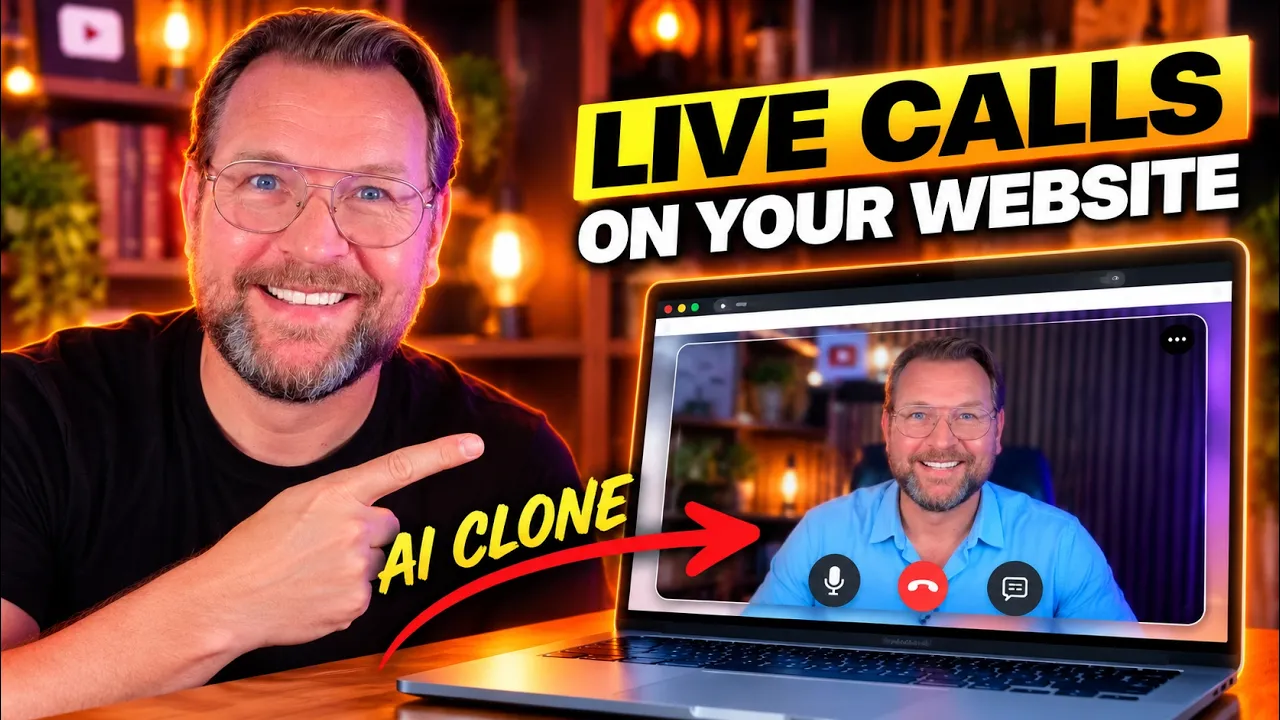
How would you like it if you could clone yourself or any business owner and put that clone directly onto your website and then when somebody visits your website, they can actually talk directly to you, ask questions, get answers from your clone in real time. And I think this is so super cool. Honestly, I haven't seen anything quite like this before.
And today I'm here with my good friend Todd Gross who's going to show you exactly how it works, tell us everything about Q View. That's what it's called. Uh the upcoming webinar where you can get early access and a special deal as well.
Uh but Todd, thanks for joining me, man. I'm super excited for this one. You're welcome.
Uh this is something actually that we've been waiting for for quite some time. So, you know, of course, both you and I have the reputation of releasing products that are somewhat revolutionary and really make a big difference in business moving forward. And I'm proud to be releasing this with Brady.
Uh, what's so interesting about it is, you know, chat bots, this is not a chatbot by any means, you know, from what you're used to, but you know what chatbots are. Many websites have them on the lower right hand side of their screen. and you tap on it and when you have any questions about the business, it writes back a response.
Well, this takes that concept to a way, way different levels, where there's actually a person there, a concierge so to speak, who is going to walk you through any questions that you have when you arrive at the website. Now, this can look like you and even sound like you, but it doesn't have to because we have ones that are pre-built that are really, really good, Tim. And I'm going to show you some examples of that in just a second so that you're going back and forth with a actual person, a person.
Yeah. Rather than just typing something in, and they answer any questions you have about the product or service. Yeah, I've seen a few demos and I was like, "Wow, Todd, I just messaged you.
Todd, come on a call. I need to interview you about this. Can you show us a little bit around?
" How about diving into it or do you want to tell a little bit more about it or shall we? >> Yeah. No, I I think showing is really what's so important to do.
So, uh, basically, I'm going to show you two things. I'll show you just how it works, and then I'll show you how easy it is to set up by just logging into the website. >> Yeah.
>> So, let me let me do that first. First, I'm going to go to an actual example. So, this is Gabriel.
He's one of the ones that we provide. We have two on this page. Actually, one is going to >> be the face of the website itself right here.
>> And the other is set up more as a chat box on the lower right. That's Sophie. So, I'm going to start with Gabriel and I'm going to talk to him.
I'm going to try to trip him up. Okay? I'm going to ask questions.
If I talk over him, he'll stop in the middle. And that gets a little awkward sometimes because I'm interrupting him. So, I'm going to try to let him finish speaking, but you know, I'm so enthusiastic about this.
We'll see what happens. >> All right. >> Hi, I'm Gabriel.
Cu puts a live face on your website that answers questions and books, meetings, and you're talking to one right now. Try and catch me out. >> Okay.
Yeah, sure. Gabriel, first of all, when is this launching? This product Q.
>> U is already launched and live. I'm running on it right now. I don't have information on specific product roadmap dates or future feature releases.
If you'd like to see more, you can build your own character and give it a job using the builder below. >> Really, how does it work? I don't understand.
QVU places a live conversational avatar like me directly onto your website. It listens to what? So, if I was to ask you a question that's not related, like where did you get your hair done?
How would you answer that? >> As a digital avatar, I don't actually have hair in the human sense. My appearance is designed as part of the character.
So, I don't visit a salon. Well, can we as users of Q View change your hair color, what you're wearing, or can we do something else like that? Yes, absolutely.
When you build your own character with Cuvo, you can select its appearance, including hair, clothing, and other features. You can try building one yourself using the tool. >> Okay.
So, now let's take a look at Sophie on the bottom right. >> Yeah. Now, she's basically uh designed to try to get the lead and fill out a form.
>> Hi there, I'm Sophie Q's live avatar. How can I help you today? The quickest way to see what I can do is to watch me do it.
The form beside me fills itself in from what you say, and you never have to type into it. Could I start by asking your name so I know who I'm speaking with? Well, my name is Todd Gross.
>> Got it, Todd. That's your name in. It's great to meet you.
To help the team set you up with Q View, could I also get your email address? That way, they can send you all the information you need. >> Where did you get that sweater?
It's really nice. >> Thanks for noticing. I appreciate that.
To make sure you get all the details about Q, what's the best email address for you? [laughter] My best email address is your greenscreen guy@gmail. com.
>> Got it. Your green screen guy@gmail. com.
Just to confirm, is that your green screen guy? As in Y for Yankee, O for Oscar, U for uniform, R for Romeo, G for golf, R for Romeo, E for Echo, E for echo, N for November, S for Sierra, C for keych Charlie, R for Romeo, E for echo, E for echo, N for November, G for golf, U for uniform, Y for Yankee atgmail. com.
And while we're making sure you get the right information, what kind of service are you most interested in for Q? Are you looking for lead capture, appointments, support, or something else? >> Well, look, I I want to sell this to local clients.
Does that make sense? >> That absolutely makes sense, Todd. Q View is fantastic for agencies looking to offer this to their own clients.
First, just to confirm that email, you're green screen guy@gmail. com. Did I get that spelled correctly for you?
And speaking of connecting with you, would you be comfortable sharing a phone number where the team can reach you if needed? >> Yeah, I'll do that in just a second. And first of all, I wanted to confirm my email address is your greenscreen guy@gmail.
com. >> Perfect. Thanks for confirming your greenscreen@gmail.
com. Glad we got that right. And you mentioned you'd be happy to share a phone number in just a second.
Would you like to provide that now for the team? >> Whoa, not so fast. I first wanted to find out a little bit more about if I can use this uh to clone the business client.
Would I be able to actually, you know, use a picture of, let's say, my business client and have him be the digital avatar? >> Yes, absolutely. That's a key feature for agencies like yours.
You can definitely >> Okay. Well, my phone number, you were asking about it. It's 617313-9578.
>> Got it. 617-3139578. Just to confirm, is that 6173139578?
>> Yes, exactly. >> And going back to your >> Perfect. Thanks for confirming that phone number, Todd.
And yes, to answer your earlier question, you absolutely can use a picture of your business client to create a custom digital avatar. We offer several avatar engines. And with a custom avatar, you can create one from a written description, an uploaded photo, or even your webcam.
There's a consent process involved to ensure everything is above board. And once that's signed, the custom face can be published. It's a fantastic way to personalize the experience for your client's customers.
Is there anything else you'd like to know about creating custom avatars or any other features? >> That's it, Sophie. Have a good day.
>> All right. She was really [laughter] down to business there, Tim. She wouldn't let me get her off track at all.
I tried. >> That's so I didn't even see this. I just talk with with the with the guy, but this it fills the forms out.
>> Sophie is is my favorite. She's very well programmed. >> Wow.
>> Right. So, and she works really well. The next thing I wanted to do is just show you how easy this is.
Once you log in, >> Yeah. >> all you're going to do is you're going to put the website in here. >> And once you put the website right in through here at the very beginning when you first log in to Q View, then guess what?
It learns everything about the website. So, it gives that knowledge and everything that's on there on there into your avatar. Plus, you could give it even more information after that.
So, you could um take the I don't know how to unshare this now, but um >> yeah, we can go back to the interview. Wow. >> Yeah.
I mean, this like I said, I haven't seen anything like this before. I have seen avatars before. uh like talking and stuff like that.
But in this way like with such a knowledge and also the response time is pretty quickly like it's is it basically already listening while you're talking so it can answer quick more quickly. >> Yeah, that's what's going on. It's it's listening to every every single thing that you're saying.
And the the clue to that is when I start talking immediately stops. M >> so if it's in the middle of saying something to you and you start talking it's just going to shut down and stop talking and listen to what you're saying which is great but you know that's why I'm saying when I start blabbing [laughter] at it it's not going to get anything uh it's not going to overtalk me it's not going to continue what it's saying >> so are there are there two different types because we talk first with the guy and then we talk with with Sophie right uh Sophie really did a good job of getting your email address getting your phone number she always goes back to that detail Is that something that you can program or do you have instructions in the back end that you fill out? >> Well, she is she's designed to get the lead capture form filled out.
I mean, that's programmed in there. >> Yeah. >> So, that when you choose that, it's going to do that.
It's going to be the main function. >> Gabriel didn't have uh or maybe he did have a capture form. I'm not sure.
But, um you don't have to have one. Yeah. it could just answer questions about the business back and forth.
>> But if there is a lead capture form there or an information form um to fill out, then that's their prime function. But they can answer all kinds of questions like there was one um that was a plumber. It was it was a plumbing site that was fed the info with.
And anything I threw at it about actually it's roofing. Anything I threw at it about roofing, it knew the answer. I said I have an ice dam situation.
What's my best, you know, course of action. So, it tells me in the best course of action, but then it says, "Let's get an appointment. " Yeah.
>> Let's get an appointment down so that we can have an inspection on that. >> Wow. So, it delivers value and then it tries to capture and you can add them in many ways to your website like you can embed it like the guy, you can add it as a circle at the bottom of your website.
So, there are multiple ways to uh to embed this, >> right? It's right. You can either have it as part of your website when you first come in or it could be as a typical chatbot on like the bottom right, that sort of thing.
Yes. >> Well, uh I think it's super impressive. You're going to launch this I think it's coming Sunday, right?
Can you tell us a little bit more about the pre-launch webinar >> here? We're recording this on the 18th and it's coming up Sunday night, the 20th. And that's just the pre-launch webinar.
We have another debut pre-launch webinar coming up on Monday the 21st at 10:00 in the morning. And I know that may work a little bit better for folks in Europe. Um, but in general, we have all sides of the world covered between our pre-launch webinar 8:00 p.
m. Eastern time on Sunday night and the one that follows at 10:00 in the morning uh on Monday. And that's when we're going to have this really, really good pricing.
We're going to have an exclusive all access deal and I think you will be pretty shocked by how reasonably priced this is going to cost. >> Well, if it's similar to the last one that you launched, then it's definitely a good price. [laughter] >> Yeah.
>> So, uh >> it is. >> So, coming Sunday 8:00 p. m.
coming Monday 10:00 a. m. in the morning.
Um they're going to get a special deal during the webinar. What else are you going to do during the webinar, Todd? >> Yeah, we're going to have these contests going on.
Uh I'm excited to do them. Uh folks seem to like them. Basically what we do is we give a cash reimbursement towards the purchase for those that get the answer right.
>> Okay. >> Um and we do we actually select from the correct answers. But I usually make the question hard enough that we don't get too many people with the right answer.
[laughter] When I say hard enough, if you're listening to the webinar, you'll definitely have the right answer because I always pick something that I've talked about early or midinar and then comes back. >> You pick out winners. >> Yeah, we pick out the winners from the correct answers and there's a good chance of winning if you uh were paying attention.
>> Nice. Nice. So, yeah, if you're uh if you're interested guys, if you want to have this on your website as well or you can sell this as as that's another opportunity.
I mean, this is free website. You can sell this to other businesses. I mean, >> think of how many businesses have a little chatbot in the lower right that is so inferior to this.
This is, you know, a whole another league. This is something that was in my imagination for years. Anytime chatbot came out, I said, "That's nice, but it doesn't really chat.
It's just >> typing, right? A chatbot should talk. " So, I thought there should be at least a voice, but we went beyond that.
It's not just a voice. It's an actual real person and she looks so good. The lip sync is so good.
Um, both of them the lip sync was perfect. >> Yeah. And it's not not only a person, it's also a clone of you.
I mean, you can add your own picture in there for yourself. >> Yeah. >> Yeah.
And I saw the one that we made of you. It looks exactly like you. But >> I just want you to know you don't have to clone yourself.
That the ones that we have in there are already picked and trained and look great as they stand now. So you don't necessarily have to clone yourself, but absolutely you can do that. >> And you can deliver this to any business.
You can train it with any business and sell it as a service to businesses. That's allowed, right? >> Yeah, that's the whole point of it.
>> Yeah, that's the whole point. I think this that has more potential than anything else. Obviously, we should all have one of these on our website.
You know, >> we we should. It's like a a slam dunk, nobrainer. But in addition to purchasing for your own website, my goodness, you could sell this to others so easily.
>> Absolutely. Well guys, um if you're interested, there's a link below this video. If you're in YouTube, if you're are on the page already, uh because you're on my email list, you know the drill.
There is a sign up form on the page where you can sign up for both webinars. Uh if you register once, you're registered for both webinars. Coming Sunday 8 PM coming Monday 10 am.
Uh and yeah. Is there anything else Todd? They're gonna get the replay.
>> I think we gave a little nice little rundown. We have to get people's right now. You better sign up and get into the [laughter] webinar.
That's going to be just so exciting what we're going to do during the webinar. So many more examples and an inside look at the software. >> Yes.
Well, we're looking forward to it. Thank you so much for your time, Todd. Uh best of luck with this launch.
I'm looking forward to it myself as well. >> And uh >> good speaking with you again, Tim. Yes, everyone else, thank you so much for watching.
Please hit a thumbs up uh if you're on YouTube. It helps me to rank my videos on YouTube as well. And consider subscribing to my YouTube channel as well.
I do a lot of interviews with persons like Todd today. I also have other vendors. I do product reviews.
So, uh you definitely want to see those videos as well. So, again, thank you so much for watching, guys. Todd, again, thank you so much for your time and uh looking forward to the launch and talk to you soon.
Bye-bye, guys. >> Thanks. Take care, Tim.
>> Bye-bye.