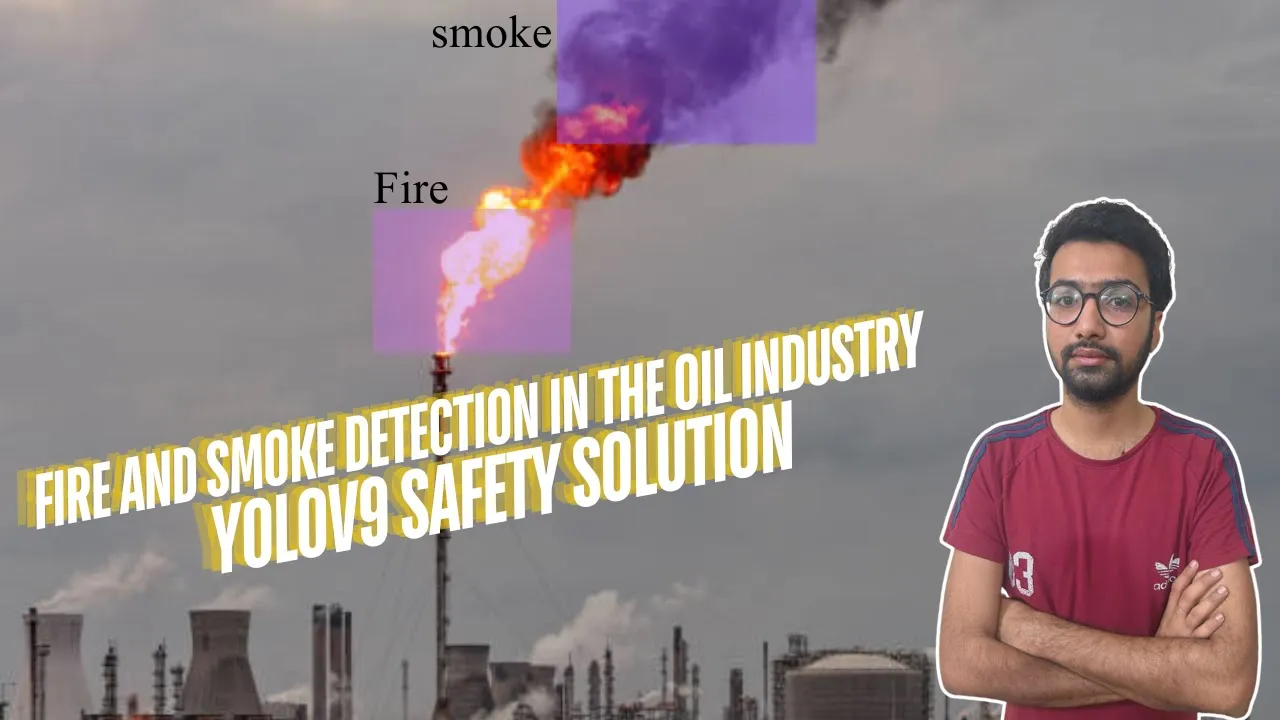
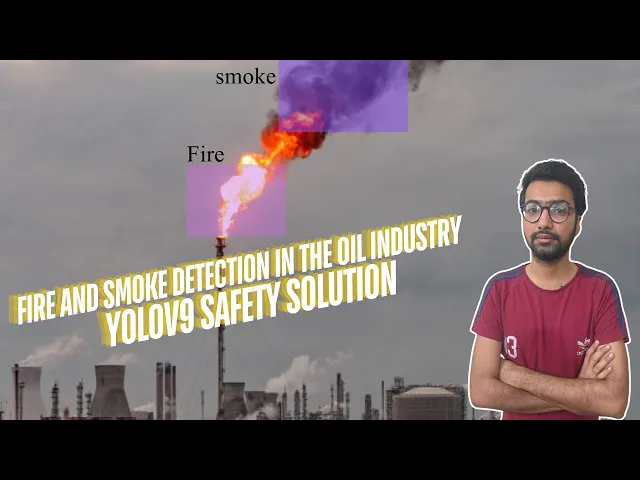
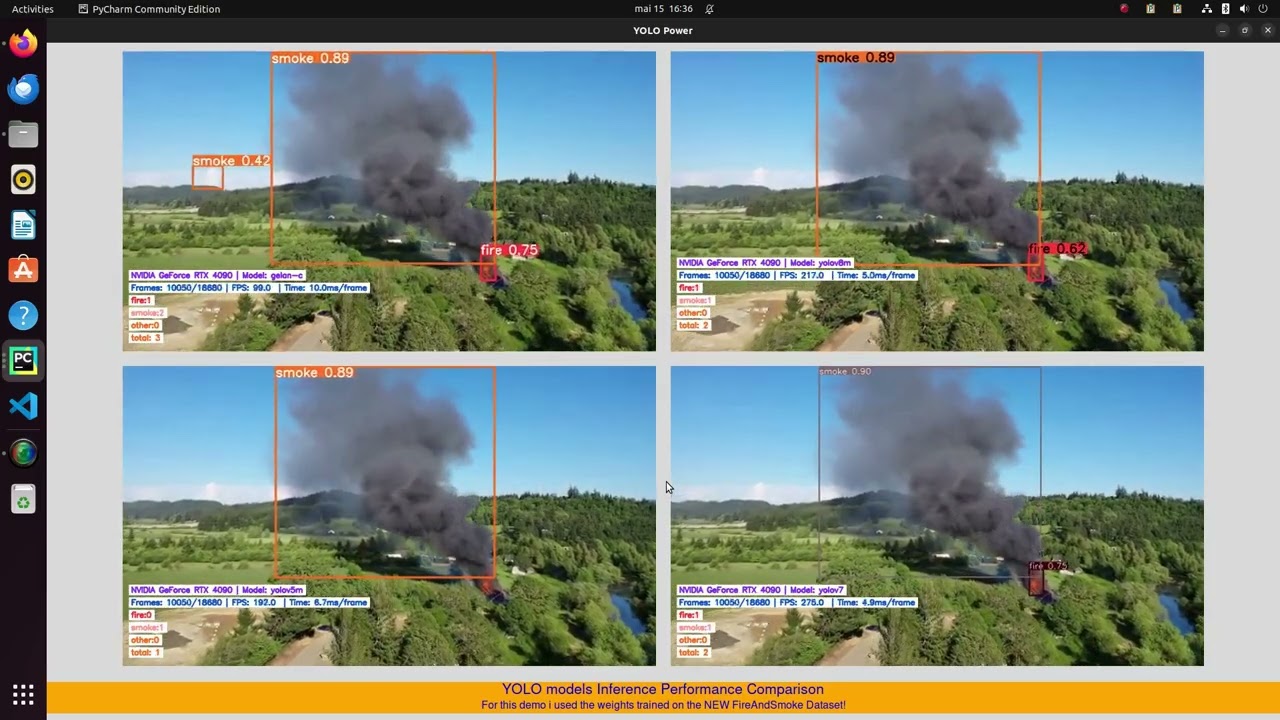
welcome by channel in this video you will see how we are creating all en n side uh safety protocols and uh detect the fire smoke okay and uh meaningful the data uh worldwide monitoring easily and emergency response very easily and uh uh you also see the smoking uh just like mapping areas and you will get aert email side SMS side so let's start from sketch first of all you see my screen detect the fire and smoke will be also detect so let's start from sketch how to we convert and detect both uh these videos uh
this is the sample okay this video is sample and in front of you uh working very well and uh detection part is done and very nicely and how we Implement our technique so let's start from sketch first we train the data own data then we start the deduction part how to dedu in window uh machine so let's start from scetch first of all uh you go to the browser s okay and uh you can see the pi research report and uh here so click the py resarch and uh after you can see the notebooks okay
obviously you will get one note book and training part of technique is y9 obviously so in front of you uh here this report third one uh here uh train YOLO v9 custom data set and uh how we get the data set from uh data set sites uh let's uh this is the very uh uh not uh very easily to integrate the data sets and you will get data sets from Robo flow okay first of all you go to the runtime and here manage the section if you have already done it's not okay so change the
here runtime here T4 is already mentioned my side okay so just okay uh run it anyway and you can see that GPU is already running in my uh Google call okay then uh note it is easy to access the data set you call the Home Path okay now clone the report here uh yolow v9 uh from my side is you can easily get the here uh from my uh GitHub side nora99 it's very easy now we need to install Robo flow we get the data sets here call the roboplow and download the models and uh
make the weight folder it's very e easily just follow the my instruction and commands and uh you will get the result very quickly in window uh users okay so here uh call the Home Path and you can see all v9 model is download in our uh folder okay so here one make the path okay after you can see we get the one image uh his name is the Deo and uh source code is available yes is available I hope so it's working now otherwise we download uh manually and uh get the result but hopeful it's
working fine so let me yeah it's working okay image is not found because here data this image is uh sometimes getting some so so I am already download my image here download folder and here this one okay so here you just uh get the click icon into uh this same folder okay so now run it again and uh here some within seconds will be image will be uh uploaded very soon so here I I think it's not done now it's done almost so we call it again deduction part it's very important for all of you
guys this is the simple demo here and here you can see we copy the export to and here past okay change the part directory keep in your mind okay so if you run it again so name directly is change so now we are going to the authentication is the data set from the roof flow you go to the roof flow site okay and uh public data click the public data and here we need to fire smoke this data segmentation okay but we are just not implement the segmentation if you want to uh smoke fire segmentation
data set use you can do it otherwise here this you can see the fire smoke segmentation is uh easily to detect uh these D data set so just go to the overview download okay and uh here download and format you can select the format is y9 and show the code okay we are already implement this code but in for for you we are going to step by step just past here okay but we have already code uh do not need it and just run it again okay so after the run this part so train the
model I have put as five but you need to put 10 at least now call it so training part obviously taking time and uh I hope so it's working almost uh around uh 5 to 10 minutes so we need to wait for it after export the our model we need to test it uh in in the goab file after test it we will Implement in our code sites for the deduction part so my my aim is to explore more AI uh to achieve my audience uh these task very easily so we are open the P
research platform and notebooks and uh you also see we are Implement here AI Solutions AI projects here ecosystem so if you want to get the notebooks from here you can just press the link you get the notebooks okay if you want to P liary you will get this from here now we are export the all models uh here our AI project Solutions playlist if you want to use any other videos from YOLO series and Robo flow series you will get easily in my uh here website side okay so it's an internet issue but you will
just one to two minute you will get the result okay so here right so now we are able to see the our model so Sim discussion is website side also uh completed okay now export the model okay so so here training the result and uh this F is get from the trending part okay so now we see the loss and well read boxes and uh here from the plot chart so after you can see confusion Matrix and confusion Matrix also uh here fire and 0.2 is uh small okay you get the result let me check
it uh so run it again you can see the we are get the result okay now validate the model it's working fine or Not Here bus model after best model model is validated you will see that we are able to uh validate uh also last Model so it's very easy just call it again here you can see also accuracy and so now need to inference the model also we are tested and here it's three no it's not three uh I think we are copy and paste let me check it out oh sorry we are here
export the Turning part we based model so we are able to see the detect the uh pictures validate the pictures and inference model so here you get the result all of deduction part very easily and Export number four if you want to check it out it's very easy go to the ultra and y9 run folder okay and Direction part and four you see this type okay so our Co report is over now we need to uh download the here V from the export file and I'm already download but in front of you and download it
again okay and uh after you can see we are going to uh our folder and the folder name is squ smoke this one I am a now window User it's easy for you all of those guys and now so follow the my instruction after you get the YOLO v9 report from my uh GitHub side so it's very easy if you want to uh run it if you want to run it original report you can do it otherwise you go to my report side you Mo over 99 okay this code is uh here in this directory
if you want to if you want to get the uh report whole report code you get from here okay so it's easy for all of you guys now we are going to our report s okay n99 okay so within seconds we get the so you get the code from here it's uh all code is update research and fire and smoke deduction for oil industry safety how we Implement logic right now we export the model and after you can see we are now uh able to see the report of the y9 first you go to the
here 9 okay so here uh y9 officially report get from here ISD if you want to here get from here is it's very also easy uh it's up to you only up to you I'm already download and update the code you get this code from here if you want to download it then download it otherwise all code directly this one is updated in front of you in a fire report okay so we target the first of all you can see it's same model here last okay uh I have already accurate model uh 195 is a
and uh so we are train five EOS in front of you we are train the only 10 EOS so it's different okay this models get from a GitHub account okay now we need to check check it out the front of VI detection file so we update the detection file easily uh so here so front of you I'm open the detection file and you will see the uh GitHub report sorry code and uh here you can see the libraries and the computer vision Library Nile library and all folders and model is available easily to here uh
all reports sorry folders is available so now you can see we are at the color boxes and RPG colors uh in the code so for the best view okay so now we are use the gradient colors top and bottom side and uh here put the header and footer okay after you can see we are implement the L model here UniFi mp4 file video and here in front of you view is true and save is true and here save directories equals in front of you you can see we are same C is implemented and now we
here header will be Implement what kind of the we can do when detection part is done we will see the easily uh emergency response and uh file alert is very high okay so here same for is available and we need to run it and uh Running part is very easy in Windows side first of all I am open the directory and here just press the CMD and now we need to install first of all first you check my python version okay so now you see how to install the open CV open CV sorry open CV
here Python and uh also you can see the dependency of the numai and uh here if you want to get this type of report and uh how to install it's very easy uh videos are also available yolow v9 if you want to go to the officially uh running point of view here you also get this type of report in my account side so uh here small medium capital and uh large model is available also you see the follow the instruction of these commands it's very easy not big deal so in front of you you see
the here this video okay this video is great also from my account you will eily you will easily get this videos in my account it's not issue and you see the fire and smoke is available if you want to use these type of videos and these type of videos also available so let me show you how these work and you will see that in evening sorry morning time suok is a work so it's also detect very easily so python is running nump is done installation part after installation part is done you will see we are
need to run it python detection okay so I'm running uh write this manually yeah deduction. p it's very easy So within seconds you need to uh so you able to see uh our view uh result so hopefully it's working fine so we need to replace one more video for the smoke radation in night time is not smoke is SE so fire is working fine and you can see fire a intensity is very high so it's may be emergency response to conveyor oil factory like managers okay so this is the concept and uh here our video
is also saved but we stoed this one we need to change the video okay so this one demo okay so here uh copy the name and paste here okay so it's very easy I already Implement code setting uh so in my laptop for you guys and uh we are providing informational videos so it's easy for all of you guys so we are open the open source organization and as soon as we are Implement AI interface so you see we are replaced the video file name and uh within seconds we are able to see our result
after we able to see our result you will also get the uh here soke result and uh fire so guys hope you like it and uh our main target to achieve smoke and fire will be detect and uh generate the some alerts if you want to generate the alerts you can do it so you need to implement SMS alerting smell alerting WhatsApp alerting it's depend on you so we need to meaningful data smoke and uh fire detection is uh seat in front of you is working fine with the yolow v9 technique so hope you like
it keep in support uh see you in next video so guys hope you like it uh keep in touch see you in the next video keep support us



![Multimodal RAG: Chat with PDFs (Images & Tables) [latest version]](https://img.youtube.com/vi/uLrReyH5cu0/maxresdefault.jpg)